Mrs.S.Chitradevi
Assistant Professor in Commerce with CA
E.M.G.Yadava Women’s College
Madurai-14
A C o m p u t e r N e t w o r k i s a G ro u p O f C o m p u t e r s l i n k e d t o e a c h o t h e r
t h at e n a b l e s t h e C o m p u t e r t o C o mm u n i c at e w it h a n o t h e r C o m p u t e r
a n d s h a re t h e i r R e s o u rc e s , D at a , a n d A p p l i c at i o n s .
Te l e c o m m u n i c at i o n i s t h e s e n d i n g o f i n fo r m at i o n i n a n y fo r m f ro m
o n e p l a c e t o a n o t h e r u s i n g e l e c t ro n i c o r l i g h t e m i t t i n g m e d i a .
COMPUTER NETWORKS
3
Types of Networks
1) LAN –Local Area Network  The Computers are
geographically close together (that is, in the same
building).
2) WAN – Wide Area Network  The Computers are
farther apart and are connected by telephone lines
o radio waves.
Characteristics of Networks
4
 Topology – The geometric arrangement of a
computer.
 Protocol – Defines a common set of rules and
signals that computers on the network use to
communicate.
 Architecture – Peer to peer or Client/Server.
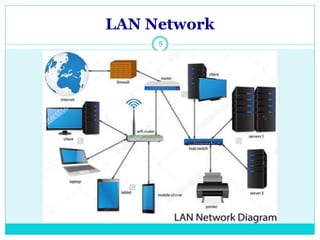
LAN Network
5
LAN Network
6
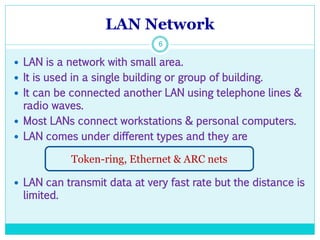
 LAN is a network with small area.
 It is used in a single building or group of building.
 It can be connected another LAN using telephone lines &
radio waves.
 Most LANs connect workstations & personal computers.
 LAN comes under different types and they are
 LAN can transmit data at very fast rate but the distance is
limited.
Token-ring, Ethernet & ARC nets
WAN Network
7
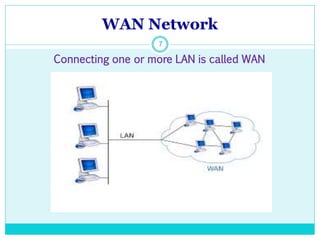
Connecting one or more LAN is called WAN
WAN Network
8
WAN Network
9
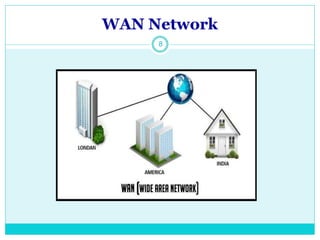
 A WAN is a network with large geographical area.
 Computers connected to WAN use public networks.
 They can also connected through leased lines or
satellites.
 The Largest WAN in existence is the Internet.
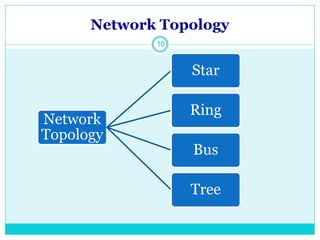
Network Topology
10
Network
Topology
Star
Ring
Bus
Tree
Star Topology
11
Star topology
12
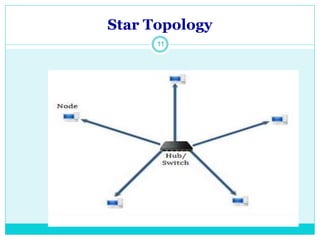
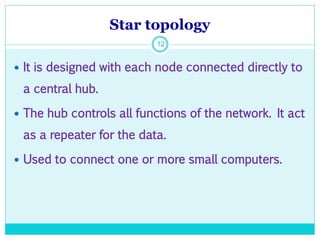
 It is designed with each node connected directly to
a central hub.
 The hub controls all functions of the network. It act
as a repeater for the data.
 Used to connect one or more small computers.
Star topology
13
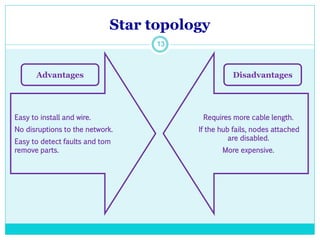
Easy to install and wire.
No disruptions to the network.
Easy to detect faults and tom
remove parts.
Requires more cable length.
If the hub fails, nodes attached
are disabled.
More expensive.
Advantages Disadvantages
Ring topology
14
Ring topology
15
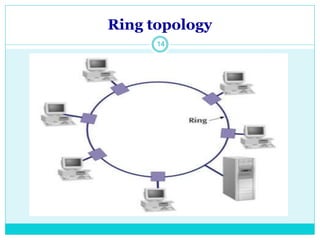
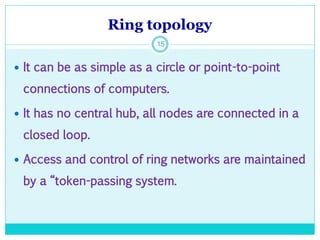
 It can be as simple as a circle or point-to-point
connections of computers.
 It has no central hub, all nodes are connected in a
closed loop.
 Access and control of ring networks are maintained
by a “token-passing system.
Ring topology
16
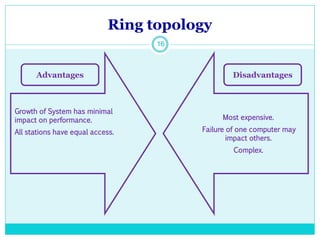
Growth of System has minimal
impact on performance.
All stations have equal access.
Most expensive.
Failure of one computer may
impact others.
Complex.
Advantages Disadvantages
Bus topology
17
Bus topology
18
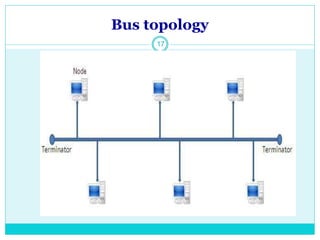
 It consists of a main run of cable with a terminator
at each end.
 All nodes are connected to the linear cable.
 All communications are carried on a common cable
or bus.
Bus topology
19
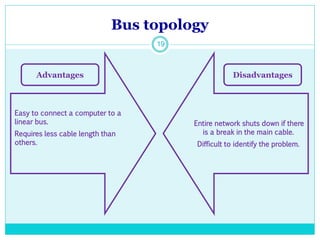
Easy to connect a computer to a
linear bus.
Requires less cable length than
others.
Entire network shuts down if there
is a break in the main cable.
Difficult to identify the problem.
Advantages Disadvantages
Tree topology
20
Tree topology
21
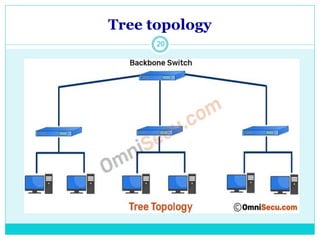
 It combines the characteristics of bus and star
topologies.
 It consist of groups of star configured workstations
connected to a linear bus.
 It allow for the expansion of an existing netwrok.
Tree topology
22
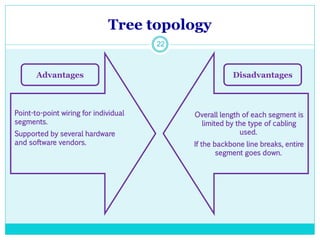
Point-to-point wiring for individual
segments.
Supported by several hardware
and software vendors.
Overall length of each segment is
limited by the type of cabling
used.
If the backbone line breaks, entire
segment goes down.
Advantages Disadvantages
23

Computer network

  • 1.
    Mrs.S.Chitradevi Assistant Professor inCommerce with CA E.M.G.Yadava Women’s College Madurai-14
  • 2.
    A C om p u t e r N e t w o r k i s a G ro u p O f C o m p u t e r s l i n k e d t o e a c h o t h e r t h at e n a b l e s t h e C o m p u t e r t o C o mm u n i c at e w it h a n o t h e r C o m p u t e r a n d s h a re t h e i r R e s o u rc e s , D at a , a n d A p p l i c at i o n s . Te l e c o m m u n i c at i o n i s t h e s e n d i n g o f i n fo r m at i o n i n a n y fo r m f ro m o n e p l a c e t o a n o t h e r u s i n g e l e c t ro n i c o r l i g h t e m i t t i n g m e d i a . COMPUTER NETWORKS
  • 3.
    3 Types of Networks 1)LAN –Local Area Network  The Computers are geographically close together (that is, in the same building). 2) WAN – Wide Area Network  The Computers are farther apart and are connected by telephone lines o radio waves.
  • 4.
    Characteristics of Networks 4 Topology – The geometric arrangement of a computer.  Protocol – Defines a common set of rules and signals that computers on the network use to communicate.  Architecture – Peer to peer or Client/Server.
  • 5.
  • 6.
    LAN Network 6  LANis a network with small area.  It is used in a single building or group of building.  It can be connected another LAN using telephone lines & radio waves.  Most LANs connect workstations & personal computers.  LAN comes under different types and they are  LAN can transmit data at very fast rate but the distance is limited. Token-ring, Ethernet & ARC nets
  • 7.
    WAN Network 7 Connecting oneor more LAN is called WAN
  • 8.
  • 9.
    WAN Network 9  AWAN is a network with large geographical area.  Computers connected to WAN use public networks.  They can also connected through leased lines or satellites.  The Largest WAN in existence is the Internet.
  • 10.
  • 11.
  • 12.
    Star topology 12  Itis designed with each node connected directly to a central hub.  The hub controls all functions of the network. It act as a repeater for the data.  Used to connect one or more small computers.
  • 13.
    Star topology 13 Easy toinstall and wire. No disruptions to the network. Easy to detect faults and tom remove parts. Requires more cable length. If the hub fails, nodes attached are disabled. More expensive. Advantages Disadvantages
  • 14.
  • 15.
    Ring topology 15  Itcan be as simple as a circle or point-to-point connections of computers.  It has no central hub, all nodes are connected in a closed loop.  Access and control of ring networks are maintained by a “token-passing system.
  • 16.
    Ring topology 16 Growth ofSystem has minimal impact on performance. All stations have equal access. Most expensive. Failure of one computer may impact others. Complex. Advantages Disadvantages
  • 17.
  • 18.
    Bus topology 18  Itconsists of a main run of cable with a terminator at each end.  All nodes are connected to the linear cable.  All communications are carried on a common cable or bus.
  • 19.
    Bus topology 19 Easy toconnect a computer to a linear bus. Requires less cable length than others. Entire network shuts down if there is a break in the main cable. Difficult to identify the problem. Advantages Disadvantages
  • 20.
  • 21.
    Tree topology 21  Itcombines the characteristics of bus and star topologies.  It consist of groups of star configured workstations connected to a linear bus.  It allow for the expansion of an existing netwrok.
  • 22.
    Tree topology 22 Point-to-point wiringfor individual segments. Supported by several hardware and software vendors. Overall length of each segment is limited by the type of cabling used. If the backbone line breaks, entire segment goes down. Advantages Disadvantages
  • 23.