Computer Hardware
Components
Exploring the internal and external
components of computer architecture
Understanding Computer Systems
Fundamental Operations Overview
• A computer system comprises hardware and software.
• Hardware includes the processor, memory, and input/output
devices.
• Software refers to the programs that enable tasks and
operations.
• Understanding the interaction between hardware and
software is essential.
Photo by Pexels
Exploring Hardware Components
Advantages
• Hardware components of a computer are tangible and
can be easily replaced or upgraded.
• Understanding hardware components helps in
troubleshooting and repairing computer issues.
• Being familiar with hardware components allows for
more customized and optimized computer builds.
Disadvantages
• Hardware components can be expensive, especially
when purchasing high-end or specialized parts.
• Upgrading hardware components may require
technical skills or professional assistance.
• Compatibility issues between different hardware
components can arise during assembly or upgrades.
Front Side Connectors
Means of
Communication
Convenience
and
Accessibility
Versatile
Connectivity
Options
Front side connectors are essential components that provide a means of
communication between the hardware and the user. They allow for
convenient access to different ports and interfaces, ensuring seamless
interaction.
By having front side connectors, users can easily connect and disconnect
devices without having to reach around or behind their computer or device.
This enhances convenience and accessibility for the user.
Front side connectors offer a range of connectivity options such as USB ports,
audio jacks, and card readers. This allows users to connect various devices
and peripherals, expanding the functionality of their hardware.
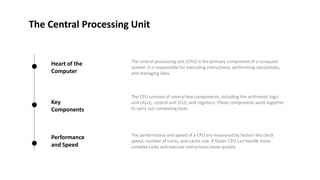
The Central Processing Unit
Heart of the
Computer
Key
Components
Performance
and Speed
The central processing unit (CPU) is the primary component of a computer
system. It is responsible for executing instructions, performing calculations,
and managing data.
The CPU consists of several key components, including the arithmetic logic
unit (ALU), control unit (CU), and registers. These components work together
to carry out computing tasks.
The performance and speed of a CPU are measured by factors like clock
speed, number of cores, and cache size. A faster CPU can handle more
complex tasks and execute instructions more quickly.
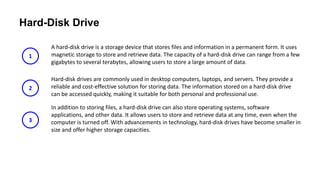
Hard-Disk Drive
A hard-disk drive is a storage device that stores files and information in a permanent form. It uses
magnetic storage to store and retrieve data. The capacity of a hard-disk drive can range from a few
gigabytes to several terabytes, allowing users to store a large amount of data.
Hard-disk drives are commonly used in desktop computers, laptops, and servers. They provide a
reliable and cost-effective solution for storing data. The information stored on a hard-disk drive
can be accessed quickly, making it suitable for both personal and professional use.
In addition to storing files, a hard-disk drive can also store operating systems, software
applications, and other data. It allows users to store and retrieve data at any time, even when the
computer is turned off. With advancements in technology, hard-disk drives have become smaller in
size and offer higher storage capacities.
1
2
3
DVD-ROM
Higher Capacity Optical Storage
Digital optical disc format with greater
storage capacity than CDs.
Optical disc media used for storing and
accessing data.

Computer components for all why wants to learn about computer system.pptx

  • 1.
    Computer Hardware Components Exploring theinternal and external components of computer architecture
  • 2.
    Understanding Computer Systems FundamentalOperations Overview • A computer system comprises hardware and software. • Hardware includes the processor, memory, and input/output devices. • Software refers to the programs that enable tasks and operations. • Understanding the interaction between hardware and software is essential. Photo by Pexels
  • 3.
    Exploring Hardware Components Advantages •Hardware components of a computer are tangible and can be easily replaced or upgraded. • Understanding hardware components helps in troubleshooting and repairing computer issues. • Being familiar with hardware components allows for more customized and optimized computer builds. Disadvantages • Hardware components can be expensive, especially when purchasing high-end or specialized parts. • Upgrading hardware components may require technical skills or professional assistance. • Compatibility issues between different hardware components can arise during assembly or upgrades.
  • 4.
    Front Side Connectors Meansof Communication Convenience and Accessibility Versatile Connectivity Options Front side connectors are essential components that provide a means of communication between the hardware and the user. They allow for convenient access to different ports and interfaces, ensuring seamless interaction. By having front side connectors, users can easily connect and disconnect devices without having to reach around or behind their computer or device. This enhances convenience and accessibility for the user. Front side connectors offer a range of connectivity options such as USB ports, audio jacks, and card readers. This allows users to connect various devices and peripherals, expanding the functionality of their hardware.
  • 5.
    The Central ProcessingUnit Heart of the Computer Key Components Performance and Speed The central processing unit (CPU) is the primary component of a computer system. It is responsible for executing instructions, performing calculations, and managing data. The CPU consists of several key components, including the arithmetic logic unit (ALU), control unit (CU), and registers. These components work together to carry out computing tasks. The performance and speed of a CPU are measured by factors like clock speed, number of cores, and cache size. A faster CPU can handle more complex tasks and execute instructions more quickly.
  • 6.
    Hard-Disk Drive A hard-diskdrive is a storage device that stores files and information in a permanent form. It uses magnetic storage to store and retrieve data. The capacity of a hard-disk drive can range from a few gigabytes to several terabytes, allowing users to store a large amount of data. Hard-disk drives are commonly used in desktop computers, laptops, and servers. They provide a reliable and cost-effective solution for storing data. The information stored on a hard-disk drive can be accessed quickly, making it suitable for both personal and professional use. In addition to storing files, a hard-disk drive can also store operating systems, software applications, and other data. It allows users to store and retrieve data at any time, even when the computer is turned off. With advancements in technology, hard-disk drives have become smaller in size and offer higher storage capacities. 1 2 3
  • 7.
    DVD-ROM Higher Capacity OpticalStorage Digital optical disc format with greater storage capacity than CDs. Optical disc media used for storing and accessing data.