‫بسم‬
‫هللا‬
‫الرحمن‬
‫الرحيم‬
Produced By
Inam Ur Rehman &
Mujeeb Ahmad
PRODUCED
TO
Waris Ali Malik
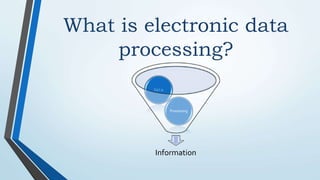
What is electronic data
processing?
Information
Processing
Data
Electronic data processing
Definition
EDP stands for Electronic Data
Processing. It is the process
of performing arithmetic and
logical operations with the
help of computer is called EDP.
What are the components of a
Computer system?
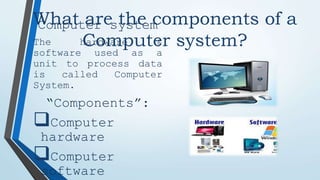
Computer system
The hardware &
software used as a
unit to process data
is called Computer
System.
“Components”:
Computer
hardware
Computer
software
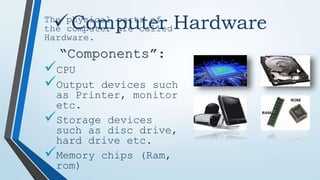
Computer Hardware
The physical parts of
the computer are called
Hardware.
“Components”:
CPU
Output devices such
as Printer, monitor
etc.
Storage devices
such as disc drive,
hard drive etc.
Memory chips (Ram,
rom)
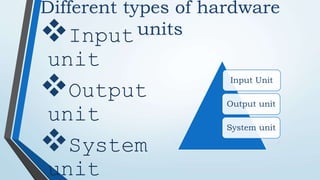
Different types of hardware
units
Input
unit
Output
unit
System
unit
Input Unit
Output unit
System unit
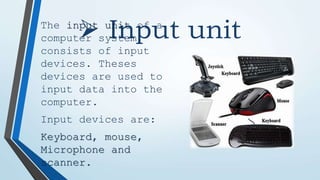
 Input unit
The input unit of a
computer system
consists of input
devices. Theses
devices are used to
input data into the
computer.
Input devices are:
Keyboard, mouse,
Microphone and
scanner.
 Output
unit
The output unit
of a computer
system consists
of output
devices. The
output devices
are used to
display
information.
Output devices
are:
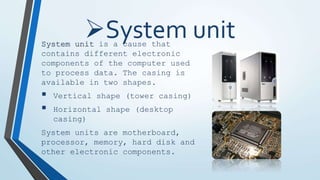
System unit
System unit is a cause that
contains different electronic
components of the computer used
to process data. The casing is
available in two shapes.
 Vertical shape (tower casing)
 Horizontal shape (desktop
casing)
System units are motherboard,
processor, memory, hard disk and
other electronic components.
Computer
software
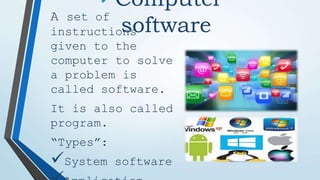
A set of
instructions
given to the
computer to solve
a problem is
called software.
It is also called
program.
“Types”:
System software
System software & Application
software
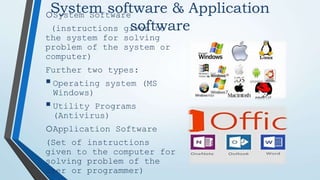
oSystem Software
(instructions given to
the system for solving
problem of the system or
computer)
Further two types:
Operating system (MS
Windows)
Utility Programs
(Antivirus)
oApplication Software
(Set of instructions
given to the computer for
solving problem of the
user or programmer)
Basic organization of
computer
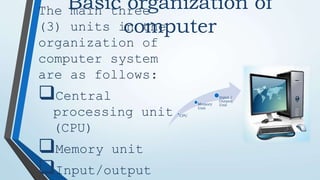
The main three
(3) units in the
organization of
computer system
are as follows:
Central
processing unit
(CPU)
Memory unit
Input/output
CPU
Memory
Unit
Input /
Output
Unit
Central processing
unit
CPU stand
for
Central
Processin
g Unit.
There are
two
types:
ALU and
•Register
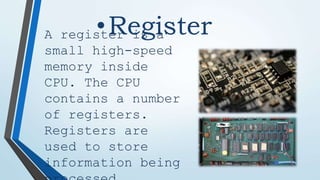
A register is a
small high-speed
memory inside
CPU. The CPU
contains a number
of registers.
Registers are
used to store
information being
•Computer
bus
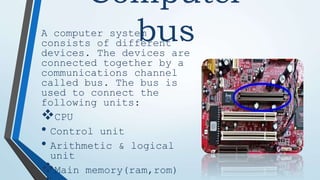
A computer system
consists of different
devices. The devices are
connected together by a
communications channel
called bus. The bus is
used to connect the
following units:
CPU
• Control unit
• Arithmetic & logical
unit
Main memory(ram,rom)
Types of system
buses
There are three (3) types of system
buses are as follows:
 Data bus (it is used to
transfer data b/w
different components of
the computer)
 Address bus (it is used
to connect the CPU with
main memory to identify
addresses in the main
memory)
 Control bus (it is used
to carry control
information from
control unit to other
Data Bus
• CPU (ALU,
Registers and
Controls)
Address
Bus
• Input and
Output
Control
Bus
• Memory
Computer Storage & its
types
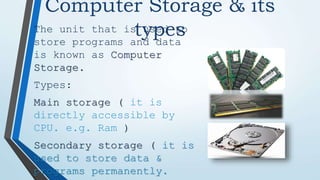
The unit that is used to
store programs and data
is known as Computer
Storage.
Types:
Main storage ( it is
directly accessible by
CPU. e.g. Ram )
Secondary storage ( it is
used to store data &
programs permanently.
Ports
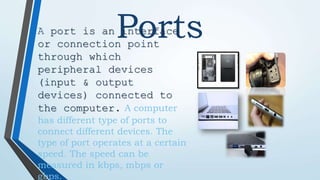
A port is an interface
or connection point
through which
peripheral devices
(input & output
devices) connected to
the computer. A computer
has different type of ports to
connect different devices. The
type of port operates at a certain
speed. The speed can be
measured in kbps, mbps or
gbps.
Types of
ports
Serial
Port
Parallel
Port
USB Port
Different types
of ports are as
follows:
Serial ports
Parallel ports
Usb ports
• Serial ports
A type of port
that transmits
one bit at a
time is called
serial port. It
is often
referred to as
communications
(com) port.
• Parallel ports
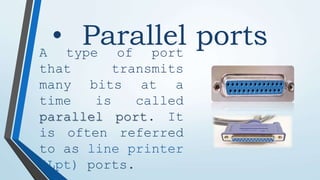
A type of port
that transmits
many bits at a
time is called
parallel port. It
is often referred
to as line printer
(Lpt) ports.
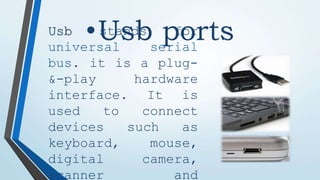
•Usb ports
Usb stands for
universal serial
bus. it is a plug-
&-play hardware
interface. It is
used to connect
devices such as
keyboard, mouse,
digital camera,
scanner and
Thanks
Any
Question

Computer Components (By Inam & Mujeeb)(2).pptx

  • 1.
  • 2.
    Produced By Inam UrRehman & Mujeeb Ahmad PRODUCED TO Waris Ali Malik
  • 3.
    What is electronicdata processing? Information Processing Data
  • 4.
    Electronic data processing Definition EDPstands for Electronic Data Processing. It is the process of performing arithmetic and logical operations with the help of computer is called EDP.
  • 5.
    What are thecomponents of a Computer system? Computer system The hardware & software used as a unit to process data is called Computer System. “Components”: Computer hardware Computer software
  • 6.
    Computer Hardware The physicalparts of the computer are called Hardware. “Components”: CPU Output devices such as Printer, monitor etc. Storage devices such as disc drive, hard drive etc. Memory chips (Ram, rom)
  • 7.
    Different types ofhardware units Input unit Output unit System unit Input Unit Output unit System unit
  • 8.
     Input unit Theinput unit of a computer system consists of input devices. Theses devices are used to input data into the computer. Input devices are: Keyboard, mouse, Microphone and scanner.
  • 9.
     Output unit The outputunit of a computer system consists of output devices. The output devices are used to display information. Output devices are:
  • 10.
    System unit System unitis a cause that contains different electronic components of the computer used to process data. The casing is available in two shapes.  Vertical shape (tower casing)  Horizontal shape (desktop casing) System units are motherboard, processor, memory, hard disk and other electronic components.
  • 11.
    Computer software A set of instructions givento the computer to solve a problem is called software. It is also called program. “Types”: System software
  • 12.
    System software &Application software oSystem Software (instructions given to the system for solving problem of the system or computer) Further two types: Operating system (MS Windows) Utility Programs (Antivirus) oApplication Software (Set of instructions given to the computer for solving problem of the user or programmer)
  • 13.
    Basic organization of computer Themain three (3) units in the organization of computer system are as follows: Central processing unit (CPU) Memory unit Input/output CPU Memory Unit Input / Output Unit
  • 14.
  • 15.
    •Register A register isa small high-speed memory inside CPU. The CPU contains a number of registers. Registers are used to store information being
  • 16.
    •Computer bus A computer system consistsof different devices. The devices are connected together by a communications channel called bus. The bus is used to connect the following units: CPU • Control unit • Arithmetic & logical unit Main memory(ram,rom)
  • 17.
    Types of system buses Thereare three (3) types of system buses are as follows:  Data bus (it is used to transfer data b/w different components of the computer)  Address bus (it is used to connect the CPU with main memory to identify addresses in the main memory)  Control bus (it is used to carry control information from control unit to other Data Bus • CPU (ALU, Registers and Controls) Address Bus • Input and Output Control Bus • Memory
  • 18.
    Computer Storage &its types The unit that is used to store programs and data is known as Computer Storage. Types: Main storage ( it is directly accessible by CPU. e.g. Ram ) Secondary storage ( it is used to store data & programs permanently.
  • 19.
    Ports A port isan interface or connection point through which peripheral devices (input & output devices) connected to the computer. A computer has different type of ports to connect different devices. The type of port operates at a certain speed. The speed can be measured in kbps, mbps or gbps.
  • 20.
    Types of ports Serial Port Parallel Port USB Port Differenttypes of ports are as follows: Serial ports Parallel ports Usb ports
  • 21.
    • Serial ports Atype of port that transmits one bit at a time is called serial port. It is often referred to as communications (com) port.
  • 22.
    • Parallel ports Atype of port that transmits many bits at a time is called parallel port. It is often referred to as line printer (Lpt) ports.
  • 23.
    •Usb ports Usb standsfor universal serial bus. it is a plug- &-play hardware interface. It is used to connect devices such as keyboard, mouse, digital camera, scanner and
  • 24.