How Do I Become CompTIA A+ Certified?
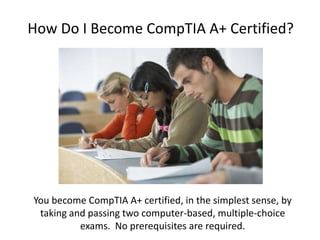
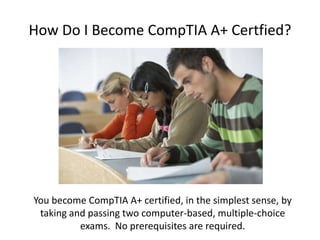
You become CompTIA A+ certified, in the simplest sense, by
taking and passing two computer-based, multiple-choice
exams. No prerequisites are required.
CompTIA A+ Certification
Preparing for the Information
Technology Workforce.
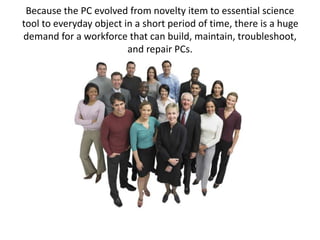
Because the PC evolved from novelty item to essential science
tool to everyday object in a short period of time, there is a huge
demand for a workforce that can build, maintain, troubleshoot,
and repair PCs.
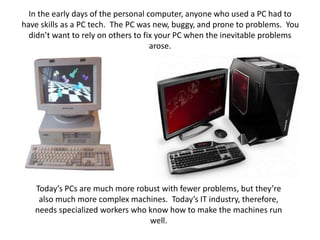
In the early days of the personal computer, anyone who used a PC had to
have skills as a PC tech. The PC was new, buggy, and prone to problems. You
didn’t want to rely on others to fix your PC when the inevitable problems
arose.
Today’s PCs are much more robust with fewer problems, but they’re
also much more complex machines. Today’s IT industry, therefore,
needs specialized workers who know how to make the machines run
well.
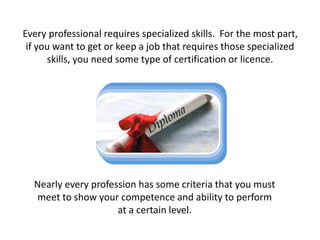
Every professional requires specialized skills. For the most part,
if you want to get or keep a job that requires those specialized
skills, you need some type of certification or licence.
Nearly every profession has some criteria that you must
meet to show your competence and ability to perform
at a certain level.
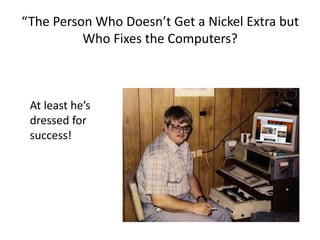
“The Person Who Doesn’t Get a Nickel Extra but
Who Fixes the Computers?
At least he’s
dressed for
success!
What is CompTIA A+ Certification?
CompTIA A+ certification is an industry-wide, vendor-neutral
certification program developed and sponsored by the
Computer Technology Industry Association (CompTIA). The
CompTIA A+ certification shows that you have a basic
competence in supporting microcomputers.
Who is CompTIA?
CompTIA is a nonprofit industry trade association based in
Oakbrook Terrace, Illinois. It consists of over 20,000 members in
102 countries. Virtually every company of consequence in the IT
industry is a member of CompTIA including Hewlett-Packard!
Many companies require CompTIA A+ certification for all of
their support technicians, and the CompTIA A+ certification is
widely recognized both in the United States and
internationally.
• Most IT companies – big
and small – see CompTIA
A+ certification as the
entry point for IT. From
CompTIA A+, you have a
number of certification
options, depending on
your focus.
How Do I Become CompTIA A+ Certfied?
You become CompTIA A+ certified, in the simplest sense, by
taking and passing two computer-based, multiple-choice
exams. No prerequisites are required.
Basic Exam Structure
• CompTIA names the two exams introduced in
2009 as CompTIA A+ 220-701 (Essentials) and
the CompTIA A+ 220-702 (Practical
Application).
• Both of the exams are extremely practical,
with little or no interest in theory.
• All questions are multiple choice!
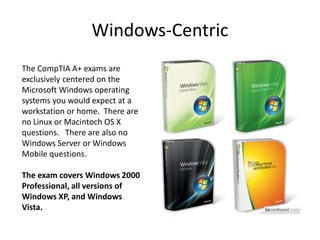
Windows-Centric
The CompTIA A+ exams are
exclusively centered on the
Microsoft Windows operating
systems you would expect at a
workstation or home. There are
no Linux or Macintoch OS X
questions. There are also no
Windows Server or Windows
Mobile questions.
The exam covers Windows 2000
Professional, all versions of
Windows XP, and Windows
Vista.
No Windows 7
Because CompTIA
released the newest
exam update in 2009,
just months before the
release of Windows 7,
there will be NO
Windows 7 questions.
How to Pass?
The single most important thing to remember about the CompTIA A+
certification exams is that CompTIA designed the Essentials exam to
test the knowledge of technician with only 500 hours experience
(about three months) and the Practical Application exam to test the
knowledge of a technician with only 1000 hours experience (about six
months).
Obligate Yourself
Have you ever heard the old adage; “Heat and pressure
make diamonds?” Well, if you don’t give yourself a little
“heat,” you’ll end up procrastinating and delay taking the
exams, possibly forever. Do yourself a favor and obligate
yourself to taking the exam before the end of the year.
If you take the exam before
December 31, 2010 you’ll be
certified for life; if you wait
until after Dec. 31, you’ll have
to get recertified every three
years.
Goals and Objectives
1) To be prepared to
take the A+
Certification exams
and pass.
2) To gain a
comprehensive
knowledge of Computer
technology (hardware
and software),
terminology, and
Procedures.
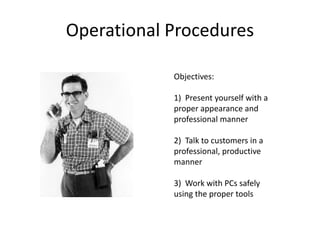
Operational Procedures
Objectives:
1) Present yourself with a
proper appearance and
professional manner
2) Talk to customers in a
professional, productive
manner
3) Work with PCs safely
using the proper tools
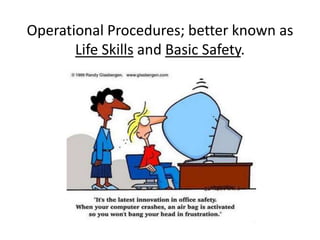
Operational Procedures; better known as
Life Skills and Basic Safety.
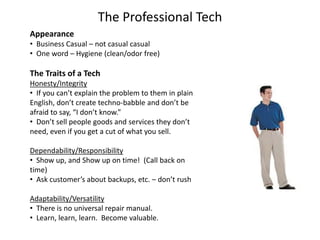
The Professional Tech
Appearance
• Business Casual – not casual casual
• One word – Hygiene (clean/odor free)
The Traits of a Tech
Honesty/Integrity
• If you can’t explain the problem to them in plain
English, don’t create techno-babble and don’t be
afraid to say, “I don’t know.”
• Don’t sell people goods and services they don’t
need, even if you get a cut of what you sell.
Dependability/Responsibility
• Show up, and Show up on time! (Call back on
time)
• Ask customer’s about backups, etc. – don’t rush
Adaptability/Versatility
• There is no universal repair manual.
• Learn, learn, learn. Become valuable.
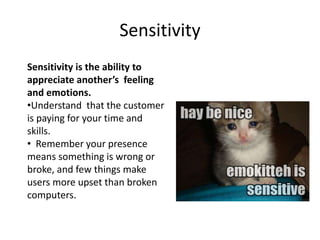
Sensitivity
Sensitivity is the ability to
appreciate another’s feeling
and emotions.
•Understand that the customer
is paying for your time and
skills.
• Remember your presence
means something is wrong or
broke, and few things make
users more upset than broken
computers.
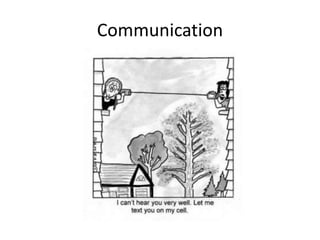
Communication
Communication
• Assertive – You must show users the error of their ways
without creating anger or conflict. “Acknowledge and Turn”
• Respectful – “May I start working on your computer
now” Give customers a chance to wrap up.
• Eliciting Answers – Allow the customer to explain.
Avoid accusatory questions like; “what did you do?”
• Expectations and Follow-Up - Be realistic!
Time Frame – Once you’ve diagnosed the issue
Documentation – Thorough notes!
Follow-up – You’ll make a client for life
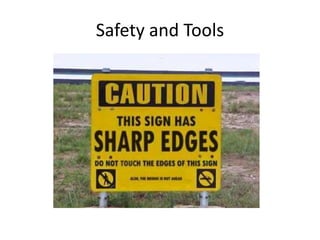
Safety and Tools
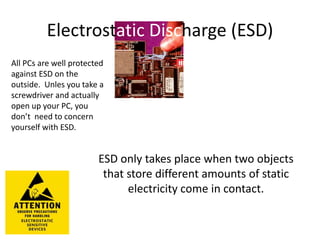
Electrostatic Discharge (ESD)
All PCs are well protected
against ESD on the
outside. Unles you take a
screwdriver and actually
open up your PC, you
don’t need to concern
yourself with ESD.
ESD only takes place when two objects
that store different amounts of static
electricity come in contact.

CompTIA Network+ Exam N10-006 Training Kit

  • 1.
    How Do IBecome CompTIA A+ Certified? You become CompTIA A+ certified, in the simplest sense, by taking and passing two computer-based, multiple-choice exams. No prerequisites are required.
  • 2.
    CompTIA A+ Certification Preparingfor the Information Technology Workforce.
  • 3.
    Because the PCevolved from novelty item to essential science tool to everyday object in a short period of time, there is a huge demand for a workforce that can build, maintain, troubleshoot, and repair PCs.
  • 4.
    In the earlydays of the personal computer, anyone who used a PC had to have skills as a PC tech. The PC was new, buggy, and prone to problems. You didn’t want to rely on others to fix your PC when the inevitable problems arose. Today’s PCs are much more robust with fewer problems, but they’re also much more complex machines. Today’s IT industry, therefore, needs specialized workers who know how to make the machines run well.
  • 5.
    Every professional requiresspecialized skills. For the most part, if you want to get or keep a job that requires those specialized skills, you need some type of certification or licence. Nearly every profession has some criteria that you must meet to show your competence and ability to perform at a certain level.
  • 6.
    “The Person WhoDoesn’t Get a Nickel Extra but Who Fixes the Computers? At least he’s dressed for success!
  • 7.
    What is CompTIAA+ Certification? CompTIA A+ certification is an industry-wide, vendor-neutral certification program developed and sponsored by the Computer Technology Industry Association (CompTIA). The CompTIA A+ certification shows that you have a basic competence in supporting microcomputers.
  • 8.
    Who is CompTIA? CompTIAis a nonprofit industry trade association based in Oakbrook Terrace, Illinois. It consists of over 20,000 members in 102 countries. Virtually every company of consequence in the IT industry is a member of CompTIA including Hewlett-Packard!
  • 9.
    Many companies requireCompTIA A+ certification for all of their support technicians, and the CompTIA A+ certification is widely recognized both in the United States and internationally. • Most IT companies – big and small – see CompTIA A+ certification as the entry point for IT. From CompTIA A+, you have a number of certification options, depending on your focus.
  • 10.
    How Do IBecome CompTIA A+ Certfied? You become CompTIA A+ certified, in the simplest sense, by taking and passing two computer-based, multiple-choice exams. No prerequisites are required.
  • 11.
    Basic Exam Structure •CompTIA names the two exams introduced in 2009 as CompTIA A+ 220-701 (Essentials) and the CompTIA A+ 220-702 (Practical Application). • Both of the exams are extremely practical, with little or no interest in theory. • All questions are multiple choice!
  • 12.
    Windows-Centric The CompTIA A+exams are exclusively centered on the Microsoft Windows operating systems you would expect at a workstation or home. There are no Linux or Macintoch OS X questions. There are also no Windows Server or Windows Mobile questions. The exam covers Windows 2000 Professional, all versions of Windows XP, and Windows Vista.
  • 13.
    No Windows 7 BecauseCompTIA released the newest exam update in 2009, just months before the release of Windows 7, there will be NO Windows 7 questions.
  • 14.
    How to Pass? Thesingle most important thing to remember about the CompTIA A+ certification exams is that CompTIA designed the Essentials exam to test the knowledge of technician with only 500 hours experience (about three months) and the Practical Application exam to test the knowledge of a technician with only 1000 hours experience (about six months).
  • 15.
    Obligate Yourself Have youever heard the old adage; “Heat and pressure make diamonds?” Well, if you don’t give yourself a little “heat,” you’ll end up procrastinating and delay taking the exams, possibly forever. Do yourself a favor and obligate yourself to taking the exam before the end of the year. If you take the exam before December 31, 2010 you’ll be certified for life; if you wait until after Dec. 31, you’ll have to get recertified every three years.
  • 16.
    Goals and Objectives 1)To be prepared to take the A+ Certification exams and pass. 2) To gain a comprehensive knowledge of Computer technology (hardware and software), terminology, and Procedures.
  • 17.
    Operational Procedures Objectives: 1) Presentyourself with a proper appearance and professional manner 2) Talk to customers in a professional, productive manner 3) Work with PCs safely using the proper tools
  • 18.
    Operational Procedures; betterknown as Life Skills and Basic Safety.
  • 19.
    The Professional Tech Appearance •Business Casual – not casual casual • One word – Hygiene (clean/odor free) The Traits of a Tech Honesty/Integrity • If you can’t explain the problem to them in plain English, don’t create techno-babble and don’t be afraid to say, “I don’t know.” • Don’t sell people goods and services they don’t need, even if you get a cut of what you sell. Dependability/Responsibility • Show up, and Show up on time! (Call back on time) • Ask customer’s about backups, etc. – don’t rush Adaptability/Versatility • There is no universal repair manual. • Learn, learn, learn. Become valuable.
  • 20.
    Sensitivity Sensitivity is theability to appreciate another’s feeling and emotions. •Understand that the customer is paying for your time and skills. • Remember your presence means something is wrong or broke, and few things make users more upset than broken computers.
  • 21.
  • 22.
    Communication • Assertive –You must show users the error of their ways without creating anger or conflict. “Acknowledge and Turn” • Respectful – “May I start working on your computer now” Give customers a chance to wrap up. • Eliciting Answers – Allow the customer to explain. Avoid accusatory questions like; “what did you do?” • Expectations and Follow-Up - Be realistic! Time Frame – Once you’ve diagnosed the issue Documentation – Thorough notes! Follow-up – You’ll make a client for life
  • 23.
  • 24.
    Electrostatic Discharge (ESD) AllPCs are well protected against ESD on the outside. Unles you take a screwdriver and actually open up your PC, you don’t need to concern yourself with ESD. ESD only takes place when two objects that store different amounts of static electricity come in contact.