INTRODUCTION
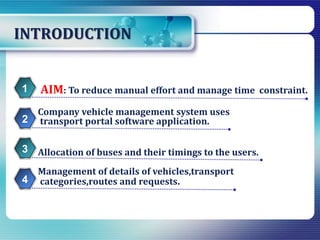
Management of details of vehicles,transport
categories,routes and requests.
AIM: To reduce manual effort and manage time constraint.1
Company vehicle management system uses
transport portal software application.2
Allocation of buses and their timings to the users.3
4
TECHNOLOGIES USED
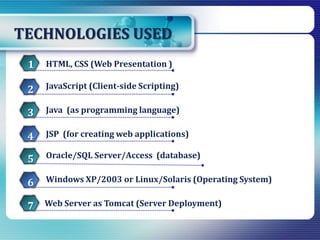
JSP (for creating web applications)
HTML, CSS (Web Presentation )1
JavaScript (Client-side Scripting)2
Java (as programming language)3
4
Oracle/SQL Server/Access (database)5
Windows XP/2003 or Linux/Solaris (Operating System)6
Web Server as Tomcat (Server Deployment)7
USERS OF CVMS
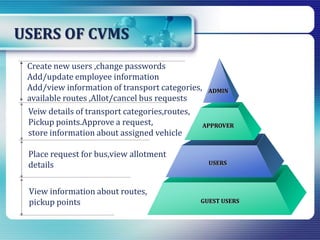
Veiw details of transport categories,routes,
Pickup points.Approve a request,
store information about assigned vehicle
Place request for bus,view allotment
details
View information about routes,
pickup points
ADMIN
APPROVER
USERS
GUEST USERS
Create new users ,change passwords
Add/update employee information
Add/view information of transport categories,
available routes ,Allot/cancel bus requests
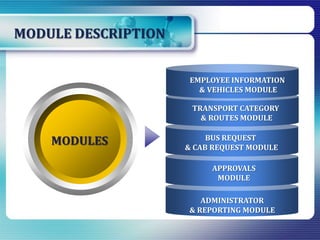
MODULE DESCRIPTION
BUS REQUEST
& CAB REQUEST MODULE
APPROVALS
MODULE
ADMINISTRATOR
& REPORTING MODULE
TRANSPORT CATEGORY
& ROUTES MODULE
MODULES
EMPLOYEE INFORMATION
& VEHICLES MODULE
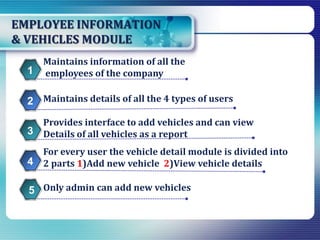
EMPLOYEE INFORMATION
& VEHICLES MODULE
For every user the vehicle detail module is divided into
2 parts 1)Add new vehicle 2)View vehicle details
Maintains information of all the
employees of the company1
Maintains details of all the 4 types of users2
Provides interface to add vehicles and can view
Details of all vehicles as a report3
4
Only admin can add new vehicles5
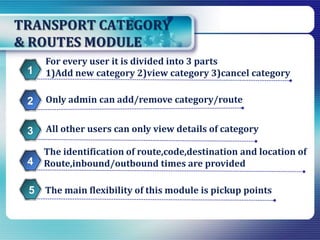
TRANSPORT CATEGORY
& ROUTES MODULE
The identification of route,code,destination and location of
Route,inbound/outbound times are provided
For every user it is divided into 3 parts
1)Add new category 2)view category 3)cancel category1
Only admin can add/remove category/route2
All other users can only view details of category3
4
The main flexibility of this module is pickup points5
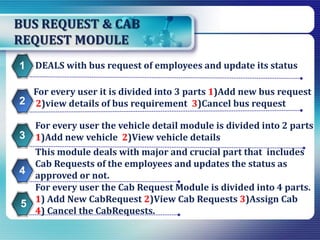
BUS REQUEST & CAB
REQUEST MODULE
For every user the vehicle detail module is divided into 2 parts
1)Add new vehicle 2)View vehicle details
DEALS with bus request of employees and update its status1
For every user it is divided into 3 parts 1)Add new bus request
2)view details of bus requirement 3)Cancel bus request2
3
4
5
This module deals with major and crucial part that includes
Cab Requests of the employees and updates the status as
approved or not.
For every user the Cab Request Module is divided into 4 parts.
1) Add New CabRequest 2)View Cab Requests 3)Assign Cab
4) Cancel the CabRequests.
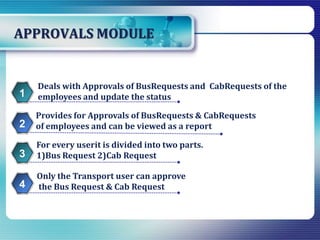
APPROVALS MODULE
Only the Transport user can approve
the Bus Request & Cab Request
Deals with Approvals of BusRequests and CabRequests of the
employees and update the status1
Provides for Approvals of BusRequests & CabRequests
of employees and can be viewed as a report2
For every userit is divided into two parts.
1)Bus Request 2)Cab Request3
4
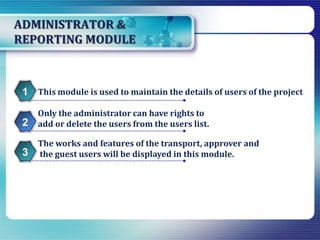
ADMINISTRATOR &
REPORTING MODULE
This module is used to maintain the details of users of the project1
Only the administrator can have rights to
add or delete the users from the users list.2
The works and features of the transport, approver and
the guest users will be displayed in this module.3
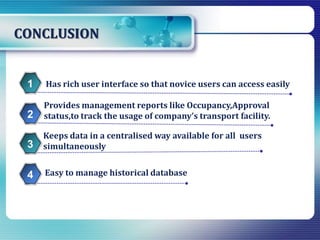
CONCLUSION
Easy to manage historical database
Has rich user interface so that novice users can access easily1
Provides management reports like Occupancy,Approval
status,to track the usage of company’s transport facility.2
Keeps data in a centralised way available for all users
simultaneously3
4
Company  vehicle management  system

Company vehicle management system

  • 2.
    INTRODUCTION Management of detailsof vehicles,transport categories,routes and requests. AIM: To reduce manual effort and manage time constraint.1 Company vehicle management system uses transport portal software application.2 Allocation of buses and their timings to the users.3 4
  • 3.
    TECHNOLOGIES USED JSP (forcreating web applications) HTML, CSS (Web Presentation )1 JavaScript (Client-side Scripting)2 Java (as programming language)3 4 Oracle/SQL Server/Access (database)5 Windows XP/2003 or Linux/Solaris (Operating System)6 Web Server as Tomcat (Server Deployment)7
  • 4.
    USERS OF CVMS Veiwdetails of transport categories,routes, Pickup points.Approve a request, store information about assigned vehicle Place request for bus,view allotment details View information about routes, pickup points ADMIN APPROVER USERS GUEST USERS Create new users ,change passwords Add/update employee information Add/view information of transport categories, available routes ,Allot/cancel bus requests
  • 5.
    MODULE DESCRIPTION BUS REQUEST &CAB REQUEST MODULE APPROVALS MODULE ADMINISTRATOR & REPORTING MODULE TRANSPORT CATEGORY & ROUTES MODULE MODULES EMPLOYEE INFORMATION & VEHICLES MODULE
  • 6.
    EMPLOYEE INFORMATION & VEHICLESMODULE For every user the vehicle detail module is divided into 2 parts 1)Add new vehicle 2)View vehicle details Maintains information of all the employees of the company1 Maintains details of all the 4 types of users2 Provides interface to add vehicles and can view Details of all vehicles as a report3 4 Only admin can add new vehicles5
  • 7.
    TRANSPORT CATEGORY & ROUTESMODULE The identification of route,code,destination and location of Route,inbound/outbound times are provided For every user it is divided into 3 parts 1)Add new category 2)view category 3)cancel category1 Only admin can add/remove category/route2 All other users can only view details of category3 4 The main flexibility of this module is pickup points5
  • 8.
    BUS REQUEST &CAB REQUEST MODULE For every user the vehicle detail module is divided into 2 parts 1)Add new vehicle 2)View vehicle details DEALS with bus request of employees and update its status1 For every user it is divided into 3 parts 1)Add new bus request 2)view details of bus requirement 3)Cancel bus request2 3 4 5 This module deals with major and crucial part that includes Cab Requests of the employees and updates the status as approved or not. For every user the Cab Request Module is divided into 4 parts. 1) Add New CabRequest 2)View Cab Requests 3)Assign Cab 4) Cancel the CabRequests.
  • 9.
    APPROVALS MODULE Only theTransport user can approve the Bus Request & Cab Request Deals with Approvals of BusRequests and CabRequests of the employees and update the status1 Provides for Approvals of BusRequests & CabRequests of employees and can be viewed as a report2 For every userit is divided into two parts. 1)Bus Request 2)Cab Request3 4
  • 10.
    ADMINISTRATOR & REPORTING MODULE Thismodule is used to maintain the details of users of the project1 Only the administrator can have rights to add or delete the users from the users list.2 The works and features of the transport, approver and the guest users will be displayed in this module.3
  • 11.
    CONCLUSION Easy to managehistorical database Has rich user interface so that novice users can access easily1 Provides management reports like Occupancy,Approval status,to track the usage of company’s transport facility.2 Keeps data in a centralised way available for all users simultaneously3 4