Download to read offline
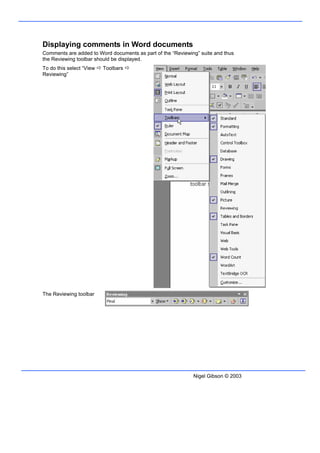
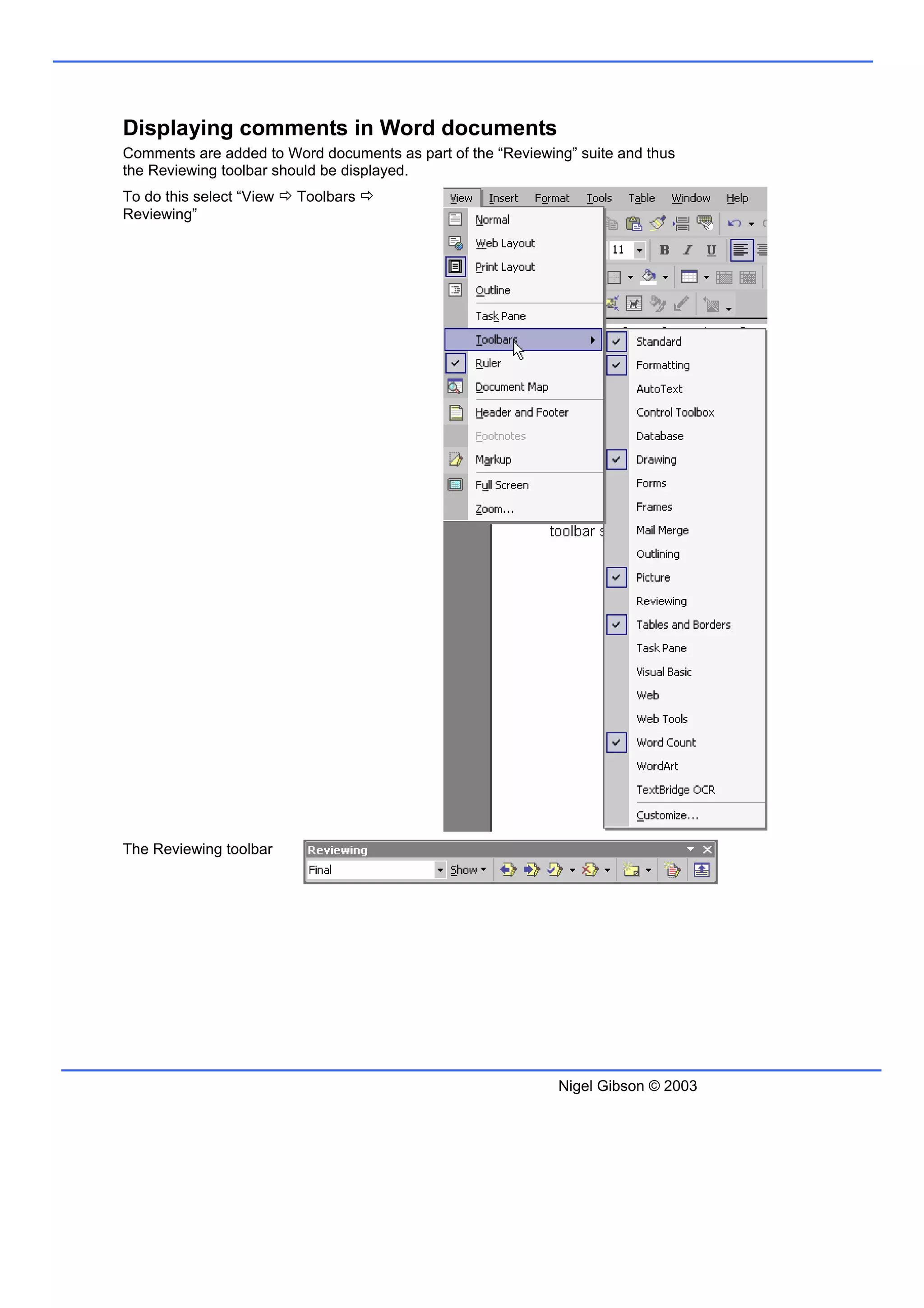
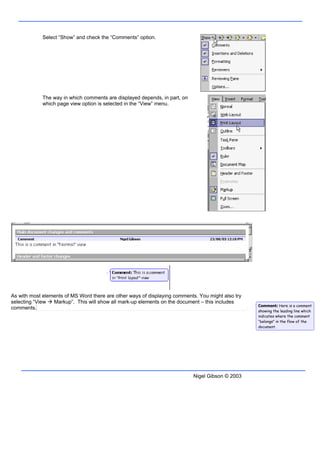

To display comments in a Word document, the Reviewing toolbar must first be shown by selecting View > Toolbars > Reviewing. Next, the Comments option under the Reviewing toolbar should be selected. The way comments appear depends on the current page view setting. Comments can also be displayed by selecting View > Markup, which shows all markup elements including comments.


