“I hate my website! What do I do?”
Also Read
Why Should you Redesign your Website?
If youʼve said this at some point, then youʼre not alone.
Most website owners have thought about it at some point. And itʼs hundred
percent normal to not be fond of your business website.
Every so o en, your website is due for an upgrade.
ʻWebsite redesignʼ, these two words are more than enough to make website
owners break out in a cold sweat.
The sheer amount of work needed to pull off a complete website redesign
makes many reconsider the whole idea.
But with the right website redesign checklist, the whole process will be a
cakewalk.
If youʼre seriously contemplating to ditch your current website and start over,
our website redesign checklist is for you!
A successful website redesign project begins before design stage. It doesnʼt
matter if it is an in-house project or youʼre working with an agency like us,
our website redesign checklist will guard you against a lot of headaches
down the road.
Donʼt get frustrated if planning takes time. Proper planning will help you
create a website that will generate quality leads and loyal customers.
If youʼre going to give your website a makeover, do it the right way.
Start your website redesign with our checklist to avoid pitfalls of poor
planning and execution.
5+
Website Redesign / Revamp Checklist
5+
Website Redesign?
1. How to plan for your
Have you ever started doing something without knowing what you wanted to
precisely accomplish?
Well, I have. It is a really bad approach.
When you are starting a website redesign, it is essential to have the details
nailed down. Letʼs take a look at them.
If you want to accomplish goals, you have to set it first.
Measurable goals will help you find out if youʼre meeting your target or not.
Studies have revealed that well-defined goals pave the way to success. Plus,
achievement rate is also likely to increase by an impressive 178% through
proper goal setting.
So start finding out answers to these following questions.
When youʼre redesigning your website you must always keep your user in
mind.
You must know everything about your core customers to create a website
with great user experience.
So start finding out answers to these following questions.
Goals
Users
Ask these
questions
?
What do I want to accomplish through this website redesign?
What is my budget?
What is the amount of time Iʼm willing to spend?
Who is your target audience?
Currently, on which page of your website do users spend
more time?
Does your website content have a natural flow and cater to
your audience?
Which keywords are attracting your users the most?
Companyname
[YourCompany]
Overview&Profile
MarketShare
CompetitiveAdvantage
MarketingStrategies
TargetMarket
Products&Services
CompetitorA CompetitorB
Competitoranalysis
CompetitorC
Iʼm sure you must know that comparing your business with competitors will
help you identify where you stand and what you can do better. The same
applies when redesigning your website.
Other than your competitors, think about the website you visit, why do you
go there o en? What do you hope to accomplish when youʼre browsing their
website?
I suggest you start with five of your direct competitors and analyze their
website. Create a spreadsheet, like the one below to track your progress.
When looking at your competitorʼs website, start finding out answers to
these following questions.
Ask these
questions
?
What type of content they have on their website or blog?
Is there anything similar in functionality?
Do they have a blog section?
Is there chat support on their website?
What are the keywords optimized on their homepage?
Also Read
Best Website Redesign Ideas and Case Studies
Competitoranalysis
During Your Website Redesign?
2. How to handle design and development
If you want your website to flourish, a well-designed and developed website
will help you get a front seat in the online market. However, both are a
daunting task.
People are looking for something welcoming rather than a maze of letters
and numbers.
Only through proper design and development, you can create a user-friendly
environment where people can learn about your business or find out new
stuff.
To make your design and development experience flawless and customer
focused, you can also hire a web development company who can help you
create a perfect website.
Here are some points to keep in mind for a successful design and
development.
According to Stanford Universityʼs web credibility research, 75% of users
admitted that they judged a business based on their web design alone. And
another research conducted by Missouri University of Science and
Technology discovered that first impressions of a website are 94% design
related.
Design
Think about it from a human level, if a person seemed untrustworthy, will
you do business with them?
Obviously no!
Remember your website is an extension of your brand. One of the main
purposes of your website is to communicate with the user so that it entices
them to engage with you and finally become your customer.
Here are some questions which will help you frame the right design.
Ask these
questions
?
What are the pros and cons of your existing website?
Is your website logo modern?
Does it require new graphics?
What kind of a response does your website evoke?
In which part of your website should you use colors?
Which color schemes should you use during your website
redesign?
Web development is complex as it involves working across multiple things.
Your website is what presents your business to the people in the real world.
Everything from website design, color, ease of navigation, and loading time
matters.
Unless you try and test, you will never know what will work for your website.
However, developing your website based on universal conventions is
recommended.
Here are some of the basic questions to evaluate your website.
Development
68%
According to SAG ipl, 68% of the
companies that developed a mobile-first
website saw a rise in sales.
When looking at your competitorʼs website, start finding out answers to
these following questions.
Ask these
questions
?
Is it multi-browser compatible?
Is navigation simple?
Does it have open graph Meta tags for easy social sharing?
Is analytic properly running?
Is your website optimized for mobile view?
Also Read
Migrating to A New Domain During Website
Redesign: Best Practices and Potential Pitfalls
Without Losing SEO?
3. How to redesign your website
A website redesign is utterly useless if a user canʼt find you. To improve your
website metrics, you have to get found.
As such redesigning your website can be stressful but what will happen to
the SEO of your current website? You donʼt want to lose the hard work youʼve
put to get a strong ranking.
Here are a few tips to redesign your website according to SEO.
This simple SEO website redesign checklist can help you with smooth SEO
migration to your new website. If you struggle to implement any one of these
tips, you can outsource SEO services to make sure you donʼt lose search
engine ranking during the transition.
Tips
Tips
Analyze your websiteʼs Meta tags to find out how well youʼre
positioned in search engines.
Find out the keywords your competitors have used and see
how they are ranked.
Set-up a list of keywords related to your market and customer
base.
Create a list of keywords and phrases based on user query in
search engines.
Generate page titles and meta tags for your website content.
Find out sitemaps, links, crawl stats problems in search
console.
Check blocked content with Robots.txt and 404 errors.
Make a list of internal and external links in your website
pages to make a redirect plan.
Identify the content indexed by search engines.
Keep a backup of everything.
Prioritize pages and update URLs on the new website.
Implement 301 redirects from old links to new links.
Submit an XML sitemap to search console.
Index new pages and links.
Check for crawl rate errors in search console.
Here are some implementation tips.
Your Website Redesign?
4. How to develop a content strategy for
A survey states, companies who blog receive 55% more visitors, 97% more
inbound links, and 434% more indexed pages.
Undoubtedly, in the website redesign checklist, content strategy can help
you find the type of content that is working and see where you can improve.
Website redesign will also serve as an amazing opportunity to institute new
content practices too.
Here are a few tips to refresh content strategy during your website redesign.
Tips
Outline the content that stays and goes out.
Figure out the type of content that attracts your target
audience.
Check if there is a way to reuse old content.
Write content that will be easily accessible by users
See how your current content is performing.
Find out the call to action that has to be added.
Also Read
Why Digital Marketing Demands Website Redesign?
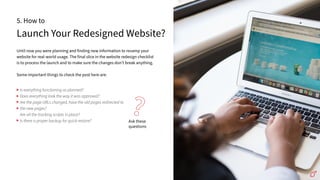
Launch Your Redesigned Website?
5. How to
Until now you were planning and finding new information to revamp your
website for real-world usage. The final slice in the website redesign checklist
is to process the launch and to make sure the changes donʼt break anything.
Some important things to check the post here are:
Ask these
questions
?
Is everything functioning as planned?
Does everything look the way it was approved?
Are the page URLs changed, have the old pages redirected to
the new pages?
Are all the tracking scripts in place?
Is there a proper backup for quick restore?
Website Redesigns Fail?
6. Why do most of the
Failure in most redesigns boils down to these points.
Many website owners give too much focus to the ʻdesignʼ part thinking that it
will solve all the problems. But, underlying problems such as improving the
performance of a website canʼt be solved only through designs.
More than half of the companies donʼt formulate a strategy during a website
redesign. So these websites are build based on opinions rather than what a
user actually wants.
In an effort to fix problems, website owners spend more money tweaking the
website. Again, those tweaks are made on assumptions. As a result, there is
little to no difference between the old and new website.
Also Read
Top Website Redesign Complete Checklist
Drawing the final curtain to
our website redesign
checklist
With the lines between the online and offline world becoming more and
more blurred, it has never been more important for businesses to make a
web presence.
No matter the business, your potential customers would have searched you
online before reaching out to you.
Once your redesigned website goes live, you have one more step le - to see
how the goals you set are working out.
Through analytics and tracking data, you can find out if goals are met or if
more work is required.
If goals are not met, keep on iterating until you accomplish them. Under
such circumstances, a split testing will be useful.
You can drink your victory champagne and deem your website redesign a
success once your goals are met!
If you follow our website redesign checklist before your pre-launch, your
post-launch will be a breeze.
Are you ready to explore website design opportunities? ColorWhistle can
help. For any questions relating to web development, web design, SEO or
digital marketing, Leave your comments
Scan here hi@colorwhistle.com
SENDDIRECTMAIL
SENDDIRECTMAIL
hi@colorwhistle.com
AUTHOR
ANJANA
ContentWriter,ColorWhistle

ColorWhistle - Website-Redesign-Checklist

  • 2.
    “I hate mywebsite! What do I do?” Also Read Why Should you Redesign your Website? If youʼve said this at some point, then youʼre not alone. Most website owners have thought about it at some point. And itʼs hundred percent normal to not be fond of your business website. Every so o en, your website is due for an upgrade. ʻWebsite redesignʼ, these two words are more than enough to make website owners break out in a cold sweat. The sheer amount of work needed to pull off a complete website redesign makes many reconsider the whole idea. But with the right website redesign checklist, the whole process will be a cakewalk. If youʼre seriously contemplating to ditch your current website and start over, our website redesign checklist is for you! A successful website redesign project begins before design stage. It doesnʼt matter if it is an in-house project or youʼre working with an agency like us, our website redesign checklist will guard you against a lot of headaches down the road. Donʼt get frustrated if planning takes time. Proper planning will help you create a website that will generate quality leads and loyal customers. If youʼre going to give your website a makeover, do it the right way. Start your website redesign with our checklist to avoid pitfalls of poor planning and execution. 5+ Website Redesign / Revamp Checklist 5+
  • 3.
    Website Redesign? 1. Howto plan for your Have you ever started doing something without knowing what you wanted to precisely accomplish? Well, I have. It is a really bad approach. When you are starting a website redesign, it is essential to have the details nailed down. Letʼs take a look at them. If you want to accomplish goals, you have to set it first. Measurable goals will help you find out if youʼre meeting your target or not. Studies have revealed that well-defined goals pave the way to success. Plus, achievement rate is also likely to increase by an impressive 178% through proper goal setting. So start finding out answers to these following questions. When youʼre redesigning your website you must always keep your user in mind. You must know everything about your core customers to create a website with great user experience. So start finding out answers to these following questions. Goals Users Ask these questions ? What do I want to accomplish through this website redesign? What is my budget? What is the amount of time Iʼm willing to spend? Who is your target audience? Currently, on which page of your website do users spend more time? Does your website content have a natural flow and cater to your audience? Which keywords are attracting your users the most?
  • 4.
    Companyname [YourCompany] Overview&Profile MarketShare CompetitiveAdvantage MarketingStrategies TargetMarket Products&Services CompetitorA CompetitorB Competitoranalysis CompetitorC Iʼm sureyou must know that comparing your business with competitors will help you identify where you stand and what you can do better. The same applies when redesigning your website. Other than your competitors, think about the website you visit, why do you go there o en? What do you hope to accomplish when youʼre browsing their website? I suggest you start with five of your direct competitors and analyze their website. Create a spreadsheet, like the one below to track your progress. When looking at your competitorʼs website, start finding out answers to these following questions. Ask these questions ? What type of content they have on their website or blog? Is there anything similar in functionality? Do they have a blog section? Is there chat support on their website? What are the keywords optimized on their homepage? Also Read Best Website Redesign Ideas and Case Studies Competitoranalysis
  • 5.
    During Your WebsiteRedesign? 2. How to handle design and development If you want your website to flourish, a well-designed and developed website will help you get a front seat in the online market. However, both are a daunting task. People are looking for something welcoming rather than a maze of letters and numbers. Only through proper design and development, you can create a user-friendly environment where people can learn about your business or find out new stuff. To make your design and development experience flawless and customer focused, you can also hire a web development company who can help you create a perfect website. Here are some points to keep in mind for a successful design and development. According to Stanford Universityʼs web credibility research, 75% of users admitted that they judged a business based on their web design alone. And another research conducted by Missouri University of Science and Technology discovered that first impressions of a website are 94% design related. Design
  • 6.
    Think about itfrom a human level, if a person seemed untrustworthy, will you do business with them? Obviously no! Remember your website is an extension of your brand. One of the main purposes of your website is to communicate with the user so that it entices them to engage with you and finally become your customer. Here are some questions which will help you frame the right design. Ask these questions ? What are the pros and cons of your existing website? Is your website logo modern? Does it require new graphics? What kind of a response does your website evoke? In which part of your website should you use colors? Which color schemes should you use during your website redesign? Web development is complex as it involves working across multiple things. Your website is what presents your business to the people in the real world. Everything from website design, color, ease of navigation, and loading time matters. Unless you try and test, you will never know what will work for your website. However, developing your website based on universal conventions is recommended. Here are some of the basic questions to evaluate your website. Development 68% According to SAG ipl, 68% of the companies that developed a mobile-first website saw a rise in sales.
  • 7.
    When looking atyour competitorʼs website, start finding out answers to these following questions. Ask these questions ? Is it multi-browser compatible? Is navigation simple? Does it have open graph Meta tags for easy social sharing? Is analytic properly running? Is your website optimized for mobile view? Also Read Migrating to A New Domain During Website Redesign: Best Practices and Potential Pitfalls
  • 8.
    Without Losing SEO? 3.How to redesign your website A website redesign is utterly useless if a user canʼt find you. To improve your website metrics, you have to get found. As such redesigning your website can be stressful but what will happen to the SEO of your current website? You donʼt want to lose the hard work youʼve put to get a strong ranking. Here are a few tips to redesign your website according to SEO. This simple SEO website redesign checklist can help you with smooth SEO migration to your new website. If you struggle to implement any one of these tips, you can outsource SEO services to make sure you donʼt lose search engine ranking during the transition. Tips Tips Analyze your websiteʼs Meta tags to find out how well youʼre positioned in search engines. Find out the keywords your competitors have used and see how they are ranked. Set-up a list of keywords related to your market and customer base. Create a list of keywords and phrases based on user query in search engines. Generate page titles and meta tags for your website content. Find out sitemaps, links, crawl stats problems in search console. Check blocked content with Robots.txt and 404 errors. Make a list of internal and external links in your website pages to make a redirect plan. Identify the content indexed by search engines. Keep a backup of everything. Prioritize pages and update URLs on the new website. Implement 301 redirects from old links to new links. Submit an XML sitemap to search console. Index new pages and links. Check for crawl rate errors in search console. Here are some implementation tips.
  • 9.
    Your Website Redesign? 4.How to develop a content strategy for A survey states, companies who blog receive 55% more visitors, 97% more inbound links, and 434% more indexed pages. Undoubtedly, in the website redesign checklist, content strategy can help you find the type of content that is working and see where you can improve. Website redesign will also serve as an amazing opportunity to institute new content practices too. Here are a few tips to refresh content strategy during your website redesign. Tips Outline the content that stays and goes out. Figure out the type of content that attracts your target audience. Check if there is a way to reuse old content. Write content that will be easily accessible by users See how your current content is performing. Find out the call to action that has to be added. Also Read Why Digital Marketing Demands Website Redesign?
  • 10.
    Launch Your RedesignedWebsite? 5. How to Until now you were planning and finding new information to revamp your website for real-world usage. The final slice in the website redesign checklist is to process the launch and to make sure the changes donʼt break anything. Some important things to check the post here are: Ask these questions ? Is everything functioning as planned? Does everything look the way it was approved? Are the page URLs changed, have the old pages redirected to the new pages? Are all the tracking scripts in place? Is there a proper backup for quick restore?
  • 11.
    Website Redesigns Fail? 6.Why do most of the Failure in most redesigns boils down to these points. Many website owners give too much focus to the ʻdesignʼ part thinking that it will solve all the problems. But, underlying problems such as improving the performance of a website canʼt be solved only through designs. More than half of the companies donʼt formulate a strategy during a website redesign. So these websites are build based on opinions rather than what a user actually wants. In an effort to fix problems, website owners spend more money tweaking the website. Again, those tweaks are made on assumptions. As a result, there is little to no difference between the old and new website. Also Read Top Website Redesign Complete Checklist
  • 12.
    Drawing the finalcurtain to our website redesign checklist With the lines between the online and offline world becoming more and more blurred, it has never been more important for businesses to make a web presence. No matter the business, your potential customers would have searched you online before reaching out to you. Once your redesigned website goes live, you have one more step le - to see how the goals you set are working out. Through analytics and tracking data, you can find out if goals are met or if more work is required. If goals are not met, keep on iterating until you accomplish them. Under such circumstances, a split testing will be useful. You can drink your victory champagne and deem your website redesign a success once your goals are met! If you follow our website redesign checklist before your pre-launch, your post-launch will be a breeze. Are you ready to explore website design opportunities? ColorWhistle can help. For any questions relating to web development, web design, SEO or digital marketing, Leave your comments Scan here hi@colorwhistle.com SENDDIRECTMAIL SENDDIRECTMAIL hi@colorwhistle.com AUTHOR ANJANA ContentWriter,ColorWhistle