Collections in Java Interview Questions PDF By ScholarHat
1.
Top Collections inJava Interview Questions
For Experienced
Collections in Java Interview Questions
If you're preparing for a Java interview, having a solid grasp of Java Collections is crucial. You
may be asked to explain various collection types, their properties, and code implementations
using the Collections Framework in Java. Being familiar with Lists, Sets, Maps, and queues, as
well as understanding performance and thread safety, is beneficial.
What to Expect in Java Collections Interview
Questions
In this interview tutorial, we’ll review the top Java Collections interview questions with clear
examples and explanations. By the end, you’ll be equipped to confidently address any
collections-related question and apply these concepts in practical scenarios.
2.
Ans: Collections inJava are incredibly useful for several reasons:
They help you handle groups of data efficiently.
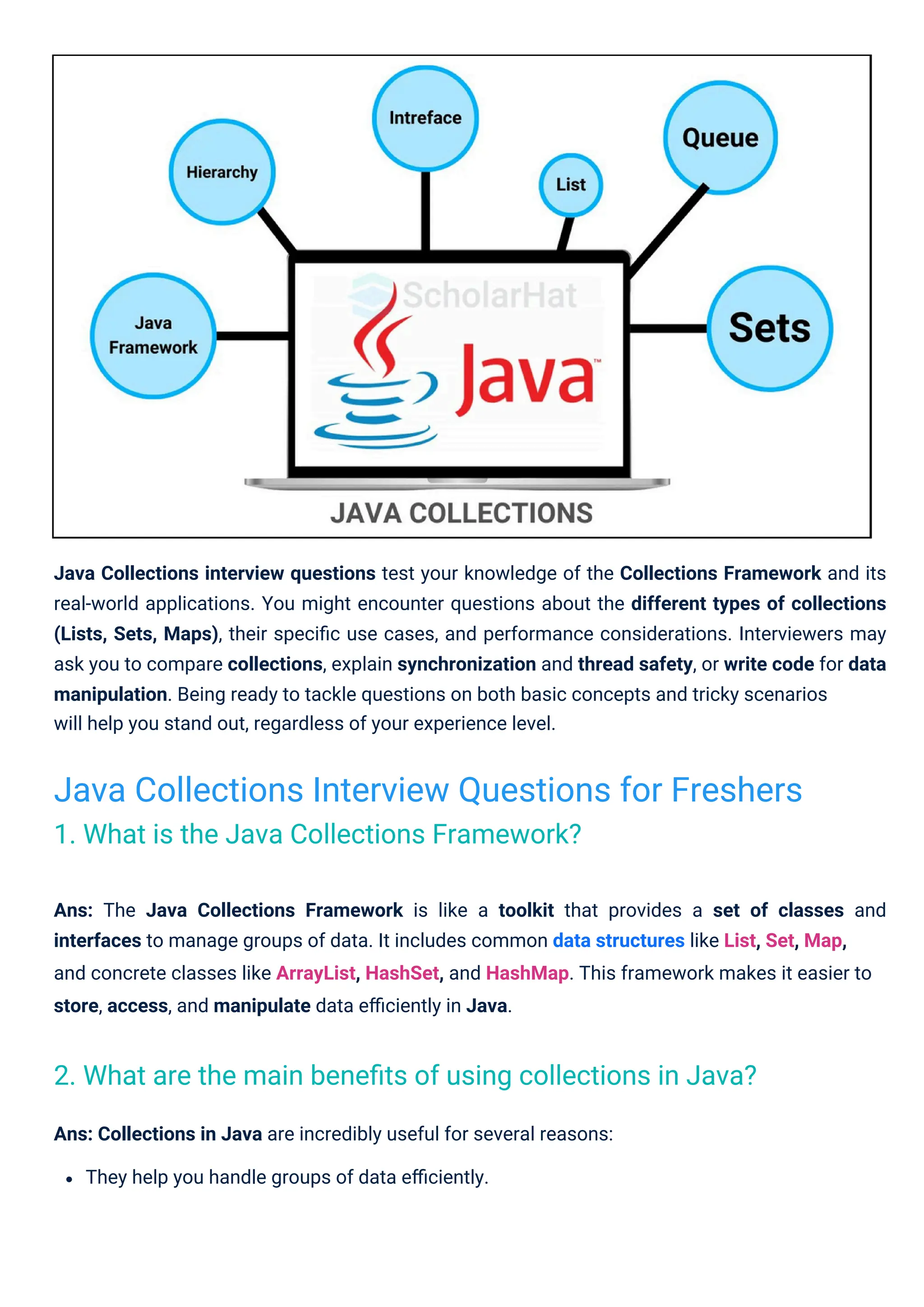
Java Collections interview questions test your knowledge of the Collections Framework and its
real-world applications. You might encounter questions about the different types of collections
(Lists, Sets, Maps), their specific use cases, and performance considerations. Interviewers may
ask you to compare collections, explain synchronization and thread safety, or write code for data
manipulation. Being ready to tackle questions on both basic concepts and tricky scenarios
will help you stand out, regardless of your experience level.
Ans: The Java Collections Framework is like a toolkit that provides a set of classes and
interfaces to manage groups of data. It includes common data structures like List, Set, Map,
and concrete classes like ArrayList, HashSet, and HashMap. This framework makes it easier to
store, access, and manipulate data efficiently in Java.
Java Collections Interview Questions for Freshers
1. What is the Java Collections Framework?
2. What are the main benefits of using collections in Java?
3.
Read More: LinkedList in Data Structures
Ans: Collection is an interface in the Java Collections Framework. It represents a group of
objects and is the root interface for most collection types. On the other hand, Collections is a
utility class that provides a bunch of static methods you can use to operate on collections,
such
as sorting, reversing, or searching.
Ans: Here’s how List and Set differ:
List: A List allows duplicate elements and keeps them in the order in which they were added.
Think of it as a shopping list where you can have multiple entries of the same item. Common
examples are ArrayList and LinkedList.
Set: A Set doesn’t allow duplicates, meaning each element must be unique. Depending on
the implementation, it might or might not maintain insertion order. Examples include HashSet
and TreeSet.
Ans:ConcurrentHashMap ensures thread safety by dividing its data into segments (or buckets).
You can imagine it as multiple lockers where different threads can access different lockers at the
same time without interfering with each other. This allows faster performance in multi-threaded
environments compared to locking the entire map.
In contrast, Hashtable locks the entire structure for every read or write, which can slow things
down when many threads are involved. So, ConcurrentHashMap is like multiple people
They boost performance and offer flexibility in how you manage your data.
With standardized data structures and interfaces, collections make it easy to work with data
in a predictable way.
They save you time by providing built-in methods for common tasks like sorting, searching,
and filtering.
4. What is the difference between List and Set in Java?
3. What is the difference between Collection and Collections in
Java?
5. How does ConcurrentHashMap ensure thread safety, and how is
it different from Hashtable?
4.
Read More: HashTable in Data Structures
Read More: Differences Between Arrays and Linked Lists
accessing separate lockers, while Hashtable is like one person using a single locker room at a
time.
Ans: Here’s how HashMap and Hashtable differ:
HashMap:HashMap in Java because it doesn’t synchronize its methods, meaning it can be
accessed by multiple threads without waiting. It also allows null keys and values.
Hashtable: It’s older and slower than HashMap because it synchronizes all its methods to
make it thread-safe. However, this means you can’t use nullit for keys or values.
Ans: The big difference here is that LinkedHashMapit maintains the order in which elements
were inserted, unlike HashMap, which doesn’t guarantee any specific order. This is made
possible by adding a doubly-linked list to the map, which keeps track of the insertion order.
Ans: The mapinterface in Javais all about storing key-value pairs. Each key is unique, and it
maps to a single value. This is ideal when you need to store data that you’ll access by a
unique identifier, like a dictionary where the word is the key, and the definition is the value.
Common
implementations include HashMap and TreeMap.
Ans: Here’s what makes HashSet and TreeSet different:
HashSet: It doesn’t preserve any order of elements. Operations like add, remove, and
contains are usually very fast, typically taking constant time.
TreeSet: Unlike a HashSet, a TreeSet keeps its elements sorted (either in natural order or
according to a custom comparator). It provides slower performance for basic operations,
but it guarantees that the elements will always be in order.
7. What is the purpose of the Map interface?
9. How is a LinkedHashMap different from a HashMap?
6. What is the difference between HashSet and TreeSet?
8. What is the difference between HashMap and Hashtable?
5.
11. What arethe key differences between an Array and an
ArrayList?
Ans: An Array is a fixed-size data structure, whereas an
10. What is the difference between Iterator and ListIterator?
Ans: Let’s compare Iterator and ListIterator:
that can grow or shrink as needed.
is a dynamic data structure
Iterator: This is a more general-purpose interface that works with all types of collections. It
only allows forward traversal of elements.
ListIterator: This one is more powerful but works only with lists. It allows both forward and
backward traversal and also provides extra features, like the ability to modify elements during
iteration.
import java.util.ArrayList;
public class ArrayVsArrayList {
public static void main(String[] args) {
// Using an Array
int[] array = {1, 2, 3};
System.out.println("Array: ");
for (int num : array) {
System.out.print(num + " ");
}
// Using an ArrayList ArrayList arrayList = new
ArrayList<>(); arrayList.add(1); arrayList.add(2);
arrayList.add(3); System.out.println("nArrayList: " +
arrayList);
}
}
ArrayList
6.
Output
Explanation
Try it Yourself>>
This example demonstrates the key differences:Java Arrays has a fixed size, while an
can grow dynamically.
Ans: The Collections utility class provides static methods to operate on or return collections,
such as sorting, reversing, shuffling, and more.
Array: 1 2 3
ArrayList: [1, 2, 3]
import java.util.ArrayList;
import java.util.Collections;
public class CollectionsExample {
public static void main(String[] args) {
ArrayList list = new ArrayList<>();
list.add(3);
list.add(1);
list.add(2);
// Sorting the list
Collections.sort(list);
System.out.println("Sorted List: " + list);
// Shuffling the list
Collections.shuffle(list);
System.out.println("Shuffled List: " + list);
ArrayList
12. Explain the purpose of the Collections utility class.
7.
Output
Explanation
Try it Yourself>>
The Collections.sort() method is used to sort the list and
shuffles the elements in the list.
Ans: The add() method in Java Collections adds an element to the collection. It returns
the collection changed as a result of the call.
randomly
if
}
}
Sorted List: [1, 2, 3]
Shuffled List: [2, 1, 3]
import java.util.ArrayList;
public class AddMethodExample {
public static void main(String[] args) {
ArrayList list = new ArrayList<>();
list.add("apple");
list.add("banana");
System.out.println("ArrayList: " + list);
Collections.shuffle()
true
13. How does the add() method work in Java Collections?
8.
Output
Explanation
Try it Yourself>>
Ans: The remove() method removes a specific element while
from the collection.
The add() method adds elements to an ArrayList. In this case, "apple" and "banana" were added
to the list.
removes all elements
}
}
ArrayList: [apple, banana]
import java.util.ArrayList;
public class RemoveVsClear {
public static void main(String[] args) {
ArrayList list = new ArrayList<>();
list.add("apple"); list.add("banana");
list.add("cherry");
// Removing "banana"
list.remove("banana");
System.out.println("After remove: " + list);
// Clearing the list
list.clear();
clear()
14. What is the difference between the remove() and clear()
methods in a Collection?
9.
Output
Explanation
The
Try it Yourself>>
method removes a specific element and empties the entire list.
Ans: A HashMap stores elements in an unordered fashion and does not guarantee any specific
order of elements, while a TreeMap stores elements in a sorted order, according to the natural
ordering or a comparator.
remove()
import java.util.HashMap;
import java.util.TreeMap;
After remove: [apple, cherry]
After clear: []
}
System.out.println("After clear: " + list);
}
clear()
public class MapExample {
public static void main(String[] args) {
// Using HashMap
HashMap<String, String> hashMap = new HashMap<>();
hashMap.put("A", "Apple");
hashMap.put("B", "Banana");
System.out.println("HashMap: " + hashMap);
// Using TreeMap
TreeMap<String, String> treeMap = new TreeMap<>();
treeMap.put("A", "Apple");
15. What is the difference between HashMap and TreeMap in Java?
10.
Output
Explanation
Try it Yourself>>
Although both store key-value pairs, a
stores them in natural sorted order.
Ans: The main difference between ,
handle immutability and thread safety:
String: Immutable, thread-safe.
StringBuilder: Mutable, not thread-safe.
StringBuffer: Mutable, thread-safe.
, and
does not guarantee any order, while a
is how they
HashMap: {A=Apple,
B=Banana} TreeMap: {A=Apple,
B=Banana}
HashMap
}
treeMap.put("B", "Banana");
System.out.println("TreeMap: " + treeMap);
}
String StringBuilder
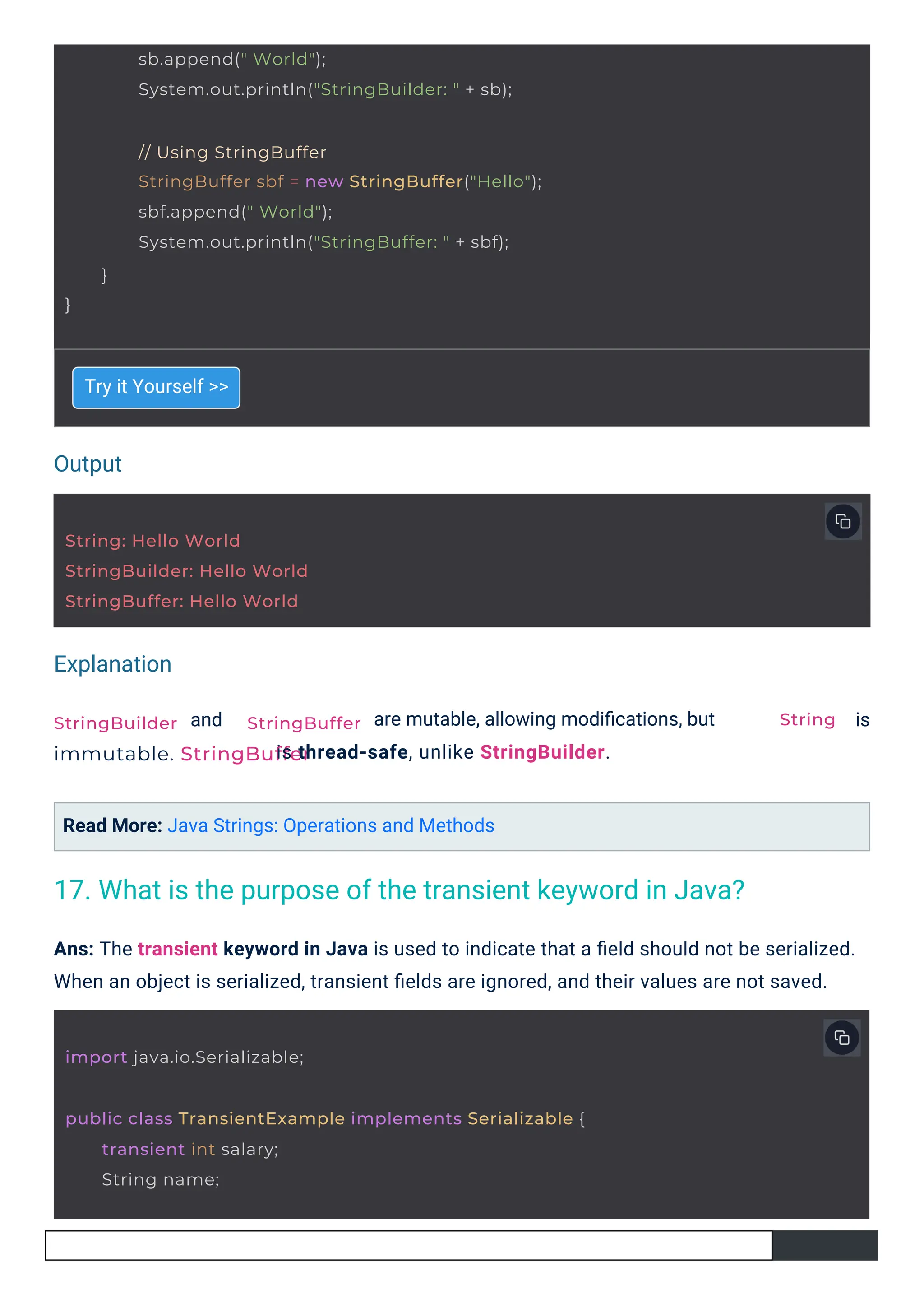
public class StringBuilderVsStringBuffer {
public static void main(String[] args) {
// Using String
String str = "Hello";
str = str + " World";
System.out.println("String: " + str);
// Using StringBuilder
StringBuilder sb = new StringBuilder("Hello");
StringBuffer
TreeMap
16. What are the differences between String, StringBuilder, and
StringBuffer in Java?
11.
Output
Explanation
String: Hello World
StringBuilder:Hello World
StringBuffer: Hello World
import java.io.Serializable;
StringBuilder
immutable. StringBuffer
StringBuffer
sb.append(" World");
System.out.println("StringBuilder: " + sb);
// Using StringBuffer
StringBuffer sbf = new StringBuffer("Hello");
sbf.append(" World");
System.out.println("StringBuffer: " + sbf);
}
}
public class TransientExample implements Serializable {
transient int salary;
String name;
String
Try it Yourself >>
and
Read More: Java Strings: Operations and Methods
are mutable, allowing modifications, but
is thread-safe, unlike StringBuilder.
is
Ans: The transient keyword in Java is used to indicate that a field should not be serialized.
When an object is serialized, transient fields are ignored, and their values are not saved.
17. What is the purpose of the transient keyword in Java?
12.
Explanation
The
Try it Yourself>>
field will not be serialized because it is marked as transient.
Ans: The == operator checks for reference equality, i.e., whether two references point to the
same object in memory. The .equals() method checks for logical equality, i.e., whether two
objects are logically equivalent based on their content.
salary
public TransientExample(String name, int salary) {
this.name = name;
this.salary = salary;
}
public String toString() {
}
return name + ": " + salary;
}
public class EqualityCheck {
public static void main(String[] args) {
String str1 = "Hello"; String str2 =
"Hello"; String str3 = new
String("Hello");
// == checks reference equality
System.out.println("str1 == str2: " + (str1 == str2));
// .equals() checks value equality
System.out.println("str1.equals(str2): " + str1.equals(str2));
System.out.println("str1 == str3: " + (str1 == str3));
18. What is the difference between == and .equals() in Java?
13.
Output
Explanation
Try it Yourself>>
The == operator compares object references while
objects.
Read More: Java Operators: Arithmetic, Relational, Logical, and More
compares the values within those
Ans: An ArrayList uses a dynamic array to store elements, offering faster access but slower
insertion/removal in the middle of the list. A LinkedList uses a doubly linked list, offering faster
insertion/removal but slower access time.
str1 == str2: true
str1.equals(str2): true
str1 == str3: false
str1.equals(str3): true
import java.util.ArrayList;
import java.util.LinkedList;
.equals()
public class ListComparison {
public static void main(String[] args) {
ArrayList<String> arrayList = new ArrayList<>();
arrayList.add("apple");
arrayList.add("banana");
}
System.out.println("str1.equals(str3): " + str1.equals(str3));
}
19. What is the difference between ArrayList and LinkedList in
Java?
14.
Output
Explanation
Both
Try it Yourself>>
and
uses linked nodes.
Read More: Doubly Linked List in Data Structures
store the same data, but uses dynamic arrays and
Ans: An enum is a special Java type used to define collections of constants. It provides a type-
safe way to work with a fixed set of constants like days of the week, months, etc.
ArrayList
LinkedList
public enum Day {
SUNDAY,
MONDAY,
TUESDAY,
WEDNESD
AY,
THURSDAY
,
LinkedList
ArrayList: [apple, banana]
LinkedList: [apple, banana]
ArrayList
LinkedList<String> linkedList = new LinkedList<>();
linkedList.add("apple");
linkedList.add("banana");
System.out.println("ArrayList: " + arrayList);
System.out.println("LinkedList: " + linkedList);
}
}
20. What is an enum in Java?
15.
Output
Explanation
Try it Yourself>>
An enum defines a set of constants, making the code more readable and type-safe compared to
using plain constants.
Ans: A HashMap works by using an array of buckets. Each bucket stores a list of entries (key-
value pairs), and the key is hashed to determine the index. The hash function ensures efficient
retrieval of values.
}
FRIDAY,
SATURDAY
Today is MONDAY
import java.util.HashMap;
public class HashMapExample {
public static void main(String[] args) {
HashMap map = new HashMap<>
(); map.put("apple", 1);
map.put("banana", 2);
map.put("cherry", 3);
public class EnumExample {
}
public static void main(String[] args) {
Day day = Day.MONDAY;
System.out.println("Today is " + day);
}
21. How does HashMap work internally in Java?
16.
Output
Explanation
Try it Yourself>>
Read More: Hashing in Data Structures
The HashMap stores key-value pairs and uses a hash function to determine the index in the
underlying array. This provides fast lookups and insertions.
Ans: The load factor determines when the HashMap should resize itself. It is the ratio of the
number of elements to the current capacity. A higher load factor decreases memory usage
but may degrade performance.
import java.util.HashMap;
HashMap: {apple=1, banana=2, cherry=3}
public class LoadFactorExample {
public static void main(String[] args) {
}
System.out.println("HashMap: " + map);
}
22. What is the significance of the load factor in a HashMap?
17.
Output
Explanation
Try it Yourself>>
The load factor determines how full the HashMap can get before it needs to resize. Here, a
load factor of 0.75 means the HashMap will resize when 75% full.
Ans: A ConcurrentHashMap allows concurrent access to segments of the map, whereas a
synchronized HashMap locks the entire map during operations. ConcurrentHashMap Provides
better concurrency and scalability.
HashMap: {apple=1, banana=2, cherry=3}
}
System.out.println("HashMap: " + map);
}
import java.util.concurrent.ConcurrentHashMap;
public class ConcurrentHashMapExample {
public static void main(String[] args) {
ConcurrentHashMap map = new ConcurrentHashMap<>();
map.put("apple", 1);
map.put("banana", 2);
// Creating a HashMap with initial capacity of 4 and load factor of 0.75
HashMap map = new HashMap<>(4, 0.75f);
map.put("apple", 1);
map.put("banana", 2);
map.put("cherry", 3);
23. What are the differences between ConcurrentHashMap and
synchronized HashMap?
18.
Output
Explanation
map.put("cherry", 3);
import java.util.LinkedHashSet;
ConcurrentHashMap:{apple=1, banana=2, cherry=3}
public class LinkedHashSetExample {
public static void main(String[] args) {
LinkedHashSet set = new LinkedHashSet<>();
set.add("apple"); set.add("banana");
set.add("cherry");
System.out.println("LinkedHashSet: " + set);
}
}
}
System.out.println("ConcurrentHashMap: " + map);
}
Try it Yourself >>
ConcurrentHashMap provides higher concurrency by dividing the map into segments, allowing
multiple threads to access different segments concurrently.
Ans: A LinkedHashSet is a collection that maintains insertion order while ensuring no duplicate
elements. It combines the properties of a hash set and alinked list.
24. Explain the structure and usage of a LinkedHashSet.
19.
Output
Output
Explanation
Try it Yourself>>
Try it Yourself >>
A LinkedHashSet preserves the insertion order of elements while ensuring uniqueness, as
shown in the example above.
Ans: A PriorityQueueInternally, it uses a heap data structure, which ensures that the element
with the highest priority is always at the head of the queue.
import java.util.PriorityQueue;
LinkedHashSet: [apple, banana, cherry]
public class PriorityQueueExample {
public static void main(String[] args) {
PriorityQueue queue = new PriorityQueue<>();
queue.add(10);
queue.add(5);
queue.add(20);
System.out.println("PriorityQueue: " + queue);
}
}
25. How does a PriorityQueue work internally?
20.
Explanation
Practice with theseArticles:
Priority Queue in Data Structures
Queue Data Structure Implementation
The PriorityQueue automatically orders the elements based on their natural ordering (or a
custom comparator), ensuring the smallest (or largest) element is always at the head.
Ans: A WeakHashMap stores weak references to its keys, meaning that if a key is no longer
referenced elsewhere, it can be garbage collected. In contrast, a HashMap keeps strong
references to its keys.
PriorityQueue: [5, 10, 20]
import java.util.WeakHashMap;
public class WeakHashMapExample {
public static void main(String[] args) {
WeakHashMap map = new WeakHashMap<>();
String key = new String("apple");
map.put(key, 1);
System.out.println("WeakHashMap: " + map);
key = null; // Removing strong reference to key
System.gc(); // Request garbage collection
System.out.println("After GC: " + map);
}
}
26. What is the difference between a WeakHashMap and a
HashMap?
21.
Output
Explanation
Try it Yourself>>
The WeakHashMap allows its keys to be collected as garbage when there are no strong references
left. After garbage collection, the entry is removed from the map.
Ans: A CopyOnWriteArrayList creates a copy of the entire list on every write operation (add, set,
remove), making it thread-safe for concurrent reads but less efficient for writes. In contrast, an
ArrayList allows for faster writes but is not thread-safe.
WeakHashMap: {apple=1}
After GC: {}
import java.util.concurrent.CopyOnWriteArrayList;
}
// Display the list
System.out.println("CopyOnWriteArrayList: " + list);
}
public class CopyOnWriteExample {
public static void main(String[] args) {
CopyOnWriteArrayList list = new CopyOnWriteArrayList<>();
list.add("apple");
list.add("banana");
// Writing to the list
list.add("cherry");
27. How is a CopyOnWriteArrayList different from an ArrayList?
22.
Output
Explanation
methods.
Try it Yourself>>
Ans: A NavigableMap is a subtype of SortedMap that supports additional operations, such as
retrieving the closest matches for given keys (e.g., lowerKey(), higherKey(), etc.). While both
SortedMap and NavigableMap maintain sorting, and the latter provides more navigation
The CopyOnWriteArrayList is thread-safe and creates a copy of the list when it is modified,
making it ideal for concurrent reads but inefficient for frequent writes.
import java.util.NavigableMap;
import java.util.TreeMap;
public class NavigableMapExample {
public static void main(String[] args) {
NavigableMap map = new TreeMap<>
(); map.put(1, "apple");
map.put(2, "banana");
map.put(3, "cherry");
CopyOnWriteArrayList: [apple, banana, cherry]
}
System.out.println("NavigableMap: " + map);
System.out.println("Lower Key: " + map.lowerKey(2));
}
28. What is a NavigableMap, and how is it different from a
Sor tedMap?
23.
Output
Output
Explanation
Try it Yourself>>
Try it Yourself >>
The NavigableMap provides methods like
which is not available in a basic .
and
Ans: The ConcurrentSkipListMap is based on a skip list, a probabilistic data structure that
allows for fast search, insertion, and deletion operations. It provides better concurrency
compared to a TreeMap by locking only portions of the map during updates.
to navigate the map,
NavigableMap: {1=apple, 2=banana, 3=cherry}
Lower Key: 1
lowerKey()
SortedMap
import java.util.concurrent.ConcurrentSkipListMap;
}
System.out.println("ConcurrentSkipListMap: " + map);
}
higherKey()
public class ConcurrentSkipListMapExample {
public static void main(String[] args) {
ConcurrentSkipListMap map = new ConcurrentSkipListMap<>();
map.put(1, "apple");
map.put(2, "banana");
map.put(3, "cherry");
29. How does the ConcurrentSkipListMap work internally?
24.
Explanation
Try it Yourself>>
Ans: A TreeMap stores key-value pairs in a sorted order (using the natural ordering or a
comparator) and provides log(n) time complexity for operations, while a HashMap stores key-
value pairs in an unordered fashion and offers constant time complexity for most operations.
The ConcurrentSkipListMap supports concurrent access and modification, using a skip list for
efficient searching, insertion, and deletion.
import java.util.TreeMap;
import java.util.HashMap;
HashMap hashMap = new HashMap<>
(); hashMap.put(1, "apple");
hashMap.put(3, "banana");
hashMap.put(2, "cherry");
public class TreeMapVsHashMap {
public static void main(String[] args) {
TreeMap treeMap = new TreeMap<>();
treeMap.put(1, "apple");
treeMap.put(3, "banana");
treeMap.put(2, "cherry");
}
System.out.println("TreeMap: " + treeMap);
System.out.println("HashMap: " + hashMap);
}
ConcurrentSkipListMap: {1=apple, 2=banana, 3=cherry}
30. What is the difference between a TreeMap and a HashMap?
25.
Output
Output
Explanation
Try it Yourself>>
The TreeMap maintains a sorted order based on keys, while the
specific order of keys.
Ans: Both TreeSet and ConcurrentSkipListSet store elements in a sorted order. However, the key
difference lies in concurrency. While TreeSet is not thread-safe, ConcurrentSkipListSet allows
for safe concurrent access, using a skip list data structure to maintain order.
does not guarantee any
TreeMap: {1=apple, 2=cherry, 3=banana}
HashMap: {1=apple, 3=banana, 2=cherry}
import java.util.concurrent.ConcurrentSkipListSet;
HashMap
public class SetExample {
public static void main(String[] args) {
ConcurrentSkipListSet set = new ConcurrentSkipListSet<>();
set.add("apple"); set.add("banana"); set.add("cherry");
System.out.println("ConcurrentSkipListSet: " + set);
}
}
31. What is the difference between TreeSet and
ConcurrentSkipListSet?
26.
Output
Explanation
ConcurrentSkipListSet
TreeSet
enum Fruit {
}
APPLE,BANANA, CHERRY
import java.util.EnumMap;
}
System.out.println("EnumMap: " + map);
}
ConcurrentSkipListSet: [apple, banana, cherry]
public class EnumMapExample {
public static void main(String[] args) {
EnumMap map = new EnumMap<>
(Fruit.class); map.put(Fruit.APPLE, 1);
map.put(Fruit.BANANA, 2);
map.put(Fruit.CHERRY, 3);
Try it Yourself >>
is thread-safe and uses a skip list for efficient navigation while
would need to be synchronized externally for thread safety.
Ans: EnumMap is a specialized map implementation designed specifically for enum keys. It
provides better performance than regular HashMap for enum keys because it is internally
optimized to work with enums, using an array-based implementation rather than a hash table.
32. What are the advantages of using EnumMap in Java?
27.
Output
Explanation
Explanation
import java.util.ArrayDeque;
import java.util.Deque;
Deque:[cherry, apple, banana]
EnumMap: {APPLE=1, BANANA=2, CHERRY=3}
public class DequeExample {
public static void main(String[] args) {
Deque deque = new ArrayDeque<>
(); deque.addFirst("apple");
deque.addLast("banana");
deque.addFirst("cherry");
System.out.println("Deque: " + deque);
}
}
Try it Yourself >>
Ans: A Deque (Double-Ended Queue) allows elements to be added or removed from both ends
(front and back), while a Queue typically allows elements to be added at the end and removed
from the front, following FIFO (First-In-First-Out) order.
EnumMap is optimized for use with enum types, offering better performance and less memory
overhead compared to other map implementations.
33. How does a Deque differ from a Queue in Java?
28.
Map: {apple=1, banana=6}
importjava.util.HashMap;
import java.util.Map;
public class ComputeIfAbsentExample {
public static void main(String[] args) {
Map map = new HashMap<>();
map.put("apple", 1);
// Computes the value if absent
map.computeIfAbsent("banana", key -> key.length());
System.out.println("Map: " + map);
}
}
Queue
Try it Yourself >>
Deque allows adding and removing elements from both ends, unlike a regular
restricted to one end for insertion and the other for removal.
, which is
Ans: The computeIfAbsent method is used to compute a value for a given key only if the key is
not already associated with a value. It helps avoid unnecessary computation when the key is
already present.
When computeIfAbsentis called the key "banana"; it computes the value based on the length of
the key and inserts it into the map. If "banana" had been present already, the computation would
have been skipped.
34. What is the purpose of the computeIfAbsent method in Map?
Output
Explanation
29.
35. What isthe difference between shallow cloning and deep cloning
of a collection?
Ans: Shallow cloning copies the collection structure but not the objects contained within it. Any
changes to the objects in the cloned collection affect the original. Deep cloning creates a
completely independent copy of the collection and its objects.
Try it Yourself >>
Output
Original List: [apple]
import java.util.ArrayList;
import java.util.List;
}
shallowCopy.set(0, "banana");
System.out.println("Original List: " + originalList);
System.out.println("Shallow Copy: " + shallowCopy);
System.out.println("Deep Copy: " + deepCopy);
}
public class ShallowVsDeepClone {
public static void main(String[] args) {
List originalList = new ArrayList<>();
originalList.add("apple");
// Shallow clone
List shallowCopy = new ArrayList<>(originalList);
// Deep clone
List deepCopy = new ArrayList<>();
for (String item : originalList) {
deepCopy.add(new String(item)); // Creates new object
}
30.
Explanation
Ans: You canimplement an LRU (Least Recently Used) cache by using a LinkedHashMap with
access order enabled. This ensures that the map maintains the order of access, allowing easy
eviction of the least recently accessed element.
The shallow copy points to the same object as the original collection, while the deep copy
creates new objects for each element in the collection.
36. How can you implement an LRU cache using LinkedHashMap?
Shallow Copy: [banana]
Deep Copy: [apple]
import java.util.LinkedHashMap;
import java.util.Map;
}
System.out.println("Cache: " + cache);
}
// Access an element to update its position
cache.get(2);
public class LRUCacheExample {
public static void main(String[] args) {
Map cache = new LinkedHashMap<>(16, 0.75f, true);
// Add elements to the cache
cache.put(1, "apple");
cache.put(2, "banana");
cache.put(3, "cherry");
// Add a new element, evicting the least recently used element (1)
cache.put(4, "date");
31.
Output
Output
Explanation
Explanation
Try it Yourself>>
Try it Yourself >>
Ans: You can create an immutable collection in Java by using methods from the
class like Collections.unmodifiableList(), or by using the ,
Map.of() methods introduced in Java 9 for creating immutable collections directly.
The LinkedHashMap with access order ensures that the least recently used element (key 1) is
evicted when a new element is added.
import java.util.List;
Cache: {2=banana, 3=cherry, 4=date}
Immutable List: [apple, banana, cherry]
public class ImmutableCollectionExample {
}
public static void main(String[] args) {
List immutableList = List.of("apple", "banana", "cherry");
System.out.println("Immutable List: " + immutableList);
}
Collections
Set.of(), and
List.of()
37. How do you create an immutable collection in Java?
32.
apple
banan
a
cherry
List.of()
import java.util.List;
import java.util.Spliterator;
publicclass SpliteratorExample {
public static void main(String[] args) {
List list = List.of("apple", "banana", "cherry");
}
Spliterator spliterator = list.spliterator();
spliterator.forEachRemaining(System.out::println);
}
Try it Yourself >>
creates an immutable collection that cannot be modified.
Spliterator is used for efficient iteration over elements, supporting parallel processing and
other optimized operations.
Ans: Spliterator is an interface that allows for efficient splitting and iteration over a collection. It
is particularly useful for parallel processing. It is designed to traverse and partition elements of
a collection efficiently.
39. How can you merge two Maps efficiently in Java?
38. What is the purpose of Spliterator in Java Collections?
Output
Explanation
33.
keys.
Try it Yourself>>
merges the maps by copying all entries from into
Ans: You can merge two maps efficiently by using the putAll() method or the Java 8
method, which allows you to combine values for matching keys based on a given function.
, overwriting any duplicate
putAll()
import java.util.HashMap;
import java.util.Map;
map1.putAll(map2);
Map map2 = new HashMap<>();
map2.put(2, "cherry");
map2.put(3, "date");
Merged Map: {1=apple, 2=cherry, 3=date}
public class MergeMapsExample {
public static void main(String[] args) {
Map map1 = new HashMap<>();
map1.put(1, "apple");
map1.put(2, "banana");
}
System.out.println("Merged Map: " + map1);
}
map2 map1
merge()
Output
Explanation
40. What are the performance considerations of using different
implementations of Set?
34.
Ans: The performanceof Set implementations in Java depends on the underlying data
structures. For example, a HashSet offers constant-time performance for most operations, but it
does not maintain any order. A TreeSet guarantees sorted order but has a higher time complexity
(log(n)) for most operations. A LinkedHashSet maintains insertion order with a
slightly slower performance than HashSet, but it does not offer the sorting of TreeSet.
Java Collections Framework is a vital topic for Java interviews, covering concepts like List, Set,
Map, and their implementations, such as ArrayList, HashMap, and TreeSet. This article explores
key questions for both freshers and experienced candidates, including differences between
collections, internal workings of data structures, and advanced topics like synchronization,
concurrency, and performance optimization. It serves as a comprehensive guide for
understanding and acing Java collections-related questions. Elevate your career with
ScholarHat's Full-Stack Java Developer Certification Training and gain the skills to succeed in
the tech industry!
Summary
![11. What are the key differences between an Array and an
ArrayList?
Ans: An Array is a fixed-size data structure, whereas an
10. What is the difference between Iterator and ListIterator?
Ans: Let’s compare Iterator and ListIterator:
that can grow or shrink as needed.
is a dynamic data structure
Iterator: This is a more general-purpose interface that works with all types of collections. It
only allows forward traversal of elements.
ListIterator: This one is more powerful but works only with lists. It allows both forward and
backward traversal and also provides extra features, like the ability to modify elements during
iteration.
import java.util.ArrayList;
public class ArrayVsArrayList {
public static void main(String[] args) {
// Using an Array
int[] array = {1, 2, 3};
System.out.println("Array: ");
for (int num : array) {
System.out.print(num + " ");
}
// Using an ArrayList ArrayList arrayList = new
ArrayList<>(); arrayList.add(1); arrayList.add(2);
arrayList.add(3); System.out.println("nArrayList: " +
arrayList);
}
}
ArrayList](https://image.slidesharecdn.com/collectionsinjavainterviewquestionspdfbyscholarhat-250320181354-b7d6979c/75/Collections-in-Java-Interview-Questions-PDF-By-ScholarHat-5-2048.jpg)
![Output
Explanation
Try it Yourself >>
This example demonstrates the key differences:Java Arrays has a fixed size, while an
can grow dynamically.
Ans: The Collections utility class provides static methods to operate on or return collections,
such as sorting, reversing, shuffling, and more.
Array: 1 2 3
ArrayList: [1, 2, 3]
import java.util.ArrayList;
import java.util.Collections;
public class CollectionsExample {
public static void main(String[] args) {
ArrayList list = new ArrayList<>();
list.add(3);
list.add(1);
list.add(2);
// Sorting the list
Collections.sort(list);
System.out.println("Sorted List: " + list);
// Shuffling the list
Collections.shuffle(list);
System.out.println("Shuffled List: " + list);
ArrayList
12. Explain the purpose of the Collections utility class.](https://image.slidesharecdn.com/collectionsinjavainterviewquestionspdfbyscholarhat-250320181354-b7d6979c/75/Collections-in-Java-Interview-Questions-PDF-By-ScholarHat-6-2048.jpg)
![Output
Explanation
Try it Yourself >>
The Collections.sort() method is used to sort the list and
shuffles the elements in the list.
Ans: The add() method in Java Collections adds an element to the collection. It returns
the collection changed as a result of the call.
randomly
if
}
}
Sorted List: [1, 2, 3]
Shuffled List: [2, 1, 3]
import java.util.ArrayList;
public class AddMethodExample {
public static void main(String[] args) {
ArrayList list = new ArrayList<>();
list.add("apple");
list.add("banana");
System.out.println("ArrayList: " + list);
Collections.shuffle()
true
13. How does the add() method work in Java Collections?](https://image.slidesharecdn.com/collectionsinjavainterviewquestionspdfbyscholarhat-250320181354-b7d6979c/75/Collections-in-Java-Interview-Questions-PDF-By-ScholarHat-7-2048.jpg)
![Output
Explanation
Try it Yourself >>
Ans: The remove() method removes a specific element while
from the collection.
The add() method adds elements to an ArrayList. In this case, "apple" and "banana" were added
to the list.
removes all elements
}
}
ArrayList: [apple, banana]
import java.util.ArrayList;
public class RemoveVsClear {
public static void main(String[] args) {
ArrayList list = new ArrayList<>();
list.add("apple"); list.add("banana");
list.add("cherry");
// Removing "banana"
list.remove("banana");
System.out.println("After remove: " + list);
// Clearing the list
list.clear();
clear()
14. What is the difference between the remove() and clear()
methods in a Collection?](https://image.slidesharecdn.com/collectionsinjavainterviewquestionspdfbyscholarhat-250320181354-b7d6979c/75/Collections-in-Java-Interview-Questions-PDF-By-ScholarHat-8-2048.jpg)
![Output
Explanation
The
Try it Yourself >>
method removes a specific element and empties the entire list.
Ans: A HashMap stores elements in an unordered fashion and does not guarantee any specific
order of elements, while a TreeMap stores elements in a sorted order, according to the natural
ordering or a comparator.
remove()
import java.util.HashMap;
import java.util.TreeMap;
After remove: [apple, cherry]
After clear: []
}
System.out.println("After clear: " + list);
}
clear()
public class MapExample {
public static void main(String[] args) {
// Using HashMap
HashMap<String, String> hashMap = new HashMap<>();
hashMap.put("A", "Apple");
hashMap.put("B", "Banana");
System.out.println("HashMap: " + hashMap);
// Using TreeMap
TreeMap<String, String> treeMap = new TreeMap<>();
treeMap.put("A", "Apple");
15. What is the difference between HashMap and TreeMap in Java?](https://image.slidesharecdn.com/collectionsinjavainterviewquestionspdfbyscholarhat-250320181354-b7d6979c/75/Collections-in-Java-Interview-Questions-PDF-By-ScholarHat-9-2048.jpg)
![Output
Explanation
Try it Yourself >>
Although both store key-value pairs, a
stores them in natural sorted order.
Ans: The main difference between ,
handle immutability and thread safety:
String: Immutable, thread-safe.
StringBuilder: Mutable, not thread-safe.
StringBuffer: Mutable, thread-safe.
, and
does not guarantee any order, while a
is how they
HashMap: {A=Apple,
B=Banana} TreeMap: {A=Apple,
B=Banana}
HashMap
}
treeMap.put("B", "Banana");
System.out.println("TreeMap: " + treeMap);
}
String StringBuilder
public class StringBuilderVsStringBuffer {
public static void main(String[] args) {
// Using String
String str = "Hello";
str = str + " World";
System.out.println("String: " + str);
// Using StringBuilder
StringBuilder sb = new StringBuilder("Hello");
StringBuffer
TreeMap
16. What are the differences between String, StringBuilder, and
StringBuffer in Java?](https://image.slidesharecdn.com/collectionsinjavainterviewquestionspdfbyscholarhat-250320181354-b7d6979c/75/Collections-in-Java-Interview-Questions-PDF-By-ScholarHat-10-2048.jpg)
![Explanation
The
Try it Yourself >>
field will not be serialized because it is marked as transient.
Ans: The == operator checks for reference equality, i.e., whether two references point to the
same object in memory. The .equals() method checks for logical equality, i.e., whether two
objects are logically equivalent based on their content.
salary
public TransientExample(String name, int salary) {
this.name = name;
this.salary = salary;
}
public String toString() {
}
return name + ": " + salary;
}
public class EqualityCheck {
public static void main(String[] args) {
String str1 = "Hello"; String str2 =
"Hello"; String str3 = new
String("Hello");
// == checks reference equality
System.out.println("str1 == str2: " + (str1 == str2));
// .equals() checks value equality
System.out.println("str1.equals(str2): " + str1.equals(str2));
System.out.println("str1 == str3: " + (str1 == str3));
18. What is the difference between == and .equals() in Java?](https://image.slidesharecdn.com/collectionsinjavainterviewquestionspdfbyscholarhat-250320181354-b7d6979c/75/Collections-in-Java-Interview-Questions-PDF-By-ScholarHat-12-2048.jpg)
![Output
Explanation
Try it Yourself >>
The == operator compares object references while
objects.
Read More: Java Operators: Arithmetic, Relational, Logical, and More
compares the values within those
Ans: An ArrayList uses a dynamic array to store elements, offering faster access but slower
insertion/removal in the middle of the list. A LinkedList uses a doubly linked list, offering faster
insertion/removal but slower access time.
str1 == str2: true
str1.equals(str2): true
str1 == str3: false
str1.equals(str3): true
import java.util.ArrayList;
import java.util.LinkedList;
.equals()
public class ListComparison {
public static void main(String[] args) {
ArrayList<String> arrayList = new ArrayList<>();
arrayList.add("apple");
arrayList.add("banana");
}
System.out.println("str1.equals(str3): " + str1.equals(str3));
}
19. What is the difference between ArrayList and LinkedList in
Java?](https://image.slidesharecdn.com/collectionsinjavainterviewquestionspdfbyscholarhat-250320181354-b7d6979c/75/Collections-in-Java-Interview-Questions-PDF-By-ScholarHat-13-2048.jpg)
![Output
Explanation
Both
Try it Yourself >>
and
uses linked nodes.
Read More: Doubly Linked List in Data Structures
store the same data, but uses dynamic arrays and
Ans: An enum is a special Java type used to define collections of constants. It provides a type-
safe way to work with a fixed set of constants like days of the week, months, etc.
ArrayList
LinkedList
public enum Day {
SUNDAY,
MONDAY,
TUESDAY,
WEDNESD
AY,
THURSDAY
,
LinkedList
ArrayList: [apple, banana]
LinkedList: [apple, banana]
ArrayList
LinkedList<String> linkedList = new LinkedList<>();
linkedList.add("apple");
linkedList.add("banana");
System.out.println("ArrayList: " + arrayList);
System.out.println("LinkedList: " + linkedList);
}
}
20. What is an enum in Java?](https://image.slidesharecdn.com/collectionsinjavainterviewquestionspdfbyscholarhat-250320181354-b7d6979c/75/Collections-in-Java-Interview-Questions-PDF-By-ScholarHat-14-2048.jpg)
![Output
Explanation
Try it Yourself >>
An enum defines a set of constants, making the code more readable and type-safe compared to
using plain constants.
Ans: A HashMap works by using an array of buckets. Each bucket stores a list of entries (key-
value pairs), and the key is hashed to determine the index. The hash function ensures efficient
retrieval of values.
}
FRIDAY,
SATURDAY
Today is MONDAY
import java.util.HashMap;
public class HashMapExample {
public static void main(String[] args) {
HashMap map = new HashMap<>
(); map.put("apple", 1);
map.put("banana", 2);
map.put("cherry", 3);
public class EnumExample {
}
public static void main(String[] args) {
Day day = Day.MONDAY;
System.out.println("Today is " + day);
}
21. How does HashMap work internally in Java?](https://image.slidesharecdn.com/collectionsinjavainterviewquestionspdfbyscholarhat-250320181354-b7d6979c/75/Collections-in-Java-Interview-Questions-PDF-By-ScholarHat-15-2048.jpg)
![Output
Explanation
Try it Yourself >>
Read More: Hashing in Data Structures
The HashMap stores key-value pairs and uses a hash function to determine the index in the
underlying array. This provides fast lookups and insertions.
Ans: The load factor determines when the HashMap should resize itself. It is the ratio of the
number of elements to the current capacity. A higher load factor decreases memory usage
but may degrade performance.
import java.util.HashMap;
HashMap: {apple=1, banana=2, cherry=3}
public class LoadFactorExample {
public static void main(String[] args) {
}
System.out.println("HashMap: " + map);
}
22. What is the significance of the load factor in a HashMap?](https://image.slidesharecdn.com/collectionsinjavainterviewquestionspdfbyscholarhat-250320181354-b7d6979c/75/Collections-in-Java-Interview-Questions-PDF-By-ScholarHat-16-2048.jpg)
![Output
Explanation
Try it Yourself >>
The load factor determines how full the HashMap can get before it needs to resize. Here, a
load factor of 0.75 means the HashMap will resize when 75% full.
Ans: A ConcurrentHashMap allows concurrent access to segments of the map, whereas a
synchronized HashMap locks the entire map during operations. ConcurrentHashMap Provides
better concurrency and scalability.
HashMap: {apple=1, banana=2, cherry=3}
}
System.out.println("HashMap: " + map);
}
import java.util.concurrent.ConcurrentHashMap;
public class ConcurrentHashMapExample {
public static void main(String[] args) {
ConcurrentHashMap map = new ConcurrentHashMap<>();
map.put("apple", 1);
map.put("banana", 2);
// Creating a HashMap with initial capacity of 4 and load factor of 0.75
HashMap map = new HashMap<>(4, 0.75f);
map.put("apple", 1);
map.put("banana", 2);
map.put("cherry", 3);
23. What are the differences between ConcurrentHashMap and
synchronized HashMap?](https://image.slidesharecdn.com/collectionsinjavainterviewquestionspdfbyscholarhat-250320181354-b7d6979c/75/Collections-in-Java-Interview-Questions-PDF-By-ScholarHat-17-2048.jpg)
![Output
Explanation
map.put("cherry", 3);
import java.util.LinkedHashSet;
ConcurrentHashMap: {apple=1, banana=2, cherry=3}
public class LinkedHashSetExample {
public static void main(String[] args) {
LinkedHashSet set = new LinkedHashSet<>();
set.add("apple"); set.add("banana");
set.add("cherry");
System.out.println("LinkedHashSet: " + set);
}
}
}
System.out.println("ConcurrentHashMap: " + map);
}
Try it Yourself >>
ConcurrentHashMap provides higher concurrency by dividing the map into segments, allowing
multiple threads to access different segments concurrently.
Ans: A LinkedHashSet is a collection that maintains insertion order while ensuring no duplicate
elements. It combines the properties of a hash set and alinked list.
24. Explain the structure and usage of a LinkedHashSet.](https://image.slidesharecdn.com/collectionsinjavainterviewquestionspdfbyscholarhat-250320181354-b7d6979c/75/Collections-in-Java-Interview-Questions-PDF-By-ScholarHat-18-2048.jpg)
![Output
Output
Explanation
Try it Yourself >>
Try it Yourself >>
A LinkedHashSet preserves the insertion order of elements while ensuring uniqueness, as
shown in the example above.
Ans: A PriorityQueueInternally, it uses a heap data structure, which ensures that the element
with the highest priority is always at the head of the queue.
import java.util.PriorityQueue;
LinkedHashSet: [apple, banana, cherry]
public class PriorityQueueExample {
public static void main(String[] args) {
PriorityQueue queue = new PriorityQueue<>();
queue.add(10);
queue.add(5);
queue.add(20);
System.out.println("PriorityQueue: " + queue);
}
}
25. How does a PriorityQueue work internally?](https://image.slidesharecdn.com/collectionsinjavainterviewquestionspdfbyscholarhat-250320181354-b7d6979c/75/Collections-in-Java-Interview-Questions-PDF-By-ScholarHat-19-2048.jpg)
![Explanation
Practice with these Articles:
Priority Queue in Data Structures
Queue Data Structure Implementation
The PriorityQueue automatically orders the elements based on their natural ordering (or a
custom comparator), ensuring the smallest (or largest) element is always at the head.
Ans: A WeakHashMap stores weak references to its keys, meaning that if a key is no longer
referenced elsewhere, it can be garbage collected. In contrast, a HashMap keeps strong
references to its keys.
PriorityQueue: [5, 10, 20]
import java.util.WeakHashMap;
public class WeakHashMapExample {
public static void main(String[] args) {
WeakHashMap map = new WeakHashMap<>();
String key = new String("apple");
map.put(key, 1);
System.out.println("WeakHashMap: " + map);
key = null; // Removing strong reference to key
System.gc(); // Request garbage collection
System.out.println("After GC: " + map);
}
}
26. What is the difference between a WeakHashMap and a
HashMap?](https://image.slidesharecdn.com/collectionsinjavainterviewquestionspdfbyscholarhat-250320181354-b7d6979c/75/Collections-in-Java-Interview-Questions-PDF-By-ScholarHat-20-2048.jpg)
![Output
Explanation
Try it Yourself >>
The WeakHashMap allows its keys to be collected as garbage when there are no strong references
left. After garbage collection, the entry is removed from the map.
Ans: A CopyOnWriteArrayList creates a copy of the entire list on every write operation (add, set,
remove), making it thread-safe for concurrent reads but less efficient for writes. In contrast, an
ArrayList allows for faster writes but is not thread-safe.
WeakHashMap: {apple=1}
After GC: {}
import java.util.concurrent.CopyOnWriteArrayList;
}
// Display the list
System.out.println("CopyOnWriteArrayList: " + list);
}
public class CopyOnWriteExample {
public static void main(String[] args) {
CopyOnWriteArrayList list = new CopyOnWriteArrayList<>();
list.add("apple");
list.add("banana");
// Writing to the list
list.add("cherry");
27. How is a CopyOnWriteArrayList different from an ArrayList?](https://image.slidesharecdn.com/collectionsinjavainterviewquestionspdfbyscholarhat-250320181354-b7d6979c/75/Collections-in-Java-Interview-Questions-PDF-By-ScholarHat-21-2048.jpg)
![Output
Explanation
methods.
Try it Yourself >>
Ans: A NavigableMap is a subtype of SortedMap that supports additional operations, such as
retrieving the closest matches for given keys (e.g., lowerKey(), higherKey(), etc.). While both
SortedMap and NavigableMap maintain sorting, and the latter provides more navigation
The CopyOnWriteArrayList is thread-safe and creates a copy of the list when it is modified,
making it ideal for concurrent reads but inefficient for frequent writes.
import java.util.NavigableMap;
import java.util.TreeMap;
public class NavigableMapExample {
public static void main(String[] args) {
NavigableMap map = new TreeMap<>
(); map.put(1, "apple");
map.put(2, "banana");
map.put(3, "cherry");
CopyOnWriteArrayList: [apple, banana, cherry]
}
System.out.println("NavigableMap: " + map);
System.out.println("Lower Key: " + map.lowerKey(2));
}
28. What is a NavigableMap, and how is it different from a
Sor tedMap?](https://image.slidesharecdn.com/collectionsinjavainterviewquestionspdfbyscholarhat-250320181354-b7d6979c/75/Collections-in-Java-Interview-Questions-PDF-By-ScholarHat-22-2048.jpg)
![Output
Output
Explanation
Try it Yourself >>
Try it Yourself >>
The NavigableMap provides methods like
which is not available in a basic .
and
Ans: The ConcurrentSkipListMap is based on a skip list, a probabilistic data structure that
allows for fast search, insertion, and deletion operations. It provides better concurrency
compared to a TreeMap by locking only portions of the map during updates.
to navigate the map,
NavigableMap: {1=apple, 2=banana, 3=cherry}
Lower Key: 1
lowerKey()
SortedMap
import java.util.concurrent.ConcurrentSkipListMap;
}
System.out.println("ConcurrentSkipListMap: " + map);
}
higherKey()
public class ConcurrentSkipListMapExample {
public static void main(String[] args) {
ConcurrentSkipListMap map = new ConcurrentSkipListMap<>();
map.put(1, "apple");
map.put(2, "banana");
map.put(3, "cherry");
29. How does the ConcurrentSkipListMap work internally?](https://image.slidesharecdn.com/collectionsinjavainterviewquestionspdfbyscholarhat-250320181354-b7d6979c/75/Collections-in-Java-Interview-Questions-PDF-By-ScholarHat-23-2048.jpg)
![Explanation
Try it Yourself >>
Ans: A TreeMap stores key-value pairs in a sorted order (using the natural ordering or a
comparator) and provides log(n) time complexity for operations, while a HashMap stores key-
value pairs in an unordered fashion and offers constant time complexity for most operations.
The ConcurrentSkipListMap supports concurrent access and modification, using a skip list for
efficient searching, insertion, and deletion.
import java.util.TreeMap;
import java.util.HashMap;
HashMap hashMap = new HashMap<>
(); hashMap.put(1, "apple");
hashMap.put(3, "banana");
hashMap.put(2, "cherry");
public class TreeMapVsHashMap {
public static void main(String[] args) {
TreeMap treeMap = new TreeMap<>();
treeMap.put(1, "apple");
treeMap.put(3, "banana");
treeMap.put(2, "cherry");
}
System.out.println("TreeMap: " + treeMap);
System.out.println("HashMap: " + hashMap);
}
ConcurrentSkipListMap: {1=apple, 2=banana, 3=cherry}
30. What is the difference between a TreeMap and a HashMap?](https://image.slidesharecdn.com/collectionsinjavainterviewquestionspdfbyscholarhat-250320181354-b7d6979c/75/Collections-in-Java-Interview-Questions-PDF-By-ScholarHat-24-2048.jpg)
![Output
Output
Explanation
Try it Yourself >>
The TreeMap maintains a sorted order based on keys, while the
specific order of keys.
Ans: Both TreeSet and ConcurrentSkipListSet store elements in a sorted order. However, the key
difference lies in concurrency. While TreeSet is not thread-safe, ConcurrentSkipListSet allows
for safe concurrent access, using a skip list data structure to maintain order.
does not guarantee any
TreeMap: {1=apple, 2=cherry, 3=banana}
HashMap: {1=apple, 3=banana, 2=cherry}
import java.util.concurrent.ConcurrentSkipListSet;
HashMap
public class SetExample {
public static void main(String[] args) {
ConcurrentSkipListSet set = new ConcurrentSkipListSet<>();
set.add("apple"); set.add("banana"); set.add("cherry");
System.out.println("ConcurrentSkipListSet: " + set);
}
}
31. What is the difference between TreeSet and
ConcurrentSkipListSet?](https://image.slidesharecdn.com/collectionsinjavainterviewquestionspdfbyscholarhat-250320181354-b7d6979c/75/Collections-in-Java-Interview-Questions-PDF-By-ScholarHat-25-2048.jpg)
![Output
Explanation
ConcurrentSkipListSet
TreeSet
enum Fruit {
}
APPLE, BANANA, CHERRY
import java.util.EnumMap;
}
System.out.println("EnumMap: " + map);
}
ConcurrentSkipListSet: [apple, banana, cherry]
public class EnumMapExample {
public static void main(String[] args) {
EnumMap map = new EnumMap<>
(Fruit.class); map.put(Fruit.APPLE, 1);
map.put(Fruit.BANANA, 2);
map.put(Fruit.CHERRY, 3);
Try it Yourself >>
is thread-safe and uses a skip list for efficient navigation while
would need to be synchronized externally for thread safety.
Ans: EnumMap is a specialized map implementation designed specifically for enum keys. It
provides better performance than regular HashMap for enum keys because it is internally
optimized to work with enums, using an array-based implementation rather than a hash table.
32. What are the advantages of using EnumMap in Java?](https://image.slidesharecdn.com/collectionsinjavainterviewquestionspdfbyscholarhat-250320181354-b7d6979c/75/Collections-in-Java-Interview-Questions-PDF-By-ScholarHat-26-2048.jpg)
![Output
Explanation
Explanation
import java.util.ArrayDeque;
import java.util.Deque;
Deque: [cherry, apple, banana]
EnumMap: {APPLE=1, BANANA=2, CHERRY=3}
public class DequeExample {
public static void main(String[] args) {
Deque deque = new ArrayDeque<>
(); deque.addFirst("apple");
deque.addLast("banana");
deque.addFirst("cherry");
System.out.println("Deque: " + deque);
}
}
Try it Yourself >>
Ans: A Deque (Double-Ended Queue) allows elements to be added or removed from both ends
(front and back), while a Queue typically allows elements to be added at the end and removed
from the front, following FIFO (First-In-First-Out) order.
EnumMap is optimized for use with enum types, offering better performance and less memory
overhead compared to other map implementations.
33. How does a Deque differ from a Queue in Java?](https://image.slidesharecdn.com/collectionsinjavainterviewquestionspdfbyscholarhat-250320181354-b7d6979c/75/Collections-in-Java-Interview-Questions-PDF-By-ScholarHat-27-2048.jpg)
![Map: {apple=1, banana=6}
import java.util.HashMap;
import java.util.Map;
public class ComputeIfAbsentExample {
public static void main(String[] args) {
Map map = new HashMap<>();
map.put("apple", 1);
// Computes the value if absent
map.computeIfAbsent("banana", key -> key.length());
System.out.println("Map: " + map);
}
}
Queue
Try it Yourself >>
Deque allows adding and removing elements from both ends, unlike a regular
restricted to one end for insertion and the other for removal.
, which is
Ans: The computeIfAbsent method is used to compute a value for a given key only if the key is
not already associated with a value. It helps avoid unnecessary computation when the key is
already present.
When computeIfAbsentis called the key "banana"; it computes the value based on the length of
the key and inserts it into the map. If "banana" had been present already, the computation would
have been skipped.
34. What is the purpose of the computeIfAbsent method in Map?
Output
Explanation](https://image.slidesharecdn.com/collectionsinjavainterviewquestionspdfbyscholarhat-250320181354-b7d6979c/75/Collections-in-Java-Interview-Questions-PDF-By-ScholarHat-28-2048.jpg)
![35. What is the difference between shallow cloning and deep cloning
of a collection?
Ans: Shallow cloning copies the collection structure but not the objects contained within it. Any
changes to the objects in the cloned collection affect the original. Deep cloning creates a
completely independent copy of the collection and its objects.
Try it Yourself >>
Output
Original List: [apple]
import java.util.ArrayList;
import java.util.List;
}
shallowCopy.set(0, "banana");
System.out.println("Original List: " + originalList);
System.out.println("Shallow Copy: " + shallowCopy);
System.out.println("Deep Copy: " + deepCopy);
}
public class ShallowVsDeepClone {
public static void main(String[] args) {
List originalList = new ArrayList<>();
originalList.add("apple");
// Shallow clone
List shallowCopy = new ArrayList<>(originalList);
// Deep clone
List deepCopy = new ArrayList<>();
for (String item : originalList) {
deepCopy.add(new String(item)); // Creates new object
}](https://image.slidesharecdn.com/collectionsinjavainterviewquestionspdfbyscholarhat-250320181354-b7d6979c/75/Collections-in-Java-Interview-Questions-PDF-By-ScholarHat-29-2048.jpg)
![Explanation
Ans: You can implement an LRU (Least Recently Used) cache by using a LinkedHashMap with
access order enabled. This ensures that the map maintains the order of access, allowing easy
eviction of the least recently accessed element.
The shallow copy points to the same object as the original collection, while the deep copy
creates new objects for each element in the collection.
36. How can you implement an LRU cache using LinkedHashMap?
Shallow Copy: [banana]
Deep Copy: [apple]
import java.util.LinkedHashMap;
import java.util.Map;
}
System.out.println("Cache: " + cache);
}
// Access an element to update its position
cache.get(2);
public class LRUCacheExample {
public static void main(String[] args) {
Map cache = new LinkedHashMap<>(16, 0.75f, true);
// Add elements to the cache
cache.put(1, "apple");
cache.put(2, "banana");
cache.put(3, "cherry");
// Add a new element, evicting the least recently used element (1)
cache.put(4, "date");](https://image.slidesharecdn.com/collectionsinjavainterviewquestionspdfbyscholarhat-250320181354-b7d6979c/75/Collections-in-Java-Interview-Questions-PDF-By-ScholarHat-30-2048.jpg)
![Output
Output
Explanation
Explanation
Try it Yourself >>
Try it Yourself >>
Ans: You can create an immutable collection in Java by using methods from the
class like Collections.unmodifiableList(), or by using the ,
Map.of() methods introduced in Java 9 for creating immutable collections directly.
The LinkedHashMap with access order ensures that the least recently used element (key 1) is
evicted when a new element is added.
import java.util.List;
Cache: {2=banana, 3=cherry, 4=date}
Immutable List: [apple, banana, cherry]
public class ImmutableCollectionExample {
}
public static void main(String[] args) {
List immutableList = List.of("apple", "banana", "cherry");
System.out.println("Immutable List: " + immutableList);
}
Collections
Set.of(), and
List.of()
37. How do you create an immutable collection in Java?](https://image.slidesharecdn.com/collectionsinjavainterviewquestionspdfbyscholarhat-250320181354-b7d6979c/75/Collections-in-Java-Interview-Questions-PDF-By-ScholarHat-31-2048.jpg)
![apple
banan
a
cherry
List.of()
import java.util.List;
import java.util.Spliterator;
public class SpliteratorExample {
public static void main(String[] args) {
List list = List.of("apple", "banana", "cherry");
}
Spliterator spliterator = list.spliterator();
spliterator.forEachRemaining(System.out::println);
}
Try it Yourself >>
creates an immutable collection that cannot be modified.
Spliterator is used for efficient iteration over elements, supporting parallel processing and
other optimized operations.
Ans: Spliterator is an interface that allows for efficient splitting and iteration over a collection. It
is particularly useful for parallel processing. It is designed to traverse and partition elements of
a collection efficiently.
39. How can you merge two Maps efficiently in Java?
38. What is the purpose of Spliterator in Java Collections?
Output
Explanation](https://image.slidesharecdn.com/collectionsinjavainterviewquestionspdfbyscholarhat-250320181354-b7d6979c/75/Collections-in-Java-Interview-Questions-PDF-By-ScholarHat-32-2048.jpg)
![keys.
Try it Yourself >>
merges the maps by copying all entries from into
Ans: You can merge two maps efficiently by using the putAll() method or the Java 8
method, which allows you to combine values for matching keys based on a given function.
, overwriting any duplicate
putAll()
import java.util.HashMap;
import java.util.Map;
map1.putAll(map2);
Map map2 = new HashMap<>();
map2.put(2, "cherry");
map2.put(3, "date");
Merged Map: {1=apple, 2=cherry, 3=date}
public class MergeMapsExample {
public static void main(String[] args) {
Map map1 = new HashMap<>();
map1.put(1, "apple");
map1.put(2, "banana");
}
System.out.println("Merged Map: " + map1);
}
map2 map1
merge()
Output
Explanation
40. What are the performance considerations of using different
implementations of Set?](https://image.slidesharecdn.com/collectionsinjavainterviewquestionspdfbyscholarhat-250320181354-b7d6979c/75/Collections-in-Java-Interview-Questions-PDF-By-ScholarHat-33-2048.jpg)


![Java Collection Interview Questions [Updated]](https://cdn.slidesharecdn.com/ss_thumbnails/javacollectioninterviewquestions-220601125432-4167b0b1-thumbnail.jpg?width=640&height=640&fit=bounds)


