Web Design & Development
Lecture 6
Collections
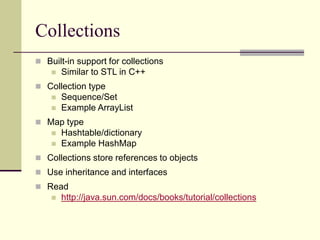
Collections
 Built-in support for collections
 Similar to STL in C++
 Collection type
 Sequence/Set
 Example ArrayList
 Map type
 Hashtable/dictionary
 Example HashMap
 Collections store references to objects
 Use inheritance and interfaces
 Read
 http://java.sun.com/docs/books/tutorial/collections
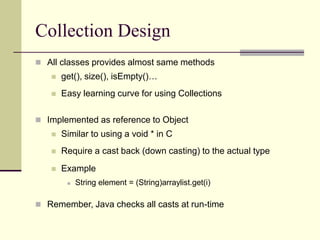
Collection Design
 All classes provides almost same methods
 get(), size(), isEmpty()…
 Easy learning curve for using Collections
 Implemented as reference to Object
 Similar to using a void * in C
 Require a cast back (down casting) to the actual type
 Example
 String element = (String)arraylist.get(i)
 Remember, Java checks all casts at run-time
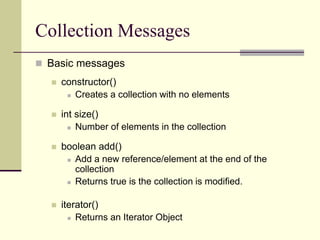
Collection Messages
 Basic messages
 constructor()
 Creates a collection with no elements
 int size()
 Number of elements in the collection
 boolean add()
 Add a new reference/element at the end of the
collection
 Returns true is the collection is modified.
 iterator()
 Returns an Iterator Object
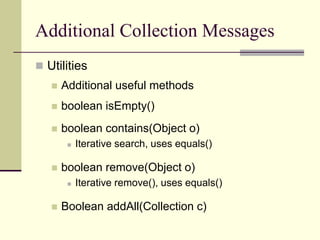
Additional Collection Messages
 Utilities
 Additional useful methods
 boolean isEmpty()
 boolean contains(Object o)
 Iterative search, uses equals()
 boolean remove(Object o)
 Iterative remove(), uses equals()
 Boolean addAll(Collection c)
ArrayList
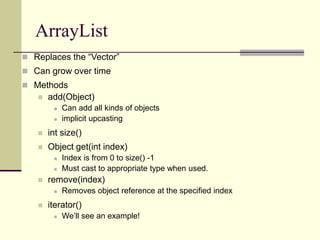
ArrayList
 Replaces the “Vector”
 Can grow over time
 Methods
 add(Object)
 Can add all kinds of objects
 implicit upcasting
 int size()
 Object get(int index)
 Index is from 0 to size() -1
 Must cast to appropriate type when used.
 remove(index)
 Removes object reference at the specified index
 iterator()
 We’ll see an example!
Example TestArrayList. java
/* ArrayList in this example, is used to store Student objects.
We are using the same Student class which we build in our
previous lectures */
import java.util.*;
public class TestArrayList {
public static void main (String args[ ]){
//Create ArrayList object
ArrayList al = new ArrayList();
Student s1 = new Student(“ali”, 1);
Student s2 = new Student(“saad”, 2);
Student s3 = new Student(“raza”, 3);
al.add( s1 );
al.add( s2 );
al.add( s3 );
//continue..
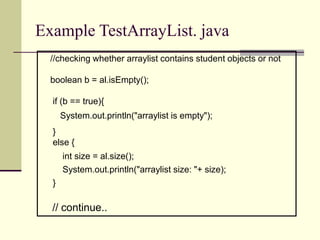
Example TestArrayList. java
//checking whether arraylist contains student objects or not
boolean b = al.isEmpty();
if (b == true){
System.out.println("arraylist is empty");
}
else {
int size = al.size();
System.out.println("arraylist size: "+ size);
}
// continue..
Example TestArrayList. java
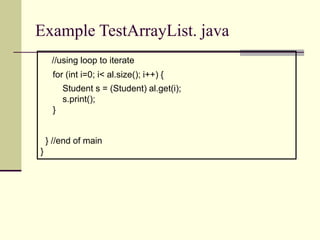
//using loop to iterate
for (int i=0; i< al.size(); i++) {
Student s = (Student) al.get(i);
s.print();
}
} //end of main
}
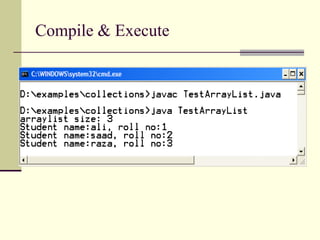
Compile & Execute
HashMap
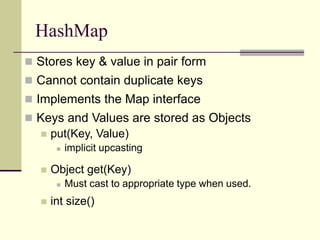
HashMap
 Stores key & value in pair form
 Cannot contain duplicate keys
 Implements the Map interface
 Keys and Values are stored as Objects
 put(Key, Value)
 implicit upcasting
 Object get(Key)
 Must cast to appropriate type when used.
 int size()
Example TestHashMap. java
/* HashMap is used to store Student objects as value and
rollnos as keys.
We are using the same Student class which we build in our
previous lectures */
import java.util.*;
public class TestHashMap {
public static void main (String args[]){
HashMap h = new HashMap();
Student s1 = new Student(“ali”, 1);
Student s2 = new Student(“saad”, 2);
Student s3 = new Student(“raza”, 6);
h.put("one", s1 );
h.put("two", s2 );
h.put("six", s6 );
//continue..
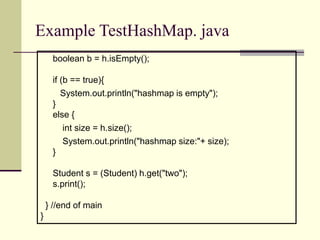
Example TestHashMap. java
boolean b = h.isEmpty();
if (b == true){
System.out.println("hashmap is empty");
}
else {
int size = h.size();
System.out.println("hashmap size:"+ size);
}
Student s = (Student) h.get("two");
s.print();
} //end of main
}
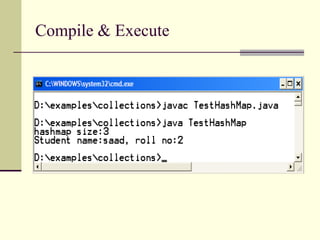
Compile & Execute
Putting All Together
We have learned So far
 How to Perform IO
 Selection and Control Structures
 OOP
 Collections
 So, lets do a small problem
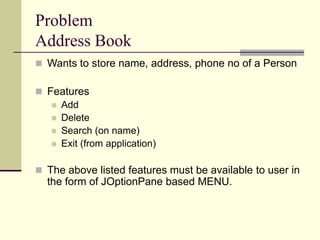
Problem
Address Book
 Wants to store name, address, phone no of a Person
 Features
 Add
 Delete
 Search (on name)
 Exit (from application)
 The above listed features must be available to user in
the form of JOptionPane based MENU.
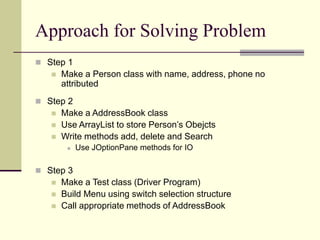
Approach for Solving Problem
 Step 1
 Make a Person class with name, address, phone no
attributed
 Step 2
 Make a AddressBook class
 Use ArrayList to store Person’s Obejcts
 Write methods add, delete and Search
 Use JOptionPane methods for IO
 Step 3
 Make a Test class (Driver Program)
 Build Menu using switch selection structure
 Call appropriate methods of AddressBook
Lets Start Coding!

WDD_lec_06.ppt

  • 1.
    Web Design &Development Lecture 6
  • 2.
  • 3.
    Collections  Built-in supportfor collections  Similar to STL in C++  Collection type  Sequence/Set  Example ArrayList  Map type  Hashtable/dictionary  Example HashMap  Collections store references to objects  Use inheritance and interfaces  Read  http://java.sun.com/docs/books/tutorial/collections
  • 4.
    Collection Design  Allclasses provides almost same methods  get(), size(), isEmpty()…  Easy learning curve for using Collections  Implemented as reference to Object  Similar to using a void * in C  Require a cast back (down casting) to the actual type  Example  String element = (String)arraylist.get(i)  Remember, Java checks all casts at run-time
  • 5.
    Collection Messages  Basicmessages  constructor()  Creates a collection with no elements  int size()  Number of elements in the collection  boolean add()  Add a new reference/element at the end of the collection  Returns true is the collection is modified.  iterator()  Returns an Iterator Object
  • 6.
    Additional Collection Messages Utilities  Additional useful methods  boolean isEmpty()  boolean contains(Object o)  Iterative search, uses equals()  boolean remove(Object o)  Iterative remove(), uses equals()  Boolean addAll(Collection c)
  • 7.
  • 8.
    ArrayList  Replaces the“Vector”  Can grow over time  Methods  add(Object)  Can add all kinds of objects  implicit upcasting  int size()  Object get(int index)  Index is from 0 to size() -1  Must cast to appropriate type when used.  remove(index)  Removes object reference at the specified index  iterator()  We’ll see an example!
  • 9.
    Example TestArrayList. java /*ArrayList in this example, is used to store Student objects. We are using the same Student class which we build in our previous lectures */ import java.util.*; public class TestArrayList { public static void main (String args[ ]){ //Create ArrayList object ArrayList al = new ArrayList(); Student s1 = new Student(“ali”, 1); Student s2 = new Student(“saad”, 2); Student s3 = new Student(“raza”, 3); al.add( s1 ); al.add( s2 ); al.add( s3 ); //continue..
  • 10.
    Example TestArrayList. java //checkingwhether arraylist contains student objects or not boolean b = al.isEmpty(); if (b == true){ System.out.println("arraylist is empty"); } else { int size = al.size(); System.out.println("arraylist size: "+ size); } // continue..
  • 11.
    Example TestArrayList. java //usingloop to iterate for (int i=0; i< al.size(); i++) { Student s = (Student) al.get(i); s.print(); } } //end of main }
  • 12.
  • 13.
  • 14.
    HashMap  Stores key& value in pair form  Cannot contain duplicate keys  Implements the Map interface  Keys and Values are stored as Objects  put(Key, Value)  implicit upcasting  Object get(Key)  Must cast to appropriate type when used.  int size()
  • 15.
    Example TestHashMap. java /*HashMap is used to store Student objects as value and rollnos as keys. We are using the same Student class which we build in our previous lectures */ import java.util.*; public class TestHashMap { public static void main (String args[]){ HashMap h = new HashMap(); Student s1 = new Student(“ali”, 1); Student s2 = new Student(“saad”, 2); Student s3 = new Student(“raza”, 6); h.put("one", s1 ); h.put("two", s2 ); h.put("six", s6 ); //continue..
  • 16.
    Example TestHashMap. java booleanb = h.isEmpty(); if (b == true){ System.out.println("hashmap is empty"); } else { int size = h.size(); System.out.println("hashmap size:"+ size); } Student s = (Student) h.get("two"); s.print(); } //end of main }
  • 17.
  • 18.
  • 19.
    We have learnedSo far  How to Perform IO  Selection and Control Structures  OOP  Collections  So, lets do a small problem
  • 20.
    Problem Address Book  Wantsto store name, address, phone no of a Person  Features  Add  Delete  Search (on name)  Exit (from application)  The above listed features must be available to user in the form of JOptionPane based MENU.
  • 21.
    Approach for SolvingProblem  Step 1  Make a Person class with name, address, phone no attributed  Step 2  Make a AddressBook class  Use ArrayList to store Person’s Obejcts  Write methods add, delete and Search  Use JOptionPane methods for IO  Step 3  Make a Test class (Driver Program)  Build Menu using switch selection structure  Call appropriate methods of AddressBook
  • 22.