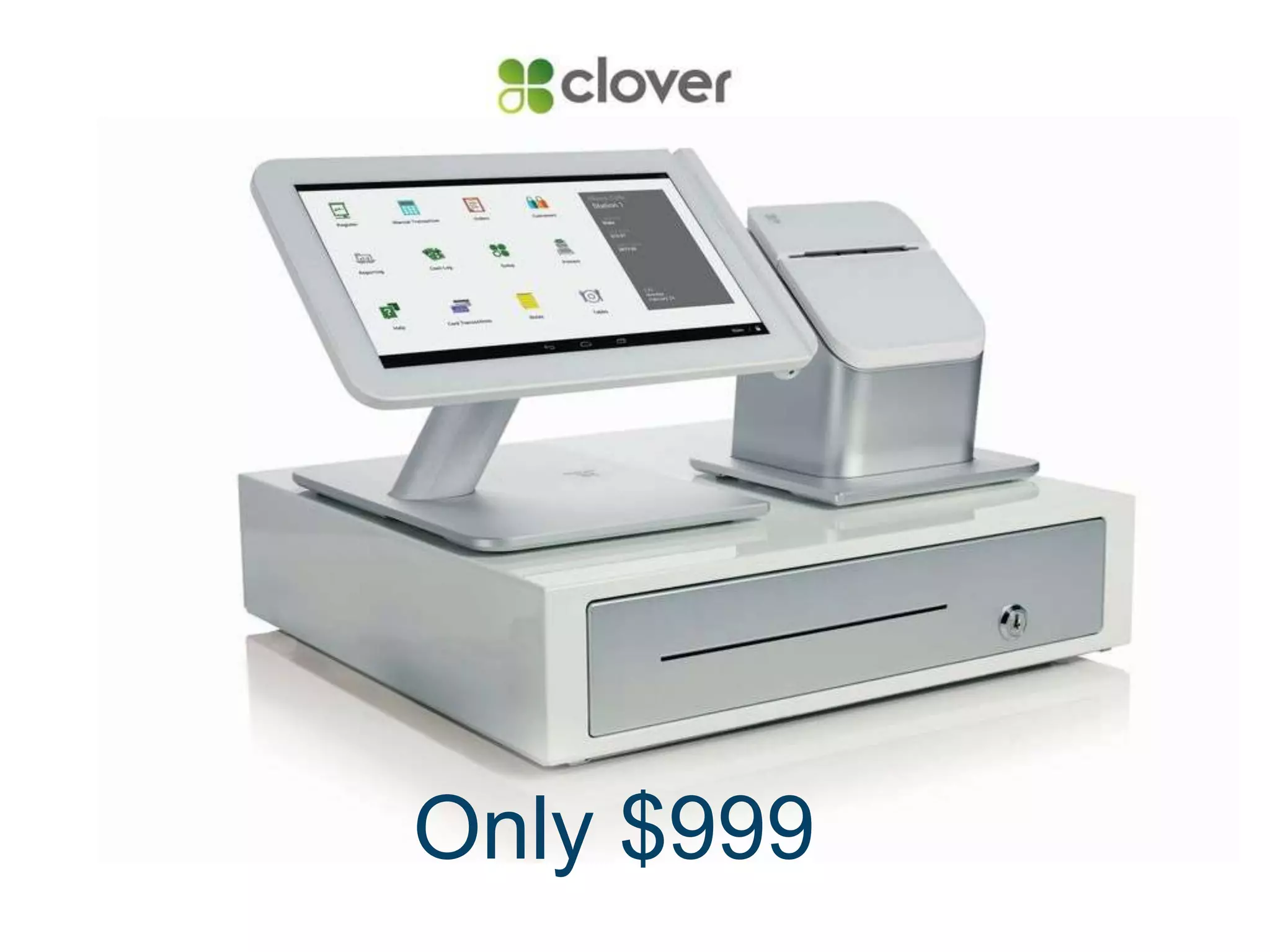

Only $999
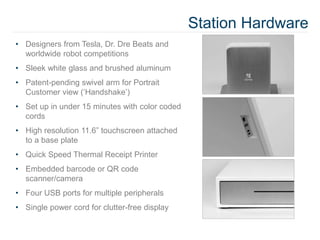
Station Hardware
• Designers from Tesla, Dr. Dre Beats and
worldwide robot competitions
• Sleek white glass and brushed aluminum
• Patent-pending swivel arm for Portrait
Customer view (‘Handshake’)
• Set up in under 15 minutes with color coded
cords
• High resolution 11.6” touchscreen attached
to a base plate
• Quick Speed Thermal Receipt Printer
• Embedded barcode or QR code
scanner/camera
• Four USB ports for multiple peripherals
• Single power cord for clutter-free display
Clover in the “Cloud”
What does “cloud-based software” mean to you?
A simple definition: Cloud = Internet
• You use the cloud when you check your Gmail
• When you check online banking balance
• When you’re able to listen to the same playlist on multiple devices
• The brains are virtual, not in the hardware itself
So what?
• Ethernet and Wi-Fi are both options for processing connection
• The merchant can start an order on one Station, finish on another
• They can check reports, activity, make menu changes, and more – from any
web browser
• No sensitive/secure data stored in the hardware
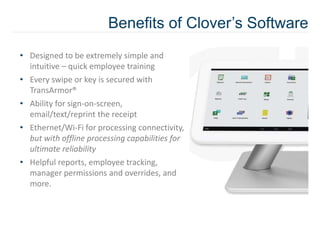
Benefits of Clover’s Software
• Designed to be extremely simple and
intuitive – quick employee training
• Every swipe or key is secured with
TransArmor®
• Ability for sign-on-screen,
email/text/reprint the receipt
• Ethernet/Wi-Fi for processing connectivity,
but with offline processing capabilities for
ultimate reliability
• Helpful reports, employee tracking,
manager permissions and overrides, and
more.
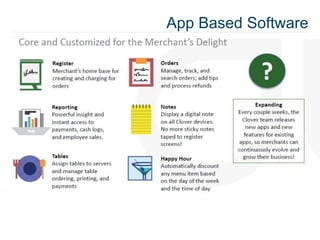
App Based Software
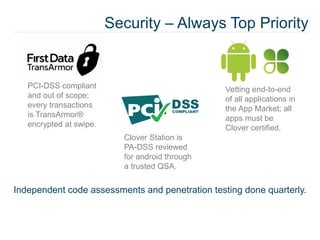
Security – Always Top Priority
PCI-DSS compliant
and out of scope;
every transactions
is TransArmor®
encrypted at swipe.
Clover Station is
PA-DSS reviewed
for android through
a trusted QSA.
Vetting end-to-end
of all applications in
the App Market; all
apps must be
Clover certified.
Independent code assessments and penetration testing done quarterly.
Clover App Market
• Allows for ultimate customization. Some apps are pre-
loaded and others are optional for download
• Can be accessed on station or dashboard
• Clover is an open Android platform – access to a large
development community worldwide
• Actively engaged in developer and partner outreach:
2,000+ developers already reached at various hack-a-thons
and conferences
• Limitless opportunities
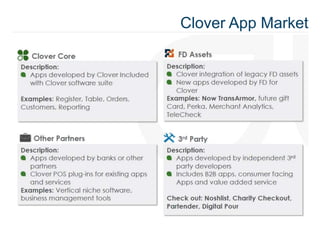
Clover App Market
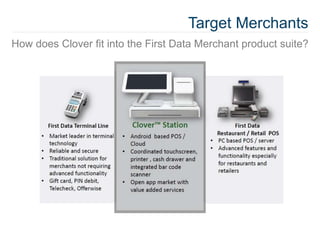
Target Merchants
How does Clover fit into the First Data Merchant product suite?
Clover Restaurant and QSR
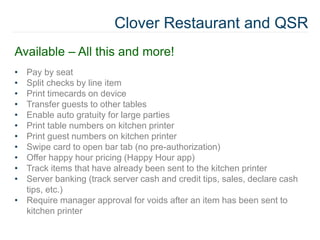
Available – All this and more!
• Pay by seat
• Split checks by line item
• Print timecards on device
• Transfer guests to other tables
• Enable auto gratuity for large parties
• Print table numbers on kitchen printer
• Print guest numbers on kitchen printer
• Swipe card to open bar tab (no pre-authorization)
• Offer happy hour pricing (Happy Hour app)
• Track items that have already been sent to the kitchen printer
• Server banking (track server cash and credit tips, sales, declare cash
tips, etc.)
• Require manager approval for voids after an item has been sent to
kitchen printer
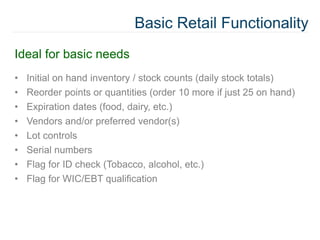
Basic Retail Functionality
Ideal for basic needs
• Initial on hand inventory / stock counts (daily stock totals)
• Reorder points or quantities (order 10 more if just 25 on hand)
• Expiration dates (food, dairy, etc.)
• Vendors and/or preferred vendor(s)
• Lot controls
• Serial numbers
• Flag for ID check (Tobacco, alcohol, etc.)
• Flag for WIC/EBT qualification
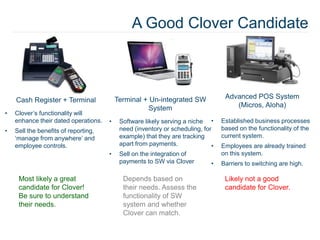
A Good Clover Candidate
Cash Register + Terminal
• Clover’s functionality will
enhance their dated operations.
• Sell the benefits of reporting,
‘manage from anywhere’ and
employee controls.
Terminal + Un-integrated SW
System
• Software likely serving a niche
need (inventory or scheduling, for
example) that they are tracking
apart from payments.
• Sell on the integration of
payments to SW via Clover
Advanced POS System
(Micros, Aloha)
• Established business processes
based on the functionality of the
current system.
• Employees are already trained
on this system.
• Barriers to switching are high.
Most likely a great
candidate for Clover!
Be sure to understand
their needs.
Depends based on
their needs. Assess the
functionality of SW
system and whether
Clover can match.
Likely not a good
candidate for Clover.
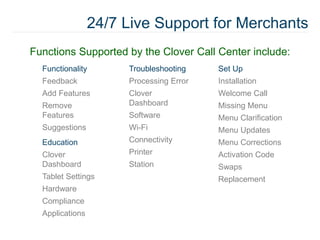
Functionality
Feedback
Add Features
Remove
Features
Suggestions
Education
Clover
Dashboard
Tablet Settings
Hardware
Compliance
Applications
Troubleshooting
Processing Error
Clover
Dashboard
Software
Wi-Fi
Connectivity
Printer
Station
Set Up
Installation
Welcome Call
Missing Menu
Menu Clarification
Menu Updates
Menu Corrections
Activation Code
Swaps
Replacement
Functions Supported by the Clover Call Center include:
24/7 Live Support for Merchants
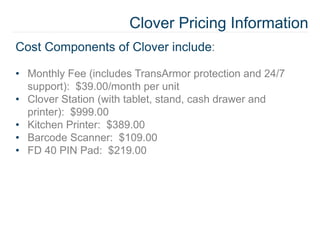
Clover Pricing Information
Cost Components of Clover include:
• Monthly Fee (includes TransArmor protection and 24/7
support): $39.00/month per unit
• Clover Station (with tablet, stand, cash drawer and
printer): $999.00
• Kitchen Printer: $389.00
• Barcode Scanner: $109.00
• FD 40 PIN Pad: $219.00
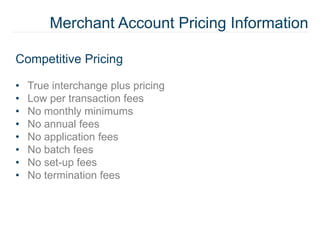
Merchant Account Pricing Information
Competitive Pricing
• True interchange plus pricing
• Low per transaction fees
• No monthly minimums
• No annual fees
• No application fees
• No batch fees
• No set-up fees
• No termination fees
How can we be of service?
stay connected
Clover[at]Prineta[dot]com
Watch video demos and learn more at Prineta.com
Where and How to Buy the Clover Station POS System

Best New Low Cost Android Tablet POS System; The Clover Station

  • 1.
  • 3.
    Station Hardware • Designersfrom Tesla, Dr. Dre Beats and worldwide robot competitions • Sleek white glass and brushed aluminum • Patent-pending swivel arm for Portrait Customer view (‘Handshake’) • Set up in under 15 minutes with color coded cords • High resolution 11.6” touchscreen attached to a base plate • Quick Speed Thermal Receipt Printer • Embedded barcode or QR code scanner/camera • Four USB ports for multiple peripherals • Single power cord for clutter-free display
  • 5.
    Clover in the“Cloud” What does “cloud-based software” mean to you? A simple definition: Cloud = Internet • You use the cloud when you check your Gmail • When you check online banking balance • When you’re able to listen to the same playlist on multiple devices • The brains are virtual, not in the hardware itself So what? • Ethernet and Wi-Fi are both options for processing connection • The merchant can start an order on one Station, finish on another • They can check reports, activity, make menu changes, and more – from any web browser • No sensitive/secure data stored in the hardware
  • 6.
    Benefits of Clover’sSoftware • Designed to be extremely simple and intuitive – quick employee training • Every swipe or key is secured with TransArmor® • Ability for sign-on-screen, email/text/reprint the receipt • Ethernet/Wi-Fi for processing connectivity, but with offline processing capabilities for ultimate reliability • Helpful reports, employee tracking, manager permissions and overrides, and more.
  • 7.
  • 8.
    Security – AlwaysTop Priority PCI-DSS compliant and out of scope; every transactions is TransArmor® encrypted at swipe. Clover Station is PA-DSS reviewed for android through a trusted QSA. Vetting end-to-end of all applications in the App Market; all apps must be Clover certified. Independent code assessments and penetration testing done quarterly.
  • 10.
    Clover App Market •Allows for ultimate customization. Some apps are pre- loaded and others are optional for download • Can be accessed on station or dashboard • Clover is an open Android platform – access to a large development community worldwide • Actively engaged in developer and partner outreach: 2,000+ developers already reached at various hack-a-thons and conferences • Limitless opportunities
  • 11.
  • 13.
    Target Merchants How doesClover fit into the First Data Merchant product suite?
  • 14.
    Clover Restaurant andQSR Available – All this and more! • Pay by seat • Split checks by line item • Print timecards on device • Transfer guests to other tables • Enable auto gratuity for large parties • Print table numbers on kitchen printer • Print guest numbers on kitchen printer • Swipe card to open bar tab (no pre-authorization) • Offer happy hour pricing (Happy Hour app) • Track items that have already been sent to the kitchen printer • Server banking (track server cash and credit tips, sales, declare cash tips, etc.) • Require manager approval for voids after an item has been sent to kitchen printer
  • 15.
    Basic Retail Functionality Idealfor basic needs • Initial on hand inventory / stock counts (daily stock totals) • Reorder points or quantities (order 10 more if just 25 on hand) • Expiration dates (food, dairy, etc.) • Vendors and/or preferred vendor(s) • Lot controls • Serial numbers • Flag for ID check (Tobacco, alcohol, etc.) • Flag for WIC/EBT qualification
  • 16.
    A Good CloverCandidate Cash Register + Terminal • Clover’s functionality will enhance their dated operations. • Sell the benefits of reporting, ‘manage from anywhere’ and employee controls. Terminal + Un-integrated SW System • Software likely serving a niche need (inventory or scheduling, for example) that they are tracking apart from payments. • Sell on the integration of payments to SW via Clover Advanced POS System (Micros, Aloha) • Established business processes based on the functionality of the current system. • Employees are already trained on this system. • Barriers to switching are high. Most likely a great candidate for Clover! Be sure to understand their needs. Depends based on their needs. Assess the functionality of SW system and whether Clover can match. Likely not a good candidate for Clover.
  • 17.
    Functionality Feedback Add Features Remove Features Suggestions Education Clover Dashboard Tablet Settings Hardware Compliance Applications Troubleshooting ProcessingError Clover Dashboard Software Wi-Fi Connectivity Printer Station Set Up Installation Welcome Call Missing Menu Menu Clarification Menu Updates Menu Corrections Activation Code Swaps Replacement Functions Supported by the Clover Call Center include: 24/7 Live Support for Merchants
  • 18.
    Clover Pricing Information CostComponents of Clover include: • Monthly Fee (includes TransArmor protection and 24/7 support): $39.00/month per unit • Clover Station (with tablet, stand, cash drawer and printer): $999.00 • Kitchen Printer: $389.00 • Barcode Scanner: $109.00 • FD 40 PIN Pad: $219.00
  • 19.
    Merchant Account PricingInformation Competitive Pricing • True interchange plus pricing • Low per transaction fees • No monthly minimums • No annual fees • No application fees • No batch fees • No set-up fees • No termination fees
  • 20.
    How can webe of service? stay connected Clover[at]Prineta[dot]com Watch video demos and learn more at Prineta.com Where and How to Buy the Clover Station POS System

Editor's Notes

  • #2 http://prineta.com/where-and-how-to-buy-the-clover-station-pos-system/ Call 800-951-9533x114 and ask for The Clover.