Resource
Virtualization
Cloud
1
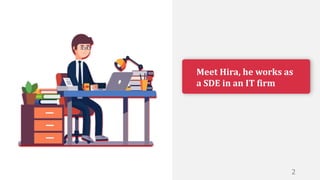
Meet Hira, he works as
a SDE in an IT firm
2
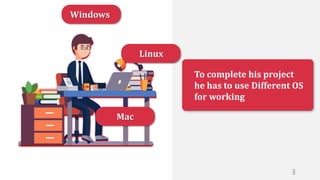
To complete his project
he has to use Different OS
for working
Windows
Linux
Mac
3
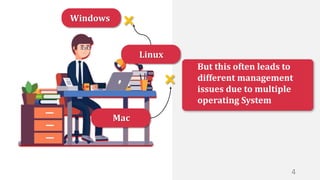
But this often leads to
different management
issues due to multiple
operating System
Windows
Linux
Mac
4
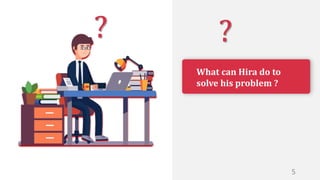
What can Hira do to
solve his problem ?
?
?
5
To solve such an issue he
decided to implement
VIRTUALIZATION
6
Let’s take a look at what
is virtualization and how
it is helpful to us
7
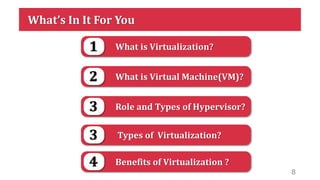
What’s In It For You
What is Virtualization?
1
What is Virtual Machine(VM)?
2
Role and Types of Hypervisor?
3
Benefits of Virtualization ?
4
Types of Virtualization?
3
8
What is
Virtualization ?
9
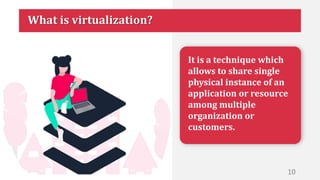
It is a technique which
allows to share single
physical instance of an
application or resource
among multiple
organization or
customers.
What is virtualization?
10
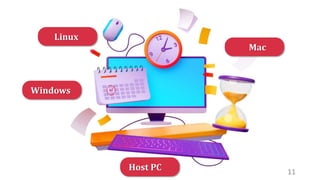
Host PC 11
Windows
Linux
Mac
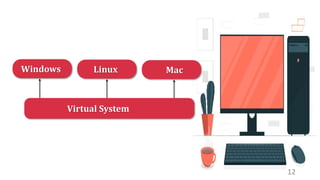
Virtual System
Windows Linux Mac
12
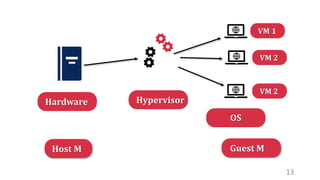
Hardware Hypervisor
OS
13
VM 1
VM 2
VM 2
Host M Guest M
What is
Virtual Machine(VM) ?
14
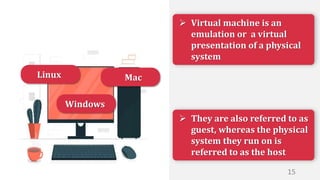
 They are also referred to as
guest, whereas the physical
system they run on is
referred to as the host
 Virtual machine is an
emulation or a virtual
presentation of a physical
system
Windows
Linux Mac
15
Rule of
Hypervisor
16
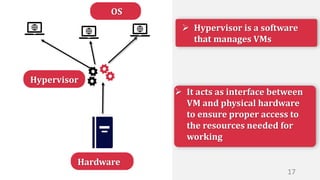
 It acts as interface between
VM and physical hardware
to ensure proper access to
the resources needed for
working
 Hypervisor is a software
that manages VMs
Hardware
Hypervisor
OS
17
Types of
Hypervisor
18
Hardware Hypervisor
OS
Type-1/ Bare Metal
19
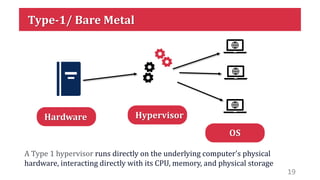
A Type 1 hypervisor runs directly on the underlying computer's physical
hardware, interacting directly with its CPU, memory, and physical storage
Hardware Hypervisor
OS
Type-2/ Hosted
Host OS
20
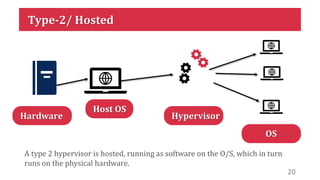
A type 2 hypervisor is hosted, running as software on the O/S, which in turn
runs on the physical hardware.
Types of
Virtualization
21
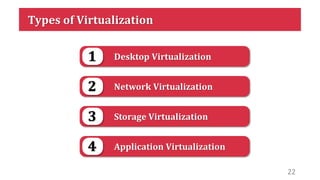
Types of Virtualization
Desktop Virtualization
1
Network Virtualization
2
Storage Virtualization
3
Application Virtualization
4
22
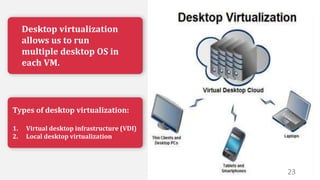
Desktop virtualization
allows us to run
multiple desktop OS in
each VM.
Types of desktop virtualization:
1. Virtual desktop infrastructure (VDI)
2. Local desktop virtualization
23
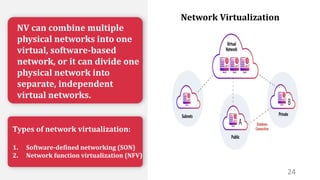
NV can combine multiple
physical networks into one
virtual, software-based
network, or it can divide one
physical network into
separate, independent
virtual networks.
Types of network virtualization:
1. Software-defined networking (SON)
2. Network function virtualization (NFV)
24
Network Virtualization
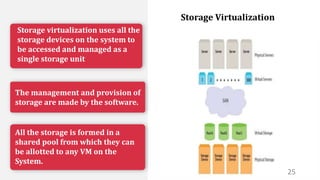
Storage virtualization uses all the
storage devices on the system to
be accessed and managed as a
single storage unit
The management and provision of
storage are made by the software.
All the storage is formed in a
shared pool from which they can
be allotted to any VM on the
System.
25
Storage Virtualization
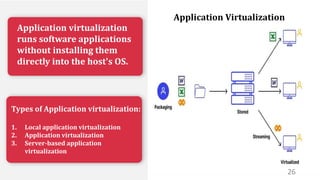
Application virtualization
runs software applications
without installing them
directly into the host's OS.
Types of Application virtualization:
1. Local application virtualization
2. Application virtualization
3. Server-based application
virtualization
26
Application Virtualization
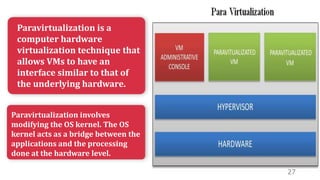
Paravirtualization is a
computer hardware
virtualization technique that
allows VMs to have an
interface similar to that of
the underlying hardware.
Paravirtualization involves
modifying the OS kernel. The OS
kernel acts as a bridge between the
applications and the processing
done at the hardware level.
27
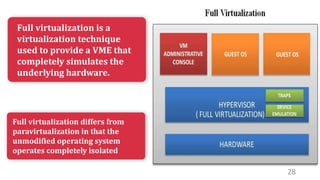
Full virtualization is a
virtualization technique
used to provide a VME that
completely simulates the
underlying hardware.
Full virtualization differs from
paravirtualization in that the
unmodified operating system
operates completely isolated
28
Benefits of
Virtualization
29
30
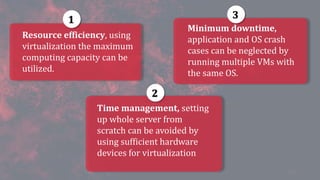
Resource efficiency, using
virtualization the maximum
computing capacity can be
utilized.
Time management, setting
up whole server from
scratch can be avoided by
using sufficient hardware
devices for virtualization
Minimum downtime,
application and OS crash
cases can be neglected by
running multiple VMs with
the same OS.
1
2
3
31

cloud computing-virtualization.pptx

  • 1.
  • 2.
    Meet Hira, heworks as a SDE in an IT firm 2
  • 3.
    To complete hisproject he has to use Different OS for working Windows Linux Mac 3
  • 4.
    But this oftenleads to different management issues due to multiple operating System Windows Linux Mac 4
  • 5.
    What can Hirado to solve his problem ? ? ? 5
  • 6.
    To solve suchan issue he decided to implement VIRTUALIZATION 6
  • 7.
    Let’s take alook at what is virtualization and how it is helpful to us 7
  • 8.
    What’s In ItFor You What is Virtualization? 1 What is Virtual Machine(VM)? 2 Role and Types of Hypervisor? 3 Benefits of Virtualization ? 4 Types of Virtualization? 3 8
  • 9.
  • 10.
    It is atechnique which allows to share single physical instance of an application or resource among multiple organization or customers. What is virtualization? 10
  • 11.
  • 12.
  • 13.
    Hardware Hypervisor OS 13 VM 1 VM2 VM 2 Host M Guest M
  • 14.
  • 15.
     They arealso referred to as guest, whereas the physical system they run on is referred to as the host  Virtual machine is an emulation or a virtual presentation of a physical system Windows Linux Mac 15
  • 16.
  • 17.
     It actsas interface between VM and physical hardware to ensure proper access to the resources needed for working  Hypervisor is a software that manages VMs Hardware Hypervisor OS 17
  • 18.
  • 19.
    Hardware Hypervisor OS Type-1/ BareMetal 19 A Type 1 hypervisor runs directly on the underlying computer's physical hardware, interacting directly with its CPU, memory, and physical storage
  • 20.
    Hardware Hypervisor OS Type-2/ Hosted HostOS 20 A type 2 hypervisor is hosted, running as software on the O/S, which in turn runs on the physical hardware.
  • 21.
  • 22.
    Types of Virtualization DesktopVirtualization 1 Network Virtualization 2 Storage Virtualization 3 Application Virtualization 4 22
  • 23.
    Desktop virtualization allows usto run multiple desktop OS in each VM. Types of desktop virtualization: 1. Virtual desktop infrastructure (VDI) 2. Local desktop virtualization 23
  • 24.
    NV can combinemultiple physical networks into one virtual, software-based network, or it can divide one physical network into separate, independent virtual networks. Types of network virtualization: 1. Software-defined networking (SON) 2. Network function virtualization (NFV) 24 Network Virtualization
  • 25.
    Storage virtualization usesall the storage devices on the system to be accessed and managed as a single storage unit The management and provision of storage are made by the software. All the storage is formed in a shared pool from which they can be allotted to any VM on the System. 25 Storage Virtualization
  • 26.
    Application virtualization runs softwareapplications without installing them directly into the host's OS. Types of Application virtualization: 1. Local application virtualization 2. Application virtualization 3. Server-based application virtualization 26 Application Virtualization
  • 27.
    Paravirtualization is a computerhardware virtualization technique that allows VMs to have an interface similar to that of the underlying hardware. Paravirtualization involves modifying the OS kernel. The OS kernel acts as a bridge between the applications and the processing done at the hardware level. 27
  • 28.
    Full virtualization isa virtualization technique used to provide a VME that completely simulates the underlying hardware. Full virtualization differs from paravirtualization in that the unmodified operating system operates completely isolated 28
  • 29.
  • 30.
    30 Resource efficiency, using virtualizationthe maximum computing capacity can be utilized. Time management, setting up whole server from scratch can be avoided by using sufficient hardware devices for virtualization Minimum downtime, application and OS crash cases can be neglected by running multiple VMs with the same OS. 1 2 3
  • 31.