Dr.Selvaraj Kesavan
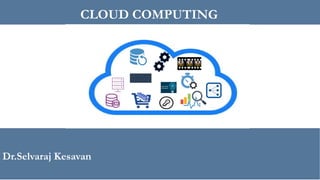
CLOUD COMPUTING
Contents
▪ Introduction to Cloud Computing
▪ Origins and Motivation
▪ Types of Clouds and models
▪ Cloud Infrastructure and Deployment
Cloud Computing - History
➢ In 1950’s mainframe computers were huge, occupying entire
rooms.
➢ Due to the cost of buying and maintaining mainframes,
organizations couldn’t afford to purchase one for each user.
2
➢ The solution was “time sharing” in which multiple users shared
access to data and CPU time. The term “time sharing” is the
premise of cloud computing.
➢ 1960- The Advanced Research Projects Agency
Network (ARPANET) was an early packet switching network
and the first network to implement the TCP/IP protocol suite
➢ 1970 – IBM introduced VM’s (virtual machine’s) run on single
physical machine
3
Cloud Computing - History
➢ In 1990 – Telecommunication companies offered virtualize
private network connections to allow more users through shared
access to the same physical infrastructure.
➢ First accepted use of it in the relevant context was by professor
Ramnath Chellappa in an Information Systems
lecture at the University of Texas in 1997
➢ In 2006 former CEO of Google Eric Schmidt used the term
‘cloud computing’ to describe the upcoming Google Docs
➢ Amazon started working from 2002 and publicly launched on
March 19, 2006 with S3,SQS and EC2
4
➢ Microsoft Azure released in 2010
➢ Google Cloud platform released on April, 2008
Cloud Computing
▪ Local Computing
▪ Concepts and technologies for network-centric computing and
content evolved through the years and led to several large-scale
distributed system developments
▪ Information processing can be done more efficiently on large
farms of computing and storage systems accessible via the
Internet.
5
▪ Advancements in networking and other areas are responsible for
the acceptance of the new computing models
▪ Web opened a new era in data sharing and ultimately led to the
concept of network-centric content.
Cloud Computing
▪ Grid computing (1990) – Distributed computing
• Distributed architecture where many computers are connected to
resolve given problem. All systems are linked and connected using WAN
and independent tasks are assigned to each system. Reach common
goal to solve single task.
▪ Utility Computing (2005) - Delivering computing as a utility.
6
• Business model for on-demand delivery of computing power;
consumers pay providers based on usage (“pay as- you-go”). It often
requires a cloud-like infrastructure
Cloud Computing
▪ Sophisticated on-demand computing services
▪ Cloud is a parallel and distributed computing system consisting
of a collection of inter-connected and virtualized computers
that are dynamically provisioned and presented as one or more
unified computing resources based on service-level agreements
(SLA)
7
▪ Cloud computing is the on-demand delivery of compute power,
database storage, applications, and IT resources through a
services platform via the internet with pay-as-you-go pricing.
▪ It is the delivery of computing as a service rather than product
where shared resources, software and information are provided
to users as an utility.
▪ Moving from traditional to on-Demand model.
Cloud Computing
▪ Scientific and engineering applications, data mining,
computational financing, gaming, and social networking as well
8
as many other computational and data-intensive activities can
benefit from cloud computing.
▪ A broad range of data, from the results of high-energy physics
experiments to financial or enterprise management data to
personal data such as photos, videos, and movies, can be stored
on the cloud.
Cloud Computing - Enablers
▪ Virtualization
▪ Web 2.0 and social networking
▪ Web Scaling
▪ Hardware costs
9
▪ Evolution of high speed communication technologies
10
Virtualization
• Traditional environment
• 50 applications ,DB’s require multiple machines based on Architecture
/platform
• High infrastructure and hardware cost
• Increasing complexity and High maintenance
• Multiple development environment
• Virtualization
• Isolation & encapsulation
• Scalability
• Containers
11
• software technology providing additional layer of abstraction and over OS
virtualization.
• Build once and deploy many times.
Virtualization
• Hardware Virtualization (system Virtualization)
• Guest running on the top of hardware
• Guest - operating system, Host -Physical computer hardware
• Virtual machine Manager(Hypervisor) allows the abstraction of the underlying physical
hardware
• It is program or a combination of software and hardware
• Provides direct ISA mapping to Virtual machines
• Type 1 (bare metal) and Type 2 (on OS) Hypervisor
• Hardware Assisted (Xen,VMWare) Full and Paravirtualization (Xen,VMWare, Wind River).
12
• OS Virtualization
• Create different and separated execution environments for applications concurrently.
• OS kernel allows for multiple isolated user space instances.
• Directly use OS calls without emulation
• Ex: Containers,
• Key building block in IaaS
• Programming language-level virtualization
Cloud Computing –Essential
Characteristics
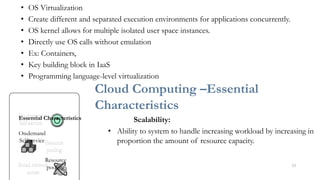
Scalability:
• Ability to system to handle increasing workload by increasing in
proportion the amount of resource capacity.
13
service
-
Self
demand
-
On
pooling
Resource
Essential Characteristics
• Architecture allows on-demand resources for increasing workload
Elasticity:
• Dynamically Commissioning and decommissioning of resources
• Speed at which resources are provisioned on demand and usage of resources
14
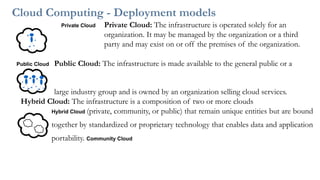
Cloud Computing - Deployment models
Private Cloud Private Cloud: The infrastructure is operated solely for an
organization. It may be managed by the organization or a third
party and may exist on or off the premises of the organization.
Public Cloud Public Cloud: The infrastructure is made available to the general public or a
large industry group and is owned by an organization selling cloud services.
Hybrid Cloud: The infrastructure is a composition of two or more clouds
Hybrid Cloud (private, community, or public) that remain unique entities but are bound
together by standardized or proprietary technology that enables data and application
portability. Community Cloud
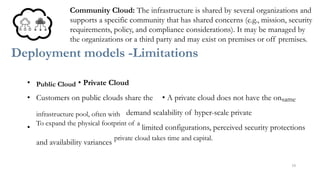
Community Cloud: The infrastructure is shared by several organizations and
supports a specific community that has shared concerns (e.g., mission, security
requirements, policy, and compliance considerations). It may be managed by
the organizations or a third party and may exist on premises or off premises.
Deployment models -Limitations
• Public Cloud • Private Cloud
• Customers on public clouds share the • A private cloud does not have the onsame
infrastructure pool, often with demand scalability of hyper-scale private
•
To expand the physical footprint of a
limited configurations, perceived security protections
and availability variances
private cloud takes time and capital.
16
• Customers don’t control the security of a public cloud, though all of their data remains
separate from others.
Hybrid Cloud
• Initial deploying cost of a hybrid cloud exceeds as compared to the setup cost
• Specific hardware is required to deploy on premises, and that’s what shaves off a large
chunk of the budget.
• Performance Degradation due to capacity mismatch
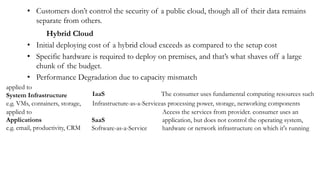
applied to
System Infrastructure
e.g. VMs, containers, storage,
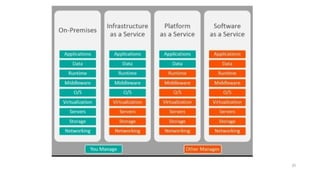
IaaS The consumer uses fundamental computing resources such
Infrastructure-as-a-Serviceas processing power, storage, networking components
applied to
Applications
e.g. email, productivity, CRM
SaaS
Software-as-a-Service
Access the services from provider. consumer uses an
application, but does not control the operating system,
hardware or network infrastructure on which it's running
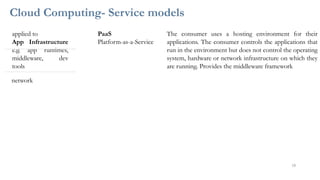
Cloud Computing- Service models
applied to
App Infrastructure
e.g. app runtimes,
middleware, dev
tools
PaaS
Platform-as-a-Service
The consumer uses a hosting environment for their
applications. The consumer controls the applications that
run in the environment but does not control the operating
system, hardware or network infrastructure on which they
are running. Provides the middleware framework
network
18
SaaS PaaS IaaS
20
SaaS
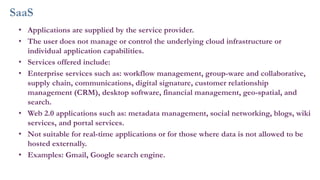
• Applications are supplied by the service provider.
• The user does not manage or control the underlying cloud infrastructure or
individual application capabilities.
• Services offered include:
• Enterprise services such as: workflow management, group-ware and collaborative,
supply chain, communications, digital signature, customer relationship
management (CRM), desktop software, financial management, geo-spatial, and
search.
• Web 2.0 applications such as: metadata management, social networking, blogs, wiki
services, and portal services.
• Not suitable for real-time applications or for those where data is not allowed to be
hosted externally.
• Examples: Gmail, Google search engine.
PaaS
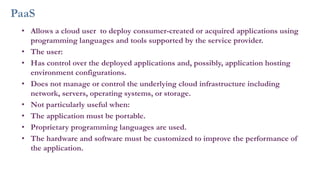
• Allows a cloud user to deploy consumer-created or acquired applications using
programming languages and tools supported by the service provider.
• The user:
• Has control over the deployed applications and, possibly, application hosting
environment configurations.
• Does not manage or control the underlying cloud infrastructure including
network, servers, operating systems, or storage.
• Not particularly useful when:
• The application must be portable.
• Proprietary programming languages are used.
• The hardware and software must be customized to improve the performance of
the application.
IaaS
• The user is able to deploy and run arbitrary software, which can include
operating systems and applications.
• The user does not manage or control the underlying cloud infrastructure
but has control over operating systems, storage, deployed applications,
and possibly limited control of some networking components, e.g., host
firewalls.
• Services offered by this delivery model include:
• server hosting,
• Web servers,
• storage,
• computing hardware,
• operating systems,
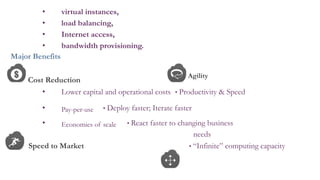
• virtual instances,
• load balancing,
• Internet access,
• bandwidth provisioning.
Major Benefits
Cost Reduction
Agility
• Lower capital and operational costs • Productivity & Speed
• Pay-per-use • Deploy faster; Iterate faster
• Economies of scale • React faster to changing business
needs
Speed to Market • “Infinite” computing capacity
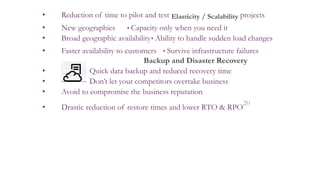
• Reduction of time to pilot and test Elasticity / Scalability projects
• New geographies • Capacity only when you need it
• Broad geographic availability• Ability to handle sudden load changes
• Faster availability to customers • Survive infrastructure failures
Backup and Disaster Recovery
• Quick data backup and reduced recovery time
• Don’t let your competitors overtake business
• Avoid to compromise the business reputation
• Drastic reduction of restore times and lower RTO & RPO
20
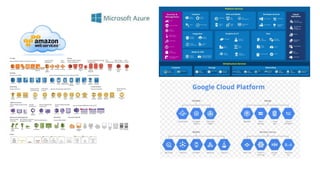
Cloud Computing Platform/Services
21
Cloud Computing Platform/Services
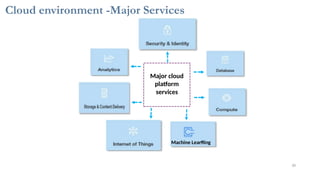
Cloud environment -Major Services
30
Machine Learning
services
platform
Major cloud
23
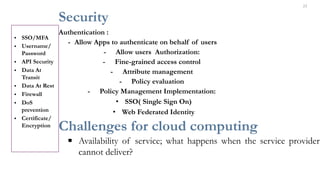
Security
Authentication :
- Allow Apps to authenticate on behalf of users
- Allow users Authorization:
- Fine-grained access control
- Attribute management
- Policy evaluation
- Policy Management Implementation:
• SSO( Single Sign On)
• Web Federated Identity
Challenges for cloud computing
▪ Availability of service; what happens when the service provider
cannot deliver?
• SSO/MFA
• Username/
Password
• API Security
• Data At
Transit
• Data At Rest
• Firewall
• DoS
prevention
• Certificate/
Encryption
▪ Diversity of services, data organization, user interfaces available at different
service providers limit user mobility; once a customer is hooked to one provider
it is hard to move to another. Standardization efforts at NIST!
▪ Data confidentiality and auditability, a serious problem.
▪ Data transfer bottleneck; many applications are data-intensive.
▪ Performance unpredictability, one of the consequences of resource sharing.
▪ How to use resource virtualization and performance isolation for QoS guarantees
▪ the ability to scale up and down quickly
▪ Resource management;
▪ Security and confidentiality; major concern.
Summary
▪ Cloud Computing – Introduction
32
▪ Key Enablers
▪ Essential Characteristics
▪ Cloud Deployment Models
▪ Cloud Service Models
▪ Benefits
▪ Challenges
Thank You
27
View publication stats
34

Cloud Computing presentation . docx

  • 1.
  • 2.
    Contents ▪ Introduction toCloud Computing ▪ Origins and Motivation ▪ Types of Clouds and models ▪ Cloud Infrastructure and Deployment Cloud Computing - History ➢ In 1950’s mainframe computers were huge, occupying entire rooms. ➢ Due to the cost of buying and maintaining mainframes, organizations couldn’t afford to purchase one for each user. 2
  • 3.
    ➢ The solutionwas “time sharing” in which multiple users shared access to data and CPU time. The term “time sharing” is the premise of cloud computing. ➢ 1960- The Advanced Research Projects Agency Network (ARPANET) was an early packet switching network and the first network to implement the TCP/IP protocol suite ➢ 1970 – IBM introduced VM’s (virtual machine’s) run on single physical machine 3
  • 4.
    Cloud Computing -History ➢ In 1990 – Telecommunication companies offered virtualize private network connections to allow more users through shared access to the same physical infrastructure. ➢ First accepted use of it in the relevant context was by professor Ramnath Chellappa in an Information Systems lecture at the University of Texas in 1997 ➢ In 2006 former CEO of Google Eric Schmidt used the term ‘cloud computing’ to describe the upcoming Google Docs ➢ Amazon started working from 2002 and publicly launched on March 19, 2006 with S3,SQS and EC2 4
  • 5.
    ➢ Microsoft Azurereleased in 2010 ➢ Google Cloud platform released on April, 2008 Cloud Computing ▪ Local Computing ▪ Concepts and technologies for network-centric computing and content evolved through the years and led to several large-scale distributed system developments ▪ Information processing can be done more efficiently on large farms of computing and storage systems accessible via the Internet. 5
  • 6.
    ▪ Advancements innetworking and other areas are responsible for the acceptance of the new computing models ▪ Web opened a new era in data sharing and ultimately led to the concept of network-centric content. Cloud Computing ▪ Grid computing (1990) – Distributed computing • Distributed architecture where many computers are connected to resolve given problem. All systems are linked and connected using WAN and independent tasks are assigned to each system. Reach common goal to solve single task. ▪ Utility Computing (2005) - Delivering computing as a utility. 6
  • 7.
    • Business modelfor on-demand delivery of computing power; consumers pay providers based on usage (“pay as- you-go”). It often requires a cloud-like infrastructure Cloud Computing ▪ Sophisticated on-demand computing services ▪ Cloud is a parallel and distributed computing system consisting of a collection of inter-connected and virtualized computers that are dynamically provisioned and presented as one or more unified computing resources based on service-level agreements (SLA) 7
  • 8.
    ▪ Cloud computingis the on-demand delivery of compute power, database storage, applications, and IT resources through a services platform via the internet with pay-as-you-go pricing. ▪ It is the delivery of computing as a service rather than product where shared resources, software and information are provided to users as an utility. ▪ Moving from traditional to on-Demand model. Cloud Computing ▪ Scientific and engineering applications, data mining, computational financing, gaming, and social networking as well 8
  • 9.
    as many othercomputational and data-intensive activities can benefit from cloud computing. ▪ A broad range of data, from the results of high-energy physics experiments to financial or enterprise management data to personal data such as photos, videos, and movies, can be stored on the cloud. Cloud Computing - Enablers ▪ Virtualization ▪ Web 2.0 and social networking ▪ Web Scaling ▪ Hardware costs 9
  • 10.
    ▪ Evolution ofhigh speed communication technologies 10
  • 11.
    Virtualization • Traditional environment •50 applications ,DB’s require multiple machines based on Architecture /platform • High infrastructure and hardware cost • Increasing complexity and High maintenance • Multiple development environment • Virtualization • Isolation & encapsulation • Scalability • Containers 11
  • 12.
    • software technologyproviding additional layer of abstraction and over OS virtualization. • Build once and deploy many times. Virtualization • Hardware Virtualization (system Virtualization) • Guest running on the top of hardware • Guest - operating system, Host -Physical computer hardware • Virtual machine Manager(Hypervisor) allows the abstraction of the underlying physical hardware • It is program or a combination of software and hardware • Provides direct ISA mapping to Virtual machines • Type 1 (bare metal) and Type 2 (on OS) Hypervisor • Hardware Assisted (Xen,VMWare) Full and Paravirtualization (Xen,VMWare, Wind River). 12
  • 13.
    • OS Virtualization •Create different and separated execution environments for applications concurrently. • OS kernel allows for multiple isolated user space instances. • Directly use OS calls without emulation • Ex: Containers, • Key building block in IaaS • Programming language-level virtualization Cloud Computing –Essential Characteristics Scalability: • Ability to system to handle increasing workload by increasing in proportion the amount of resource capacity. 13 service - Self demand - On pooling Resource Essential Characteristics
  • 14.
    • Architecture allowson-demand resources for increasing workload Elasticity: • Dynamically Commissioning and decommissioning of resources • Speed at which resources are provisioned on demand and usage of resources 14
  • 15.
    Cloud Computing -Deployment models Private Cloud Private Cloud: The infrastructure is operated solely for an organization. It may be managed by the organization or a third party and may exist on or off the premises of the organization. Public Cloud Public Cloud: The infrastructure is made available to the general public or a large industry group and is owned by an organization selling cloud services. Hybrid Cloud: The infrastructure is a composition of two or more clouds Hybrid Cloud (private, community, or public) that remain unique entities but are bound together by standardized or proprietary technology that enables data and application portability. Community Cloud
  • 16.
    Community Cloud: Theinfrastructure is shared by several organizations and supports a specific community that has shared concerns (e.g., mission, security requirements, policy, and compliance considerations). It may be managed by the organizations or a third party and may exist on premises or off premises. Deployment models -Limitations • Public Cloud • Private Cloud • Customers on public clouds share the • A private cloud does not have the onsame infrastructure pool, often with demand scalability of hyper-scale private • To expand the physical footprint of a limited configurations, perceived security protections and availability variances private cloud takes time and capital. 16
  • 17.
    • Customers don’tcontrol the security of a public cloud, though all of their data remains separate from others. Hybrid Cloud • Initial deploying cost of a hybrid cloud exceeds as compared to the setup cost • Specific hardware is required to deploy on premises, and that’s what shaves off a large chunk of the budget. • Performance Degradation due to capacity mismatch applied to System Infrastructure e.g. VMs, containers, storage, IaaS The consumer uses fundamental computing resources such Infrastructure-as-a-Serviceas processing power, storage, networking components applied to Applications e.g. email, productivity, CRM SaaS Software-as-a-Service Access the services from provider. consumer uses an application, but does not control the operating system, hardware or network infrastructure on which it's running
  • 18.
    Cloud Computing- Servicemodels applied to App Infrastructure e.g. app runtimes, middleware, dev tools PaaS Platform-as-a-Service The consumer uses a hosting environment for their applications. The consumer controls the applications that run in the environment but does not control the operating system, hardware or network infrastructure on which they are running. Provides the middleware framework network 18
  • 19.
  • 20.
  • 21.
    SaaS • Applications aresupplied by the service provider. • The user does not manage or control the underlying cloud infrastructure or individual application capabilities. • Services offered include: • Enterprise services such as: workflow management, group-ware and collaborative, supply chain, communications, digital signature, customer relationship management (CRM), desktop software, financial management, geo-spatial, and search. • Web 2.0 applications such as: metadata management, social networking, blogs, wiki services, and portal services. • Not suitable for real-time applications or for those where data is not allowed to be hosted externally. • Examples: Gmail, Google search engine.
  • 22.
    PaaS • Allows acloud user to deploy consumer-created or acquired applications using programming languages and tools supported by the service provider. • The user: • Has control over the deployed applications and, possibly, application hosting environment configurations. • Does not manage or control the underlying cloud infrastructure including network, servers, operating systems, or storage. • Not particularly useful when: • The application must be portable. • Proprietary programming languages are used. • The hardware and software must be customized to improve the performance of the application.
  • 23.
    IaaS • The useris able to deploy and run arbitrary software, which can include operating systems and applications. • The user does not manage or control the underlying cloud infrastructure but has control over operating systems, storage, deployed applications, and possibly limited control of some networking components, e.g., host firewalls. • Services offered by this delivery model include: • server hosting, • Web servers, • storage, • computing hardware, • operating systems,
  • 24.
    • virtual instances, •load balancing, • Internet access, • bandwidth provisioning. Major Benefits Cost Reduction Agility • Lower capital and operational costs • Productivity & Speed • Pay-per-use • Deploy faster; Iterate faster • Economies of scale • React faster to changing business needs Speed to Market • “Infinite” computing capacity
  • 25.
    • Reduction oftime to pilot and test Elasticity / Scalability projects • New geographies • Capacity only when you need it • Broad geographic availability• Ability to handle sudden load changes • Faster availability to customers • Survive infrastructure failures Backup and Disaster Recovery • Quick data backup and reduced recovery time • Don’t let your competitors overtake business • Avoid to compromise the business reputation • Drastic reduction of restore times and lower RTO & RPO 20
  • 26.
  • 28.
  • 29.
  • 30.
    Cloud environment -MajorServices 30 Machine Learning services platform Major cloud
  • 31.
    23 Security Authentication : - AllowApps to authenticate on behalf of users - Allow users Authorization: - Fine-grained access control - Attribute management - Policy evaluation - Policy Management Implementation: • SSO( Single Sign On) • Web Federated Identity Challenges for cloud computing ▪ Availability of service; what happens when the service provider cannot deliver? • SSO/MFA • Username/ Password • API Security • Data At Transit • Data At Rest • Firewall • DoS prevention • Certificate/ Encryption
  • 32.
    ▪ Diversity ofservices, data organization, user interfaces available at different service providers limit user mobility; once a customer is hooked to one provider it is hard to move to another. Standardization efforts at NIST! ▪ Data confidentiality and auditability, a serious problem. ▪ Data transfer bottleneck; many applications are data-intensive. ▪ Performance unpredictability, one of the consequences of resource sharing. ▪ How to use resource virtualization and performance isolation for QoS guarantees ▪ the ability to scale up and down quickly ▪ Resource management; ▪ Security and confidentiality; major concern. Summary ▪ Cloud Computing – Introduction 32
  • 33.
    ▪ Key Enablers ▪Essential Characteristics ▪ Cloud Deployment Models ▪ Cloud Service Models ▪ Benefits ▪ Challenges Thank You
  • 34.