Composing MLA-Style Essays
The Very Basics of MLA Format
Professor Lauren Birdsong
English Department
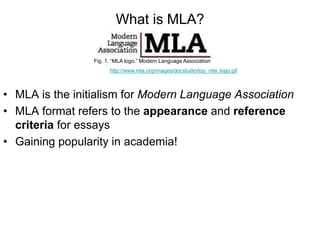
What is MLA?
• MLA is the initialism for Modern Language Association
• MLA format refers to the appearance and reference
criteria for essays
• Gaining popularity in academia!
Fig. 1. “MLA logo.” Modern Language Association
http://www.mla.org/images/docstudio/top_mla_logo.gif
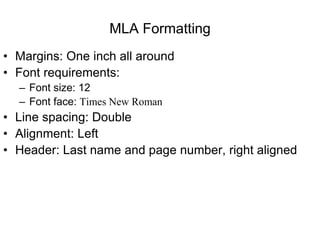
MLA Formatting
• Margins: One inch all around
• Font requirements:
– Font size: 12
– Font face: Times New Roman
• Line spacing: Double
• Alignment: Left
• Header: Last name and page number, right aligned
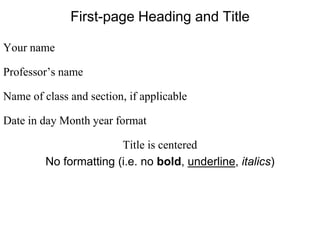
First-page Heading and Title
Your name
Professor’s name
Name of class and section, if applicable
Date in day Month year format
Title is centered
No formatting (i.e. no bold, underline, italics)
Paragraph Format
• Indent first line: Strike TAB key once
• New paragraph: Strike ENTER key once, then TAB
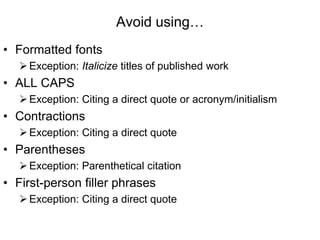
Avoid using…
• Formatted fonts
Exception: Italicize titles of published work
• ALL CAPS
Exception: Citing a direct quote or acronym/initialism
• Contractions
Exception: Citing a direct quote
• Parentheses
Exception: Parenthetical citation
• First-person filler phrases
Exception: Citing a direct quote

The Very Basics of MLA Format

  • 1.
    Composing MLA-Style Essays TheVery Basics of MLA Format Professor Lauren Birdsong English Department
  • 2.
    What is MLA? •MLA is the initialism for Modern Language Association • MLA format refers to the appearance and reference criteria for essays • Gaining popularity in academia! Fig. 1. “MLA logo.” Modern Language Association http://www.mla.org/images/docstudio/top_mla_logo.gif
  • 3.
    MLA Formatting • Margins:One inch all around • Font requirements: – Font size: 12 – Font face: Times New Roman • Line spacing: Double • Alignment: Left • Header: Last name and page number, right aligned
  • 4.
    First-page Heading andTitle Your name Professor’s name Name of class and section, if applicable Date in day Month year format Title is centered No formatting (i.e. no bold, underline, italics)
  • 5.
    Paragraph Format • Indentfirst line: Strike TAB key once • New paragraph: Strike ENTER key once, then TAB
  • 6.
    Avoid using… • Formattedfonts Exception: Italicize titles of published work • ALL CAPS Exception: Citing a direct quote or acronym/initialism • Contractions Exception: Citing a direct quote • Parentheses Exception: Parenthetical citation • First-person filler phrases Exception: Citing a direct quote