Types
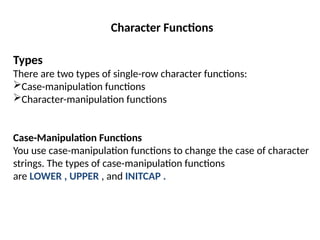
There are two types of single-row character functions:
Case-manipulation functions
Character-manipulation functions
Case-Manipulation Functions
You use case-manipulation functions to change the case of character
strings. The types of case-manipulation functions
are LOWER , UPPER , and INITCAP .
Character Functions
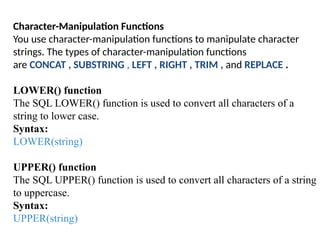
Character-Manipulation Functions
You use character-manipulation functions to manipulate character
strings. The types of character-manipulation functions
are CONCAT , SUBSTRING , LEFT , RIGHT , TRIM , and REPLACE .
LOWER() function
The SQL LOWER() function is used to convert all characters of a
string to lower case.
Syntax:
LOWER(string)
UPPER() function
The SQL UPPER() function is used to convert all characters of a string
to uppercase.
Syntax:
UPPER(string)
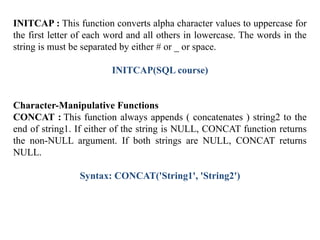
INITCAP : This function converts alpha character values to uppercase for
the first letter of each word and all others in lowercase. The words in the
string is must be separated by either # or _ or space.
INITCAP(SQL course)
Character-Manipulative Functions
CONCAT : This function always appends ( concatenates ) string2 to the
end of string1. If either of the string is NULL, CONCAT function returns
the non-NULL argument. If both strings are NULL, CONCAT returns
NULL.
Syntax: CONCAT('String1', 'String2')
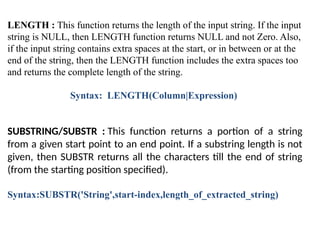
LENGTH : This function returns the length of the input string. If the input
string is NULL, then LENGTH function returns NULL and not Zero. Also,
if the input string contains extra spaces at the start, or in between or at the
end of the string, then the LENGTH function includes the extra spaces too
and returns the complete length of the string.
Syntax: LENGTH(Column|Expression)
SUBSTRING/SUBSTR : This function returns a portion of a string
from a given start point to an end point. If a substring length is not
given, then SUBSTR returns all the characters till the end of string
(from the starting position specified).
Syntax:SUBSTR('String',start-index,length_of_extracted_string)
LEFT()
•Definition: Extracts a specified number of characters from the left side of a
string.
•Syntax: LEFT(string, length)
•Example: SELECT LEFT('hello world', 5)
•Output: hello
RIGHT()
Definition: Extracts a specified number of characters from the right side of a
string.
Syntax: RIGHT(string, length)
Example: SELECT RIGHT('hello world', 5)
Output: world
TRIM()
Definition: Removes leading and trailing spaces from a string.
Syntax: TRIM([LEADING | TRAILING | BOTH] trim_character FROM
string)
Example: SELECT TRIM(' hello world ')
Output: hello world
REPLACE : This function searches for a character string and, if found,
replaces it with a given replacement string at all the occurrences of the
string. REPLACE is useful for searching patterns of characters and then
changing all instances of that pattern in a single function call.
Syntax:
REPLACE(Text, search_string, replacement_string)

character function in database managemnet system

  • 1.
    Types There are twotypes of single-row character functions: Case-manipulation functions Character-manipulation functions Case-Manipulation Functions You use case-manipulation functions to change the case of character strings. The types of case-manipulation functions are LOWER , UPPER , and INITCAP . Character Functions
  • 2.
    Character-Manipulation Functions You usecharacter-manipulation functions to manipulate character strings. The types of character-manipulation functions are CONCAT , SUBSTRING , LEFT , RIGHT , TRIM , and REPLACE . LOWER() function The SQL LOWER() function is used to convert all characters of a string to lower case. Syntax: LOWER(string) UPPER() function The SQL UPPER() function is used to convert all characters of a string to uppercase. Syntax: UPPER(string)
  • 3.
    INITCAP : Thisfunction converts alpha character values to uppercase for the first letter of each word and all others in lowercase. The words in the string is must be separated by either # or _ or space. INITCAP(SQL course) Character-Manipulative Functions CONCAT : This function always appends ( concatenates ) string2 to the end of string1. If either of the string is NULL, CONCAT function returns the non-NULL argument. If both strings are NULL, CONCAT returns NULL. Syntax: CONCAT('String1', 'String2')
  • 4.
    LENGTH : Thisfunction returns the length of the input string. If the input string is NULL, then LENGTH function returns NULL and not Zero. Also, if the input string contains extra spaces at the start, or in between or at the end of the string, then the LENGTH function includes the extra spaces too and returns the complete length of the string. Syntax: LENGTH(Column|Expression) SUBSTRING/SUBSTR : This function returns a portion of a string from a given start point to an end point. If a substring length is not given, then SUBSTR returns all the characters till the end of string (from the starting position specified). Syntax:SUBSTR('String',start-index,length_of_extracted_string)
  • 5.
    LEFT() •Definition: Extracts aspecified number of characters from the left side of a string. •Syntax: LEFT(string, length) •Example: SELECT LEFT('hello world', 5) •Output: hello RIGHT() Definition: Extracts a specified number of characters from the right side of a string. Syntax: RIGHT(string, length) Example: SELECT RIGHT('hello world', 5) Output: world TRIM() Definition: Removes leading and trailing spaces from a string. Syntax: TRIM([LEADING | TRAILING | BOTH] trim_character FROM string) Example: SELECT TRIM(' hello world ') Output: hello world
  • 6.
    REPLACE : Thisfunction searches for a character string and, if found, replaces it with a given replacement string at all the occurrences of the string. REPLACE is useful for searching patterns of characters and then changing all instances of that pattern in a single function call. Syntax: REPLACE(Text, search_string, replacement_string)