Objective
Define keyboard
Define numeric
keypad
Define pointing
devices
Define remote
control
Define joystick
Define touch screen
Input devices
Define scanner
Define digital
cameras
Define microphone
Define sensors
Define graphic tablet
Define video camera
Define Web cam
3.
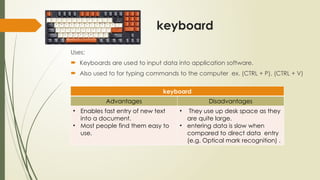
keyboard
Uses:
Keyboards areused to input data into application software.
Also used to for typing commands to the computer ex. (CTRL + P), (CTRL + V)
keyboard
Advantages Disadvantages
• Enables fast entry of new text
into a document.
• Most people find them easy to
use.
• They use up desk space as they
are quite large.
• entering data is slow when
compared to direct data entry
(e.g. Optical mark recognition) .
4.
keypad
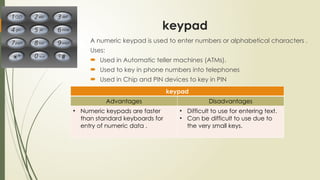
A numeric keypadis used to enter numbers or alphabetical characters .
Uses:
Used in Automatic teller machines (ATMs).
Used to key in phone numbers into telephones
Used in Chip and PIN devices to key in PIN
keypad
Advantages Disadvantages
• Numeric keypads are faster
than standard keyboards for
entry of numeric data .
• Difficult to use for entering text.
• Can be difficult to use due to
the very small keys.
5.
Pointing Devices
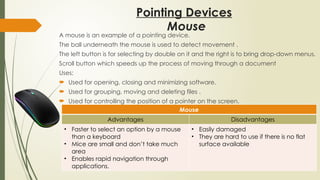
A mouseis an example of a pointing device.
The ball underneath the mouse is used to detect movement .
The left button is for selecting by double on it and the right is to bring drop-down menus.
Scroll button which speeds up the process of moving through a document
Uses:
Used for opening, closing and minimizing software.
Used for grouping, moving and deleting files .
Used for controlling the position of a pointer on the screen.
Mouse
Advantages Disadvantages
• Faster to select an option by a mouse
than a keyboard
• Mice are small and don’t take much
area
• Enables rapid navigation through
applications.
• Easily damaged
• They are hard to use if there is no flat
surface available
Mouse
6.
Pointing Devices
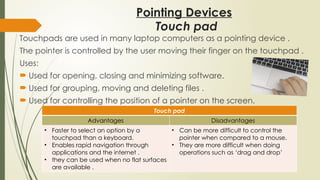
Touchpads areused in many laptop computers as a pointing device .
The pointer is controlled by the user moving their finger on the touchpad .
Uses:
Used for opening, closing and minimizing software.
Used for grouping, moving and deleting files .
Used for controlling the position of a pointer on the screen.
Touch pad
Advantages Disadvantages
• Faster to select an option by a
touchpad than a keyboard.
• Enables rapid navigation through
applications and the internet .
• they can be used when no flat surfaces
are available .
• Can be more difficult to control the
pointer when compared to a mouse.
• They are more difficult when doing
operations such as ‘drag and drop’
Touch pad
7.
Pointing Devices
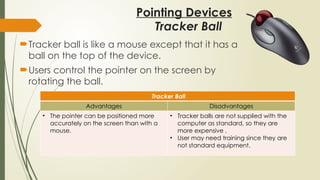
Tracker ballis like a mouse except that it has a
ball on the top of the device.
Users control the pointer on the screen by
rotating the ball.
Tracker Ball
Advantages Disadvantages
• The pointer can be positioned more
accurately on the screen than with a
mouse.
• Tracker balls are not supplied with the
computer as standard, so they are
more expensive .
• User may need training since they are
not standard equipment.
Tracker Ball
8.
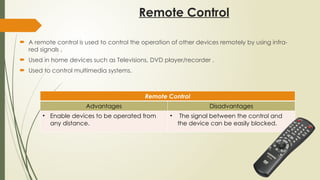
Remote Control
Aremote control is used to control the operation of other devices remotely by using infra-
red signals .
Used in home devices such as Televisions, DVD player/recorder .
Used to control multimedia systems.
Remote Control
Advantages Disadvantages
• Enable devices to be operated from
any distance.
• The signal between the control and
the device can be easily blocked.
9.
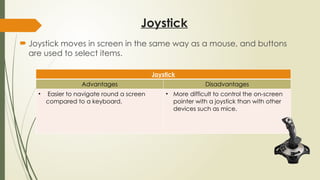
Joystick
Joystick movesin screen in the same way as a mouse, and buttons
are used to select items.
Joystick
Advantages Disadvantages
• Easier to navigate round a screen
compared to a keyboard.
• More difficult to control the on-screen
pointer with a joystick than with other
devices such as mice.
10.
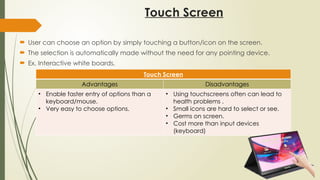
Touch Screen
Usercan choose an option by simply touching a button/icon on the screen.
The selection is automatically made without the need for any pointing device.
Ex. Interactive white boards,
Touch Screen
Advantages Disadvantages
• Enable faster entry of options than a
keyboard/mouse.
• Very easy to choose options.
• Using touchscreens often can lead to
health problems .
• Small icons are hard to select or see.
• Germs on screen.
• Cost more than input devices
(keyboard)
11.
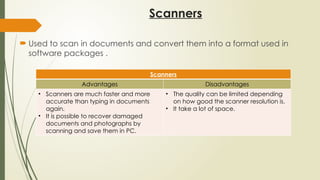
Scanners
Used toscan in documents and convert them into a format used in
software packages .
Scanners
Advantages Disadvantages
• Scanners are much faster and more
accurate than typing in documents
again.
• It is possible to recover damaged
documents and photographs by
scanning and save them in PC.
• The quality can be limited depending
on how good the scanner resolution is.
• It take a lot of space.
12.
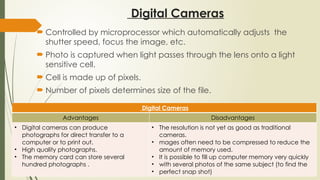
Digital Cameras
Controlledby microprocessor which automatically adjusts the
shutter speed, focus the image, etc.
Photo is captured when light passes through the lens onto a light
sensitive cell.
Cell is made up of pixels.
Number of pixels determines size of the file.
Digital Cameras
Advantages Disadvantages
• Digital cameras can produce
photographs for direct transfer to a
computer or to print out.
• High quality photographs.
• The memory card can store several
hundred photographs .
• The resolution is not yet as good as traditional
cameras.
• mages often need to be compressed to reduce the
amount of memory used.
• It is possible to fill up computer memory very quickly
• with several photos of the same subject (to find the
• perfect snap shot)
13.
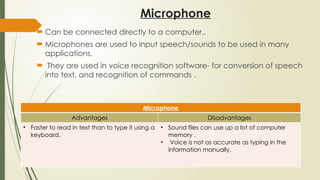
Microphone
Can beconnected directly to a computer..
Microphones are used to input speech/sounds to be used in many
applications.
They are used in voice recognition software- for conversion of speech
into text, and recognition of commands .
Microphone
Advantages Disadvantages
• Faster to read in text than to type it using a
keyboard.
• Sound files can use up a lot of computer
memory .
• Voice is not as accurate as typing in the
information manually.
14.
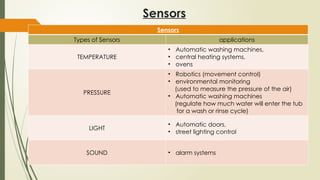
Sensors
Sensors
Types of Sensorsapplications
TEMPERATURE
• Automatic washing machines,
• central heating systems,
• ovens
PRESSURE
• Robotics (movement control)
• environmental monitoring
(used to measure the pressure of the air)
• Automatic washing machines
(regulate how much water will enter the tub
for a wash or rinse cycle)
LIGHT
• Automatic doors,
• street lighting control
SOUND • alarm systems
15.
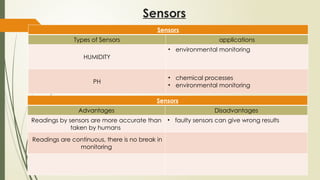
Sensors
Sensors
Types of Sensorsapplications
HUMIDITY
• environmental monitoring
PH
• chemical processes
• environmental monitoring
Sensors
Advantages Disadvantages
Readings by sensors are more accurate than
taken by humans
• faulty sensors can give wrong results
Readings are continuous, there is no break in
monitoring
16.
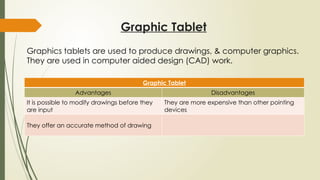
Graphic Tablet
Graphic Tablet
AdvantagesDisadvantages
It is possible to modify drawings before they
are input
They are more expensive than other pointing
devices
They offer an accurate method of drawing
Graphics tablets are used to produce drawings, & computer graphics.
They are used in computer aided design (CAD) work.
17.
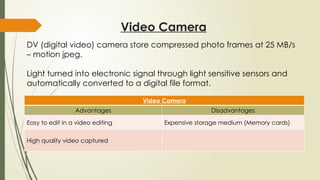
Video Camera
Video Camera
AdvantagesDisadvantages
Easy to edit in a video editing Expensive storage medium (Memory cards)
High quality video captured
DV (digital video) camera store compressed photo frames at 25 MB/s
– motion jpeg.
Light turned into electronic signal through light sensitive sensors and
automatically converted to a digital file format.
18.
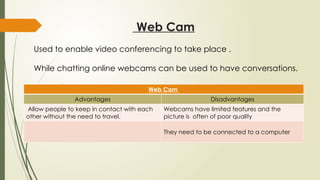
Web Cam
Web Cam
AdvantagesDisadvantages
Allow people to keep in contact with each
other without the need to travel.
Webcams have limited features and the
picture is often of poor quality
They need to be connected to a computer
Used to enable video conferencing to take place .
While chatting online webcams can be used to have conversations.
19.
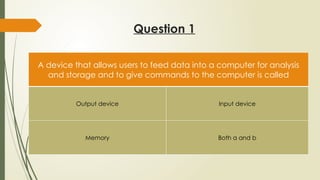
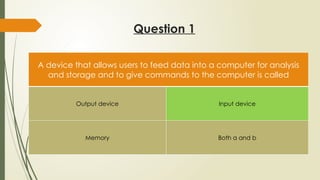
Question 1
A devicethat allows users to feed data into a computer for analysis
and storage and to give commands to the computer is called
Output device Input device
Memory Both a and b
20.
Question 1
A devicethat allows users to feed data into a computer for analysis
and storage and to give commands to the computer is called
Output device Input device
Memory Both a and b
21.
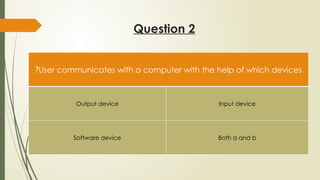
Question 2
User communicateswith a computer with the help of which devices
?
Output device Input device
Software device Both a and b
22.
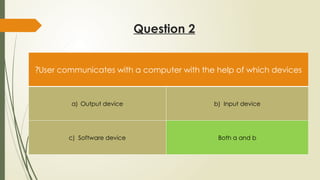
Question 2
User communicateswith a computer with the help of which devices
?
a) Output device b) Input device
c) Software device Both a and b
23.
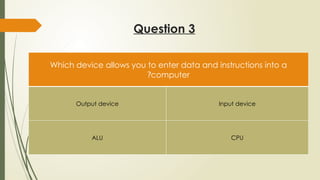
Question 3
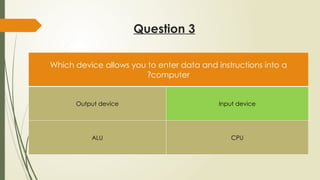
Which deviceallows you to enter data and instructions into a
computer
?
Output device Input device
ALU CPU
24.
Question 3
Which deviceallows you to enter data and instructions into a
computer
?
Output device Input device
ALU CPU
25.
Question 4
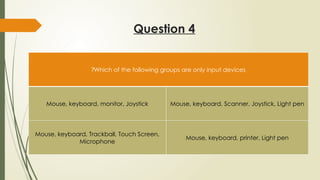
Which ofthe following groups are only input devices
?
Mouse, keyboard, monitor, Joystick Mouse, keyboard, Scanner, Joystick, Light pen
Mouse, keyboard, Trackball, Touch Screen,
Microphone
Mouse, keyboard, printer, Light pen
26.
Question 4
Which ofthe following groups are only input devices
?
Mouse, keyboard, monitor, Joystick Mouse, keyboard, Scanner, Joystick, Light pen
Mouse, keyboard, Trackball, Touch Screen,
Microphone
Mouse, keyboard, printer, Light pen
27.
Question 5
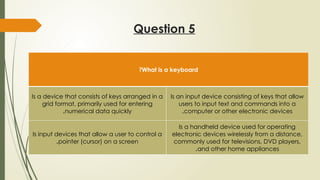
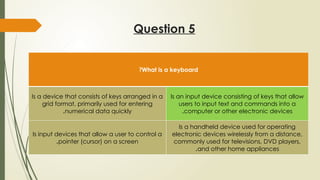
What isa keyboard
?
Is a device that consists of keys arranged in a
grid format, primarily used for entering
numerical data quickly
.
Is an input device consisting of keys that allow
users to input text and commands into a
computer or other electronic devices
.
Is input devices that allow a user to control a
pointer (cursor) on a screen
.
Is a handheld device used for operating
electronic devices wirelessly from a distance,
commonly used for televisions, DVD players,
and other home appliances
.
28.
Question 5
What isa keyboard
?
Is a device that consists of keys arranged in a
grid format, primarily used for entering
numerical data quickly
.
Is an input device consisting of keys that allow
users to input text and commands into a
computer or other electronic devices
.
Is input devices that allow a user to control a
pointer (cursor) on a screen
.
Is a handheld device used for operating
electronic devices wirelessly from a distance,
commonly used for televisions, DVD players,
and other home appliances
.
29.
Question 6
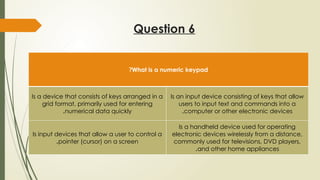
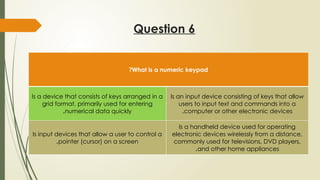
What isa numeric keypad
?
Is a device that consists of keys arranged in a
grid format, primarily used for entering
numerical data quickly
.
Is an input device consisting of keys that allow
users to input text and commands into a
computer or other electronic devices
.
Is input devices that allow a user to control a
pointer (cursor) on a screen
.
Is a handheld device used for operating
electronic devices wirelessly from a distance,
commonly used for televisions, DVD players,
and other home appliances
.
30.
Question 6
What isa numeric keypad
?
Is a device that consists of keys arranged in a
grid format, primarily used for entering
numerical data quickly
.
Is an input device consisting of keys that allow
users to input text and commands into a
computer or other electronic devices
.
Is input devices that allow a user to control a
pointer (cursor) on a screen
.
Is a handheld device used for operating
electronic devices wirelessly from a distance,
commonly used for televisions, DVD players,
and other home appliances
.
31.
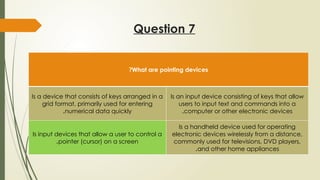
Question 7
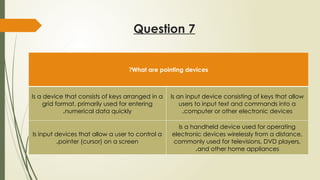
What arepointing devices
?
Is a device that consists of keys arranged in a
grid format, primarily used for entering
numerical data quickly
.
Is an input device consisting of keys that allow
users to input text and commands into a
computer or other electronic devices
.
Is input devices that allow a user to control a
pointer (cursor) on a screen
.
Is a handheld device used for operating
electronic devices wirelessly from a distance,
commonly used for televisions, DVD players,
and other home appliances
.
32.
Question 7
What arepointing devices
?
Is a device that consists of keys arranged in a
grid format, primarily used for entering
numerical data quickly
.
Is an input device consisting of keys that allow
users to input text and commands into a
computer or other electronic devices
.
Is input devices that allow a user to control a
pointer (cursor) on a screen
.
Is a handheld device used for operating
electronic devices wirelessly from a distance,
commonly used for televisions, DVD players,
and other home appliances
.
33.
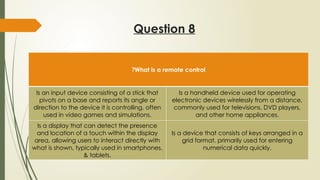
Question 8
What isa remote control
?
Is an input device consisting of a stick that
pivots on a base and reports its angle or
direction to the device it is controlling, often
used in video games and simulations.
Is a handheld device used for operating
electronic devices wirelessly from a distance,
commonly used for televisions, DVD players,
and other home appliances.
Is a display that can detect the presence
and location of a touch within the display
area, allowing users to interact directly with
what is shown, typically used in smartphones,
& tablets.
Is a device that consists of keys arranged in a
grid format, primarily used for entering
numerical data quickly.
34.
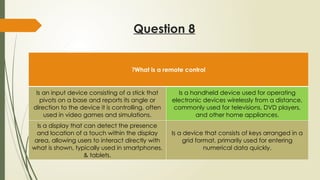
Question 8
What isa remote control
?
Is an input device consisting of a stick that
pivots on a base and reports its angle or
direction to the device it is controlling, often
used in video games and simulations.
Is a handheld device used for operating
electronic devices wirelessly from a distance,
commonly used for televisions, DVD players,
and other home appliances.
Is a display that can detect the presence
and location of a touch within the display
area, allowing users to interact directly with
what is shown, typically used in smartphones,
& tablets.
Is a device that consists of keys arranged in a
grid format, primarily used for entering
numerical data quickly.
35.
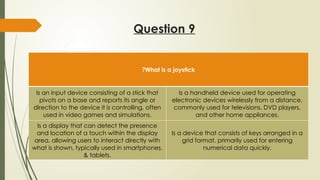
Question 9
What isa joystick
?
Is an input device consisting of a stick that
pivots on a base and reports its angle or
direction to the device it is controlling, often
used in video games and simulations.
Is a handheld device used for operating
electronic devices wirelessly from a distance,
commonly used for televisions, DVD players,
and other home appliances.
Is a display that can detect the presence
and location of a touch within the display
area, allowing users to interact directly with
what is shown, typically used in smartphones,
& tablets.
Is a device that consists of keys arranged in a
grid format, primarily used for entering
numerical data quickly.
36.
Question 9
What isa joystick
?
Is an input device consisting of a stick that
pivots on a base and reports its angle or
direction to the device it is controlling, often
used in video games and simulations.
Is a handheld device used for operating
electronic devices wirelessly from a distance,
commonly used for televisions, DVD players,
and other home appliances.
Is a display that can detect the presence
and location of a touch within the display
area, allowing users to interact directly with
what is shown, typically used in smartphones,
& tablets.
Is a device that consists of keys arranged in a
grid format, primarily used for entering
numerical data quickly.
37.
Question 10
What isa touch screen
?
Is an input device consisting of a stick that
pivots on a base and reports its angle or
direction to the device it is controlling, often
used in video games and simulations.
Is a handheld device used for operating
electronic devices wirelessly from a distance,
commonly used for televisions, DVD players,
and other home appliances.
Is a display that can detect the presence
and location of a touch within the display
area, allowing users to interact directly with
what is shown, typically used in smartphones,
& tablets.
Is a device that consists of keys arranged in a
grid format, primarily used for entering
numerical data quickly.
38.
Question 10
What isa touch screen
?
Is an input device consisting of a stick that
pivots on a base and reports its angle or
direction to the device it is controlling, often
used in video games and simulations.
Is a handheld device used for operating
electronic devices wirelessly from a distance,
commonly used for televisions, DVD players,
and other home appliances.
Is a display that can detect the presence
and location of a touch within the display
area, allowing users to interact directly with
what is shown, typically used in smartphones,
& tablets.
Is a device that consists of keys arranged in a
grid format, primarily used for entering
numerical data quickly.