Chapter 1
C Fundamentals
Ref: Teach Yourself C (3rd ed) by Herbert Schildt
Outline
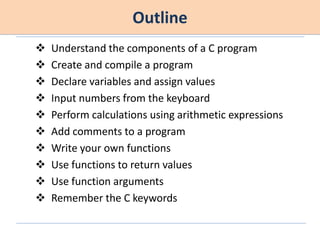
 Understand the components of a C program
 Create and compile a program
 Declare variables and assign values
 Input numbers from the keyboard
 Perform calculations using arithmetic expressions
 Add comments to a program
 Write your own functions
 Use functions to return values
 Use function arguments
 Remember the C keywords
Understand the components of a C program
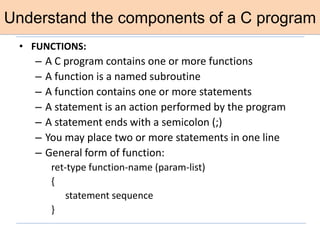
• FUNCTIONS:
– A C program contains one or more functions
– A function is a named subroutine
– A function contains one or more statements
– A statement is an action performed by the program
– A statement ends with a semicolon (;)
– You may place two or more statements in one line
– General form of function:
ret-type function-name (param-list)
{
statement sequence
}
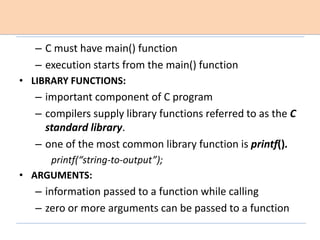
– C must have main() function
– execution starts from the main() function
• LIBRARY FUNCTIONS:
– important component of C program
– compilers supply library functions referred to as the C
standard library.
– one of the most common library function is printf().
printf(“string-to-output”);
• ARGUMENTS:
– information passed to a function while calling
– zero or more arguments can be passed to a function
• HEADER FILE
– contains information about standard library functions
– ends with .h extension
• PREPROCESSOR DIRECTIVE
– add header files to program using #include
preprocessor directive.
– compiler uses first phase of compilation a
preprocessor.
– #include directive tells the preprocessor to read in
another file and include it with your program.
e.g., #include<stdio.h>
– #include directive does not end with a semicolon
– it is not a keyword. instead it is an instruction
• WHITE SPACE
– C ignores spaces
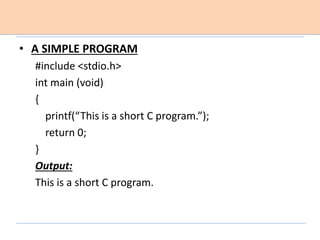
• A SIMPLE PROGRAM
#include <stdio.h>
int main (void)
{
printf(“This is a short C program.”);
return 0;
}
Output:
This is a short C program.
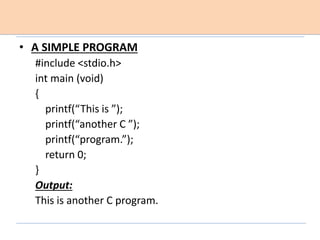
• A SIMPLE PROGRAM
#include <stdio.h>
int main (void)
{
printf(“This is ”);
printf(“another C ”);
printf(“program.”);
return 0;
}
Output:
This is another C program.
Create and Compile a C program
• STEPS:
– create your program using editor
 called as source file
 file extension .c not .cpp
– compile the program
 reports syntax error, warning error
 generates object file or executable file (.exe)
– execute your program
Declare variables and assign values
– a variable is a named memory location that can hold
various values
– all variables must be declared before use
– declaration tell the compiler what type of variable is
used
• C’S FIVE BASIC DATA TYPES:
– char, int, float, double, void
• char
– most commonly used to hold a single character
– 8 bits long
– ranges -128 to +127 or 0 to 255
– can be used as a “little integer” if desired.
• int
– hold signed whole number (with no fractional part)
– 16 bits long in 16-bit environment (DOS, Windows 3.1)
range: -32,768 to 32,767
– 32 bits long in 32-bit environment (Windows 95)
range: -2,147,483,648 to 2,147,483,647
• float
– signed floating-point value
– may have fractional components
• double
– provides about twice the precision as does float
• VARIABLE DECLARATION:
– type var-name;
– type: char/int/float/double
– example: int counter;
• SCOPE OF VARIABLE
• LOCAL:
– declared inside a function
– local variable in one function has no relationship to
the local variables in another function
– local variable is created when a function is called and
they are destroyed when the function is exited.
• GLOBAL:
– declared outside of all functions
• DECLARE MORE THAN ONE VARIABLE
– float x, y, z;
• ASSIGNMENT
– variable-name = value;
– example: num=100;
• CHARACTER CONSTANT
– ‘A’
• FLOATING POINT CONSTANT
– must hold a decimal point
– example: 100.0
• printf() FUNCTION
– displays string or values of variable
– printf(“This prints the number %d”, 99); displays This
prints the number 99
– printf(“This displays %d, too”, 99); displays This
displays 99, too
• FORMAT SPECIFIER
– %c for character
– %f for float. it works for both float and double
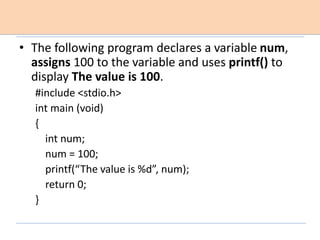
• The following program declares a variable num,
assigns 100 to the variable and uses printf() to
display The value is 100.
#include <stdio.h>
int main (void)
{
int num;
num = 100;
printf(“The value is %d”, num);
return 0;
}
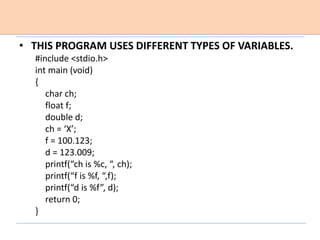
• THIS PROGRAM USES DIFFERENT TYPES OF VARIABLES.
#include <stdio.h>
int main (void)
{
char ch;
float f;
double d;
ch = ‘X’;
f = 100.123;
d = 123.009;
printf(“ch is %c, “, ch);
printf(“f is %f, “,f);
printf(“d is %f”, d);
return 0;
}
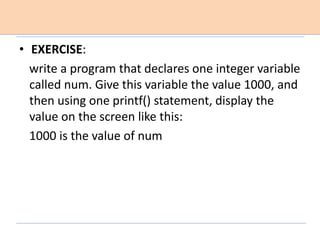
• EXERCISE:
write a program that declares one integer variable
called num. Give this variable the value 1000, and
then using one printf() statement, display the
value on the screen like this:
1000 is the value of num
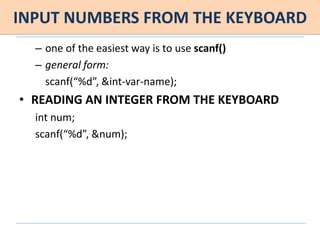
INPUT NUMBERS FROM THE KEYBOARD
– one of the easiest way is to use scanf()
– general form:
scanf(“%d”, &int-var-name);
• READING AN INTEGER FROM THE KEYBOARD
int num;
scanf(“%d”, &num);
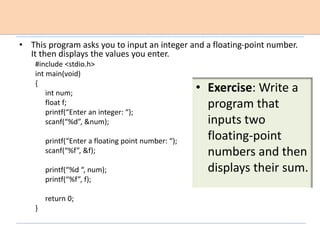
• This program asks you to input an integer and a floating-point number.
It then displays the values you enter.
#include <stdio.h>
int main(void)
{
int num;
float f;
printf(“Enter an integer: “);
scanf(“%d”, &num);
printf(“Enter a floating point number: “);
scanf(“%f”, &f);
printf(“%d “, num);
printf(“%f”, f);
return 0;
}
• Exercise: Write a
program that
inputs two
floating-point
numbers and then
displays their sum.
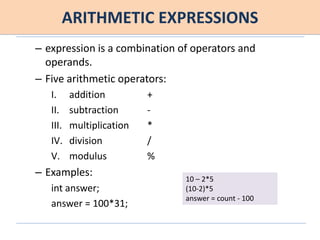
ARITHMETIC EXPRESSIONS
– expression is a combination of operators and
operands.
– Five arithmetic operators:
I. addition +
II. subtraction -
III. multiplication *
IV. division /
V. modulus %
– Examples:
int answer;
answer = 100*31;
10 – 2*5
(10-2)*5
answer = count - 100
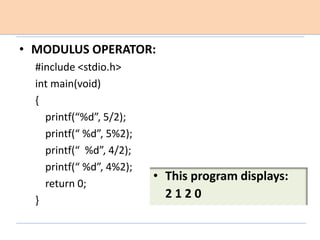
• MODULUS OPERATOR:
#include <stdio.h>
int main(void)
{
printf(“%d”, 5/2);
printf(“ %d”, 5%2);
printf(“ %d”, 4/2);
printf(“ %d”, 4%2);
return 0;
}
• This program displays:
2 1 2 0
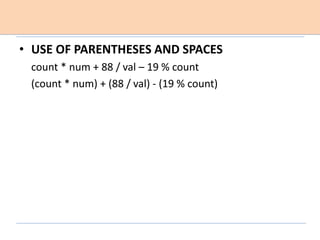
• USE OF PARENTHESES AND SPACES
count * num + 88 / val – 19 % count
(count * num) + (88 / val) - (19 % count)
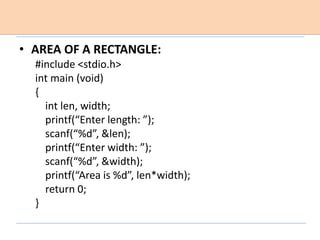
• AREA OF A RECTANGLE:
#include <stdio.h>
int main (void)
{
int len, width;
printf(“Enter length: ”);
scanf(“%d”, &len);
printf(“Enter width: ”);
scanf(“%d”, &width);
printf(“Area is %d”, len*width);
return 0;
}
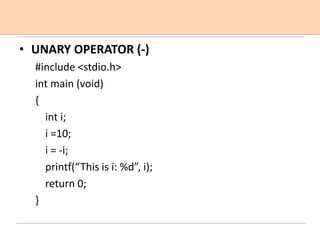
• UNARY OPERATOR (-)
#include <stdio.h>
int main (void)
{
int i;
i =10;
i = -i;
printf(“This is i: %d”, i);
return 0;
}
• EXERCISES:
1. Write a program that computes the volume of a
cube. Have program prompt the user for each
dimension.
2. Write a program that computes the number of
seconds in a year.
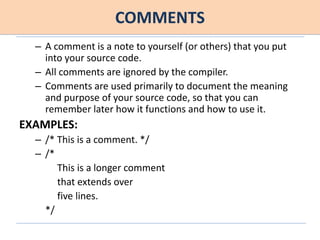
COMMENTS
– A comment is a note to yourself (or others) that you put
into your source code.
– All comments are ignored by the compiler.
– Comments are used primarily to document the meaning
and purpose of your source code, so that you can
remember later how it functions and how to use it.
EXAMPLES:
– /* This is a comment. */
– /*
This is a longer comment
that extends over
five lines.
*/
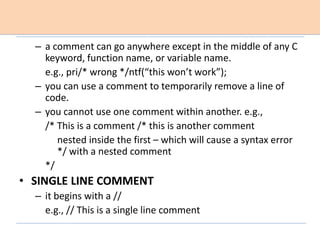
– a comment can go anywhere except in the middle of any C
keyword, function name, or variable name.
e.g., pri/* wrong */ntf(“this won’t work”);
– you can use a comment to temporarily remove a line of
code.
– you cannot use one comment within another. e.g.,
/* This is a comment /* this is another comment
nested inside the first – which will cause a syntax error
*/ with a nested comment
*/
• SINGLE LINE COMMENT
– it begins with a //
e.g., // This is a single line comment
• A year on Jupiter (the time it takes for Jupiter to make one full
circuit around the Sun) takes about 12 Earth years. The
following program allows you to convert Earth days to Jovian
years. Simply specify the number of Earth days, and it
computes the equivalent number of Jovian years. Notice the
use of comments throughout the program.
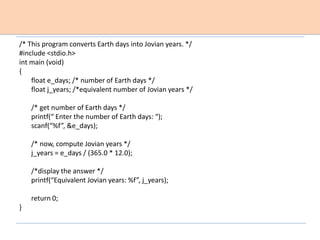
/* This program converts Earth days into Jovian years. */
#include <stdio.h>
int main (void)
{
float e_days; /* number of Earth days */
float j_years; /*equivalent number of Jovian years */
/* get number of Earth days */
printf(“ Enter the number of Earth days: “);
scanf(“%f”, &e_days);
/* now, compute Jovian years */
j_years = e_days / (365.0 * 12.0);
/*display the answer */
printf(“Equivalent Jovian years: %f”, j_years);
return 0;
}
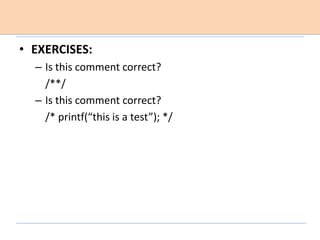
• EXERCISES:
– Is this comment correct?
/**/
– Is this comment correct?
/* printf(“this is a test”); */
WRITE YOUR OWN FUNCTIONS
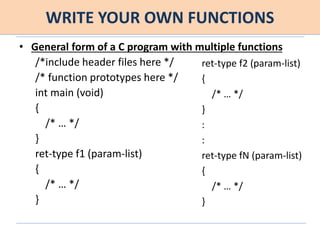
• General form of a C program with multiple functions
/*include header files here */
/* function prototypes here */
int main (void)
{
/* … */
}
ret-type f1 (param-list)
{
/* … */
}
ret-type f2 (param-list)
{
/* … */
}
:
:
ret-type fN (param-list)
{
/* … */
}
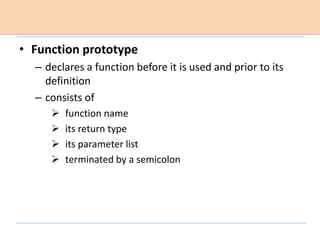
• Function prototype
– declares a function before it is used and prior to its
definition
– consists of
 function name
 its return type
 its parameter list
 terminated by a semicolon
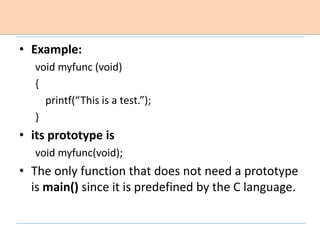
• Example:
void myfunc (void)
{
printf(“This is a test.”);
}
• its prototype is
void myfunc(void);
• The only function that does not need a prototype
is main() since it is predefined by the C language.
• when a function is called execution transfers to
that function
• when a function ends, execution resumes at the
point at which the function was called.
• any function inside a program may call any other
function within the same program
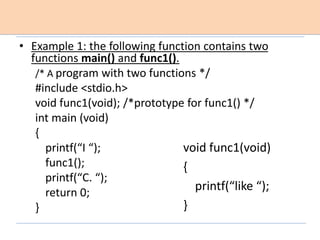
• Example 1: the following function contains two
functions main() and func1().
/* A program with two functions */
#include <stdio.h>
void func1(void); /*prototype for func1() */
int main (void)
{
printf(“I “);
func1();
printf(“C. “);
return 0;
}
void func1(void)
{
printf(“like “);
}
• Example 2: This program prints 1 2 3 on the screen:
/* A program with three functions */
#include <stdio.h>
void func1(void); /*prototype for func1() */
void func2(void);
int main (void)
{
func2();
printf(“3“);
return 0;
}
void func2(void)
{
func1();
printf(“2 “);
}
void func1(void)
{
printf(“1 “);
}
1.8 EXCERCISES
• Write a program that contains at least two
functions and prints the message The summer
soldier, the sunshine patriot.
USE FUNCTIONS TO RETURN VALUES
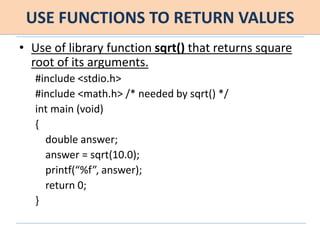
• Use of library function sqrt() that returns square
root of its arguments.
#include <stdio.h>
#include <math.h> /* needed by sqrt() */
int main (void)
{
double answer;
answer = sqrt(10.0);
printf(“%f”, answer);
return 0;
}
USE FUNCTIONS TO RETURN VALUES
• Use of library function sqrt() that returns square
root of its arguments [without assignment
operator] .
#include <stdio.h>
#include <math.h> /* needed by sqrt() */
int main (void)
{
printf(“%f”, sqrt(10.0));
return 0;
}
• Note for sqrt()
• floating-point argument
• returns double
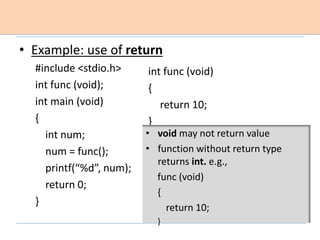
• Example: use of return
#include <stdio.h>
int func (void);
int main (void)
{
int num;
num = func();
printf(“%d”, num);
return 0;
}
int func (void)
{
return 10;
}
• void may not return value
• function without return type
returns int. e.g.,
func (void)
{
return 10;
}
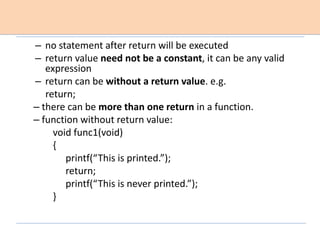
– no statement after return will be executed
– return value need not be a constant, it can be any valid
expression
– return can be without a return value. e.g.
return;
– there can be more than one return in a function.
– function without return value:
void func1(void)
{
printf(“This is printed.”);
return;
printf(“This is never printed.”);
}
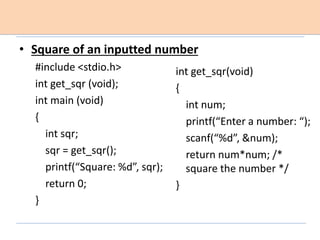
• Square of an inputted number
#include <stdio.h>
int get_sqr (void);
int main (void)
{
int sqr;
sqr = get_sqr();
printf(“Square: %d”, sqr);
return 0;
}
int get_sqr(void)
{
int num;
printf(“Enter a number: “);
scanf(“%d”, &num);
return num*num; /*
square the number */
}
1.8 EXERCISES
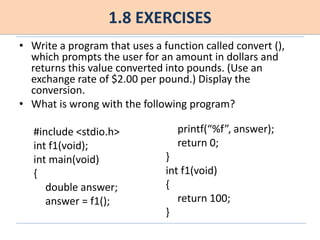
• Write a program that uses a function called convert (),
which prompts the user for an amount in dollars and
returns this value converted into pounds. (Use an
exchange rate of $2.00 per pound.) Display the
conversion.
• What is wrong with the following program?
#include <stdio.h>
int f1(void);
int main(void)
{
double answer;
answer = f1();
printf(“%f”, answer);
return 0;
}
int f1(void)
{
return 100;
}
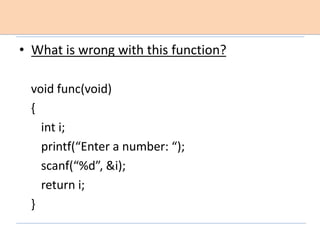
• What is wrong with this function?
void func(void)
{
int i;
printf(“Enter a number: “);
scanf(“%d”, &i);
return i;
}
USE FUNCTION ARGUMENTS
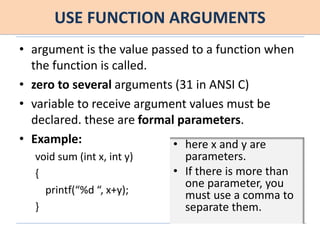
• argument is the value passed to a function when
the function is called.
• zero to several arguments (31 in ANSI C)
• variable to receive argument values must be
declared. these are formal parameters.
• Example:
void sum (int x, int y)
{
printf(“%d “, x+y);
}
• here x and y are
parameters.
• If there is more than
one parameter, you
must use a comma to
separate them.
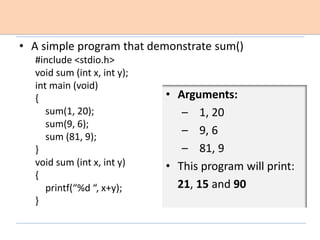
• A simple program that demonstrate sum()
#include <stdio.h>
void sum (int x, int y);
int main (void)
{
sum(1, 20);
sum(9, 6);
sum (81, 9);
}
void sum (int x, int y)
{
printf(“%d “, x+y);
}
• Arguments:
– 1, 20
– 9, 6
– 81, 9
• This program will print:
21, 15 and 90
EXAMPLES
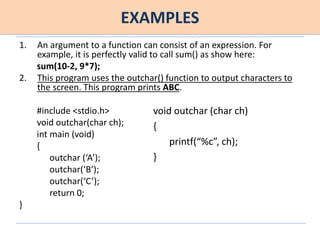
1. An argument to a function can consist of an expression. For
example, it is perfectly valid to call sum() as show here:
sum(10-2, 9*7);
2. This program uses the outchar() function to output characters to
the screen. This program prints ABC.
#include <stdio.h>
void outchar(char ch);
int main (void)
{
outchar (‘A’);
outchar(‘B’);
outchar(‘C’);
return 0;
}
void outchar (char ch)
{
printf(“%c”, ch);
}
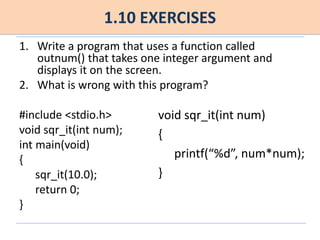
1.10 EXERCISES
1. Write a program that uses a function called
outnum() that takes one integer argument and
displays it on the screen.
2. What is wrong with this program?
#include <stdio.h>
void sqr_it(int num);
int main(void)
{
sqr_it(10.0);
return 0;
}
void sqr_it(int num)
{
printf(“%d”, num*num);
}
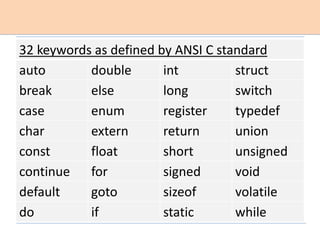
32 keywords as defined by ANSI C standard
auto double int struct
break else long switch
case enum register typedef
char extern return union
const float short unsigned
continue for signed void
default goto sizeof volatile
do if static while
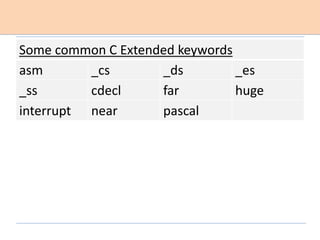
Some common C Extended keywords
asm _cs _ds _es
_ss cdecl far huge
interrupt near pascal
MASTERLY SKILL CHECK
1. The moon’s gravity is about 17 percent of Earth’s. Write
a program that allows you to enter your weight and
computes your effective weight on the moon.
2. What is wrong with this program fragment?
/* this inputs a number
scanf(“%d”, &num);
3. There are 8 ounces in a cup. Write a program that
converts ounces to cups. Use a function called o_to_c()
to perform the conversion. Call it with the number of
ounces and have it return the number of cups.
4. What are the five basic data types in C?
5. What is wrong with each of these variable names?
(i) short-fall (ii) $balance (iii) last+name (iv) 9times
1. What is the name of the function that all programs
must have? Further, what special purpose does it
perform?
2. The printf() function is used to output information to
the screen. Write a program that displays This is the
number 100. (Output the 100 as a number, not as a
string)
3. Header files contain information used by the standard
library functions. How do you tell the compiler to
include one in your program? Give an example.
4. C supports five basic types of data. Name them.
5. Which of the variables names are invalid in C?
_count, 123count, $test, This_is_a_long_name, new-world
6. What is scanf() used for?
7. Write a program that inputs an integer from the
keyboard and displays its square.
8. How are comments inserted into a C program? Give
an example.
9. How does a function return a value to the routine
that called it?
10. A function called Myfunc() has there three
parameters: an int called count, a float called
balance, and a char called ch. The function does
not return a value. Show how this function is
prototyped.

Chapter 1_C Fundamentals_HS_Tech Yourself C.pptx

  • 1.
    Chapter 1 C Fundamentals Ref:Teach Yourself C (3rd ed) by Herbert Schildt
  • 2.
    Outline  Understand thecomponents of a C program  Create and compile a program  Declare variables and assign values  Input numbers from the keyboard  Perform calculations using arithmetic expressions  Add comments to a program  Write your own functions  Use functions to return values  Use function arguments  Remember the C keywords
  • 3.
    Understand the componentsof a C program • FUNCTIONS: – A C program contains one or more functions – A function is a named subroutine – A function contains one or more statements – A statement is an action performed by the program – A statement ends with a semicolon (;) – You may place two or more statements in one line – General form of function: ret-type function-name (param-list) { statement sequence }
  • 4.
    – C musthave main() function – execution starts from the main() function • LIBRARY FUNCTIONS: – important component of C program – compilers supply library functions referred to as the C standard library. – one of the most common library function is printf(). printf(“string-to-output”); • ARGUMENTS: – information passed to a function while calling – zero or more arguments can be passed to a function
  • 5.
    • HEADER FILE –contains information about standard library functions – ends with .h extension • PREPROCESSOR DIRECTIVE – add header files to program using #include preprocessor directive. – compiler uses first phase of compilation a preprocessor. – #include directive tells the preprocessor to read in another file and include it with your program. e.g., #include<stdio.h>
  • 6.
    – #include directivedoes not end with a semicolon – it is not a keyword. instead it is an instruction • WHITE SPACE – C ignores spaces
  • 7.
    • A SIMPLEPROGRAM #include <stdio.h> int main (void) { printf(“This is a short C program.”); return 0; } Output: This is a short C program.
  • 8.
    • A SIMPLEPROGRAM #include <stdio.h> int main (void) { printf(“This is ”); printf(“another C ”); printf(“program.”); return 0; } Output: This is another C program.
  • 9.
    Create and Compilea C program • STEPS: – create your program using editor  called as source file  file extension .c not .cpp – compile the program  reports syntax error, warning error  generates object file or executable file (.exe) – execute your program
  • 10.
    Declare variables andassign values – a variable is a named memory location that can hold various values – all variables must be declared before use – declaration tell the compiler what type of variable is used • C’S FIVE BASIC DATA TYPES: – char, int, float, double, void
  • 11.
    • char – mostcommonly used to hold a single character – 8 bits long – ranges -128 to +127 or 0 to 255 – can be used as a “little integer” if desired. • int – hold signed whole number (with no fractional part) – 16 bits long in 16-bit environment (DOS, Windows 3.1) range: -32,768 to 32,767 – 32 bits long in 32-bit environment (Windows 95) range: -2,147,483,648 to 2,147,483,647
  • 12.
    • float – signedfloating-point value – may have fractional components • double – provides about twice the precision as does float • VARIABLE DECLARATION: – type var-name; – type: char/int/float/double – example: int counter;
  • 13.
    • SCOPE OFVARIABLE • LOCAL: – declared inside a function – local variable in one function has no relationship to the local variables in another function – local variable is created when a function is called and they are destroyed when the function is exited. • GLOBAL: – declared outside of all functions
  • 14.
    • DECLARE MORETHAN ONE VARIABLE – float x, y, z; • ASSIGNMENT – variable-name = value; – example: num=100; • CHARACTER CONSTANT – ‘A’ • FLOATING POINT CONSTANT – must hold a decimal point – example: 100.0
  • 15.
    • printf() FUNCTION –displays string or values of variable – printf(“This prints the number %d”, 99); displays This prints the number 99 – printf(“This displays %d, too”, 99); displays This displays 99, too • FORMAT SPECIFIER – %c for character – %f for float. it works for both float and double
  • 16.
    • The followingprogram declares a variable num, assigns 100 to the variable and uses printf() to display The value is 100. #include <stdio.h> int main (void) { int num; num = 100; printf(“The value is %d”, num); return 0; }
  • 17.
    • THIS PROGRAMUSES DIFFERENT TYPES OF VARIABLES. #include <stdio.h> int main (void) { char ch; float f; double d; ch = ‘X’; f = 100.123; d = 123.009; printf(“ch is %c, “, ch); printf(“f is %f, “,f); printf(“d is %f”, d); return 0; }
  • 18.
    • EXERCISE: write aprogram that declares one integer variable called num. Give this variable the value 1000, and then using one printf() statement, display the value on the screen like this: 1000 is the value of num
  • 19.
    INPUT NUMBERS FROMTHE KEYBOARD – one of the easiest way is to use scanf() – general form: scanf(“%d”, &int-var-name); • READING AN INTEGER FROM THE KEYBOARD int num; scanf(“%d”, &num);
  • 20.
    • This programasks you to input an integer and a floating-point number. It then displays the values you enter. #include <stdio.h> int main(void) { int num; float f; printf(“Enter an integer: “); scanf(“%d”, &num); printf(“Enter a floating point number: “); scanf(“%f”, &f); printf(“%d “, num); printf(“%f”, f); return 0; } • Exercise: Write a program that inputs two floating-point numbers and then displays their sum.
  • 21.
    ARITHMETIC EXPRESSIONS – expressionis a combination of operators and operands. – Five arithmetic operators: I. addition + II. subtraction - III. multiplication * IV. division / V. modulus % – Examples: int answer; answer = 100*31; 10 – 2*5 (10-2)*5 answer = count - 100
  • 22.
    • MODULUS OPERATOR: #include<stdio.h> int main(void) { printf(“%d”, 5/2); printf(“ %d”, 5%2); printf(“ %d”, 4/2); printf(“ %d”, 4%2); return 0; } • This program displays: 2 1 2 0
  • 23.
    • USE OFPARENTHESES AND SPACES count * num + 88 / val – 19 % count (count * num) + (88 / val) - (19 % count)
  • 24.
    • AREA OFA RECTANGLE: #include <stdio.h> int main (void) { int len, width; printf(“Enter length: ”); scanf(“%d”, &len); printf(“Enter width: ”); scanf(“%d”, &width); printf(“Area is %d”, len*width); return 0; }
  • 25.
    • UNARY OPERATOR(-) #include <stdio.h> int main (void) { int i; i =10; i = -i; printf(“This is i: %d”, i); return 0; }
  • 26.
    • EXERCISES: 1. Writea program that computes the volume of a cube. Have program prompt the user for each dimension. 2. Write a program that computes the number of seconds in a year.
  • 27.
    COMMENTS – A commentis a note to yourself (or others) that you put into your source code. – All comments are ignored by the compiler. – Comments are used primarily to document the meaning and purpose of your source code, so that you can remember later how it functions and how to use it. EXAMPLES: – /* This is a comment. */ – /* This is a longer comment that extends over five lines. */
  • 28.
    – a commentcan go anywhere except in the middle of any C keyword, function name, or variable name. e.g., pri/* wrong */ntf(“this won’t work”); – you can use a comment to temporarily remove a line of code. – you cannot use one comment within another. e.g., /* This is a comment /* this is another comment nested inside the first – which will cause a syntax error */ with a nested comment */ • SINGLE LINE COMMENT – it begins with a // e.g., // This is a single line comment
  • 29.
    • A yearon Jupiter (the time it takes for Jupiter to make one full circuit around the Sun) takes about 12 Earth years. The following program allows you to convert Earth days to Jovian years. Simply specify the number of Earth days, and it computes the equivalent number of Jovian years. Notice the use of comments throughout the program.
  • 30.
    /* This programconverts Earth days into Jovian years. */ #include <stdio.h> int main (void) { float e_days; /* number of Earth days */ float j_years; /*equivalent number of Jovian years */ /* get number of Earth days */ printf(“ Enter the number of Earth days: “); scanf(“%f”, &e_days); /* now, compute Jovian years */ j_years = e_days / (365.0 * 12.0); /*display the answer */ printf(“Equivalent Jovian years: %f”, j_years); return 0; }
  • 31.
    • EXERCISES: – Isthis comment correct? /**/ – Is this comment correct? /* printf(“this is a test”); */
  • 32.
    WRITE YOUR OWNFUNCTIONS • General form of a C program with multiple functions /*include header files here */ /* function prototypes here */ int main (void) { /* … */ } ret-type f1 (param-list) { /* … */ } ret-type f2 (param-list) { /* … */ } : : ret-type fN (param-list) { /* … */ }
  • 33.
    • Function prototype –declares a function before it is used and prior to its definition – consists of  function name  its return type  its parameter list  terminated by a semicolon
  • 34.
    • Example: void myfunc(void) { printf(“This is a test.”); } • its prototype is void myfunc(void); • The only function that does not need a prototype is main() since it is predefined by the C language.
  • 35.
    • when afunction is called execution transfers to that function • when a function ends, execution resumes at the point at which the function was called. • any function inside a program may call any other function within the same program
  • 36.
    • Example 1:the following function contains two functions main() and func1(). /* A program with two functions */ #include <stdio.h> void func1(void); /*prototype for func1() */ int main (void) { printf(“I “); func1(); printf(“C. “); return 0; } void func1(void) { printf(“like “); }
  • 37.
    • Example 2:This program prints 1 2 3 on the screen: /* A program with three functions */ #include <stdio.h> void func1(void); /*prototype for func1() */ void func2(void); int main (void) { func2(); printf(“3“); return 0; } void func2(void) { func1(); printf(“2 “); } void func1(void) { printf(“1 “); }
  • 38.
    1.8 EXCERCISES • Writea program that contains at least two functions and prints the message The summer soldier, the sunshine patriot.
  • 39.
    USE FUNCTIONS TORETURN VALUES • Use of library function sqrt() that returns square root of its arguments. #include <stdio.h> #include <math.h> /* needed by sqrt() */ int main (void) { double answer; answer = sqrt(10.0); printf(“%f”, answer); return 0; }
  • 40.
    USE FUNCTIONS TORETURN VALUES • Use of library function sqrt() that returns square root of its arguments [without assignment operator] . #include <stdio.h> #include <math.h> /* needed by sqrt() */ int main (void) { printf(“%f”, sqrt(10.0)); return 0; } • Note for sqrt() • floating-point argument • returns double
  • 41.
    • Example: useof return #include <stdio.h> int func (void); int main (void) { int num; num = func(); printf(“%d”, num); return 0; } int func (void) { return 10; } • void may not return value • function without return type returns int. e.g., func (void) { return 10; }
  • 42.
    – no statementafter return will be executed – return value need not be a constant, it can be any valid expression – return can be without a return value. e.g. return; – there can be more than one return in a function. – function without return value: void func1(void) { printf(“This is printed.”); return; printf(“This is never printed.”); }
  • 43.
    • Square ofan inputted number #include <stdio.h> int get_sqr (void); int main (void) { int sqr; sqr = get_sqr(); printf(“Square: %d”, sqr); return 0; } int get_sqr(void) { int num; printf(“Enter a number: “); scanf(“%d”, &num); return num*num; /* square the number */ }
  • 44.
    1.8 EXERCISES • Writea program that uses a function called convert (), which prompts the user for an amount in dollars and returns this value converted into pounds. (Use an exchange rate of $2.00 per pound.) Display the conversion. • What is wrong with the following program? #include <stdio.h> int f1(void); int main(void) { double answer; answer = f1(); printf(“%f”, answer); return 0; } int f1(void) { return 100; }
  • 45.
    • What iswrong with this function? void func(void) { int i; printf(“Enter a number: “); scanf(“%d”, &i); return i; }
  • 46.
    USE FUNCTION ARGUMENTS •argument is the value passed to a function when the function is called. • zero to several arguments (31 in ANSI C) • variable to receive argument values must be declared. these are formal parameters. • Example: void sum (int x, int y) { printf(“%d “, x+y); } • here x and y are parameters. • If there is more than one parameter, you must use a comma to separate them.
  • 47.
    • A simpleprogram that demonstrate sum() #include <stdio.h> void sum (int x, int y); int main (void) { sum(1, 20); sum(9, 6); sum (81, 9); } void sum (int x, int y) { printf(“%d “, x+y); } • Arguments: – 1, 20 – 9, 6 – 81, 9 • This program will print: 21, 15 and 90
  • 48.
    EXAMPLES 1. An argumentto a function can consist of an expression. For example, it is perfectly valid to call sum() as show here: sum(10-2, 9*7); 2. This program uses the outchar() function to output characters to the screen. This program prints ABC. #include <stdio.h> void outchar(char ch); int main (void) { outchar (‘A’); outchar(‘B’); outchar(‘C’); return 0; } void outchar (char ch) { printf(“%c”, ch); }
  • 49.
    1.10 EXERCISES 1. Writea program that uses a function called outnum() that takes one integer argument and displays it on the screen. 2. What is wrong with this program? #include <stdio.h> void sqr_it(int num); int main(void) { sqr_it(10.0); return 0; } void sqr_it(int num) { printf(“%d”, num*num); }
  • 50.
    32 keywords asdefined by ANSI C standard auto double int struct break else long switch case enum register typedef char extern return union const float short unsigned continue for signed void default goto sizeof volatile do if static while
  • 51.
    Some common CExtended keywords asm _cs _ds _es _ss cdecl far huge interrupt near pascal
  • 52.
    MASTERLY SKILL CHECK 1.The moon’s gravity is about 17 percent of Earth’s. Write a program that allows you to enter your weight and computes your effective weight on the moon. 2. What is wrong with this program fragment? /* this inputs a number scanf(“%d”, &num); 3. There are 8 ounces in a cup. Write a program that converts ounces to cups. Use a function called o_to_c() to perform the conversion. Call it with the number of ounces and have it return the number of cups. 4. What are the five basic data types in C? 5. What is wrong with each of these variable names? (i) short-fall (ii) $balance (iii) last+name (iv) 9times
  • 53.
    1. What isthe name of the function that all programs must have? Further, what special purpose does it perform? 2. The printf() function is used to output information to the screen. Write a program that displays This is the number 100. (Output the 100 as a number, not as a string) 3. Header files contain information used by the standard library functions. How do you tell the compiler to include one in your program? Give an example. 4. C supports five basic types of data. Name them. 5. Which of the variables names are invalid in C? _count, 123count, $test, This_is_a_long_name, new-world
  • 54.
    6. What isscanf() used for? 7. Write a program that inputs an integer from the keyboard and displays its square. 8. How are comments inserted into a C program? Give an example. 9. How does a function return a value to the routine that called it? 10. A function called Myfunc() has there three parameters: an int called count, a float called balance, and a char called ch. The function does not return a value. Show how this function is prototyped.