The C Programming Language
Why learn C ?
• "Least common denominator" - good building block
for learning other languages
– Subset of C++
– Similar to JAVA
• Closeness to machine allows one to learn about
system-level details
• Portable - compilers available for most platforms
• Very fast
Structure of a C program
• Every C program consists of one or more
functions.
– One of the functions must be called main.
– The program will always begin by executing the
main function.
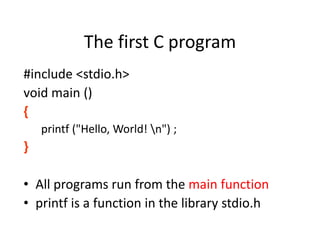
The first C program
#include <stdio.h>
void main ()
{
printf ("Hello, World! n") ;
}
• All programs run from the main function
• printf is a function in the library stdio.h
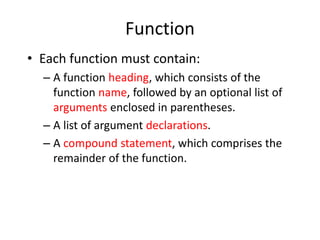
Function
• Each function must contain:
– A function heading, which consists of the
function name, followed by an optional list of
arguments enclosed in parentheses.
– A list of argument declarations.
– A compound statement, which comprises the
remainder of the function.
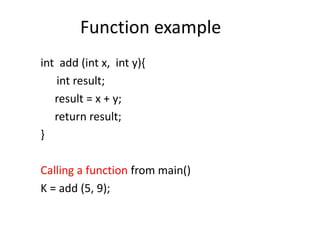
Function example
int add (int x, int y){
int result;
result = x + y;
return result;
}
Calling a function from main()
K = add (5, 9);
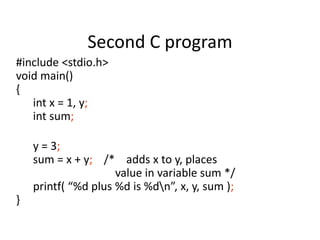
Second C program
#include <stdio.h>
void main()
{
int x = 1, y;
int sum;
y = 3;
sum = x + y; /* adds x to y, places
value in variable sum */
printf( “%d plus %d is %dn”, x, y, sum );
}
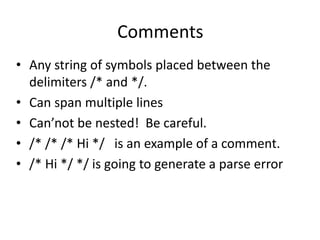
Comments
• Any string of symbols placed between the
delimiters /* and */.
• Can span multiple lines
• Can’not be nested! Be careful.
• /* /* /* Hi */ is an example of a comment.
• /* Hi */ */ is going to generate a parse error
Compound Statement
• Each compound statement is enclosed
within a pair of braces (‘{‘ and ‘}’).
– The braces may contain combinations of
elementary statements and other compound
statements.
• Comments may appear anywhere in a
program, enclosed within delimiters
• ‘/*’ and ‘*/’.
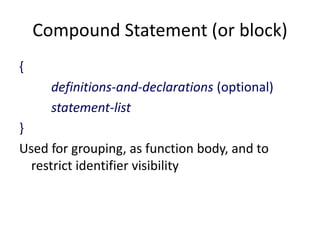
Compound Statement (or block)
{
definitions-and-declarations (optional)
statement-list
}
Used for grouping, as function body, and to
restrict identifier visibility
Desirable programming style
• Clarity
– The program should be clearly written.
– It should be easy to follow the program logic.
• Meaningful variable names
– Make variable/constant names meaningful to
enhance program clarity.
• ‘area’ instead of ‘a’
• ‘radius’ instead of ‘r’
Program Documentation
• Insert comments in the program to make it
easy to understand.
• Put a comment for each function.
• Put comments for the important variables.
• Do not give too many comments.
Program indentation
• Use proper indentation.
• C has standard indentation conventions.
– Followed by any book on C
– Followed in the class
• Penalty for NOT using proper indentations
Keywords
Reserved words that cannot be used as variable
names
OK within comments . . .
Examples: break, if, else, do, for, while, int, void
Exhaustive list in any C book
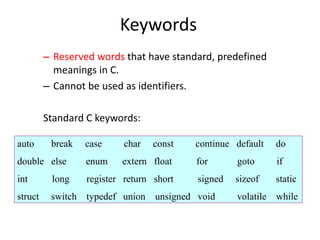
Keywords
– Reserved words that have standard, predefined
meanings in C.
– Cannot be used as identifiers.
Standard C keywords:
else
auto break case char const continue default do
double else enum extern float for goto if
int long register return short signed sizeof static
struct switch typedef union unsigned void volatile while
Identifiers
• A token (word) composed of a sequence of letters,
digits, and underscore (_) character. (NO spaces.)
– First character cannot be a digit
– C is case sensitive, so beware (e.g. printf
Printf)
• Identifiers such as printf normally would not be
redefined; be careful
• Used to give names to variables, functions, etc.
• Only the first 31 characters matter
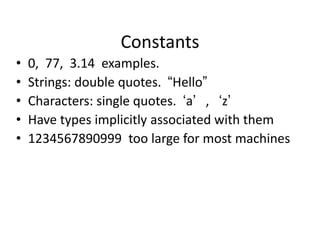
Constants
• 0, 77, 3.14 examples.
• Strings: double quotes. “Hello”
• Characters: single quotes. ‘a’ , ‘z’
• Have types implicitly associated with them
• 1234567890999 too large for most machines
18
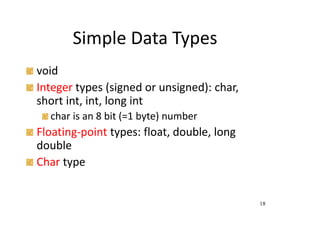
Simple Data Types
void
Integer types (signed or unsigned): char,
short int, int, long int
char is an 8 bit (=1 byte) number
Floating-point types: float, double, long
double
Char type
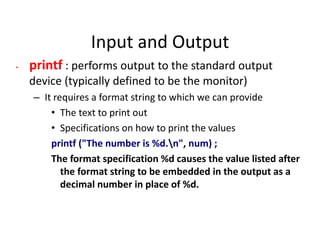
Input and Output
• printf : performs output to the standard output
device (typically defined to be the monitor)
– It requires a format string to which we can provide
• The text to print out
• Specifications on how to print the values
printf ("The number is %d.n", num) ;
The format specification %d causes the value listed after
the format string to be embedded in the output as a
decimal number in place of %d.
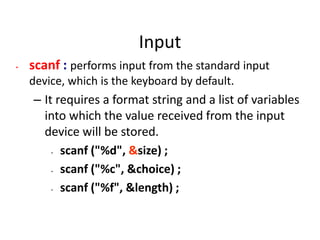
Input
• scanf : performs input from the standard input
device, which is the keyboard by default.
– It requires a format string and a list of variables
into which the value received from the input
device will be stored.
• scanf ("%d", &size) ;
• scanf ("%c", &choice) ;
• scanf ("%f", &length) ;
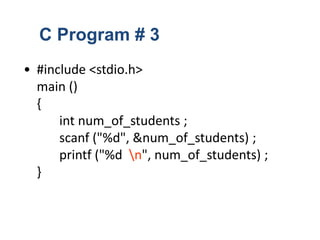
• #include <stdio.h>
main ()
{
int num_of_students ;
scanf ("%d", &num_of_students) ;
printf ("%d n", num_of_students) ;
}
C Program # 3
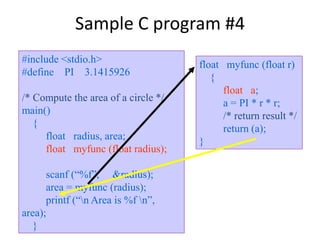
Sample C program #4
#include <stdio.h>
#define PI 3.1415926
/* Compute the area of a circle */
main()
{
float radius, area;
float myfunc (float radius);
scanf (“%f”, &radius);
area = myfunc (radius);
printf (“n Area is %f n”,
area);
}
float myfunc (float r)
{
float a;
a = PI * r * r;
/* return result */
return (a);
}

424769021-1-First-C-Program-1-ppt (1).ppt

  • 1.
  • 2.
    Why learn C? • "Least common denominator" - good building block for learning other languages – Subset of C++ – Similar to JAVA • Closeness to machine allows one to learn about system-level details • Portable - compilers available for most platforms • Very fast
  • 3.
    Structure of aC program • Every C program consists of one or more functions. – One of the functions must be called main. – The program will always begin by executing the main function.
  • 4.
    The first Cprogram #include <stdio.h> void main () { printf ("Hello, World! n") ; } • All programs run from the main function • printf is a function in the library stdio.h
  • 5.
    Function • Each functionmust contain: – A function heading, which consists of the function name, followed by an optional list of arguments enclosed in parentheses. – A list of argument declarations. – A compound statement, which comprises the remainder of the function.
  • 6.
    Function example int add(int x, int y){ int result; result = x + y; return result; } Calling a function from main() K = add (5, 9);
  • 7.
    Second C program #include<stdio.h> void main() { int x = 1, y; int sum; y = 3; sum = x + y; /* adds x to y, places value in variable sum */ printf( “%d plus %d is %dn”, x, y, sum ); }
  • 8.
    Comments • Any stringof symbols placed between the delimiters /* and */. • Can span multiple lines • Can’not be nested! Be careful. • /* /* /* Hi */ is an example of a comment. • /* Hi */ */ is going to generate a parse error
  • 9.
    Compound Statement • Eachcompound statement is enclosed within a pair of braces (‘{‘ and ‘}’). – The braces may contain combinations of elementary statements and other compound statements. • Comments may appear anywhere in a program, enclosed within delimiters • ‘/*’ and ‘*/’.
  • 10.
    Compound Statement (orblock) { definitions-and-declarations (optional) statement-list } Used for grouping, as function body, and to restrict identifier visibility
  • 11.
    Desirable programming style •Clarity – The program should be clearly written. – It should be easy to follow the program logic. • Meaningful variable names – Make variable/constant names meaningful to enhance program clarity. • ‘area’ instead of ‘a’ • ‘radius’ instead of ‘r’
  • 12.
    Program Documentation • Insertcomments in the program to make it easy to understand. • Put a comment for each function. • Put comments for the important variables. • Do not give too many comments.
  • 13.
    Program indentation • Useproper indentation. • C has standard indentation conventions. – Followed by any book on C – Followed in the class • Penalty for NOT using proper indentations
  • 14.
    Keywords Reserved words thatcannot be used as variable names OK within comments . . . Examples: break, if, else, do, for, while, int, void Exhaustive list in any C book
  • 15.
    Keywords – Reserved wordsthat have standard, predefined meanings in C. – Cannot be used as identifiers. Standard C keywords: else auto break case char const continue default do double else enum extern float for goto if int long register return short signed sizeof static struct switch typedef union unsigned void volatile while
  • 16.
    Identifiers • A token(word) composed of a sequence of letters, digits, and underscore (_) character. (NO spaces.) – First character cannot be a digit – C is case sensitive, so beware (e.g. printf Printf) • Identifiers such as printf normally would not be redefined; be careful • Used to give names to variables, functions, etc. • Only the first 31 characters matter
  • 17.
    Constants • 0, 77,3.14 examples. • Strings: double quotes. “Hello” • Characters: single quotes. ‘a’ , ‘z’ • Have types implicitly associated with them • 1234567890999 too large for most machines
  • 18.
    18 Simple Data Types void Integertypes (signed or unsigned): char, short int, int, long int char is an 8 bit (=1 byte) number Floating-point types: float, double, long double Char type
  • 19.
    Input and Output •printf : performs output to the standard output device (typically defined to be the monitor) – It requires a format string to which we can provide • The text to print out • Specifications on how to print the values printf ("The number is %d.n", num) ; The format specification %d causes the value listed after the format string to be embedded in the output as a decimal number in place of %d.
  • 20.
    Input • scanf :performs input from the standard input device, which is the keyboard by default. – It requires a format string and a list of variables into which the value received from the input device will be stored. • scanf ("%d", &size) ; • scanf ("%c", &choice) ; • scanf ("%f", &length) ;
  • 21.
    • #include <stdio.h> main() { int num_of_students ; scanf ("%d", &num_of_students) ; printf ("%d n", num_of_students) ; } C Program # 3
  • 22.
    Sample C program#4 #include <stdio.h> #define PI 3.1415926 /* Compute the area of a circle */ main() { float radius, area; float myfunc (float radius); scanf (“%f”, &radius); area = myfunc (radius); printf (“n Area is %f n”, area); } float myfunc (float r) { float a; a = PI * r * r; /* return result */ return (a); }