IT Auditing &Assurance, 2e, Hall &
Singleton
Chapter 7:
Computer-Assisted Audit
Techniques [CAATs]
IT Auditing & Assurance, 2e, Hall & Singleton
2.
IT Auditing &Assurance, 2e, Hall & Singleton
INTRODUCTION TO INPUT
CONTROLS
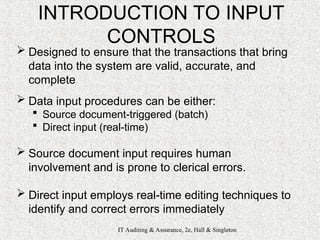
Designed to ensure that the transactions that bring
data into the system are valid, accurate, and
complete
Data input procedures can be either:
Source document-triggered (batch)
Direct input (real-time)
Source document input requires human
involvement and is prone to clerical errors.
Direct input employs real-time editing techniques to
identify and correct errors immediately
3.
IT Auditing &Assurance, 2e, Hall & Singleton
CLASSES OF INPUT
CONTROLS
1) Source document controls
2) Data coding controls
3) Batch controls
4) Validation controls
5) Input error correction
6) Generalized data input
systems
4.
IT Auditing &Assurance, 2e, Hall & Singleton
#1-SOURCE DOCUMENT
CONTROLS
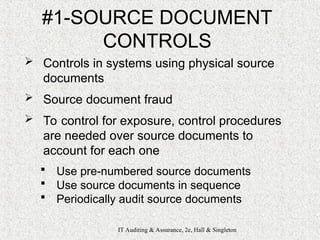
Controls in systems using physical source
documents
Source document fraud
To control for exposure, control procedures
are needed over source documents to
account for each one
Use pre-numbered source documents
Use source documents in sequence
Periodically audit source documents
5.
IT Auditing &Assurance, 2e, Hall & Singleton
#2-DATA CODING CONTROLS
Checks on data integrity during processing
Transcription errors
Addition errors, extra digits
Truncation errors, digit removed
Substitution errors, digit replaced
Transposition errors
Single transposition: adjacent digits transposed (reversed)
Multiple transposition: non-adjacent digits are transposed
Control = Check digits
Added to code when created (suffix, prefix,
embedded)
Sum of digits (ones): transcription errors only
Modulus 11: different weights per column: transposition and
transcription errors
Introduces storage and processing inefficiencies
6.
IT Auditing &Assurance, 2e, Hall & Singleton
#3-BATCH CONTROLS
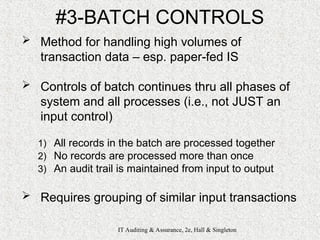
Method for handling high volumes of
transaction data – esp. paper-fed IS
Controls of batch continues thru all phases of
system and all processes (i.e., not JUST an
input control)
1) All records in the batch are processed together
2) No records are processed more than once
3) An audit trail is maintained from input to output
Requires grouping of similar input transactions
7.
IT Auditing &Assurance, 2e, Hall & Singleton
#3-BATCH CONTROLS
Requires controlling batch throughout
Batch transmittal sheet (batch control record)
– Figure 7-1, p. 302
Unique batch number (serial #)
A batch date
A transaction code
Number of records in the batch
Total dollar value of financial field
Sum of unique non-financial field
• Hash total
• E.g., customer number
Batch control log – Figure 7-3, p 303
Hash totals
8.
IT Auditing &Assurance, 2e, Hall & Singleton
#4-VALIDATION CONTROLS
Intended to detect errors in data
before processing
Most effective if performed close to
the source of the transaction
Some require referencing a master
file
9.
IT Auditing &Assurance, 2e, Hall & Singleton
#4-VALIDATION CONTROLS
Field Interrogation
Missing data checks
Numeric-alphabetic data checks
Zero-value checks
Limit checks
Range checks
Validity checks
Check digit
Record Interrogation
Reasonableness checks
Sign checks
Sequence checks
File Interrogation
Internal label checks (tape)
Version checks
Expiration date check
10.
IT Auditing &Assurance, 2e, Hall & Singleton
#5-INPUT ERROR CORRECTION
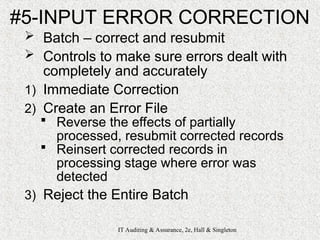
Batch – correct and resubmit
Controls to make sure errors dealt with
completely and accurately
1) Immediate Correction
2) Create an Error File
Reverse the effects of partially
processed, resubmit corrected records
Reinsert corrected records in
processing stage where error was
detected
3) Reject the Entire Batch
11.
IT Auditing &Assurance, 2e, Hall & Singleton
#6-GENERALIZED DATA INPUT
SYSTEMS (GDIS)
Centralized procedures to manage data
input for all transaction processing
systems
Eliminates need to create redundant
routines for each new application
Advantages:
Improves control by having one common
system perform all data validation
Ensures each AIS application applies a
consistent standard of data validation
Improves systems development efficiency
12.
IT Auditing &Assurance, 2e, Hall & Singleton
#6-GDIS
Major components:
1) Generalized Validation Module
2) Validated Data File
3) Error File
4) Error Reports
5) Transaction Log
13.
IT Auditing &Assurance, 2e, Hall & Singleton
CLASSES OF PROCESSING
CONTROLS
1) Run-to-Run Controls
2) Operator Intervention
Controls
3) Audit Trail Controls
14.
IT Auditing &Assurance, 2e, Hall & Singleton
#1-RUN-TO-RUN (BATCH)
Use batch figures to monitor
the batch as it moves from
one process to another
1) Recalculate Control Totals
2) Check Transaction Codes
3) Sequence Checks
15.
IT Auditing &Assurance, 2e, Hall & Singleton
#2-OPERATOR INTERVENTION
When operator manually enters
controls into the system
Preference is to derive by logic
or provided by system
16.
IT Auditing &Assurance, 2e, Hall & Singleton
#3-AUDIT TRAIL CONTROLS
Every transaction becomes traceable
from input to output
Each processing step is documented
Preservation is key to auditability of
AIS
Transaction logs
Log of automatic transactions
Listing of automatic transactions
Unique transaction identifiers [s/n]
Error listing
17.
IT Auditing &Assurance, 2e, Hall & Singleton
OUTPUT CONTROLS
Ensure system output:
1) Not misplaced
2) Not misdirected
3) Not corrupted
4) Privacy policy not violated
Batch systems more susceptible to exposure,
require greater controls
Controlling Batch Systems Output
Many steps from printer to end user
Data control clerk check point
Unacceptable printing should be shredded
Cost/benefit basis for controls
Sensitivity of data drives levels of controls
18.
IT Auditing &Assurance, 2e, Hall & Singleton
OUTPUT CONTROLS
Output spooling – risks:
Access the output file and change
critical data values
Access the file and change the
number of copies to be printed
Make a copy of the output file so
illegal output can be generated
Destroy the output file before printing
take place
19.
IT Auditing &Assurance, 2e, Hall & Singleton
OUTPUT CONTROLS
Print Programs
Operator Intervention:
1) Pausing the print program to load output paper
2) Entering parameters needed by the print run
3) Restarting the print run at a prescribed checkpoint after
a printer malfunction
4) Removing printer output from the printer for review and
distribution
Print Program Controls
Production of unauthorized copies
Employ output document controls similar to source document
controls
Unauthorized browsing of sensitive data by employees
Special multi-part paper that blocks certain fields
20.
IT Auditing &Assurance, 2e, Hall & Singleton
OUTPUT CONTROLS
Bursting
Supervision
Waste
Proper disposal of aborted copies
and carbon copies
Data control
Data control group – verify and log
Report distribution
Supervision
21.
IT Auditing &Assurance, 2e, Hall & Singleton
OUTPUT CONTROLS
End user controls
End user detection
Report retention:
Statutory requirements (gov’t)
Number of copies in existence
Existence of softcopies (backups)
Destroyed in a manner consistent
with the sensitivity of its contents
22.
IT Auditing &Assurance, 2e, Hall & Singleton
OUTPUT CONTROLS
Controlling real-time systems output
Eliminates intermediaries
Threats:
Interception
Disruption
Destruction
Corruption
Exposures:
Equipment failure
Subversive acts
Systems performance controls (Ch. 2)
Chain of custody controls (Ch. 5)
23.
IT Auditing &Assurance, 2e, Hall & Singleton
TESTING COMPUTER
APPLICATION CONTROLS
1) Black box (around)
2) White box (through)
24.
IT Auditing &Assurance, 2e, Hall & Singleton
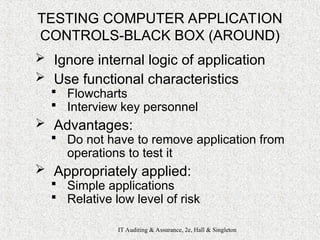
TESTING COMPUTER APPLICATION
CONTROLS-BLACK BOX (AROUND)
Ignore internal logic of application
Use functional characteristics
Flowcharts
Interview key personnel
Advantages:
Do not have to remove application from
operations to test it
Appropriately applied:
Simple applications
Relative low level of risk
25.
IT Auditing &Assurance, 2e, Hall & Singleton
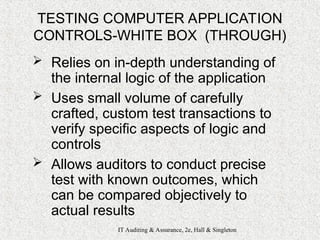
TESTING COMPUTER APPLICATION
CONTROLS-WHITE BOX (THROUGH)
Relies on in-depth understanding of
the internal logic of the application
Uses small volume of carefully
crafted, custom test transactions to
verify specific aspects of logic and
controls
Allows auditors to conduct precise
test with known outcomes, which
can be compared objectively to
actual results
26.
IT Auditing &Assurance, 2e, Hall & Singleton
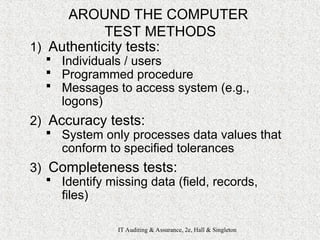
AROUND THE COMPUTER
TEST METHODS
1) Authenticity tests:
Individuals / users
Programmed procedure
Messages to access system (e.g.,
logons)
2) Accuracy tests:
System only processes data values that
conform to specified tolerances
3) Completeness tests:
Identify missing data (field, records,
files)
27.
IT Auditing &Assurance, 2e, Hall & Singleton
AROUND THE COMPUTER
TEST METHODS
4) Redundancy tests:
Process each record exactly once
5) Audit trail tests:
Ensure application and/or system
creates an adequate audit trail
Transactions listing
Error files or reports for all exceptions
6) Rounding error tests:
“Salami slicing”
Monitor activities – excessive ones are
serious exceptions; e.g, rounding and
thousands of entries into a single
account for $1 or 1¢
28.
IT Auditing &Assurance, 2e, Hall & Singleton
COMPUTER AIDED AUDIT TOOLS
AND TECHNIQUES (CAATTs)
1) Test data method
2) Base case system evaluation
3) Tracing
4) Integrated Test Facility [ITF]
5) Parallel simulation
6) GAS
29.
IT Auditing &Assurance, 2e, Hall & Singleton
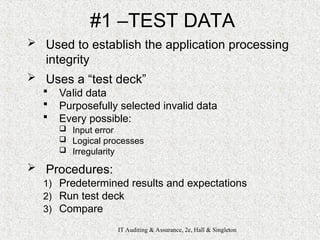
#1 –TEST DATA
Used to establish the application processing
integrity
Uses a “test deck”
Valid data
Purposefully selected invalid data
Every possible:
Input error
Logical processes
Irregularity
Procedures:
1) Predetermined results and expectations
2) Run test deck
3) Compare
30.
IT Auditing &Assurance, 2e, Hall & Singleton
#2 – BASE CASE SYSTEM
EVALUATION (BCSE)
Variant of Test Data method
Comprehensive test data
Repetitive testing throughout SDLC
When application is modified,
subsequent test (new) results can be
compared with previous results (base)
31.
IT Auditing &Assurance, 2e, Hall & Singleton
#3 – TRACING
Test data technique that takes step-by-step
walk through application
1) The trace option must be enabled for the application
2) Specific data or types of transactions are created as
test data
3) Test data is “traced” through all processing steps of
the application, and a listing is produced of all lines of
code as executed (variables, results, etc.)
Excellent means of debugging a faculty
program
32.
IT Auditing &Assurance, 2e, Hall & Singleton
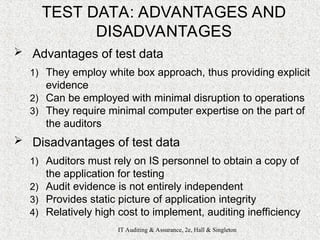
TEST DATA: ADVANTAGES AND
DISADVANTAGES
Advantages of test data
1) They employ white box approach, thus providing explicit
evidence
2) Can be employed with minimal disruption to operations
3) They require minimal computer expertise on the part of
the auditors
Disadvantages of test data
1) Auditors must rely on IS personnel to obtain a copy of
the application for testing
2) Audit evidence is not entirely independent
3) Provides static picture of application integrity
4) Relatively high cost to implement, auditing inefficiency
33.
IT Auditing &Assurance, 2e, Hall & Singleton
#4 – INTEGRATED TEST FACILITY
ITF is an automated technique that allows
auditors to test logic and controls during
normal operations
Set up a dummy entity within the application
system
1) Set up a dummy entity within the application
system
2) System able to discriminate between ITF audit
module transactions and routine transactions
3) Auditor analyzes ITF results against expected
results
34.
IT Auditing &Assurance, 2e, Hall & Singleton
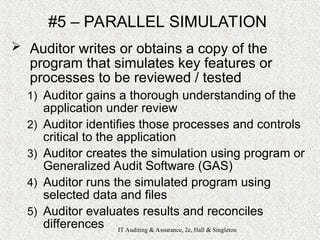
#5 – PARALLEL SIMULATION
Auditor writes or obtains a copy of the
program that simulates key features or
processes to be reviewed / tested
1) Auditor gains a thorough understanding of the
application under review
2) Auditor identifies those processes and controls
critical to the application
3) Auditor creates the simulation using program or
Generalized Audit Software (GAS)
4) Auditor runs the simulated program using
selected data and files
5) Auditor evaluates results and reconciles
differences
35.
IT Auditing &Assurance, 2e, Hall &
Singleton
Chapter 7:
Computer-Assisted Audit
Techniques [CAATs]
IT Auditing & Assurance, 2e, Hall & Singleton
Editor's Notes
#2 Input Controls – designed to ensure that the transactions that bring data into the system are valid, accurate, and complete. Data input procedures can be either source document-triggered (batch) or direct input (real-time). Source document input requires human involvement and is prone to clerical errors. Direct input employs real-time editing techniques to identify and correct errors immediately.
#4 Source Document Controls – in systems that use physical source documents in initiate transactions, careful control must be exercised over these instruments. Source document fraud can be used to remove assets from the organization. To control against this type of exposure, implement control procedures over source documents to account for each document.
o Use Pre-numbered Source Documents – source documents should come pre-numbered from the printer with a unique sequential number on each document. This provides an audit trail for tracing transactions through accounting records.
o Use Source Documents in Sequence – source documents should be distributed to the users and used in sequence, requiring the adequate physical security be maintained over the source document inventory at the user site. Access to source documents should be limited to authorized persons.
o Periodically Audit Source Documents – the auditor should compare the numbers of documents used to date with those remaining in inventory plus those voided due to errors.
#5 Data Coding Controls – coding controls are checks on the integrity of data codes used in processing. Three types of errors can corrupt data codes and cause processing errors: Transcription errors, Single Transposition errors, and Multiple Transposition errors.
Transcription errors fall into three classes:
Addition errors occur when an extra digit or character is added to the code.
Truncation errors occur when a digit or character is removed from the end of a code.
Substitution errors are the replacement of one digit in a code with another.
Two types of Transposition Errors:
Single transposition errors occur when two adjacent digits are reversed.
Multiple transposition errors occur when nonadjacent digits are transposed.
Check Digits – is a control digit (or digits) added to the code when it is originally assigned that allows the integrity of the code to be established during subsequent processing. The digit can be located anywhere in the code: suffix, prefix, or embedded. This technique will detect only transcription errors. The popular method is modulus 11, which recalculates the check digit during processing. The use of check digits introduces storage and processing inefficiencies and should be restricted to essential data.
MODULUS 11:
Code = 5372
5*5, 4*3, 3*7, 2*2 = 62
62/11 = 5 with remainder of 7
11 – 7 = 4 [is check digit]
Revised Code=53724
#6 Batch Controls – are an effective method of managing high volumes of transaction data through a system. It reconciles output produced by the system with the input originally entered into the system. Controlling the batch continues throughout all phases of the system. It assures that:
All records in the batch are processed.
No records are processed more than once.
An audit trail of transactions in created from input through processing to the output.
It requires the grouping of similar types of input transactions together in batches and then controlling the batches throughout data processing.
#7 Two documents are used to accomplish this task: a batch transmittal sheet and a batch control log. The transmittal sheet becomes the batch control record and is used to assess the integrity of the batch during processing. The batch transmittal sheet captures relevant information such as:
Unique batch number
A batch date
A transaction code
Number of records in the batch
Total dollar value of a financial field
Total of a unique non--financial field
Hash Totals – a simple control technique that uses non-financial data to keep track of the records in a batch. Any key field may be used to calculate a hash total.
#8 Validation Controls – intended to detect errors in transaction data before the data are processed. Most effective when they are performed as close to the source of the transaction as possible. Some validation procedures require making references against the current master file. There are three levels of input validation controls:
#9 1. Field Interrogation – involves programmed procedures that examine the characteristics of the data in the field.
Missing Data Checks – used to examine the contents of a field for the presence of blank spaces.
Numeric-Alphabetic Data Checks – determine whether the correct form of data is in a field.
Zero-Value Checks – used to verify that certain fields are filled with zeros.
Limit Checks – determine if the value in the field exceeds an authorized limit.
Range Checks – assign upper and lower limits to acceptable data values.
Validity Checks – compare actual values in a field against known acceptable values.
Check Digit – identify keystroke errors in key fields by testing the internal validity of the code.
2. Record Interrogation – procedures validate the entire record by examining the interrelationship of its field values.
Reasonable Checks – determine if a value in one field, which has already passed a limit check and a range check, is reasonable when considered along with other data fields in the record.
Sign Checks – tests to se if the sign of a field is correct for the type of record being processed.
Sequence Checks – determine if a record is out of order.
3. File Interrogation – purpose is to ensure that the correct file is being processed by the system.
Internal Label Checks – verify that the file processed is the one the program is actually calling for. The system matches the file name and serial number in the header label with the program’s file requirements.
Version Checks – verify that the version of the file processed is correct. The version check compares the version number of the files being processed with the program’s requirements.
Expiration Date Check – prevents a file from being deleted before it expires.
#10 Input Error Correction – when errors are detected in a batch, they must be corrected and the records resubmitted for reprocessing. This must be a controlled process to ensure that errors are dealt with completely and correctly. Three common error handling techniques are:
1. Immediate Correction – when a keystroke error is detected or an illogical relationship, the system should halt the data entry procedure until the user corrects the error.
2. Create an Error File – individual errors should be flagged to prevent them from being processed. At the end of the validation procedure, the records flagged as errors are removed from the batch and placed in a temporary error holding file until the errors can be investigated. At each validation point, the system automatically adjusts the batch control totals to reflect the removal of the error records from the batch. Errors detected during processing require careful handling. These records may already be partially processed. There are two methods for dealing with this complexity. The first is to reverse the effects of the partially processed transactions and resubmit the corrected records to the data input stage. The second is to reinsert corrected records to the processing stage in which the error was detected.
3. Reject the Entire Batch – some forms of errors are associated with the entire batch and are not clearly attributable to individual records. The most effective solution in this case is to cease processing and return the entire batch to data control to evaluate, correct, and resubmit. Batch errors are one reason for keeping the size of the batch to a manageable number.
#11 Generalized Data Input Systems – to achieve a high degree of control and standardization over input validation procedures, some organizations employ a generalized data input system (GDIS) which includes centralized procedures to manage the data input for all of the organization’s transaction processing systems. A GDIS eliminates the need to recreate redundant routines for each new application. Has 3 advantages:
Improves control by having one common system perform all data validation.
Ensures that each AIS application applies a consistent standard for data validation.
Improves systems development efficiency.
#12 A GDIS has 5 major components:
1. Generalized Validation Module – (GVM) performs standard validation routines that are common to many different applications. These routines are customized to an individual application’s needs through parameters that specify the program’s specific requirements.
2. Validated Data File – the input data that are validated by the GVM are stored on a validated data file. This is a temporary holding file through which validated transactions flow to their respective applications.
3. Error File – error records detected during validation are stored in this file, corrected, and then resubmitted to the GVM.
4. Error Reports – standardized error reports are distributed to users to facilitate error correction.
5. Transaction Log – is a permanent record of all validated transactions. It its an important element in the audit trail. However, only successful transactions (those completely processed) should be entered in the journal.
#14 Run-to-Run Controls – use batch figures to monitor the batch as it moves from one programmed procedure (run) to another. It ensures that each run in the system processes the batch correctly and completely. Specific run-to-run control types are listed below:
Recalculate Control Totals – after each major operation in the process and after each run, $ amount fields, hash totals, and record counts are accumulated and compared to the corresponding values stored in the control record.
Transaction Codes – the transaction code of each record in the batch is compared to the transaction code contained in the control record, ensuring only the correct type of transaction is being processed.
Sequence Checks – the order of the transaction records in the batch is critical to correct and complete processing. The sequence check control compares the sequence of each record in the batch with the previous record to ensure that proper sorting took place.
#15 Operator intervention increases the potential for human error. Systems that limit operator intervention through operator intervention controls are thus less prone to processing errors. Parameter values and program start points should, to the extent possible, be derived logically or provided to the system through look-up tables
#16 Audit Trail Controls – the preservation of an audit trail is an important objective of process control. Every transaction must be traceable through each stage of processing. Each major operation applied to a transaction should be thoroughly documented. The following are examples of techniques used to preserve audit trails:
Transaction Logs – every transaction successfully processed by the system should be recorded on a transaction log. There are two reasons for creating a transaction log: It is a permanent record of transactions. Not all of the records in the validated transaction file may be successfully processed. Some of these records fail tests in the subsequent processing stages. A transaction log should contain only successful transactions.
Log of Automatic Transactions – all internally generated transactions must be placed in a transaction log.
Listing of Automatic Transactions – the responsible end user should receive a detailed list of all internally generated transactions.
Unique Transaction Identifiers – each transaction processed by the system must be uniquely identified with a transaction number.
Error Listing – a listing of all error records should go to the appropriate user to support error correction and resubmission.
#17 Output Controls – ensure that system output is not lost, misdirected, or corrupted and that privacy is not violated. The type of processing method in use influences the choice of controls employed to protect system output. Batch systems are more susceptible to exposure and require a greater degree of control that real-time systems.
Controlling Batch Systems Output – Batch systems usually produce output in the form of hard copy, which typically requires the involvement of intermediaries. The output is removed from the printer by the computer operator, separated into sheets and separated from other reports, reviewed for correctness by the data control clerk, and then sent through interoffice mail to the end user. Each stage is a point of potential exposure where the output could be reviewed, stolen, copied, or misdirected. When processing or printing goes wrong and produces output that is unacceptable to the end user, the corrupted or partially damaged reports are often discarded in waste cans. Computer criminals have successfully used such waste to achieve their illicit objectives. Techniques for controlling each phase in the output process are employed on a cost-benefit basis that is determined by the sensitivity of the data in the reports.
#18 Output Spooling – applications are often designed to direct their output to a magnetic disk file rather than to the printer directly. The creation of an output file as an intermediate step in the printed process presents an added exposure. A computer criminal may use this opportunity to perform any of the following unauthorized acts:
Access the output file and change critical data values.
Access the file and change the number of copies to be printed.
Make a copy of the output file to produce illegal output reports.
Destroy the output file before printed takes place.
#19 Print Programs – the print run program produces hard copy output from the output file. Print programs are often complex systems that require operator intervention. 4 common types of intervention actions are:
Pausing the print program to load the correct type of output documents.
Entering parameters needed by the print run.
Restarting the print run at a prescribed checkpoint after a printer malfunction.
Removing printed output from the printer for review and distribution.
Print program controls are designed to deal with two types of exposures: production of unauthorized copies of output and employee browsing of sensitive data. One way to control this is to employ output document controls similar to source document controls. The number of copies specified by the output file can be reconciled with the actual number of output documents used. To prevent operators from viewing sensitive output, special multi-part paper can be used, with the top copy colored black to prevent the print from being read.
#20 Bursting – when output reports are removed from the printer, they go the bursting stage to have their pages separated and collated. The clerk may make an unauthorized copy of the report, remove a page from the report, or read sensitive information. The primary control for this is supervision.
Waste – computer output waste represents a potential exposure. Dispose properly of aborted reports and the carbon copies from the multipart paper removed during bursting.
Data Control – the data control group is responsible for verifying the accuracy of compute output before it is distributed to the user. The clerk will review the batch control figures for balance, examine the report body for garbled, illegible, and missing data, and record the receipt of the report in data control’s batch control log.
Report Distribution – the primary risks associated with report distribution include reports being lost, stolen, or misdirected in transit to the user. To minimize these risks: name and address of the user should be printed on the report, an address file of authorized users should be consulted to identify each recipient of the report, and maintaining adequate access control over the files.
The reports may be placed in a secure mailbox to which only the user has the key.
The user may be required to appear in person at the distribution center and sign for the report.
A security officer or special courier may deliver the report to the user.
#21 End User Controls – output reports should be re-examined for any errors that may have evaded the data control clerk’s review. Errors detected by the user should be reported to the appropriate computer services management. A report should be stored in a secure location until its retention period has expired. Factors influencing the length of time a hard copy report is retained include:
Statutory requirements specified by government agencies.
The number of copies of the report in existence.
The existence of magnetic or optical images of reports that can act as permanent backup.
Reports should be destroyed in a manner consistent with the sensitivity of their contents.
#22 Controlling Real-time Systems Output – real-time systems direct their output to the user’s computer screen, terminal, or printer. This method of distribution eliminates various intermediaries and thus reduces many of the exposures. The primary threat to real-time output is the interception, disruption, destruction, or corruption of the output message as it passes along the communications link. Two types of exposure exist:
1. Exposures from equipment failure.
2. Exposures from subversive acts where the output message is intercepted in transmit between the sender and receiver.
#23 Testing Computer Application Controls – control-testing techniques provide information about the accuracy and completeness of an application’s processes. These test follow two general approaches:
Black Box: Testing around the computer
White Box: Testing through the computer
#24 Black Box (Around the Computer) Technique – auditors performing black box testing do not rely on a detailed knowledge of the application’s internal logic. They seek to understand the functional characteristics of the application by analyzing flowcharts and interviewing knowledgeable personnel in the client’s organization. The auditor tests the application by reconciling production input transactions processed by the application with output results. The advantage of the black box approach is that the application need not be removed from service and tested directly. This approach is feasible for testing applications that are relatively simple. Complex applications require a more focused testing approach to provide the auditor with evidence of application integrity.
#25 White Box (Through the Computer) Technique – relies on an in-depth understanding of the internal logic of the application being tested. Several techniques for testing application logic directly are included. This approach uses small numbers of specially created test transactions to verify specific aspects of an application’s logic and controls. Auditors are able to conduct precise tests, with known variables, and obtain results that they can compare against objectively calculated results.
#26 Authenticity Tests – verify that an individual, a programmed procedure, or a message attempting to access a system is authentic.
Accuracy Tests – ensure that the system processes only data values that conform to specified tolerances.
Completeness Tests – identify missing data within a single record and entire records missing from a batch.
* At All-American University, a student built a Trojan horse and installed in on computer labs. The Trojan horse was a carbon copy of the actual login screen. Once the student/user typed in his/her ID and password, the Trojan horse captured it, sent it to the culprit, and called the real login program. Students begin to complain to the IT services that the Login Program was faulty, asking for ID and password twice. Upon investigation, IT services at All-American University found the Trojan horse and eventually the culprit. All American is a fictitious name of a real university and real Trojan horse case.
#27 Redundancy Tests – determine that an application processes each record only once.
Access Tests – ensure that the application prevents authorized users from unauthorized access to data.
Audit Trail Tests – ensure that the application creates an adequate audit trail. Produces complete transaction listings, and generates error files and reports for all exceptions.
Rounding Error Tests – verify the correctness of rounding procedures. Failure to properly account for this rounding difference can result in an imbalance between the total (control) interest amount and the sum of the individual interest calculations for each account. Rounding problems are particularly susceptible to so-called salami funds, that tend to affect a large number of victims, but the harm to each is immaterial. Each victim assumes one of the small pieces and is unaware of being defrauded. Operating system audit trails and audit software can detect excessive file activity. In the case of the salami fraud, there would be 1000’s of entries into the computer criminal’s personal account that may be detected in this way.
#28 Computer Aided Audit Tools and Techniques for Testing Controls – there are 5 CAATT approaches:
#29 Test Data Method – used to establish application integrity by processing specially prepared sets of input data through production applications that are under review. The results of each test are compared to predetermined expectations to obtain an objective evaluation of application logic and control effectiveness.
Creating Test Data – when creating test data, auditors must prepare a complete set of both valid and invalid transactions. If test data are incomplete, auditors might fail to examine critical branches of application logic and error-checking routines. Test transactions should test every possible input error, logical process, and irregularity.
#30 Base Case System Evaluation – there are several variants of the test data technique. When the set of test data in use is comprehensive, the technique is called a base case system evaluation (BCSE). BCSE tests are conducted with a set of tests transactions containing all possible transaction types. These results are the base case. When subsequent changes to the application occur during maintenance, their effects are evaluated by comparing current results with base case results.
#31 3. Tracing – performs an electronic walk-through of the application’s internal logic. Implementing tracing requires a detailed understanding of the application’s internal logic. Tracing involves three steps:
The application under review must undergo a special compilation to activate the trace option.
Specific transactions or types of transactions are created as test data.
The test data transactions are traced through all processing stages of the program, and a listing is produced of all programmed instructions that were executed during the test.
#32 Advantages of Test Data Techniques
They employ through the computer testing, thus providing the auditor with explicit evidence concerning application functions.
Test data runs can be employed with only minimal disruption to the organization’s operations.
They require only minimal computer expertise on the part of auditors.
Disadvantages of Test Data Techniques
Auditors must rely on computer services personnel to obtain a copy of the application for test purposes.
Audit evidence collected by independent means is more reliable than evidence supplied by the client.
Provide a static picture of application integrity at a single point in time. They do not provide a convenient means of gathering evidence about ongoing application functionality.
Their relatively high cost of implementation, resulting in auditing inefficiency.
#33 Integrated Test Facility – an automated technique that enables the auditor to test an application’s logic and controls during its normal operation. ITF databases contain ‘dummy’ or test master file records integrated with legitimate records. ITF audit modules are designed to discriminate between ITF transactions and routine production data. The auditor analyzes ITF results against expected results.
![IT Auditing & Assurance, 2e, Hall &
Singleton
Chapter 7:
Computer-Assisted Audit
Techniques [CAATs]
IT Auditing & Assurance, 2e, Hall & Singleton](https://image.slidesharecdn.com/ch7-acise-250510232416-99d0c24e/85/CH7-ACISE-Computer-Assisted-Audit-Techniques-ppt-1-320.jpg)







![IT Auditing & Assurance, 2e, Hall & Singleton
#3-AUDIT TRAIL CONTROLS
Every transaction becomes traceable
from input to output
Each processing step is documented
Preservation is key to auditability of
AIS
Transaction logs
Log of automatic transactions
Listing of automatic transactions
Unique transaction identifiers [s/n]
Error listing](https://image.slidesharecdn.com/ch7-acise-250510232416-99d0c24e/85/CH7-ACISE-Computer-Assisted-Audit-Techniques-ppt-16-320.jpg)




![IT Auditing & Assurance, 2e, Hall & Singleton
COMPUTER AIDED AUDIT TOOLS
AND TECHNIQUES (CAATTs)
1) Test data method
2) Base case system evaluation
3) Tracing
4) Integrated Test Facility [ITF]
5) Parallel simulation
6) GAS](https://image.slidesharecdn.com/ch7-acise-250510232416-99d0c24e/85/CH7-ACISE-Computer-Assisted-Audit-Techniques-ppt-28-320.jpg)



![IT Auditing & Assurance, 2e, Hall &
Singleton
Chapter 7:
Computer-Assisted Audit
Techniques [CAATs]
IT Auditing & Assurance, 2e, Hall & Singleton](https://image.slidesharecdn.com/ch7-acise-250510232416-99d0c24e/85/CH7-ACISE-Computer-Assisted-Audit-Techniques-ppt-35-320.jpg)


