SQL SERVER DATABASE
AGGREGATEFUNCTIONS/GROUP FUNCTIONS
Chapter four
Aggregate functions/Group functions
Amoud University
Faculty of Computing and ICT
2.
Aggregate functions/Group functions
•: Aggregate functions perform a calculation on a set of values and return a single
value.
• Aggregate functions are often used with the GROUP BY clause of the SELECT
statement.
• SUM (): Returns the sum of all the values .Sum can be used with numeric columns
only. Null values are ignored.
• Ex: SELECT SUM (SALARY) FROM EMP
• AVG (): Returns the average of the values in a group. Null values are ignored.
• Ex: SELECT AVG (SALARY) FROM EMP
3.
Distinct Key
• DistinctKey: If we use this key word on a column with in a query then it will retrieve
the values of the column without duplicates.
• Syntax
• SELECT DISTINCT column1, column2, FROM table_name;
• example
• select DISTINCT eno,ename,job,sal from employee
4.
continue
• MAX ():Returns the maximum value in the expression.
• Ex: SELECT MAX (SALARY) FROM EMP
• MIN (): Returns the minimum value in the expression.
• Ex: SELECT MIN (SALARY) FROM EMP
5.
• COUNT ():Returns the number of records in a table. This function again use in three
ways.
• 1. COUNT (*): It Returns total number of records in a table
• Ex: SELECT COUNT (*) FROM EMP
• 2. COUNT (Expression/Column name): It returns number of records including
duplicate values but not null vales.
• Ex: SELECT COUNT (ENAME) FROM EMP
• 3. COUNT (Distinct Column name): It returns number of records without null and
duplicate values.
• Ex: SELECT COUNT (Distinct ENAME) FROM EMP
6.
Set Operators
• SetOperators: Set operators combine results from two or more queries into a single
result set. SQL Server provides the following set operators.
• Types of Set Operators
A. UNION
B. UNION ALL
C. INTERSECT
D. EXCEPT
7.
continue
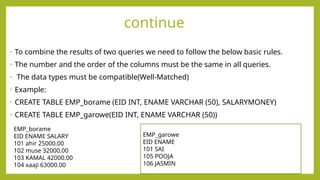
• To combinethe results of two queries we need to follow the below basic rules.
• The number and the order of the columns must be the same in all queries.
• The data types must be compatible(Well-Matched)
• Example:
• CREATE TABLE EMP_borame (EID INT, ENAME VARCHAR (50), SALARYMONEY)
• CREATE TABLE EMP_garowe(EID INT, ENAME VARCHAR (50))
EMP_garowe
EID ENAME
101 SAI
105 POOJA
106 JASMIN
EMP_borame
EID ENAME SALARY
101 ahir 25000.00
102 muse 32000.00
103 KAMAL 42000.00
104 xaaji 63000.00
8.
UNION
• UNION: itcombines the result of two or more select statements into a single result
• set that includes all the records belongs to all queries except duplicate values.
• Ex:
• Select Ename from EMP_borame
• Union
• Select Ename from EMP_garowe
9.
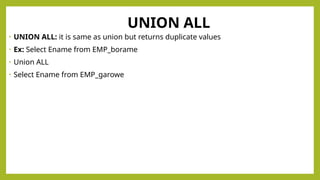
UNION ALL
• UNIONALL: it is same as union but returns duplicate values
• Ex: Select Ename from EMP_borame
• Union ALL
• Select Ename from EMP_garowe
10.
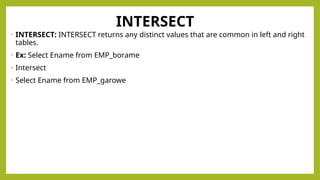
INTERSECT
• INTERSECT: INTERSECTreturns any distinct values that are common in left and right
tables.
• Ex: Select Ename from EMP_borame
• Intersect
• Select Ename from EMP_garowe
11.
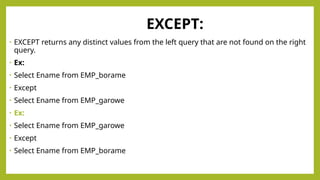
EXCEPT:
• EXCEPT returnsany distinct values from the left query that are not found on the right
query.
• Ex:
• Select Ename from EMP_borame
• Except
• Select Ename from EMP_garowe
• Ex:
• Select Ename from EMP_garowe
• Except
• Select Ename from EMP_borame
12.
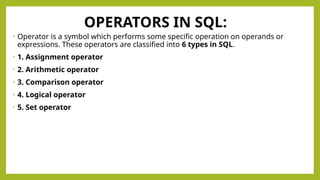
OPERATORS IN SQL:
•Operator is a symbol which performs some specific operation on operands or
expressions. These operators are classified into 6 types in SQL.
• 1. Assignment operator
• 2. Arithmetic operator
• 3. Comparison operator
• 4. Logical operator
• 5. Set operator
13.
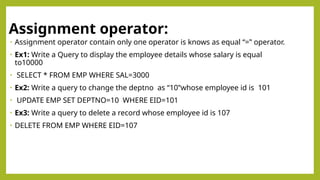
Assignment operator:
• Assignmentoperator contain only one operator is knows as equal “=‟ operator.
• Ex1: Write a Query to display the employee details whose salary is equal
to10000
• SELECT * FROM EMP WHERE SAL=3000
• Ex2: Write a query to change the deptno as “10‟whose employee id is 101
• UPDATE EMP SET DEPTNO=10 WHERE EID=101
• Ex3: Write a query to delete a record whose employee id is 107
• DELETE FROM EMP WHERE EID=107
14.
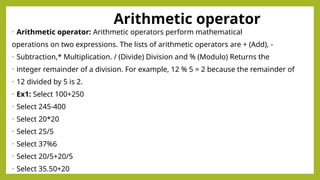
Arithmetic operator
• Arithmeticoperator: Arithmetic operators perform mathematical
operations on two expressions. The lists of arithmetic operators are + (Add), -
• Subtraction,* Multiplication. / (Divide) Division and % (Modulo) Returns the
• integer remainder of a division. For example, 12 % 5 = 2 because the remainder of
• 12 divided by 5 is 2.
• Ex1: Select 100+250
• Select 245-400
• Select 20*20
• Select 25/5
• Select 37%6
• Select 20/5+20/5
• Select 35.50+20
15.
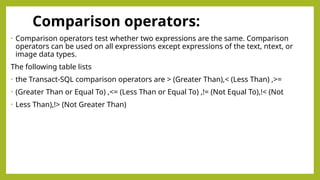
Comparison operators:
• Comparisonoperators test whether two expressions are the same. Comparison
operators can be used on all expressions except expressions of the text, ntext, or
image data types.
The following table lists
• the Transact-SQL comparison operators are > (Greater Than),< (Less Than) ,>=
• (Greater Than or Equal To) ,<= (Less Than or Equal To) ,!= (Not Equal To),!< (Not
• Less Than),!> (Not Greater Than)
16.
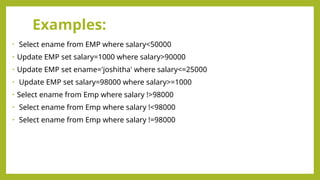
Examples:
• Select enamefrom EMP where salary<50000
• Update EMP set salary=1000 where salary>90000
• Update EMP set ename='joshitha' where salary<=25000
• Update EMP set salary=98000 where salary>=1000
• Select ename from Emp where salary !>98000
• Select ename from Emp where salary !<98000
• Select ename from Emp where salary !=98000
17.
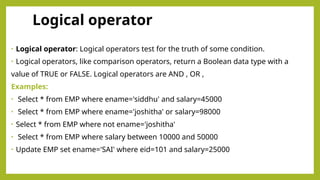
Logical operator
• Logicaloperator: Logical operators test for the truth of some condition.
• Logical operators, like comparison operators, return a Boolean data type with a
value of TRUE or FALSE. Logical operators are AND , OR ,
Examples:
• Select * from EMP where ename='siddhu' and salary=45000
• Select * from EMP where ename='joshitha' or salary=98000
• Select * from EMP where not ename='joshitha'
• Select * from EMP where salary between 10000 and 50000
• Update EMP set ename='SAI' where eid=101 and salary=25000



![Les05[1]Aggregating Data Using Group Functions](https://cdn.slidesharecdn.com/ss_thumbnails/les051-220214144213-thumbnail.jpg?width=640&height=640&fit=bounds)


