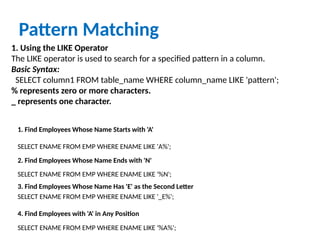
Pattern Matching
1. Usingthe LIKE Operator
The LIKE operator is used to search for a specified pattern in a column.
Basic Syntax:
SELECT column1 FROM table_name WHERE column_name LIKE 'pattern';
% represents zero or more characters.
_ represents one character.
1. Find Employees Whose Name Starts with 'A'
SELECT ENAME FROM EMP WHERE ENAME LIKE 'A%';
2. Find Employees Whose Name Ends with 'N'
SELECT ENAME FROM EMP WHERE ENAME LIKE '%N';
3. Find Employees Whose Name Has 'E' as the Second Letter
SELECT ENAME FROM EMP WHERE ENAME LIKE '_E%';
4. Find Employees with 'A' in Any Position
SELECT ENAME FROM EMP WHERE ENAME LIKE '%A%';
3.
2. Using RegularExpressions with REGEXP_LIKE
REGEXP_LIKE is used to search for a regular expression pattern within a
column.
Basic Syntax:
SELECT column1 FROM table_name WHERE REGEXP_LIKE(column_name,
'pattern');
1. Find Employees Whose Name Contains Any Digit
SELECT ENAME FROM EMP WHERE REGEXP_LIKE(ENAME, '[0-9]');
2. Find Employees Whose Name Contains Exactly 5 Characters
SELECT ENAME FROM EMP WHERE REGEXP_LIKE(ENAME, '^w{5}$');
4.
3. Using REGEXP_INSTR
REGEXP_INSTRreturns the position of the first occurrence of a
regular expression pattern in a string.
Basic Syntax:
SELECT REGEXP_INSTR(column_name, 'pattern') FROM
table_name;
Example:
SELECT ENAME, REGEXP_INSTR(ENAME, '[A-Z]') FROM EMP;
Finds the position of the first uppercase letter in the employee
name.
5.
4. Using REGEXP_SUBSTR
REGEXP_SUBSTRreturns the substring that matches the regular
expression.
Basic Syntax:
SELECT REGEXP_SUBSTR(column_name, 'pattern') FROM
table_name;
Example:
SELECT ENAME, REGEXP_SUBSTR(ENAME, 'A[AEIOU]') FROM
EMP;
Extracts the substring starting with 'A' followed by a vowel (e.g.,
'AE', 'AI') from the employee's name.
6.
5. Using REGEXP_REPLACE
REGEXP_REPLACEis used to replace parts of a string that
match a regular expression.
Basic Syntax:
SELECT REGEXP_REPLACE(column_name, 'pattern',
'replacement') FROM table_name;
Example:
SELECT ENAME, REGEXP_REPLACE(ENAME, '[AEIOU]', '*')
FROM EMP;
Replaces all vowels in the employee's name with '*'.
7.
Joins
1. INNER JOIN
TheINNER JOIN returns only the rows where there is a
match in both tables.
Syntax:
SELECT columnsFROM table1INNER JOIN table2 ON
table1.column = table2.column; Example:
Suppose you have EMP (Employee) and DEPT (Department)
tables, and you want to find all employees with their
corresponding department details.
SELECT Emp.ENAME, Dept.DNAME FROM EMPINNER JOIN
DEPT ON Emp.DEPTNO = Dept.DEPTNO;
🔹 This query returns employees' names along with their
department names only where there is a match between
the two tables.
8.
2. LEFT JOIN(OUTER JOIN)
The LEFT JOIN (or LEFT OUTER JOIN) returns all rows
from the left table and the matched rows from the
right table. If there is no match, NULL values will be
returned for columns from the right table.
Syntax:
SELECT columnsFROM table1LEFT JOIN table2 ON
table1.column = table2.column; Example:
Get all employees and their departments, including
employees who don't belong to any department.
SELECT E.ENAME, D.DNAME FROM EMP E LEFT JOIN
DEPT D ON E.DEPTNO = D.DEPTNO;
🔹 This query returns all employees' names. If an
employee is not assigned to a department, the
department name will be NULL.
9.
3. RIGHT JOIN(OUTER JOIN)
The RIGHT JOIN (or RIGHT OUTER JOIN) returns all rows from
the right table and the matched rows from the left table. If
there is no match, NULL values will be returned for columns
from the left table.
Syntax:
SELECT columns FROM table1RIGHT JOIN table2 ON
table1.column = table2.column; Example:
Get all departments and their employees, including
departments without any employees.
SELECT E.ENAME, D.DNAME FROM EMP E RIGHT JOIN DEPT D
ON E.DEPTNO = D.DEPTNO;
🔹 This query returns all department names. If a department has
no employees, the employee name will be NULL.
10.
CROSS JOIN
The CROSSJOIN returns the Cartesian product of two
tables. This means it returns every combination of rows
from the two tables.
Syntax:
SELECT columnsFROM table1CROSS JOIN table2;
Example:
If you want to see every possible combination of
employees and departments:
SELECT E.ENAME, D.DNAME FROM EMP E CROSS JOIN
DEPT D;
🔹 This query returns every possible combination of
employees and departments, including those that don't
exist in reality.
11.
Retrieve employee namesalong with their
department names.
SELECT e.ENAME, d.DNAME
FROM EMP e
INNER JOIN DEPT d ON e.DEPTNO = d.DEPTNO;
12.
List all employeesalong with their department
names, including those who are not assigned to
any department.
SELECT e.ENAME, e.DEPTNO, d.DNAME
FROM EMP e
LEFT JOIN DEPT d ON e.DEPTNO = d.DEPTNO;
13.
Display all departmentnames along with
employees, including departments that have no
employees.
SELECT d.DNAME, e.ENAME
FROM EMP e
RIGHT JOIN DEPT d ON e.DEPTNO = d.DEPTNO;
14.
Find the namesof employees along with their
managers’ names.
SELECT e1.ENAME AS Employee, e2.ENAME AS
Manager
FROM EMP e1
LEFT JOIN EMP e2 ON e1.MGR = e2.EMP_ID;
15.
List all possiblecombinations of employees and
departments.
SELECT e.ENAME, d.DNAME
FROM EMP e
CROSS JOIN DEPT d;
16.
Retrieve employees whowork in the "SALES"
department.
SELECT e.ENAME, e.JOB, d.DNAME
FROM EMP e
INNER JOIN DEPT d ON e.DEPTNO = d.DEPTNO
WHERE d.DNAME = 'SALES';
17.
Find departments thatdo not have any
employees.
SELECT d.DNAME
FROM DEPT d
LEFT JOIN EMP e ON d.DEPTNO = e.DEPTNO
WHERE e.EMP_ID IS NULL;
18.
Display the totalnumber of employees in each
department.
SELECT d.DNAME, COUNT(e.EMP_ID) AS
Total_Employees
FROM DEPT d
LEFT JOIN EMP e ON d.DEPTNO = e.DEPTNO
GROUP BY d.DNAME;
19.
Find employees whoearn more than their
department's average salary.
SELECT e.ENAME, e.SAL, d.DNAME
FROM EMP e
JOIN DEPT d ON e.DEPTNO = d.DEPTNO
WHERE e.SAL > (SELECT AVG(SAL) FROM EMP
WHERE DEPTNO = e.DEPTNO);
20.
Group by clause
SELECTcolumn_name,
aggregate_function(column_name) FROM
table_name GROUP BY column_name;
21.
Find the totalsalary paid in each department.
SELECT DEPTNO, SUM(SAL) AS Total_Salary
FROM EMP
GROUP BY DEPTNO;
Find the total salary paid for each job in each
department.
SELECT DEPTNO, JOB, SUM(SAL) AS Total_Salary
FROM EMP GROUP BY DEPTNO, JOB;
22.
HAVING Clause (FilteringGroups)
Find departments where total salary exceeds
50000.
SELECT DEPTNO, SUM(SAL) AS Total_Salary
FROM EMP
GROUP BY DEPTNO
HAVING SUM(SAL) > 50000;
23.
Find the numberof employees in each
department.
SELECT DEPTNO, COUNT(*) AS Employee_Count
FROM EMP
GROUP BY DEPTNO;
Find departments where the average salary is
more than 20000.
SELECT DEPTNO, AVG(SAL) AS Avg_Salary
FROM EMP
GROUP BY DEPTNO
HAVING AVG(SAL) > 20000;
24.
Find the highestand lowest salaries in each
department.
SELECT DEPTNO, MAX(SAL) AS Max_Salary,
MIN(SAL) AS Min_Salary
FROM EMP
GROUP BY DEPTNO;
25.
Retrieve department numbersand employee counts for
departments with more than 5 employees earning above
10,000.
SELECT DEPTNO, COUNT(*) AS Employee_Count FROM EMP
WHERE SAL > 10000 -- Filters before grouping
GROUP BY DEPTNO
HAVING COUNT(*) > 5;
26.
subqueries
Find employees whoearn more than the
average salary.
SELECT ENAME, SAL
FROM EMP
WHERE SAL > (SELECT AVG(SAL) FROM EMP);
27.
Find employees whowork in departments with
more than 5 employees.
SELECT ENAME, DEPTNO
FROM EMP
WHERE DEPTNO IN
(SELECT DEPTNO FROM EMP GROUP BY
DEPTNO HAVING COUNT(*) > 5);
SELECT
28.
Find employees whoearn above the average
salary of their department.
SELECT ENAME, SAL, DEPTNO
FROM EMP e1
WHERE SAL > (SELECT AVG(SAL) FROM EMP e2
WHERE e1.DEPTNO = e2.DEPTNO);
29.
Show the top3 highest-paid employees.
SELECT ENAME, SAL
FROM (SELECT ENAME, SAL FROM EMP ORDER
BY SAL DESC)
WHERE ROWNUM <= 3;

![2. Using Regular Expressions with REGEXP_LIKE
REGEXP_LIKE is used to search for a regular expression pattern within a
column.
Basic Syntax:
SELECT column1 FROM table_name WHERE REGEXP_LIKE(column_name,
'pattern');
1. Find Employees Whose Name Contains Any Digit
SELECT ENAME FROM EMP WHERE REGEXP_LIKE(ENAME, '[0-9]');
2. Find Employees Whose Name Contains Exactly 5 Characters
SELECT ENAME FROM EMP WHERE REGEXP_LIKE(ENAME, '^w{5}$');](https://image.slidesharecdn.com/week6-260108171610-f430899b/85/SQL-pattern-matching-joins-groupby-and-having-3-320.jpg)
![3. Using REGEXP_INSTR
REGEXP_INSTR returns the position of the first occurrence of a
regular expression pattern in a string.
Basic Syntax:
SELECT REGEXP_INSTR(column_name, 'pattern') FROM
table_name;
Example:
SELECT ENAME, REGEXP_INSTR(ENAME, '[A-Z]') FROM EMP;
Finds the position of the first uppercase letter in the employee
name.](https://image.slidesharecdn.com/week6-260108171610-f430899b/85/SQL-pattern-matching-joins-groupby-and-having-4-320.jpg)
![4. Using REGEXP_SUBSTR
REGEXP_SUBSTR returns the substring that matches the regular
expression.
Basic Syntax:
SELECT REGEXP_SUBSTR(column_name, 'pattern') FROM
table_name;
Example:
SELECT ENAME, REGEXP_SUBSTR(ENAME, 'A[AEIOU]') FROM
EMP;
Extracts the substring starting with 'A' followed by a vowel (e.g.,
'AE', 'AI') from the employee's name.](https://image.slidesharecdn.com/week6-260108171610-f430899b/85/SQL-pattern-matching-joins-groupby-and-having-5-320.jpg)
![5. Using REGEXP_REPLACE
REGEXP_REPLACE is used to replace parts of a string that
match a regular expression.
Basic Syntax:
SELECT REGEXP_REPLACE(column_name, 'pattern',
'replacement') FROM table_name;
Example:
SELECT ENAME, REGEXP_REPLACE(ENAME, '[AEIOU]', '*')
FROM EMP;
Replaces all vowels in the employee's name with '*'.](https://image.slidesharecdn.com/week6-260108171610-f430899b/85/SQL-pattern-matching-joins-groupby-and-having-6-320.jpg)


![Sql query [select, sub] 4](https://cdn.slidesharecdn.com/ss_thumbnails/sqlqueryselectsub4-111119075704-phpapp02-thumbnail.jpg?width=640&height=640&fit=bounds)


