Category Filter in Odoo 13 POS
In Odoo POS we can create products under a category. This
means grouping the products that have same function or any other
same things. By this a customer can easily search and select a
specific product he wants. This feature helps to reduce the search
time for the product.
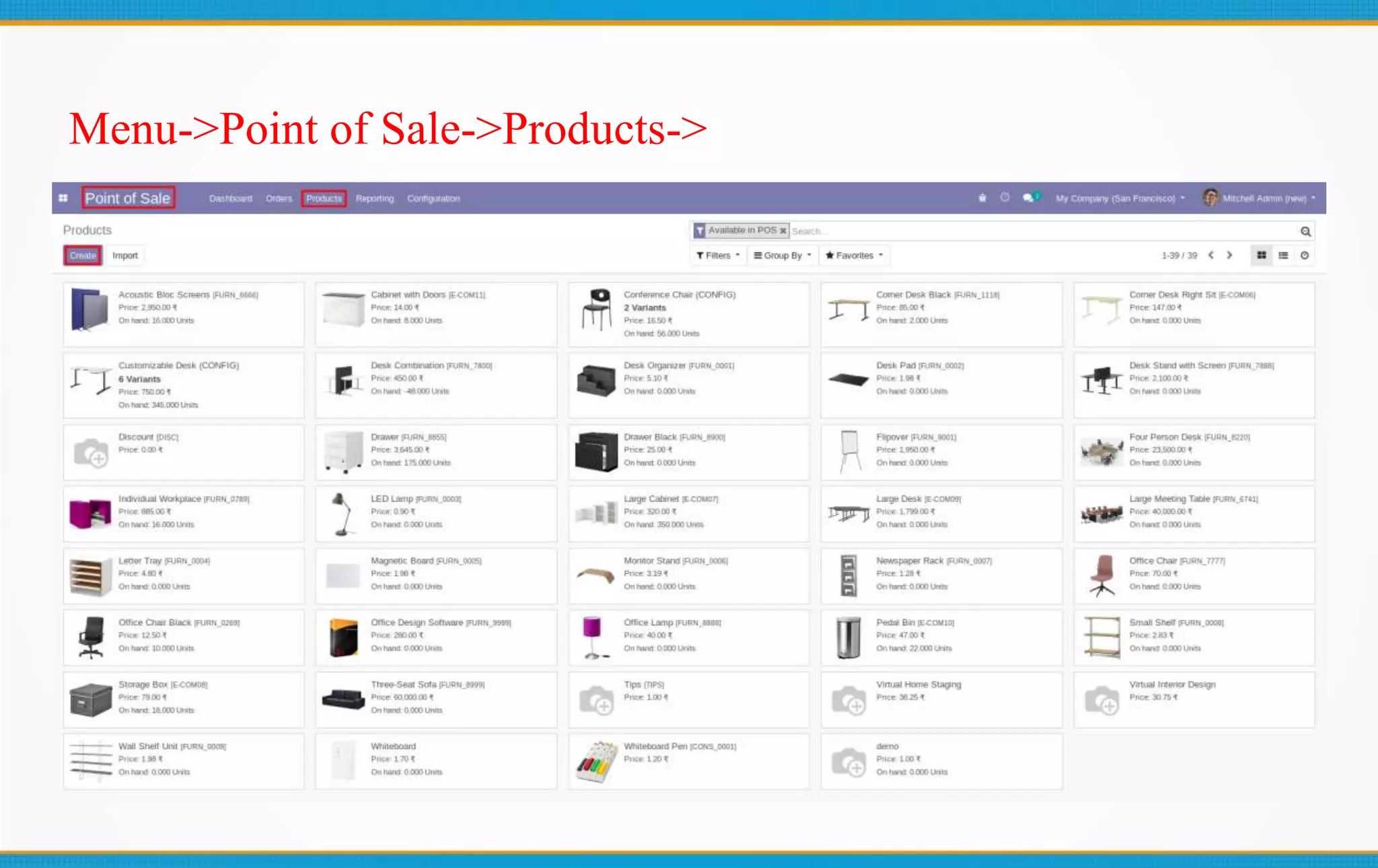
Menu->Point of Sale->Products->
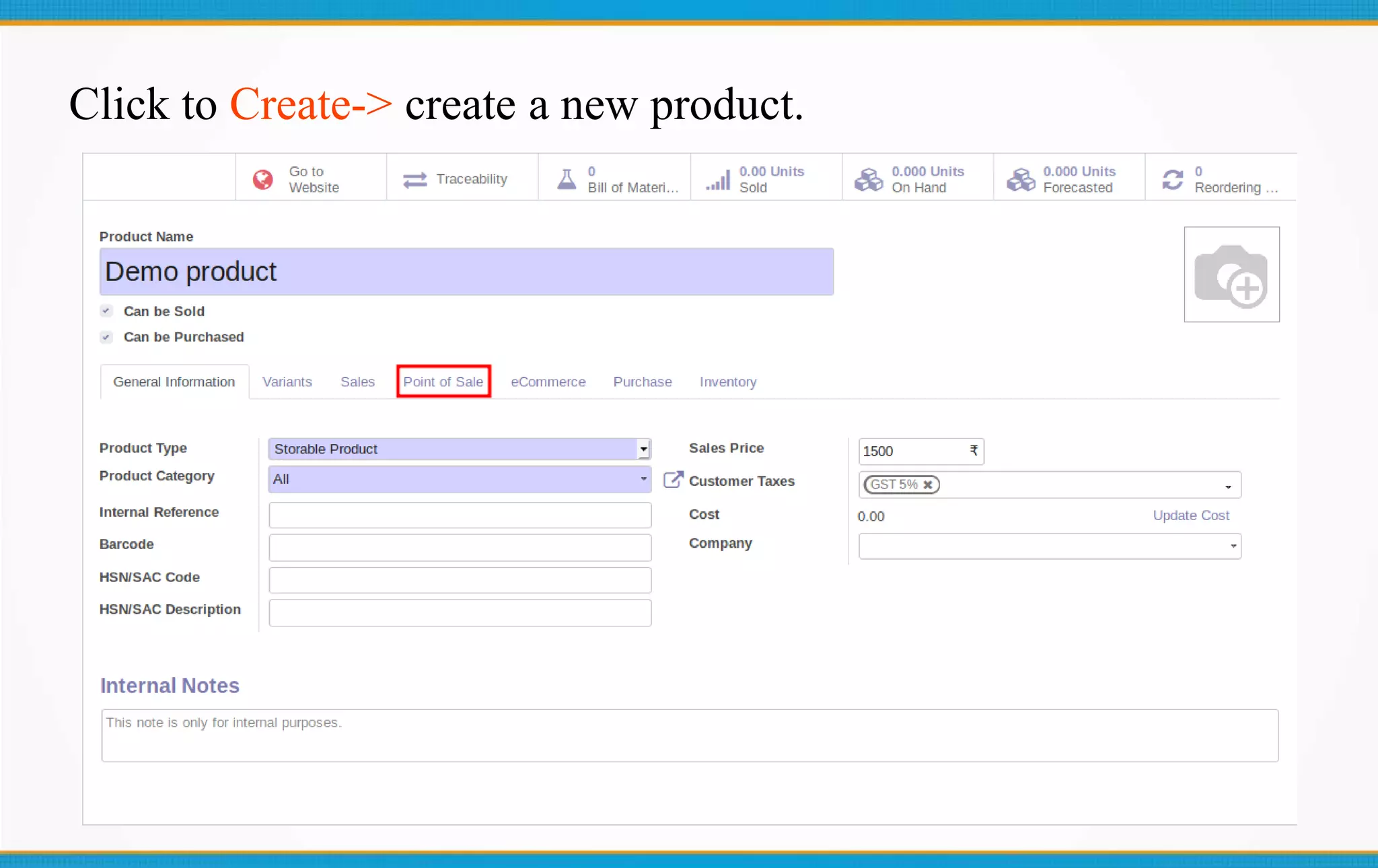
Click to Create-> create a new product.
Enter the product’s details,
 Name
 Price
 Type
 Category etc
Then go to the Point of Sale-> option.
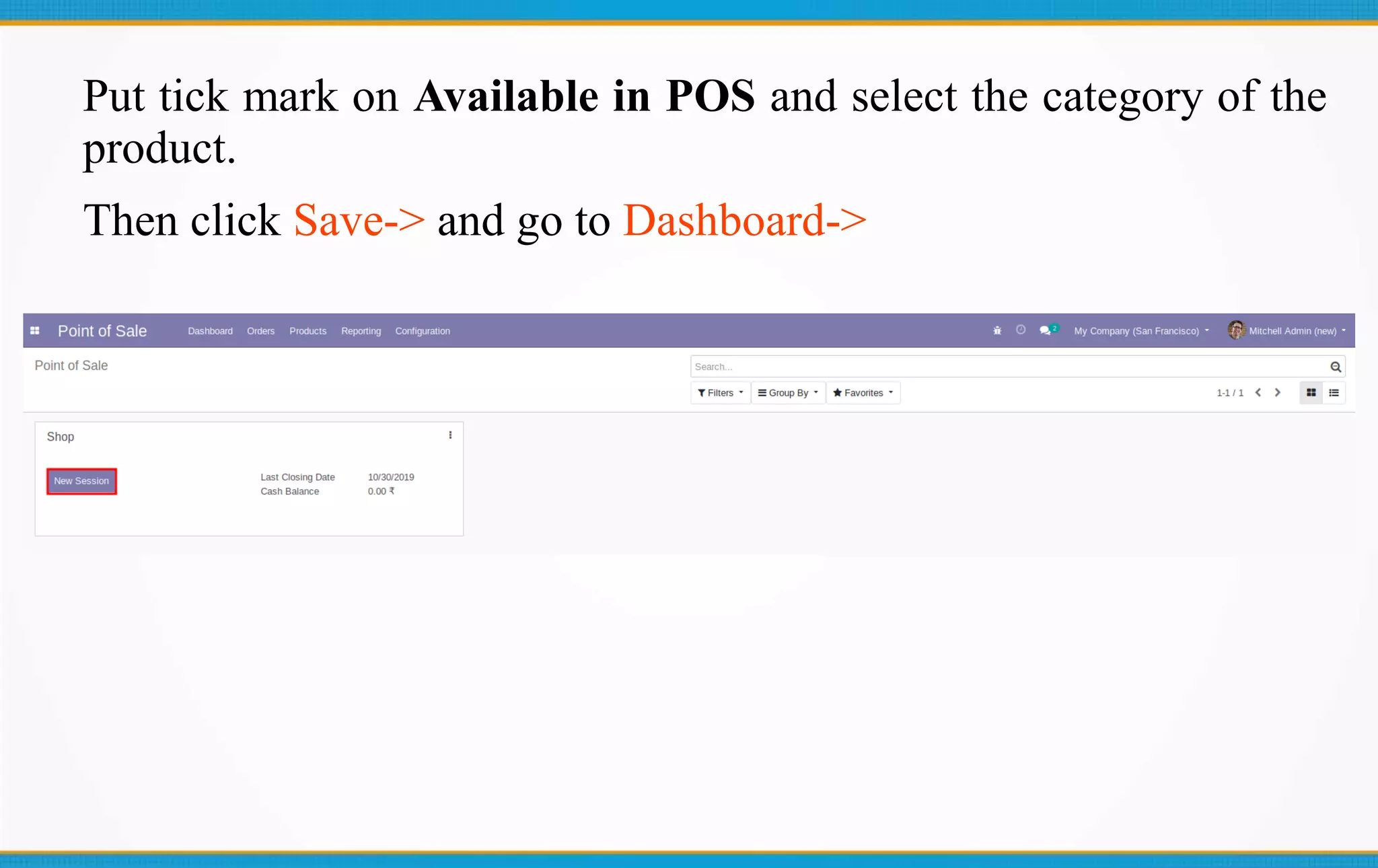
Put tick mark on Available in POS and select the category of the
product.
Then click Save-> and go to Dashboard->
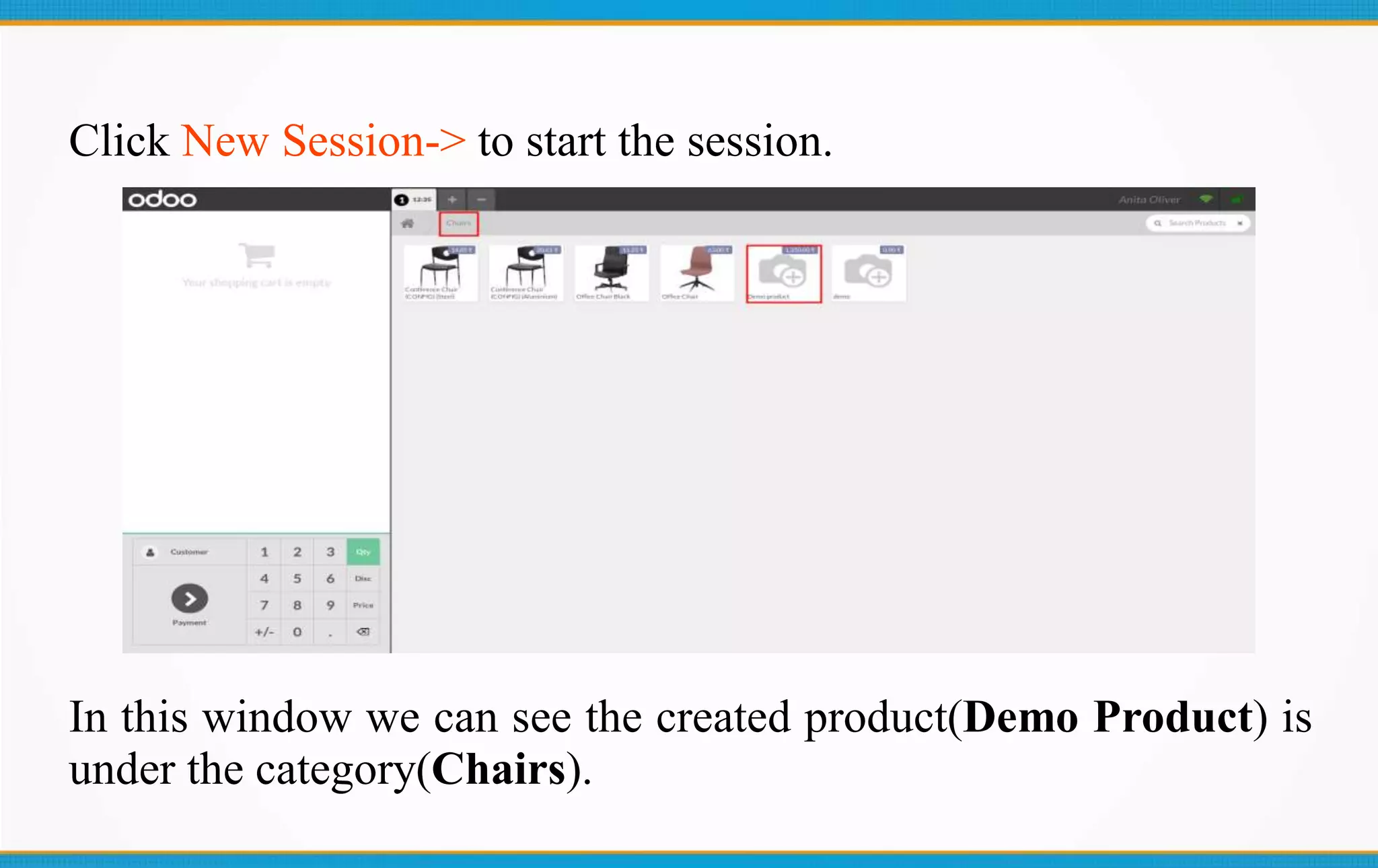
Click New Session-> to start the session.
In this window we can see the created product(Demo Product) is
under the category(Chairs).
Thank You
Email: info@technaureus.com Skype: technaureus | Tel: +917902290343 | www.technaureus.com

Category Filter in Odoo 13 POS

  • 1.
    Category Filter inOdoo 13 POS
  • 2.
    In Odoo POSwe can create products under a category. This means grouping the products that have same function or any other same things. By this a customer can easily search and select a specific product he wants. This feature helps to reduce the search time for the product.
  • 3.
  • 4.
    Click to Create->create a new product.
  • 5.
    Enter the product’sdetails,  Name  Price  Type  Category etc Then go to the Point of Sale-> option.
  • 7.
    Put tick markon Available in POS and select the category of the product. Then click Save-> and go to Dashboard->
  • 8.
    Click New Session->to start the session. In this window we can see the created product(Demo Product) is under the category(Chairs).
  • 9.
    Thank You Email: info@technaureus.comSkype: technaureus | Tel: +917902290343 | www.technaureus.com