Capitalizing on
Machine Reading to
Engage “Big(ger) Data”
FOUR USE CASES FROM HIGHER ED
Summer Institute on Distance Learning and Instructional Technology (SIDLIT 2016)
August 4 - 5, 2016
Overview
What are some ways to select, say, 200 research articles to “close read” from a set of 2,000 PDF
articles* gleaned from library databases and Google Scholar? How can a researcher make sense
of a trending issue in the flood of Tweets and RT based on a particular hashtag (#) or keyword
search or an especially lively Tweetstream based on a particular social media account? People
are dealing with ever more prodigious amounts of information—from a number of sources.
Those who are savvy to the uses of computers to aid their reading (through “distant reading” or
“not-reading”) may find that they are able to cover much more ground. This presentation
introduces the use of NVivo 11 Plus (matrix queries, word frequency counts, text searches and
dendrograms, cluster analyses, topic modeling, and others) for multiple cases of distant reading
to aid in academic and research work.
*Note: In NVivo 11 Plus, it seems easier to process .docx and .txt textual data than .PDF, so
some file transcoding may be necessary for smoother processing.
2
Presentation Topic Headings
What is Big(ger) Data?
What is Machine Reading?
Some Machine Reading Sequences
Four “Use Cases” from Higher Education
◦ Use Case #1: Topic Modeling and Article Histograms (latent structure in documents and document sets)
◦ Use Case #2: Engaging with Social Media (Microblogging and Social Network) Data
◦ Use Case #3: Exploring Manual and Machine Coding
◦ Use Case #4: Machine Reading for Sentiment Analysis
3
What is Big(ger) Data?
4
What is Big(ger) Data?
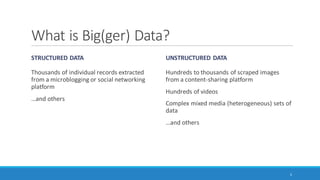
STRUCTURED DATA
Thousands of individual records extracted
from a microblogging or social networking
platform
…and others
UNSTRUCTURED DATA
Hundreds to thousands of scraped images
from a content-sharing platform
Hundreds of videos
Complex mixed media (heterogeneous) sets of
data
…and others
5
Where Does the “Bigger Data” Come
From?
Social media platforms (crowd-sourced encyclopedias, social networking sites, microblogging
sites, blogging sites, image sharing sites, video sharing sites, email sites, collaborative work sites,
and others)
Databases of published contents
World Wide Web (WWW) and Internet
Synthetic data from various software tools or sites or other processes,
…and others
6
What is Machine
Reading?
7
What is Machine Reading?
Use of computers to decode text (which generally was created from natural language processes)
◦ Also sometimes called “distant reading” (Moretti, 2000) or “not-reading”
Capturing of quantitative measures of a text
◦ Reliable and consistent, reproducible / repeatable
◦ Patterned
◦ May be generalizable and transferable to other contexts
8
What is Machine Reading? (cont.)
Some common types of machine-based text analytics include the following:
◦ Linguistic analysis (based on word counts of function words, punctuation, and other parts of written
and spoken language)
◦ Style / stylometry
◦ Sentiment analysis
◦ Emotion analysis
◦ Cognitive analysis
◦ Social standing analysis
◦ Deception analysis, and others
9
What is Machine Reading? (cont.)
◦ Word frequency counts (and resulting word clouds)
◦ Word searches (and resulting word trees)
◦ Word network analysis (and resulting network graphs)
◦ Word similarity clustering (and resulting 2D and 3D word clusters)
◦ Word proximity clustering (and resulting 2D and 3D word clusters)
◦ Topic modeling or theme/subtheme extraction through unsupervised machine learning
10
A Brief History of Machine Reading
Technologies originated in 1960s
◦ Assistive technology track (Haskins Laboratories, 1970s; Kurzweil Computer Products, 1975; and others)
◦ Natural language processing track (Bobrow, 1964; Weizenbaum, 1965; Schank, 1969; Woods, 1970;
Winograd, 1971; Hendrix, 1982; and others)
Recently
◦ applied to Web and Internet scale texts
◦ popularizing to individual academic researcher-level applications
11
Supervised and Unsupervised Machine
Learning from Text / Text Corpora
SUPERVISED OR SEMI-SUPERVISED (WITH
DIRECT HUMAN INPUTS)
Coding by existing pattern (computer emulates
human coding over part of a text set and
codes the rest of the text set, based on human
coding examples)
XML coding and analysis of coded segments of
text
◦ Often manual coding
◦ Sometimes machine-enhanced XML coding
UNSUPERVISED (WHOLLY BASED ON
COMPUTER ALGORITHM)
◦ Sentiment, emotion, cognitive, and other types
of analysis of text data
◦ Word frequency counts with stopwords lists
(and resulting word clouds, treemaps,)
◦ Word searches (and resulting word trees)
◦ Word network analysis (and resulting network
graphs)
12
Supervised and Unsupervised Machine
Learning from Text / Text Corpora (cont.)
SUPERVISED OR SEMI-SUPERVISED (WITH
DIRECT HUMAN INPUTS)
Uses of human-labeled data
UNSUPERVISED (WHOLLY BASED ON
COMPUTER ALGORITHM)
◦ Word similarity clustering (and resulting 2D and
3D word clusters) (and resulting dendrogram
visualizations, 2D and 3D cluster diagrams, ring
lattice graphs)
◦ Word proximity clustering (and resulting
dendrogram visualizations, 2D and 3D word
clusters diagrams, ring lattice graphs)
◦ Clustering from factor analysis
◦ Topic modeling or theme/subtheme extraction
through unsupervised machine learning (with
intensity matrices, bar charts, hierarchy
diagrams like treemaps and sunbursts)
13
Supervised and Unsupervised Machine
Learning from Text / Text Corpora (cont.)
All with extracted data tables (from which data visualizations are created)
All with extracted word lists (from which data visualizations are created)
14
Features and Affordances of Machine
Reading
FEATURES
Still some level of human interpretation
needed
Extracted clusters, but the human has to apply
the interpretation of what those clusters
represent (factor analysis, principal
components analysis, and others)
AFFORDANCES
Speed
Scale
Reproducibility
15
Under the Hood…
Bag of words (parsing: removal of punctuation, breaking writing apart into words) vs. structure
and context-preserving methods
Sliding “windows” for co-occurrence and proximity captures
Languages are fairly predictably structured, so statistical methods and counting can be applied
based on those patterns
Matrices are a common tool to capture relationships between words and parts of a text and
documents; all relational matrices may be re-visualized as network graphs and other types of
data visualizations
Pre-coded word sets or dictionaries are often used for sentiment analysis, emotion analysis, and
the extraction of psychometric features
16
Under the Hood… (cont.)
Often a sequence of algorithmic procedures (and often black box except for the few software
makers who are highly focused on documenting accurately)
17
Some Software and Capabilities
Linguistic Inquiry and Word Count (LIWC2015): application of psychometrics and other
constructs across over 100 dimensions; two-plus decades of empirical, lab, and other research;
dictionaries available in multiple languages; customized dictionaries may be applied
AutoMap and NetScenes: extraction of content networks, and others
(http://www.casos.cs.cmu.edu/projects/automap/)
Coh-Metrix (http://cohmetrix.com/)
DICTION (http://www.dictionsoftware.com/)
Latent Semantic Analysis @ CU Boulder (http://lsa.colorado.edu/)
(The presenter has only tried the top two. MS Word has a brief lexical element which enables
the extraction of readability statistics based on the Flesch Reading Ease test and the Flesch-
Kincaid Grade Level test.)
18
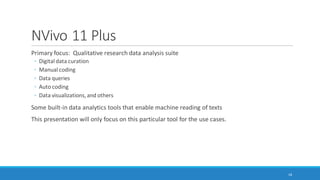
NVivo 11 Plus
Primary focus: Qualitative research data analysis suite
◦ Digital data curation
◦ Manual coding
◦ Data queries
◦ Auto coding
◦ Data visualizations, and others
Some built-in data analytics tools that enable machine reading of texts
This presentation will only focus on this particular tool for the use cases.
19
Some Machine Reading
Sequences
20
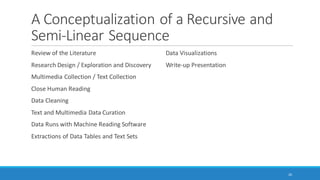
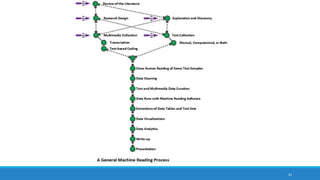
A Conceptualization of a Recursive and
Semi-Linear Sequence
Review of the Literature*
Research Design / Exploration and Discovery*
Multimedia Collection / Text Collection*
Close Human Reading
Data Cleaning
Text and Multimedia Data Curation
Data Runs with Machine Reading Software
Extractions of Data Tables and Text Sets
Data Visualizations
Write-up Presentation
*all potential start points
21
22
Power in Combinations and in Sequences
Many points-of-entry to machine reading
Ranges of tactics and strategies and capabilities based on available texts, various software tools,
and researcher capabilities
Text processing is sensitive to sequential time, so it is important to be very clear about what is
happening at each processing phase (and how the data changes)
◦ Need clear documentation of what changes happened in each step
23
Why Text?
May be human-collected data sets, sometimes computer program-scraped data sets, or a mix
Text of various types based on conventions
Text as a lowest common denominator in terms of multimedia objects (images, audio, video, and
others)
24
Text Curation and Data Cleaning
Selection of texts to include and those to exclude
Consistent and informative file naming protocols
Rendering of multimedia files to searchable text ones
Ensuring texts are machine readable
◦ Rendering of texts to searchability
De-duplication of files
Normalizing textual data, and others
25
26
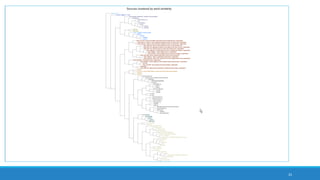
dendrogram hierarchy showing similarity clustering
Note: Start with the leaves at the far right and read “up”
the tree to branches and then the trunk,
in order to understand clustering relationships…
from the most granular to the most broad or coarse.
27
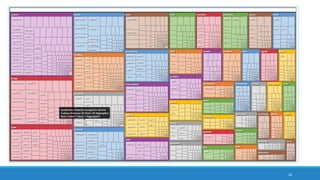
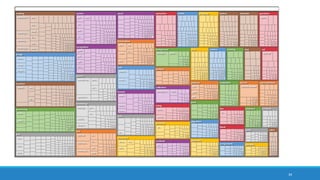
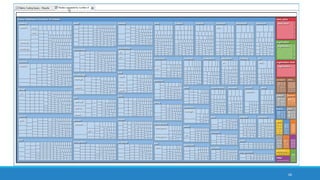
treemap diagram showing theme and subtheme extraction
28
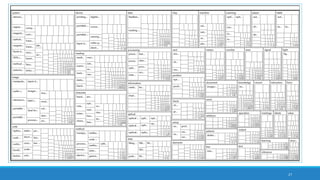
treemap diagram showing theme and subtheme extraction without color overlay
29
word tree based on a text search for “data”
30
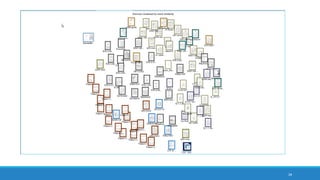
2D cluster visualization based on source ties based on word similarity
Setup of Machine Reading Processes
There are a half-dozen widely-available software programs that may be used for machine
reading of texts. Those who use high-level computer languages also have packages that enable
various types of text analysis.
It helps to know what the capabilities are for the various software tools.
It helps to know what to set the parameters at for the various processes.
It helps to know how the respective data visualizations are to be interpreted and to mitigate for
the fact that data visualizations are summary data. It is important to mitigate negative learning.
31
Assertability
It helps to know what may be asserted from the respective machine reading processes, so the
findings may be accurately represented.
Also, many researchers use multiple processes and outside-understandings in order to
contextualize the data from machine reading. Those insights should be properly couched as
well.
32
Four “Use Cases” from
Higher Education
• APPLICATION OF MACHINE READING FOR:
• Learning
• Awareness
• Research
33
Overview of Use Cases
Use Case #1: Topic Modeling and Article Histograms (latent structure in documents and
document sets)
Use Case #2: Engaging with Social Media (Microblogging and Social Network) Data
Use Case #3: Exploring Manual and Machine Coding
Use Case #4: Machine Reading for Sentiment Analysis
34
Use Case #1: Topic Modeling and Article
Histograms(latent structure in documents and document / text sets)
Using a computer to read a large amount of articles or contents to extract topics
◦ Can be a “knowledge poor” approach in which no prior information about the domain is applied to the
topic extraction (as in the case of NVivo 11 Plus)
Topic modeling may be used to identify which works should be read using human “close
reading”
◦ Article histograms through theme / subtheme extraction (topic modeling)
◦ Understanding of topics as a finite feature set
◦ Classification of articles by their main named contents
Using a computer to extract themes and sub-themes to understand the general gist of an article
or a text set
Can auto-code at three levels of granularity: sentence, paragraph, and cell (depending on the
structure of the data)
35
Use Case #1 Work Sequence
Collecting the documents as separate items in a text corpus
Cleaning the text sets
Running the theme and sub-theme extraction against the set (NVivo 11 Plus)
Selecting the appropriate themes and subthemes
Auto-coded at the more granular sentence level (vs. paragraph level)
Exporting the text-document intensity matrix
Mapping the entire set as a line graph (Excel)
Mapping separate articles as article histograms
36
Assumptions of the Topic Modeling
Approach
Word counts in respective documents are usually normalized to account for varying document
lengths (so as not to overweight the words appearing in longer documents)
Each article is represented as a list of identified “important” words
◦ Important words are likely semantic meaning-bearing terms
◦ Important words are sometimes “rare” ones
◦ Important words are not functional words (articles, pronouns, etc.) usually on a “stopwords” list
◦ If the TF-IDF (term frequency-inverse document frequency) calculation is used,
◦ words are upweighted if they occur a fair amount in a local document but occur rarely globally in the set, and
◦ words are downweighted if they occur a lot across documents (globally) … in order to lower the influence of frequently appearing
words over rarer-occurring ones
◦ Words directly linked to the identified themes are placed as sub-themes (in bigrams, three-grams, and
so on)
37
Visualizations
A dataset of articles about “machine reading” from Springer, IEEEXplore Digital Library, ACM
and Google Scholar
Kept at document size and stored inone folder
38
39
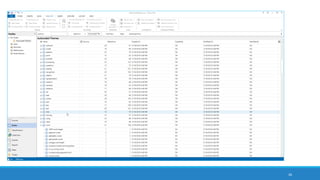
autocoded nodes based on extracted themes and subthemes
40
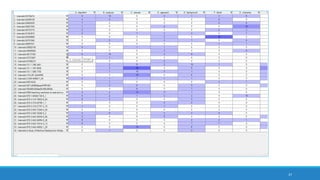
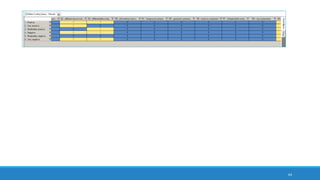
an intensity matrix of extracted themes from an article set
41
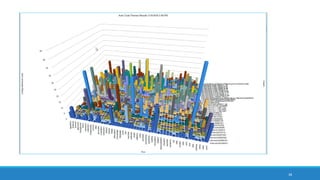
a combined bar chart of articles and extracted top-level themes
42
treemap diagram showing theme and subtheme extraction
43
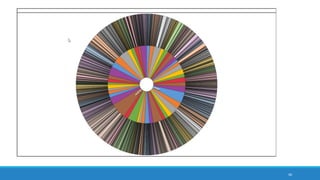
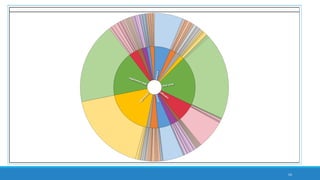
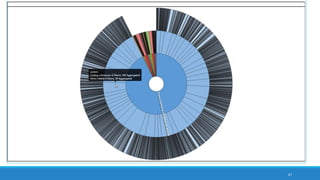
sunburst hierarchy diagram showing theme and subtheme extraction
44
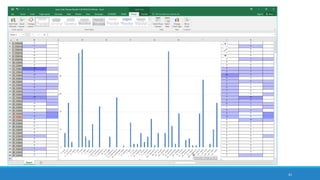
an article histogram created in Excel
45
interactive word tree based on “machine reading”
An Integrated File of All Articles
1751 pp., > a million words from articles based on “machine reading” from the academic
literature
Binder1 file
63 MB
Saved out as a .txt file from .pdf
Saved out as an .rtf file from .pdf
46
combining of article set of “machine reading” articles
for corpus-based summaries
47
synthesized set theme and subtheme extraction from text corpus
48
frequency word cloud from synthesized article set
49
treemap diagram from synthesized article set
50
interactive word tree from “machine” seeded text search from synthesized article set
51
treemap diagram showing theme and subtheme extraction from synthesized article set
52
sunburst diagram showing theme and subtheme extraction from synthesized article set
53
sub-sunburst reflecting “system” theme and linked subthemes
from synthesized article set
54
treemap diagram showing auto-extracted sentiments from
synthesized article set
55
bar chart showing autocoded sentiment in four classifications
from synthesized article set
intensity matrix
Use Case #2: Engaging with Social Media
(Microblogging and Social Network) Data
Using NCapture web browser add-on (on MS’s IE or Google Chrome) to extract a Twitter
Tweetstream
Using NCapture web browser add-on to extract a Facebook wall of postings
Ability to capture text messages, URLs, geographical coordinates, thumbnail images, and other
data
Ability to run sentiment analysis over the collected data
Ability to run theme and sub-theme extraction over the collected data
Ability to map social networks (sociograms) based on interaction data
56
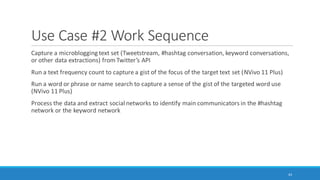
Use Case #2 Work Sequence
Capture a microblogging text set (Tweetstream, #hashtag conversation, keyword conversations,
or other data extractions) from Twitter’s API
Run a text frequency count to capture a gist of the focus of the target text set (NVivo 11 Plus)
Run a word or phrase or name search to capture a sense of the gist of the targeted word use
(NVivo 11 Plus)
Process the data and extract social networks to identify main communicators in the #hashtag
network or the keyword network
57
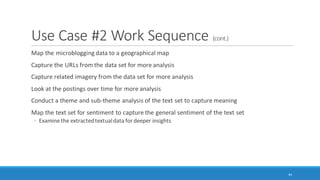
Use Case #2 Work Sequence (cont.)
Map the microblogging data to a geographical map
Capture the URLs from the data set for more analysis
Capture related imagery from the data set for more analysis
Look at the postings over time for more analysis
Conduct a theme and sub-theme analysis of the text set to capture meaning
Map the text set for sentiment to capture the general sentiment of the text set
◦ Examine the extracted textual data for deeper insights
58
59
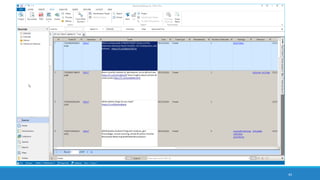
extracted Tweetstream dataset from Twitter using NCapture of
NVivo 11 Plus
60
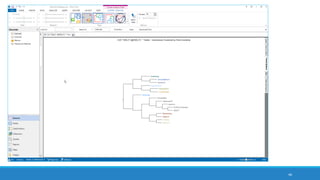
dendrogram showing user names clustered by word similarity
(suggestive of intercommunications and topical interests)
61
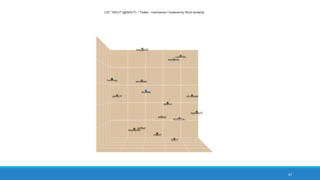
3D cluster chart of Twitter users clustered by word similarity (zoomable,
pannable, interactive)
62
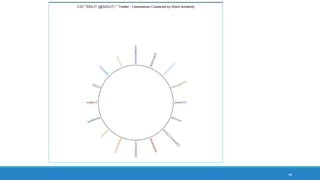
ring lattice graph / circle graph showing Twitter user accounts and clustering by word
similarity from exchanged microblogged messaging
63
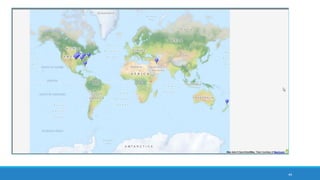
mapped locations of accounts of Twitter communicators
based on shared geolocational data
64
interactive word tree from a text search for “asia”
65
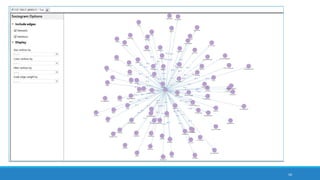
sociogram / sociogram depicting target user account on Twitter’s out-degree
ego neighborhood (1 deg.)
66
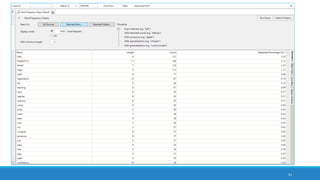
data table showing descending word count from a word frequency count
67
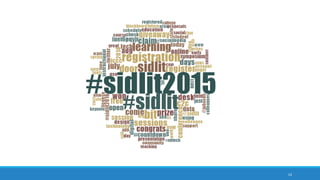
frequency word cloud from a Tweetstream with hashtag networks and (semantic)
keywords
68
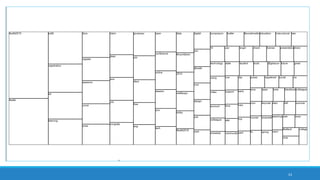
treemap from frequency word count of the Tweetstream
69
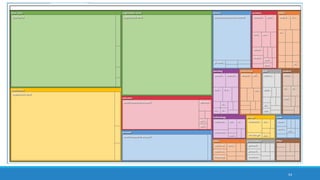
treemap from autocoded theme and subtheme extraction from the Tweetstream
70
sunburst hierarchy chart showing extracted themes and subthemes from the
Tweetstream
71
sunburst hierarchy chart showing the “educator” theme and its related
subthemes from Twitter Tweetstream
72
bar chart of extracted themes (in alphabetical order) from the Twitter account
Tweetstream; subthemes not depicted here
73
least frequent word count to capture the “long tail” from the Tweetstream
often alphanumeric garble,
misspellings, and a few nuggets
of insight in the long tail
power law curve frequency distribution
In the area marked by ellipses …
74
treemap from Excel 2016
75
0
5
10
15
20
25
30
treatment
welcome
tested
mason
a88da9idef
including
therapy
#saam
7pppg0epoe
advances
busters
coordination
driving
five
highest
killed
movement
per
receive
significant
three
weekend
#forewishes
#smoking
2008
5oulv66ucg
9ocvgfzr26
@nychealthy
af3qhwdkqy
backup
bxsqo6wlee
cmv
dcqd9t8ssu
durtxyyrlj
existence
front
hbdzzwenxu
identifies
iz0i7cq4lx
kqgr4oezzc
m9bip8i
mrry2ntcvq
ny
pages
prepped
rbtvgk
rynmfouobu
sponsored
techniques
truth
vacuna
wildland
yq4tl0noas
FrequencyCount
Words and String Data in the Long Tail
An Example of the Long Tail (from @CDCGov Tweetstream)
frequency bar chart from Excel 2016
In the Long Tail…
(with a somewhat arbitrary raw count to indicate the start of the long tail)
NOT USEFUL
Misspelled words
Alphanumeric garble
POSSIBLY USEFUL
URLs (uniform resource locators)or web
addresses
Rare topics
Concepts
Unusual terms
Names, proper nouns, named entities
76
77
data table starting with frequency counts of one
78
treemap of auto-extracted sentiment: neutral, positive, negative, and mixed
79
bar chart of auto-extracted sentiments in four categories or a binary split:
• very negative, moderately negative, moderately positive, and very positive (and “neutral”);
• also as negative-positive polarity (and “neutral”)
80
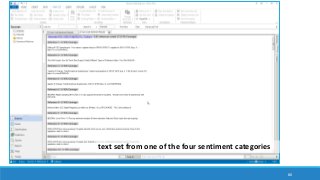
text set from one of the four sentiment categories
Use Case #3: Exploring Manual and
Machine Coding
Exploring human-coded (and / or auto-coded or machine-coded) nodes for pattern
identification: interrelationships, similarity clustering, and others
Data queries to enable coding exploration: word frequency count, text search, and others
Matrix coding query to explore interrelationships between codes (nodes)
81
Use Case #3 Work Sequence
Raw source data ingested
Manual (and / or automated) coding of that data
Data queries of the coding to observe patterns in coding of that data
◦ Ability to set up text frequency counts based on various parameters: exact matches, stemmed words,
synonyms, specializations, and generalizations
Text search with special character capabilities
Proximity searches for words occurring near a certain term
82
Special Features for Text Searches
◦ Wildcard searches (?) Any one character
◦ Wildcard searches (*) any characters
◦ AND
◦ OR
◦ NOT
◦ Required
◦ Prohibit
◦ Fuzzy
◦ Near… (proximity searches) / an extension of memory
83
Grouping
Enabling text searches, word frequency
counts, and other queries from most specific
to increasing gradations of generality (based
on placement of the slider)
Exact matches
With stemmed words
With synonyms
With specializations
With generalizations
84
85
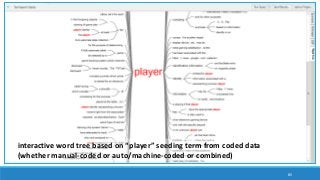
interactive word tree based on “player” seeding term from coded data
(whether manual-coded or auto/machine-coded or combined)
86
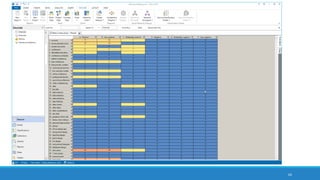
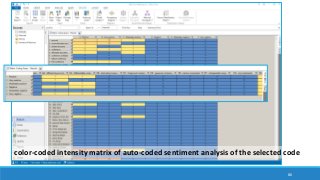
color-coded intensity matrix of auto-coded sentiment analysis of the selected code
87
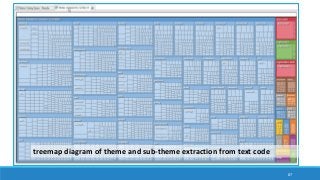
treemap diagram of theme and sub-theme extraction from text code
88
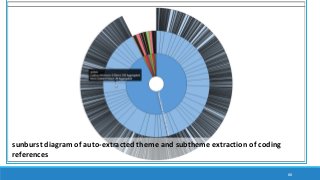
sunburst diagram of auto-extracted theme and subtheme extraction of coding
references
89
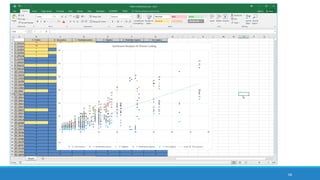
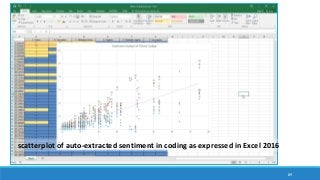
scatterplot of auto-extracted sentiment in coding as expressed in Excel 2016
Use Case #4: Machine Reading for
Sentiment Analysis
Ability to conduct a fast extraction of sentiment
◦ either as a polarity (positive-negative), with uncoded neutral text, or as
◦ a four-category set of sentiment (very negative, moderately negatively, moderately positive, and very
positive) and one of neutrality
Ability to explore the sentiment-coded text sets for textual contents
◦ Ability to query the coded text sets for additional word relationships and patterns
Ability to uncode or re-code autocoded text for sentiment to increase accuracy (through human
oversight)
90
Use Case #4: Machine Reading for
Sentiment Analysis (cont.)
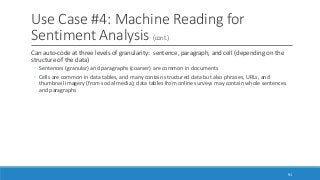
Can auto-code at three levels of granularity: sentence, paragraph, and cell (depending on the
structure of the data)
◦ Sentences (granular) and paragraphs (coarser) are common in documents
◦ Cells are common in data tables, and many contain structured data but also phrases, URLs, and
thumbnail imagery (from social media); data tables from online surveys may contain whole sentences
and paragraphs
91
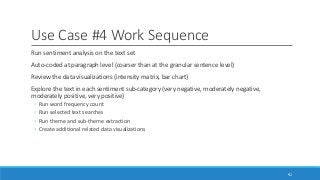
Use Case #4 Work Sequence
Run sentiment analysis on the text set
Auto-coded at paragraph level (coarser than at the granular sentence level)
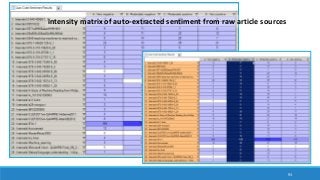
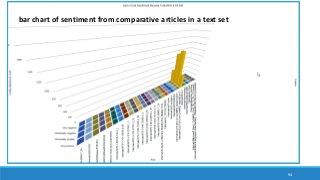
Review the data visualizations (intensity matrix, bar chart)
Explore the text in each sentiment sub-category (very negative, moderately negative,
moderately positive, very positive)
◦ Run word frequency count
◦ Run selected text searches
◦ Run theme and sub-theme extraction
◦ Create additional related data visualizations
92
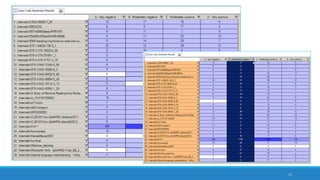
93
intensity matrix of auto-extracted sentiment from raw article sources
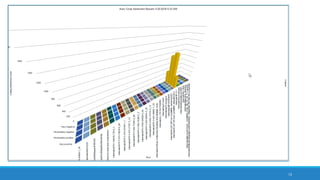
94
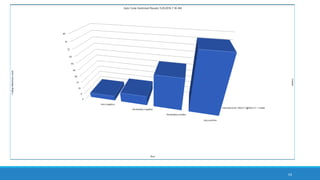
bar chart of sentiment from comparative articles in a text set
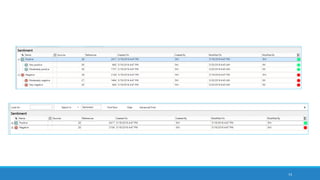
95
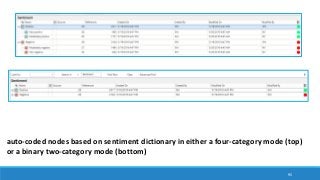
auto-coded nodes based on sentiment dictionary in either a four-category mode (top)
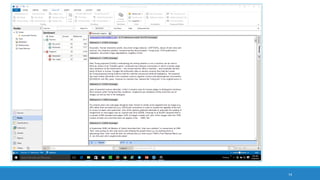
or a binary two-category mode (bottom)
96
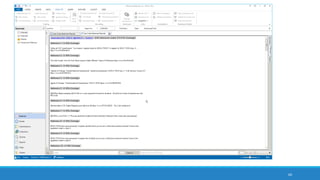
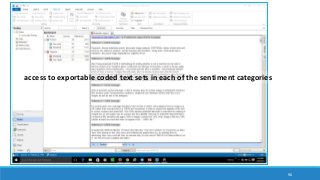
access to exportable coded text sets in each of the sentiment categories
97
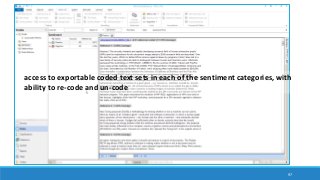
access to exportable coded text sets in each of the sentiment categories, with
ability to re-code and un-code
98
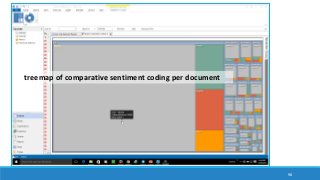
treemap of comparative sentiment coding per document
99
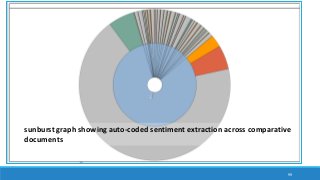
sunburst graph showing auto-coded sentiment extraction across comparative
documents
Value-added Aspects to Machine
Reading
Machine reading augments human capabilities for knowing. It decodes (“reads”) beyond a
surface level of understanding of words in various contexts.
◦ It enables efficient access to latent insights.
◦ There are ways to chain processes and compare / contrast information in a way that illuminates new
insights.
NVivo 11 Plus enables ways to save “macros” of the various data queries and autocoding
sequences to enhance re-runs of the macro sequences. This may be helpful with continuing
data collection, in order to update query results after the acquisition of new data.
There is value in comparing the outcomes from one software program to another…and to see
what happens with different settings for the different machine reading approaches.
◦ Researchers may export data tables for additional analytics and data visualizations outside of the
software.
100
Demos
(if time allows)
101
Questions? Comments?
102
Conclusion and Contact
Dr. Shalin Hai-Jew
◦ iTAC, Kansas State University
◦ 212 Hale / Farrell Library
◦ shalin@k-state.edu
◦ 785-532-5262
No ties: The presenter has no formal tie to QSR International, the maker of NVivo 11 Plus, nor to
Microsoft, the maker of Excel.
About the data visualizations: Some of the data extractions and processes used only a few dozen
source items, in part because of the need for coherent data visualizations and also to enable
processing of the data on a local Windows machine.
◦ However, in a server-hosted context, text sets closer to big(ger) data may be run using NVivo 11 Plus.
A sampling: The four “use cases” presented here are by no means comprehensive. These offer a
taste of some of the possibilities.
103

Capitalizing on Machine Reading to Engage Bigger Data

  • 1.
    Capitalizing on Machine Readingto Engage “Big(ger) Data” FOUR USE CASES FROM HIGHER ED Summer Institute on Distance Learning and Instructional Technology (SIDLIT 2016) August 4 - 5, 2016
  • 2.
    Overview What are someways to select, say, 200 research articles to “close read” from a set of 2,000 PDF articles* gleaned from library databases and Google Scholar? How can a researcher make sense of a trending issue in the flood of Tweets and RT based on a particular hashtag (#) or keyword search or an especially lively Tweetstream based on a particular social media account? People are dealing with ever more prodigious amounts of information—from a number of sources. Those who are savvy to the uses of computers to aid their reading (through “distant reading” or “not-reading”) may find that they are able to cover much more ground. This presentation introduces the use of NVivo 11 Plus (matrix queries, word frequency counts, text searches and dendrograms, cluster analyses, topic modeling, and others) for multiple cases of distant reading to aid in academic and research work. *Note: In NVivo 11 Plus, it seems easier to process .docx and .txt textual data than .PDF, so some file transcoding may be necessary for smoother processing. 2
  • 3.
    Presentation Topic Headings Whatis Big(ger) Data? What is Machine Reading? Some Machine Reading Sequences Four “Use Cases” from Higher Education ◦ Use Case #1: Topic Modeling and Article Histograms (latent structure in documents and document sets) ◦ Use Case #2: Engaging with Social Media (Microblogging and Social Network) Data ◦ Use Case #3: Exploring Manual and Machine Coding ◦ Use Case #4: Machine Reading for Sentiment Analysis 3
  • 4.
  • 5.
    What is Big(ger)Data? STRUCTURED DATA Thousands of individual records extracted from a microblogging or social networking platform …and others UNSTRUCTURED DATA Hundreds to thousands of scraped images from a content-sharing platform Hundreds of videos Complex mixed media (heterogeneous) sets of data …and others 5
  • 6.
    Where Does the“Bigger Data” Come From? Social media platforms (crowd-sourced encyclopedias, social networking sites, microblogging sites, blogging sites, image sharing sites, video sharing sites, email sites, collaborative work sites, and others) Databases of published contents World Wide Web (WWW) and Internet Synthetic data from various software tools or sites or other processes, …and others 6
  • 7.
  • 8.
    What is MachineReading? Use of computers to decode text (which generally was created from natural language processes) ◦ Also sometimes called “distant reading” (Moretti, 2000) or “not-reading” Capturing of quantitative measures of a text ◦ Reliable and consistent, reproducible / repeatable ◦ Patterned ◦ May be generalizable and transferable to other contexts 8
  • 9.
    What is MachineReading? (cont.) Some common types of machine-based text analytics include the following: ◦ Linguistic analysis (based on word counts of function words, punctuation, and other parts of written and spoken language) ◦ Style / stylometry ◦ Sentiment analysis ◦ Emotion analysis ◦ Cognitive analysis ◦ Social standing analysis ◦ Deception analysis, and others 9
  • 10.
    What is MachineReading? (cont.) ◦ Word frequency counts (and resulting word clouds) ◦ Word searches (and resulting word trees) ◦ Word network analysis (and resulting network graphs) ◦ Word similarity clustering (and resulting 2D and 3D word clusters) ◦ Word proximity clustering (and resulting 2D and 3D word clusters) ◦ Topic modeling or theme/subtheme extraction through unsupervised machine learning 10
  • 11.
    A Brief Historyof Machine Reading Technologies originated in 1960s ◦ Assistive technology track (Haskins Laboratories, 1970s; Kurzweil Computer Products, 1975; and others) ◦ Natural language processing track (Bobrow, 1964; Weizenbaum, 1965; Schank, 1969; Woods, 1970; Winograd, 1971; Hendrix, 1982; and others) Recently ◦ applied to Web and Internet scale texts ◦ popularizing to individual academic researcher-level applications 11
  • 12.
    Supervised and UnsupervisedMachine Learning from Text / Text Corpora SUPERVISED OR SEMI-SUPERVISED (WITH DIRECT HUMAN INPUTS) Coding by existing pattern (computer emulates human coding over part of a text set and codes the rest of the text set, based on human coding examples) XML coding and analysis of coded segments of text ◦ Often manual coding ◦ Sometimes machine-enhanced XML coding UNSUPERVISED (WHOLLY BASED ON COMPUTER ALGORITHM) ◦ Sentiment, emotion, cognitive, and other types of analysis of text data ◦ Word frequency counts with stopwords lists (and resulting word clouds, treemaps,) ◦ Word searches (and resulting word trees) ◦ Word network analysis (and resulting network graphs) 12
  • 13.
    Supervised and UnsupervisedMachine Learning from Text / Text Corpora (cont.) SUPERVISED OR SEMI-SUPERVISED (WITH DIRECT HUMAN INPUTS) Uses of human-labeled data UNSUPERVISED (WHOLLY BASED ON COMPUTER ALGORITHM) ◦ Word similarity clustering (and resulting 2D and 3D word clusters) (and resulting dendrogram visualizations, 2D and 3D cluster diagrams, ring lattice graphs) ◦ Word proximity clustering (and resulting dendrogram visualizations, 2D and 3D word clusters diagrams, ring lattice graphs) ◦ Clustering from factor analysis ◦ Topic modeling or theme/subtheme extraction through unsupervised machine learning (with intensity matrices, bar charts, hierarchy diagrams like treemaps and sunbursts) 13
  • 14.
    Supervised and UnsupervisedMachine Learning from Text / Text Corpora (cont.) All with extracted data tables (from which data visualizations are created) All with extracted word lists (from which data visualizations are created) 14
  • 15.
    Features and Affordancesof Machine Reading FEATURES Still some level of human interpretation needed Extracted clusters, but the human has to apply the interpretation of what those clusters represent (factor analysis, principal components analysis, and others) AFFORDANCES Speed Scale Reproducibility 15
  • 16.
    Under the Hood… Bagof words (parsing: removal of punctuation, breaking writing apart into words) vs. structure and context-preserving methods Sliding “windows” for co-occurrence and proximity captures Languages are fairly predictably structured, so statistical methods and counting can be applied based on those patterns Matrices are a common tool to capture relationships between words and parts of a text and documents; all relational matrices may be re-visualized as network graphs and other types of data visualizations Pre-coded word sets or dictionaries are often used for sentiment analysis, emotion analysis, and the extraction of psychometric features 16
  • 17.
    Under the Hood…(cont.) Often a sequence of algorithmic procedures (and often black box except for the few software makers who are highly focused on documenting accurately) 17
  • 18.
    Some Software andCapabilities Linguistic Inquiry and Word Count (LIWC2015): application of psychometrics and other constructs across over 100 dimensions; two-plus decades of empirical, lab, and other research; dictionaries available in multiple languages; customized dictionaries may be applied AutoMap and NetScenes: extraction of content networks, and others (http://www.casos.cs.cmu.edu/projects/automap/) Coh-Metrix (http://cohmetrix.com/) DICTION (http://www.dictionsoftware.com/) Latent Semantic Analysis @ CU Boulder (http://lsa.colorado.edu/) (The presenter has only tried the top two. MS Word has a brief lexical element which enables the extraction of readability statistics based on the Flesch Reading Ease test and the Flesch- Kincaid Grade Level test.) 18
  • 19.
    NVivo 11 Plus Primaryfocus: Qualitative research data analysis suite ◦ Digital data curation ◦ Manual coding ◦ Data queries ◦ Auto coding ◦ Data visualizations, and others Some built-in data analytics tools that enable machine reading of texts This presentation will only focus on this particular tool for the use cases. 19
  • 20.
  • 21.
    A Conceptualization ofa Recursive and Semi-Linear Sequence Review of the Literature* Research Design / Exploration and Discovery* Multimedia Collection / Text Collection* Close Human Reading Data Cleaning Text and Multimedia Data Curation Data Runs with Machine Reading Software Extractions of Data Tables and Text Sets Data Visualizations Write-up Presentation *all potential start points 21
  • 22.
  • 23.
    Power in Combinationsand in Sequences Many points-of-entry to machine reading Ranges of tactics and strategies and capabilities based on available texts, various software tools, and researcher capabilities Text processing is sensitive to sequential time, so it is important to be very clear about what is happening at each processing phase (and how the data changes) ◦ Need clear documentation of what changes happened in each step 23
  • 24.
    Why Text? May behuman-collected data sets, sometimes computer program-scraped data sets, or a mix Text of various types based on conventions Text as a lowest common denominator in terms of multimedia objects (images, audio, video, and others) 24
  • 25.
    Text Curation andData Cleaning Selection of texts to include and those to exclude Consistent and informative file naming protocols Rendering of multimedia files to searchable text ones Ensuring texts are machine readable ◦ Rendering of texts to searchability De-duplication of files Normalizing textual data, and others 25
  • 26.
    26 dendrogram hierarchy showingsimilarity clustering Note: Start with the leaves at the far right and read “up” the tree to branches and then the trunk, in order to understand clustering relationships… from the most granular to the most broad or coarse.
  • 27.
    27 treemap diagram showingtheme and subtheme extraction
  • 28.
    28 treemap diagram showingtheme and subtheme extraction without color overlay
  • 29.
    29 word tree basedon a text search for “data”
  • 30.
    30 2D cluster visualizationbased on source ties based on word similarity
  • 31.
    Setup of MachineReading Processes There are a half-dozen widely-available software programs that may be used for machine reading of texts. Those who use high-level computer languages also have packages that enable various types of text analysis. It helps to know what the capabilities are for the various software tools. It helps to know what to set the parameters at for the various processes. It helps to know how the respective data visualizations are to be interpreted and to mitigate for the fact that data visualizations are summary data. It is important to mitigate negative learning. 31
  • 32.
    Assertability It helps toknow what may be asserted from the respective machine reading processes, so the findings may be accurately represented. Also, many researchers use multiple processes and outside-understandings in order to contextualize the data from machine reading. Those insights should be properly couched as well. 32
  • 33.
    Four “Use Cases”from Higher Education • APPLICATION OF MACHINE READING FOR: • Learning • Awareness • Research 33
  • 34.
    Overview of UseCases Use Case #1: Topic Modeling and Article Histograms (latent structure in documents and document sets) Use Case #2: Engaging with Social Media (Microblogging and Social Network) Data Use Case #3: Exploring Manual and Machine Coding Use Case #4: Machine Reading for Sentiment Analysis 34
  • 35.
    Use Case #1:Topic Modeling and Article Histograms(latent structure in documents and document / text sets) Using a computer to read a large amount of articles or contents to extract topics ◦ Can be a “knowledge poor” approach in which no prior information about the domain is applied to the topic extraction (as in the case of NVivo 11 Plus) Topic modeling may be used to identify which works should be read using human “close reading” ◦ Article histograms through theme / subtheme extraction (topic modeling) ◦ Understanding of topics as a finite feature set ◦ Classification of articles by their main named contents Using a computer to extract themes and sub-themes to understand the general gist of an article or a text set Can auto-code at three levels of granularity: sentence, paragraph, and cell (depending on the structure of the data) 35
  • 36.
    Use Case #1Work Sequence Collecting the documents as separate items in a text corpus Cleaning the text sets Running the theme and sub-theme extraction against the set (NVivo 11 Plus) Selecting the appropriate themes and subthemes Auto-coded at the more granular sentence level (vs. paragraph level) Exporting the text-document intensity matrix Mapping the entire set as a line graph (Excel) Mapping separate articles as article histograms 36
  • 37.
    Assumptions of theTopic Modeling Approach Word counts in respective documents are usually normalized to account for varying document lengths (so as not to overweight the words appearing in longer documents) Each article is represented as a list of identified “important” words ◦ Important words are likely semantic meaning-bearing terms ◦ Important words are sometimes “rare” ones ◦ Important words are not functional words (articles, pronouns, etc.) usually on a “stopwords” list ◦ If the TF-IDF (term frequency-inverse document frequency) calculation is used, ◦ words are upweighted if they occur a fair amount in a local document but occur rarely globally in the set, and ◦ words are downweighted if they occur a lot across documents (globally) … in order to lower the influence of frequently appearing words over rarer-occurring ones ◦ Words directly linked to the identified themes are placed as sub-themes (in bigrams, three-grams, and so on) 37
  • 38.
    Visualizations A dataset ofarticles about “machine reading” from Springer, IEEEXplore Digital Library, ACM and Google Scholar Kept at document size and stored inone folder 38
  • 39.
    39 autocoded nodes basedon extracted themes and subthemes
  • 40.
    40 an intensity matrixof extracted themes from an article set
  • 41.
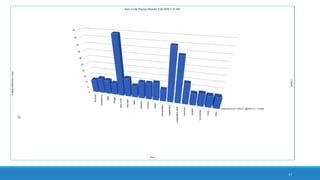
    41 a combined barchart of articles and extracted top-level themes
  • 42.
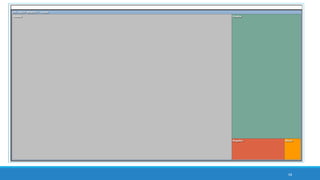
    42 treemap diagram showingtheme and subtheme extraction
  • 43.
    43 sunburst hierarchy diagramshowing theme and subtheme extraction
  • 44.
    44 an article histogramcreated in Excel
  • 45.
    45 interactive word treebased on “machine reading”
  • 46.
    An Integrated Fileof All Articles 1751 pp., > a million words from articles based on “machine reading” from the academic literature Binder1 file 63 MB Saved out as a .txt file from .pdf Saved out as an .rtf file from .pdf 46 combining of article set of “machine reading” articles for corpus-based summaries
  • 47.
    47 synthesized set themeand subtheme extraction from text corpus
  • 48.
    48 frequency word cloudfrom synthesized article set
  • 49.
    49 treemap diagram fromsynthesized article set
  • 50.
    50 interactive word treefrom “machine” seeded text search from synthesized article set
  • 51.
    51 treemap diagram showingtheme and subtheme extraction from synthesized article set
  • 52.
    52 sunburst diagram showingtheme and subtheme extraction from synthesized article set
  • 53.
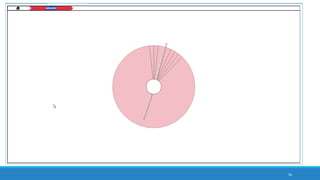
    53 sub-sunburst reflecting “system”theme and linked subthemes from synthesized article set
  • 54.
    54 treemap diagram showingauto-extracted sentiments from synthesized article set
  • 55.
    55 bar chart showingautocoded sentiment in four classifications from synthesized article set intensity matrix
  • 56.
    Use Case #2:Engaging with Social Media (Microblogging and Social Network) Data Using NCapture web browser add-on (on MS’s IE or Google Chrome) to extract a Twitter Tweetstream Using NCapture web browser add-on to extract a Facebook wall of postings Ability to capture text messages, URLs, geographical coordinates, thumbnail images, and other data Ability to run sentiment analysis over the collected data Ability to run theme and sub-theme extraction over the collected data Ability to map social networks (sociograms) based on interaction data 56
  • 57.
    Use Case #2Work Sequence Capture a microblogging text set (Tweetstream, #hashtag conversation, keyword conversations, or other data extractions) from Twitter’s API Run a text frequency count to capture a gist of the focus of the target text set (NVivo 11 Plus) Run a word or phrase or name search to capture a sense of the gist of the targeted word use (NVivo 11 Plus) Process the data and extract social networks to identify main communicators in the #hashtag network or the keyword network 57
  • 58.
    Use Case #2Work Sequence (cont.) Map the microblogging data to a geographical map Capture the URLs from the data set for more analysis Capture related imagery from the data set for more analysis Look at the postings over time for more analysis Conduct a theme and sub-theme analysis of the text set to capture meaning Map the text set for sentiment to capture the general sentiment of the text set ◦ Examine the extracted textual data for deeper insights 58
  • 59.
    59 extracted Tweetstream datasetfrom Twitter using NCapture of NVivo 11 Plus
  • 60.
    60 dendrogram showing usernames clustered by word similarity (suggestive of intercommunications and topical interests)
  • 61.
    61 3D cluster chartof Twitter users clustered by word similarity (zoomable, pannable, interactive)
  • 62.
    62 ring lattice graph/ circle graph showing Twitter user accounts and clustering by word similarity from exchanged microblogged messaging
  • 63.
    63 mapped locations ofaccounts of Twitter communicators based on shared geolocational data
  • 64.
    64 interactive word treefrom a text search for “asia”
  • 65.
    65 sociogram / sociogramdepicting target user account on Twitter’s out-degree ego neighborhood (1 deg.)
  • 66.
    66 data table showingdescending word count from a word frequency count
  • 67.
    67 frequency word cloudfrom a Tweetstream with hashtag networks and (semantic) keywords
  • 68.
    68 treemap from frequencyword count of the Tweetstream
  • 69.
    69 treemap from autocodedtheme and subtheme extraction from the Tweetstream
  • 70.
    70 sunburst hierarchy chartshowing extracted themes and subthemes from the Tweetstream
  • 71.
    71 sunburst hierarchy chartshowing the “educator” theme and its related subthemes from Twitter Tweetstream
  • 72.
    72 bar chart ofextracted themes (in alphabetical order) from the Twitter account Tweetstream; subthemes not depicted here
  • 73.
    73 least frequent wordcount to capture the “long tail” from the Tweetstream often alphanumeric garble, misspellings, and a few nuggets of insight in the long tail power law curve frequency distribution
  • 74.
    In the areamarked by ellipses … 74 treemap from Excel 2016
  • 75.
  • 76.
    In the LongTail… (with a somewhat arbitrary raw count to indicate the start of the long tail) NOT USEFUL Misspelled words Alphanumeric garble POSSIBLY USEFUL URLs (uniform resource locators)or web addresses Rare topics Concepts Unusual terms Names, proper nouns, named entities 76
  • 77.
    77 data table startingwith frequency counts of one
  • 78.
    78 treemap of auto-extractedsentiment: neutral, positive, negative, and mixed
  • 79.
    79 bar chart ofauto-extracted sentiments in four categories or a binary split: • very negative, moderately negative, moderately positive, and very positive (and “neutral”); • also as negative-positive polarity (and “neutral”)
  • 80.
    80 text set fromone of the four sentiment categories
  • 81.
    Use Case #3:Exploring Manual and Machine Coding Exploring human-coded (and / or auto-coded or machine-coded) nodes for pattern identification: interrelationships, similarity clustering, and others Data queries to enable coding exploration: word frequency count, text search, and others Matrix coding query to explore interrelationships between codes (nodes) 81
  • 82.
    Use Case #3Work Sequence Raw source data ingested Manual (and / or automated) coding of that data Data queries of the coding to observe patterns in coding of that data ◦ Ability to set up text frequency counts based on various parameters: exact matches, stemmed words, synonyms, specializations, and generalizations Text search with special character capabilities Proximity searches for words occurring near a certain term 82
  • 83.
    Special Features forText Searches ◦ Wildcard searches (?) Any one character ◦ Wildcard searches (*) any characters ◦ AND ◦ OR ◦ NOT ◦ Required ◦ Prohibit ◦ Fuzzy ◦ Near… (proximity searches) / an extension of memory 83
  • 84.
    Grouping Enabling text searches,word frequency counts, and other queries from most specific to increasing gradations of generality (based on placement of the slider) Exact matches With stemmed words With synonyms With specializations With generalizations 84
  • 85.
    85 interactive word treebased on “player” seeding term from coded data (whether manual-coded or auto/machine-coded or combined)
  • 86.
    86 color-coded intensity matrixof auto-coded sentiment analysis of the selected code
  • 87.
    87 treemap diagram oftheme and sub-theme extraction from text code
  • 88.
    88 sunburst diagram ofauto-extracted theme and subtheme extraction of coding references
  • 89.
    89 scatterplot of auto-extractedsentiment in coding as expressed in Excel 2016
  • 90.
    Use Case #4:Machine Reading for Sentiment Analysis Ability to conduct a fast extraction of sentiment ◦ either as a polarity (positive-negative), with uncoded neutral text, or as ◦ a four-category set of sentiment (very negative, moderately negatively, moderately positive, and very positive) and one of neutrality Ability to explore the sentiment-coded text sets for textual contents ◦ Ability to query the coded text sets for additional word relationships and patterns Ability to uncode or re-code autocoded text for sentiment to increase accuracy (through human oversight) 90
  • 91.
    Use Case #4:Machine Reading for Sentiment Analysis (cont.) Can auto-code at three levels of granularity: sentence, paragraph, and cell (depending on the structure of the data) ◦ Sentences (granular) and paragraphs (coarser) are common in documents ◦ Cells are common in data tables, and many contain structured data but also phrases, URLs, and thumbnail imagery (from social media); data tables from online surveys may contain whole sentences and paragraphs 91
  • 92.
    Use Case #4Work Sequence Run sentiment analysis on the text set Auto-coded at paragraph level (coarser than at the granular sentence level) Review the data visualizations (intensity matrix, bar chart) Explore the text in each sentiment sub-category (very negative, moderately negative, moderately positive, very positive) ◦ Run word frequency count ◦ Run selected text searches ◦ Run theme and sub-theme extraction ◦ Create additional related data visualizations 92
  • 93.
    93 intensity matrix ofauto-extracted sentiment from raw article sources
  • 94.
    94 bar chart ofsentiment from comparative articles in a text set
  • 95.
    95 auto-coded nodes basedon sentiment dictionary in either a four-category mode (top) or a binary two-category mode (bottom)
  • 96.
    96 access to exportablecoded text sets in each of the sentiment categories
  • 97.
    97 access to exportablecoded text sets in each of the sentiment categories, with ability to re-code and un-code
  • 98.
    98 treemap of comparativesentiment coding per document
  • 99.
    99 sunburst graph showingauto-coded sentiment extraction across comparative documents
  • 100.
    Value-added Aspects toMachine Reading Machine reading augments human capabilities for knowing. It decodes (“reads”) beyond a surface level of understanding of words in various contexts. ◦ It enables efficient access to latent insights. ◦ There are ways to chain processes and compare / contrast information in a way that illuminates new insights. NVivo 11 Plus enables ways to save “macros” of the various data queries and autocoding sequences to enhance re-runs of the macro sequences. This may be helpful with continuing data collection, in order to update query results after the acquisition of new data. There is value in comparing the outcomes from one software program to another…and to see what happens with different settings for the different machine reading approaches. ◦ Researchers may export data tables for additional analytics and data visualizations outside of the software. 100
  • 101.
  • 102.
  • 103.
    Conclusion and Contact Dr.Shalin Hai-Jew ◦ iTAC, Kansas State University ◦ 212 Hale / Farrell Library ◦ shalin@k-state.edu ◦ 785-532-5262 No ties: The presenter has no formal tie to QSR International, the maker of NVivo 11 Plus, nor to Microsoft, the maker of Excel. About the data visualizations: Some of the data extractions and processes used only a few dozen source items, in part because of the need for coherent data visualizations and also to enable processing of the data on a local Windows machine. ◦ However, in a server-hosted context, text sets closer to big(ger) data may be run using NVivo 11 Plus. A sampling: The four “use cases” presented here are by no means comprehensive. These offer a taste of some of the possibilities. 103