Introduction to Using theV4 Linux ClusterCornell Center for Advanced ComputingDrew DolgertJodie Sprousehttp://www.cac.cornell.edu/~ajd27/intro.html16 May 2011www.cac.cornell.edu1
2.1 Connecthttp://www.cac.cornell.edu/~ajd27/intro.html
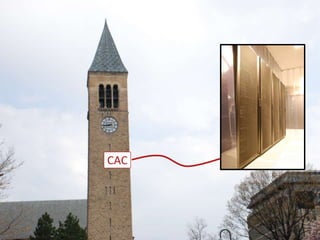
CAC
What is it?
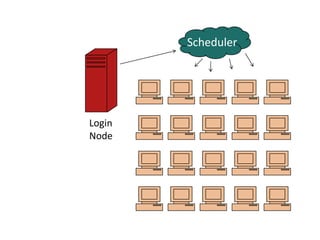
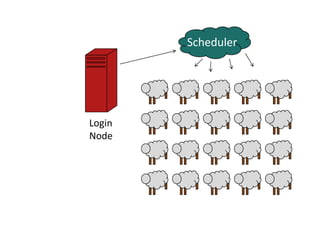
SchedulerLogin Node
ajd27@linuxlogin1.cac.cornell.eduajd27@linuxlogin2.cac.cornell.edu
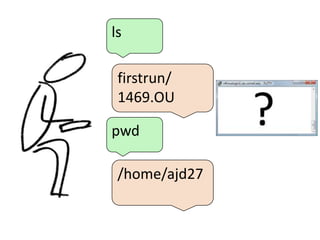
lsfirstrun/1469.OUpwd/home/ajd27
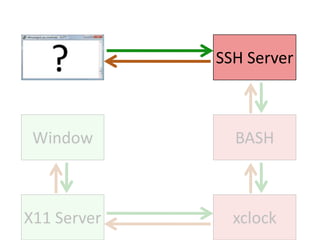
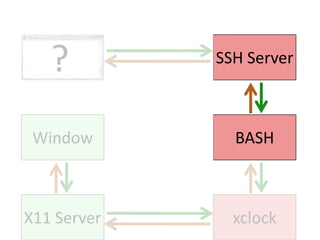
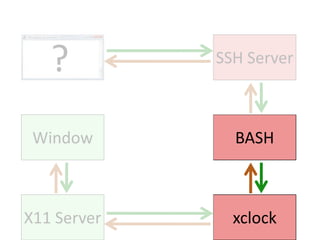
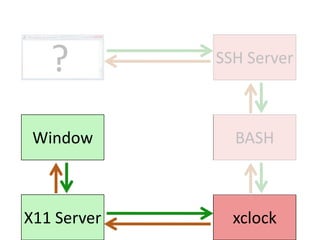
SSH ServerBASHWindowxclockX11 Server
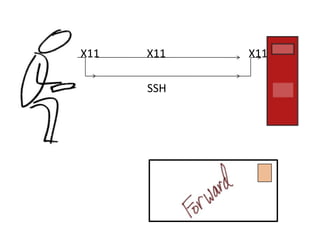
X11X11X11SSH
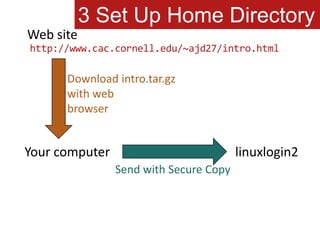
3 Set Up Home DirectoryWeb sitehttp://www.cac.cornell.edu/~ajd27/intro.htmlDownload intro.tar.gzwith webbrowserYour computerlinuxlogin2Send with Secure Copy
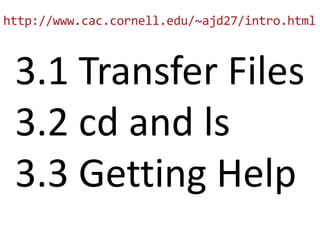
http://www.cac.cornell.edu/~ajd27/intro.html3.1 Transfer Files3.2 cd and ls3.3 Getting Help
The Shell
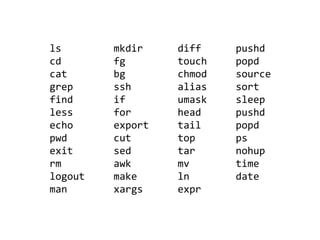
lscdcatgrepfindlessechopwdexitrmlogoutmanmkdirfgbgsshifforexportcutsedawkmakexargsdifftouchchmodaliasumaskheadtailtoptarmvlnexprpushdpopdsourcesortsleeppushdpopdpsnohuptimedate
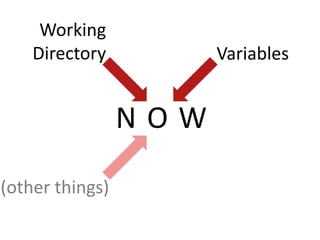
WorkingDirectoryVariablesNOW(other things)
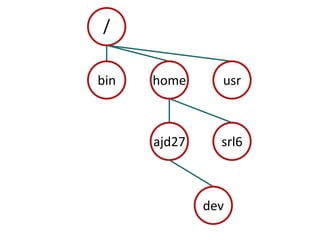
/binhomeusrajd27srl6dev
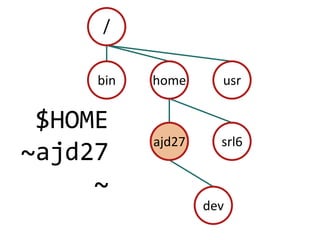
/binhomeusr$HOME~ajd27~ajd27srl6dev
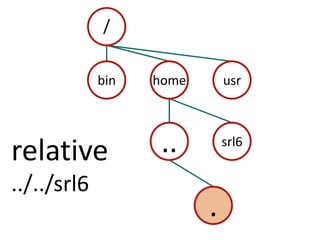
/binhomeusr..srl6relative../../srl6.
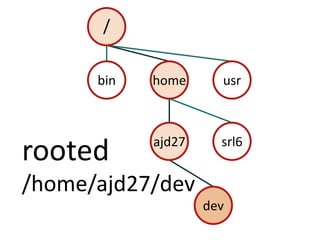
/binhomeusrajd27srl6rooted/home/ajd27/devdev
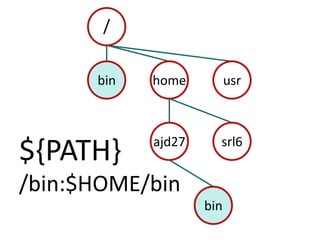
/binhomeusrajd27srl6${PATH}/bin:$HOME/binbin
4.1 Starting: Read Examples of Sessions
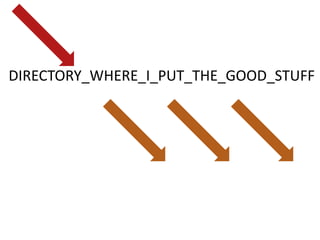
DIRECTORY_WHERE_I_PUT_THE_GOOD_STUFF
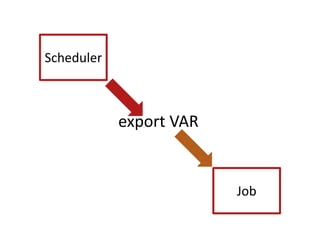
Schedulerexport VARJob
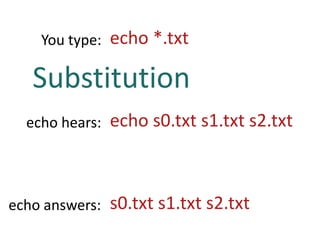
echo *.txtYou type:Substitutionecho s0.txt s1.txt s2.txtecho hears:s0.txt s1.txt s2.txtecho answers:
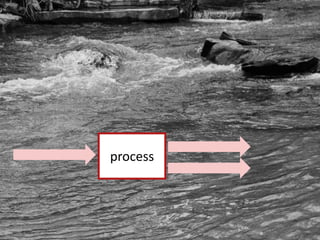
process
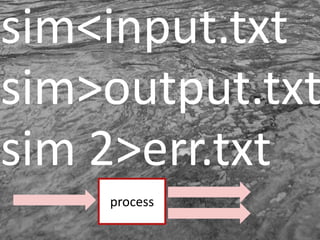
sim<input.txtsim>output.txtsim 2>err.txtprocess
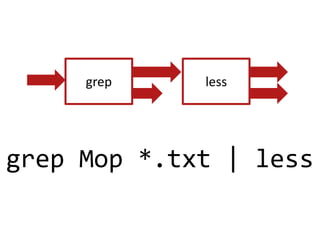
greplessgrep Mop *.txt | less
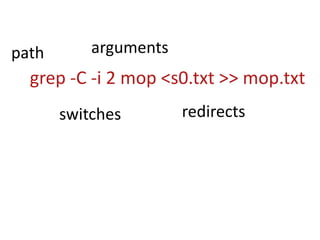
argumentspathgrep -C -i 2 mop <s0.txt >> mop.txtredirectsswitches
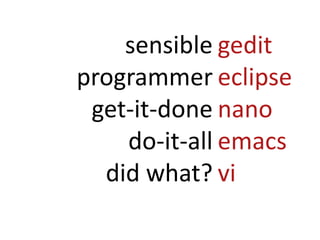
gediteclipsenanoemacsvisensibleprogrammerget-it-donedo-it-alldid what?
5.1 Starting: Develop Commands to Run the Program5.2 Run a Simple Script
Run in batch!
SchedulerLogin Node
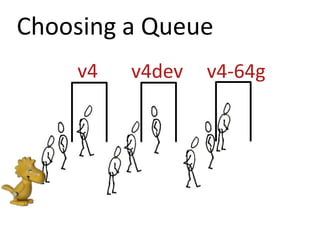
Choosing a Queuev4v4devv4-64g
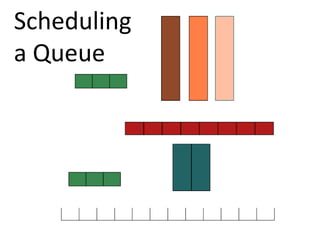
Schedulinga Queue
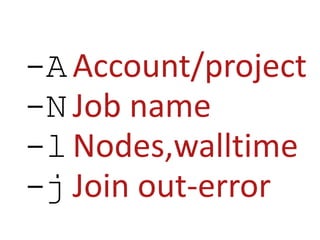
-AAccount/project-N	Job name-lNodes,walltime-jJoin out-error
#PBS For schedulerTODOFor compute node
Read 6.1 and 6.2Do 6.3 Submit a Script
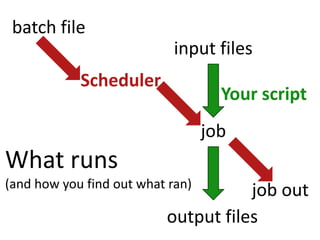
batch fileinput filesSchedulerYourscriptjobWhat runs(and how you find out what ran)job outoutput files
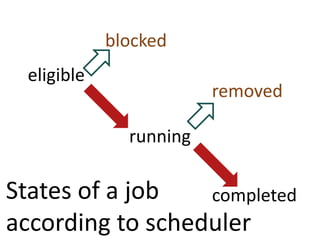
blockedeligibleremovedrunningStates of a jobaccording to schedulercompleted
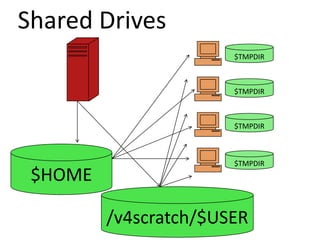
Shared Drives$TMPDIR$TMPDIR$TMPDIR$HOME$TMPDIR/v4scratch/$USER
Read 7.1Do 7.2 Use the local drive
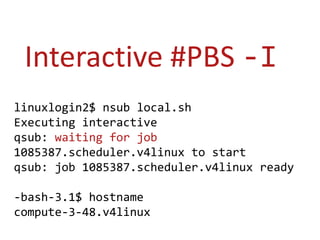
Interactive #PBS -Ilinuxlogin2$ nsub local.shExecuting interactiveqsub: waiting for job 1085387.scheduler.v4linux to startqsub: job 1085387.scheduler.v4linux ready-bash-3.1$ hostnamecompute-3-48.v4linux
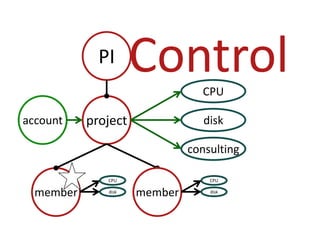
ControlPICPUprojectaccountdiskconsultingmembermemberCPUCPUdiskdisk
This talk http://slidesha.re/eAzPXhhelp@cac.cornell.eduhttp://www.cac.cornell.edu/help
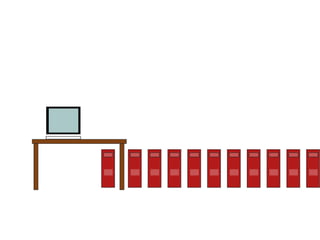
Broader ViewCan’t finish on lab computer.Have to write more complex simulation.Need a research portal.
by Kman999 on Flickr: 225483156on Flickr by turbojoe/457215996on Flickr by vlashton/2103759668/anti_christa on Flickrantichrista/4499789643/eberg_canada on Flickreberg/555034750aitor_mac on Flickrmac_mania/3914910630/house-n-baby { Lea }'s  house-n-baby/2669683890susanica/2702214137/Flickr by liewcf/268421712Rob Shenk on Flickrrcsj/2500928072/Mike Ross of corestore.org, wikipedia.

Cac linux clusterintro

Editor's Notes

  • #4 Undervprovost of research.Core facility, partially subsidized.Focused on RESEARCH.Jodie and me.
  • #5 Jamie’s months of work.Room gets hotter.
  • #6 Just like your computer.Except lots of them.Think of sheep.
  • #7 Get to play with onebellweather.
  • #8 One computer you contact.Not the rest.Maybe a diagram.
  • #9 Edit, compile, submit.Core is. 8 each.Switch on right.

  • #10 SSH = secure shellnot telnetYour computer to login node.Nodes behind firewall.
  • #11 Use either.Like an email.Username/pw in welcome email.
  • #12 PromptI type.It types back.
  • #13 Like Twitter.With whom?
  • #14 But server isn’t ultimate.
  • #15 But server isn’t ultimate.
  • #16 But server isn’t ultimate.
  • #17 But server isn’t ultimate.
  • #18 If you use “ssh tunneling” or –X or –Y, then X Windows can work.
  • #19 For the next exercise, this is what you do.
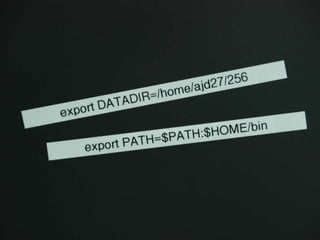
  • #20 Share these:Learn to get help.Edit your Bash profile.
  • #21 How you handle the computer.Many kinds.Not learn but learn how relevant.Book online.First good news.
  • #22 Know these, almost done.Then what’s important?
  • #23 Defines current state.Some variables set in .profileStart with paths.
  • #24 Directories form a tree.Root. Parent-child.Everybody has a directory under home.
  • #25 When you login, it takes you to home.Keep your stuff.Important, so many aliases.
  • #26 Shorthand for relative.Current working directory.
  • #27 Rooted path.Relative path.
  • #28 PATH
  • #29 Next section: variables, editors
  • #30 labels$ to retrieve value
  • #31 Variables are most often so you don’t have to repeat yourself.
  • #32 Scheduler uses them as messages to your batch process.
  • #33 What you type, what it sees.globs, vars, ~,..
  • #35 Redirection.Append.Pipe.
  • #36 Here’s what it looks like on a command line.
  • #37 The parts of a command line.
  • #38 Who are you?New – gedit with X, nano without.
  • #39 Could skip this one.
  • #41 Scheduler/resource managerWhat do we have to tell the scheduler to make it go?
  • #42 v4 46v4dev 2v4-64g 4
  • #43 #nodeslength of timeBackfill = TetrisAccurate time = faster
  • #44 The main things you tell the scheduler.
  • #45 Two things. One file.Top message to scheduler, bottom is what to do on head node.
  • #47 This is who called who.Output of two types, from program, from scheduler.
  • #48 States of a Batch Job.eligible OK, waitblocked=mjobctl –cremoved = by you
  • #49 Shared HOME.TMPDIR for machine and JOB.
  • #51 “Interactive Job”
  • #52 Faculty-driven.Can designate admin.Multiple projs, multiple users.50GB shared by group, reported per person.Web page to get info.
  • #53 Should feel local.But many more.
  • #54 If something goes wrong.
  • #55 C++, Fortran, PythonSoftware DevelopmentMPIPthreadsOpenMPDatabasesVisualizationProvenance of data