© Bharati Vidyapeeth’s Institute of Computer Applications and Management, New Delhi-63, by Uttam Singh, Asst. Professor U2.1
C# Programming
Unit -1
© Bharati Vidyapeeth’s Institute of Computer Applications and Management, New Delhi-63, by Uttam Singh, Asst. Professor U2.2
• The CLR and .NET Framework: Understand the
motivation behind the .NET platform,
• Common Language Infrastructure (CLI).
• Common Type System (CTS),
• Common Language Specification (CLS)
• Common Language Runtime (CLR),
• Assembly, metadata, namespace, type distinction,
Contrast single-file and multi-file assemblies,
• Common Intermediate Language (CIL),
• Platform independent .NET(Mono / Portable .NET
distributions).
Objectives
© Bharati Vidyapeeth’s Institute of Computer Applications and Management, New Delhi-63, by Uttam Singh, Asst. Professor U2.3
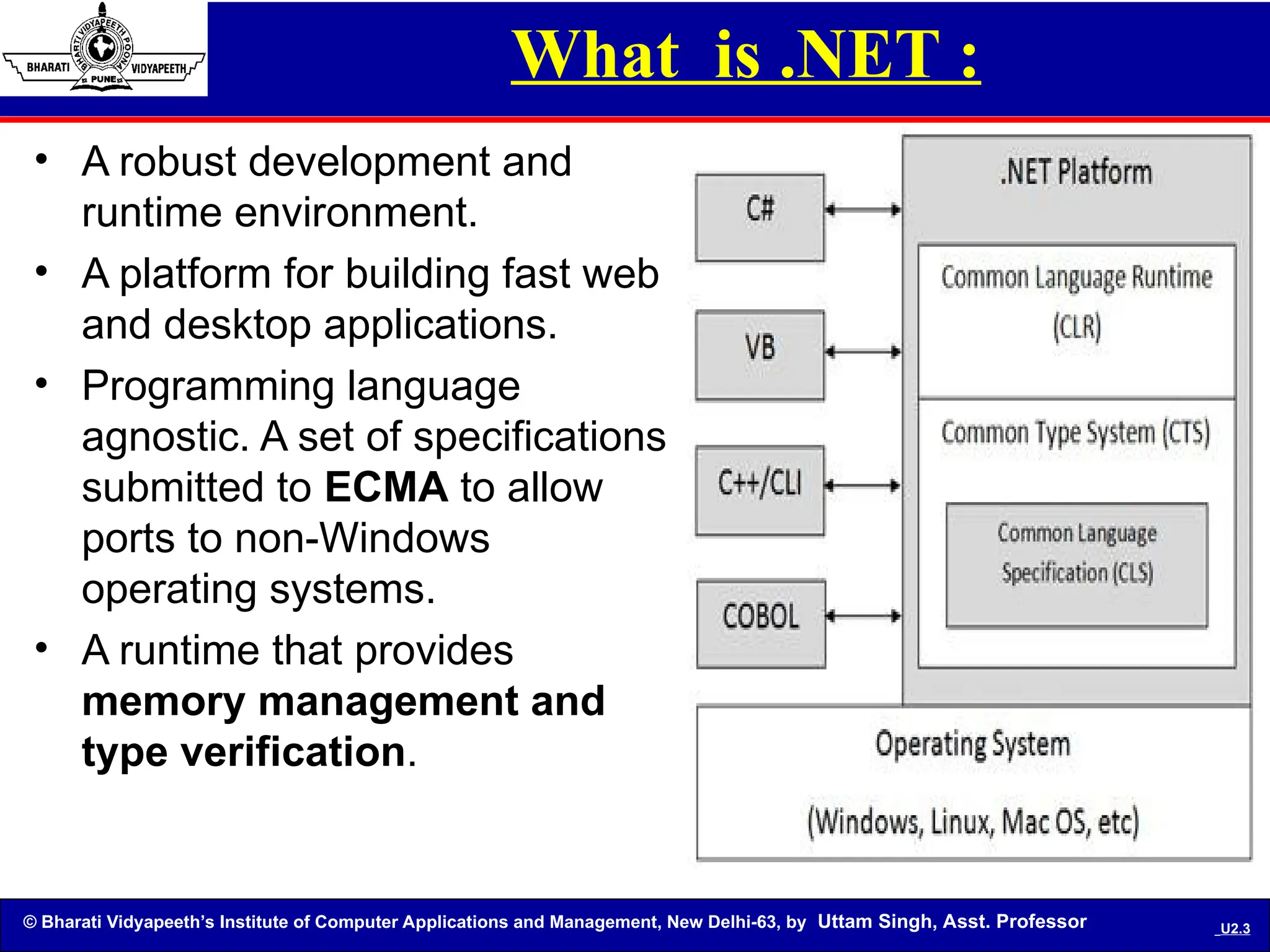
What is .NET :
• A robust development and
runtime environment.
• A platform for building fast web
and desktop applications.
• Programming language
agnostic. A set of specifications
submitted to ECMA to allow
ports to non-Windows
operating systems.
• A runtime that provides
memory management and
type verification.
© Bharati Vidyapeeth’s Institute of Computer Applications and Management, New Delhi-63, by Uttam Singh, Asst. Professor U2.4
What is the .NET Framework?
• The .NET Framework is a new and revolutionary
platform created by Microsoft for developing
applications.
• It is a platform for application developers.
• It is a Framework that supports Multiple Language
and Cross language integration.
• It has IDE (Integrated Development Environment).
• Framework is a set of utilities or can say building
blocks of your application system.
© Bharati Vidyapeeth’s Institute of Computer Applications and Management, New Delhi-63, by Uttam Singh, Asst. Professor U2.5
• .NET is a platform independent but with help of Mono
Compilation System (MCS). MCS is a middle level
interface.
• .NET Framework provides interoperability between
languages i.e. Common Type System (CTS) .
• .NET Framework also includes the .NET Common
Language Runtime (CLR), which is responsible for
maintaining the execution of all applications
developed using the .NET library.
• The .NET Framework consists primarily of a gigantic
library of code.
.NET Framework Contd…
© Bharati Vidyapeeth’s Institute of Computer Applications and Management, New Delhi-63, by Uttam Singh, Asst. Professor U2.6
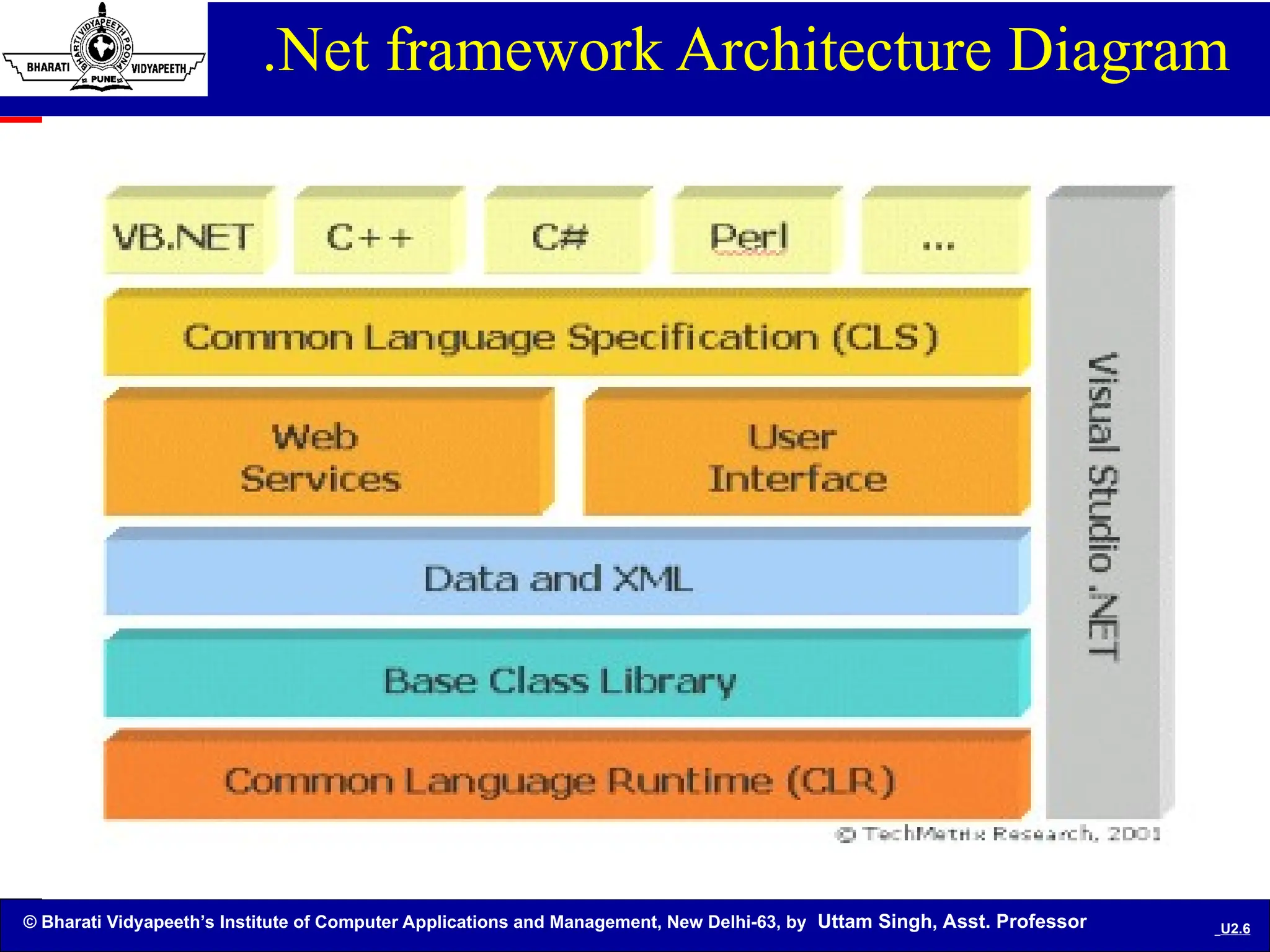
.Net framework Architecture Diagram
© Bharati Vidyapeeth’s Institute of Computer Applications and Management, New Delhi-63, by Uttam Singh, Asst. Professor U2.7
.NET components
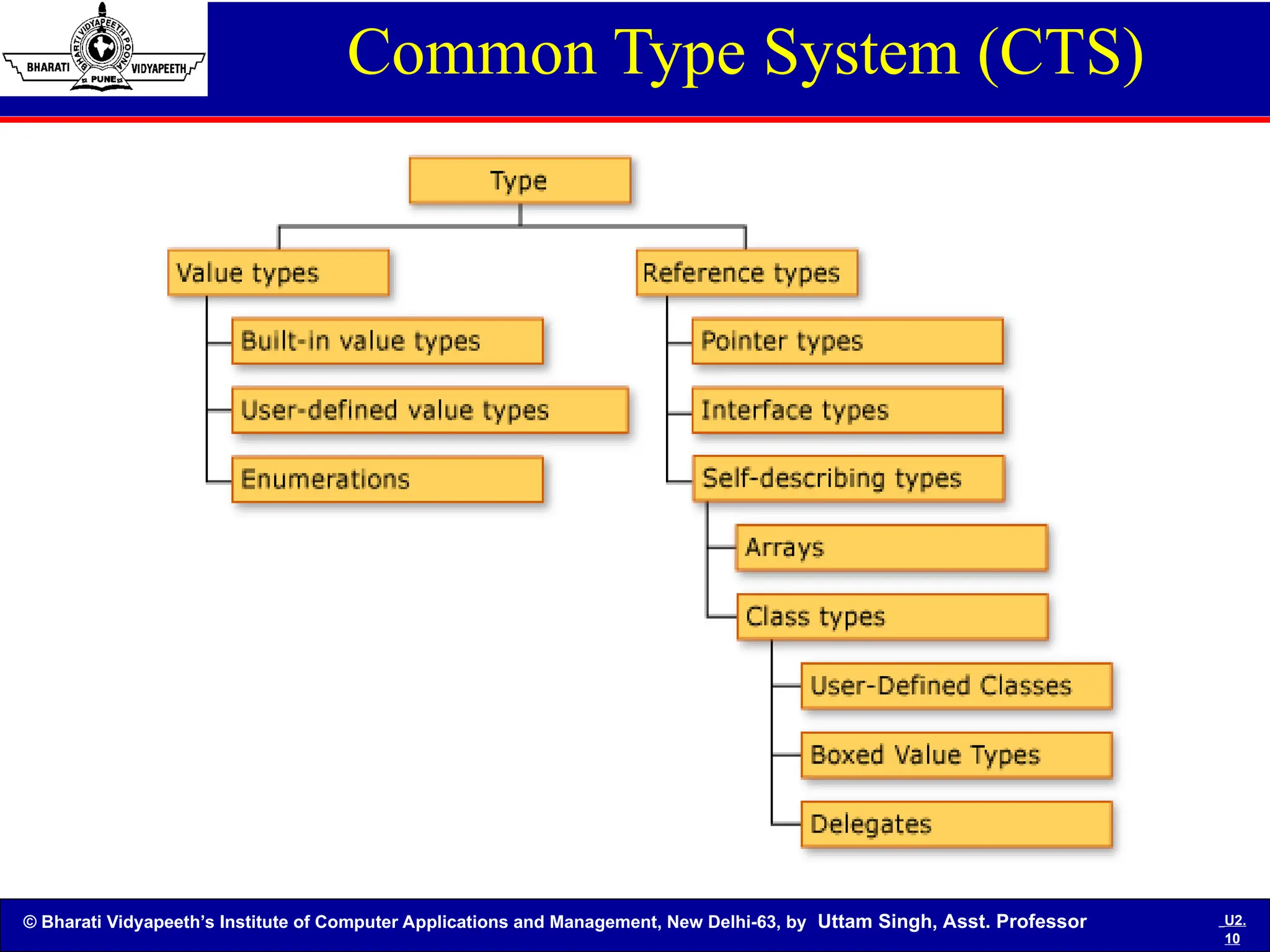
• Common Type System (CTS): A standard that
specifies how Type definitions and specific
values of Types are represented in computer
memory. It is intended to allow programs written in
different programming languages to easily share
information.
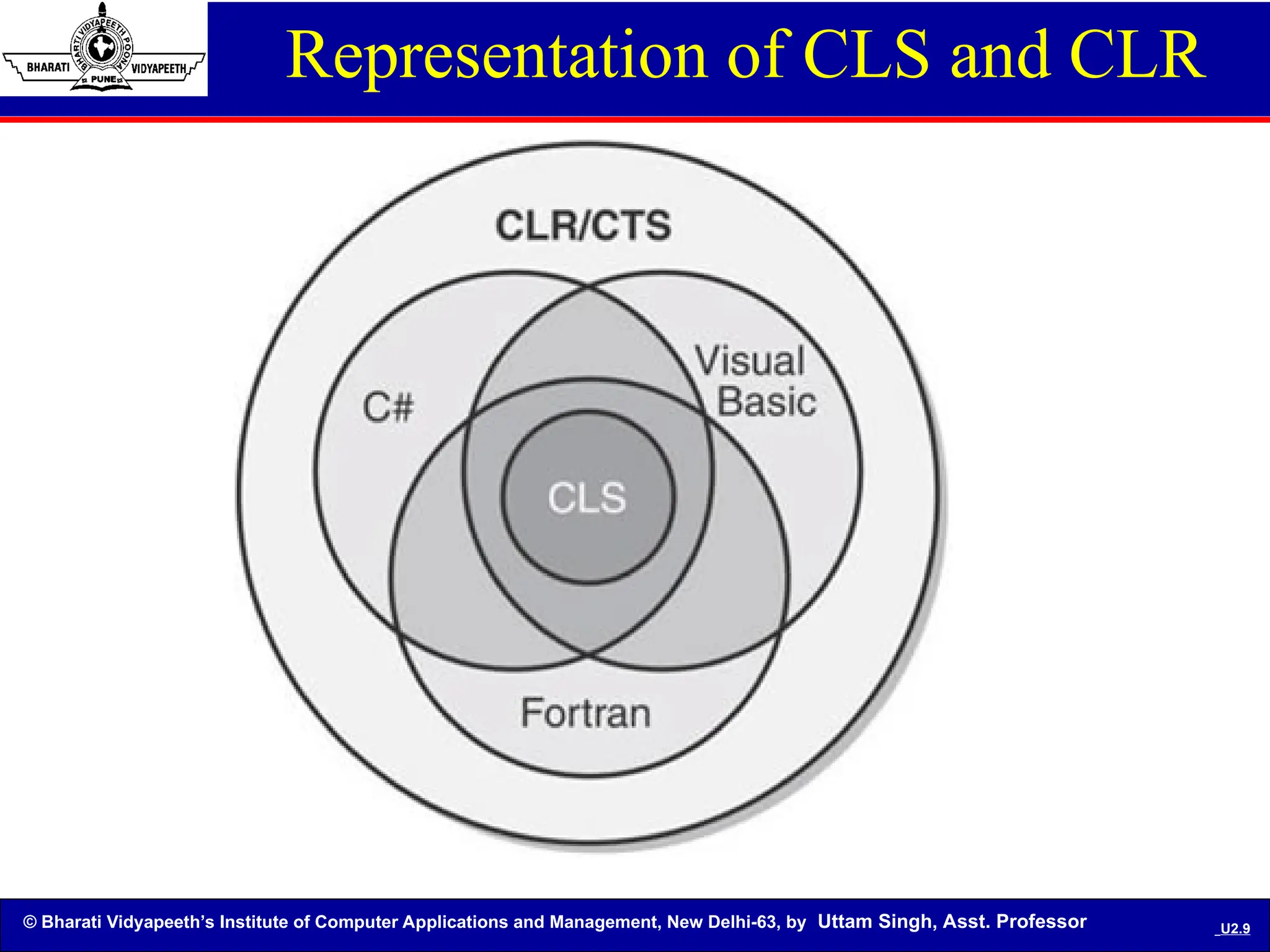
• Common Language Specification (CLS): A set of
base rules to which any language targeting the
CLI should conform in order to interoperate with
other CLS-compliant languages. The CLS rules
define a subset of the Common Type System.
© Bharati Vidyapeeth’s Institute of Computer Applications and Management, New Delhi-63, by Uttam Singh, Asst. Professor U2.8
.NET components Contd..
• Common Language Runtime (CLR): A library of
utility classes for building desktop, web, or any type
of application, as well as a runtime for
executing .NET code with garbage collection and
type verification.
• Common Intermediate Language (CIL): All .NET
languages compile to this platform-independent
language.
• Assemblies: A new name and structure for EXE
and DLL files.
© Bharati Vidyapeeth’s Institute of Computer Applications and Management, New Delhi-63, by Uttam Singh, Asst. Professor U2.9
Representation of CLS and CLR
© Bharati Vidyapeeth’s Institute of Computer Applications and Management, New Delhi-63, by Uttam Singh, Asst. Professor U2.
10
Common Type System (CTS)
© Bharati Vidyapeeth’s Institute of Computer Applications and Management, New Delhi-63, by Uttam Singh, Asst. Professor U2.
11
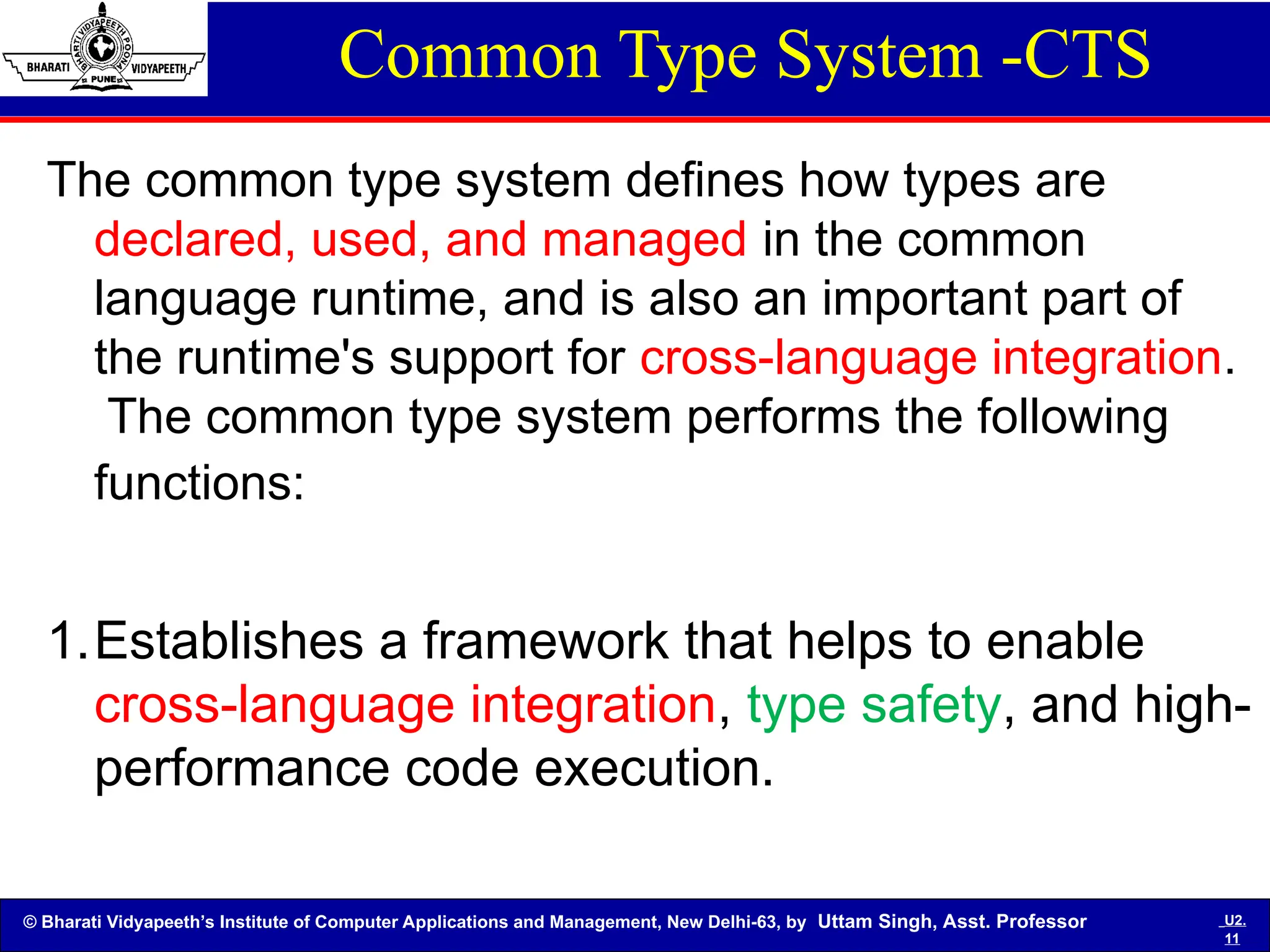
Common Type System -CTS
The common type system defines how types are
declared, used, and managed in the common
language runtime, and is also an important part of
the runtime's support for cross-language integration.
The common type system performs the following
functions:
1.Establishes a framework that helps to enable
cross-language integration, type safety, and high-
performance code execution.
© Bharati Vidyapeeth’s Institute of Computer Applications and Management, New Delhi-63, by Uttam Singh, Asst. Professor U2.
12
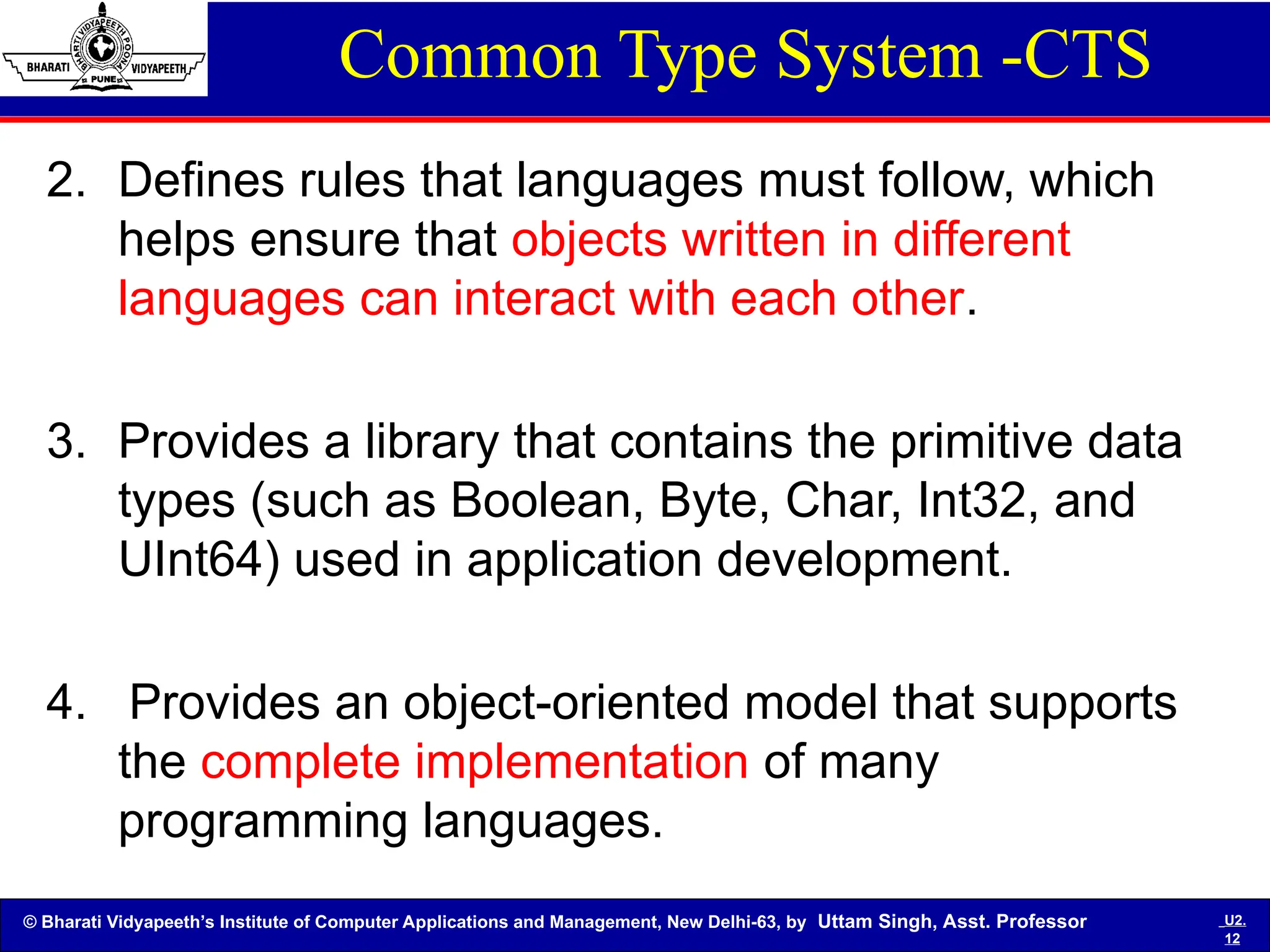
Common Type System -CTS
2. Defines rules that languages must follow, which
helps ensure that objects written in different
languages can interact with each other.
3. Provides a library that contains the primitive data
types (such as Boolean, Byte, Char, Int32, and
UInt64) used in application development.
4. Provides an object-oriented model that supports
the complete implementation of many
programming languages.
© Bharati Vidyapeeth’s Institute of Computer Applications and Management, New Delhi-63, by Uttam Singh, Asst. Professor U2.
13
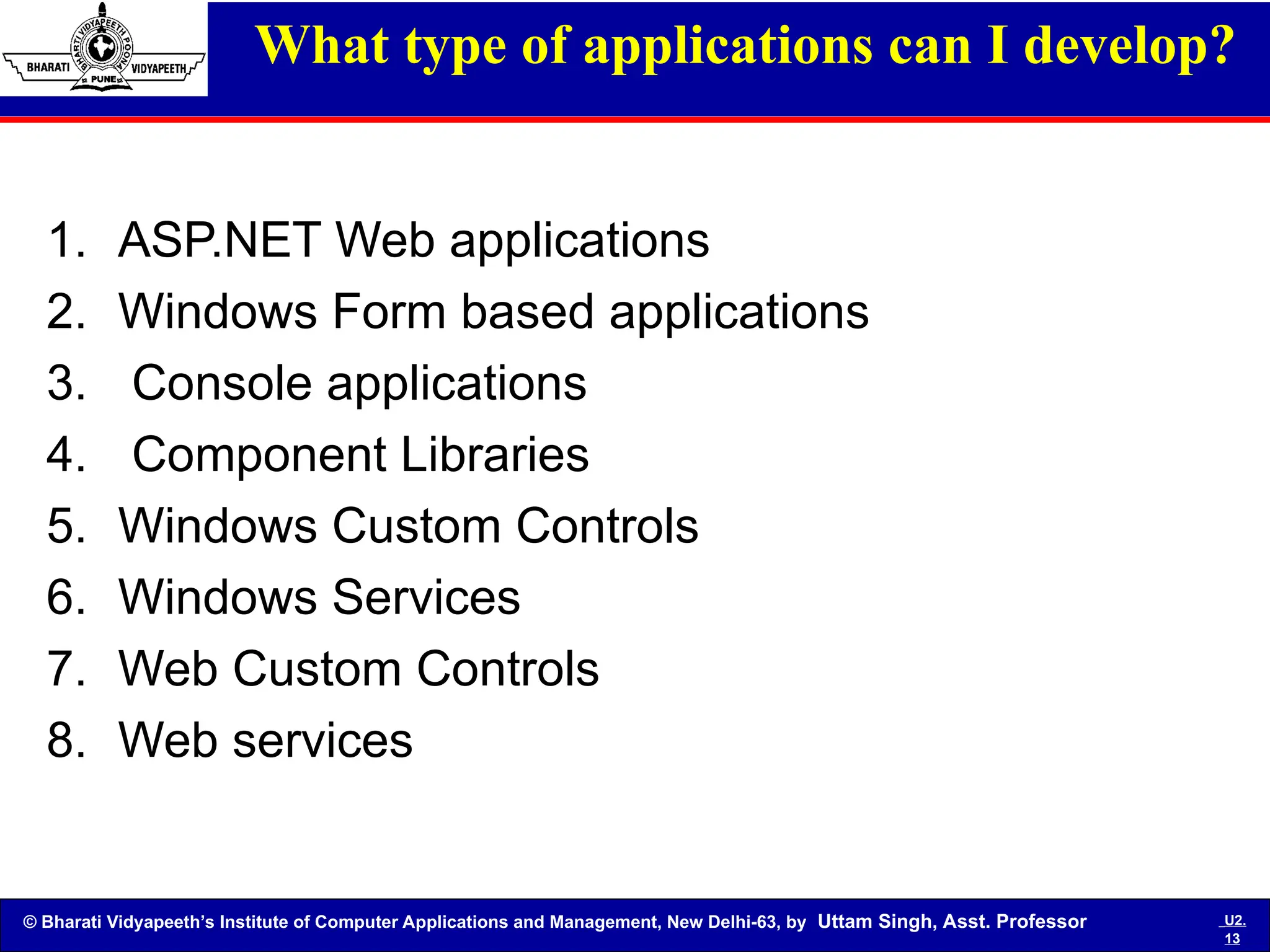
What type of applications can I develop?
1. ASP.NET Web applications
2. Windows Form based applications
3. Console applications
4. Component Libraries
5. Windows Custom Controls
6. Windows Services
7. Web Custom Controls
8. Web services
© Bharati Vidyapeeth’s Institute of Computer Applications and Management, New Delhi-63, by Uttam Singh, Asst. Professor U2.
14
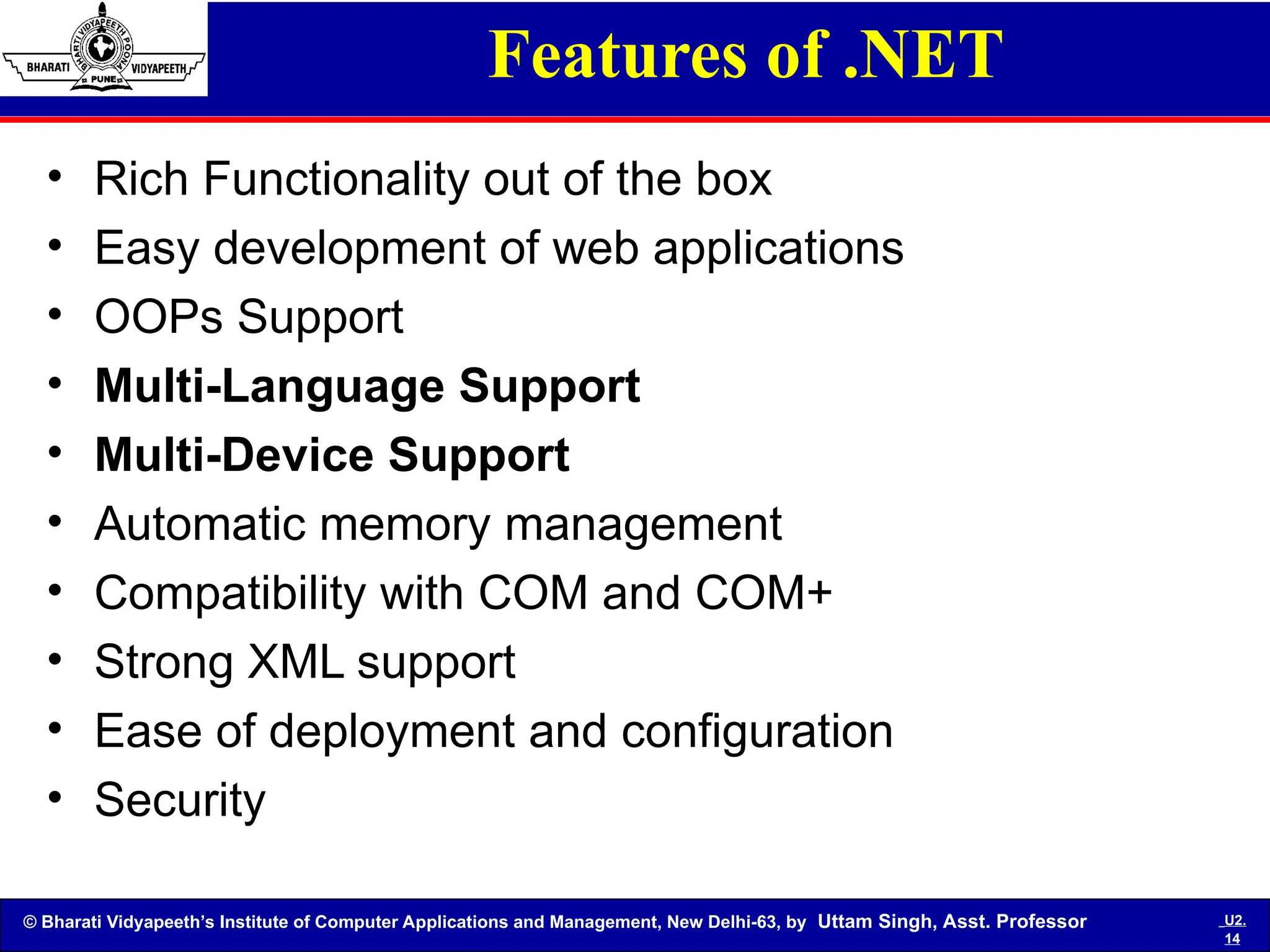
Features of .NET
• Rich Functionality out of the box
• Easy development of web applications
• OOPs Support
• Multi-Language Support
• Multi-Device Support
• Automatic memory management
• Compatibility with COM and COM+
• Strong XML support
• Ease of deployment and configuration
• Security
© Bharati Vidyapeeth’s Institute of Computer Applications and Management, New Delhi-63, by Uttam Singh, Asst. Professor U2.
15
Release History
Version Version Number Release Date Visual Studio Default in Windows
1.0 1.0.3705.0 2002-02-13 Visual Studio .NET
Windows XP Tablet and
Media Center Editions[4]
1.1 1.1.4322.573 2003-04-24 Visual Studio .NET 2003 Windows Server 2003
2.0 2.0.50727.42 2005-11-07 Visual Studio 2005
Windows Server 2003
R2
3.0 3.0.4506.30 2006-11-06
Windows Vista,
Windows Server 2008
3.5 3.5.21022.8 2007-11-19 Visual Studio 2008
Windows 7, Windows
Server 2008 R2
4.0 4.0.30319.1 2010-04-12 Visual Studio 2010
© Bharati Vidyapeeth’s Institute of Computer Applications and Management, New Delhi-63, by Uttam Singh, Asst. Professor U2.
16
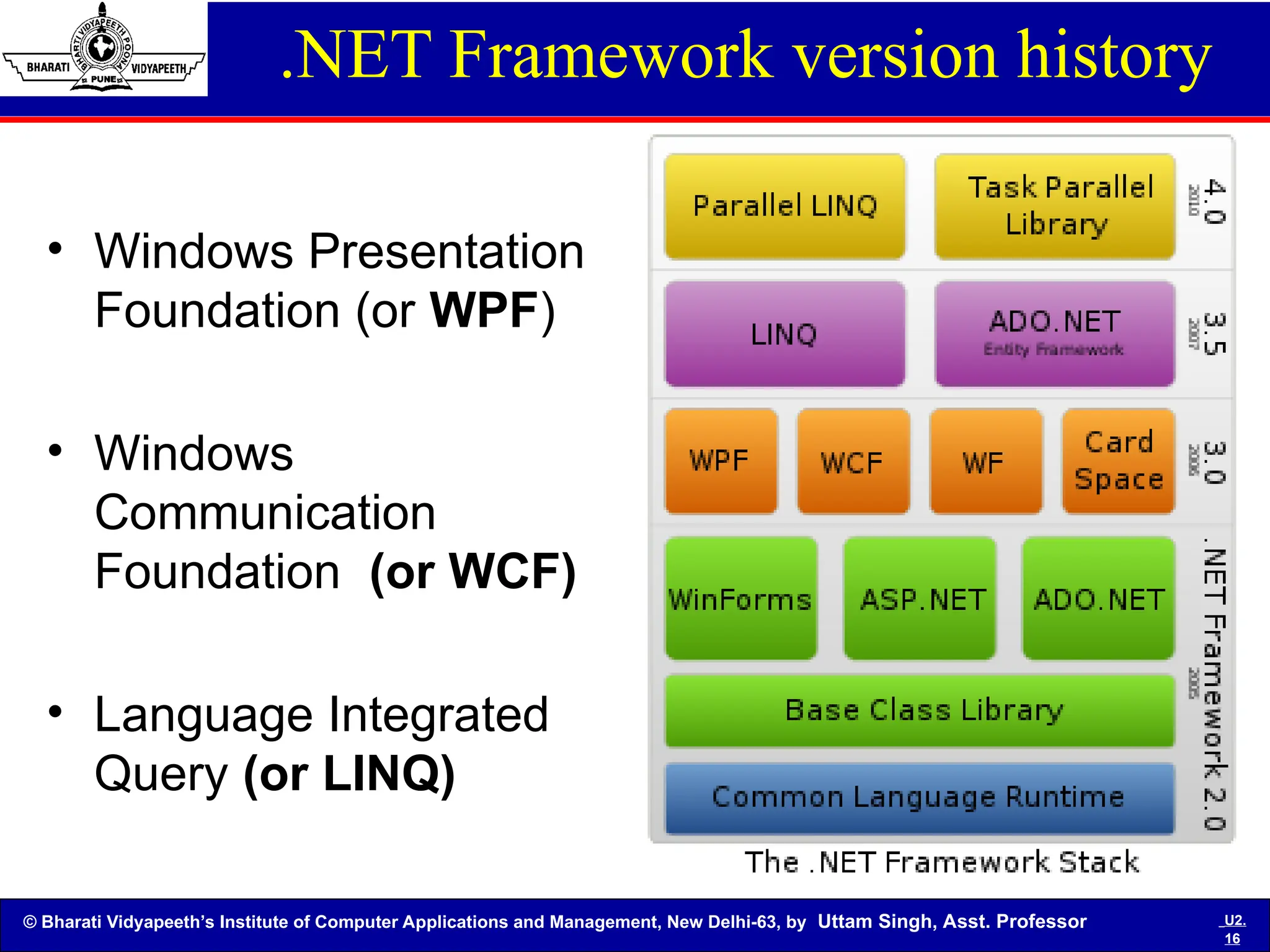
.NET Framework version history
• Windows Presentation
Foundation (or WPF)
• Windows
Communication
Foundation (or WCF)
• Language Integrated
Query (or LINQ)
© Bharati Vidyapeeth’s Institute of Computer Applications and Management, New Delhi-63, by Uttam Singh, Asst. Professor U2.
17
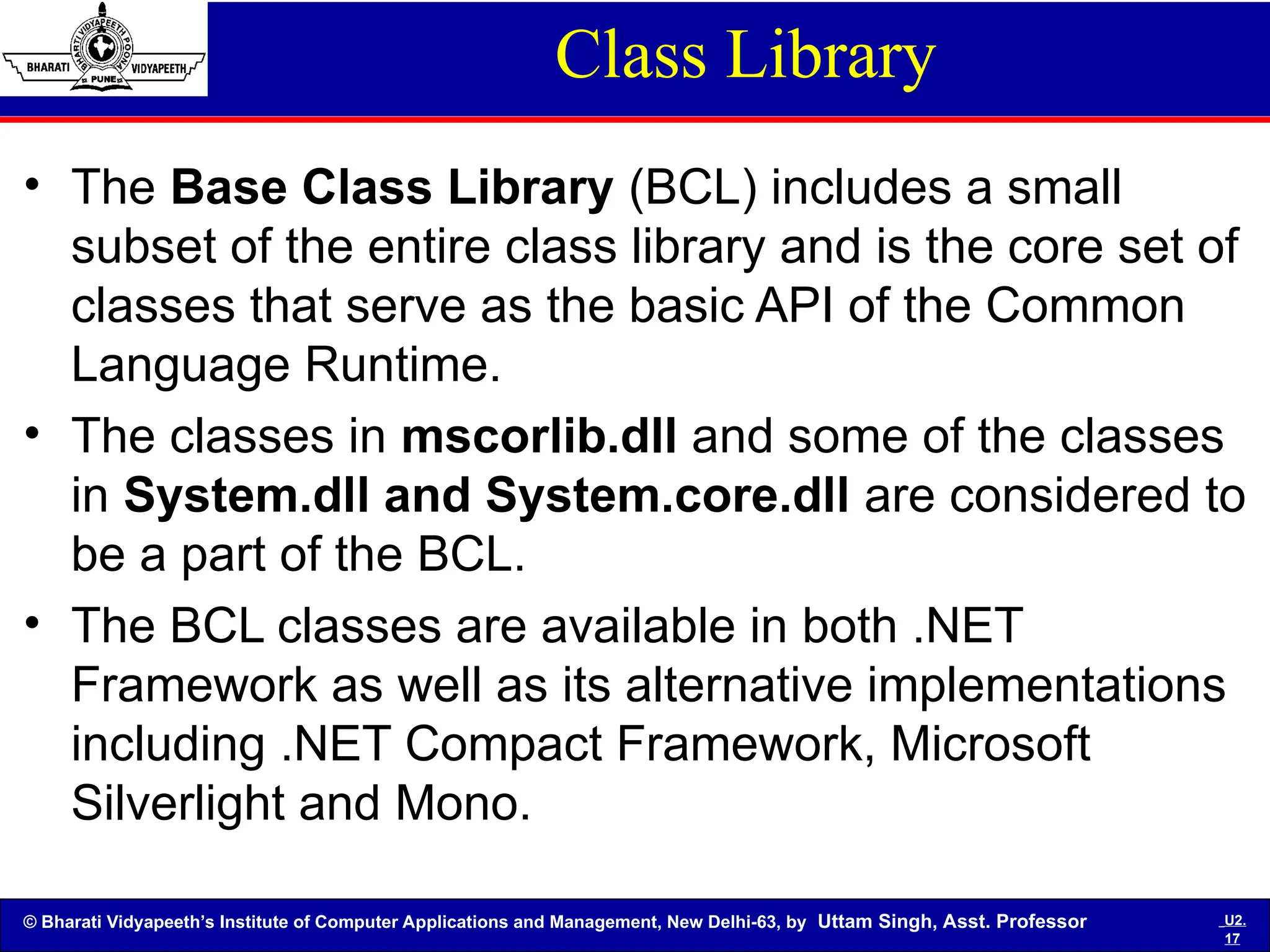
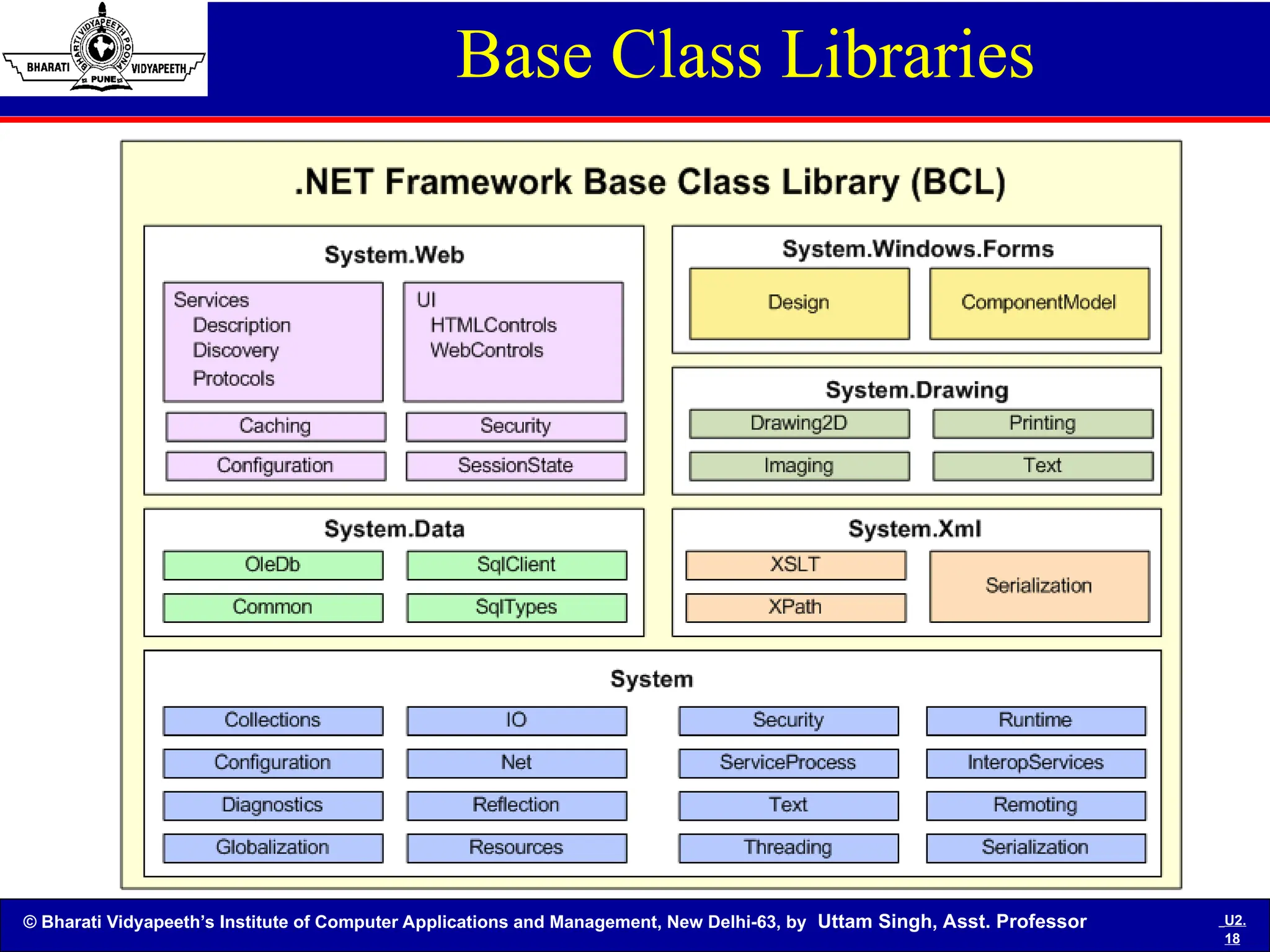
Class Library
• The Base Class Library (BCL) includes a small
subset of the entire class library and is the core set of
classes that serve as the basic API of the Common
Language Runtime.
• The classes in mscorlib.dll and some of the classes
in System.dll and System.core.dll are considered to
be a part of the BCL.
• The BCL classes are available in both .NET
Framework as well as its alternative implementations
including .NET Compact Framework, Microsoft
Silverlight and Mono.
© Bharati Vidyapeeth’s Institute of Computer Applications and Management, New Delhi-63, by Uttam Singh, Asst. Professor U2.
18
Base Class Libraries
© Bharati Vidyapeeth’s Institute of Computer Applications and Management, New Delhi-63, by Uttam Singh, Asst. Professor U2.
19
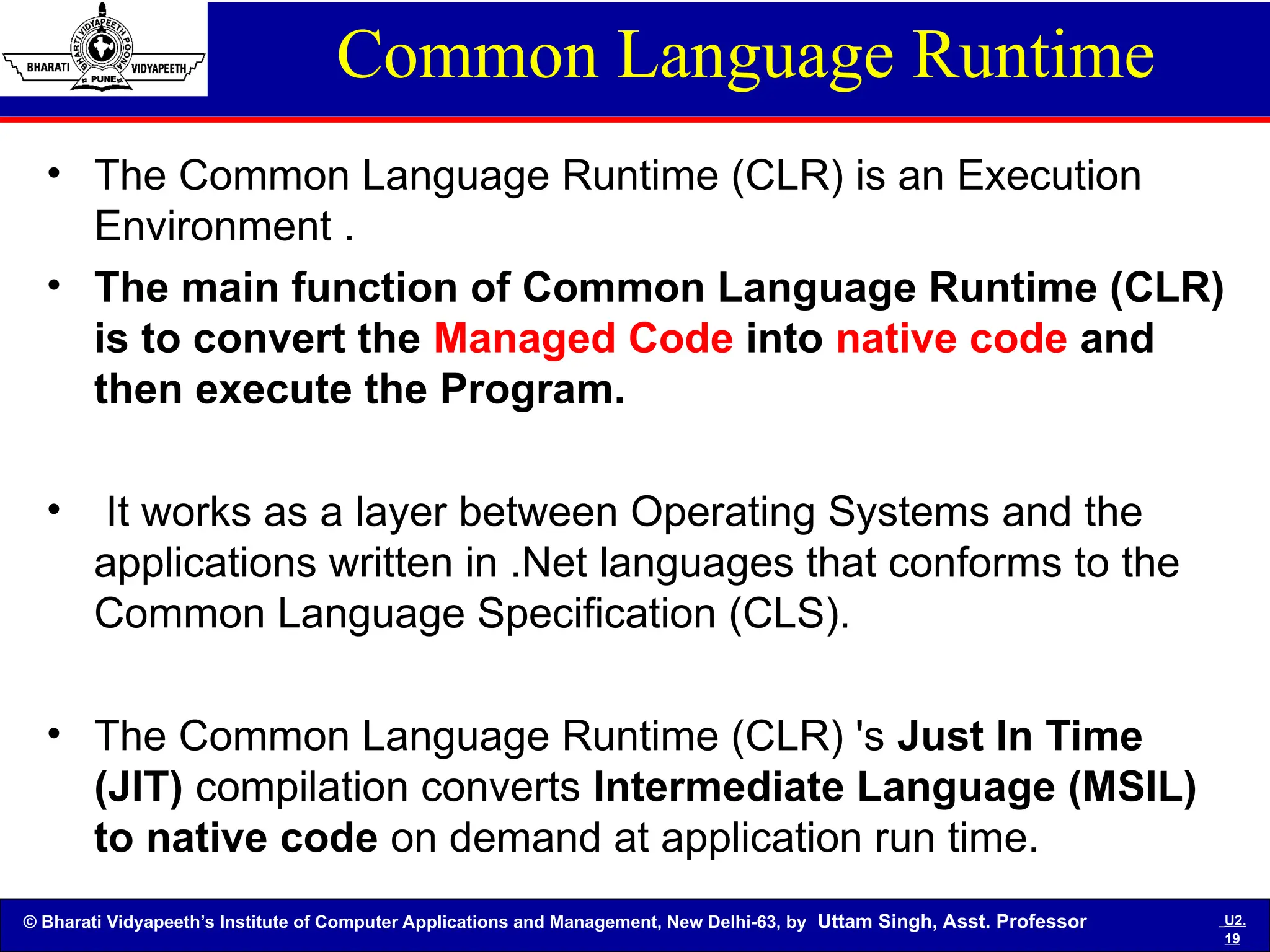
Common Language Runtime
• The Common Language Runtime (CLR) is an Execution
Environment .
• The main function of Common Language Runtime (CLR)
is to convert the Managed Code into native code and
then execute the Program.
• It works as a layer between Operating Systems and the
applications written in .Net languages that conforms to the
Common Language Specification (CLS).
• The Common Language Runtime (CLR) 's Just In Time
(JIT) compilation converts Intermediate Language (MSIL)
to native code on demand at application run time.
© Bharati Vidyapeeth’s Institute of Computer Applications and Management, New Delhi-63, by Uttam Singh, Asst. Professor U2.
20
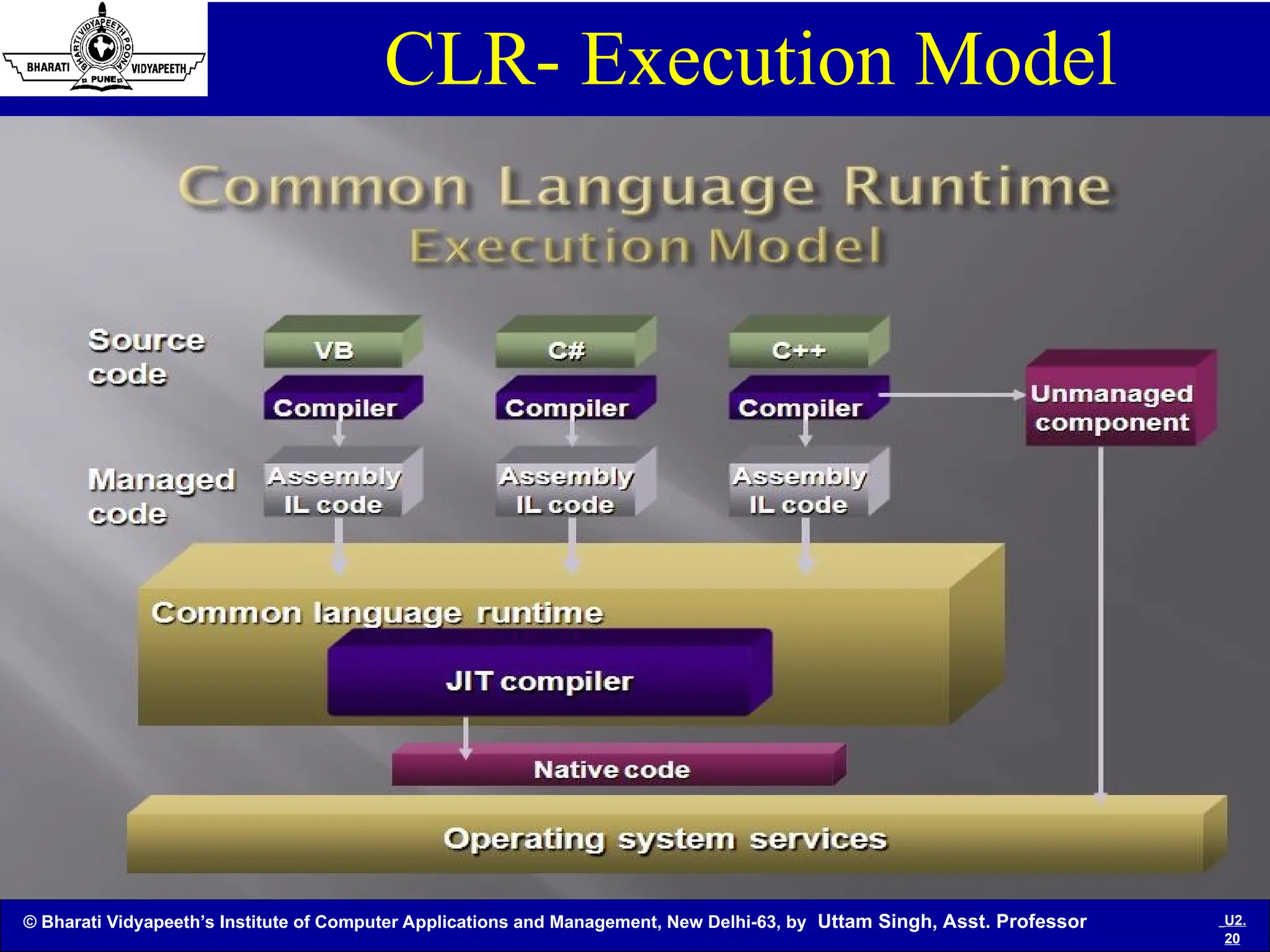
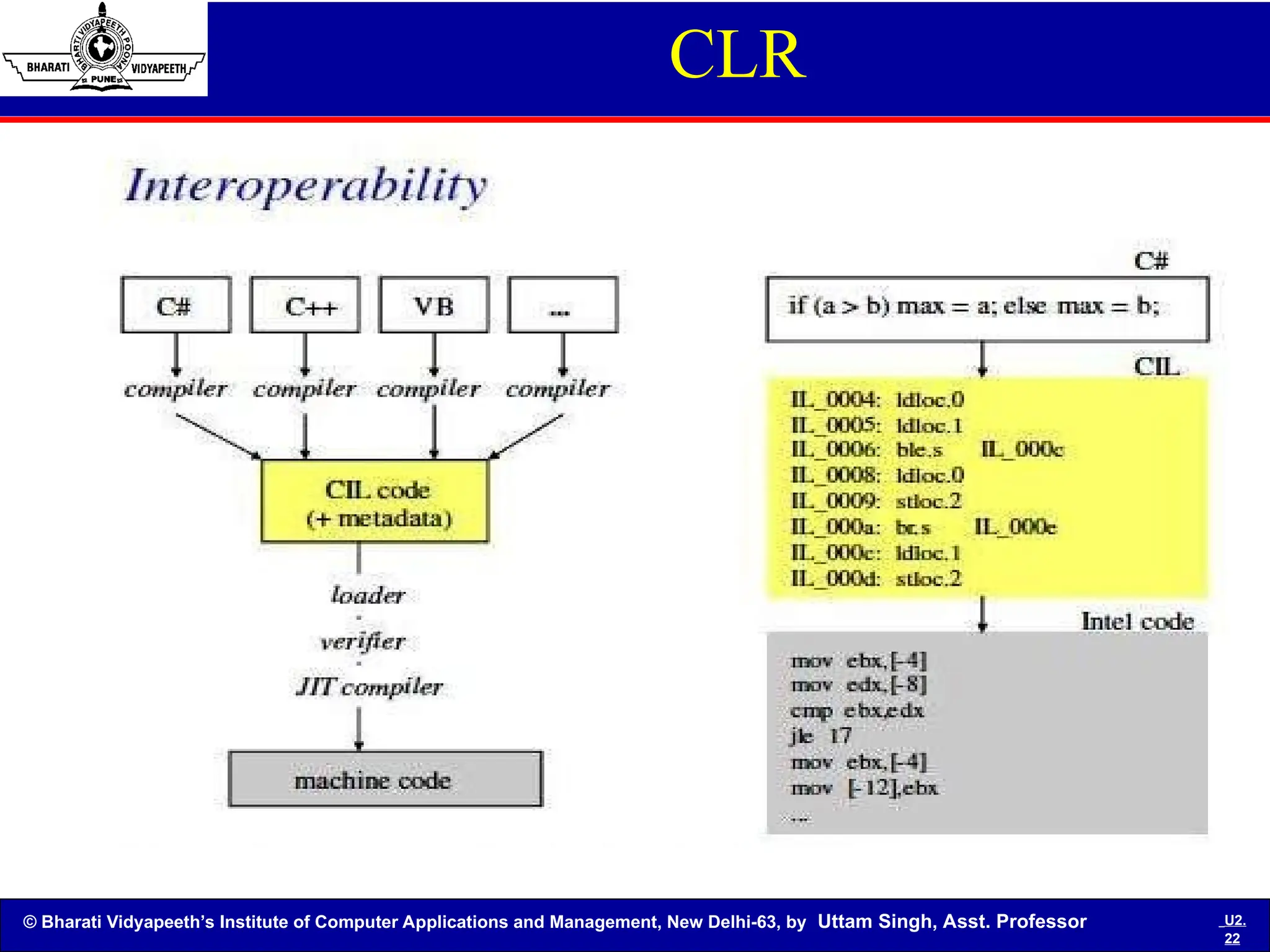
CLR- Execution Model
Execution Model
© Bharati Vidyapeeth’s Institute of Computer Applications and Management, New Delhi-63, by Uttam Singh, Asst. Professor U2.
21
Assembly
Assembly
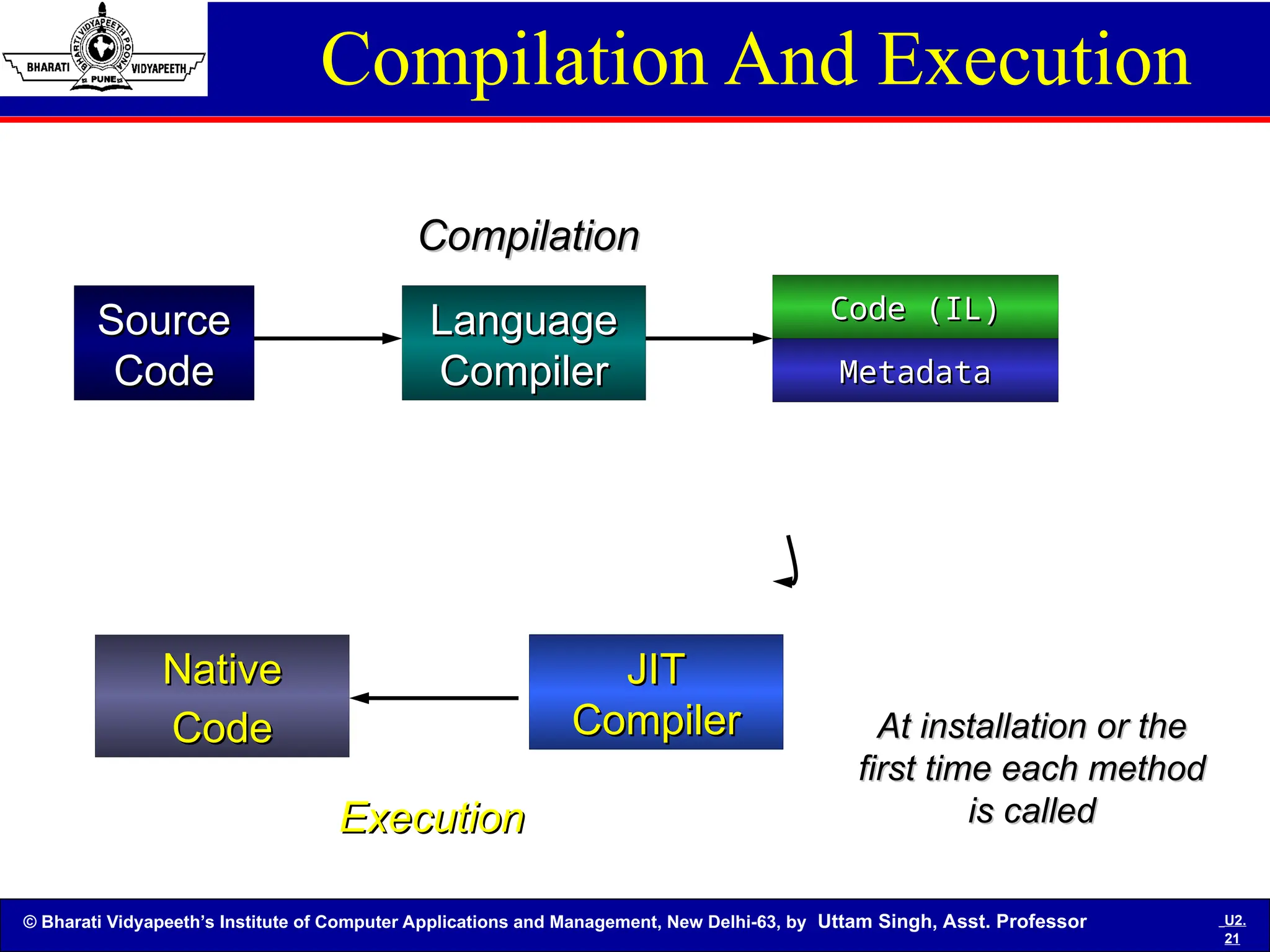
Compilation And Execution
Source
Source
Code
Code
Language
Language
Compiler
Compiler
Compilation
Compilation
At installation or the
first time each method
is called
is called
Execution
Execution
JIT
JIT
Compiler
Compiler
Native
Native
Code
Code
Code (IL)
Code (IL)
Metadata
Metadata
© Bharati Vidyapeeth’s Institute of Computer Applications and Management, New Delhi-63, by Uttam Singh, Asst. Professor U2.
22
CLR
© Bharati Vidyapeeth’s Institute of Computer Applications and Management, New Delhi-63, by Uttam Singh, Asst. Professor U2.
23
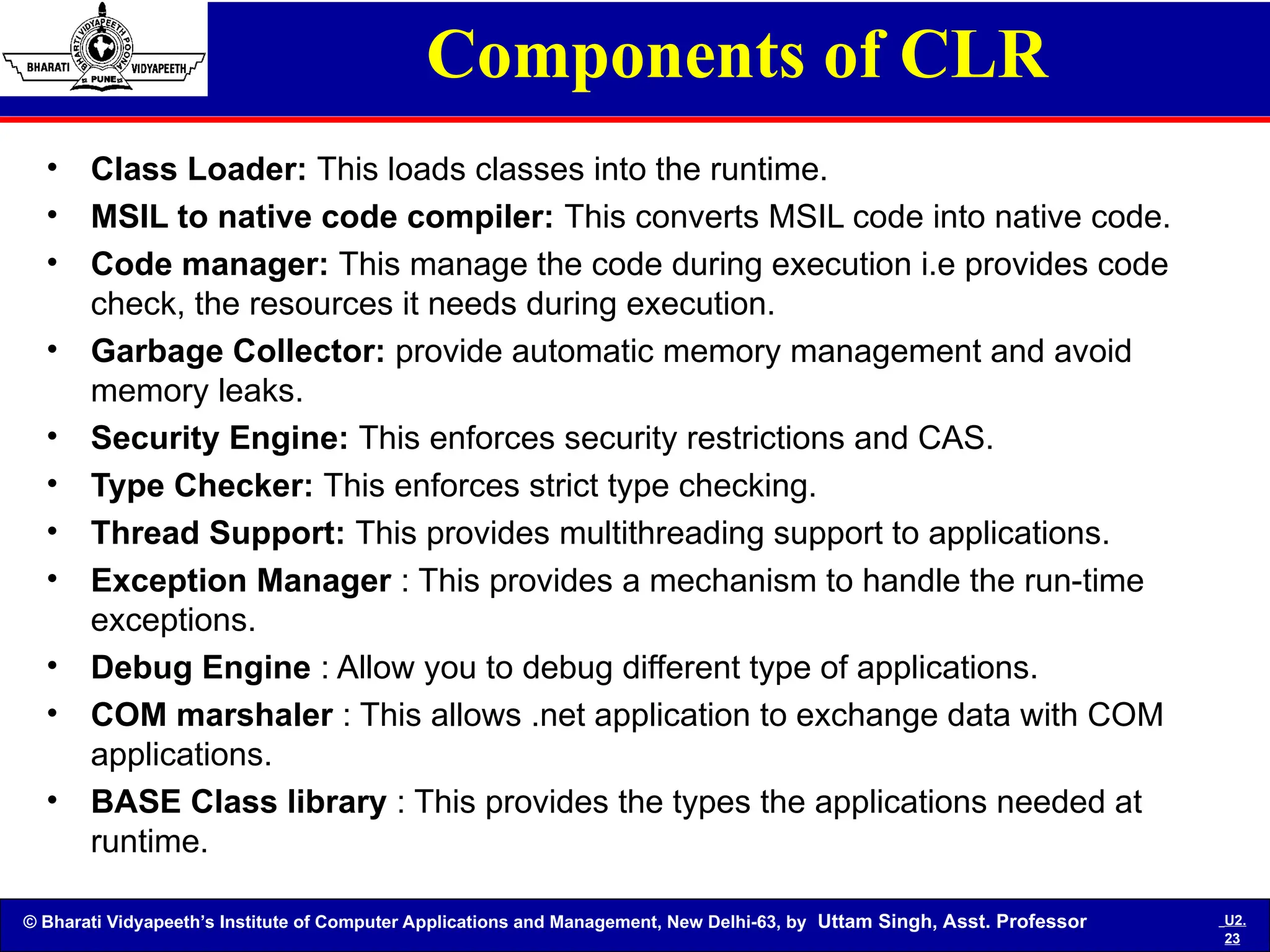
Components of CLR
• Class Loader: This loads classes into the runtime.
• MSIL to native code compiler: This converts MSIL code into native code.
• Code manager: This manage the code during execution i.e provides code
check, the resources it needs during execution.
• Garbage Collector: provide automatic memory management and avoid
memory leaks.
• Security Engine: This enforces security restrictions and CAS.
• Type Checker: This enforces strict type checking.
• Thread Support: This provides multithreading support to applications.
• Exception Manager : This provides a mechanism to handle the run-time
exceptions.
• Debug Engine : Allow you to debug different type of applications.
• COM marshaler : This allows .net application to exchange data with COM
applications.
• BASE Class library : This provides the types the applications needed at
runtime.
© Bharati Vidyapeeth’s Institute of Computer Applications and Management, New Delhi-63, by Uttam Singh, Asst. Professor U2.
24
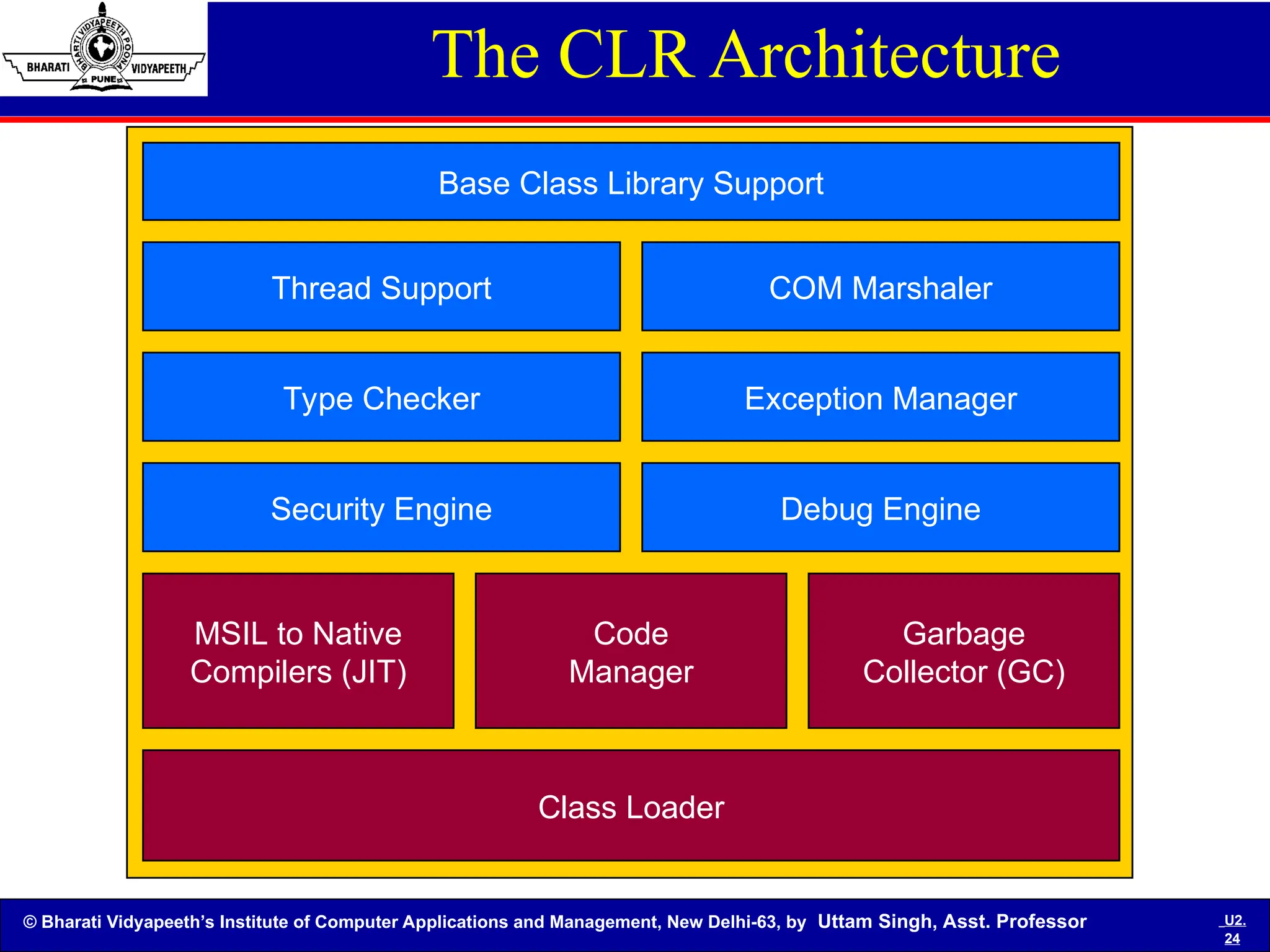
The CLR Architecture
Class Loader
MSIL to Native
Compilers (JIT)
Code
Manager
Garbage
Collector (GC)
Security Engine Debug Engine
Type Checker Exception Manager
Thread Support COM Marshaler
Base Class Library Support
© Bharati Vidyapeeth’s Institute of Computer Applications and Management, New Delhi-63, by Uttam Singh, Asst. Professor U2.
25
What is an assembly?
An Assembly is a logical unit of code
• Assembly physically exist as DLLs or EXEs
• One assembly can contain one or more files
• The constituent files can include any file types like image files, text
files etc. along with DLLs or EXEs
• When you compile your source code by default the exe/dll
generated is actually an assembly
• Unless your code is bundled as assembly it can not be used in any
other application
• When you talk about version of a component you are actually
talking about version of the assembly to which the component
belongs.
• Every assembly file contains information about itself. This
information is called as Assembly Manifest.
© Bharati Vidyapeeth’s Institute of Computer Applications and Management, New Delhi-63, by Uttam Singh, Asst. Professor U2.
26
Functions or Features:
• It contains the code that a CLR executes.
• MSIL code in a portable executable file will not be
executed if it doesn't contain the associated
assembly manifest.
• Each assembly can have only one entry point( that
is DllMain, WinMain, Main )
• It forms a security boundary. An assembly is a unit
at which permissions are requested and granted.
• Type Boundary: Every type identity includes the
name of the assembly in which its resides.
© Bharati Vidyapeeth’s Institute of Computer Applications and Management, New Delhi-63, by Uttam Singh, Asst. Professor U2.
27
Features Contd..
• Reference Scope Boundary: The assembly manifest
contains assembly metadata that is used for resolving
types and satisfying resources requests.
• Version Boundary: The assembly is the smallest
versionable unit in the CLR, all types and resources in the
same assembly are versioned as a unit.
• It forms a deployment unit: When an application starts,
only the assemblies that the application initially calls must
be present. Other assemblies, such as localization
resources or assemblies containing utility classes can be
retrieved on demand.
© Bharati Vidyapeeth’s Institute of Computer Applications and Management, New Delhi-63, by Uttam Singh, Asst. Professor U2.
28
There are three types of assembly.
1.Private Assembly
2.Shared Assembly
3.Satellite Assembly
Types of Assembly
© Bharati Vidyapeeth’s Institute of Computer Applications and Management, New Delhi-63, by Uttam Singh, Asst. Professor U2.
29
Types of Assembly
1. Private Assembly:-
These are those assemblies, which are used by single
application and are stored in the application directory or a
sub-directory beneath.
• Here the scope of this assembly is limited to the application
itself and this assembly can't be shared by multiple
assemblies.
• If you want to use this private assembly, you have to either
copy this assembly or paste under the bin folder or you
can create the reference of this assembly using the Add
reference dialog box and use this assembly.
• The limitation with the private assembly is that it can't be
accessed by two application.
© Bharati Vidyapeeth’s Institute of Computer Applications and Management, New Delhi-63, by Uttam Singh, Asst. Professor U2.
30
Types of Assembly Contd…
2. Shared Assembly:-
• A shared assembly can be used by multiple
assemblies.
• A shared assembly is normally stored in GAC
(Global Assembly Cache), which is a repository of
assemblies maintained by the .Net runtime.
• Shared assemblies are usually libraries of code
which many applications will find useful e.g. crystal
report classes which will be used by all application
for reports.
© Bharati Vidyapeeth’s Institute of Computer Applications and Management, New Delhi-63, by Uttam Singh, Asst. Professor U2.
31
Types of Assembly Contd…
3. Satellite Assembly:-
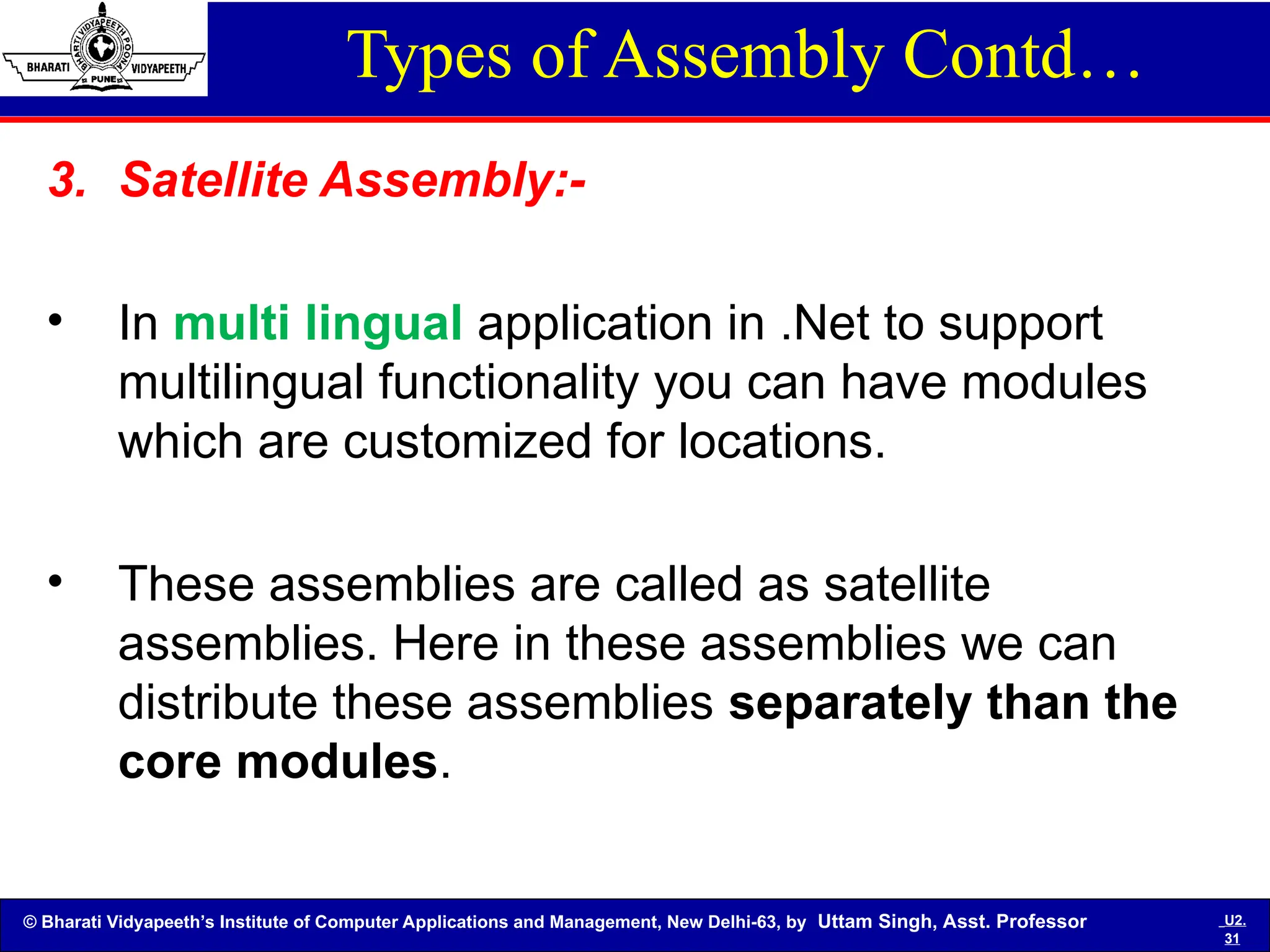
• In multi lingual application in .Net to support
multilingual functionality you can have modules
which are customized for locations.
• These assemblies are called as satellite
assemblies. Here in these assemblies we can
distribute these assemblies separately than the
core modules.
© Bharati Vidyapeeth’s Institute of Computer Applications and Management, New Delhi-63, by Uttam Singh, Asst. Professor U2.
32
Namespace
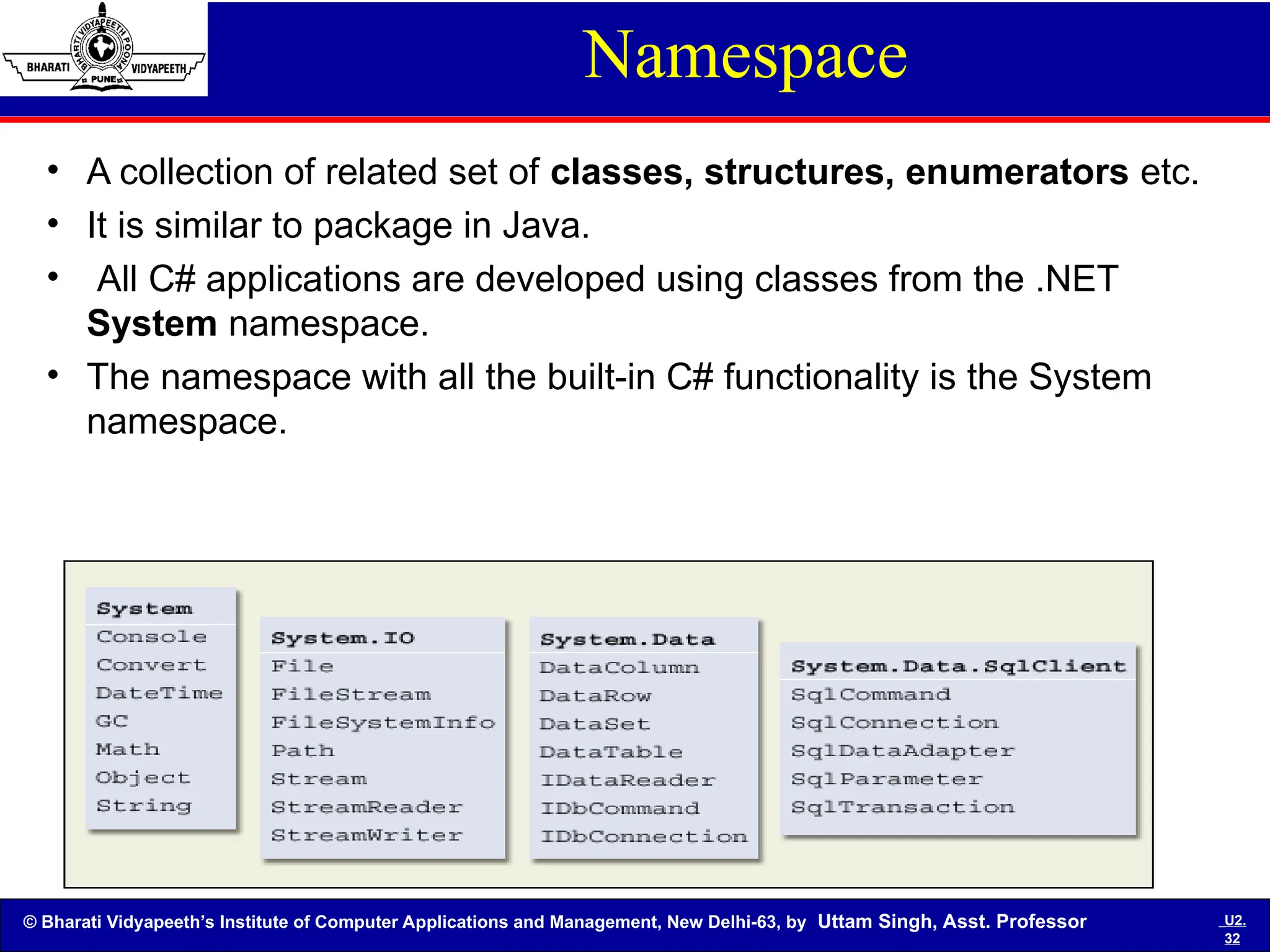
• A collection of related set of classes, structures, enumerators etc.
• It is similar to package in Java.
• All C# applications are developed using classes from the .NET
System namespace.
• The namespace with all the built-in C# functionality is the System
namespace.
© Bharati Vidyapeeth’s Institute of Computer Applications and Management, New Delhi-63, by Uttam Singh, Asst. Professor U2.
33
Some Important Namespaces
• System: Includes essential classes and base classes for commonly
used data types, events, exceptions and so on
• System.Collections: Includes classes and interfaces that define
various collection of objects such as list, queues, hash tables, arrays,
etc
• System.Data: Includes classes which lets us handle data from data
sources
• System.Data.OleDb: Includes classes that support the OLEDB .NET
provider
• System.Data.SqlClient: Includes classes that support the SQL
Server .NET provider
• System.Diagnostics: Includes classes that allow to debug our
application and to step through our code
• System.Drawing: Provides access to drawing methods
© Bharati Vidyapeeth’s Institute of Computer Applications and Management, New Delhi-63, by Uttam Singh, Asst. Professor U2.
34
Namespaces Contd…
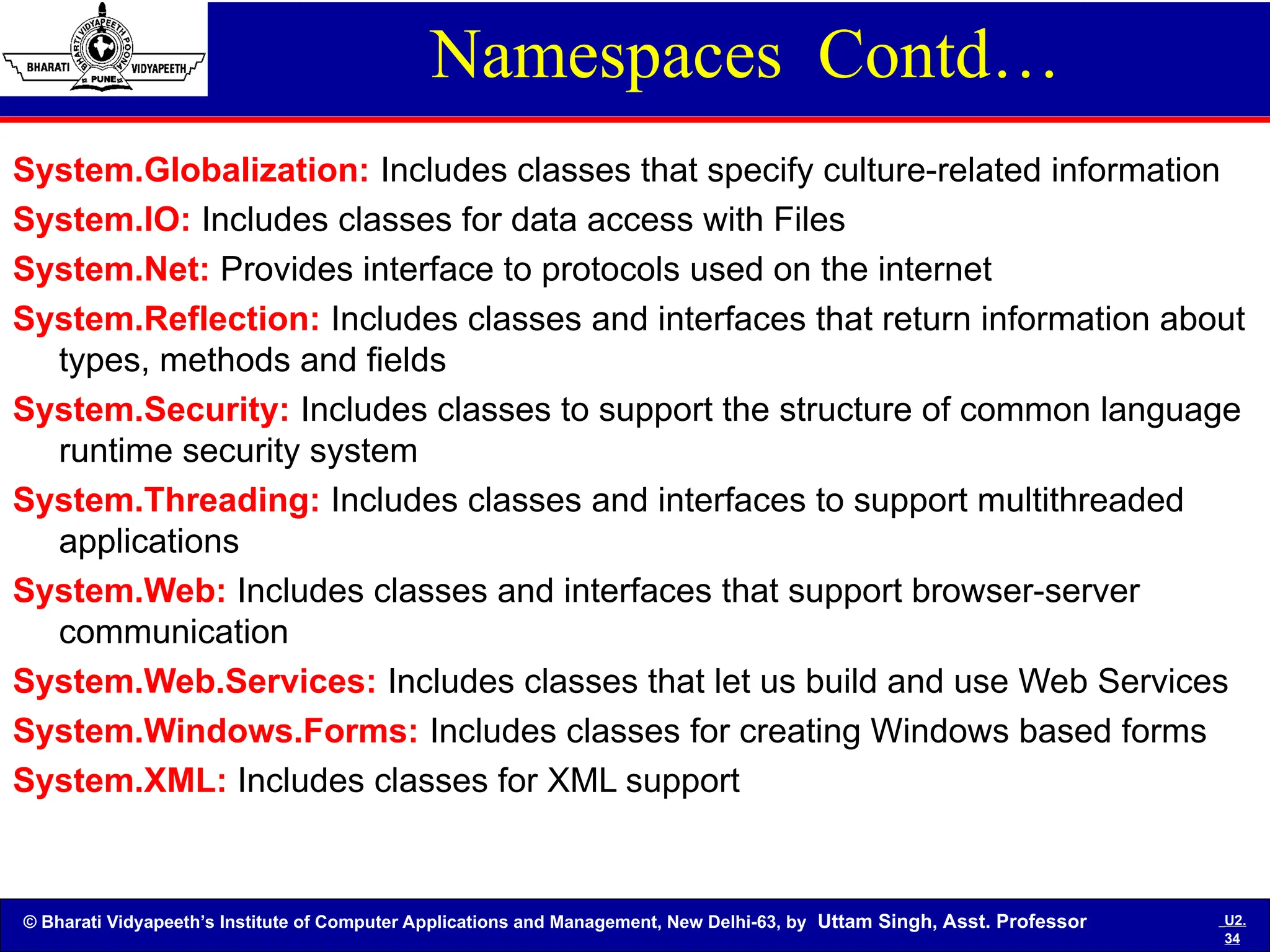
System.Globalization: Includes classes that specify culture-related information
System.IO: Includes classes for data access with Files
System.Net: Provides interface to protocols used on the internet
System.Reflection: Includes classes and interfaces that return information about
types, methods and fields
System.Security: Includes classes to support the structure of common language
runtime security system
System.Threading: Includes classes and interfaces to support multithreaded
applications
System.Web: Includes classes and interfaces that support browser-server
communication
System.Web.Services: Includes classes that let us build and use Web Services
System.Windows.Forms: Includes classes for creating Windows based forms
System.XML: Includes classes for XML support
© Bharati Vidyapeeth’s Institute of Computer Applications and Management, New Delhi-63, by Uttam Singh, Asst. Professor U2.
35
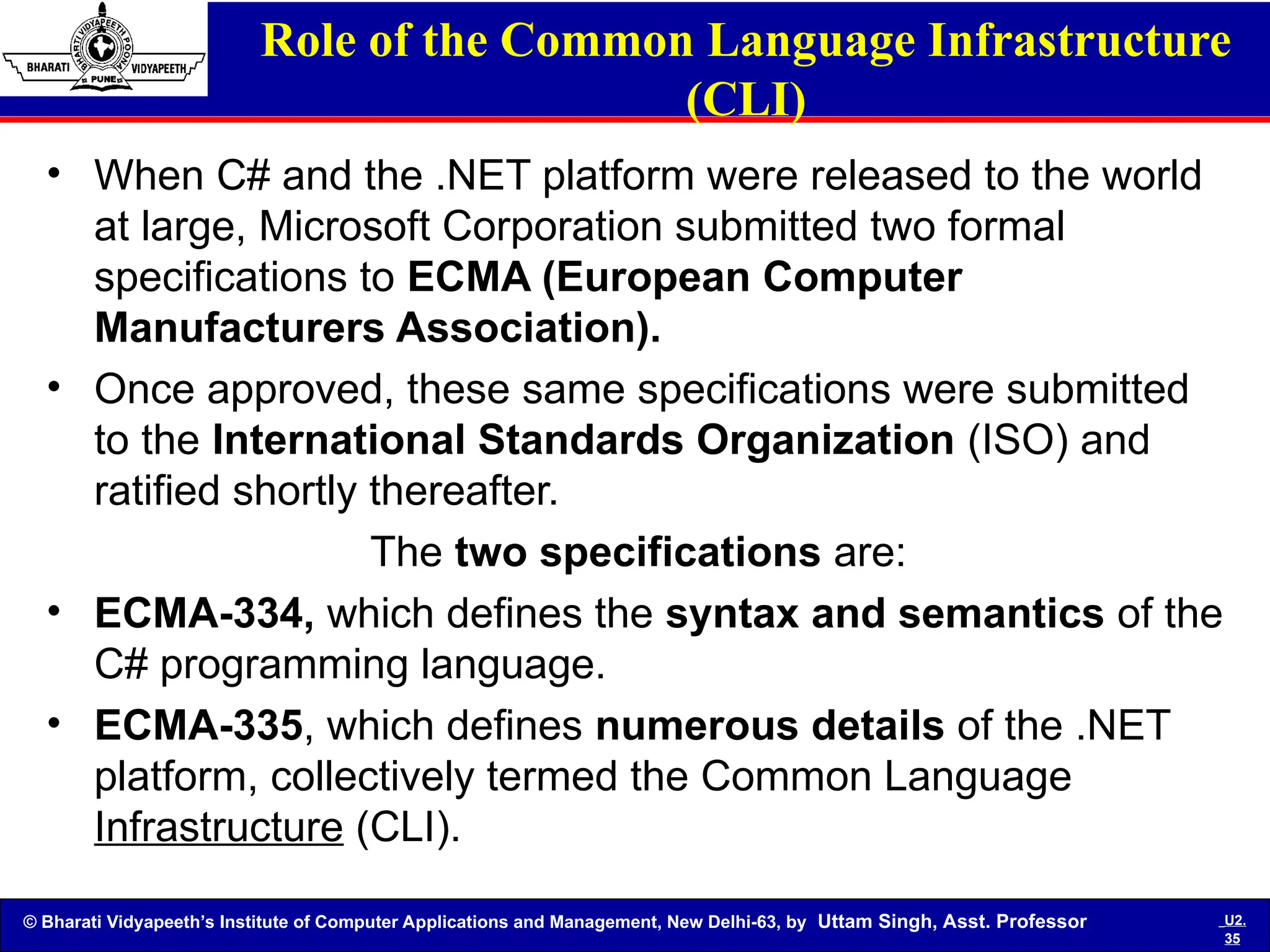
Role of the Common Language Infrastructure
(CLI)
• When C# and the .NET platform were released to the world
at large, Microsoft Corporation submitted two formal
specifications to ECMA (European Computer
Manufacturers Association).
• Once approved, these same specifications were submitted
to the International Standards Organization (ISO) and
ratified shortly thereafter.
The two specifications are:
• ECMA-334, which defines the syntax and semantics of the
C# programming language.
• ECMA-335, which defines numerous details of the .NET
platform, collectively termed the Common Language
Infrastructure (CLI).
© Bharati Vidyapeeth’s Institute of Computer Applications and Management, New Delhi-63, by Uttam Singh, Asst. Professor U2.
36
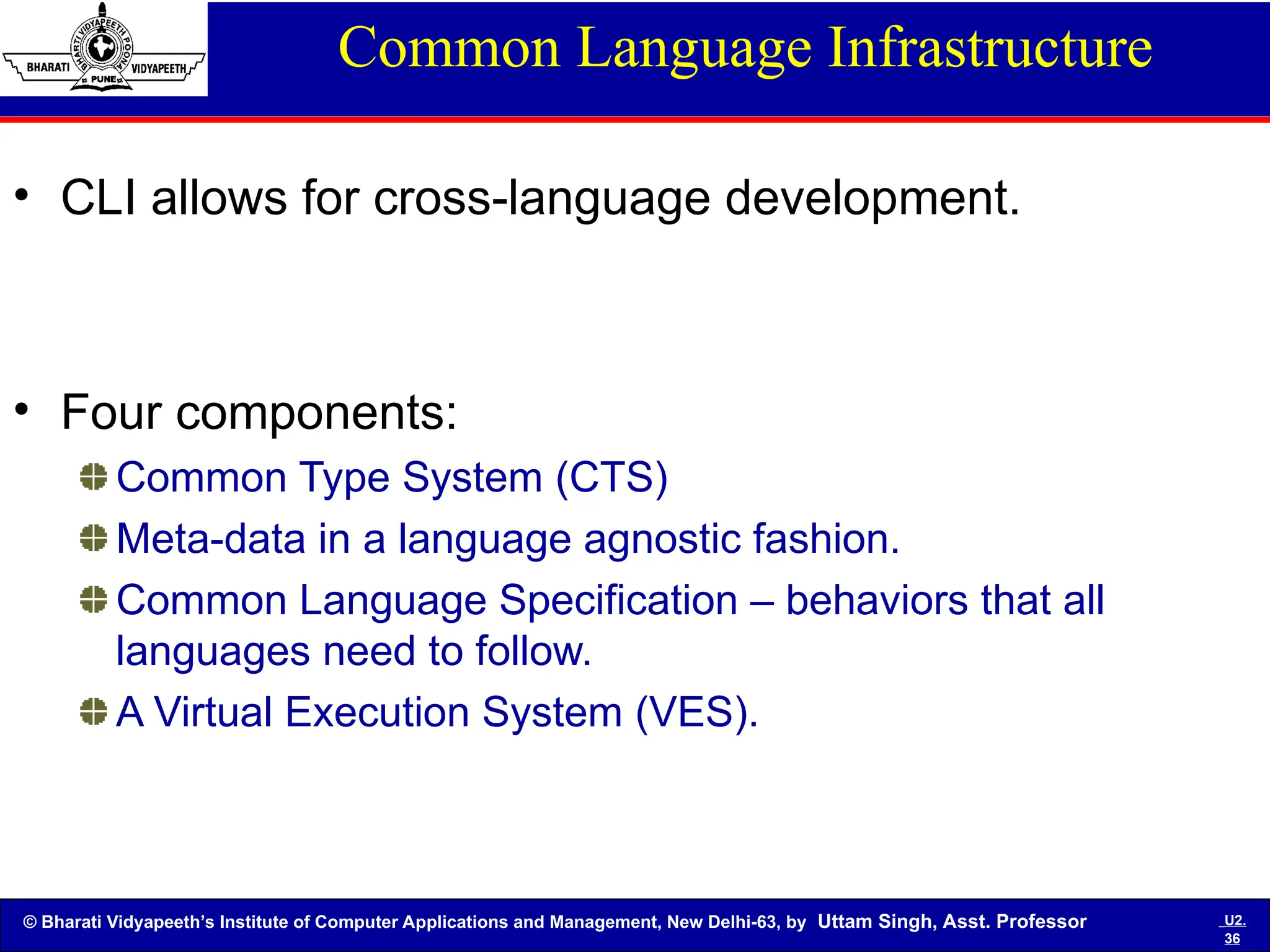
Common Language Infrastructure
• CLI allows for cross-language development.
• Four components:
Common Type System (CTS)
Meta-data in a language agnostic fashion.
Common Language Specification – behaviors that all
languages need to follow.
A Virtual Execution System (VES).
© Bharati Vidyapeeth’s Institute of Computer Applications and Management, New Delhi-63, by Uttam Singh, Asst. Professor U2.
37
Common Language Infrastructure
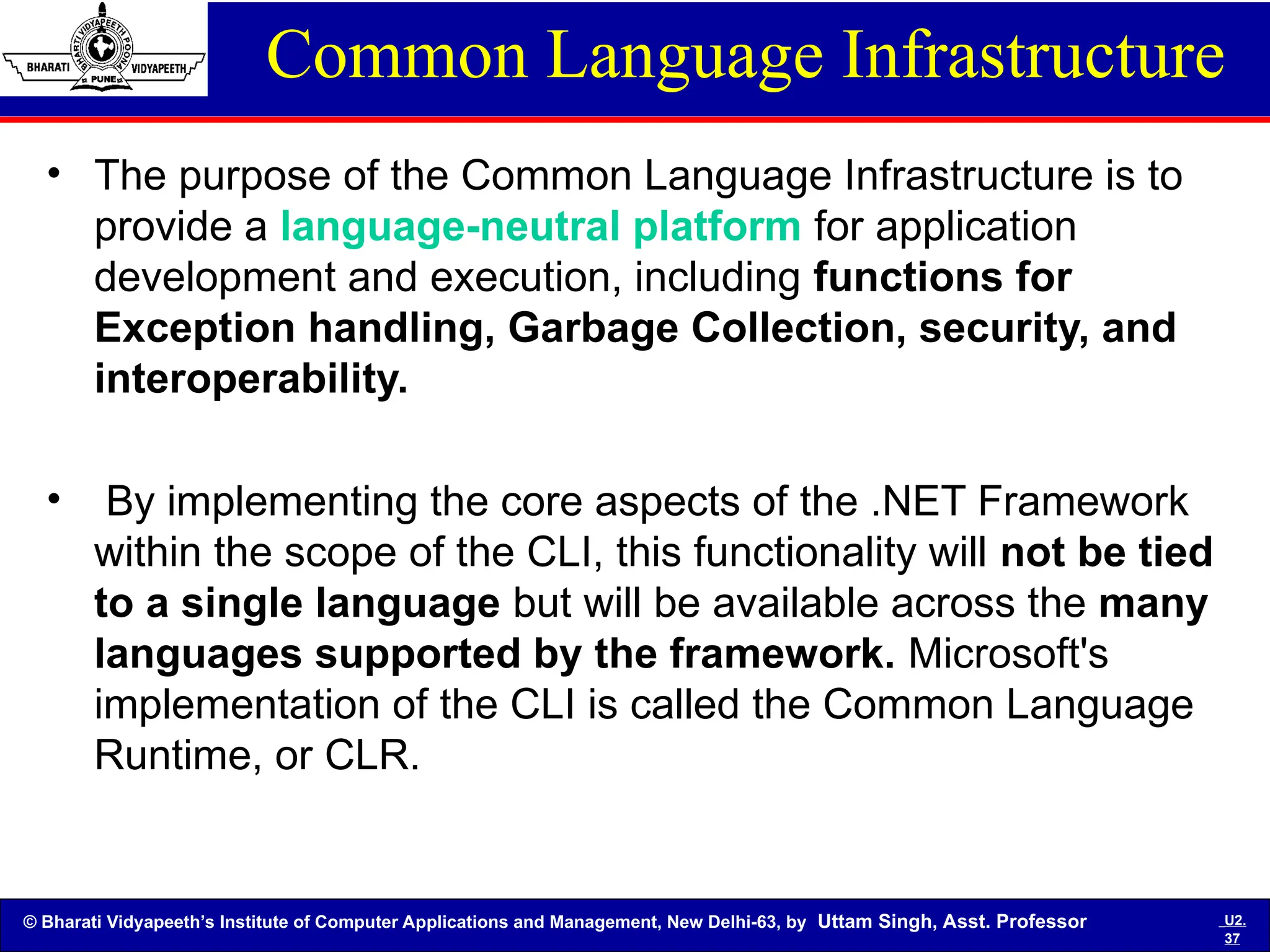
• The purpose of the Common Language Infrastructure is to
provide a language-neutral platform for application
development and execution, including functions for
Exception handling, Garbage Collection, security, and
interoperability.
• By implementing the core aspects of the .NET Framework
within the scope of the CLI, this functionality will not be tied
to a single language but will be available across the many
languages supported by the framework. Microsoft's
implementation of the CLI is called the Common Language
Runtime, or CLR.
© Bharati Vidyapeeth’s Institute of Computer Applications and Management, New Delhi-63, by Uttam Singh, Asst. Professor U2.
38
Common Language Infrastructure
The CLI specification describes the following four
aspects
• The Common Type System (CTS) A set of data
types and operations that are shared by all CTS-
compliant programming languages.
• Metadata : Information about program structure is
language-agnostic, so that it can be referenced
between languages and tools, making it easy to
work with code written in a language you are not
using.
© Bharati Vidyapeeth’s Institute of Computer Applications and Management, New Delhi-63, by Uttam Singh, Asst. Professor U2.
39
Common Language Infrastructure
• Common Language Specification (CLS) A set of
base rules to which any language targeting the CLI
should conform in order to interoperate with other
CLS-compliant languages. The CLS rules define a
subset of the Common Type System.
• Virtual Execution System (VES) The VES loads
and executes CLI-compatible programs, using the
metadata to combine separately generated pieces
of code at runtime.
© Bharati Vidyapeeth’s Institute of Computer Applications and Management, New Delhi-63, by Uttam Singh, Asst. Professor U2.
40
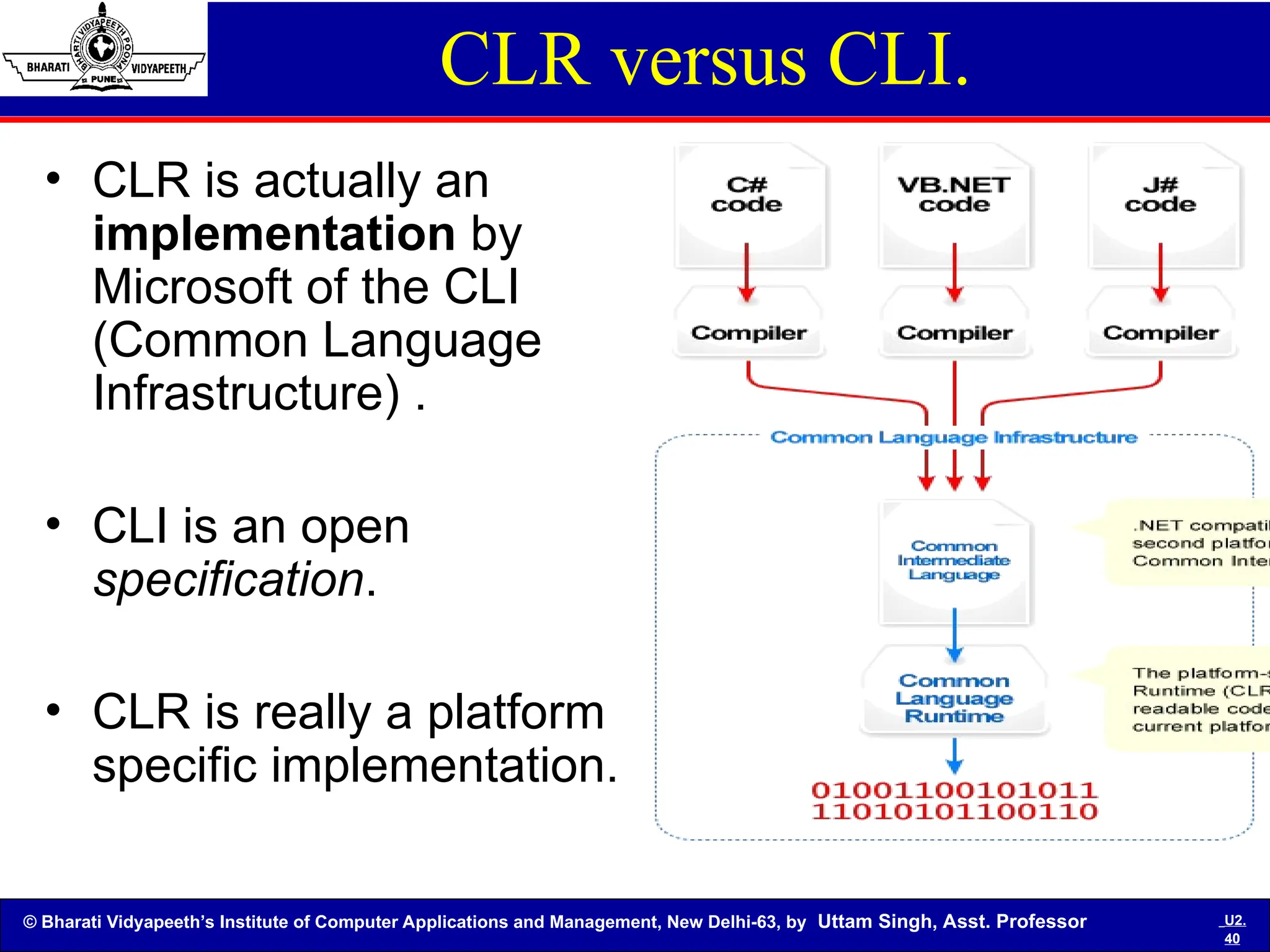
CLR versus CLI.
• CLR is actually an
implementation by
Microsoft of the CLI
(Common Language
Infrastructure) .
• CLI is an open
specification.
• CLR is really a platform
specific implementation.
© Bharati Vidyapeeth’s Institute of Computer Applications and Management, New Delhi-63, by Uttam Singh, Asst. Professor U2.
41
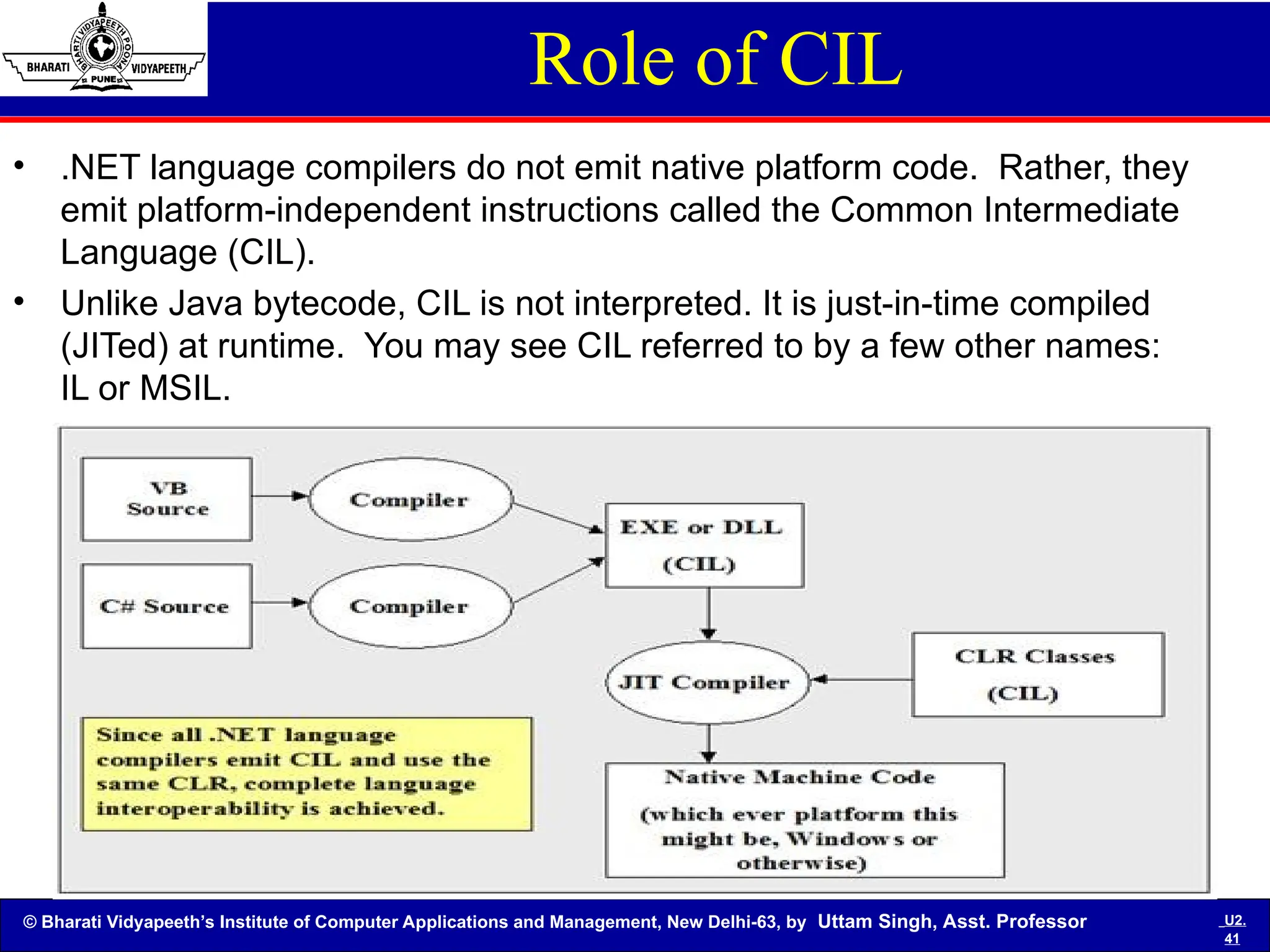
Role of CIL
• .NET language compilers do not emit native platform code. Rather, they
emit platform-independent instructions called the Common Intermediate
Language (CIL).
• Unlike Java bytecode, CIL is not interpreted. It is just-in-time compiled
(JITed) at runtime. You may see CIL referred to by a few other names:
IL or MSIL.
© Bharati Vidyapeeth’s Institute of Computer Applications and Management, New Delhi-63, by Uttam Singh, Asst. Professor U2.
42
What is Mono/ Platform independent
• Mono is a software platform
designed to allow developers to
easily create cross platform
applications.
• It is an open source implementation
of Microsoft's .Net Framework
based on the ECMA standards for
C# and the Common Language
Runtime.
© Bharati Vidyapeeth’s Institute of Computer Applications and Management, New Delhi-63, by Uttam Singh, Asst. Professor U2.
43
MONO
• Mono can be run on Android, BSD, iOS, Linux, Mac
OS X, Windows, Solaris, and Unix operating
systems as well as some game console operating
systems such as the ones for the PlayStation 3, Wii
, and Xbox 360.
• Mono is a free and open source project led by
Xamarin (formerly by Novell and originally by
Ximian) to create an Ecma standard
compliant .NET-compatible set of tools including,
among others, a C# compiler and a Common
Language Runtime.
© Bharati Vidyapeeth’s Institute of Computer Applications and Management, New Delhi-63, by Uttam Singh, Asst. Professor U2.
44
The Components
There are several components that make up Mono:
• C# Compiler - Mono's C# compiler is feature complete for C# 1.0, 2.0,
3.0, and 4.0 (ECMA).
• Mono Runtime - The runtime implements the ECMA Common
Language Infrastructure (CLI). The runtime provides a Just-in-Time (JIT)
compiler, an Ahead-of-Time compiler (AOT), a library loader, the
garbage collector, a threading system and interoperability functionality.
• Base Class Library - The Mono platform provides a comprehensive set
of classes that provide a solid foundation to build applications on. These
classes are compatible with Microsoft's .Net Framework classes.
• Mono Class Library - Mono also provides many classes that go above
and beyond the Base Class Library provided by Microsoft. These
provide additional functionality that are useful, especially in building
Linux applications. Some examples are classes for Gtk+, Zip files,
LDAP, OpenGL, Cairo, POSIX, etc.
© Bharati Vidyapeeth’s Institute of Computer Applications and Management, New Delhi-63, by Uttam Singh, Asst. Professor U2.
45
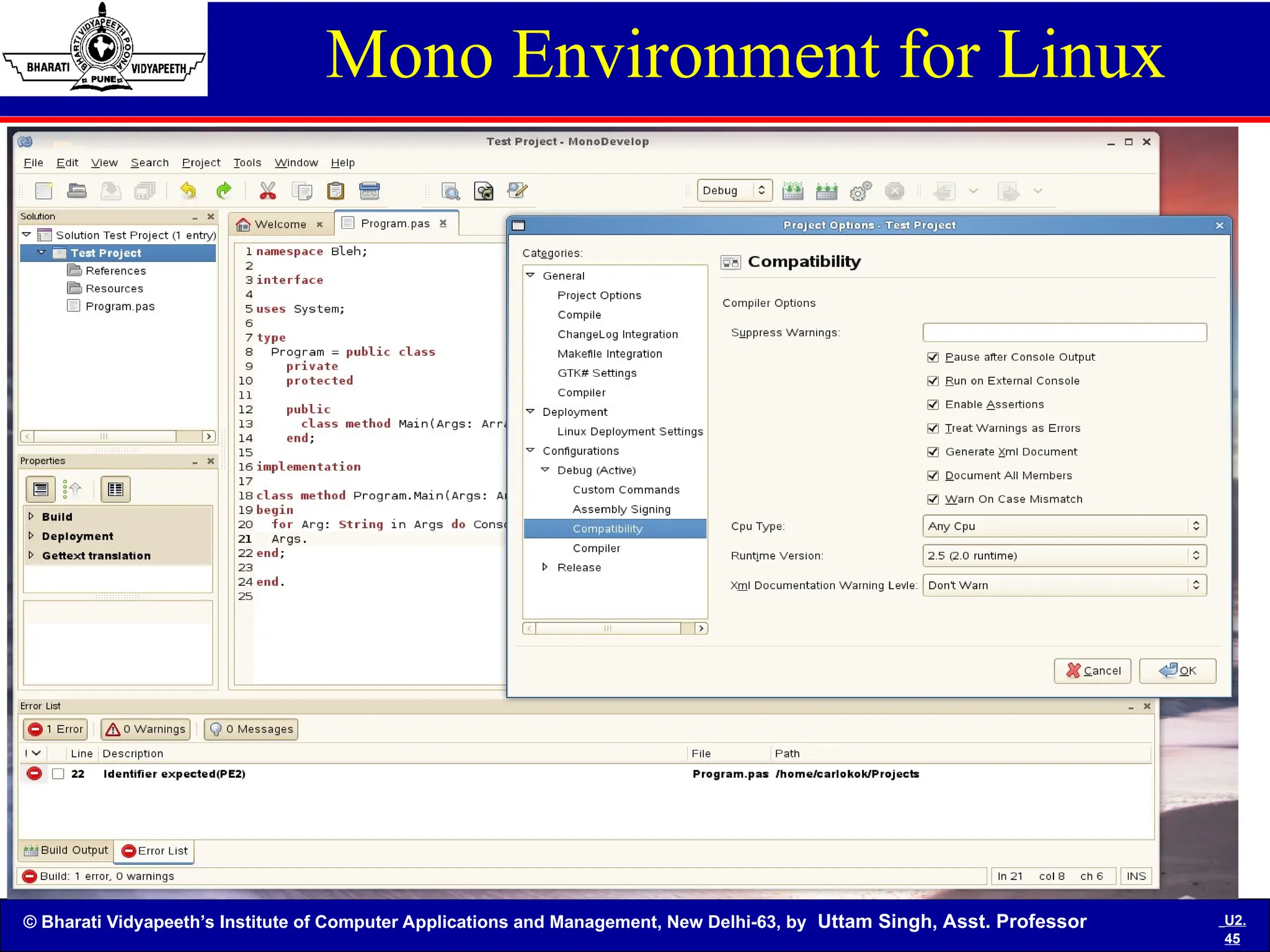
Mono Environment for Linux
© Bharati Vidyapeeth’s Institute of Computer Applications and Management, New Delhi-63, by Uttam Singh, Asst. Professor U2.
46
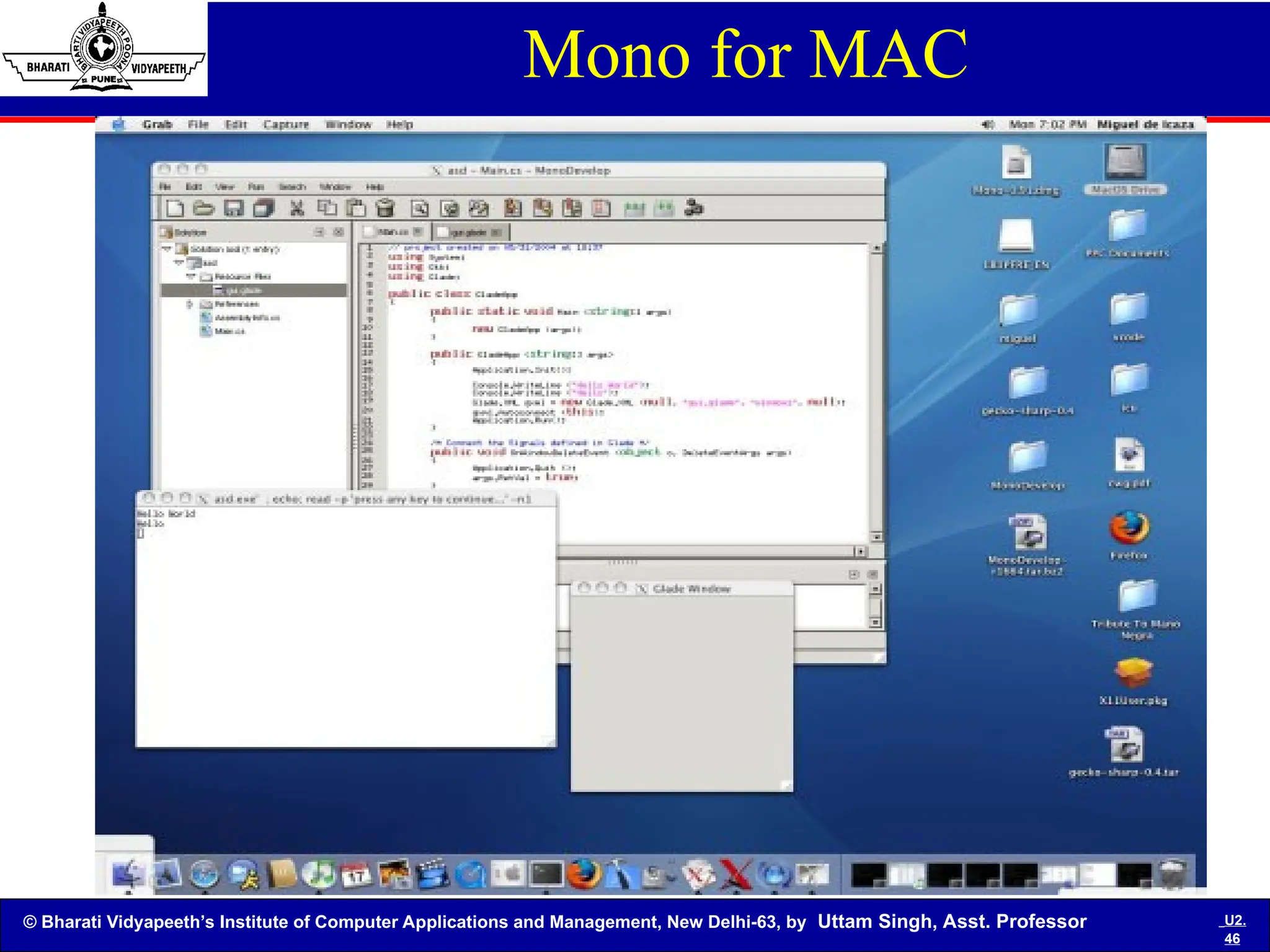
Mono for MAC
© Bharati Vidyapeeth’s Institute of Computer Applications and Management, New Delhi-63, by Uttam Singh, Asst. Professor U2.
47
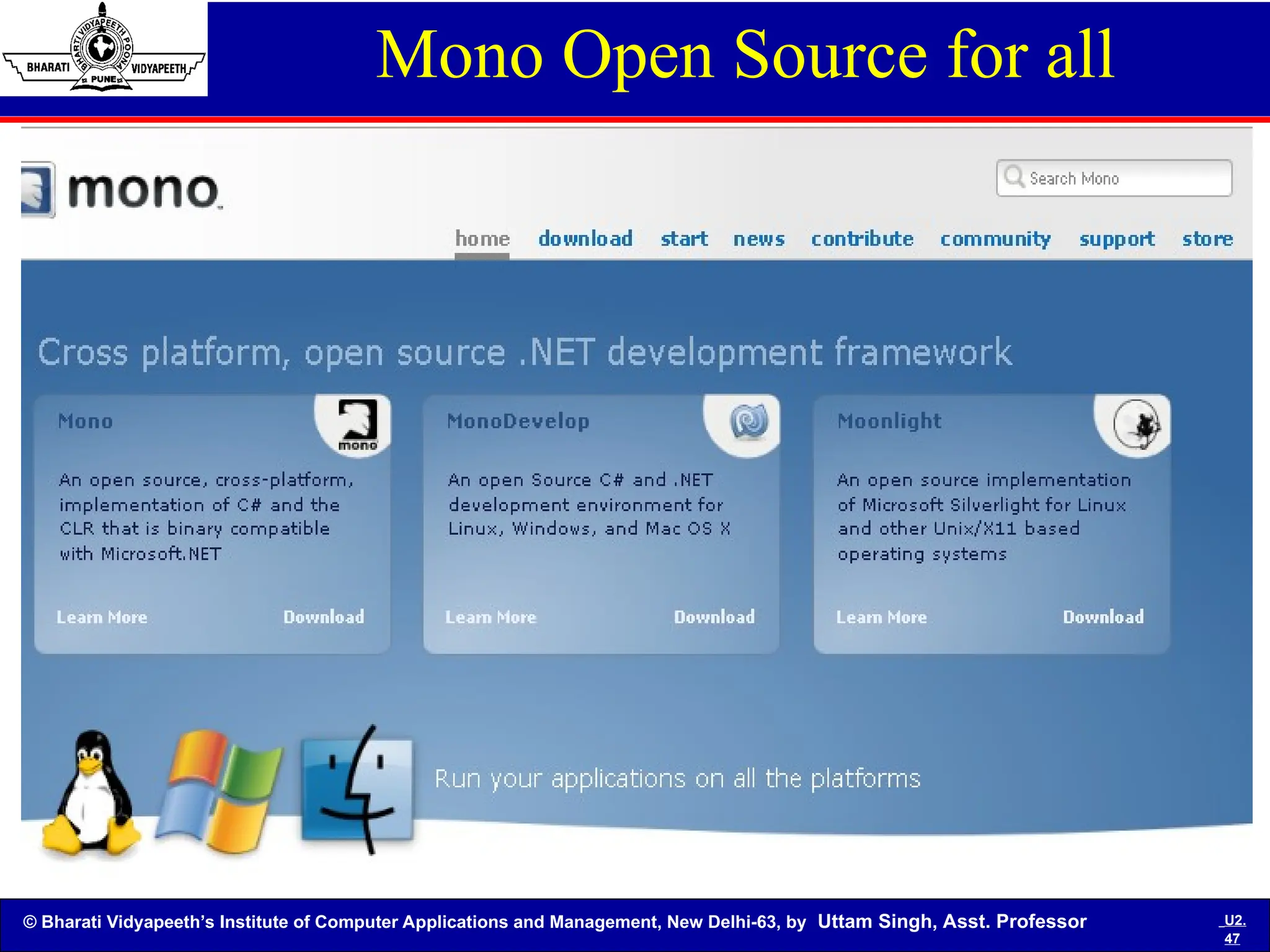
Mono Open Source for all
© Bharati Vidyapeeth’s Institute of Computer Applications and Management, New Delhi-63, by Uttam Singh, Asst. Professor U2.
48
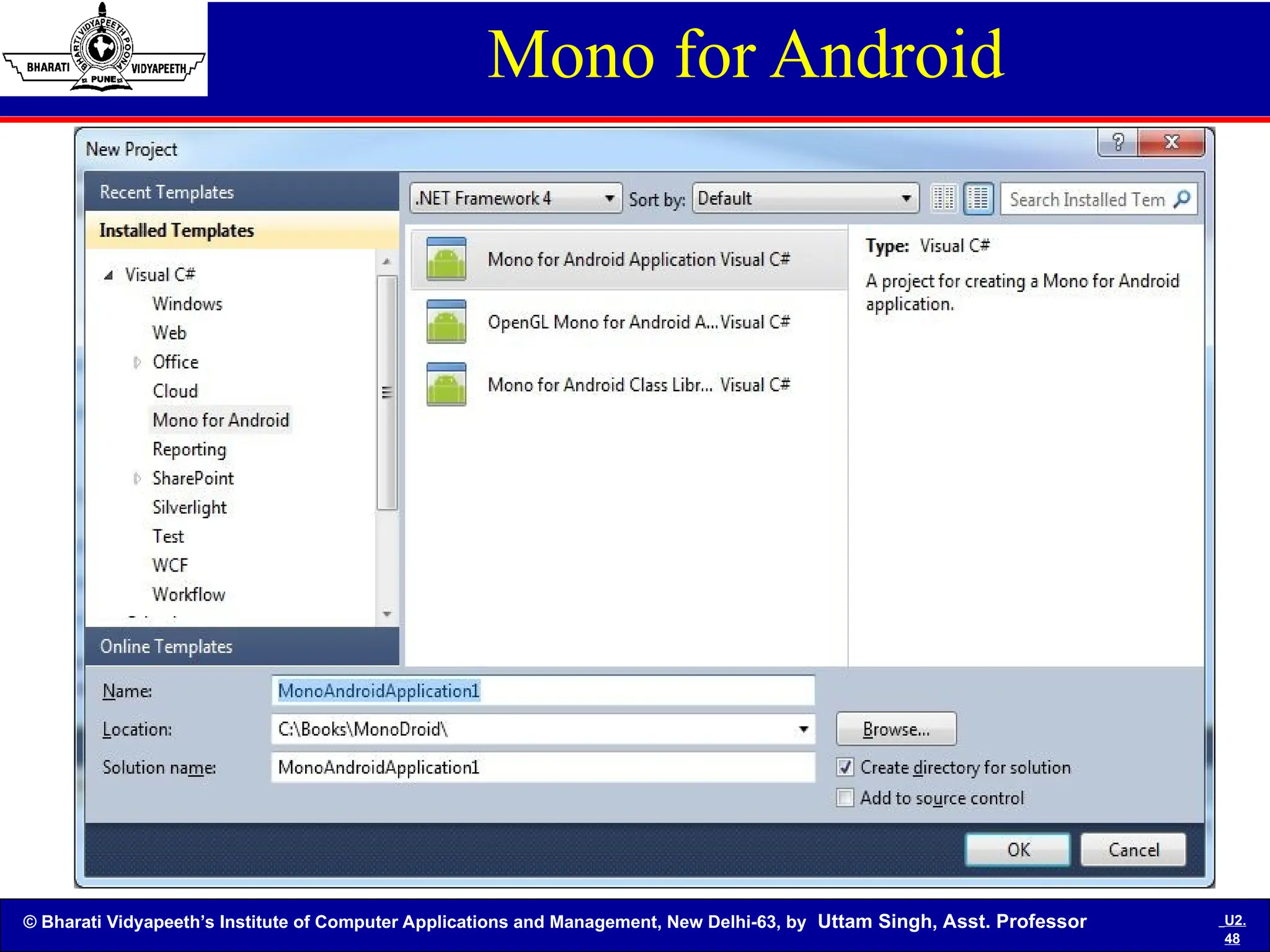
Mono for Android
© Bharati Vidyapeeth’s Institute of Computer Applications and Management, New Delhi-63, by Uttam Singh, Asst. Professor U2.
49
The Benefits
There are many benefits to choosing Mono for application
development:
• Popularity - Built on the success of .Net, there are millions of
developers that have experience building applications in C#. There
are also tens of thousands of books, websites, tutorials, and
example source code to help with any imaginable problem.
• Higher-Level Programming - All Mono languages benefit from
many features of the runtime, like automatic memory management,
reflection, generics, and threading. These features allow you to
concentrate on writing your application instead of writing system
infrastructure code.
• Base Class Library - Having a comprehensive class library
provides thousands of built in classes to increase productivity.
Need socket code or a hashtable? There's no need to write your
own as it's built into the platform.
© Bharati Vidyapeeth’s Institute of Computer Applications and Management, New Delhi-63, by Uttam Singh, Asst. Professor U2.
50
The Benefits
• Cross Platform - Mono is built to be cross platform. Mono
runs on Linux, Microsoft Windows, Mac OS X, BSD, and Sun
Solaris, Nintendo Wii, Sony PlayStation 3, Apple iPhone. It
also runs on x86, x86-64, IA64, PowerPC, SPARC (32), ARM,
Alpha, s390, s390x (32 and 64 bits) and more. Developing your
application with Mono allows you to run on nearly any computer in
existence.
• Common Language Runtime (CLR) - The CLR allows you to
choose the programming language you like best to work with, and
it can interoperate with code written in any other CLR language.
For example, you can write a class in C#, inherit from it in VB.Net,
and use it in Eiffel. You can choose to write code in Mono in a
variety of programming languages.
© Bharati Vidyapeeth’s Institute of Computer Applications and Management, New Delhi-63, by Uttam Singh, Asst. Professor U2.
51
Short Questions
• What is Common Language Infrastructure (CLI) .Explain
the role of it?
• What is Common Type System (CTS) explain with
points?
• What is Common Language Specification (CLS) give
some points?
• Write some difference point between class library and
console application projects?
• What is managed and unmanaged code with diagram?
• What is namespace ? Explain the use of any five
namespaces?
• What is JIT compiler and write the types of it ?
© Bharati Vidyapeeth’s Institute of Computer Applications and Management, New Delhi-63, by Uttam Singh, Asst. Professor U2.
52
Short Questions
• What is the role of Common Type System (CTS) ?
• What is Common Language Specification (CLS)
Explain ?
• Write short notes on the following:
1.Assembly
2.metadata
3.namespace
4.type distinction
• What is managed and unmanaged code?
• What is JIT compiler and explain the types of it?
© Bharati Vidyapeeth’s Institute of Computer Applications and Management, New Delhi-63, by Uttam Singh, Asst. Professor U2.
53
Long Questions
• What is .NET frame work. Explain the architecture
of it ?
• Explain the working of Common Language
Runtime?
• What are the features of .NET framework ?
• What is assembly, explain the type of assembly in
detail?
• What is Mono project explain the Portable .NET
distributions of it ?
• What is common language specification explain in
detail?
© Bharati Vidyapeeth’s Institute of Computer Applications and Management, New Delhi-63, by Uttam Singh, Asst. Professor U2.
54
References
Books:
• The Complete Reference C# 4.0 ,Tata Mc Graw –Hill Edition,
Herbert Schildt [Herbert Schildt]
• C# 2010 for Programmers, Pearson Education, Paul J. Deitel,
Harvey M. Deitel [Paul]
Web:
• http://download.microsoft.com/download/8/e/7/8e725d96-7ec3-
498b-9fa7-86779aed101f/dotnet%20tutorial%20for%20beginners.pdf
• http://www.visualbuilder.com/dotnet/tutorial
• http://www.c-sharpcorner.com/

C# wrokig based topics for students in advanced programming

  • 1.
    © Bharati Vidyapeeth’sInstitute of Computer Applications and Management, New Delhi-63, by Uttam Singh, Asst. Professor U2.1 C# Programming Unit -1
  • 2.
    © Bharati Vidyapeeth’sInstitute of Computer Applications and Management, New Delhi-63, by Uttam Singh, Asst. Professor U2.2 • The CLR and .NET Framework: Understand the motivation behind the .NET platform, • Common Language Infrastructure (CLI). • Common Type System (CTS), • Common Language Specification (CLS) • Common Language Runtime (CLR), • Assembly, metadata, namespace, type distinction, Contrast single-file and multi-file assemblies, • Common Intermediate Language (CIL), • Platform independent .NET(Mono / Portable .NET distributions). Objectives
  • 3.
    © Bharati Vidyapeeth’sInstitute of Computer Applications and Management, New Delhi-63, by Uttam Singh, Asst. Professor U2.3 What is .NET : • A robust development and runtime environment. • A platform for building fast web and desktop applications. • Programming language agnostic. A set of specifications submitted to ECMA to allow ports to non-Windows operating systems. • A runtime that provides memory management and type verification.
  • 4.
    © Bharati Vidyapeeth’sInstitute of Computer Applications and Management, New Delhi-63, by Uttam Singh, Asst. Professor U2.4 What is the .NET Framework? • The .NET Framework is a new and revolutionary platform created by Microsoft for developing applications. • It is a platform for application developers. • It is a Framework that supports Multiple Language and Cross language integration. • It has IDE (Integrated Development Environment). • Framework is a set of utilities or can say building blocks of your application system.
  • 5.
    © Bharati Vidyapeeth’sInstitute of Computer Applications and Management, New Delhi-63, by Uttam Singh, Asst. Professor U2.5 • .NET is a platform independent but with help of Mono Compilation System (MCS). MCS is a middle level interface. • .NET Framework provides interoperability between languages i.e. Common Type System (CTS) . • .NET Framework also includes the .NET Common Language Runtime (CLR), which is responsible for maintaining the execution of all applications developed using the .NET library. • The .NET Framework consists primarily of a gigantic library of code. .NET Framework Contd…
  • 6.
    © Bharati Vidyapeeth’sInstitute of Computer Applications and Management, New Delhi-63, by Uttam Singh, Asst. Professor U2.6 .Net framework Architecture Diagram
  • 7.
    © Bharati Vidyapeeth’sInstitute of Computer Applications and Management, New Delhi-63, by Uttam Singh, Asst. Professor U2.7 .NET components • Common Type System (CTS): A standard that specifies how Type definitions and specific values of Types are represented in computer memory. It is intended to allow programs written in different programming languages to easily share information. • Common Language Specification (CLS): A set of base rules to which any language targeting the CLI should conform in order to interoperate with other CLS-compliant languages. The CLS rules define a subset of the Common Type System.
  • 8.
    © Bharati Vidyapeeth’sInstitute of Computer Applications and Management, New Delhi-63, by Uttam Singh, Asst. Professor U2.8 .NET components Contd.. • Common Language Runtime (CLR): A library of utility classes for building desktop, web, or any type of application, as well as a runtime for executing .NET code with garbage collection and type verification. • Common Intermediate Language (CIL): All .NET languages compile to this platform-independent language. • Assemblies: A new name and structure for EXE and DLL files.
  • 9.
    © Bharati Vidyapeeth’sInstitute of Computer Applications and Management, New Delhi-63, by Uttam Singh, Asst. Professor U2.9 Representation of CLS and CLR
  • 10.
    © Bharati Vidyapeeth’sInstitute of Computer Applications and Management, New Delhi-63, by Uttam Singh, Asst. Professor U2. 10 Common Type System (CTS)
  • 11.
    © Bharati Vidyapeeth’sInstitute of Computer Applications and Management, New Delhi-63, by Uttam Singh, Asst. Professor U2. 11 Common Type System -CTS The common type system defines how types are declared, used, and managed in the common language runtime, and is also an important part of the runtime's support for cross-language integration. The common type system performs the following functions: 1.Establishes a framework that helps to enable cross-language integration, type safety, and high- performance code execution.
  • 12.
    © Bharati Vidyapeeth’sInstitute of Computer Applications and Management, New Delhi-63, by Uttam Singh, Asst. Professor U2. 12 Common Type System -CTS 2. Defines rules that languages must follow, which helps ensure that objects written in different languages can interact with each other. 3. Provides a library that contains the primitive data types (such as Boolean, Byte, Char, Int32, and UInt64) used in application development. 4. Provides an object-oriented model that supports the complete implementation of many programming languages.
  • 13.
    © Bharati Vidyapeeth’sInstitute of Computer Applications and Management, New Delhi-63, by Uttam Singh, Asst. Professor U2. 13 What type of applications can I develop? 1. ASP.NET Web applications 2. Windows Form based applications 3. Console applications 4. Component Libraries 5. Windows Custom Controls 6. Windows Services 7. Web Custom Controls 8. Web services
  • 14.
    © Bharati Vidyapeeth’sInstitute of Computer Applications and Management, New Delhi-63, by Uttam Singh, Asst. Professor U2. 14 Features of .NET • Rich Functionality out of the box • Easy development of web applications • OOPs Support • Multi-Language Support • Multi-Device Support • Automatic memory management • Compatibility with COM and COM+ • Strong XML support • Ease of deployment and configuration • Security
  • 15.
    © Bharati Vidyapeeth’sInstitute of Computer Applications and Management, New Delhi-63, by Uttam Singh, Asst. Professor U2. 15 Release History Version Version Number Release Date Visual Studio Default in Windows 1.0 1.0.3705.0 2002-02-13 Visual Studio .NET Windows XP Tablet and Media Center Editions[4] 1.1 1.1.4322.573 2003-04-24 Visual Studio .NET 2003 Windows Server 2003 2.0 2.0.50727.42 2005-11-07 Visual Studio 2005 Windows Server 2003 R2 3.0 3.0.4506.30 2006-11-06 Windows Vista, Windows Server 2008 3.5 3.5.21022.8 2007-11-19 Visual Studio 2008 Windows 7, Windows Server 2008 R2 4.0 4.0.30319.1 2010-04-12 Visual Studio 2010
  • 16.
    © Bharati Vidyapeeth’sInstitute of Computer Applications and Management, New Delhi-63, by Uttam Singh, Asst. Professor U2. 16 .NET Framework version history • Windows Presentation Foundation (or WPF) • Windows Communication Foundation (or WCF) • Language Integrated Query (or LINQ)
  • 17.
    © Bharati Vidyapeeth’sInstitute of Computer Applications and Management, New Delhi-63, by Uttam Singh, Asst. Professor U2. 17 Class Library • The Base Class Library (BCL) includes a small subset of the entire class library and is the core set of classes that serve as the basic API of the Common Language Runtime. • The classes in mscorlib.dll and some of the classes in System.dll and System.core.dll are considered to be a part of the BCL. • The BCL classes are available in both .NET Framework as well as its alternative implementations including .NET Compact Framework, Microsoft Silverlight and Mono.
  • 18.
    © Bharati Vidyapeeth’sInstitute of Computer Applications and Management, New Delhi-63, by Uttam Singh, Asst. Professor U2. 18 Base Class Libraries
  • 19.
    © Bharati Vidyapeeth’sInstitute of Computer Applications and Management, New Delhi-63, by Uttam Singh, Asst. Professor U2. 19 Common Language Runtime • The Common Language Runtime (CLR) is an Execution Environment . • The main function of Common Language Runtime (CLR) is to convert the Managed Code into native code and then execute the Program. • It works as a layer between Operating Systems and the applications written in .Net languages that conforms to the Common Language Specification (CLS). • The Common Language Runtime (CLR) 's Just In Time (JIT) compilation converts Intermediate Language (MSIL) to native code on demand at application run time.
  • 20.
    © Bharati Vidyapeeth’sInstitute of Computer Applications and Management, New Delhi-63, by Uttam Singh, Asst. Professor U2. 20 CLR- Execution Model Execution Model
  • 21.
    © Bharati Vidyapeeth’sInstitute of Computer Applications and Management, New Delhi-63, by Uttam Singh, Asst. Professor U2. 21 Assembly Assembly Compilation And Execution Source Source Code Code Language Language Compiler Compiler Compilation Compilation At installation or the At installation or the first time each method first time each method is called is called Execution Execution JIT JIT Compiler Compiler Native Native Code Code Code (IL) Code (IL) Metadata Metadata
  • 22.
    © Bharati Vidyapeeth’sInstitute of Computer Applications and Management, New Delhi-63, by Uttam Singh, Asst. Professor U2. 22 CLR
  • 23.
    © Bharati Vidyapeeth’sInstitute of Computer Applications and Management, New Delhi-63, by Uttam Singh, Asst. Professor U2. 23 Components of CLR • Class Loader: This loads classes into the runtime. • MSIL to native code compiler: This converts MSIL code into native code. • Code manager: This manage the code during execution i.e provides code check, the resources it needs during execution. • Garbage Collector: provide automatic memory management and avoid memory leaks. • Security Engine: This enforces security restrictions and CAS. • Type Checker: This enforces strict type checking. • Thread Support: This provides multithreading support to applications. • Exception Manager : This provides a mechanism to handle the run-time exceptions. • Debug Engine : Allow you to debug different type of applications. • COM marshaler : This allows .net application to exchange data with COM applications. • BASE Class library : This provides the types the applications needed at runtime.
  • 24.
    © Bharati Vidyapeeth’sInstitute of Computer Applications and Management, New Delhi-63, by Uttam Singh, Asst. Professor U2. 24 The CLR Architecture Class Loader MSIL to Native Compilers (JIT) Code Manager Garbage Collector (GC) Security Engine Debug Engine Type Checker Exception Manager Thread Support COM Marshaler Base Class Library Support
  • 25.
    © Bharati Vidyapeeth’sInstitute of Computer Applications and Management, New Delhi-63, by Uttam Singh, Asst. Professor U2. 25 What is an assembly? An Assembly is a logical unit of code • Assembly physically exist as DLLs or EXEs • One assembly can contain one or more files • The constituent files can include any file types like image files, text files etc. along with DLLs or EXEs • When you compile your source code by default the exe/dll generated is actually an assembly • Unless your code is bundled as assembly it can not be used in any other application • When you talk about version of a component you are actually talking about version of the assembly to which the component belongs. • Every assembly file contains information about itself. This information is called as Assembly Manifest.
  • 26.
    © Bharati Vidyapeeth’sInstitute of Computer Applications and Management, New Delhi-63, by Uttam Singh, Asst. Professor U2. 26 Functions or Features: • It contains the code that a CLR executes. • MSIL code in a portable executable file will not be executed if it doesn't contain the associated assembly manifest. • Each assembly can have only one entry point( that is DllMain, WinMain, Main ) • It forms a security boundary. An assembly is a unit at which permissions are requested and granted. • Type Boundary: Every type identity includes the name of the assembly in which its resides.
  • 27.
    © Bharati Vidyapeeth’sInstitute of Computer Applications and Management, New Delhi-63, by Uttam Singh, Asst. Professor U2. 27 Features Contd.. • Reference Scope Boundary: The assembly manifest contains assembly metadata that is used for resolving types and satisfying resources requests. • Version Boundary: The assembly is the smallest versionable unit in the CLR, all types and resources in the same assembly are versioned as a unit. • It forms a deployment unit: When an application starts, only the assemblies that the application initially calls must be present. Other assemblies, such as localization resources or assemblies containing utility classes can be retrieved on demand.
  • 28.
    © Bharati Vidyapeeth’sInstitute of Computer Applications and Management, New Delhi-63, by Uttam Singh, Asst. Professor U2. 28 There are three types of assembly. 1.Private Assembly 2.Shared Assembly 3.Satellite Assembly Types of Assembly
  • 29.
    © Bharati Vidyapeeth’sInstitute of Computer Applications and Management, New Delhi-63, by Uttam Singh, Asst. Professor U2. 29 Types of Assembly 1. Private Assembly:- These are those assemblies, which are used by single application and are stored in the application directory or a sub-directory beneath. • Here the scope of this assembly is limited to the application itself and this assembly can't be shared by multiple assemblies. • If you want to use this private assembly, you have to either copy this assembly or paste under the bin folder or you can create the reference of this assembly using the Add reference dialog box and use this assembly. • The limitation with the private assembly is that it can't be accessed by two application.
  • 30.
    © Bharati Vidyapeeth’sInstitute of Computer Applications and Management, New Delhi-63, by Uttam Singh, Asst. Professor U2. 30 Types of Assembly Contd… 2. Shared Assembly:- • A shared assembly can be used by multiple assemblies. • A shared assembly is normally stored in GAC (Global Assembly Cache), which is a repository of assemblies maintained by the .Net runtime. • Shared assemblies are usually libraries of code which many applications will find useful e.g. crystal report classes which will be used by all application for reports.
  • 31.
    © Bharati Vidyapeeth’sInstitute of Computer Applications and Management, New Delhi-63, by Uttam Singh, Asst. Professor U2. 31 Types of Assembly Contd… 3. Satellite Assembly:- • In multi lingual application in .Net to support multilingual functionality you can have modules which are customized for locations. • These assemblies are called as satellite assemblies. Here in these assemblies we can distribute these assemblies separately than the core modules.
  • 32.
    © Bharati Vidyapeeth’sInstitute of Computer Applications and Management, New Delhi-63, by Uttam Singh, Asst. Professor U2. 32 Namespace • A collection of related set of classes, structures, enumerators etc. • It is similar to package in Java. • All C# applications are developed using classes from the .NET System namespace. • The namespace with all the built-in C# functionality is the System namespace.
  • 33.
    © Bharati Vidyapeeth’sInstitute of Computer Applications and Management, New Delhi-63, by Uttam Singh, Asst. Professor U2. 33 Some Important Namespaces • System: Includes essential classes and base classes for commonly used data types, events, exceptions and so on • System.Collections: Includes classes and interfaces that define various collection of objects such as list, queues, hash tables, arrays, etc • System.Data: Includes classes which lets us handle data from data sources • System.Data.OleDb: Includes classes that support the OLEDB .NET provider • System.Data.SqlClient: Includes classes that support the SQL Server .NET provider • System.Diagnostics: Includes classes that allow to debug our application and to step through our code • System.Drawing: Provides access to drawing methods
  • 34.
    © Bharati Vidyapeeth’sInstitute of Computer Applications and Management, New Delhi-63, by Uttam Singh, Asst. Professor U2. 34 Namespaces Contd… System.Globalization: Includes classes that specify culture-related information System.IO: Includes classes for data access with Files System.Net: Provides interface to protocols used on the internet System.Reflection: Includes classes and interfaces that return information about types, methods and fields System.Security: Includes classes to support the structure of common language runtime security system System.Threading: Includes classes and interfaces to support multithreaded applications System.Web: Includes classes and interfaces that support browser-server communication System.Web.Services: Includes classes that let us build and use Web Services System.Windows.Forms: Includes classes for creating Windows based forms System.XML: Includes classes for XML support
  • 35.
    © Bharati Vidyapeeth’sInstitute of Computer Applications and Management, New Delhi-63, by Uttam Singh, Asst. Professor U2. 35 Role of the Common Language Infrastructure (CLI) • When C# and the .NET platform were released to the world at large, Microsoft Corporation submitted two formal specifications to ECMA (European Computer Manufacturers Association). • Once approved, these same specifications were submitted to the International Standards Organization (ISO) and ratified shortly thereafter. The two specifications are: • ECMA-334, which defines the syntax and semantics of the C# programming language. • ECMA-335, which defines numerous details of the .NET platform, collectively termed the Common Language Infrastructure (CLI).
  • 36.
    © Bharati Vidyapeeth’sInstitute of Computer Applications and Management, New Delhi-63, by Uttam Singh, Asst. Professor U2. 36 Common Language Infrastructure • CLI allows for cross-language development. • Four components: Common Type System (CTS) Meta-data in a language agnostic fashion. Common Language Specification – behaviors that all languages need to follow. A Virtual Execution System (VES).
  • 37.
    © Bharati Vidyapeeth’sInstitute of Computer Applications and Management, New Delhi-63, by Uttam Singh, Asst. Professor U2. 37 Common Language Infrastructure • The purpose of the Common Language Infrastructure is to provide a language-neutral platform for application development and execution, including functions for Exception handling, Garbage Collection, security, and interoperability. • By implementing the core aspects of the .NET Framework within the scope of the CLI, this functionality will not be tied to a single language but will be available across the many languages supported by the framework. Microsoft's implementation of the CLI is called the Common Language Runtime, or CLR.
  • 38.
    © Bharati Vidyapeeth’sInstitute of Computer Applications and Management, New Delhi-63, by Uttam Singh, Asst. Professor U2. 38 Common Language Infrastructure The CLI specification describes the following four aspects • The Common Type System (CTS) A set of data types and operations that are shared by all CTS- compliant programming languages. • Metadata : Information about program structure is language-agnostic, so that it can be referenced between languages and tools, making it easy to work with code written in a language you are not using.
  • 39.
    © Bharati Vidyapeeth’sInstitute of Computer Applications and Management, New Delhi-63, by Uttam Singh, Asst. Professor U2. 39 Common Language Infrastructure • Common Language Specification (CLS) A set of base rules to which any language targeting the CLI should conform in order to interoperate with other CLS-compliant languages. The CLS rules define a subset of the Common Type System. • Virtual Execution System (VES) The VES loads and executes CLI-compatible programs, using the metadata to combine separately generated pieces of code at runtime.
  • 40.
    © Bharati Vidyapeeth’sInstitute of Computer Applications and Management, New Delhi-63, by Uttam Singh, Asst. Professor U2. 40 CLR versus CLI. • CLR is actually an implementation by Microsoft of the CLI (Common Language Infrastructure) . • CLI is an open specification. • CLR is really a platform specific implementation.
  • 41.
    © Bharati Vidyapeeth’sInstitute of Computer Applications and Management, New Delhi-63, by Uttam Singh, Asst. Professor U2. 41 Role of CIL • .NET language compilers do not emit native platform code. Rather, they emit platform-independent instructions called the Common Intermediate Language (CIL). • Unlike Java bytecode, CIL is not interpreted. It is just-in-time compiled (JITed) at runtime. You may see CIL referred to by a few other names: IL or MSIL.
  • 42.
    © Bharati Vidyapeeth’sInstitute of Computer Applications and Management, New Delhi-63, by Uttam Singh, Asst. Professor U2. 42 What is Mono/ Platform independent • Mono is a software platform designed to allow developers to easily create cross platform applications. • It is an open source implementation of Microsoft's .Net Framework based on the ECMA standards for C# and the Common Language Runtime.
  • 43.
    © Bharati Vidyapeeth’sInstitute of Computer Applications and Management, New Delhi-63, by Uttam Singh, Asst. Professor U2. 43 MONO • Mono can be run on Android, BSD, iOS, Linux, Mac OS X, Windows, Solaris, and Unix operating systems as well as some game console operating systems such as the ones for the PlayStation 3, Wii , and Xbox 360. • Mono is a free and open source project led by Xamarin (formerly by Novell and originally by Ximian) to create an Ecma standard compliant .NET-compatible set of tools including, among others, a C# compiler and a Common Language Runtime.
  • 44.
    © Bharati Vidyapeeth’sInstitute of Computer Applications and Management, New Delhi-63, by Uttam Singh, Asst. Professor U2. 44 The Components There are several components that make up Mono: • C# Compiler - Mono's C# compiler is feature complete for C# 1.0, 2.0, 3.0, and 4.0 (ECMA). • Mono Runtime - The runtime implements the ECMA Common Language Infrastructure (CLI). The runtime provides a Just-in-Time (JIT) compiler, an Ahead-of-Time compiler (AOT), a library loader, the garbage collector, a threading system and interoperability functionality. • Base Class Library - The Mono platform provides a comprehensive set of classes that provide a solid foundation to build applications on. These classes are compatible with Microsoft's .Net Framework classes. • Mono Class Library - Mono also provides many classes that go above and beyond the Base Class Library provided by Microsoft. These provide additional functionality that are useful, especially in building Linux applications. Some examples are classes for Gtk+, Zip files, LDAP, OpenGL, Cairo, POSIX, etc.
  • 45.
    © Bharati Vidyapeeth’sInstitute of Computer Applications and Management, New Delhi-63, by Uttam Singh, Asst. Professor U2. 45 Mono Environment for Linux
  • 46.
    © Bharati Vidyapeeth’sInstitute of Computer Applications and Management, New Delhi-63, by Uttam Singh, Asst. Professor U2. 46 Mono for MAC
  • 47.
    © Bharati Vidyapeeth’sInstitute of Computer Applications and Management, New Delhi-63, by Uttam Singh, Asst. Professor U2. 47 Mono Open Source for all
  • 48.
    © Bharati Vidyapeeth’sInstitute of Computer Applications and Management, New Delhi-63, by Uttam Singh, Asst. Professor U2. 48 Mono for Android
  • 49.
    © Bharati Vidyapeeth’sInstitute of Computer Applications and Management, New Delhi-63, by Uttam Singh, Asst. Professor U2. 49 The Benefits There are many benefits to choosing Mono for application development: • Popularity - Built on the success of .Net, there are millions of developers that have experience building applications in C#. There are also tens of thousands of books, websites, tutorials, and example source code to help with any imaginable problem. • Higher-Level Programming - All Mono languages benefit from many features of the runtime, like automatic memory management, reflection, generics, and threading. These features allow you to concentrate on writing your application instead of writing system infrastructure code. • Base Class Library - Having a comprehensive class library provides thousands of built in classes to increase productivity. Need socket code or a hashtable? There's no need to write your own as it's built into the platform.
  • 50.
    © Bharati Vidyapeeth’sInstitute of Computer Applications and Management, New Delhi-63, by Uttam Singh, Asst. Professor U2. 50 The Benefits • Cross Platform - Mono is built to be cross platform. Mono runs on Linux, Microsoft Windows, Mac OS X, BSD, and Sun Solaris, Nintendo Wii, Sony PlayStation 3, Apple iPhone. It also runs on x86, x86-64, IA64, PowerPC, SPARC (32), ARM, Alpha, s390, s390x (32 and 64 bits) and more. Developing your application with Mono allows you to run on nearly any computer in existence. • Common Language Runtime (CLR) - The CLR allows you to choose the programming language you like best to work with, and it can interoperate with code written in any other CLR language. For example, you can write a class in C#, inherit from it in VB.Net, and use it in Eiffel. You can choose to write code in Mono in a variety of programming languages.
  • 51.
    © Bharati Vidyapeeth’sInstitute of Computer Applications and Management, New Delhi-63, by Uttam Singh, Asst. Professor U2. 51 Short Questions • What is Common Language Infrastructure (CLI) .Explain the role of it? • What is Common Type System (CTS) explain with points? • What is Common Language Specification (CLS) give some points? • Write some difference point between class library and console application projects? • What is managed and unmanaged code with diagram? • What is namespace ? Explain the use of any five namespaces? • What is JIT compiler and write the types of it ?
  • 52.
    © Bharati Vidyapeeth’sInstitute of Computer Applications and Management, New Delhi-63, by Uttam Singh, Asst. Professor U2. 52 Short Questions • What is the role of Common Type System (CTS) ? • What is Common Language Specification (CLS) Explain ? • Write short notes on the following: 1.Assembly 2.metadata 3.namespace 4.type distinction • What is managed and unmanaged code? • What is JIT compiler and explain the types of it?
  • 53.
    © Bharati Vidyapeeth’sInstitute of Computer Applications and Management, New Delhi-63, by Uttam Singh, Asst. Professor U2. 53 Long Questions • What is .NET frame work. Explain the architecture of it ? • Explain the working of Common Language Runtime? • What are the features of .NET framework ? • What is assembly, explain the type of assembly in detail? • What is Mono project explain the Portable .NET distributions of it ? • What is common language specification explain in detail?
  • 54.
    © Bharati Vidyapeeth’sInstitute of Computer Applications and Management, New Delhi-63, by Uttam Singh, Asst. Professor U2. 54 References Books: • The Complete Reference C# 4.0 ,Tata Mc Graw –Hill Edition, Herbert Schildt [Herbert Schildt] • C# 2010 for Programmers, Pearson Education, Paul J. Deitel, Harvey M. Deitel [Paul] Web: • http://download.microsoft.com/download/8/e/7/8e725d96-7ec3- 498b-9fa7-86779aed101f/dotnet%20tutorial%20for%20beginners.pdf • http://www.visualbuilder.com/dotnet/tutorial • http://www.c-sharpcorner.com/

Editor's Notes

  • #20 Let’s imagine you’ve built a managed component for the Intel Pentium III platform. It works fine. Later in the year, Intel release a super new chip. When Microsoft releases a new version of the JIT, it’s possible that this new version of the JIT will have learned a few new tricks, e.g., to make use of the new improved instruction set of the new Intel chip or new CPU registers! And finally, Microsoft plans to offer a tool called Ngen.exe. This tool will compile your assemblies into native code and save the resultant binary executable code to disk (the Global Assembly Cache). When the assemblies are next loaded, the binary code is already available, thus improving start-up time and execution speeds. SLIDE TRANSISTION: Demo on the Common Language Runtime ADDITIONAL INFORMATION FOR PRESENTER:
  • #21 The diagram above illustrates the process used to compile and execute managed code, that is, code that uses the CLR. Source code written in C#, VB.NET, or some other language that targets the CLR is first transformed into MSIL by the appropriate language compiler. Before execution, this MSIL is JIT compiled into native code for whatever processor the code will run on. The default is to JIT compile each method when it is first called, but it’s also possible to “pre-JIT” the MSIL. With this option, all methods are compiled before the application is loaded, so the overhead of JIT compilation on each initial method call is avoided. One point worth noting is that all languages targeting the CLR should exhibit roughly the same performance. While some compilers may produce better MSIL code than others, large variations in execution speed are unlikely.