Introduction to Programming
Presented By:
Ghulam Mujtaba Shaikh
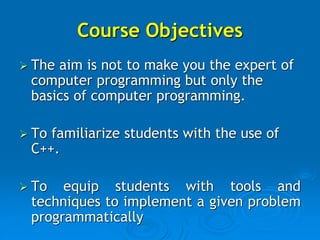
Course Objectives
 The aim is not to make you the expert of
computer programming but only the
basics of computer programming.
 To familiarize students with the use of
C++.
 To equip students with tools and
techniques to implement a given problem
programmatically
Why this Course?
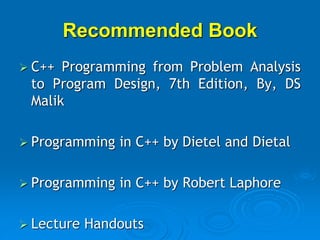
Recommended Book
 C++ Programming from Problem Analysis
to Program Design, 7th Edition, By, DS
Malik
 Programming in C++ by Dietel and Dietal
 Programming in C++ by Robert Laphore
 Lecture Handouts
IDEs used for this course
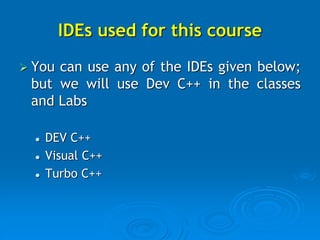
 You can use any of the IDEs given below;
but we will use Dev C++ in the classes
and Labs
 DEV C++
 Visual C++
 Turbo C++
Grading Criteria
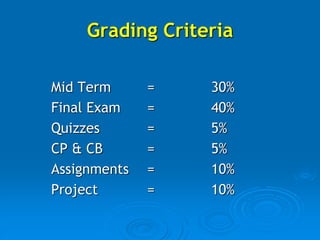
Mid Term = 30%
Final Exam = 40%
Quizzes = 5%
CP & CB = 5%
Assignments = 10%
Project = 10%
Lecture No. 1-3
Introduction to C& C++
Recommended Readings
Chapter No. 1 of C++ Programming from
Problem Analysis to Program Design
written by DS Malik
Topics to be Covered
•History and Development of C & C++
•Features of C & C++
•First program of C++
•Explanation of the program
•Using IDE for writing the programs
•Escape Sequences (‘n’ and ‘t’)
•Comments
•Single Line Comments
•Multiple Line Comments
•Recap of the lecture
Introduction and History of C++
 C++ is a programming language
 It was developed by Dennis Riche at Bell’s Lab in
1971.
 In C++, we can make new software or programs.
 Program is a set of instructions, which performs any
particular task.
Introduction and History of C++
 Before C++, there were so many
languages which were being used by the
programmers like GW Basic, Pascal, and
Fortran etc. But after the birth of C++,
it becomes more famous than all other
languages. So many of the programmers
divorced the other languages and
happily married with C++.
Features of C Language
 C++ is middle level language.
 C++ is case sensitive language.
 C++ has compiler as a language translator.
 C++ is hybrid language (Combination of
structured as well as Object orientation
paradigm)
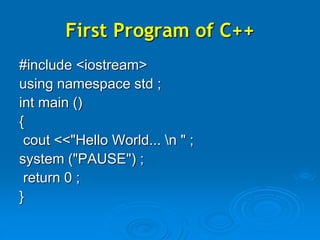
First Program of C++
#include <iostream>
using namespace std ;
int main ()
{
cout <<"Hello World... n " ;
system ("PAUSE") ;
return 0 ;
}
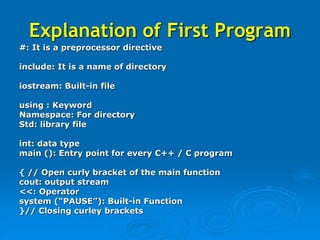
Explanation of First Program
#: It is a preprocessor directive
include: It is a name of directory
iostream: Built-in file
using : Keyword
Namespace: For directory
Std: library file
int: data type
main (): Entry point for every C++ / C program
{ // Open curly bracket of the main function
cout: output stream
<<: Operator
system (“PAUSE”): Built-in Function
}// Closing curley brackets
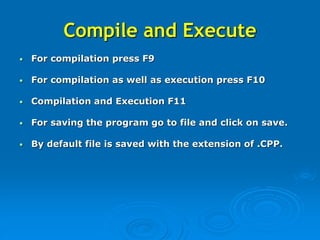
Compile and Execute
• For compilation press F9
• For compilation as well as execution press F10
• Compilation and Execution F11
• For saving the program go to file and click on save.
• By default file is saved with the extension of .CPP.
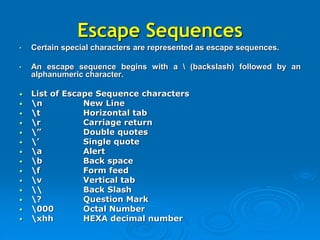
Escape Sequences
• Certain special characters are represented as escape sequences.
• An escape sequence begins with a  (backslash) followed by an
alphanumeric character.
• List of Escape Sequence characters
• n New Line
• t Horizontal tab
• r Carriage return
• ” Double quotes
• ’ Single quote
• a Alert
• b Back space
• f Form feed
• v Vertical tab
•  Back Slash
• ? Question Mark
• 000 Octal Number
• xhh HEXA decimal number
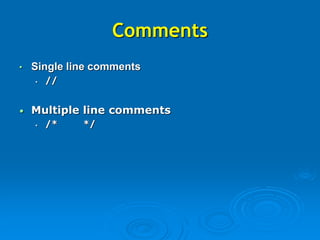
Comments
• Single line comments
• //
• Multiple line comments
• /* */
Recap of the lecture
•History and Development of C-Language
•Features of C-Language
•First program of C-Language
•Explanation of the program
•How to open the C IDE
•Escape Sequences (‘n’ and ‘t’)
•Comments
•Single Line Comments
•Multiple Line Comments

c++ programming language Lecture 1-3.ppt

  • 1.
    Introduction to Programming PresentedBy: Ghulam Mujtaba Shaikh
  • 2.
    Course Objectives  Theaim is not to make you the expert of computer programming but only the basics of computer programming.  To familiarize students with the use of C++.  To equip students with tools and techniques to implement a given problem programmatically
  • 3.
  • 4.
    Recommended Book  C++Programming from Problem Analysis to Program Design, 7th Edition, By, DS Malik  Programming in C++ by Dietel and Dietal  Programming in C++ by Robert Laphore  Lecture Handouts
  • 5.
    IDEs used forthis course  You can use any of the IDEs given below; but we will use Dev C++ in the classes and Labs  DEV C++  Visual C++  Turbo C++
  • 6.
    Grading Criteria Mid Term= 30% Final Exam = 40% Quizzes = 5% CP & CB = 5% Assignments = 10% Project = 10%
  • 7.
  • 8.
    Recommended Readings Chapter No.1 of C++ Programming from Problem Analysis to Program Design written by DS Malik
  • 9.
    Topics to beCovered •History and Development of C & C++ •Features of C & C++ •First program of C++ •Explanation of the program •Using IDE for writing the programs •Escape Sequences (‘n’ and ‘t’) •Comments •Single Line Comments •Multiple Line Comments •Recap of the lecture
  • 10.
    Introduction and Historyof C++  C++ is a programming language  It was developed by Dennis Riche at Bell’s Lab in 1971.  In C++, we can make new software or programs.  Program is a set of instructions, which performs any particular task.
  • 11.
    Introduction and Historyof C++  Before C++, there were so many languages which were being used by the programmers like GW Basic, Pascal, and Fortran etc. But after the birth of C++, it becomes more famous than all other languages. So many of the programmers divorced the other languages and happily married with C++.
  • 12.
    Features of CLanguage  C++ is middle level language.  C++ is case sensitive language.  C++ has compiler as a language translator.  C++ is hybrid language (Combination of structured as well as Object orientation paradigm)
  • 13.
    First Program ofC++ #include <iostream> using namespace std ; int main () { cout <<"Hello World... n " ; system ("PAUSE") ; return 0 ; }
  • 14.
    Explanation of FirstProgram #: It is a preprocessor directive include: It is a name of directory iostream: Built-in file using : Keyword Namespace: For directory Std: library file int: data type main (): Entry point for every C++ / C program { // Open curly bracket of the main function cout: output stream <<: Operator system (“PAUSE”): Built-in Function }// Closing curley brackets
  • 15.
    Compile and Execute •For compilation press F9 • For compilation as well as execution press F10 • Compilation and Execution F11 • For saving the program go to file and click on save. • By default file is saved with the extension of .CPP.
  • 16.
    Escape Sequences • Certainspecial characters are represented as escape sequences. • An escape sequence begins with a (backslash) followed by an alphanumeric character. • List of Escape Sequence characters • n New Line • t Horizontal tab • r Carriage return • ” Double quotes • ’ Single quote • a Alert • b Back space • f Form feed • v Vertical tab • Back Slash • ? Question Mark • 000 Octal Number • xhh HEXA decimal number
  • 17.
    Comments • Single linecomments • // • Multiple line comments • /* */
  • 18.
    Recap of thelecture •History and Development of C-Language •Features of C-Language •First program of C-Language •Explanation of the program •How to open the C IDE •Escape Sequences (‘n’ and ‘t’) •Comments •Single Line Comments •Multiple Line Comments