Basic Computer Programming
Basic of ‘C’: Structure of C program
What is C?
• C is A general-purpose programming language created by Dennis Ritchie at the bell
laboratories in 1972.
• It is a very popular language, despite being old. The main reason for its popularity is
because it is A fundamental language in the field of computer science.
• C is strongly associated with unix, as it was developed to write the unix operating
system.
• C is very powerful; it has been used to develop operating systems, databases,
applications, etc.
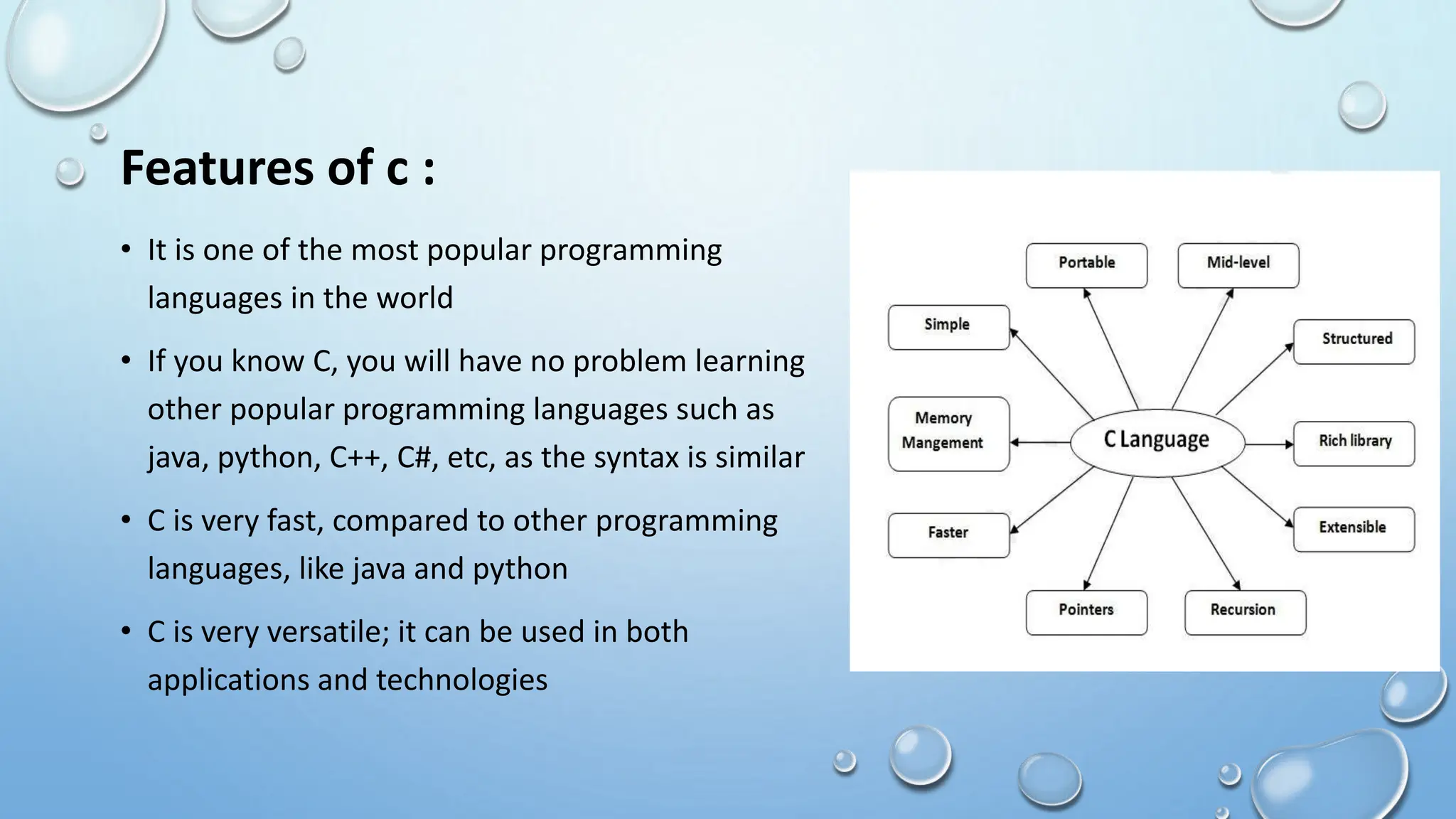
Features of c :
• It is one of the most popular programming
languages in the world
• If you know C, you will have no problem learning
other popular programming languages such as
java, python, C++, C#, etc, as the syntax is similar
• C is very fast, compared to other programming
languages, like java and python
• C is very versatile; it can be used in both
applications and technologies
C syntax :
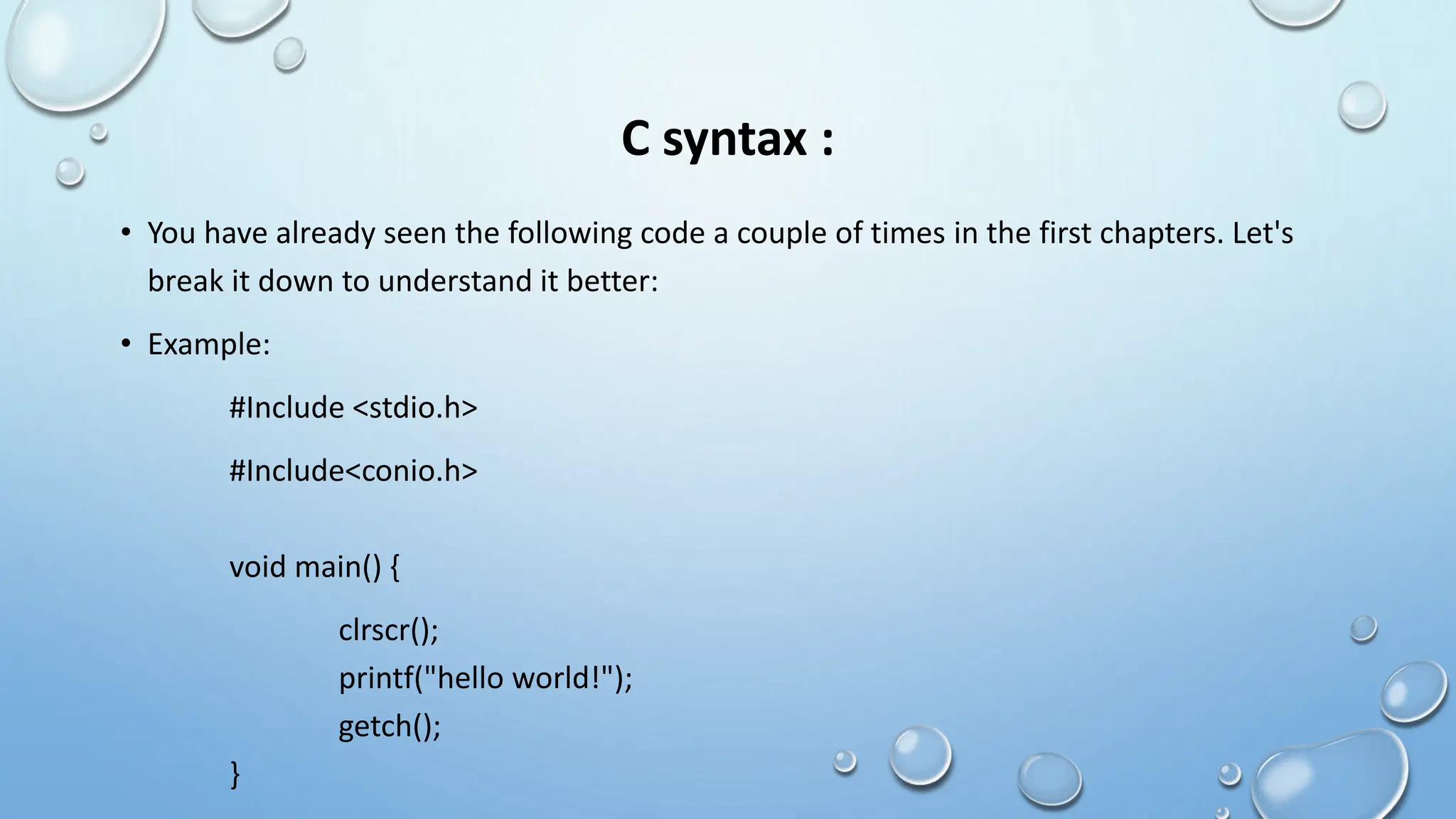
• You have already seen the following code a couple of times in the first chapters. Let's
break it down to understand it better:
• Example:
#Include <stdio.h>
#Include<conio.h>
void main() {
clrscr();
printf("hello world!");
getch();
}
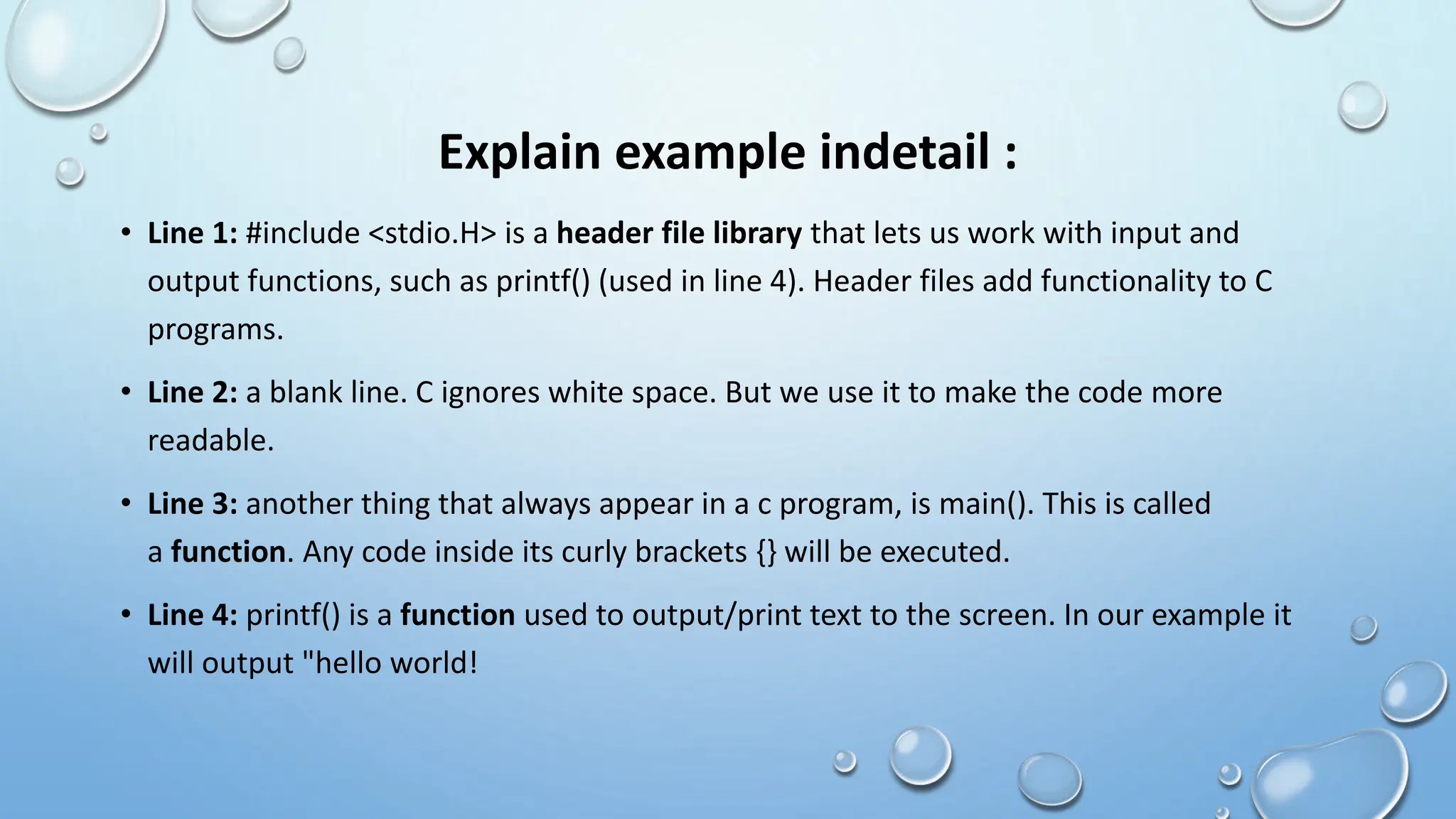
Explain example indetail :
• Line 1: #include <stdio.H> is a header file library that lets us work with input and
output functions, such as printf() (used in line 4). Header files add functionality to C
programs.
• Line 2: a blank line. C ignores white space. But we use it to make the code more
readable.
• Line 3: another thing that always appear in a c program, is main(). This is called
a function. Any code inside its curly brackets {} will be executed.
• Line 4: printf() is a function used to output/print text to the screen. In our example it
will output "hello world!
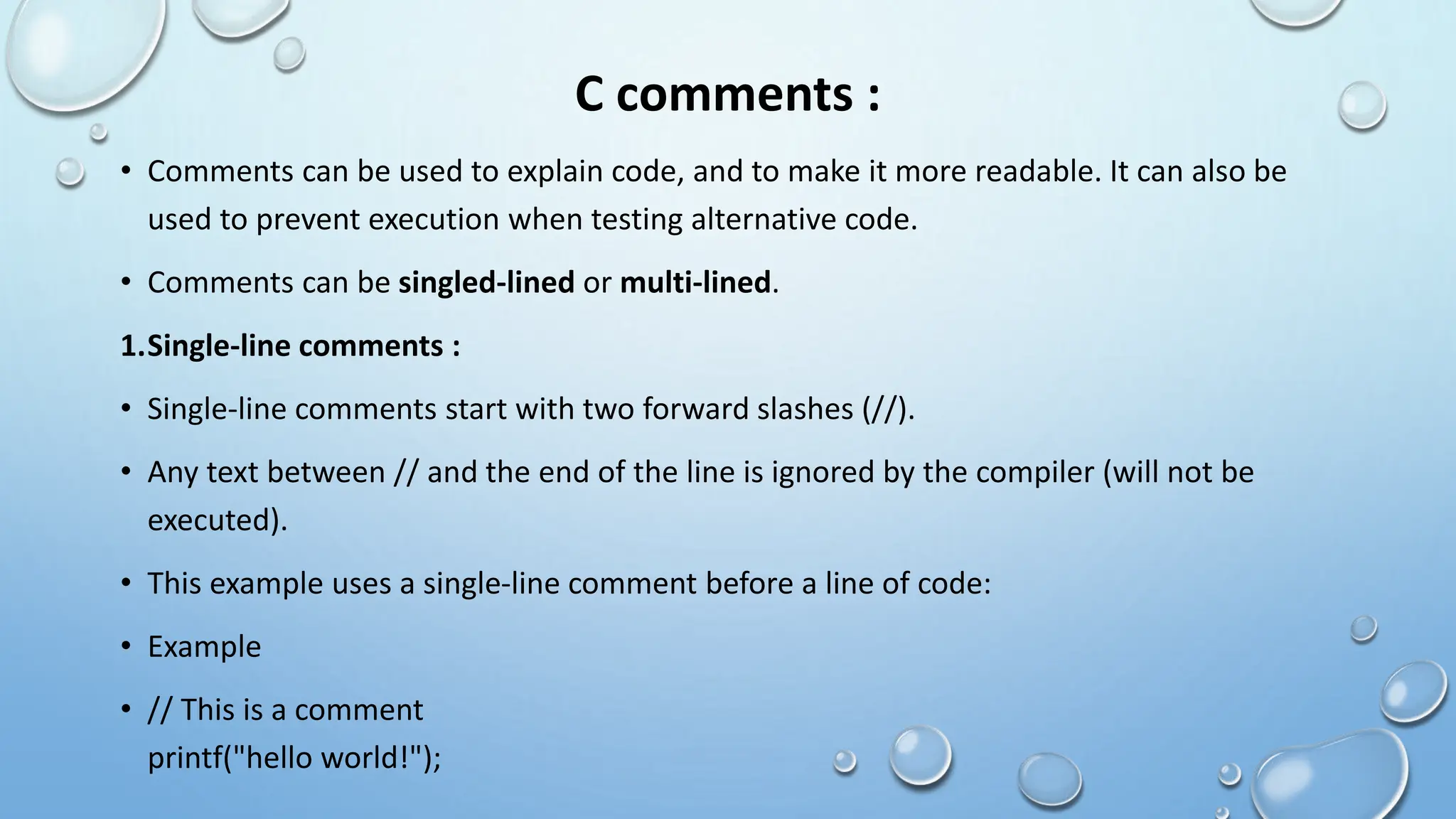
C comments :
• Comments can be used to explain code, and to make it more readable. It can also be
used to prevent execution when testing alternative code.
• Comments can be singled-lined or multi-lined.
1.Single-line comments :
• Single-line comments start with two forward slashes (//).
• Any text between // and the end of the line is ignored by the compiler (will not be
executed).
• This example uses a single-line comment before a line of code:
• Example
• // This is a comment
printf("hello world!");
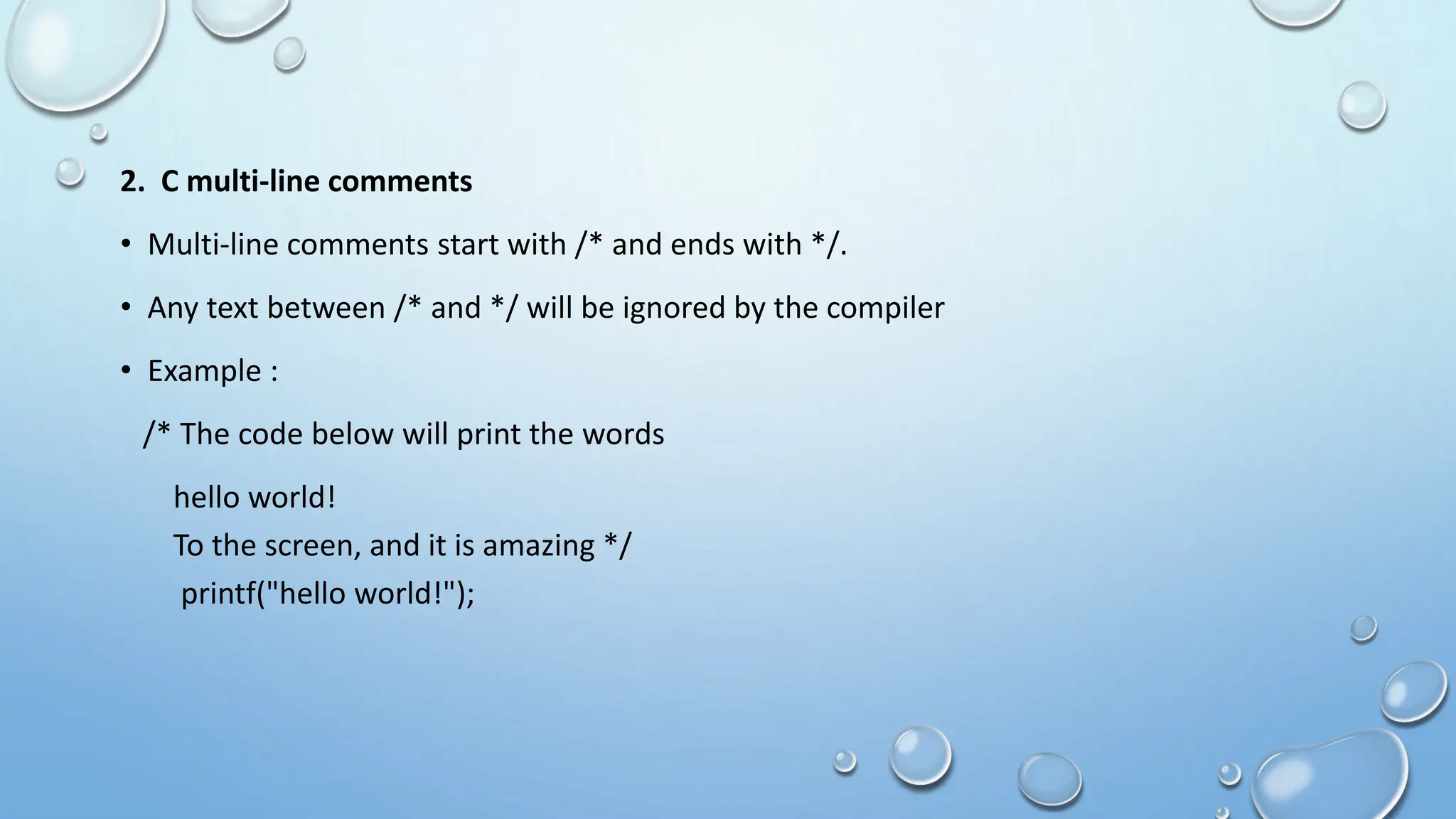
2. C multi-line comments
• Multi-line comments start with /* and ends with */.
• Any text between /* and */ will be ignored by the compiler
• Example :
/* The code below will print the words
hello world!
To the screen, and it is amazing */
printf("hello world!");
‘C’ Tokens :
• Tokens in C are the most important element to be used in creating a program in C.
• We can define the token as the smallest individual element in C.
• For example, we cannot create a sentence without using words; similarly , we cannot
create a program in C without using tokens in C.
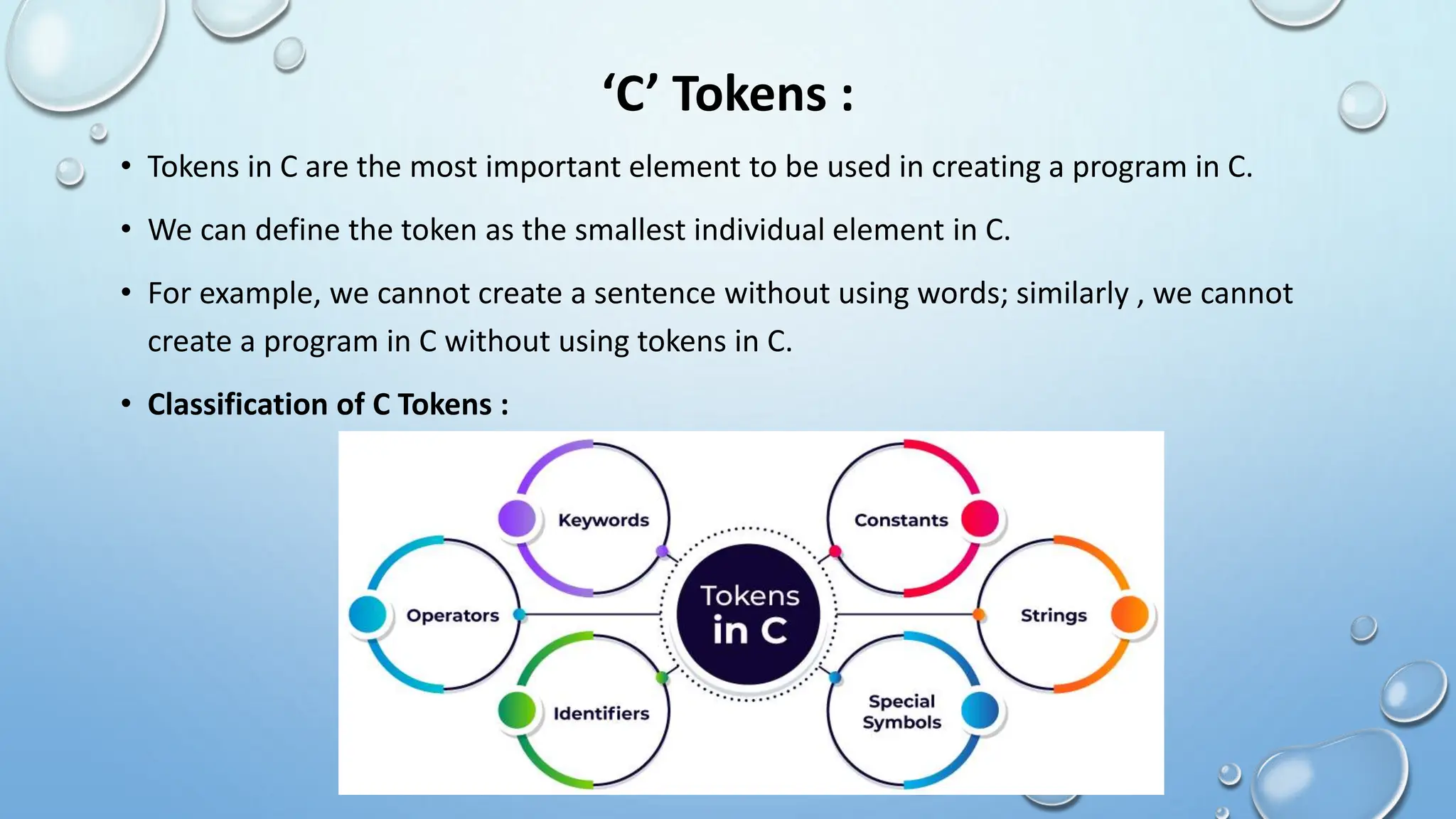
• Classification of C Tokens :
Keywords :
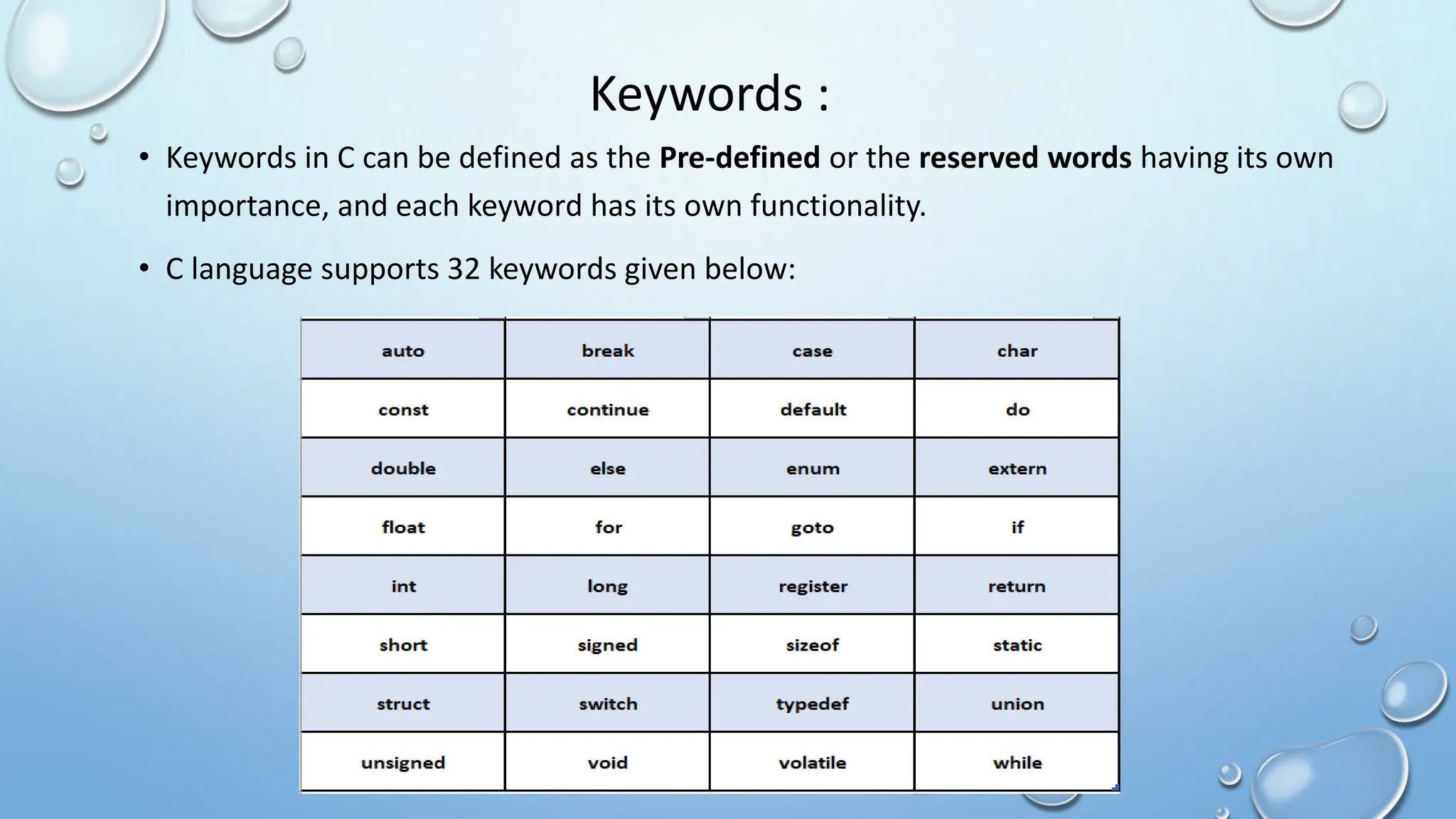
• Keywords in C can be defined as the Pre-defined or the reserved words having its own
importance, and each keyword has its own functionality.
• C language supports 32 keywords given below:
Identifiers :
• Identifiers refers to name of variables, functions and arrays .These are user defined
names and consists of a sequence of letters and digits.
• Both uppercase and lowercase letters can be used , and c language is case sensitive.A
special symbol underscore(_) is also permitted.
• Rules for identifiers:
o First character must be an alphabet.
o Must consist of only letters, digits or underscore
o Should not be a keyword and should not have any blank space.
• Example : int num;
Char name;
Where num and name are identifier names.
Constants :
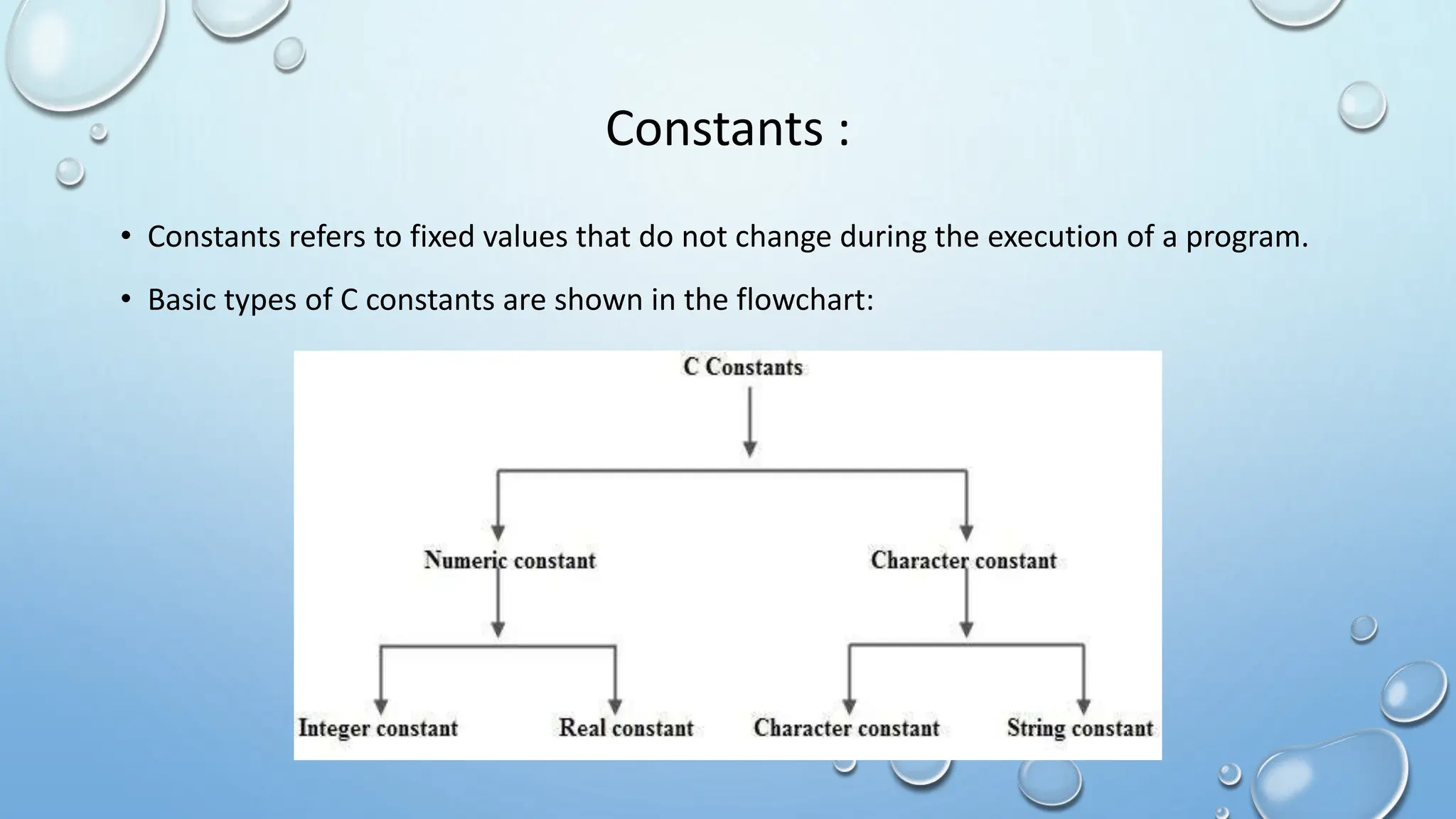
• Constants refers to fixed values that do not change during the execution of a program.
• Basic types of C constants are shown in the flowchart:
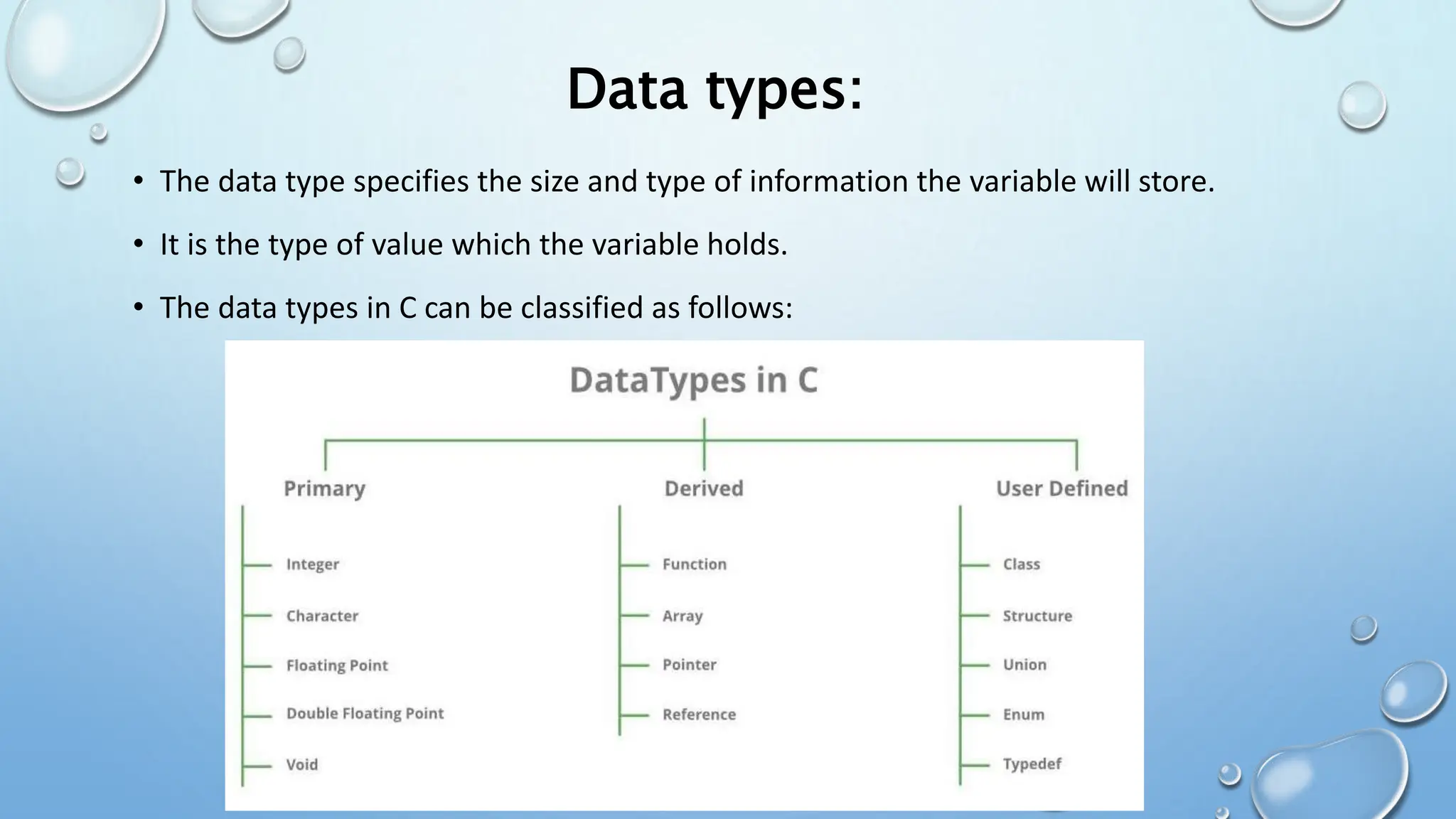
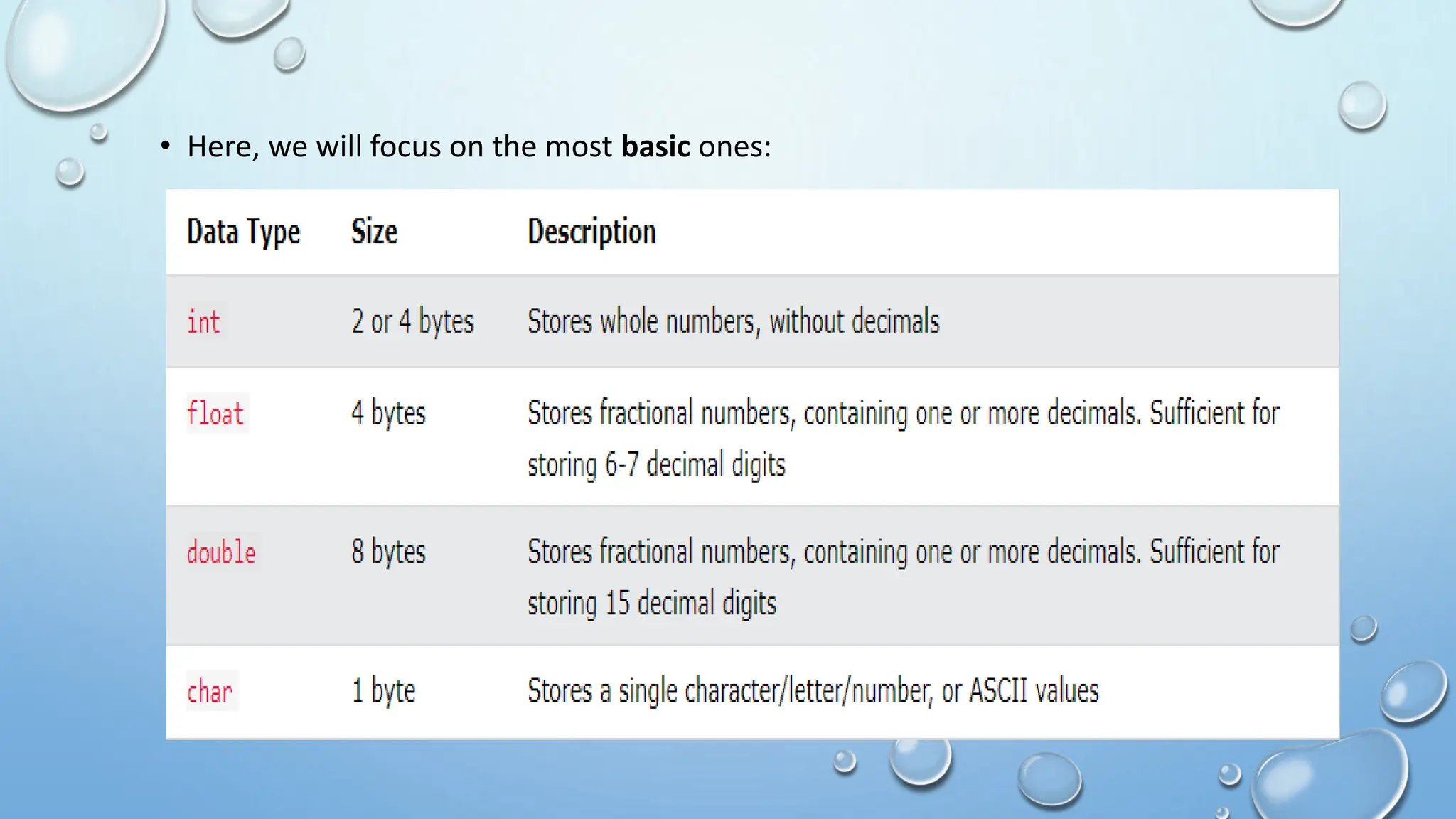
• The data type specifies the size and type of information the variable will store.
• It is the type of value which the variable holds.
• The data types in C can be classified as follows:
Data types:
• Here, we will focus on the most basic ones:
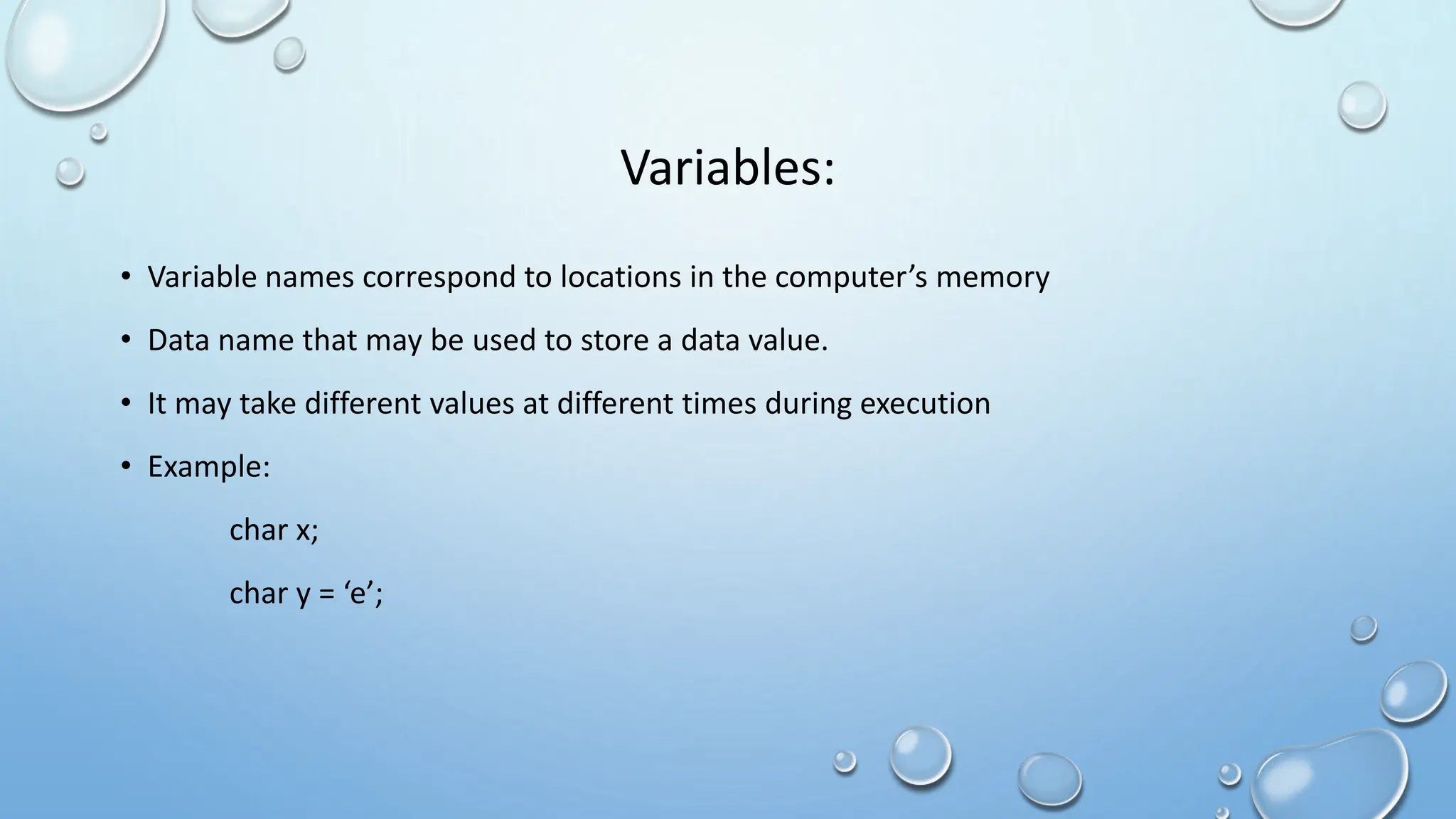
Variables:
• Variable names correspond to locations in the computer’s memory
• Data name that may be used to store a data value.
• It may take different values at different times during execution
• Example:
char x;
char y = ‘e’;
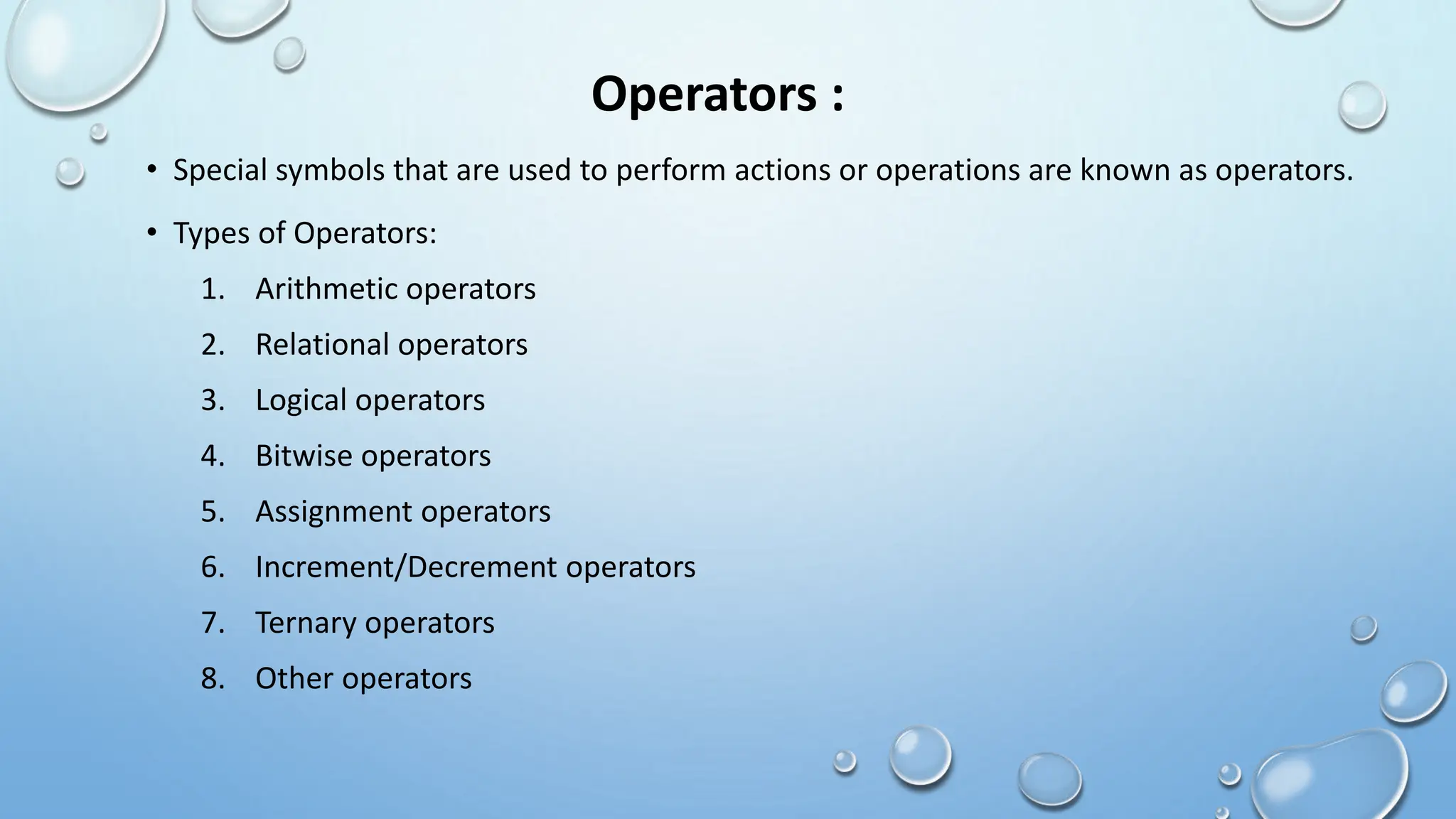
Operators :
• Special symbols that are used to perform actions or operations are known as operators.
• Types of Operators:
1. Arithmetic operators
2. Relational operators
3. Logical operators
4. Bitwise operators
5. Assignment operators
6. Increment/Decrement operators
7. Ternary operators
8. Other operators
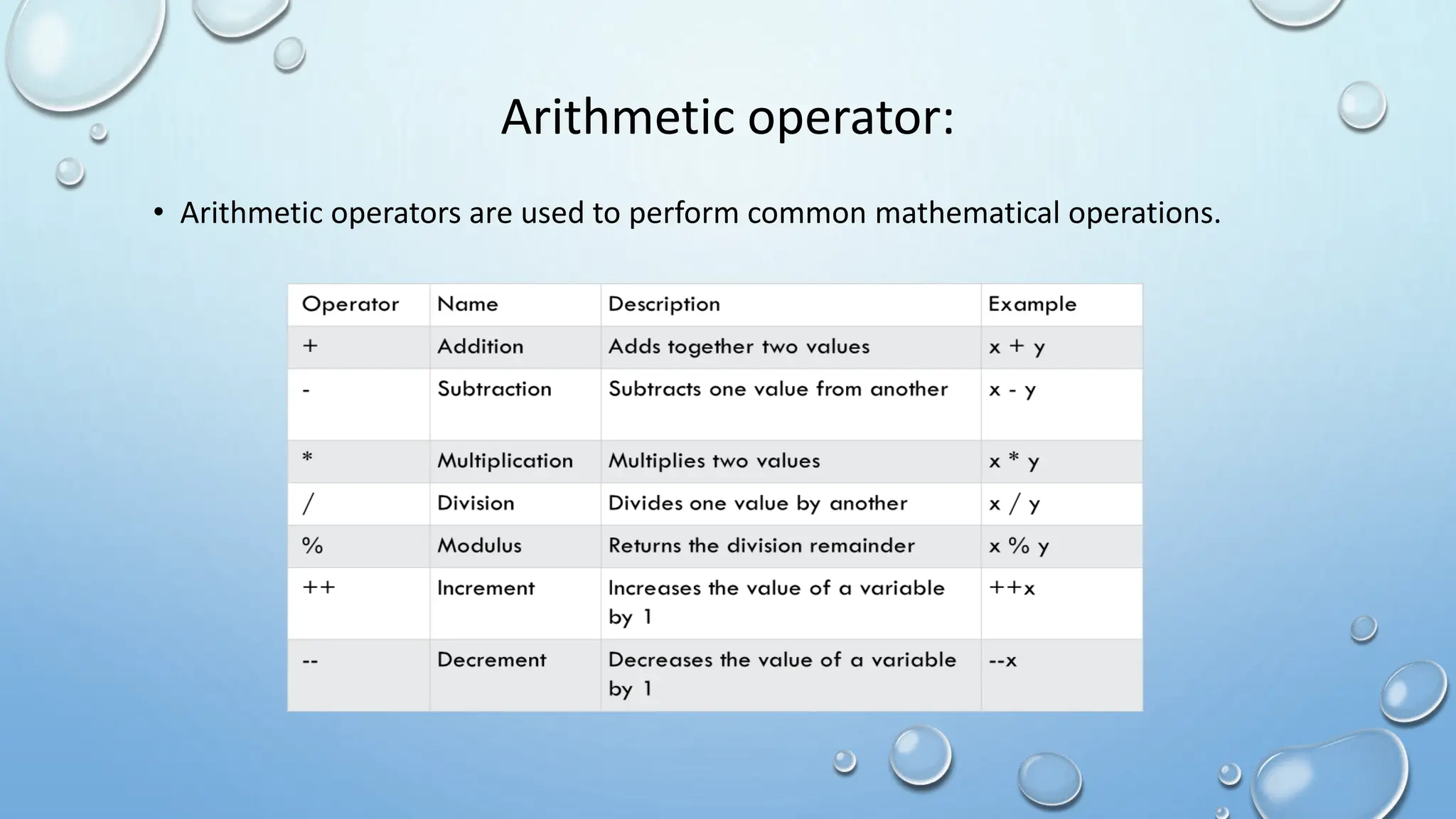
Arithmetic operator:
• Arithmetic operators are used to perform common mathematical operations.
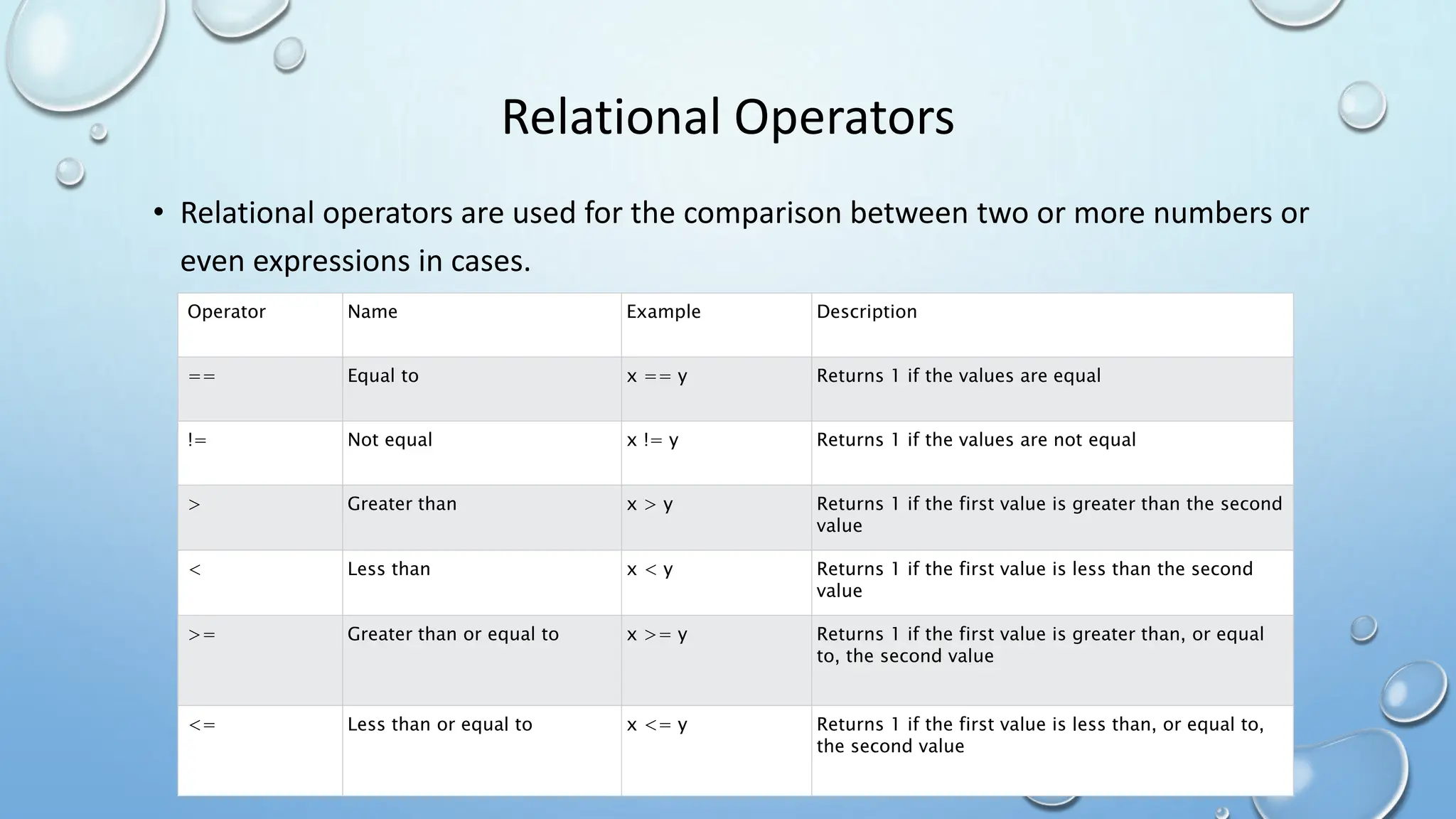
Relational Operators
• Relational operators are used for the comparison between two or more numbers or
even expressions in cases.
Operator Name Example Description
== Equal to x == y Returns 1 if the values are equal
!= Not equal x != y Returns 1 if the values are not equal
> Greater than x > y Returns 1 if the first value is greater than the second
value
< Less than x < y Returns 1 if the first value is less than the second
value
>= Greater than or equal to x >= y Returns 1 if the first value is greater than, or equal
to, the second value
<= Less than or equal to x <= y Returns 1 if the first value is less than, or equal to,
the second value
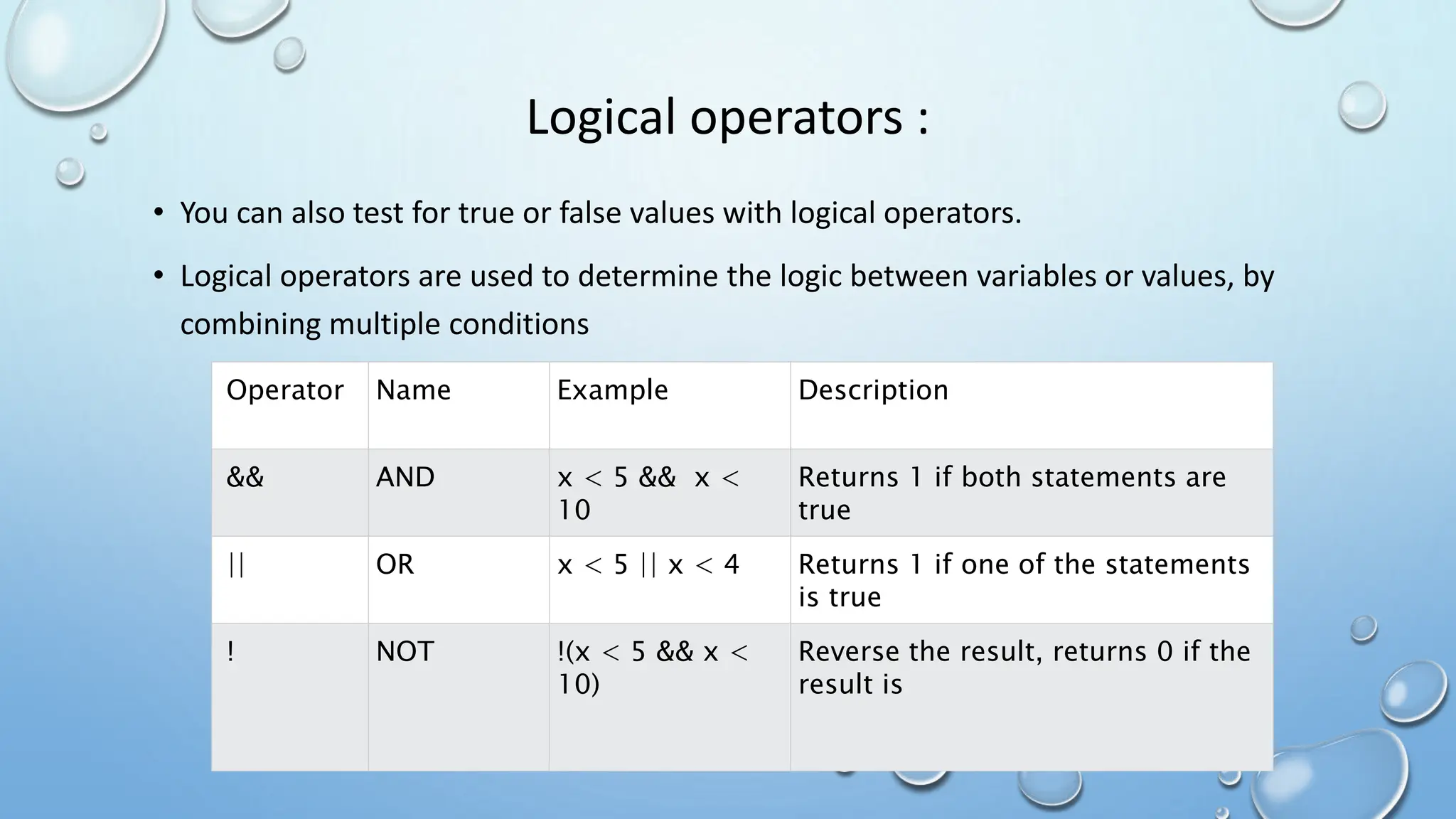
Logical operators :
• You can also test for true or false values with logical operators.
• Logical operators are used to determine the logic between variables or values, by
combining multiple conditions
Operator Name Example Description
&& AND x < 5 && x <
10
Returns 1 if both statements are
true
|| OR x < 5 || x < 4 Returns 1 if one of the statements
is true
! NOT !(x < 5 && x <
10)
Reverse the result, returns 0 if the
result is
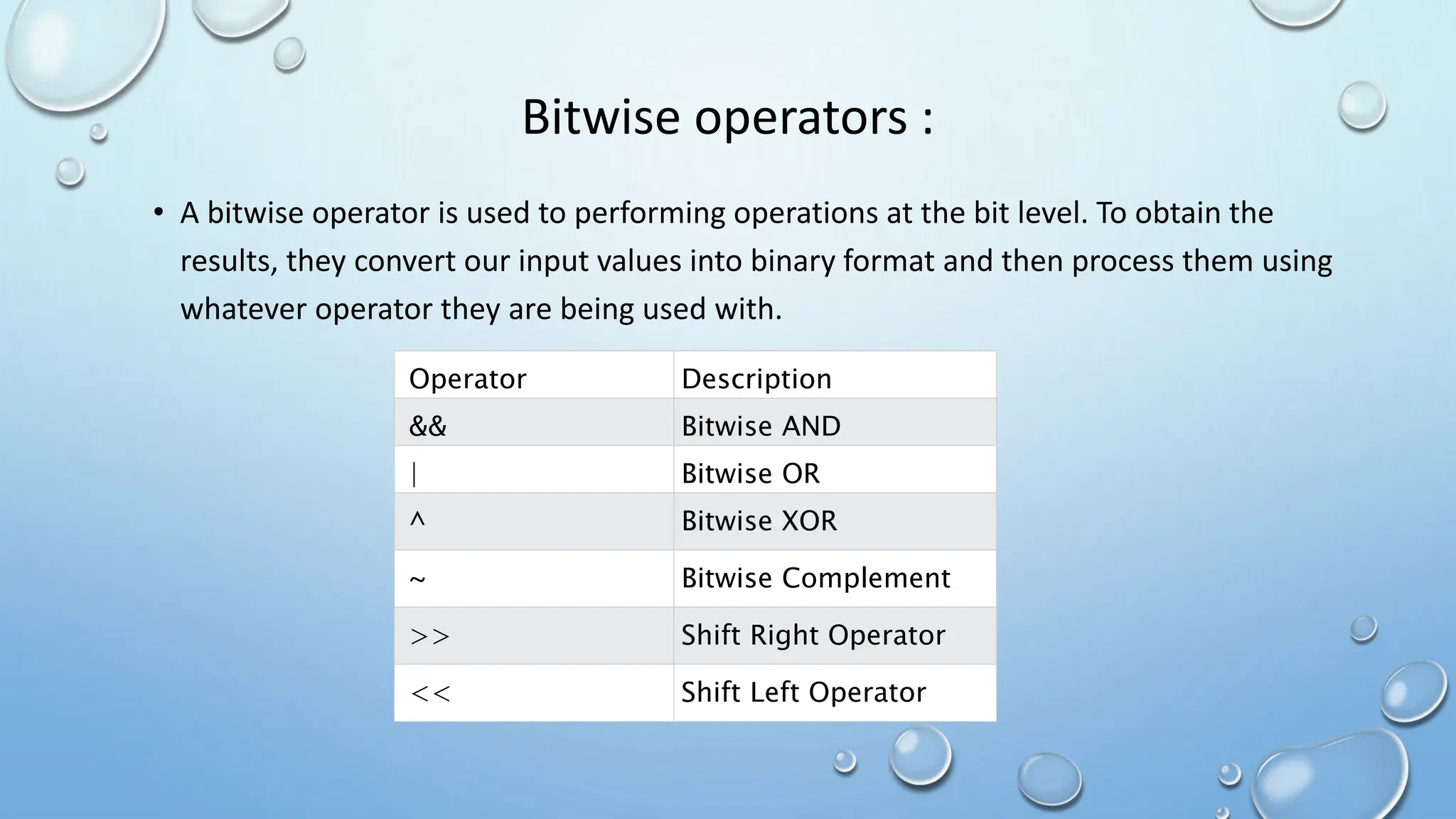
Bitwise operators :
• A bitwise operator is used to performing operations at the bit level. To obtain the
results, they convert our input values into binary format and then process them using
whatever operator they are being used with.
Operator Description
&& Bitwise AND
| Bitwise OR
^ Bitwise XOR
~ Bitwise Complement
>> Shift Right Operator
<< Shift Left Operator
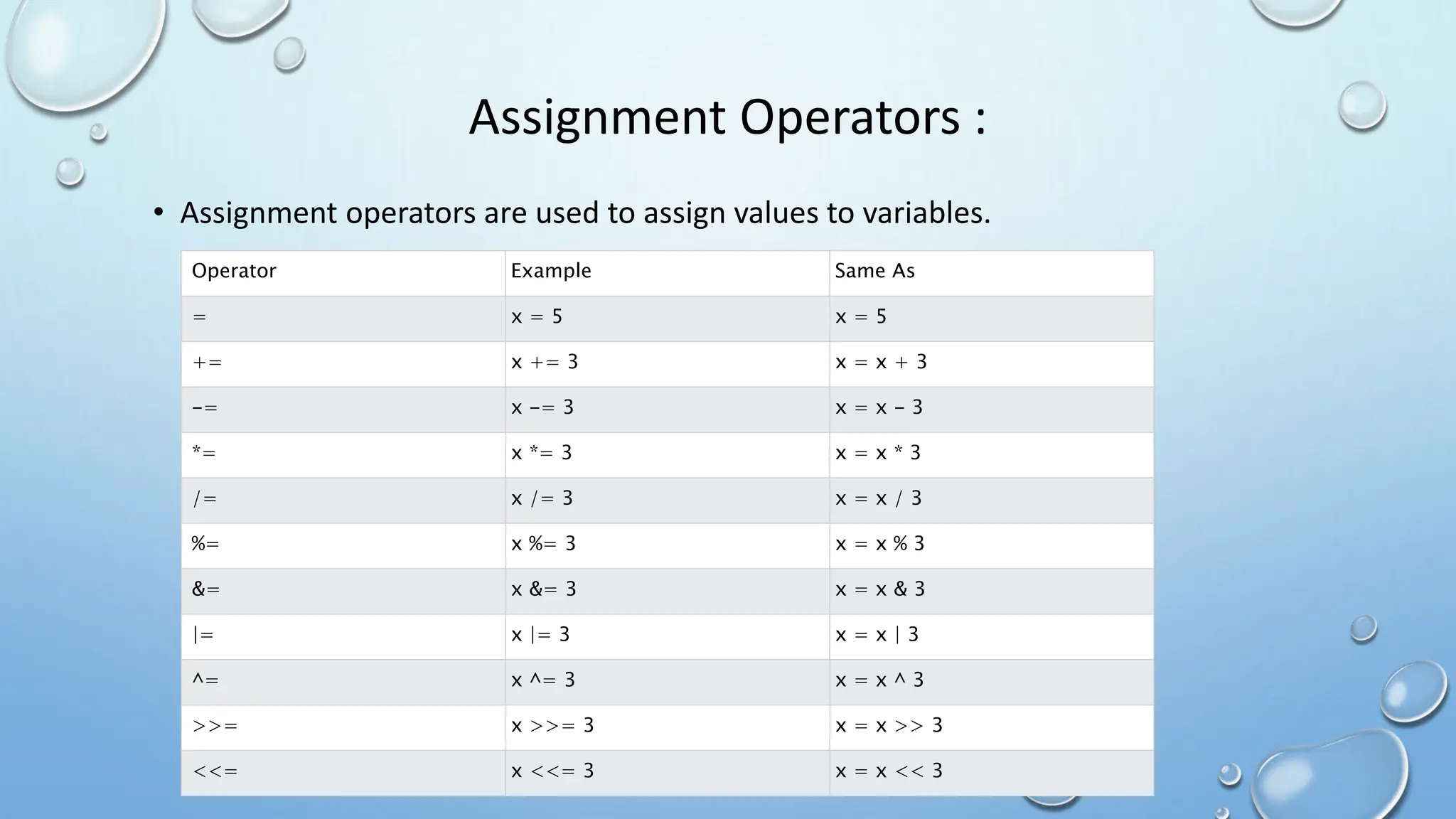
Assignment Operators :
• Assignment operators are used to assign values to variables.
Operator Example Same As
= x = 5 x = 5
+= x += 3 x = x + 3
-= x -= 3 x = x - 3
*= x *= 3 x = x * 3
/= x /= 3 x = x / 3
%= x %= 3 x = x % 3
&= x &= 3 x = x & 3
|= x |= 3 x = x | 3
^= x ^= 3 x = x ^ 3
>>= x >>= 3 x = x >> 3
<<= x <<= 3 x = x << 3
Increment/Decrement operators :
• The increment ( ++ ) and decrement ( — ) operators in C are unary operators for
incrementing and decrementing the numeric values by 1 respectively.
• Increment Operator in C :
++m // AS PREFIX
m++ // AS POSTFIX
• Decrement Operator in C :
--m // AS PREFIX
m-- // AS POSTFIX
Ternary operators :
• We use the ternary operator in C to run one code when the condition is true and
another code when the condition is false.
• Syntax: test-condition ? expression 1: expression 2;
• The test-condition is a Boolean expression that result in either true or false.If the
condition is
• True - expression 1 (before the colon) is executed
• False – expression 2 (after the colon ) is executed
• Example:
• (age>=18) ? printf(“you can vote”) : printf(“you cannot vote”);
Other operators :
• Other types of operator in C consist of comma operator and sizeof operator which are
as stated below:
• Comma Operator :
• Comma operators are used to link related expressions together.
• For example: int a , b=7;
• Sizeof Operator:
• The sizeof is a unary operator that returns the size of data( constatnts , variables , array,
structure, etc )
• Syntax: sizeof(Expression);
List of Practical :
1. Design and test sample C programs to display a message on screen.
2. Design and test minimum 3 C programs using constants, variables and data-types.
3. Design and test a C program to swap 2 numbers using a third variable and without
usin a third variable.
4. Design and test a C program to compute volume and surface area of a s here.
5. Design and test a C program to convert temperature in Fahrenheit to Celsius and vice
versa.
6. Design and test C programs to using enlisted operators: (l)Assignment (2) Arithmetic
(3) Relational (4) Logical.
7. Design and test at least 5 C programs using the enlisted operators: (l) Bitwise (2)
Increment and Decrement (3) Conditional (4) Comma 5) size of.

BCP_u2.pptxBCP_u2.pptxBCP_u2.pptxBCP_u2.pptx

  • 1.
    Basic Computer Programming Basicof ‘C’: Structure of C program
  • 2.
    What is C? •C is A general-purpose programming language created by Dennis Ritchie at the bell laboratories in 1972. • It is a very popular language, despite being old. The main reason for its popularity is because it is A fundamental language in the field of computer science. • C is strongly associated with unix, as it was developed to write the unix operating system. • C is very powerful; it has been used to develop operating systems, databases, applications, etc.
  • 3.
    Features of c: • It is one of the most popular programming languages in the world • If you know C, you will have no problem learning other popular programming languages such as java, python, C++, C#, etc, as the syntax is similar • C is very fast, compared to other programming languages, like java and python • C is very versatile; it can be used in both applications and technologies
  • 4.
    C syntax : •You have already seen the following code a couple of times in the first chapters. Let's break it down to understand it better: • Example: #Include <stdio.h> #Include<conio.h> void main() { clrscr(); printf("hello world!"); getch(); }
  • 5.
    Explain example indetail: • Line 1: #include <stdio.H> is a header file library that lets us work with input and output functions, such as printf() (used in line 4). Header files add functionality to C programs. • Line 2: a blank line. C ignores white space. But we use it to make the code more readable. • Line 3: another thing that always appear in a c program, is main(). This is called a function. Any code inside its curly brackets {} will be executed. • Line 4: printf() is a function used to output/print text to the screen. In our example it will output "hello world!
  • 6.
    C comments : •Comments can be used to explain code, and to make it more readable. It can also be used to prevent execution when testing alternative code. • Comments can be singled-lined or multi-lined. 1.Single-line comments : • Single-line comments start with two forward slashes (//). • Any text between // and the end of the line is ignored by the compiler (will not be executed). • This example uses a single-line comment before a line of code: • Example • // This is a comment printf("hello world!");
  • 7.
    2. C multi-linecomments • Multi-line comments start with /* and ends with */. • Any text between /* and */ will be ignored by the compiler • Example : /* The code below will print the words hello world! To the screen, and it is amazing */ printf("hello world!");
  • 8.
    ‘C’ Tokens : •Tokens in C are the most important element to be used in creating a program in C. • We can define the token as the smallest individual element in C. • For example, we cannot create a sentence without using words; similarly , we cannot create a program in C without using tokens in C. • Classification of C Tokens :
  • 9.
    Keywords : • Keywordsin C can be defined as the Pre-defined or the reserved words having its own importance, and each keyword has its own functionality. • C language supports 32 keywords given below:
  • 10.
    Identifiers : • Identifiersrefers to name of variables, functions and arrays .These are user defined names and consists of a sequence of letters and digits. • Both uppercase and lowercase letters can be used , and c language is case sensitive.A special symbol underscore(_) is also permitted. • Rules for identifiers: o First character must be an alphabet. o Must consist of only letters, digits or underscore o Should not be a keyword and should not have any blank space. • Example : int num; Char name; Where num and name are identifier names.
  • 11.
    Constants : • Constantsrefers to fixed values that do not change during the execution of a program. • Basic types of C constants are shown in the flowchart:
  • 12.
    • The datatype specifies the size and type of information the variable will store. • It is the type of value which the variable holds. • The data types in C can be classified as follows: Data types:
  • 13.
    • Here, wewill focus on the most basic ones:
  • 14.
    Variables: • Variable namescorrespond to locations in the computer’s memory • Data name that may be used to store a data value. • It may take different values at different times during execution • Example: char x; char y = ‘e’;
  • 15.
    Operators : • Specialsymbols that are used to perform actions or operations are known as operators. • Types of Operators: 1. Arithmetic operators 2. Relational operators 3. Logical operators 4. Bitwise operators 5. Assignment operators 6. Increment/Decrement operators 7. Ternary operators 8. Other operators
  • 16.
    Arithmetic operator: • Arithmeticoperators are used to perform common mathematical operations.
  • 17.
    Relational Operators • Relationaloperators are used for the comparison between two or more numbers or even expressions in cases. Operator Name Example Description == Equal to x == y Returns 1 if the values are equal != Not equal x != y Returns 1 if the values are not equal > Greater than x > y Returns 1 if the first value is greater than the second value < Less than x < y Returns 1 if the first value is less than the second value >= Greater than or equal to x >= y Returns 1 if the first value is greater than, or equal to, the second value <= Less than or equal to x <= y Returns 1 if the first value is less than, or equal to, the second value
  • 18.
    Logical operators : •You can also test for true or false values with logical operators. • Logical operators are used to determine the logic between variables or values, by combining multiple conditions Operator Name Example Description && AND x < 5 && x < 10 Returns 1 if both statements are true || OR x < 5 || x < 4 Returns 1 if one of the statements is true ! NOT !(x < 5 && x < 10) Reverse the result, returns 0 if the result is
  • 19.
    Bitwise operators : •A bitwise operator is used to performing operations at the bit level. To obtain the results, they convert our input values into binary format and then process them using whatever operator they are being used with. Operator Description && Bitwise AND | Bitwise OR ^ Bitwise XOR ~ Bitwise Complement >> Shift Right Operator << Shift Left Operator
  • 20.
    Assignment Operators : •Assignment operators are used to assign values to variables. Operator Example Same As = x = 5 x = 5 += x += 3 x = x + 3 -= x -= 3 x = x - 3 *= x *= 3 x = x * 3 /= x /= 3 x = x / 3 %= x %= 3 x = x % 3 &= x &= 3 x = x & 3 |= x |= 3 x = x | 3 ^= x ^= 3 x = x ^ 3 >>= x >>= 3 x = x >> 3 <<= x <<= 3 x = x << 3
  • 21.
    Increment/Decrement operators : •The increment ( ++ ) and decrement ( — ) operators in C are unary operators for incrementing and decrementing the numeric values by 1 respectively. • Increment Operator in C : ++m // AS PREFIX m++ // AS POSTFIX • Decrement Operator in C : --m // AS PREFIX m-- // AS POSTFIX
  • 22.
    Ternary operators : •We use the ternary operator in C to run one code when the condition is true and another code when the condition is false. • Syntax: test-condition ? expression 1: expression 2; • The test-condition is a Boolean expression that result in either true or false.If the condition is • True - expression 1 (before the colon) is executed • False – expression 2 (after the colon ) is executed • Example: • (age>=18) ? printf(“you can vote”) : printf(“you cannot vote”);
  • 23.
    Other operators : •Other types of operator in C consist of comma operator and sizeof operator which are as stated below: • Comma Operator : • Comma operators are used to link related expressions together. • For example: int a , b=7; • Sizeof Operator: • The sizeof is a unary operator that returns the size of data( constatnts , variables , array, structure, etc ) • Syntax: sizeof(Expression);
  • 24.
    List of Practical: 1. Design and test sample C programs to display a message on screen. 2. Design and test minimum 3 C programs using constants, variables and data-types. 3. Design and test a C program to swap 2 numbers using a third variable and without usin a third variable. 4. Design and test a C program to compute volume and surface area of a s here. 5. Design and test a C program to convert temperature in Fahrenheit to Celsius and vice versa. 6. Design and test C programs to using enlisted operators: (l)Assignment (2) Arithmetic (3) Relational (4) Logical. 7. Design and test at least 5 C programs using the enlisted operators: (l) Bitwise (2) Increment and Decrement (3) Conditional (4) Comma 5) size of.