UNIT 1
Chapter 3
C# Basics
Introduction
• Microsoft developed
• C# is a simple, modern, object oriented and
type safe programming language derived from
C and C++.
Comparing C# with java
• Same as Garbage collector
• Both are tend to intermediate language. C#-
MSIL , Java –byte code
• C# contains more primitive data types than
java
• Both supports for multidimensional
arrays.,multiple class inheritance
Comparing C# with C++
• C++ is C#’s closet relative
• C# code does not require header files. All
codes written in inline
• The C# types are different from C++
• C# statements are quite similar to C++
statements
Features of C#
• Simplicity
• Consistent Behaviour
• Modern Programming Language
• Pure Object Oriented Programming Language
• Type Safety
• Feature of Versioning
• Compatible with other Language
• Inter-operability
Identifiers and Variables
• Identifiers refer to the name of the variables,
functions, arrays, classes etc created by
programmer
• The only allowed characters for identifiers are all
alphanumeric characters([A-Z], [a-z], [0-9]), ‘_‘
(underscore). For example “geek@” is not a valid
C# identifier as it contain ‘@’ – special character.
• Identifiers should not start with digits([0-9]). For
example “123geeks” is a not a valid in C#
identifier.
• Identifiers should not contain white spaces.
Identifiers and Variables
• Identifiers are not allowed to use
as keyword unless they include @ as a prefix. For
example, @as is a valid identifier, but “as” is not
because it is a keyword.
• C# identifiers allow Unicode Characters.
• C# identifiers are case-sensitive.
• C# identifiers cannot contain more than 512
characters.
• Identifiers does not contain two consecutive
underscores in its name because such types of
identifiers are used for the implementation.
C# Keywords
• Abstract
as
base
bool
break
byte
case
catch
char
checked
class
const
continue
decimal
default
delegate
do
double
else
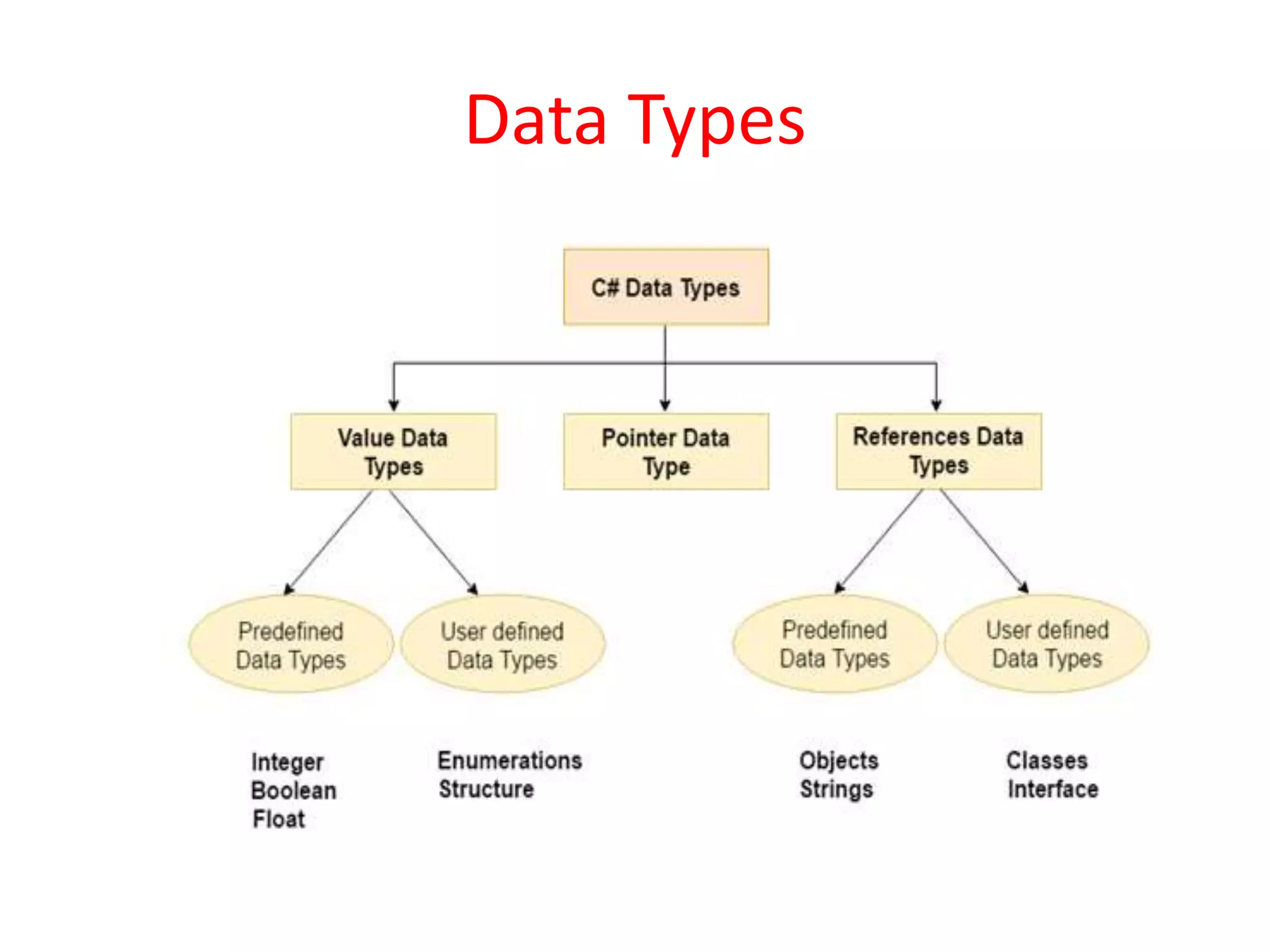
Data Types
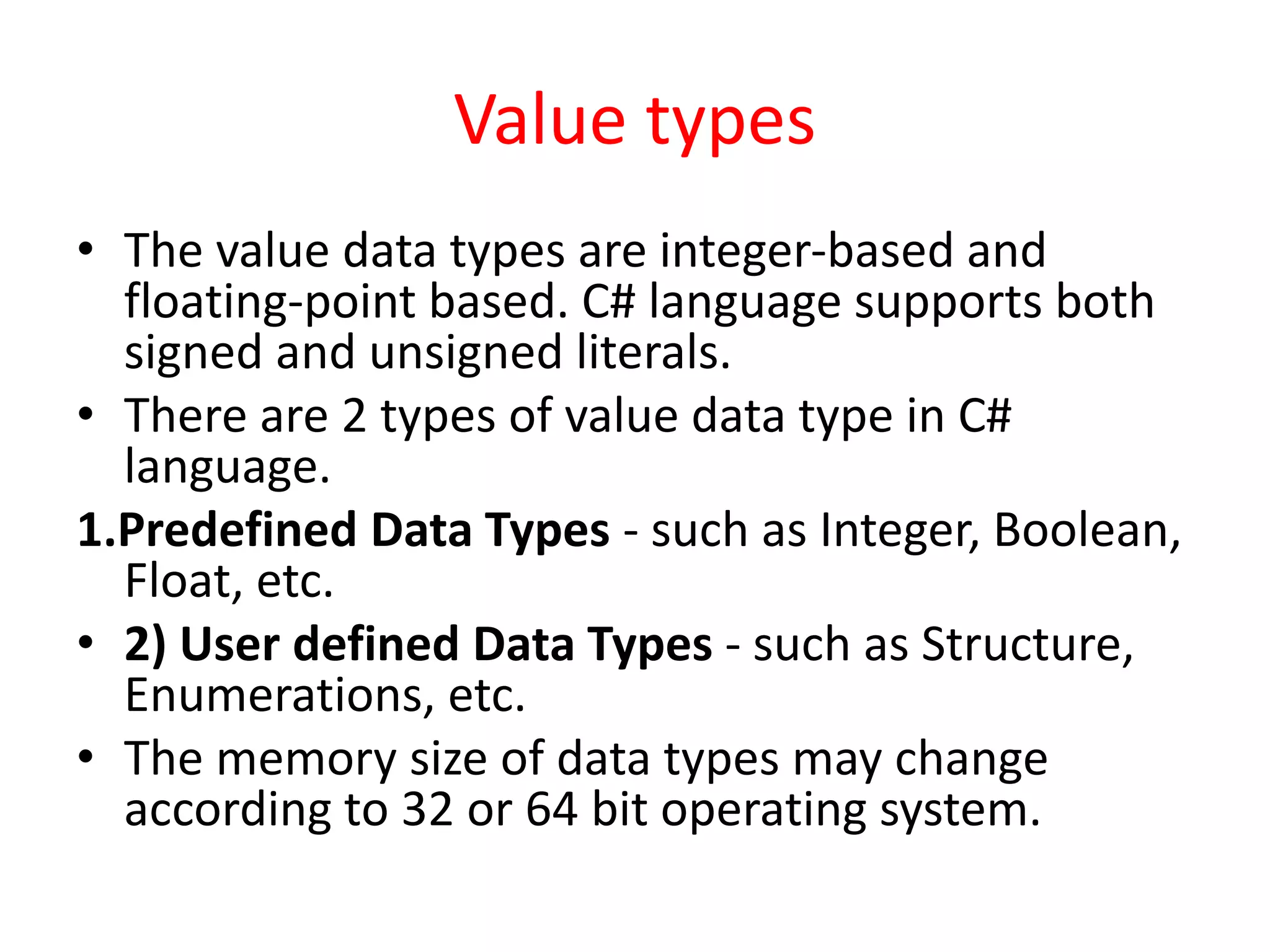
Value types
• The value data types are integer-based and
floating-point based. C# language supports both
signed and unsigned literals.
• There are 2 types of value data type in C#
language.
1.Predefined Data Types - such as Integer, Boolean,
Float, etc.
• 2) User defined Data Types - such as Structure,
Enumerations, etc.
• The memory size of data types may change
according to 32 or 64 bit operating system.
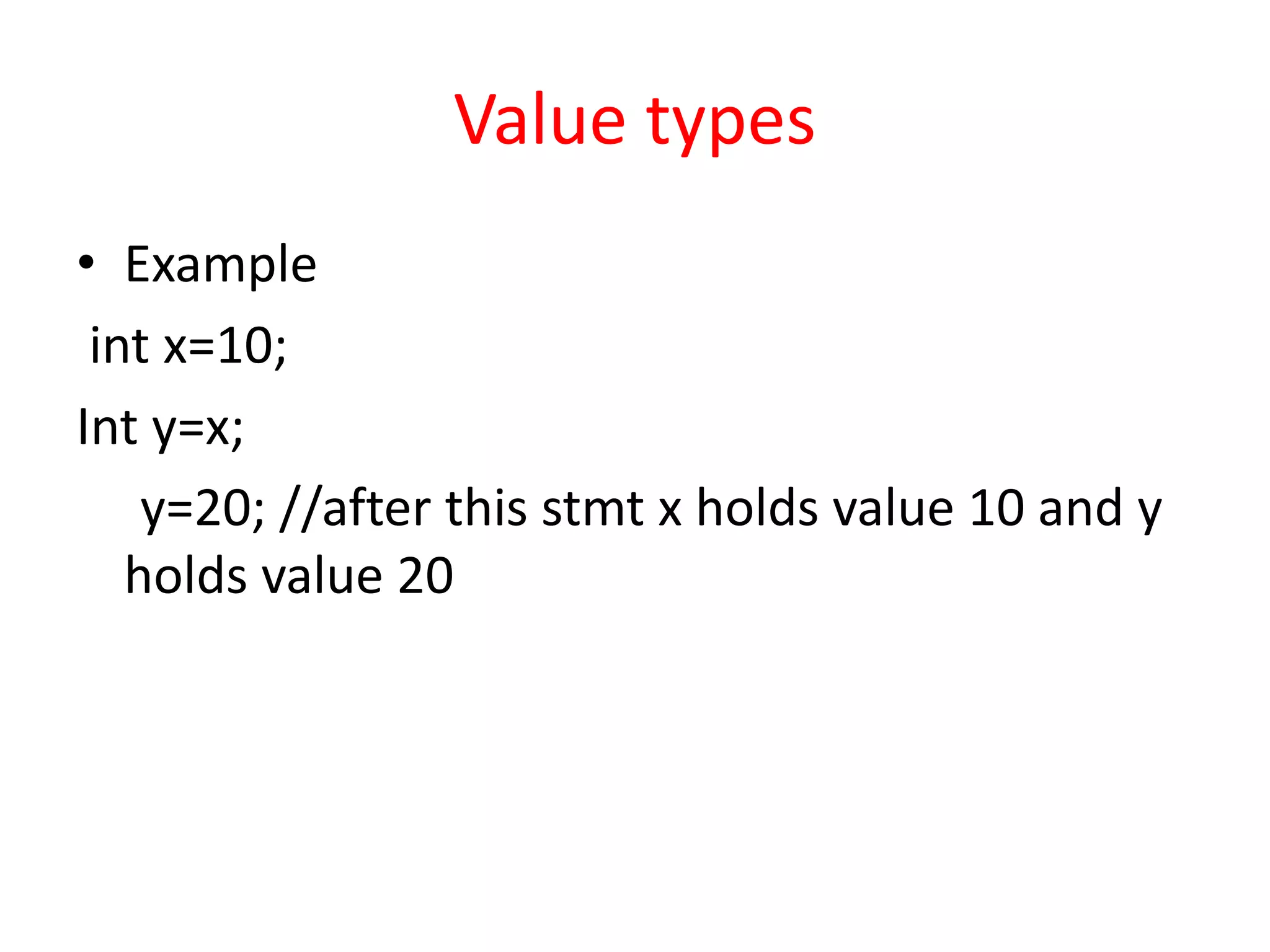
Value types
• Example
int x=10;
Int y=x;
y=20; //after this stmt x holds value 10 and y
holds value 20
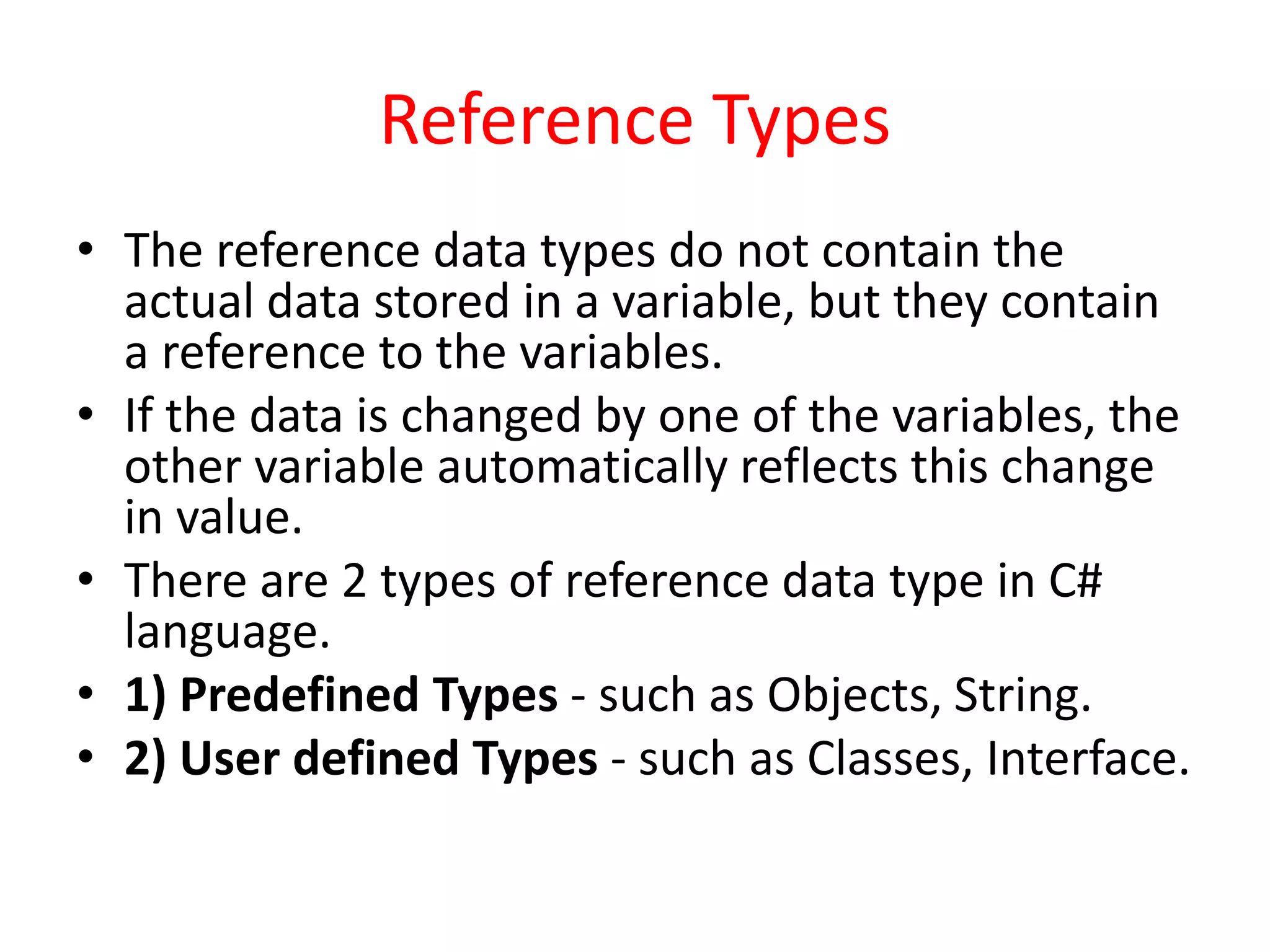
Reference Types
• The reference data types do not contain the
actual data stored in a variable, but they contain
a reference to the variables.
• If the data is changed by one of the variables, the
other variable automatically reflects this change
in value.
• There are 2 types of reference data type in C#
language.
• 1) Predefined Types - such as Objects, String.
• 2) User defined Types - such as Classes, Interface.
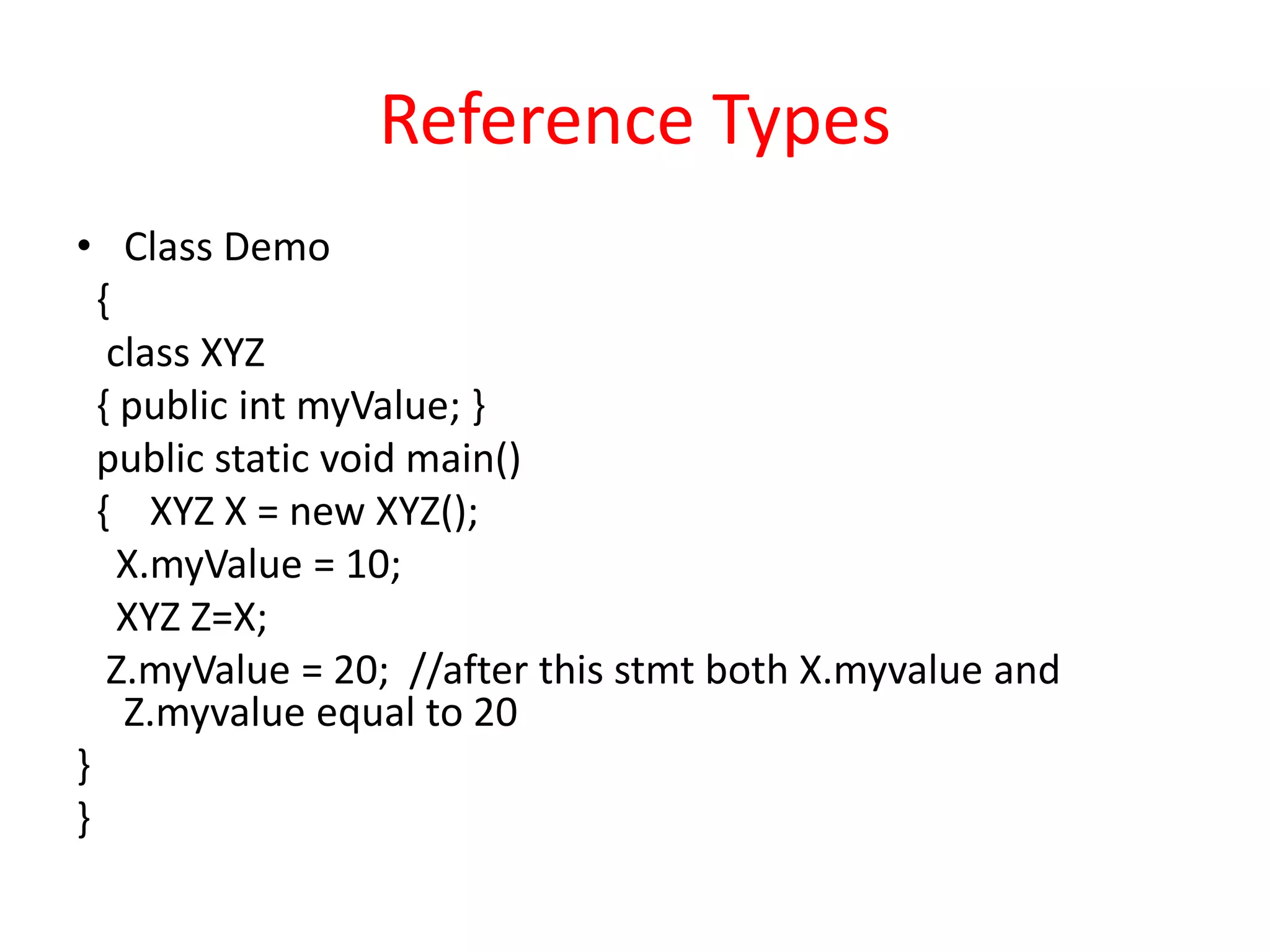
Reference Types
• Class Demo
{
class XYZ
{ public int myValue; }
public static void main()
{ XYZ X = new XYZ();
X.myValue = 10;
XYZ Z=X;
Z.myValue = 20; //after this stmt both X.myvalue and
Z.myvalue equal to 20
}
}
Pointers
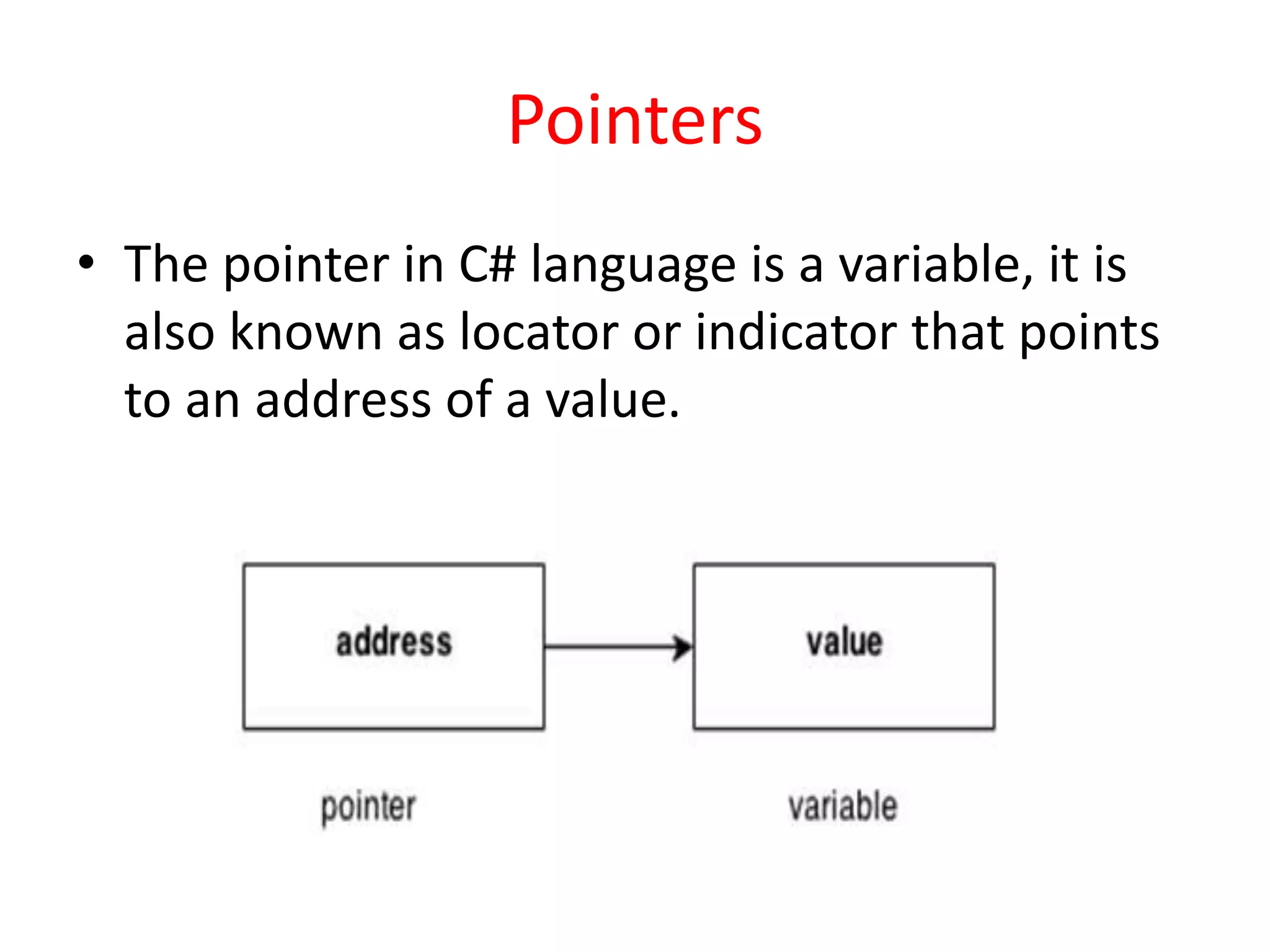
• The pointer in C# language is a variable, it is
also known as locator or indicator that points
to an address of a value.
Pointers
• Symbols:
& (ampersand sign) - Address operator -
Determine the address of a variable.
* (asterisk sign) - Indirection operator - Access
the value of an address.
Declaring a pointer
• The pointer in C# language can be declared
using * (asterisk symbol).
• int * a; //pointer to int
• char * c; //pointer to char
Type Conversion
• Type conversion is converting one type of data to
another type. It is also known as Type Casting. In C#,
type casting has two forms −
• Implicit type conversion − These conversions are
performed by C# in a type-safe manner. For example,
are conversions from smaller to larger integral types
and conversions from derived classes to base classes.
• Explicit type conversion − These conversions are done
explicitly by users using the pre-defined functions.
Explicit conversions require a cast operator.
Example
• using System;
namespace TypeConversionApplication {
class ExplicitConversion {
static void Main(string[] args) {
double d = 5673.74;
int i; // cast double to int.
i = (int)d;
Console.WriteLine(i);
Console.ReadKey();
} } }
Convert Class
• Convert base data type to another base data
type
• Convert.ToInt16(val) - Val converted to short
• Convert.ToInt32(val) - Val converted to int
• Convert.ToChar(val) - Val converted to char
• Convert.ToString(val) - Val converted to string
Parse Function
• It converts a string containing a number to
numeric
• Sbyte.Parse(str) - convert str string
representation of number in sbyte
• byte.Parse(str) - convert str string
representation of number in byte
Boxing
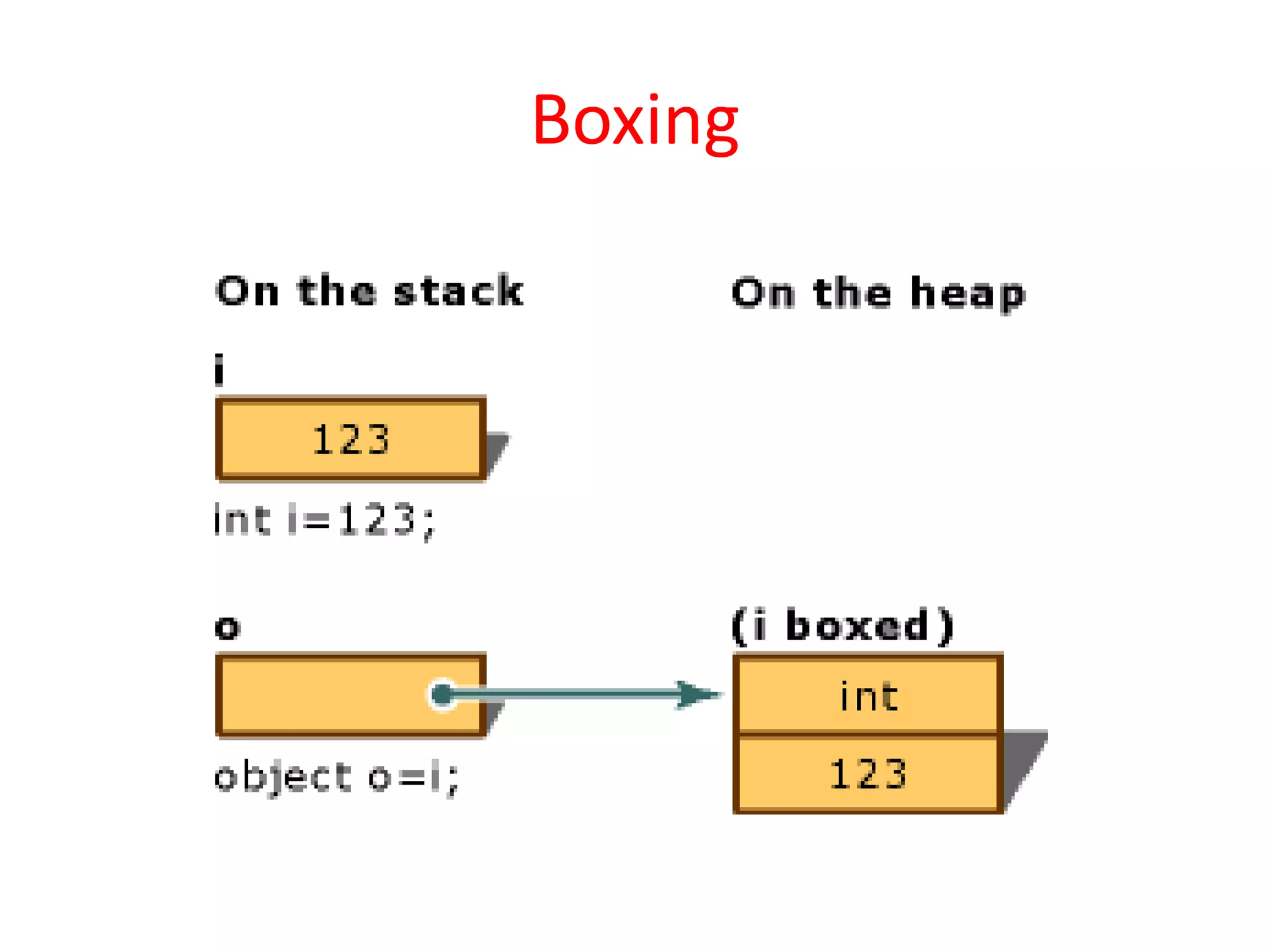
• Boxing is the process of converting a value
type to the type object or to any interface
type implemented by this value type.
• When the common language runtime (CLR)
boxes a value type, it wraps the value inside
a System.Object instance and stores it on the
managed heap.
• Boxing is implicit;
Boxing
• Boxing is used to store value types in the
garbage-collected heap. Boxing is an implicit
conversion of a value type to the
type object or to any interface type
implemented by this value type. Boxing a
value type allocates an object instance on the
heap and copies the value into the new
object.
Boxing
example
• In the following example, the integer
variable i is boxed and assigned to object o.
• int i = 123; // The following line boxes i. object
o = i;
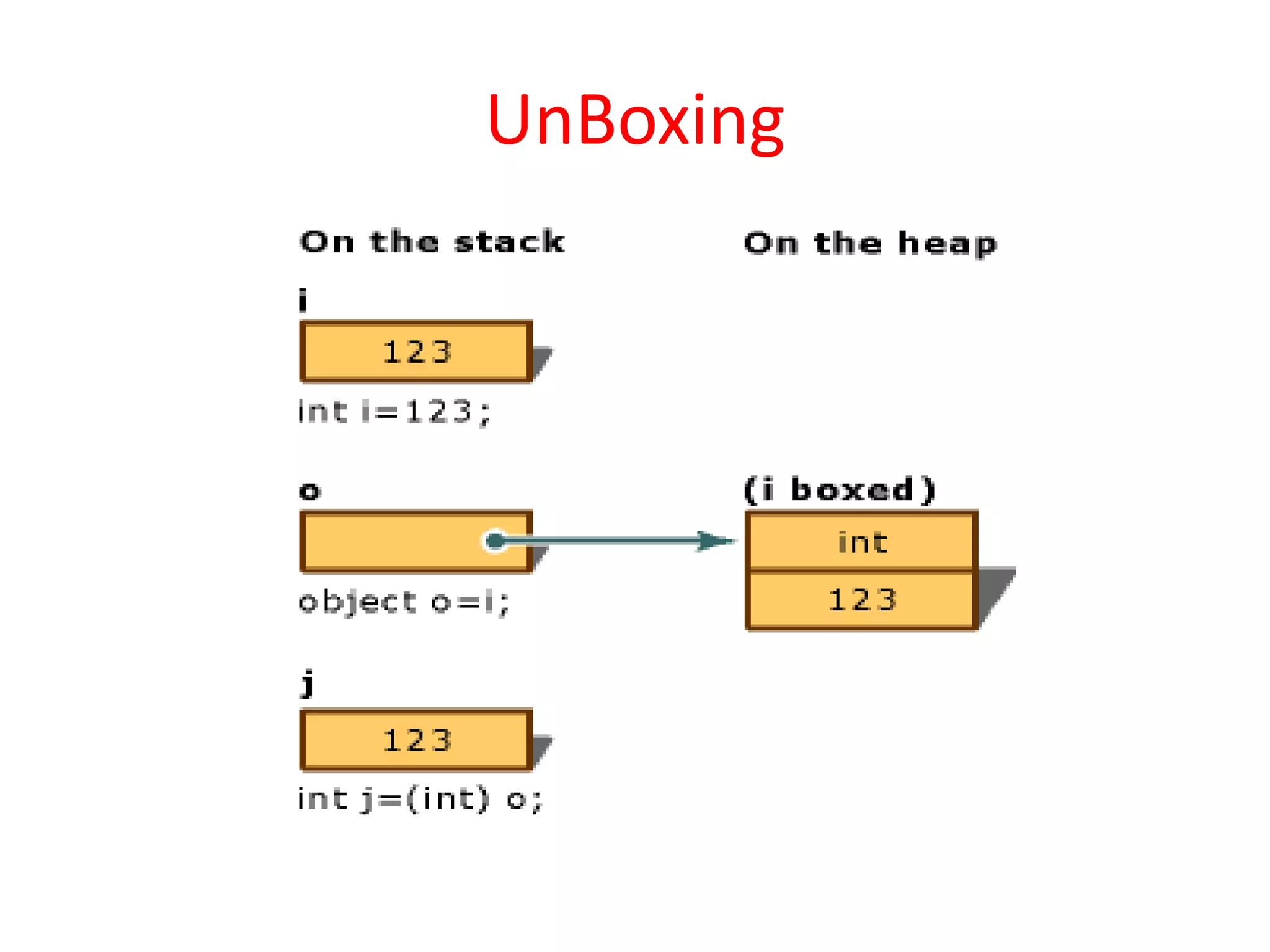
UnBoxing
• Unboxing extracts the value type from the
object.
• unboxing is explicit.
• The concept of boxing and unboxing underlies
the C# unified view of the type system in
which a value of any type can be treated as an
object.
UnBoxing
• Unboxing is an explicit conversion from the
type object to a value type or from an
interface type to a value type that implements
the interface. An unboxing operation consists
of:
• Checking the object instance to make sure
that it is a boxed value of the given value type.
• Copying the value from the instance into the
value-type variable.
UnBoxing
example
• The object o can then be unboxed and
assigned to integer variable i:
o = 123;
i = (int)o; // unboxing

C# Basics

  • 1.
  • 2.
    Introduction • Microsoft developed •C# is a simple, modern, object oriented and type safe programming language derived from C and C++.
  • 3.
    Comparing C# withjava • Same as Garbage collector • Both are tend to intermediate language. C#- MSIL , Java –byte code • C# contains more primitive data types than java • Both supports for multidimensional arrays.,multiple class inheritance
  • 4.
    Comparing C# withC++ • C++ is C#’s closet relative • C# code does not require header files. All codes written in inline • The C# types are different from C++ • C# statements are quite similar to C++ statements
  • 5.
    Features of C# •Simplicity • Consistent Behaviour • Modern Programming Language • Pure Object Oriented Programming Language • Type Safety • Feature of Versioning • Compatible with other Language • Inter-operability
  • 6.
    Identifiers and Variables •Identifiers refer to the name of the variables, functions, arrays, classes etc created by programmer • The only allowed characters for identifiers are all alphanumeric characters([A-Z], [a-z], [0-9]), ‘_‘ (underscore). For example “geek@” is not a valid C# identifier as it contain ‘@’ – special character. • Identifiers should not start with digits([0-9]). For example “123geeks” is a not a valid in C# identifier. • Identifiers should not contain white spaces.
  • 7.
    Identifiers and Variables •Identifiers are not allowed to use as keyword unless they include @ as a prefix. For example, @as is a valid identifier, but “as” is not because it is a keyword. • C# identifiers allow Unicode Characters. • C# identifiers are case-sensitive. • C# identifiers cannot contain more than 512 characters. • Identifiers does not contain two consecutive underscores in its name because such types of identifiers are used for the implementation.
  • 8.
  • 9.
  • 10.
    Value types • Thevalue data types are integer-based and floating-point based. C# language supports both signed and unsigned literals. • There are 2 types of value data type in C# language. 1.Predefined Data Types - such as Integer, Boolean, Float, etc. • 2) User defined Data Types - such as Structure, Enumerations, etc. • The memory size of data types may change according to 32 or 64 bit operating system.
  • 11.
    Value types • Example intx=10; Int y=x; y=20; //after this stmt x holds value 10 and y holds value 20
  • 12.
    Reference Types • Thereference data types do not contain the actual data stored in a variable, but they contain a reference to the variables. • If the data is changed by one of the variables, the other variable automatically reflects this change in value. • There are 2 types of reference data type in C# language. • 1) Predefined Types - such as Objects, String. • 2) User defined Types - such as Classes, Interface.
  • 13.
    Reference Types • ClassDemo { class XYZ { public int myValue; } public static void main() { XYZ X = new XYZ(); X.myValue = 10; XYZ Z=X; Z.myValue = 20; //after this stmt both X.myvalue and Z.myvalue equal to 20 } }
  • 14.
    Pointers • The pointerin C# language is a variable, it is also known as locator or indicator that points to an address of a value.
  • 15.
    Pointers • Symbols: & (ampersandsign) - Address operator - Determine the address of a variable. * (asterisk sign) - Indirection operator - Access the value of an address.
  • 16.
    Declaring a pointer •The pointer in C# language can be declared using * (asterisk symbol). • int * a; //pointer to int • char * c; //pointer to char
  • 17.
    Type Conversion • Typeconversion is converting one type of data to another type. It is also known as Type Casting. In C#, type casting has two forms − • Implicit type conversion − These conversions are performed by C# in a type-safe manner. For example, are conversions from smaller to larger integral types and conversions from derived classes to base classes. • Explicit type conversion − These conversions are done explicitly by users using the pre-defined functions. Explicit conversions require a cast operator.
  • 18.
    Example • using System; namespaceTypeConversionApplication { class ExplicitConversion { static void Main(string[] args) { double d = 5673.74; int i; // cast double to int. i = (int)d; Console.WriteLine(i); Console.ReadKey(); } } }
  • 19.
    Convert Class • Convertbase data type to another base data type • Convert.ToInt16(val) - Val converted to short • Convert.ToInt32(val) - Val converted to int • Convert.ToChar(val) - Val converted to char • Convert.ToString(val) - Val converted to string
  • 20.
    Parse Function • Itconverts a string containing a number to numeric • Sbyte.Parse(str) - convert str string representation of number in sbyte • byte.Parse(str) - convert str string representation of number in byte
  • 21.
    Boxing • Boxing isthe process of converting a value type to the type object or to any interface type implemented by this value type. • When the common language runtime (CLR) boxes a value type, it wraps the value inside a System.Object instance and stores it on the managed heap. • Boxing is implicit;
  • 22.
    Boxing • Boxing isused to store value types in the garbage-collected heap. Boxing is an implicit conversion of a value type to the type object or to any interface type implemented by this value type. Boxing a value type allocates an object instance on the heap and copies the value into the new object.
  • 23.
  • 24.
    example • In thefollowing example, the integer variable i is boxed and assigned to object o. • int i = 123; // The following line boxes i. object o = i;
  • 25.
    UnBoxing • Unboxing extractsthe value type from the object. • unboxing is explicit. • The concept of boxing and unboxing underlies the C# unified view of the type system in which a value of any type can be treated as an object.
  • 26.
    UnBoxing • Unboxing isan explicit conversion from the type object to a value type or from an interface type to a value type that implements the interface. An unboxing operation consists of: • Checking the object instance to make sure that it is a boxed value of the given value type. • Copying the value from the instance into the value-type variable.
  • 27.
  • 28.
    example • The objecto can then be unboxed and assigned to integer variable i: o = 123; i = (int)o; // unboxing