يقدم كتاب 'بايثون: طريق على خطوة' تسجيلاً شاملاً لتعلم لغة البرمجة بايثون، مناسب للمبتدئين والمتمرسين. يغطي الكتاب مواضيع متعددة مثل الأساسيات، التدفق في التحكم، الدوال، والبرمجة الكائنية. يوفر أيضًا مساعدة عملية من خلال أمثلة وأسئلة للمناقشة.
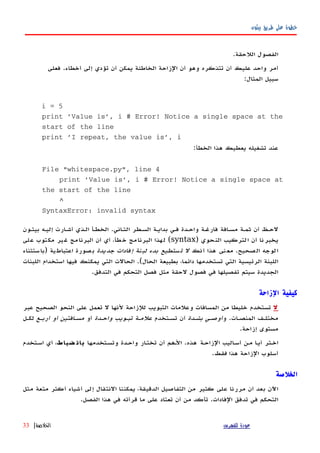
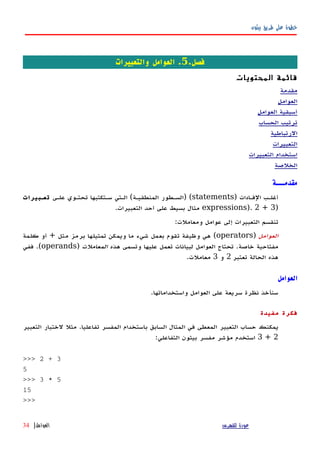
بيثون طريق علىخطوة
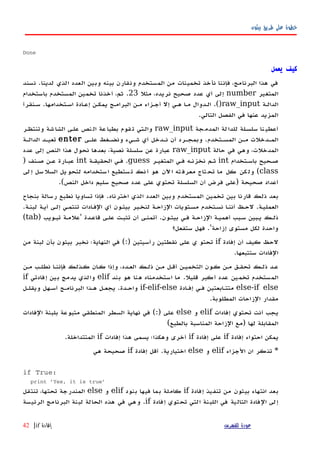
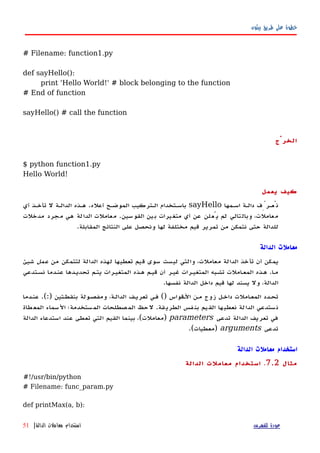
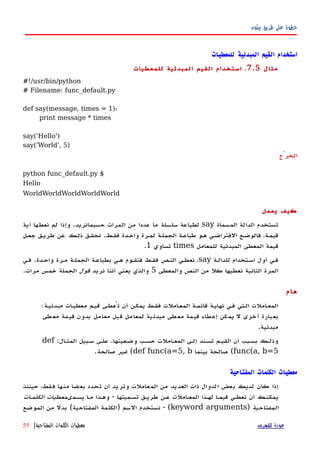
#!/usr/bin/python
# Filename: if.py
number = 23
guess = int(raw_input('Enter an integer : '))
if guess == number:
print 'Congratulations, you guessed it.' # New block
starts here
print "(but you do not win any prizes!)" # New block
ends here
elif guess < number:
print 'No, it is a little higher than that' # Another
block
# You can do whatever you want in a block ...
else:
print 'No, it is a little lower than that'
# you must have guess > number to reach here
print 'Done'
# This last statement is always executed, after the if statement is executed
الخرْج
$ python if.py
Enter an integer : 50
No, it is a little lower than that
Done
$ python if.py
Enter an integer : 22
No, it is a little higher than that
Done
$ python if.py
Enter an integer : 23
Congratulations, you guessed it.
(but you do not win any prizes!)
للفهرس عودةإفادةif|41
بيثون طريق علىخطوة
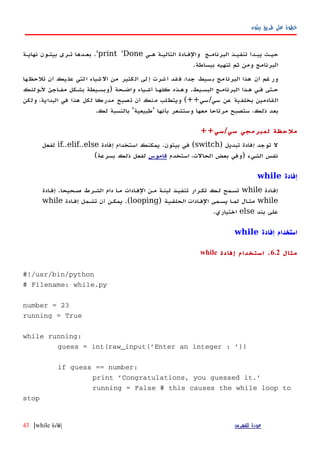
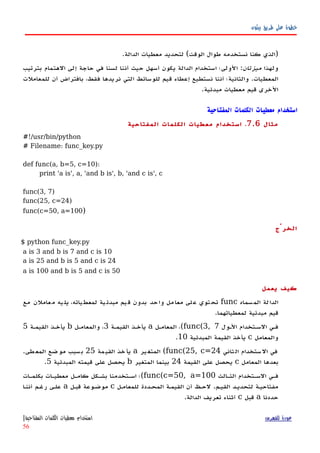
elif guess < number:
print 'No, it is a little higher than that.'
else:
print 'No, it is a little lower than that.'
else:
print 'The while loop is over.'
# Do anything else you want to do here
print 'Done'
الخرْج
$ python while.py
Enter an integer : 50
No, it is a little lower than that.
Enter an integer : 22
No, it is a little higher than that.
Enter an integer : 23
Congratulations, you guessed it.
The while loop is over.
Done
يعمل كيف
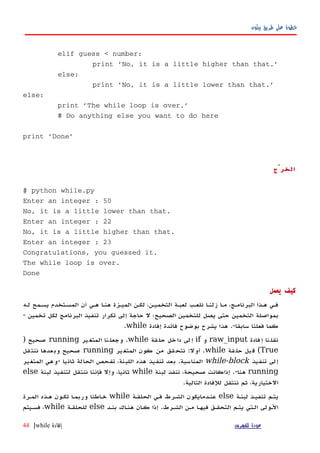
لهه يسهمح المسهتخدم أن ههي هنها الميهزة لكهن ،التخميهن لعبهة نلعهب زلنها مها ،البرنامهج ههذا فهي
تخمين لكل البرنامج تنفيذ تكرار إلى حاجة ل الصحيح؛ للتخمين يصل حتى التخمين بمواصلة-
سابقا فعلنا كما.-إفادة فائدة بوضوح يشرح هذاwhile.
فادةإ نانقلraw_inputوifقةحل خلدا لىإwhile.يرالمتغ ناوجعلrunningصحيح)
True(قةحل بلقwhile.أول:يرالمتغ كون من ققنتحrunningصحيحقلننت عدهاوب
تنفيذ إلىwhile-blockالمناسبة.ثانيا الحالة تفحص ،اللبنة هذه تنفيذ بعد-المتغير وهي
runningهنا.-لبنة ننفذ ،صحيحة إذاكانتwhileلبنة لتنفيذ ننتقل فإننا وإل ،ثانياelse
التالية للفادة ننتقل ثم ،الختيارية.
لبنهة تنفيهذ يتهمelseالحلقهة فهي الشهرط عنهدمايكونwhileخهاطئاالمهرة ههذه تكهون وربمها
الشهرط مهن فيهها التحقهق يتهم الهتي الهولى.بنهد هنهاك كهان إذاelseللحلقهةwhileفسهيتم ،
للفهرس عودةإفادةwhile|44
بيثون طريق علىخطوة
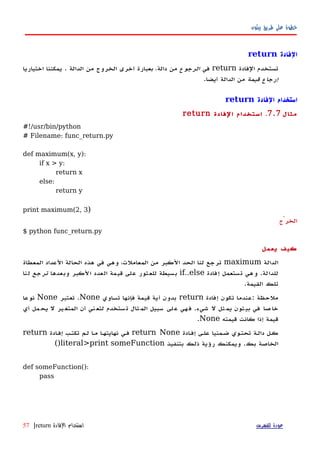
الفادة استخدامbreak
مثال6.4.الفادة استخدامbreak
#!/usr/bin/python
# Filename: break.py
while True:
s = raw_input('Enter something : ')
if s == 'quit':
break
print 'Length of the string is', len(s)
print 'Done'
الخرْج
$ python break.py
Enter something : Programming is fun
Length of the string is 18
Enter something : When the work is done
Length of the string is 21
Enter something : if you wanna make your work also fun:
Length of the string is 37
Enter something : use Python!
Length of the string is 12
Enter something : quit
Done
يعمل كيف
مرة كل في مدخلة كل طول طبعنا ثم المستخدم من المدخلت أخذ كررنا البرنامج هذا في.
هي ستخدمالم لةمدخ كانت إذا ما حصف خلل من مجالبرنا لوقف خاص شرط ناوفر وقد'
quit'طريق عن البرنامج عمل وأوقفناكسرالبرنامج نهاية إلى والوصول الحلقة.
المدمجة الدالة باستخدام المدخلة السلسلة طول معرفة يمكنlen.
إفادة أن تذكرbreakالحلقة مع استخدامها يمكنforأيضا.
للفهرس عودةالفادةbreak|47
49.
بيثون طريق علىخطوة
قصيدة'G2'لبايثون
وسميتها كتبتها قد قصيدة هنا المستخدمة المدخلتG2's Poetic Python:
Programming is fun
When the work is done
if you wanna make your work also fun:
use Python!
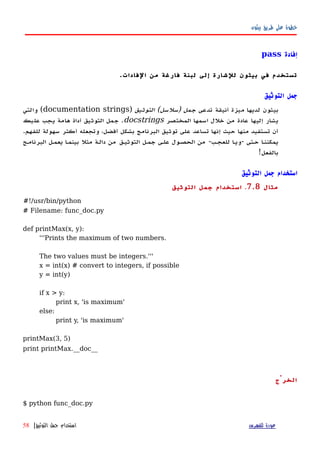
الفادةcontinue
الفهادةcontinueالحاليهة الحلقهة لبنهة فهي ورد مها بقيهة تخطهي بيثهون مهن لنطلهب تسهتخدم
.الحلقة تكرار ومواصلة
الفادة استخدامcontinue
مثال6.5.الفادة استخدامcontinue
#!/usr/bin/python
# Filename: continue.py
while True:
s = raw_input('Enter something : ')
if s == 'quit':
break
if len(s) < 3:
continue
print 'Input is of sufficient length'
# Do other kinds of processing here...
الخرْج
$ python continue.py
للفهرس عودةالفادةcontinue|48
بيثون طريق علىخطوة
print item,
print 'nI also have to buy rice.'
shoplist.append('rice')
print 'My shopping list is now', shoplist
print 'I will sort my list now'
shoplist.sort()
print 'Sorted shopping list is', shoplist
print 'The first item I will buy is', shoplist[0]
olditem = shoplist[0]
del shoplist[0]
print 'I bought the', olditem
print 'My shopping list is now', shoplist
الخرْج
$ python using_list.py
I have 4 items to purchase.
These items are: apple mango carrot banana
I also have to buy rice.
My shopping list is now ['apple', 'mango', 'carrot', 'banana', 'rice']
I will sort my list now
Sorted shopping list is ['apple', 'banana', 'carrot', 'mango', 'rice']
The first item I will buy is apple
I bought the apple
My shopping list is now ['banana', 'carrot', 'mango', 'rice']
يعمل كيف
المتغيهرshoplistالسهوق إلهى ذاههب لشهخص تسهوق قائمهة عهن عبهارة.فهيshoplistنقهوم
نوع أي إضافة بإمكانك أن تذكر لكن ،سيشتريها التي العناصر بأسماء النصية سلسل بتخزين
منالكائناتالخرى القوائم وحتى العداد ذلك في بما القائمة إلى.
الحلقة أيضا استخدمنا كماfor..inالقائمة عناصر خلل للتنقل.أن أدركت أنك لبد ،اﻵن
أيضا تتابع هي القائمة.في التتابعات خصوصية نناقش وسوفقسملحق.
نستخدم أننا لحظفاصلة","إفادة نهاية فيprintبعد السطر لفاصل التلقائية الطباعة لمنع
إفادة كلprint.المهمة وتنجز بسيطة ولكنها ،ذلك لفعل سيئة طريقة هذه تعتبر قد.
للفهرس عودةالقائمة|69
بيثون طريق علىخطوة
وإفادة الصفوفprint
واحدةمنأكثرالستعمالتالشائعةهيالصفوفمعالفادةprint.وإليكهذاالمثال
مثال9.3الصفوف استخدام
#!/usr/bin/python
# Filename: print_tuple.py
age = 22
name = 'Swaroop'
print '%s is %d years old' % (name, age)
print 'Why is %s playing with that python?' % name
الخرج
$ python print_tuple.py
Swaroop is 22 years old
Why is Swaroop playing with that python?
البرنامج يعمل كيف
•إفادةprintيمكنانتأخذسلسلةنصيةباستخداممواصفاتمعينةيتبعهاالرمز٪يليها
tupleمنالبنودالمطابقللمواصفات.المواصفاتتستخدمفيصياغهالنتائجبطريقةمعينة.
المواصفاتيمكنأنتكونعلىغرار%sللسلسلالنصيةstringsو%dللعداد
الصحيحةالصف .يجبأنيحتويعلىبنودمقابلةلهذهالمواصفاتفينفسالنظام.
•لحظأنأولاستعمالحيثنستخدم%sأولوهذامطابقالسمالمتغيرالذيهوالبندالول
فيالصف،والوصفالثانيهو%dالمقابلللageالذيهوالبندالثانيفي.الصف
•مايعملهبيثونهناهوأنهيحولكلبندفيالصفإلىسلسلةنصيةوبدائللقيمةهذه
السلسلةداخلمكانالمواصفات.لذا%sهواستعاضةعنقيمةالمتغيرnameوهلمجرا.
•هذاالستخدامللفادةprintيجعلمنالسهلللغايةكتابةالناتجويتجنبالكثيرمنالتلعب
بالنصلتحقيقذاتالمر.كماانهيتجنباستعمالالفواصلفيكلمكانكمافعلناحتى
اﻵن.
•معظمالوقت،يمكنكاستخدامالوصف%s.واتركلبايثونالعنايةبالباقيمنأجلك.وهذا
يعملحتىمعالرقام.ومعذلك،قدترغبفيإعطاءالمواصفاتالصحيحةحيثإنهذا
للفهرس عودةوإفادة الصفوفprint|72
بيثون طريق علىخطوة
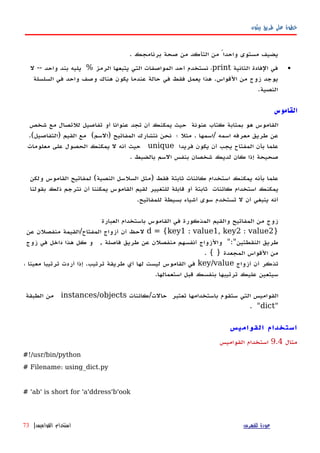
ab = { 'Swaroop' : 'swaroopch@byteofpython.info',
'Larry' : 'larry@wall.org',
'Matsumoto' : 'matz@ruby-lang.org',
'Spammer' : 'spammer@hotmail.com'
}
print "Swaroop's address is %s" % ab['Swaroop']
# Adding a key/value pair
ab['Guido'] = 'guido@python.org'
# Deleting a key/value pair
del ab['Spammer']
print 'nThere are %d contacts in the address-bookn' % len(ab)
for name, address in ab.items():
print 'Contact %s at %s' % (name, address)
if 'Guido' in ab: # OR ab.has_key('Guido')
print "nGuido's address is %s" % ab['Guido']
الخرج
$ python using_dict.py
Swaroop's address is swaroopch@byteofpython.info
There are 4 contacts in the address-book
Contact Swaroop at swaroopch@byteofpython.info
Contact Matsumoto at matz@ruby-lang.org
للفهرس عودةالقواميس استخدام|74
بيثون طريق علىخطوة
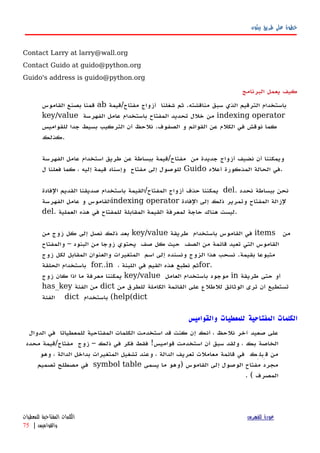
المتسلسلت
النصية والسلسل والقوائم الصفوفهيأمثلةعلىالمتسلسلتSequences،ولكنما
هيالمتسلسلة،وماذافيهامنالخصوصية؟اثنانمنالسماتالرئيسيةللمتسلسلةهيعملية
الفهرسةالتيتتيحلناجلببندبعينهفيالمتسلسلةمباشرة،وعمليةالتقطيعالذييتيحلناأن
نستعيدشريحةمنالمتسلسلةأيجزءامنالمتسلسلة.
المتسلسلت استخدام
مثال9.5المتسلسلت استخدام
#!/usr/bin/python
# Filename: seq.py
shoplist = ['apple', 'mango', 'carrot', 'banana']
# Indexing or 'Subscription' operation
print 'Item 0 is', shoplist[0]
print 'Item 1 is', shoplist[1]
print 'Item 2 is', shoplist[2]
print 'Item 3 is', shoplist[3]
print 'Item -1 is', shoplist[-1]
print 'Item -2 is', shoplist[-2]
# Slicing on a list
print 'Item 1 to 3 is', shoplist[1:3]
print 'Item 2 to end is', shoplist[2:]
print 'Item 1 to -1 is', shoplist[1:-1]
print 'Item start to end is', shoplist[:]
# Slicing on a string
name = 'swaroop'
للفهرس عودةالمتسلسلت استخدام|76
78.
بيثون طريق علىخطوة
print 'characters 1 to 3 is', name[1:3]
print 'characters 2 to end is', name[2:]
print 'characters 1 to -1 is', name[1:-1]
print 'characters start to end is', name[:]
الخرج
$ python seq.py
Item 0 is apple
Item 1 is mango
Item 2 is carrot
Item 3 is banana
Item -1 is banana
Item -2 is carrot
Item 1 to 3 is ['mango', 'carrot']
Item 2 to end is ['carrot', 'banana']
Item 1 to -1 is ['mango', 'carrot']
Item start to end is ['apple', 'mango', 'carrot', 'banana']
characters 1 to 3 is wa
characters 2 to end is aroop
characters 1 to -1 is waroo
characters start to end is swaroop
البرنامج يعمل كيف
أول،نرىكيفيةاستخدامالفهارسللحصولعلىعناصرفرديةمنالمتسلسلة.وهذاأيضا
يشاراليهعلىانهعمليةالكتتاب.كلماقمتبتحديدعددللمتسلسلةبينمعقوفتين[ ]كما
هومبينأعله،سوفيجلبلكبيثونالبندالمقابللموضعهفيالمتسلسلة.نتذكران
بيثونيبدأعدالرقاممن0.ومنهنا]shoplist [0يجلبالبندالول]و
shoplist [3يجلبالبندالرابعفيمتسلسلةshoplist
للفهرس عودةالمتسلسلت استخدام|77
بيثون طريق علىخطوة
عموما،لستبحاجةإلىأنتشعربالقلقإزاءهذاالمر،ولكنثمةتأثيررقيقبسبب
referencesالتيتحتاجإلىأنتكونعلىعلمبها.ويتضحذلكمنالمثالالتالي:
Objects and References
Example 9.6. Objects and References
#!/usr/bin/python
# Filename: reference.py
print 'Simple Assignment'
shoplist = ['apple', 'mango', 'carrot', 'banana']
mylist = shoplist # mylist is just another name pointing to the same object!
del shoplist[0] # I purchased the first item, so I remove it from the list
print 'shoplist is', shoplist
print 'mylist is', mylist
# notice that both shoplist and mylist both print the same list without
# the 'apple' confirming that they point to the same object
print 'Copy by making a full slice'
mylist = shoplist[:] # make a copy by doing a full slice
del mylist[0] # remove first item
print 'shoplist is', shoplist
print 'mylist is', mylist
# notice that now the two lists are different
الخرج
$ python reference.py
Simple Assignment
للفهرس عودةReferences|79
81.
بيثون طريق علىخطوة
shoplist is ['mango', 'carrot', 'banana']
mylist is ['mango', 'carrot', 'banana']
Copy by making a full slice
shoplist is ['mango', 'carrot', 'banana']
mylist is ['carrot', 'banana']
البرنامج يعمل كيف
معظمالشرحمتاحفيالتعليقاتنفسها.الذي المرتحتاجإلىتذكرهانكإذاأردتأنتجعل
نسخةمنالقائمةأومنتلكالنواعمنالمتسلسلتأوالكائناتالمعقدة)ليستكائنات
بسيطةمثلالعدادالصحيحة(،فإنعليكأنتستخدمعمليةالتقطيعslicing operation
لعملنسخةإ .ذاقمتفقطبمجردإسناداسمالمتغيرإلىاسمآخر،كلهمايشيرإلىالكائن
ذاته،فهذايمكنأنيؤديإلىجميعأنواعالمتاعبإذالمتكنحذرا.
: بيرل لمبرمجي ملحظة
تقطيع بعملية تقوم أن عليك ، منها نسخة ينشئ ل القوائم إلى فئة إسناد أن تذكرslicing
operation. المتسلسلة من نسخة لعمل
المزيدعنالسلسلالنصية
لقدناقشنابالفعلالسلسلالنصيةبالتفصيلفيوقتسابقا.ماالمزيدالذييمكنمعرفته
عنها؟
حسنا،هلتعرفانالسلسلالنصيةتعتبرهيأيضاobjectsولديهاالساليبلفعلكل
شيءمنأولفحصجزءمنالنصحتىتعريةالمساحات!
النصية السلسلالتيتستخدمهافيالبرنامجهيجميعالكائن) الفئة منstr(بعضمنالطرق
المفيدةلهذهالفئةتتجلىفيالمثالالتالي.وللحصولعلىقائمةكاملةمنهذهالطرق،انظر
)help(str.
مثال9.7النصية السلسل طرق
#!/usr/bin/python
# Filename: str_methods.py
name = 'Swaroop' # This is a string object
للفهرس عودةالنصية السلسل عن المزيد|80
82.
بيثون طريق علىخطوة
if name.startswith('Swa'):
print 'Yes, the string starts with "Swa"'
if 'a' in name:
print 'Yes, it contains the string "a"'
if name.find('war') != -1:
print 'Yes, it contains the string "war"'
delimiter = '_*_'
mylist = ['Brazil', 'Russia', 'India', 'China']
print delimiter.join(mylist)
الخرج
$ python str_methods.py
Yes, the string starts with "Swa"
Yes, it contains the string "a"
Yes, it contains the string "war"
Brazil_*_Russia_*_India_*_China
كيفيعملالبرنامج
هنا،نرىالكثيرمنأساليبالسلسلالنصيةstringsداخلالعملطريق.Startswith
تستخدملمعرفةمااذاكانتالسلسلةالنصيةتبدأمعالجملةالمعطاة.المشغلinيستخدم
لفحصمااذاكانالنصالمعطىهوجزءمنالسلسلةالنصية..
طريقةfindتستخدمليجادموضعالنصالمعطىفيstringأوإعادة1-اذالميتمالنجاح
فيالعثورعلىالنصالثانوي.الفئةstrلهاأيضاطريقهبارعةفيربطبنودمنالمتسلسلة
معالسلسلةالنصيةstringبصفتهامحددبينكلبندمنالمتسلسلةsequenceوتعيد
للفهرس عودةالنصية السلسل عن المزيد|81
بيثون طريق علىخطوة
لناتمريرالقيمإليهمنالسكربتالخاصبنا.
الحـل:
وبماأنتصميمبرنامجنااﻵنمستقر،يمكنناأننكتبالكودالذييُعتبرأداتنالتنفيذالحل.
الول الصدار
مثال10.1الول الصدار – الحتياطي النسخ سكربت
#!/usr/bin/python
# Filename: backup_ver1.py
import os
import time
# 1. The files and directories to be backed up are specified in a list.
source = ['/home/swaroop/byte', '/home/swaroop/bin']
# If you are using Windows, use source = [r'C:Documents', r'D:Work'] or
something like that
# 2. The backup must be stored in a main backup directory
target_dir = '/mnt/e/backup/' # Remember to change this to what you will be using
# 3. The files are backed up into a zip file.
# 4. The name of the zip archive is the current date and time
target = target_dir + time.strftime('%Y%m%d%H%M%S') + '.zip'
# 5. We use the zip command (in Unix/Linux) to put the files in a zip archive
zip_command = "zip -qr '%s' %s" % (target, ' '.join(source))
# Run the backup
if os.system(zip_command) == 0:
للفهرس عودةالول الصدار|84
بيثون طريق علىخطوة
باستخدام - الملفات لتسمية أفضل ميكانيكية هي بفائدتها شعرت التي التحسينات هذه أحد
timeالحالي التاريخ يحمل دليل بداخل للملف كاسمdateالنسخة دليل ضمن كدليل
ولذا ،هرمية بطريقة تخزينها سيتم الحتياطية نسخك أن هي الميزات أحد .الرئيس الحتياطية
بهذه بكثير أقصر الملفات أسماء طول أن وهي أخرى ميزة وهناك .إدارتها السهل من سيكون
ما إذا بسهولة تعرف أن ستساعدك المنفصلة الدلة أن هي أخرى ميزة هناك وأيضا .الطريقة
أخذت قد كنت إذا إل الدليل ينشأ لن حيث يوم كل عن احتياطية نسخة بعمل قمت قد كنت
.اليوم لذلك احتياطية نسخة
مثال10.2الثاني الصدار -الحتياطي النسخ سكربت
#!/usr/bin/python
# Filename: backup_ver2.py
import os
import time
# 1. The files and directories to be backed up are specified in a list.
source = ['/home/swaroop/byte', '/home/swaroop/bin']
# If you are using Windows, use source = [r'C:Documents', r'D:Work'] or
something like that
# 2. The backup must be stored in a main backup directory
target_dir = '/mnt/e/backup/' # Remember to change this to what you will be using
# 3. The files are backed up into a zip file.
# 4. The current day is the name of the subdirectory in the main directory
today = target_dir + time.strftime('%Y%m%d')
# The current time is the name of the zip archive
now = time.strftime('%H%M%S')
# Create the subdirectory if it isn't already there
if not os.path.exists(today):
للفهرس عودةالثاني الصدار:|87
89.
بيثون طريق علىخطوة
os.mkdir(today) # make directory
print 'Successfully created directory', today
# The name of the zip file
target = today + os.sep + now + '.zip'
# 5. We use the zip command (in Unix/Linux) to put the files in a zip archive
zip_command = "zip -qr '%s' %s" % (target, ' '.join(source))
# Run the backup
if os.system(zip_command) == 0:
print 'Successful backup to', target
else:
print 'Backup FAILED'
الخرج
$ python backup_ver2.py
Successfully created directory /mnt/e/backup/20041208
Successful backup to /mnt/e/backup/20041208/080020.zip
$ python backup_ver2.py
Successful backup to /mnt/e/backup/20041208/080428.zip
يعمل كيف
أجزاء معظمهذاالبرنامجالتغيير يعترها لم.والتغيراتهيأننانتحققإذاكانهناكدليل
باسماليومالحاليداخلالدليلالرئيسللنسخةالحتياطيةباستخدامالدالةos.exists.فإذا
يكن لمموجودا،فنحنننشئهمستخدمينالدالةos.mkdir.
لحظاستخدامالمتغيرos.sep-فهوللدلة يعطيفاصلوفقالنظامالتشغيلالخاصبكأي
انهسيكون'/'فيلينكس،ويونيكس،وسيكون' 'فيويندوزو':'فينظامتشغيل
ماكنتوش.استخدامOs.sepبدلمنهذهالحروفبشكلمباشرستجعلبرنامجنامحمول
ويعملعبرهذهالنظم.
للفهرس عودةالثاني الصدار:|88
90.
بيثون طريق علىخطوة
الصدار: الثالث
كونت ندماع كنول ،يةالحتياط سخالن من كثيرال ملبع قومأ ندماع يداج ملتع يةالثان سخةالن
نسخة كل من الغرض بين التفريق في صعوبة وجدت ،الحتياطية النسخ من كبير كم هناك
فأريهد ،عهرض أو برنامهج علهى الرئيسهة التغييهرات بعهض قمهت إذا ،الهالمث سهبيل فعلهى ،احتياطيهة
تعليق إرفاق طريق عن بسهولة تحقيقه يمكن وهذا .المضغوط الملف باسم التغييرات هذه ربط
.المضغوط الرشيف باسم المستخدم من.
مثال10.3(يعمل )ل الحتياطي النسخ سكربت
#!/usr/bin/python
# Filename: backup_ver2.py
import os
import time
# 1. The files and directories to be backed up are specified in a list.
source = ['/home/swaroop/byte', '/home/swaroop/bin']
# If you are using Windows, use source = [r'C:Documents', r'D:Work'] or
something like that
# 2. The backup must be stored in a main backup directory
target_dir = '/mnt/e/backup/' # Remember to change this to what you will be using
# 3. The files are backed up into a zip file.
# 4. The current day is the name of the subdirectory in the main directory
today = target_dir + time.strftime('%Y%m%d')
# The current time is the name of the zip archive
now = time.strftime('%H%M%S')
# Take a comment from the user to create the name of the zip file
comment = raw_input('Enter a comment --> ')
if len(comment) == 0: # check if a comment was entered
للفهرس عودةالثالث الصدار:|89
91.
بيثون طريق علىخطوة
target = today + os.sep + now + '.zip'
else:
target = today + os.sep + now + '_' +
comment.replace(' ', '_') + '.zip'
# Create the subdirectory if it isn't already there
if not os.path.exists(today):
os.mkdir(today) # make directory
print 'Successfully created directory', today
# 5. We use the zip command (in Unix/Linux) to put the files in a zip archive
zip_command = "zip -qr '%s' %s" % (target, ' '.join(source))
# Run the backup
if os.system(zip_command) == 0:
print 'Successful backup to', target
else:
print 'Backup FAILED'
الخرج
$ python backup_ver3.py
File "backup_ver3.py", line 25
target = today + os.sep + now + '_' +
^
SyntaxError: invalid syntax
كيفلميعملالبرنامج؟
هذاالبرنامجليعمل.!بيثونتقولإنثمةخطأصياغيممايعنيأنالبرنامجليوفي
التركيبالذيتتوقعهبيثون.عندمانلحظالخطأالذيقدمتهبيثون،كذلكتخبرناعن
المكانالذياكتشفتالخطأ.ستبدأ لذاالخطأ تتبع.السطر هذا من
أن نوضح لم ولكننا ،ماديين سطرين الى انقسم قد منطقيا سطرا أن نرى ،الدقيقة وبالملحظة
للفهرس عودةالثالث الصدار:|90
92.
بيثون طريق علىخطوة
) الضافة عامل أن بيثون وجدت فقد ،ببساطة .معا الماديين السطرين هذين+حدود بدون (
حسابيةoperandأن يمكن أننا تذكر .العمل تواصل كيف تعرف ل وبالتالي ،السطر هذا في
المائلة الشرطة باستخدام القادم المادي السطر في متواصل يزال ل المنطقي السطر أن نحدد
) الخلفيةbackslashوهذا .برنامجنا في التصحيح بهذا نقوم لذا .المادي السطر نهاية في (
) الخطأ إصلح يسمى ماbug fixing.(
الصدارالرابع
مثال10.4الحتياطي النسخ سكربت
#!/usr/bin/python
# Filename: backup_ver2.py
import os, time
# 1. The files and directories to be backed up are specified in a list.
source = ['/home/swaroop/byte', '/home/swaroop/bin']
# If you are using Windows, use source = [r'C:Documents', r'D:Work'] or
something like that
# 2. The backup must be stored in a main backup directory
target_dir = '/mnt/e/backup/' # Remember to change this to what you will be
using
# 3. The files are backed up into a zip file.
# 4. The current day is the name of the subdirectory in the main directory
today = target_dir + time.strftime('%Y%m%d')
# The current time is the name of the zip archive
now = time.strftime('%H%M%S')
للفهرس عودةالرابع الصدار|91
93.
بيثون طريق علىخطوة
# Take a comment from the user to create the name of the zip file
comment = raw_input('Enter a comment --> ')
if len(comment) == 0: # check if a comment was entered
target = today + os.sep + now + '.zip'
else:
target = today + os.sep + now + '_' +
comment.replace(' ', '_') + '.zip'
# Notice the backslash!
# Create the subdirectory if it isn't already there
if not os.path.exists(today):
os.mkdir(today) # make directory
print 'Successfully created directory', today
# 5. We use the zip command (in Unix/Linux) to put the files in a zip archive
zip_command = "zip -qr '%s' %s" % (target, ' '.join(source))
# Run the backup
if os.system(zip_command) == 0:
print 'Successful backup to', target
else:
print 'Backup FAILED'
الخرج
$ python backup_ver4.py
Enter a comment --> added new examples
Successful backup to /mnt/e/backup/20041208/082156_added_new_examples.zip
$ python backup_ver4.py
للفهرس عودةالرابع الصدار|92
بيثون طريق علىخطوة
والفئة الكائن متغيرات استخدام
مثال11.4.والطبقة الكائن متغيرات استخدام
#!/usr/bin/python
# Filename: objvar.py
class Person:
'''Represents a person.'''
population = 0
def __init__(self, name):
'''Initializes the person's data.'''
self.name = name
print '(Initializing %s)' % self.name
# When this person is created, he/she
# adds to the population
Person.population += 1
def __del__(self):
'''I am dying.'''
print '%s says bye.' % self.name
Person.population -= 1
if Person.population == 0:
print 'I am the last one.'
else:
print 'There are still %d people left.' % Person.population
للفهرس عودةوالفئة الكائن متغيرات استخدام|
102
104.
بيثون طريق علىخطوة
def sayHi(self):
'''Greeting by the person.
Really, that's all it does.'''
print 'Hi, my name is %s.' % self.name
def howMany(self):
'''Prints the current population.'''
if Person.population == 1:
print 'I am the only person here.'
else:
print 'We have %d persons here.' % Person.population
swaroop = Person('Swaroop')
swaroop.sayHi()
swaroop.howMany()
kalam = Person('Abdul Kalam')
kalam.sayHi()
kalam.howMany()
swaroop.sayHi()
swaroop.howMany()
الخرج
$ python objvar.py
(Initializing Swaroop)
Hi, my name is Swaroop.
I am the only person here.
للفهرس عودةوالفئة الكائن متغيرات استخدام|
103
105.
بيثون طريق علىخطوة
(Initializing Abdul Kalam)
Hi, my name is Abdul Kalam.
We have 2 persons here.
Hi, my name is Swaroop.
We have 2 persons here.
Abdul Kalam says bye.
There are still 1 people left.
Swaroop says bye.
I am the last one.
كيفيعمل:
هذامثالطويلولكنهيساعدفيتبيينطبيعةمتغيراتالفئاتوالكائنات؛وهنا
populationتنتميإلىالفئةPerson،ولذاتعتبرمتغيراللفئة.والمتغيرname
ينتميإلىالكائن)وهومسندباستخدامself(وبالتاليهومتغيرللكائن.
وهكذانشيرإلىمتغيرالفئة"population"كهPerson.populationوليسكه
self.population.لحظأنمتغيركائنيحملنفساسممتغيرفئةسوفيخفيمتغير
الفئة!ونحننشيرإلىاسممتغيرالكائنnameباستخدامself.nameفيالطرقالخاصة
بالكائن.تذكرأنهناكاختلفبسيطبينمتغيراتالفئةومتغيراتالكائن.
ْلحظطريقة ّبأن__init__ُتُستَعمللعملinitializeِللحالةPersonمَعname.
وفيهذه،ِالطريقةنزيدعددpopulationبمقدار1حيثنحصلPersonواحدمضافا.
كذلكنلحظأنقيمself.nameتحددلكلكائنيشيرإلىطبيعةمتغيراتالكائن.
المتغير باستخدام الكائن بنفس الخاصة والطرق المتغيرات إلى تشير أن يجب أنه تذكرself
وفقطيدعى وذلك .attribute reference.
استخدام أيضا نرى البرنامج هذا فيdocstringsالوصول يمكننا .الطرق وكذلك للفئات
إلىclass docstringباستخدام التشغيل وقت فيPerson.__doc__والطريقة
docstringكهPerson.sayHi.__doc__
تشبه أخرى طريقة وهناك__init__مثل__del__على ما كائن يوشك عندما تستدعى ،التي
من الجزء هذا استعمال لعادة النظام إلى إعادته وستتم ،ذلك بعد استخدامه يمكن .ول الموت
ال حساب بإنقاص ببساطة نقوم الطريقة هذه وفي .الذاكرةPerson.populationبمقدار
1.
للفهرس عودةوالفئة الكائن متغيرات استخدام|
104
بيثون طريق علىخطوة
f = file(filename)
while True:
line = f.readline()
if len(line) == 0:
break
print line, # notice comma
f.close()
# Script starts from here
if len(sys.argv) < 2:
print 'No action specified.'
sys.exit()
if sys.argv[1].startswith('--'):
option = sys.argv[1][2:]
# fetch sys.argv[1] but without the first two characters
if option == 'version':
print 'Version 1.2'
elif option == 'help':
print '''
This program prints files to the standard output.
Any number of files can be specified.
Options include:
--version : Prints the version number
--help : Display this help'''
else:
print 'Unknown option.'
sys.exit()
else:
for filename in sys.argv[1:]:
readfile(filename)
الخرج
$ python cat.py
No action specified.
$ python cat.py --help
This program prints files to the standard output.
Any number of files can be specified.
Options include:
للفهرس عودةالوامر سطر معطيات|120



![بيثون طريق على خطوة
[GCC 3.4.2 20041017 (Red Hat 3.4.2-6.fc3)] on linux2
Type "help", "copyright", "credits" or "license" for more
information.
>>> print 'hello world'
hello world
>>>
هو أدخلته ما .فورًا السطر َناتج تعطيك بيثون ّأن ْلحظإفادةنستخدم .واحدة بيثونprint
َّالنَص أعطيناها ،هنا .لها نعطيها قيمة أيّة لطبع -مفاجئة -ليستHello Worldطُبِع وقد
.الشاشة على فورًا
بيثون محث من الخروج كيفية
لمفتهاحي علهى اضهغط البرنامهج محهث مهن لخُهرُوجCtrl+dُتَسهتعمل كنهت إذاIDLEأَو
مفتهاح اضهغط ،وينهدوز أوامهر سهطر حالهة فهي .لينكهس/بيإسهدي صهددَفَة تسهتخدمCtrl+z
بمفتاح متبوعةEnter.
محــرر اختيـار
ِالملفات لكِتابَة محرّرًا ُنَحتاج ،ِالمصدرية ِالملفات في بيثون ِبرامج لكِتابة نَنتقل ْأَن َقَبْل
ُتارتَخ ماك َحررالم َتارتخ ْنَأ ُبِيَج .يةالهم يةغا في مرأ ِحرّرُالم ياراخت .ِصدريةالم
رحلتَك ُويَجْعل ،بسهولة بيثون برامج كتابة على يُساعدُك الجيد المحرّر .تَشتريها سيارة
.أمانًا وأكثر بكثير أسرع بطريقة َغايتِك إلى َلتَصِل ويُساعدُك َأكثر ًمريحة
ههي جهدًا ِالساسهية ِالمتطلبهات إحهدىالهتركيب إبراز)syntax highlightingحيهث (
أن لك يتسنى حتى المختلفة بيثون ِبرنامج أجزاء تلونتَرىكيفية ُوتَتصوّر َنامجَكبر
.عمله
استعمال عليك ُأَقترح ،ويندوز ُتَستعمل كنت إذاIDLEإن حيث .IDLEبإبراز بعمل يقوم
داخهل َبرامجِكه تشهغيل مهن تمكينهك مثهل وأكهثر الهتركيبIDLE.أخهرى ِأشهياء ضهمن
:خاصّة مُلحظةْستعمل ت لNotepadالتركيب بإبراز تقوم ل لنها سيئ اختيار فهي ،
) ِّهالنَص إزاحهة ُتَهدْعم ل أنهه ذلهك مهن والههمindentation(البهادءة المسهافات تنظيهم أي ،
مثل الجيدة المحرّرات .لحقًا سَنَرى كما حالتِنا في جدًا ُمهم وهوIDLE)وأيضًاVIM(
.ذلك عمَل على آليًا ستساعدك
كنهت وإذا .منهها لتختهار المحهرّرِات ْهمِن الكهثير فلهديك لينكهس/بيإسهدي ُتَسهتعمل كنهت إذا
تستعمل أنك المؤكد فمن ،خبيرا مبرمجاVIMأوEmacsاثنان بأنهما للقول حاجة ول .
ُأَستعمل شخصيًا أنا .بيثون ِبرامج لكِتابَة استعمالهما من ُسَتَستفيد و القوى المحرّرات ْمِن
للفهرس عودةمحــرر اختيـار|20](https://image.slidesharecdn.com/bytofbythonv2arabic-200220112540/85/Byt-of-ByteofPython-arabic-21-320.jpg)
![بيثون طريق على خطوة
.دوس أو لينكس طرفية في تستخدمها التي
تحـذيــر
.الشيء نفس تعني جميعها تطبيق أو سكريبت أو برنامج بيثون في
المساعدة على الحصول
) إفهادة أو دالهة أي عهن سهريع بشهكل معلومهات إلهى بحاجهة كنهت إذاstatement،بيثهون فهي (
استخدام عند وخصوصا جدا مفيد هذا .البرنامج في المدمجة المساعدة وظيفة استخدام يمكنك
شهغل المثهال سهبيل فعلهى .المفسهر محهثhelp(str(الصهنف عهن مسهاعدة ههذا وسهيعرضstr
بالتفصيل الطبقات ستشرح .برنامجك في تستخدمه ()سلسلة نص كل لتخزين تستخدم والتي
.الكائنية بالبرمجة المتعلق الفصل في
ملحظــة
اضغطq.المساعدة من للخروج
استخدم .بيثون في تقريبا شيء أي عن معلومات على الحصول يمكنك ،وبالمثلhelp()حول المزيد لمعرفة
.نفسها المساعدة استخدام
مثل عامل عن مساعدة على الحصول إلى بحاجة كنت حال فيprintالبيئة متغير تحديد إلى بحاجة فأنت ،
PYTHONDOCSالمر باستخدام لينكس/يونكس على بسهولة ذلك يتم أن ويمكن .مناسب بشكلenv.
$ env PYTHONDOCS=/usr/share/doc/python-docs-2.3.4/html/ python
Python 2.3.4 (#1, Oct 26 2004, 16:42:40)
[GCC 3.4.2 20041017 (Red Hat 3.4.2-6.fc3)] on linux2
Type "help", "copyright", "credits" or "license" for more
information.
>>> help('print')
لتحديد القتباس علمة استخدمت أني ستلحظ'print'أريد أنني تفهم أن لبايثون يمكن حتى
' حهول مسهاعدة استحضهارprintاسهتخدمت أننهي علمها .شهيء أي طباعهة منهه أطلهب ل وأننهي '
فيدورا في المستخدم المكان3.الصدارة أو للتوزيعة طبقا مختلفة تكون وقد
الخلصة
أنهت اﻵهن .سههولة بكهل بيثهون برامهج وتشهغيل ،وحفهظ ،كتابهة علهى قهادرا اﻵهن تكهون أن يجهب
.بيثون عن أكثر مفاهيم نتعلم اﻵن دعنا ،بيثون مستخدم
للفهرس عودةالخلصة|24](https://image.slidesharecdn.com/bytofbythonv2arabic-200220112540/85/Byt-of-ByteofPython-arabic-25-320.jpg)
![بيثون طريق على خطوة
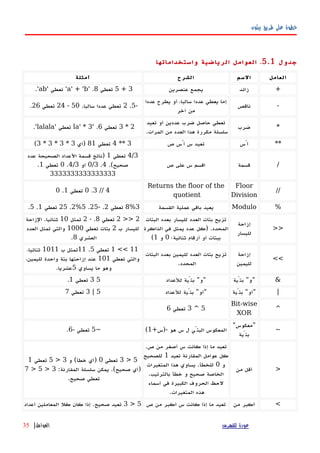
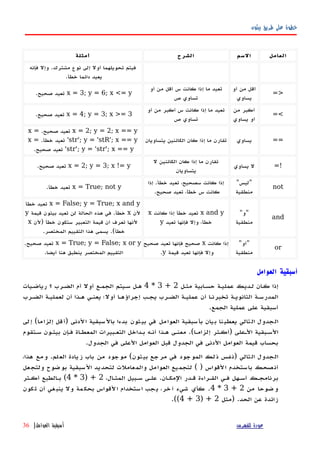
جدول5.2.العوامل أسبقية
العاملالوصف
lambdaلمدا تعبير
orمنطقية ""أو
andمنطقية ""و
not xمنطقية ""ليس
in, not inالعضوية اختبارات
is, is notالهوية اختبارات
== ,=! ,=< ,< ,=> ,>المقارنات
|بتّية ""أو
^Bitwise XOR
&بتّية ""و
<< ,>>الزاحة
- ,+والطرح الجمع
% ,/ ,*والباقي والقسمة الضرب
+x, -xوالسالب الموجب
~xبتّية ""ليس
**الُس
x.attributeالخصائص إخالة
x[index[الشتراك
x[index:index[الجز
f(arguments(...الدوال استدعاء
)expressions(... ,Binding or tuple display
]expressions[... ,القوائم عرض
}key:datum{... ,القواميس عرض
`expressions`... ,السلسل تحويل
.القادمة الفصول في ستشرح سابقا عليها نمر لم التي العوامل
العواملالسبقية في المتساويةالمثال سبيل على .السابق الجدول في الصف نفس في وضعت+
و-.السبقية نفس لهما
للفهرس عودةالعوامل أسبقية|37](https://image.slidesharecdn.com/bytofbythonv2arabic-200220112540/85/Byt-of-ByteofPython-arabic-38-320.jpg)
![بيثون طريق على خطوة
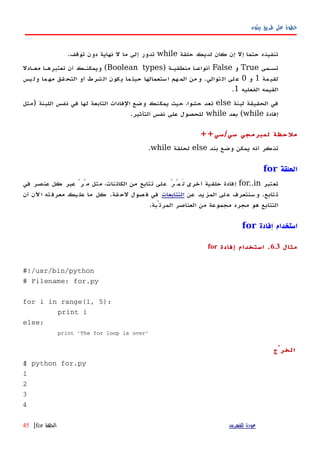
The for loop is over
يعمل كيف
نطبهع البرنامهج ههذا فهياهتتابعالعهداد مهن.المدمجهة الدالهة باسهتخدام ههذا العهداد تتهابع ولّهدنا
range.
ثم عددين أعطيناه أننا هنا به قمنا ماrangeالول العدد من بداية العداد من تتابعا لنا يعيد
الخير العدد قبل ما إلى يصل حتى تصاعديا ثم.المثال سبيل علىrange(1,5(التتابع يعطي
]1,2,3,4[يأخهذ ،افتراضهياrangeبقيمهة خطهوة1.الخطهوة تكهون اهثالث عهددا أعطيتهه إذا
،العدد ذلك بمقدارالمثال سبيل على:range(1,5,2(تعطي]1,3[.يمتد المدى أن تذكر
حتىقبل ماالثاني العدد-إنه أيلالثاني العدد يشمل.
الحلقة تدور ذلك بعدforالمدى ذلك خلل-for i in range(1,5(تعادلfor i in [1,
2, 3, 4[-عدد كل إسناد تشبه والتي)كائن أو(المتغير إلىiيتم بعدها ،مرة كل في واحدا
قيمة لكل الفادات لبنة تنفيذi.الفادات لبنة في القيمة بطباعة فقط نقوم هذه حالتنا في.
الجزء أن تذكرelseاختياري.الحلقة انتهاء بعد واحدة مرة يُنفذ فإنه ،يضاف وعندماfor
إفادة قابل إذا إلbreak.
الحلقة أن تذكرfor..inتتابع أي مع تعمل.باستخدام توليدها تم العداد من قائمة لدينا هنا
المدمجة الدالةrangeكائنات لي تتابع أي استخدام يمكننا العموم على ولكن ،.هذه وسنشرح
القادمة الفصول في بالتفصيل الفكرة.
سي لمبرمجي ملحظة/سي/++جافا/سي#
الحلقهةforسهي عهن جهذريا اختلفها تختلهف بيثهون فهي/سهي.++سهي مهبرمجو#
الحلقهة أن سهيلحظونforلحلقهة مشهابهة بيثهون فهيforeachسهي فهي.#مهبرمجو
Javaمع تشابهها أيضا سيلحظونfor (int i : IntArray(جافا في1.5.
سي في/سي++تكتب أن أردت إذا ،for (int i = 0; i < 5; i(++تكتب بيثون ففي ،
فقطfor i in range(0,5(.بساطة أكثر بيثون في الحلقة كتابة فإن ،ترى وكما
للخطأ وعرضة تعبيرا وأقل.
الفادةbreak
إفادةbreakتستخدملكسرلم ولو حتى الحلقة تنفيذ وقف :أخرى بعبارة ،التكرارية الحلقة
الحلقة شرط يصبحخاطئا.كله العناصر تتابع على تمر لم أو
أن ملحظة المهم منكسرحلقةforأوwhileإلى سيؤديعدمإفادات لبنة تنفيذelse.
للفهرس عودةالفادةbreak|46](https://image.slidesharecdn.com/bytofbythonv2arabic-200220112540/85/Byt-of-ByteofPython-arabic-47-320.jpg)
![بيثون طريق على خطوة
print i
print 'nnThe PYTHONPATH is', sys.path, 'n'
الخرْج
$ python using_sys.py we are arguments
The command line arguments are:
using_sys.py
we
are
arguments
The PYTHONPATH is ['/home/swaroop/byte/code', '/usr/lib/python23.zip',
'/usr/lib/python2.3', '/usr/lib/python2.3/plat-linux2',
'/usr/lib/python2.3/lib-tk', '/usr/lib/python2.3/lib-dynload',
'/usr/lib/python2.3/site-packages', '/usr/lib/python2.3/site-packages/gtk-2.0']
يعمل كيف
قمنا البداية فيباستيرادالوحدةsysالفادة باستخدامimport.بيثون إخبار هذا يعني ،مبدئيا
الوحدة تلك استخدام نريد أننا.الوحدةsysوالبيئة بيثون بمفسر ترتبط وظائف على تحتوي
به الخاصة.
إفهادة بيثهون تنفهذ عنهدماimport sysالوحهدة عهن تبحهث فإنهها ،sys.pyالدلهة أحهد فهي
المتغيهر فهي المسهرودةsys.path.اللبنهة فهي الموجهودة الفهادات تشهغيل يتهم الملهف وجهد إذاهف
الوحدة تصبح وبعدها بالوحدة الخاصة الرئيسةمتاحةللستعمال.يتم الستبداء هذا أن لحظ
عند فقطأولالوحدة فيها تستدعى مرة.أن اعلم كذلك'sys'اختصار'system) 'نظام.(
المتغيرargvالوحدة فيsysالنقطي الترقيم باستخدام إليه يشار-sys.argv-مميزات أحد
يرمتغ يةأ مع شتبهي ل سمال أن سلوبال هذاargvجكبرنام في ستخدمم خرآ.كذلكو
الوحدة من جزءا السم ذلك كون على بوضوح يدل فإنهsys.
المتغيرsys.argvعن عبارةقائمةالسلسل من)في بالتفصيل القوائم ستشرحلحقة أقسام.(
فإن يداتحد كثرأ شكلوبsys.argvمةقائ لىع توييحلوامرا سطر معطيات،خرىأ بارةبع
الوامر سطر في برنامجك إلى الممررة المعطيات.
معطيهات لتحديهد طريقهة عهن فهابحث برامجهك وتشهغيل لكتابهة تطهوير بيئة تسهتخدم كنهت إذا
التطوير بيئة قوائم في لبرنامجك الوامر سطر.
ننفذ عندما وهنا؛python using_sys.py we are argumentsالوحدة بتشغيل نقوم ،
للفهرس عودةفصل8.الوحدات|61](https://image.slidesharecdn.com/bytofbythonv2arabic-200220112540/85/Byt-of-ByteofPython-arabic-62-320.jpg)
![بيثون طريق على خطوة
'getdefaultencoding', 'getdlopenflags', 'getfilesystemencoding',
'getrecursionlimit', 'getrefcount', 'hexversion', 'maxint', 'maxunicode',
'meta_path','modules', 'path', 'path_hooks', 'path_importer_cache',
'platform', 'prefix', 'ps1', 'ps2', 'setcheckinterval', 'setdlopenflags',
'setprofile', 'setrecursionlimit', 'settrace', 'stderr', 'stdin', 'stdout',
'version', 'version_info', 'warnoptions']
>>> dir() # get list of attributes for current module
['__builtins__', '__doc__', '__name__', 'sys']
>>>
>>> a = 5 # create a new variable 'a'
>>> dir()
['__builtins__', '__doc__', '__name__', 'a', 'sys']
>>>
>>> del a # delete/remove a name
>>>
>>> dir()
['__builtins__', '__doc__', '__name__', 'sys']
>>>
يعمل كيف
الدالة استخدام نرى ،أولdirالمستوردة الوحدة معsys.من ضخمة قائمة نرى أن نستطيع
هاعلي شتملةالم صرالعنا.لةالدا ستخدامبا ناقم عدهابdirلذا هاإلي عاملتم أي يرتمر بدون
يةالحال حدةللو يةالمنتم صرالعنا مةقائ ناإلي يدتع فههي.ستوردةالم حداتالو مةقائ أن حظل
أيضا القائمة هذه من جزء.
ملحظة أجل ومنdirجديد متغير بتعريف قمنا ،تعمل وهيaنقوم وبعدها قيمة إليه وأسندنا
هصهبفحdirهمهالس هسهبنف هةهالقائم هىهإل هافةهمض هةهقيم هاكههن أن هنلحظهوس.هذفهبح هومهنق
خصائص/إفادة باستخدام الحالية الوحدة متغيراتdelفي أخرى مرة التغير هذا ينعكس وسوف
الدالة خرْجdir.
على ملحظةdel:الفادة تشغيل وبعد متغير أو اسم لحذف الفادة هذه تستخدم-هذه في وهي
الحالةdel a-المتغير إلى الوصول بإمكاننا يعود لaقبل من موجودا يكن لم وكأنه ؛.
الخلصة
.الخرى البرامج في استخدامها إعادة يمكننا ووظائف بخدمات تمدك لنها مفيدة الوحدات
هذه نستخدم كيف رأينا وقد .الوحدات على مثال تعتبر بيثون مع تأتي التي القياسية والمكتبة
.أيضا بنا الخاصة الوحدات وإنشاء الوحدات
.البيانات هياكل تدعى والتي المهمة المفاهيم بعض نتعلم سوف يلي وفيما
للفهرس عودةالخلصة|66](https://image.slidesharecdn.com/bytofbythonv2arabic-200220112540/85/Byt-of-ByteofPython-arabic-67-320.jpg)
![بيثون طريق على خطوة
تحديهد تريهد أنهك بيثهون تفههم حهتى [ ] مربعيهن قوسهين بيهن تكهون أن ينبغهي العناصهر قائمهة
يثوح .القائمة في العناصر عن البحث أو إزالة أو إضافة يمكنك ،مةقائ إنشاء بمجرد .مةقائ
ناتبيا نوع هي مةالقائ أن قولن ،صرالعنا حذفو ضافةإ ستطيعن ناأنيرمتغنوعال هذا أن أي
.تغييره يمكن
والفئات الكائنات إلى سريعة مقدمة
الكائنات مناقشة اﻵن وحتى أخرت كنت قد أنني رغموالفئاتلشرح بحاجة أننا إل ،عام بوجه
أفضهل بصهورة القهوائم فههم مهن تتمكهن حهتى اﻵهن صهغير.فهي بالتفصهيل الموضهوع ههذا سنشهرح
الفصلبه الخاص.
والفئات الكائنات استخدام على مثال القائمة.متغير تستخدم عندماiقيمة وتعطيه-العدد مثل
الصحيح5-إنشاء أنه على لها تنظر فإنككائن لل)سيرورة(iمنالفئة)النوع(int.في
) مطالعة تستطيع الحقيقةhelp(intأكثر هذا لتفهم.
على تشتمل أن للفئة ويمكنطرقفقط الفئة هذه مع للستخدام معرّفة دوال ؛.يمكنك
الفئة منهذه كائن لديك يكون عندما فقط الجزاء هذه استعمال.توفر المثال؛ سبيل على
الطريقة بيثونappendللفئةlistالقائمة نهاية إلى عنصر إضافة من تمكنك التي.') مثل
mylist.append('an itemالقائمة إلى السلسلة هذه ستضيف')
mylist.append('an item.الكائن أساليب إلى للوصول النقطي الترقيم لحظ.
أيضا لها يكون أن يمكن الفئةحقول)fields(لستخدامها معرّفة متغيرات سوى ليست وهي
فقط الفئة تلك يخص فيما.المتغيرات هذه استخدام يمكنك/لديك يكون عندما فقط السماء
الفئة تلك من كائن.،مثل ،النقطي الترقيم خلل من متاحة أيضا الحقولmylist.field.
القوائم استخدام
مثال9.1.القوائم استخدام
#!/usr/bin/python
# Filename: using_list.py
# This is my shopping list
shoplist = ['apple', 'mango', 'carrot', 'banana']
print 'I have', len(shoplist), 'items to purchase.'
print 'These items are:', # Notice the comma at end of the line
for item in shoplist:
للفهرس عودةالقائمة|68](https://image.slidesharecdn.com/bytofbythonv2arabic-200220112540/85/Byt-of-ByteofPython-arabic-69-320.jpg)
![بيثون طريق على خطوة
print item,
print 'nI also have to buy rice.'
shoplist.append('rice')
print 'My shopping list is now', shoplist
print 'I will sort my list now'
shoplist.sort()
print 'Sorted shopping list is', shoplist
print 'The first item I will buy is', shoplist[0]
olditem = shoplist[0]
del shoplist[0]
print 'I bought the', olditem
print 'My shopping list is now', shoplist
الخرْج
$ python using_list.py
I have 4 items to purchase.
These items are: apple mango carrot banana
I also have to buy rice.
My shopping list is now ['apple', 'mango', 'carrot', 'banana', 'rice']
I will sort my list now
Sorted shopping list is ['apple', 'banana', 'carrot', 'mango', 'rice']
The first item I will buy is apple
I bought the apple
My shopping list is now ['banana', 'carrot', 'mango', 'rice']
يعمل كيف
المتغيهرshoplistالسهوق إلهى ذاههب لشهخص تسهوق قائمهة عهن عبهارة.فهيshoplistنقهوم
نوع أي إضافة بإمكانك أن تذكر لكن ،سيشتريها التي العناصر بأسماء النصية سلسل بتخزين
منالكائناتالخرى القوائم وحتى العداد ذلك في بما القائمة إلى.
الحلقة أيضا استخدمنا كماfor..inالقائمة عناصر خلل للتنقل.أن أدركت أنك لبد ،اﻵن
أيضا تتابع هي القائمة.في التتابعات خصوصية نناقش وسوفقسملحق.
نستخدم أننا لحظفاصلة","إفادة نهاية فيprintبعد السطر لفاصل التلقائية الطباعة لمنع
إفادة كلprint.المهمة وتنجز بسيطة ولكنها ،ذلك لفعل سيئة طريقة هذه تعتبر قد.
للفهرس عودةالقائمة|69](https://image.slidesharecdn.com/bytofbythonv2arabic-200220112540/85/Byt-of-ByteofPython-arabic-70-320.jpg)
![بيثون طريق على خطوة
الرفاق طريقة باستخدام القائمة إلى عنصرا أضفنا ،بعدهاappendفئة من الكائنات فيlist،
قبل من ناقشنا أن سبق كما.طريق عن القائمة إلى إضافته تم قد العنصر أن من نتحقق ،ثم
إفادة إلى ببساطة بتمريرها القائمة محتويات طبعprintأنيقة بطريقه لنا تطبعها التي.
قةالطري ستخدامبا مةالقائ بترتيب قومن ثمsort.مةالقائ لىع تؤثر قةالطري هذه أن حظل
معدلة قائمة تعيد ول نفسها--النصية السلسل عمل طريقة عن يختلف وهذا.نعنيه ما وهذا
القوائم إن بقولنامتغيرةالنصية والسلسلثابتة.
القائمهة مهن إزالتهه نريهد ،السهوق مهن بنهد شهراء مهن ننتههي عنهدما ،ثهم.طريهق عهن ذلهك نحقهق
الفادة استخدامdel.إفادة وتقوم إزالته نريد الذي القائمة عنصر نحدد ،هناdelلنا بحذفه.
نستخدم وبالتالي ،القائمة من الول البند إزالة نريد أننا نحددdel shoplist[0[)أن تذكر
من العد تبدأ بيثون0.(
) العهفط القائمهة ائنهك اهيُعرّفه الهتي الطهرق كهل معرفهة أردت إذاhelp(listالتفاصهيل لهترى
الكاملة.
الصف
الصهفوف)Tuples(أنهها إل القهوائم مثهلثابتهةتغييهر يمكنهك ل أي النصهية؛ السلسهل مثهل
صفوفال.لقواسا من زوج خلدا بفاصلة مفصولة عناصر تحديد طريق عن صفوفال عرّفُت
.( )يُعرّفهها الهتي الدالهة أو الفهادة فيهها تسهتطيع الهتي الحهالت فهي عهادة الصهفوف تسهتخدم
القيم مجموعة أن بأمان تفترض أن المستخدم-القيم صف-تتغير لن المستخدمة.
الصفوف استخدام
مثال9.2.الصفوف استخدام
#!/usr/bin/python
# Filename: using_tuple.py
zoo = ('wolf', 'elephant', 'penguin')
print 'Number of animals in the zoo is', len(zoo)
new_zoo = ('monkey', 'dolphin', zoo)
print 'Number of animals in the new zoo is', len(new_zoo)
print 'All animals in new zoo are', new_zoo
print 'Animals brought from old zoo are', new_zoo[2]
print 'Last animal brought from old zoo is', new_zoo[2][2]
للفهرس عودةالصفوف استخدام|70](https://image.slidesharecdn.com/bytofbythonv2arabic-200220112540/85/Byt-of-ByteofPython-arabic-71-320.jpg)
![بيثون طريق على خطوة
الخرْج
$ python using_tuple.py
Number of animals in the zoo is 3
Number of animals in the new zoo is 3
All animals in new zoo are ('monkey', 'dolphin', ('wolf', 'elephant', 'penguin'))
Animals brought from old zoo are ('wolf', 'elephant', 'penguin')
Last animal brought from old zoo is penguin
يعمل كيف
المتغيرzooالعناصر من صف إلى يشير.الدالة أن نرىlenعلى للحصول استخدامها يمكن
الصف طول.هي الصفوف أن على أيضا يدل وهذاتتابعاتأيضا.
جديدة حيوانات حديقة إلى الحيوانات هذه ننقل اﻵن)new_zoo(القديمة الحديقة إن حيث
)zoo(إغلقهها يتهم.الجديهد الصهف يحتهوي لهذاnew_zooالموجهودة الحيوانهات بعهض علهى
القديمة الحديقة من جلبت التي الحيوانات مع جنب إلى جنبا بالفعل.نلحظ ،الواقع إلى عودة
هويته يفقد ل آخر صف داخل الصف أن
القواس من زوج داخل العنصر موضع تحديد طريق عن الصف في العناصر إلى الوصول يمكننا
المربعة[ ]القوائم مع فعلنا ما مثل.يسمى ما وهذاعاملالفهرسة
)indexing operator.(في الثالث البند إلى الوصول نستطيعnew_zooبتحديد
]new_zoo [2في الثالث البند إلى الوصول ويمكن ،الصفnew_zooبتحديد
]new_zoo [2] [2.الطريقة تفهم أن بمجرد ، جدا واضح هذا.
واحد عنصر أو عناصر بدون صف.الخالية القواس من زوج طريق عن فارغ صف يُنشأ
()=() مثلmyempty.البساطة بهذه ليس واحد عنصر ذي صف تحديد لكن.أن عليك
فاصلة مستخدما تحدده","الول العنصر بعد)والوحيد(صف بين التفرقة بيثون تستطيع ؛حتى
تعبير داخل بكائن المحيطة القواس من زوج وبين.تحدد أن عليك أي
,)singleton = (2العنصر يحتوي صفا تريد أنك تعني كنت إذا2.
بيرل لمبرمجي ملحظة
المر نفس . بيرل في هو كما منبسطة غير القوائم .فمثل هويتها تفقد ل قائمة داخل القائمة
صف على ينطبقصف داخليتعلق ما فبقدر . إلخ صف داخل قائمة أو ،قائمة داخل الصف أو ،
في ما كل هذا ،آخر كائن باستخدام مخزنة كائنات عن عبارة فقط فإنه ، ببايثون المر
. الموضوع
للفهرس عودةالصفوف استخدام|71](https://image.slidesharecdn.com/bytofbythonv2arabic-200220112540/85/Byt-of-ByteofPython-arabic-72-320.jpg)
![بيثون طريق على خطوة
ab = { 'Swaroop' : 'swaroopch@byteofpython.info',
'Larry' : 'larry@wall.org',
'Matsumoto' : 'matz@ruby-lang.org',
'Spammer' : 'spammer@hotmail.com'
}
print "Swaroop's address is %s" % ab['Swaroop']
# Adding a key/value pair
ab['Guido'] = 'guido@python.org'
# Deleting a key/value pair
del ab['Spammer']
print 'nThere are %d contacts in the address-bookn' % len(ab)
for name, address in ab.items():
print 'Contact %s at %s' % (name, address)
if 'Guido' in ab: # OR ab.has_key('Guido')
print "nGuido's address is %s" % ab['Guido']
الخرج
$ python using_dict.py
Swaroop's address is swaroopch@byteofpython.info
There are 4 contacts in the address-book
Contact Swaroop at swaroopch@byteofpython.info
Contact Matsumoto at matz@ruby-lang.org
للفهرس عودةالقواميس استخدام|74](https://image.slidesharecdn.com/bytofbythonv2arabic-200220112540/85/Byt-of-ByteofPython-arabic-75-320.jpg)
![بيثون طريق على خطوة
المتسلسلت
النصية والسلسل والقوائم الصفوفهيأمثلةعلىالمتسلسلتSequences،ولكنما
هيالمتسلسلة،وماذافيهامنالخصوصية؟اثنانمنالسماتالرئيسيةللمتسلسلةهيعملية
الفهرسةالتيتتيحلناجلببندبعينهفيالمتسلسلةمباشرة،وعمليةالتقطيعالذييتيحلناأن
نستعيدشريحةمنالمتسلسلةأيجزءامنالمتسلسلة.
المتسلسلت استخدام
مثال9.5المتسلسلت استخدام
#!/usr/bin/python
# Filename: seq.py
shoplist = ['apple', 'mango', 'carrot', 'banana']
# Indexing or 'Subscription' operation
print 'Item 0 is', shoplist[0]
print 'Item 1 is', shoplist[1]
print 'Item 2 is', shoplist[2]
print 'Item 3 is', shoplist[3]
print 'Item -1 is', shoplist[-1]
print 'Item -2 is', shoplist[-2]
# Slicing on a list
print 'Item 1 to 3 is', shoplist[1:3]
print 'Item 2 to end is', shoplist[2:]
print 'Item 1 to -1 is', shoplist[1:-1]
print 'Item start to end is', shoplist[:]
# Slicing on a string
name = 'swaroop'
للفهرس عودةالمتسلسلت استخدام|76](https://image.slidesharecdn.com/bytofbythonv2arabic-200220112540/85/Byt-of-ByteofPython-arabic-77-320.jpg)
![بيثون طريق على خطوة
print 'characters 1 to 3 is', name[1:3]
print 'characters 2 to end is', name[2:]
print 'characters 1 to -1 is', name[1:-1]
print 'characters start to end is', name[:]
الخرج
$ python seq.py
Item 0 is apple
Item 1 is mango
Item 2 is carrot
Item 3 is banana
Item -1 is banana
Item -2 is carrot
Item 1 to 3 is ['mango', 'carrot']
Item 2 to end is ['carrot', 'banana']
Item 1 to -1 is ['mango', 'carrot']
Item start to end is ['apple', 'mango', 'carrot', 'banana']
characters 1 to 3 is wa
characters 2 to end is aroop
characters 1 to -1 is waroo
characters start to end is swaroop
البرنامج يعمل كيف
أول،نرىكيفيةاستخدامالفهارسللحصولعلىعناصرفرديةمنالمتسلسلة.وهذاأيضا
يشاراليهعلىانهعمليةالكتتاب.كلماقمتبتحديدعددللمتسلسلةبينمعقوفتين[ ]كما
هومبينأعله،سوفيجلبلكبيثونالبندالمقابللموضعهفيالمتسلسلة.نتذكران
بيثونيبدأعدالرقاممن0.ومنهنا]shoplist [0يجلبالبندالول]و
shoplist [3يجلبالبندالرابعفيمتسلسلةshoplist
للفهرس عودةالمتسلسلت استخدام|77](https://image.slidesharecdn.com/bytofbythonv2arabic-200220112540/85/Byt-of-ByteofPython-arabic-78-320.jpg)
![بيثون طريق على خطوة
يمكنللفهرسأيضاأنيكونعدداسلبيا،فيهذه،الحالةيحسبمننهايةالمتسلسلة.فإن لذا
]shoplist [-1يشيرإلىالبندالخيرفيالمتسلسلة]وshoplist [-2يجلبثانيآخربند
فيالمتسلسلة.
عمليةالتقطيعslicing operationتستخدمعنطريقتحديداسمالمتسلسلةيليها
-اختياريا-زوجمنالرقاممفصولةبنقطتينداخلقوسينمربعين. [:]أن نلحظهذاالمر
يشبهإلىحدبعيدجداعمليةالفهرسةالتيقدقمتباستعمالها.تذكرأنالرقاماختيارية
ولكنالنقطتانالرأسيتان":"ليستكذلك.
الرقمالول)قبلالنقطتين(فيعمليةالتقطيعيشيرإلىالموضعالذيتبدأمنهالشريحة،
والعددالثاني)بعدالنقطتين(يشيرفيهاللموضعالذيتتوقفعندهالشريحة.إذاكاناولعدد
غيرمحدد،فإنبيثونستبدأمنبدايةالمتسلسلة.وإذاكانالرقمالثانيمتروكافإنبيثون
ستتوقففينهايةالمتسلسلة.علماأنالشريحةتعاودالبدءعندموضع،البدايةوستنتهيقبل
موضعالنتهاء.مثل؛موضعالبدايةيضافوأماموضعالنتهاءفهومستبعدمنشريحة
المتسلسلة.
وهكذا]shoplist [1:3تعيدقطعةمنالمتسلسلةبدءامنالموضع1بالضافةإلىموضع
2،ولكنيتوقفعندالموضع3،وبالتاليفإنهناكقطعةمنهذينالبندينيعود.وبالمثل،
[:]shoplistتعيدنسخةمنالمتسلسلةبأكملها.
يمكنكأيضاالتقطيعمعالمواضعالسالبة.وتستخدمالرقامالسالبةللمواضعمننهاية
المتسلسلة.علىسبيلالمثال]،shoplist [: -1سيعيدقطعةمنالمتسلسلةالتيتستثنيالبند
الخيرفيالمتسلسلة،ولكنهليتضمنأيشيءآخر.
جربتوليفاتمختلفةمنمواصفاتهذهالشريحةباستخداممفسربيثونالتفاعلي.أيالمحث
الفوريبحيثيمكنكأنترىالنتائجفورا.والشيءالعظيمفيالمتسلسلتهوأنكيمكنك
تشغيلالصفوف،والقوائموالنصوص،الجميعبنفسالطريقة!
References
عندماتصنعكائناويسندإلىأحدالمتغيرات،لتشيرالمتغيرإلإلىكائنوليمثلكائنا
فيحدذاته!وهذاهوالمعنىالمراد،أيأناسمالمتغيريشيرإلىذلكالجزءمنذاكرة
الكمبيوترحيثتخزنفيهالكائنات.وهذامايسمىربطbindingالسمبالكائن.
للفهرس عودةReferences|78](https://image.slidesharecdn.com/bytofbythonv2arabic-200220112540/85/Byt-of-ByteofPython-arabic-79-320.jpg)
![بيثون طريق على خطوة
عموما،لستبحاجةإلىأنتشعربالقلقإزاءهذاالمر،ولكنثمةتأثيررقيقبسبب
referencesالتيتحتاجإلىأنتكونعلىعلمبها.ويتضحذلكمنالمثالالتالي:
Objects and References
Example 9.6. Objects and References
#!/usr/bin/python
# Filename: reference.py
print 'Simple Assignment'
shoplist = ['apple', 'mango', 'carrot', 'banana']
mylist = shoplist # mylist is just another name pointing to the same object!
del shoplist[0] # I purchased the first item, so I remove it from the list
print 'shoplist is', shoplist
print 'mylist is', mylist
# notice that both shoplist and mylist both print the same list without
# the 'apple' confirming that they point to the same object
print 'Copy by making a full slice'
mylist = shoplist[:] # make a copy by doing a full slice
del mylist[0] # remove first item
print 'shoplist is', shoplist
print 'mylist is', mylist
# notice that now the two lists are different
الخرج
$ python reference.py
Simple Assignment
للفهرس عودةReferences|79](https://image.slidesharecdn.com/bytofbythonv2arabic-200220112540/85/Byt-of-ByteofPython-arabic-80-320.jpg)
![بيثون طريق على خطوة
shoplist is ['mango', 'carrot', 'banana']
mylist is ['mango', 'carrot', 'banana']
Copy by making a full slice
shoplist is ['mango', 'carrot', 'banana']
mylist is ['carrot', 'banana']
البرنامج يعمل كيف
معظمالشرحمتاحفيالتعليقاتنفسها.الذي المرتحتاجإلىتذكرهانكإذاأردتأنتجعل
نسخةمنالقائمةأومنتلكالنواعمنالمتسلسلتأوالكائناتالمعقدة)ليستكائنات
بسيطةمثلالعدادالصحيحة(،فإنعليكأنتستخدمعمليةالتقطيعslicing operation
لعملنسخةإ .ذاقمتفقطبمجردإسناداسمالمتغيرإلىاسمآخر،كلهمايشيرإلىالكائن
ذاته،فهذايمكنأنيؤديإلىجميعأنواعالمتاعبإذالمتكنحذرا.
: بيرل لمبرمجي ملحظة
تقطيع بعملية تقوم أن عليك ، منها نسخة ينشئ ل القوائم إلى فئة إسناد أن تذكرslicing
operation. المتسلسلة من نسخة لعمل
المزيدعنالسلسلالنصية
لقدناقشنابالفعلالسلسلالنصيةبالتفصيلفيوقتسابقا.ماالمزيدالذييمكنمعرفته
عنها؟
حسنا،هلتعرفانالسلسلالنصيةتعتبرهيأيضاobjectsولديهاالساليبلفعلكل
شيءمنأولفحصجزءمنالنصحتىتعريةالمساحات!
النصية السلسلالتيتستخدمهافيالبرنامجهيجميعالكائن) الفئة منstr(بعضمنالطرق
المفيدةلهذهالفئةتتجلىفيالمثالالتالي.وللحصولعلىقائمةكاملةمنهذهالطرق،انظر
)help(str.
مثال9.7النصية السلسل طرق
#!/usr/bin/python
# Filename: str_methods.py
name = 'Swaroop' # This is a string object
للفهرس عودةالنصية السلسل عن المزيد|80](https://image.slidesharecdn.com/bytofbythonv2arabic-200220112540/85/Byt-of-ByteofPython-arabic-81-320.jpg)
![بيثون طريق على خطوة
if name.startswith('Swa'):
print 'Yes, the string starts with "Swa"'
if 'a' in name:
print 'Yes, it contains the string "a"'
if name.find('war') != -1:
print 'Yes, it contains the string "war"'
delimiter = '_*_'
mylist = ['Brazil', 'Russia', 'India', 'China']
print delimiter.join(mylist)
الخرج
$ python str_methods.py
Yes, the string starts with "Swa"
Yes, it contains the string "a"
Yes, it contains the string "war"
Brazil_*_Russia_*_India_*_China
كيفيعملالبرنامج
هنا،نرىالكثيرمنأساليبالسلسلالنصيةstringsداخلالعملطريق.Startswith
تستخدملمعرفةمااذاكانتالسلسلةالنصيةتبدأمعالجملةالمعطاة.المشغلinيستخدم
لفحصمااذاكانالنصالمعطىهوجزءمنالسلسلةالنصية..
طريقةfindتستخدمليجادموضعالنصالمعطىفيstringأوإعادة1-اذالميتمالنجاح
فيالعثورعلىالنصالثانوي.الفئةstrلهاأيضاطريقهبارعةفيربطبنودمنالمتسلسلة
معالسلسلةالنصيةstringبصفتهامحددبينكلبندمنالمتسلسلةsequenceوتعيد
للفهرس عودةالنصية السلسل عن المزيد|81](https://image.slidesharecdn.com/bytofbythonv2arabic-200220112540/85/Byt-of-ByteofPython-arabic-82-320.jpg)
![بيثون طريق على خطوة
لناتمريرالقيمإليهمنالسكربتالخاصبنا.
الحـل:
وبماأنتصميمبرنامجنااﻵنمستقر،يمكنناأننكتبالكودالذييُعتبرأداتنالتنفيذالحل.
الول الصدار
مثال10.1الول الصدار – الحتياطي النسخ سكربت
#!/usr/bin/python
# Filename: backup_ver1.py
import os
import time
# 1. The files and directories to be backed up are specified in a list.
source = ['/home/swaroop/byte', '/home/swaroop/bin']
# If you are using Windows, use source = [r'C:Documents', r'D:Work'] or
something like that
# 2. The backup must be stored in a main backup directory
target_dir = '/mnt/e/backup/' # Remember to change this to what you will be using
# 3. The files are backed up into a zip file.
# 4. The name of the zip archive is the current date and time
target = target_dir + time.strftime('%Y%m%d%H%M%S') + '.zip'
# 5. We use the zip command (in Unix/Linux) to put the files in a zip archive
zip_command = "zip -qr '%s' %s" % (target, ' '.join(source))
# Run the backup
if os.system(zip_command) == 0:
للفهرس عودةالول الصدار|84](https://image.slidesharecdn.com/bytofbythonv2arabic-200220112540/85/Byt-of-ByteofPython-arabic-85-320.jpg)
![بيثون طريق على خطوة
print 'Successful backup to', target
else:
print 'Backup FAILED'
الخرج
$ python backup_ver1.py
Successful backup to /mnt/e/backup/20041208073244.zip
نحناﻵنفيمرحلةالختبار؛حيثإننانختبركونبرنامجنايعملبشكلسليم.فإذالم
يتصرفكماهومتوقع،فسيكونعليناالنتقالإلىمرحلة/تصحيحdebugبرنامجنا؛أيإزالة
الخطاءbugsمنالبرنامج.
كيفيعمل
ستلحظكيفقمنابتحويلمالدينامنتصميمإلىشفرةخطوةفخطوة.ونحننستخدم
الوحدةosوtimeولذاقمناباستيرادها.ثم،نحددالملفاتوالدلةالتيسيتمنسخها
احتياطيافي" قائمةsource“.الوجهة الدليليعنيمكانتخزينجميعالملفاتالحتياطية،
وهذاهوالمحددفيالمتغير"target_dir"اسمالرشيفالمضغوطالذيسنقومبإنشائههو
التاريخالحاليوالوقتالذييجلبلناباستخدام() الدالةtime.strftime.وسوفيكون
أيضا.بامتداد.zipوسيخزنفيالدليلtarget_dir
() الدالةtime.strftimeتأخذمواصفاتمثلالتياستخدمناهافيالبرنامجالمذكورأعله.
الصفة%Yسيحلمحلهاالسنةبدونالقرن،والصفة%mسيحلمحلهاالشهربوصفهارقم
عشريبين01و12وهلمجرا.والقائمةالكاملةلهذهالمواصفاتيمكنالعثورعليهافي
]الدليلالمرجعيلبايثون[]Python Reference Manual[الذييأتيمعبيثونفي
التوزيعةالخاصةبك.لحظأنهذامشابه)ولكنليسعلىالنحونفسه(للمواصفات
المستخدمةفيإفادةprint)باستخدام٪-بصف متبوعةtuple(
قمنابعملاسمالدليلالمضغوطtargetباستخدامعاملالضافةالذييشبكالجملأييربط
بيناثنينمعاويعيدهاإليناواحدةجديدة.ثم،ننشئسلسلةنصية:zip_command،
والتيتتضمنالمرالذيسنقومبتنفيذه.يمكنكمعرفةماإذاكانهذاالمريعملعنطريق
تشغيلهفيالصدفة)طرفيةلينكسأومحثدوس(
المرzipالذينستخدمهيحتويبعضالخياراتالممررة والمعاملت–الخيارqيستخدم
للشارةإلىأنالمرzipينبغيأنيعملبهدوءتماما–الخيارrيحددأنالمرzipيجب
أنيعملبشكلتتابعيا)recursivelyالدلة في (أيينبغيأنتشملالدلةالفرعيةوالملفات
للفهرس عودةالول الصدار|85](https://image.slidesharecdn.com/bytofbythonv2arabic-200220112540/85/Byt-of-ByteofPython-arabic-86-320.jpg)
![بيثون طريق على خطوة
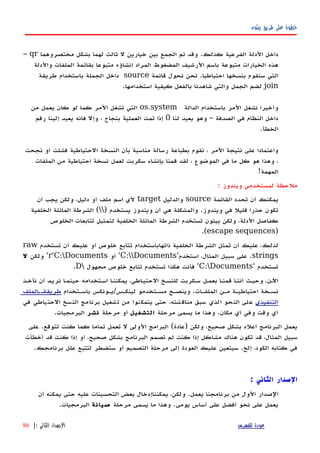
باستخدام - الملفات لتسمية أفضل ميكانيكية هي بفائدتها شعرت التي التحسينات هذه أحد
timeالحالي التاريخ يحمل دليل بداخل للملف كاسمdateالنسخة دليل ضمن كدليل
ولذا ،هرمية بطريقة تخزينها سيتم الحتياطية نسخك أن هي الميزات أحد .الرئيس الحتياطية
بهذه بكثير أقصر الملفات أسماء طول أن وهي أخرى ميزة وهناك .إدارتها السهل من سيكون
ما إذا بسهولة تعرف أن ستساعدك المنفصلة الدلة أن هي أخرى ميزة هناك وأيضا .الطريقة
أخذت قد كنت إذا إل الدليل ينشأ لن حيث يوم كل عن احتياطية نسخة بعمل قمت قد كنت
.اليوم لذلك احتياطية نسخة
مثال10.2الثاني الصدار -الحتياطي النسخ سكربت
#!/usr/bin/python
# Filename: backup_ver2.py
import os
import time
# 1. The files and directories to be backed up are specified in a list.
source = ['/home/swaroop/byte', '/home/swaroop/bin']
# If you are using Windows, use source = [r'C:Documents', r'D:Work'] or
something like that
# 2. The backup must be stored in a main backup directory
target_dir = '/mnt/e/backup/' # Remember to change this to what you will be using
# 3. The files are backed up into a zip file.
# 4. The current day is the name of the subdirectory in the main directory
today = target_dir + time.strftime('%Y%m%d')
# The current time is the name of the zip archive
now = time.strftime('%H%M%S')
# Create the subdirectory if it isn't already there
if not os.path.exists(today):
للفهرس عودةالثاني الصدار:|87](https://image.slidesharecdn.com/bytofbythonv2arabic-200220112540/85/Byt-of-ByteofPython-arabic-88-320.jpg)
![بيثون طريق على خطوة
الصدار: الثالث
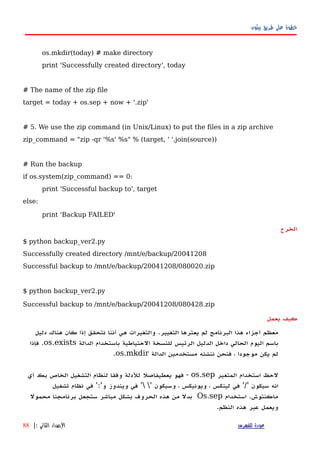
كونت ندماع كنول ،يةالحتياط سخالن من كثيرال ملبع قومأ ندماع يداج ملتع يةالثان سخةالن
نسخة كل من الغرض بين التفريق في صعوبة وجدت ،الحتياطية النسخ من كبير كم هناك
فأريهد ،عهرض أو برنامهج علهى الرئيسهة التغييهرات بعهض قمهت إذا ،الهالمث سهبيل فعلهى ،احتياطيهة
تعليق إرفاق طريق عن بسهولة تحقيقه يمكن وهذا .المضغوط الملف باسم التغييرات هذه ربط
.المضغوط الرشيف باسم المستخدم من.
مثال10.3(يعمل )ل الحتياطي النسخ سكربت
#!/usr/bin/python
# Filename: backup_ver2.py
import os
import time
# 1. The files and directories to be backed up are specified in a list.
source = ['/home/swaroop/byte', '/home/swaroop/bin']
# If you are using Windows, use source = [r'C:Documents', r'D:Work'] or
something like that
# 2. The backup must be stored in a main backup directory
target_dir = '/mnt/e/backup/' # Remember to change this to what you will be using
# 3. The files are backed up into a zip file.
# 4. The current day is the name of the subdirectory in the main directory
today = target_dir + time.strftime('%Y%m%d')
# The current time is the name of the zip archive
now = time.strftime('%H%M%S')
# Take a comment from the user to create the name of the zip file
comment = raw_input('Enter a comment --> ')
if len(comment) == 0: # check if a comment was entered
للفهرس عودةالثالث الصدار:|89](https://image.slidesharecdn.com/bytofbythonv2arabic-200220112540/85/Byt-of-ByteofPython-arabic-90-320.jpg)
![بيثون طريق على خطوة
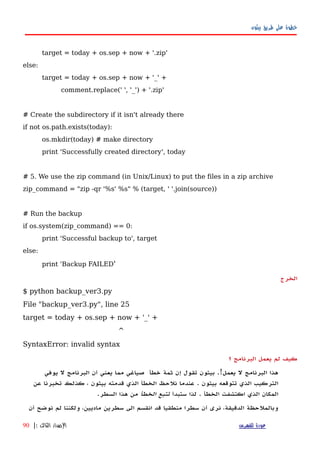
) الضافة عامل أن بيثون وجدت فقد ،ببساطة .معا الماديين السطرين هذين+حدود بدون (
حسابيةoperandأن يمكن أننا تذكر .العمل تواصل كيف تعرف ل وبالتالي ،السطر هذا في
المائلة الشرطة باستخدام القادم المادي السطر في متواصل يزال ل المنطقي السطر أن نحدد
) الخلفيةbackslashوهذا .برنامجنا في التصحيح بهذا نقوم لذا .المادي السطر نهاية في (
) الخطأ إصلح يسمى ماbug fixing.(
الصدارالرابع
مثال10.4الحتياطي النسخ سكربت
#!/usr/bin/python
# Filename: backup_ver2.py
import os, time
# 1. The files and directories to be backed up are specified in a list.
source = ['/home/swaroop/byte', '/home/swaroop/bin']
# If you are using Windows, use source = [r'C:Documents', r'D:Work'] or
something like that
# 2. The backup must be stored in a main backup directory
target_dir = '/mnt/e/backup/' # Remember to change this to what you will be
using
# 3. The files are backed up into a zip file.
# 4. The current day is the name of the subdirectory in the main directory
today = target_dir + time.strftime('%Y%m%d')
# The current time is the name of the zip archive
now = time.strftime('%H%M%S')
للفهرس عودةالرابع الصدار|91](https://image.slidesharecdn.com/bytofbythonv2arabic-200220112540/85/Byt-of-ByteofPython-arabic-92-320.jpg)
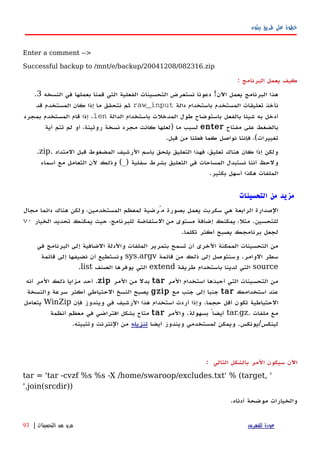
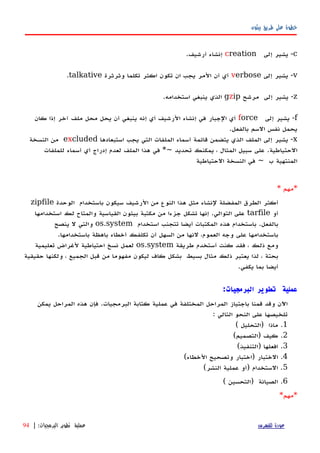
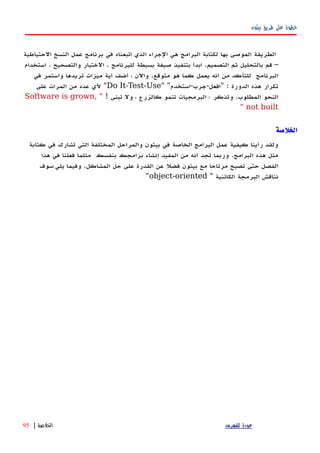
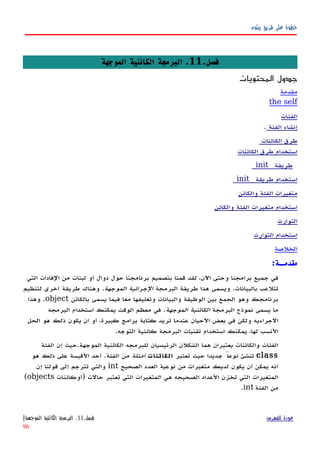
![بيثون طريق على خطوة
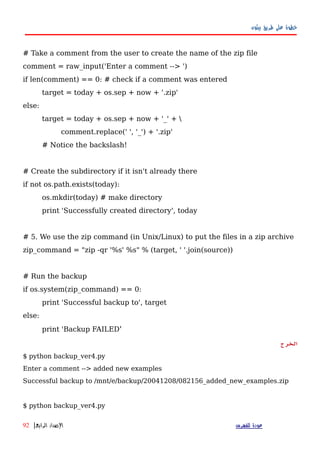
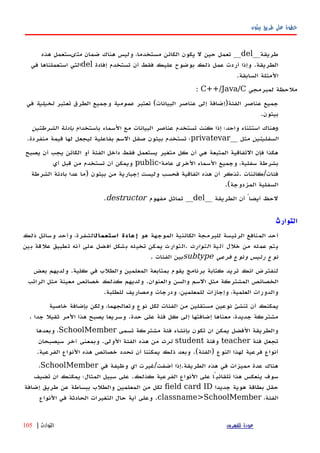
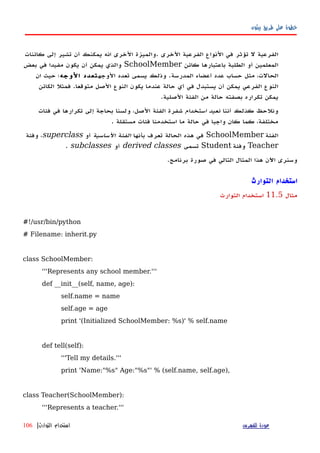
def __init__(self, name, age, salary):
SchoolMember.__init__(self, name, age)
self.salary = salary
print '(Initialized Teacher: %s)' % self.name
def tell(self):
SchoolMember.tell(self)
print 'Salary: "%d"' % self.salary
class Student(SchoolMember):
'''Represents a student.'''
SchoolMember.__init__(self, name, age)
self.marks = marks
print '(Initialized Student: %s)' % self.name
def tell(self):
SchoolMember.tell(self)
print 'Marks: "%d"' % self.marks
t = Teacher('Mrs. Shrividya', 40, 30000)
s = Student('Swaroop', 22, 75)
print # prints a blank line
members = [t, s]
for member in members:
member.tell() # works for both Teachers and Student
الخرج
$ python inherit.py
(Initialized SchoolMember: Mrs. Shrividya)
للفهرس عودةالتوارث استخدام|107](https://image.slidesharecdn.com/bytofbythonv2arabic-200220112540/85/Byt-of-ByteofPython-arabic-108-320.jpg)
![بيثون طريق على خطوة
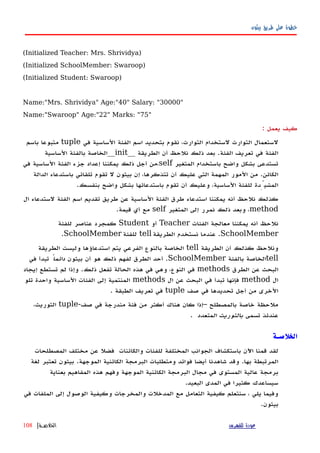
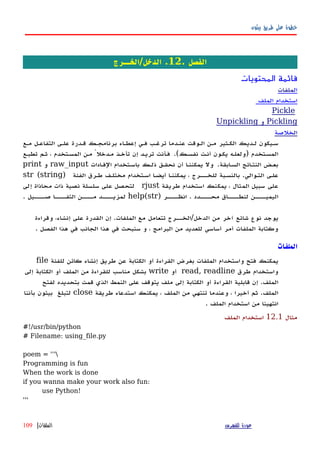
Pickle
تدعى معيارية وحدة بيثون لنا توفرpickleتخزين استخدامهافي يمكن ،والتيأيفي كائن
الكائن تخزين يسمى ما وهذا .مساس دون لحقا عليها تحصل ثم ،ملف في بيثونالدائم.
تسمى أخرى وحدة وهناكcPickleالوحدة به تقوم ما نفس بالضبط وظيفتها والتيpickleما ؛
بلغة انهامكتوبة عداC)بمقدار أسرع وهي1000هذه من أي استخدام يمكنك .(أكثر أو مرة
الوحداتcPickleالوحدة تستخدم سوف أننا من الرغم على ،cPickleإلى نشير نحن ،تذكر .هنا
وحدة مجرد ببساطة الوحدات هذه من كل أنpickle
Pickling and Unpickling
مثال12.2Pickling and Unpickling
#!/usr/bin/python
# Filename: pickling.py
import cPickle as p
#import pickle as p
shoplistfile = 'shoplist.data' # the name of the file where we will store the object
shoplist = ['apple', 'mango', 'carrot']
# Write to the file
f = file(shoplistfile, 'w')
p.dump(shoplist, f) # dump the object to a file
f.close()
del shoplist # remove the shoplist
# Read back from the storage
f = file(shoplistfile)
storedlist = p.load(f)
print storedlist
الخههرج
$ python pickling.py
['apple', 'mango', 'carrot']
للفهرس عودةPickling and Unpickling|
111](https://image.slidesharecdn.com/bytofbythonv2arabic-200220112540/85/Byt-of-ByteofPython-arabic-112-320.jpg)

![بيثون طريق على خطوة
f = file(filename)
while True:
line = f.readline()
if len(line) == 0:
break
print line, # notice comma
f.close()
# Script starts from here
if len(sys.argv) < 2:
print 'No action specified.'
sys.exit()
if sys.argv[1].startswith('--'):
option = sys.argv[1][2:]
# fetch sys.argv[1] but without the first two characters
if option == 'version':
print 'Version 1.2'
elif option == 'help':
print '''
This program prints files to the standard output.
Any number of files can be specified.
Options include:
--version : Prints the version number
--help : Display this help'''
else:
print 'Unknown option.'
sys.exit()
else:
for filename in sys.argv[1:]:
readfile(filename)
الخرج
$ python cat.py
No action specified.
$ python cat.py --help
This program prints files to the standard output.
Any number of files can be specified.
Options include:
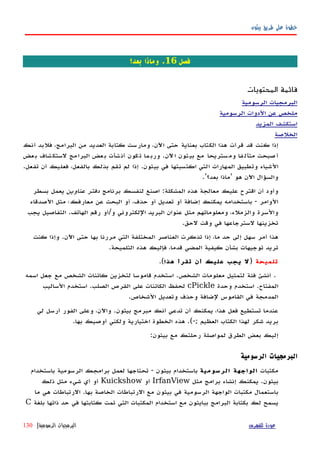
للفهرس عودةالوامر سطر معطيات|120](https://image.slidesharecdn.com/bytofbythonv2arabic-200220112540/85/Byt-of-ByteofPython-arabic-121-320.jpg)
![بيثون طريق على خطوة
عن المزيدsys:
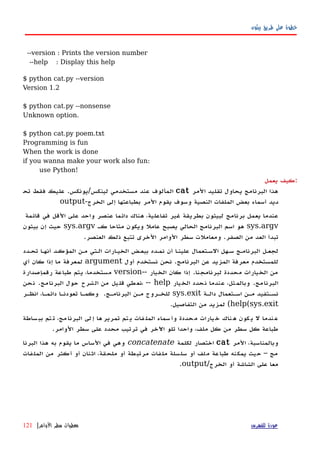
سلةالسلصيةالنsys.versionيكتعطماتمعلوعنصدارةإثونبيلتيامتقهابتثبيت.و
-الصفtupleالمسماةsys.version_infoتعطيكطريقةأسهللتاحةأجزاءمحددةمن
إصدارةبيثونلبرنامجك.
[swaroop@localhost code]$ python
>>> import sys
>>> sys.version
'2.3.4 (#1, Oct 26 2004, 16:42:40) n[GCC 3.4.2 20041017 (Red Hat 3.4.2-6.fc3)]'
>>> sys.version_info
(2, 3, 4, 'final', 0)
*للمبرمجينالمحترفين: *
العناصرالخرىذاتالهميةفيالوحدةsysتتضمنsys.stdinوsys.stdoutو
sys.stderr. التوالي على برنامجك في القياسي والخطأ والدخل الخرج سريان مع تتطابق
الوحدةos
إذا خاصهة أهميهة لهها الوحهدة ههذه . التشهغيل امهلنظ عامهة وظيفهة تمثهل البرمجيهة الوحهدة ههذه
يعمل لكي مكتوبا ليكون للبرنامج يسمح إنه أي - لبرامجك مستقلة منصات عمل تريد كنت
.تغييرات أي ذلك يتطلب أن ودون مشاكل أي دون من كذلك ويندوز على أو لينوكس على
المتغير استخدام ذلك على المثلة ومنos.sepمستقلة بيئة أو مسار تحديد عملية من بدل
.محدد لنظام
الموديل من فائدة الجزاء أكثرos.بذاته واضح ومعظمها أدناه مدرجة
•النصية السلسلةos.name" فمثل ، تستخدمها التي المنصة تحددnt' و لويندوز "posix'
. لينكس/يونيكس لمستخدمي
•() الدالةos.getcwdعليه يعمل الذي الحالي الدليل مثل ، الحالي العمل دليل على للحصول
. لبايثون سكريبت
•() الدوالos.getenv() وos.putenvعلى البيئة متغيرات إعداد أو على للحصول تستخدم
. التوالي
•() الدالةos.listdirالملفات كل أسماء تعيد. الحالي الدليل في والمجلدات
•() الدالةos.remove. الملفات أحد لحذف تستخدم
للفهرس عودةالوحدةos|122](https://image.slidesharecdn.com/bytofbythonv2arabic-200220112540/85/Byt-of-ByteofPython-arabic-123-320.jpg)
![بيثون طريق على خطوة
.فصل15بيثون من المزيد .
المحتويات جدول
. الخاصة الطرق
القائمة تضمين
المفردة الفادات لبنات
المضمنة القوائم استخدام
استقبالالصفوفوالقوائمفيالدالة
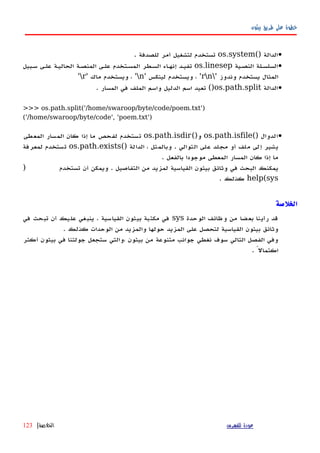
لمبدا نماذج
لمبدا نماذج استخدام
إفاداتexecوeval
إفادةassert
دالةrepr
الخلصة
اﻵنوقدقمنابنجاحبتغطيةجوانبرئيسةومتنوعةمنبيثونوالتيسوفتستخدمها،فيهذا
الفصلسنغطيالمزيدمنالجوانبالتيتجعلمعرفتنابلغةبيثونأكثراكتمال
الخاصة الطرق
هنهاكبعهضالسهاليبالخاصهةالهتيلههاأهميهةخاصهةفهيالفئات/classesمثهلطهرق
__init__و__del__والتيلهاأهميةقدشهدناهابالفعل.
عموما،الطرقالخاصةتستخدملتقليدسلوكمعين.فعلىسبيلالمثال،إذاأردتأنتستعمل
]x[keyيةلعملالفهرسهةالخاصهةبهكمنجلأفئةلديك)ثلمالهتيستخدمهاتفيالقهوائم
والصفوفtuples(ثممجردتنفيذطريقة()__getitem__ويتمعملك.إذاكنتتفكر
فيذلك،فهذاماتقومبيثونبعملهمعالفئةlistنفسها!
بعضهذهالطرق/Methodsالمفيدةالخاصةمدرجةفيالجدولالتالي.إذاكنتتريدأن
تتعرفعلىكلالطرقالخاصة،هناكقائمةضخمةمتاحةفيالدليلالمرجعيلبايثون.
جدول15.1الخاصة الساليب بعض
السمالشرح
__init__(self, ...)للستعمال حديثا المنشأ الكائن يعود عندما فقط تستدعى الطريقة وهذه
__del__(self)الكائن تدمير يتم أن قبل فقط تستدعى
للفهرس عودةفصل.15.بيثون من المزيد|124](https://image.slidesharecdn.com/bytofbythonv2arabic-200220112540/85/Byt-of-ByteofPython-arabic-125-320.jpg)
![بيثون طريق على خطوة
السمالشرح
__str__(self)الفادة نستخدم عندما تستدعىprintعندما أو كائن معنستخدم()str
__lt__(self, other)
وبالمثليوجدأساليبخاصةلجميعالعوامل+"،>،إلخ""> "Less than
تستدعىعنداستخدامالعامل
__getitem__(self,
key)
] الفهرسة عملية استخدام عند تستدعىx[key
__len__(self)() المدمجة الدالة استعمال عند تستدعىlenالمتسلسلة لكائن
لبناتالفاداتالمفردة
لها الجزاء من مجموعة تمثل الفادات من لبنة كل أن راسخ فهم لديك يكون أن ينبغي ،واﻵن
نىمع جعها}راب خاصال حةالزا من ستوىمالزاحةصحيح هذا ، سناح .{بعالرا صلالف في
قةدقي ستلي هاولكن ، لجزاءا ظملمع سبةبالن100سوى ضمنتت ل فاداتال نةلب كانت إذا .٪
، مثل لنقل ، السطر نفس لىع حددهت أن يمكنك حينئذ ، واحدة إفادةإفادةconditional
أوlooping.
: بوضوح ذلك يشرح التالي والمثال
>>> flag = True
>>> if flag: print 'Yes'
...
Yes
.اللبنة من مستقل كبند وليس - المكان ذات داخل في تستخدم الواحدة الفادة فإن ، نرى كما
برنامجك لجعل هذا استخدام يمكنك ، ذلك من الرغم علىأصغرأل بشدة أوصي وإنني ،
المختصر الرمز طريقة تستخدمshort-cut، الخطاء من التحقق حالة باستثناء هذه
تستخدم كنت إذا إضافية إفادة إضافة بكثير السهل من سيكون أنه الرئيسية السباب الخ.أحد
الزاحة. السليمة
إدخال في يساعدك ذلك فإن ، التفاعلي النمط في بيثون مفسر استخدام عند أنه لحظ أيضا
المؤشرات تغيير طريق عن البياناتحالة وفي .ملئم بشكلaboeالكلمة تدخل أن بعد ،
المفتاحيةifعندما .بعد منها النتهاء يتم لم الفادة أن إلى لتشير ... إلى المؤشر تغير فإنها ،
مفتاح نضغط ، الطريقة بهذه الفادة نكملenter، ذلك بعد .اكتملت قد البيانات أن لتأكيد
.التالية المدخلت وانتظار القديم المؤشر إلى والعودة كلها الفادة تنفيذ بيثون ينهي
المضمنة القوائم
قائمة لديك ، المثال سبيل على .الحالية القائمة من جديدة قائمة لستخلص/اشتقاق تستخدم
للفهرس عودةالمضمنة القوائم|125](https://image.slidesharecdn.com/bytofbythonv2arabic-200220112540/85/Byt-of-ByteofPython-arabic-126-320.jpg)
![بيثون طريق على خطوة
في مضروبة الرقام جميع مع مناظرة قائمة على تحصل أن تريد و ، العداد من2فقط ولكن
من أكبر تكون عندما2.تكون المضمنة فالقائمةنموذجية.الحالت هذه لمثل
المضمنة القوائم استخدام
مثال15.1المضمنة القوائم استخدام
#!/usr/bin/python
# Filename: list_comprehension.py
listone = [2, 3, 4]
listtwo = [2*i for i in listone if i > 2]
print listtwo
الخرج
$ python list_comprehension.py
[6, 8]
يعمل كيف
) بها القيام ينبغي التي التغيرات تحديد خلل من جديدة قائمة نشتق ، هنا2*iتتحقق عندما (
الشروط بعض)if i > 2(من الكثير في .معدلة غير تزال ل الصلية القائمة أن لحظ .
/الحلقات نستخدم المراتloopsالشيء ونفس ، القائمة عناصر من عنصر كل إلى للوصول
باستخدام يتحقق أن يمكنlist comprehensions، وإحكاما ، دقة أكثر طريقة وهي
. ووضوحا
الدوال في والقوائم الصفوف استقبال
الصف مثل الدالة معاملت لستقبال ، خاصة طريقة وهناكtupleبادئة باستخدام قاموس أو
*أو**. الدالة في المعاملت من عدديا متغيرا نأخذ عندما مفيد أمر وهذا .التوالي على
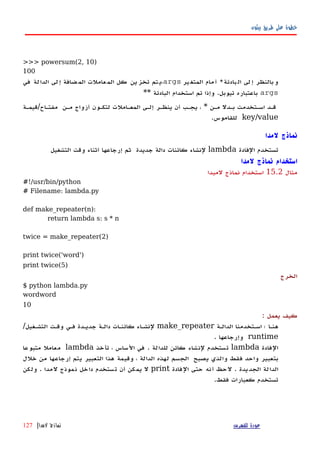
>>> def powersum(power, *args):
... '''Return the sum of each argument raised to specified power.'''
... total = 0
... for i in args:
... total += pow(i, power)
... return total
...
>>> powersum(2, 3, 4)
25
للفهرس عودةالدوال في والقوائم الصفوف استقبال|
126](https://image.slidesharecdn.com/bytofbythonv2arabic-200220112540/85/Byt-of-ByteofPython-arabic-127-320.jpg)
![بيثون طريق على خطوة
إفاداتexecوeval
ستخدمتيذلتنففاداتإثونبيلتياتميهاتخزينفيبارةعصيةنأولفم.لىعسبيلثالالم،
يمكنناتوليدسلسلةنصيةتحتويشفرةلبايثونعندوقتالتشغيل/runtimeومنَّثمتنفيذ
هذهالفاداتباستخدامالفاداتexec.وهذامثالبسيطتراهبأسفهل:
>>> exec 'print "Hello World"'
Hello World
إفادةeval
المثال في يتضح كما النصية السلسلة في تخزن التي الصالحة بيثون تعابير لحساب تستخدم
:بأسفل
>>> eval('2*3')
6
إفادةassert
إفهادة تسهتخدمassertبهأن متأكهدا كنهت إذا المثهال سهبيل مهاعلى شهيء تحقهق مهن للتأكهد
لم إذا خطأ وترفع ذلك من التحقق وتريد قائمة في تستخدمه القل على ًواحدا ًعنصرا لديك
الفادة تبرتع حينئذ ًقامتحق يكنassertالفادة تفشل وعندما الحالة هذه في يةمثال إفادة
assertلنا يرتفعclassname>AssertionError
>>> mylist = ['item']
>>> assert len(mylist) >= 1
>>> mylist.pop()
'item'
>>> assert len(mylist) >= 1
Traceback (most recent call last):
File "<stdin>", line 1, in ?
AssertionError
الدالةrepr
الدالة تستخدمreprtما لكائن نصية لسلسلة قانوني تمثيل على للحصول.وتقومBackticks)وقد
ت يسههمىالقتبههاس علمههات عكههس أو حويههل(الههمر بنفههس.سههيكون أنههه لحههظلههديك
eval(repr(object)) == objectالحيان أغلب في
>>> i = []
>>> i.append('item')
>>> `i`
"['item']"
للفهرس عودةالدالةrepr|128](https://image.slidesharecdn.com/bytofbythonv2arabic-200220112540/85/Byt-of-ByteofPython-arabic-129-320.jpg)
![بيثون طريق على خطوة
>>> repr(i)
"['item']"
لةالدا ستخدمت ، ساطةوببreprاوbackticks.بعللط لةقاب كائنلل يلتمث لىع صولللح
للدالهة بهك الخاصهة الكائنهات تعيهده فيمها التحكهم يمكنهكrepr__ طريقهة تحديهد خلل مهن
repr.بك الخاصة الفئة في __
: الخلصة
بعد َّنغط لم أننا من التأكد يمكنك و ،الفصل هذا في بيثون مميزات من المزيد تناولنا لقد
في تستخدمه سوف ما معظم غطينا قد نكون ،المرحلة هذه في ،ولكن .بيثون ملمح كل
.ستنشئها أنت البرامج من أيا لتبدأ لك الكفاية فيه المر وهذا . تطبيقاتك
.بيثون من المزيد استكشاف كيفية نناقش سوف ،المقبل الفصل في
للفهرس عودةالخلصة:|129](https://image.slidesharecdn.com/bytofbythonv2arabic-200220112540/85/Byt-of-ByteofPython-arabic-130-320.jpg)
![بيثون طريق على خطوة
ملحقAالمصدر مفتوحة الحرة البرمجيات .
) المصهدر مفتوحهة الحهرة البرمجيهاتFree/Libré and Open Source Software،
FLOSSوخاصهة المشهاركة مبهدأ علهى مبنيهة بهدورها وههي ،الجماعهة مبهدأ علهى مبنيهة (
.والتوزيع والتعديل ،الستخدام حرة الحرة البرمجيات .المعرفة في المشاركة
كنت أنك بما الحرة بالبرمجيات معرفة على فأنت ،بالفعل الكتاب هذا قرأت قد كنت إذا
تستخدمبيثون.الوقت طوال
كرتذ قدل .يةالتال مةالقائ شافاستك نكفيمك ،حرةال ياتالبرمج عن يدالمز فةمعر أردت إذا
و كسلين لىع ملتع )أي صاتالمن عددةمت حرة ياتبرمج مع كبيرةال حرةال ياتالبرمج عضب
لينكهس إلهى للنتقهال الحاجهة دون البرمجيهات ههذه اسهتخدام تجربهة ليمكنهك ( .إلهخ وينهدوز
مباشرة(-; آجل أم عاجل ستفعل كنت وإن
كسلينلينوس بدأه قد كان ، ببطء العالم كل يحتضنه المصدر ومفتوح حر تشغيل نظام .هو
نواة آخر وتعد .ويندوز مايكروسوفت لنظام منافس هو فإنه ، واﻵن .كطالب تورفالدز2.6
] .للتطوير ,قابلة والستقرار بالسرعة تتمتع رئيسية إصدارةLinux Kernel[
نوبكسقرصال لىع ثبيتالت لبتتط ول مجالمد قرصال خلل من ملتع كسلين عةتوزي هذه.
باستخدام والبدء المشغل في السطوانة وضع ثم حاسبك تشغيل إعادة فقط يمكنك -- الصلب
مع تأتي التي المصدر مفتوحة البرامج جميع استخدام ويمكنك !لينكس توزيعة مميزات جميع
)تصريف وعمل ، بيثون برامج تشغيل مثل القياسية لينكس توزيعةcompilingسي لبرامج (
السطوانة وإخراج حاسبك تشغيل إعادة يمكنك ذلك وبعد ، ذلك وغير ، الفلم ومشاهدة ،
].يحدث لم وكأنشيئا ، بك الخاص الحالي التشغيل نظام لستخدام والعودةKnoppix[
يدورا ف.أكهثر مهن وههي ههات رد قبهل مهن ورعايتهها توجيههها يتهم ومجتمهع توزيعهة تلهك
وجنوم ، كيدي مكتب ،وأسطح لينكس نواة على تحتوي وهي شعبية .لينكس توزيعاتXFCE
وسهلة الستعمال سهلة صورة في هذا وكل المتاحة المصدر مفتوحة البرامج من كبير وعدد
لينكس استخدام تجرب بأن بشدة أوصيك فإني لينكس استخدام في مبتدئا كنت التركيب.وإذا
مانهدريك منهها إصهدارة وأحهدث مانهدريك10٫1] رائعهة توزيعهة وههيFedora Linux,
Mandrake Linux[
بن أويس أوف.برنامهج علهى ائمهق ازهممت مكتهبي برنامهج ههذاStarOfficeصهن شهركة مهن
ويمكنه . أخرى وأمور والشرائح والجداول والرسم للكتابة برامج على ويحتوي ميكروسيستمز
كهل علهى تعمهل وههي بسههولة بهوينت وبهاور وورد ميكروسهوفت ملفهات وتحريهر فتهح أيضها
]هةهالجذري هيناتهالتحس هضهبع هىهعل هويهيحت هسهأوفي هنهأوب هنهم هادمهالق هدارهوالص هاتهالمنص
للفهرس عودةملحقA.مفتوحة الحرة البرمجيات
المصدر|134](https://image.slidesharecdn.com/bytofbythonv2arabic-200220112540/85/Byt-of-ByteofPython-arabic-135-320.jpg)
![بيثون طريق على خطوة
OpenOffice[
فايرفوكسموزيل.إنترنت على تغلبه يتوقع الذي الويب متصفح من القادم الجيل هو هذا
السرعة غاية في ومن .قليلة سنوات غضون في (-؛ فقط السوقية الحصة حيث )من اكسبلورر
نوع بأي يسمح مفهوم تمديد .للعجاب والمثيرة المعتبرة لخصائصه النقاد من الشادة نال وقد
اليها تضاف ان يمكن التي الوظائف منأي بإضافة تسمح الضافات من العديد إليه أضيفت وقد
يجعهل ممتهاز إلكهتروني بريهد عميهل ()ثنهدربيرد لهه المصهاحب إليهه.والمنتهج الوظهائف مهن نهوع
] . السرعة في غاية أمرا البريد قراءةMozilla Firefox, Mozilla Thunderbird[
نو مو.إنشاء تتيح وهي . نت .مايكروسوفت منصة برامج لتشغيل المصدر مفتوح تطبيق هذا
، وينهدوز ، لينكهس بيئة فهي للعمهل نهت دوت تطبيقهات وتشهغيلFreeBSDمهاكنتوش و ،
معايير لتنفذ .ضاأي الخرى المنصات من وغيرهاECMAالوامر سطر هةلواجCLIولغة
مفتوحة اﻵن وأصبحت موحدة كمعايير بي وإتش ، وإنتل ، مايكروسوفت اعتمدتها التي #سي
معايير توحيد اتجاه في خطوة وهذه .المعاييرISO.نفسه الوقت في
برمجيهات يوجهد وحاليهاC# mcsنفسهها(،ومهزودات #سهي بلغهة )كتبهتASP.NETو
ADO.NETتطويرها يتم التي المزايا من والعديد والعديد البيانات لقواعد ،الخصائص كاملة
].يوم كل وإضافتهاMono, ECMA, Microsoft .NET[
شيأبات لويبا خادم.أشهر هو الواقع وفي شعبية المصدر مفتوحة الويب خوادم أكثر هو
من قريب عليه يعمل إنه حيث !العالم في ويب خادم60هذه نعم . اللكترونية المواقع من %
ادمهخ فيههم اهبم المنافسهين مهن بكهثير أكهثر إلكترونيهة مواقهع مهع أباتشهي يتعامهل حيهث حقيقهة
] .ميكروسوفتApache[
MySQL.في غاية وهو ، المصدر مفتوح البيانات قواعد خوادم أشهر من واحد هو
] .إصداراته أحدث إلى المزايا من العديد إضافة تم السرعةوقدMySQL[
بلير إمب بدءا شيء أي تشغيل يمكنه فيديو مشغل هوDivXوMP3وOggوVCD
وحتىDVDs] (الفكاهة؟ بروح تتمتع ل المفتوحة المصادر إن يقول ذا )منMPlayer[
Movixالمدمهج القهرص خلل مهن وتعمهل كنهوبكس توزيعهة علهى تقهوم لينكهس توزيعهة ههي .
،موفيكس إسطوانات عمل ويمكنك . القلع ذاتية الفلم إسطوانات لتشغيل تصميمها تم ولكن
القهرص وتضهع الحاسهب تشهغيل بإعهادة تقهوم فعنهدما التشهغيل ذاتيهة أفلم إسهطوانات إل ههي اهوم
صلب قرصل حتى تاجتح ل نتوأ ،ياذات لمالفي شغلت بدأي عدهاوب لقراصا شغلم في مجالمد
] .موفيكس باستخدام الفيلم لمشاهدةMovix[
المفتوحهة البرمهج مهن العديهد وهنهاك ،مهوجزة فكهرة إعطهائك إلهى فقهط تههدف القائمهة ههذه
للمواقع المحتوي إدارة نظام و ،بي إتش بي ولغة ،بيرل لغة مثل ،ذلك غير الممتازة المصدر
للفهرس عودةملحقA.مفتوحة الحرة البرمجيات
المصدر|135](https://image.slidesharecdn.com/bytofbythonv2arabic-200220112540/85/Byt-of-ByteofPython-arabic-136-320.jpg)