@girlie_mac
Building Realtime
JavaScript Apps
with PubNub
Slides: https://goo.gl/Hn2aIo
Tomomi Imura (@girlie_mac)
CC BY-SA Gary J. Wood
@girlie_mac
Who am I?
● Sr. Dev Evangelist at PubNub
● Front-End Engineer
● Open Web + Tech Advocate
● former W3C member
● worked at Yahoo! Mobile,
Palm, Nokia, etc.
● Cat lady of InterWeb
Halla
@girlie_mac
I may bother you
during the talk!
@girlie_mac
What is PubNub?
● Globally distributed Realtime Data Stream
Network (DSN)
● Easy-to-use pub/sub APIs
● Supported on 70+ SDKs
● More reliable & far less costly than DIY
@girlie_mac
Streaming
Data?
@girlie_mac
vs. Streaming Media
Listening/watching “real-time”
● Music
● Videos
● Live webcasts
There is no file to download,
just a continuous stream of data!
@girlie_mac
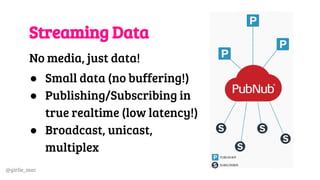
Streaming Data
No media, just data!
● Small data (no buffering!)
● Publishing/Subscribing in
true realtime (low latency!)
● Broadcast, unicast,
multiplex
@girlie_mac
CDN vs. DSN
Content Delivery & Data Stream Networks are similar:
● Deliver contents (or data) to a user based on the
geographic locations
● Copy contents (or data) to network at diff locations
● Provide protection for large traffic surges
Difference: Static contents vs. realtime data (“Data in
Motion”)
@girlie_mac
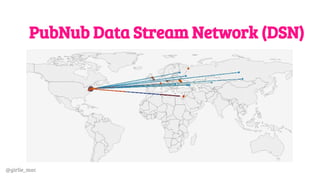
PubNub Data Stream Network (DSN)
@girlie_mac
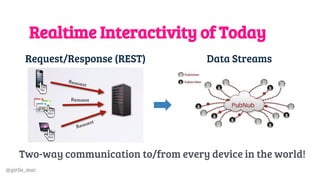
Realtime Interactivity of Today
Two-way communication to/from every device in the world!
Request/Response (REST) Data Streams
@girlie_mac
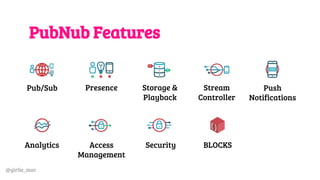
PubNub Features
Pub/Sub Presence Storage &
Playback
Stream
Controller
Push
Notifications
Analytics Access
Management
Security BLOCKS
@girlie_mac
PubNub Use-Cases
◼ Chat
◼ Multi-player games
◼ Vehicle location tracking
◼ Financial data
◼ Collaborative dev tools
◼ IoT, Home automation
@girlie_mac
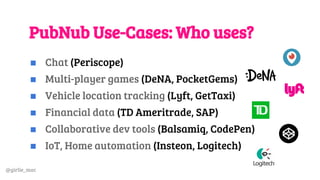
PubNub Use-Cases: Who uses?
◼ Chat (Periscope)
◼ Multi-player games (DeNA, PocketGems)
◼ Vehicle location tracking (Lyft, GetTaxi)
◼ Financial data (TD Ameritrade, SAP)
◼ Collaborative dev tools (Balsamiq, CodePen)
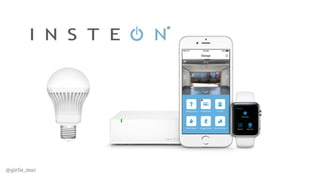
◼ IoT, Home automation (Insteon, Logitech)
@girlie_mac
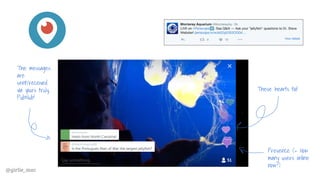
These hearts too!
The messages
are
sent/received
via yours truly,
PubNub!
Presence (= How
many users online
now?)
@girlie_mac
@girlie_mac
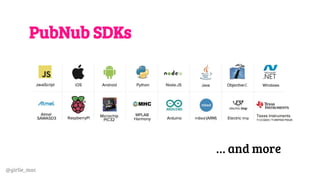
PubNub SDKs
… and more
@girlie_mac
JavaScript SDK
Install from CDN
<script src="//cdn.pubnub.com/pubnub-[version number].js">
</script>
Node.js
$ npm install pubnub
See:
pubnub.com/docs/web-javascript/
pubnub-javascript-sdk
@girlie_mac
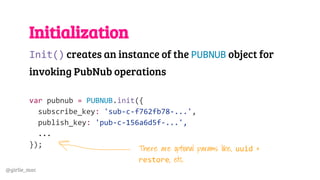
Initialization
Init() creates an instance of the PUBNUB object for
invoking PubNub operations
var pubnub = PUBNUB.init({
subscribe_key: 'sub-c-f762fb78-...',
publish_key: 'pub-c-156a6d5f-...',
...
});
There are optional params like, uuid &
restore, etc.
@girlie_mac
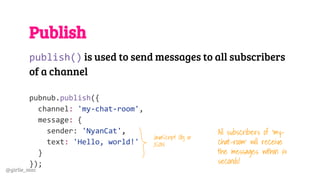
Publish
publish() is used to send messages to all subscribers
of a channel
pubnub.publish({
channel: 'my-chat-room',
message: {
sender: 'NyanCat',
text: 'Hello, world!'
}
});
JavaScript Obj or
JSON
All subscribers of ‘my-
chat-room’ will receive
the messages within ¼
seconds!
@girlie_mac
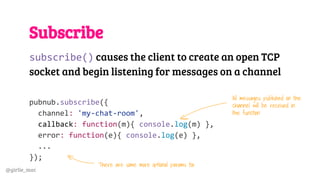
Subscribe
subscribe() causes the client to create an open TCP
socket and begin listening for messages on a channel
pubnub.subscribe({
channel: 'my-chat-room',
callback: function(m){ console.log(m) },
error: function(e){ console.log(e) },
...
});
All messages published on the
channel will be received in
the function
There are some more optional params too
@girlie_mac
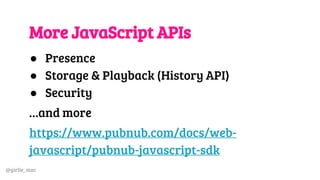
More JavaScript APIs
● Presence
● Storage & Playback (History API)
● Security
…and more
https://www.pubnub.com/docs/web-
javascript/pubnub-javascript-sdk
@girlie_mac
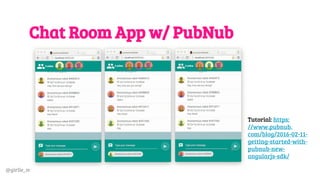
Chat Room App w/ PubNub
Tutorial: https:
//www.pubnub.
com/blog/2016-02-11-
getting-started-with-
pubnub-new-
angularjs-sdk/
@girlie_mac
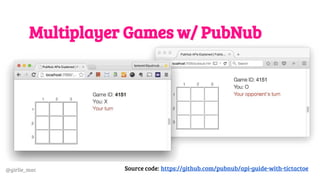
Multiplayer Games w/ PubNub
Source code: https://github.com/pubnub/api-guide-with-tictactoe
@girlie_mac
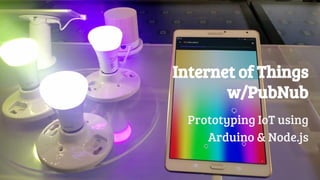
Internet of Things
w/PubNub
Prototyping IoT using
Arduino & Node.js
@girlie_mac
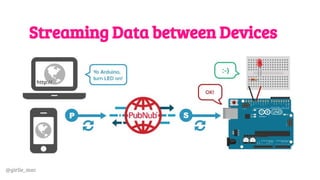
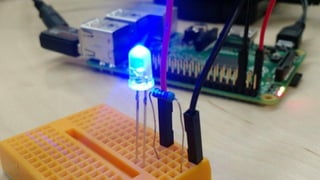
Streaming Data between Devices
Data streaming among devices w/ PubNub
@girlie_mac
@girlie_mac
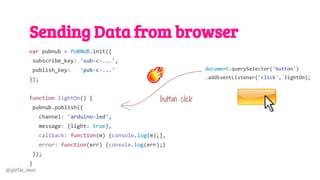
Sending Data from browser
var pubnub = PUBNUB.init({
subscribe_key: 'sub-c-...',
publish_key: 'pub-c-...'
});
function lightOn() {
pubnub.publish({
channel: 'arduino-led',
message: {light: true},
callback: function(m) {console.log(m);},
error: function(err) {console.log(err);}
});
}
document.querySelector('button')
.addEventListener('click', lightOn);
button click
@girlie_mac
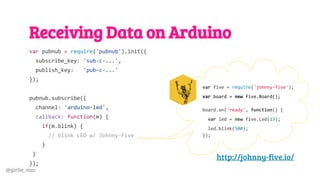
Receiving Data on Arduino
var pubnub = require('pubnub').init({
subscribe_key: 'sub-c-...',
publish_key: 'pub-c-...'
});
pubnub.subscribe({
channel: 'arduino-led',
callback: function(m) {
if(m.blink) {
// blink LED w/ Johnny-Five
}
}
});
var five = require('johnny-five');
var board = new five.Board();
board.on('ready', function() {
var led = new five.Led(13);
led.blink(500);
});
http://johnny-five.io/
@girlie_mac
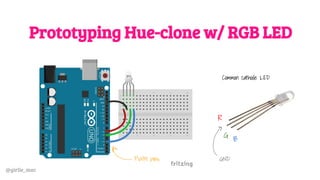
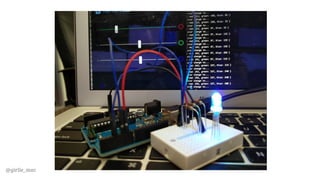
Prototyping Hue-clone w/ RGB LED
Common cathode LED
R
G
B
GNDPWM pins
@girlie_mac
@girlie_mac
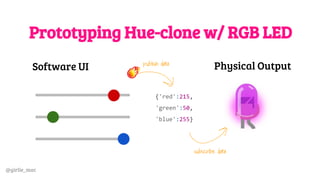
Prototyping Hue-clone w/ RGB LED
{'red':215,
'green':50,
'blue':255}
publish data
subscribe data
Software UI Physical Output
@girlie_mac
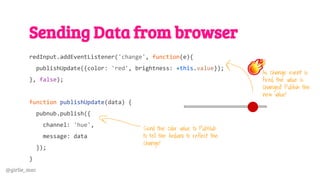
Sending Data from browser
redInput.addEventListener('change', function(e){
publishUpdate({color: 'red', brightness: +this.value});
}, false);
function publishUpdate(data) {
pubnub.publish({
channel: 'hue',
message: data
});
}
Send the color value to PubNub
to tell the Arduino to reflect the
change!
As change event is
fired, the value is
changed! Publish the
new value!
@girlie_mac
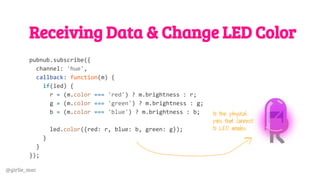
Receiving Data & Change LED Color
pubnub.subscribe({
channel: 'hue',
callback: function(m) {
if(led) {
r = (m.color === 'red') ? m.brightness : r;
g = (m.color === 'green') ? m.brightness : g;
b = (m.color === 'blue') ? m.brightness : b;
led.color({red: r, blue: b, green: g});
}
}
});
to the physical
pins that connect
to LED anodes
@girlie_mac
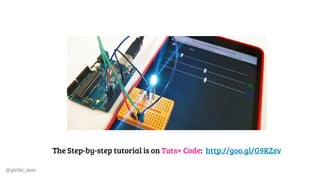
The Step-by-step tutorial is on Tuts+ Code: http://goo.gl/G9KZsv
@girlie_mac
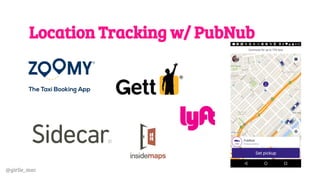
Location Tracking w/ PubNub
@girlie_mac
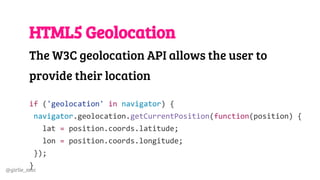
HTML5 Geolocation
The W3C geolocation API allows the user to
provide their location
if ('geolocation' in navigator) {
navigator.geolocation.getCurrentPosition(function(position) {
lat = position.coords.latitude;
lon = position.coords.longitude;
});
}
@girlie_mac
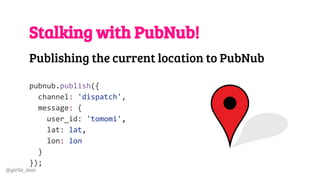
Stalking with PubNub!
Publishing the current location to PubNub
pubnub.publish({
channel: 'dispatch',
message: {
user_id: 'tomomi',
lat: lat,
lon: lon
}
});
@girlie_mac
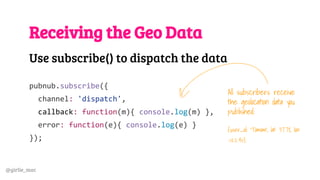
Receiving the Geo Data
Use subscribe() to dispatch the data
pubnub.subscribe({
channel: 'dispatch',
callback: function(m){ console.log(m) },
error: function(e){ console.log(e) }
});
All subscribers receive
the geolocation data you
published:
{user_id: 'Tomomi', lat: 37.78, lon:
-122.40}
@girlie_mac
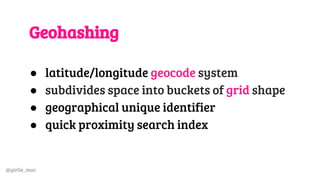
Geohashing
● latitude/longitude geocode system
● subdivides space into buckets of grid shape
● geographical unique identifier
● quick proximity search index
@girlie_mac
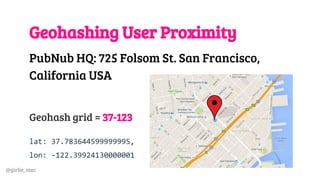
Geohashing User Proximity
PubNub HQ: 725 Folsom St. San Francisco,
California USA
Geohash grid = 37-123
lat: 37.783644599999995,
lon: -122.39924130000001
@girlie_mac
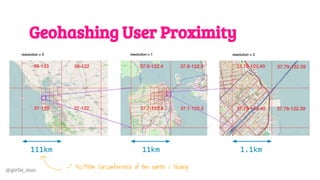
Geohashing User Proximity
111km 11km 1.1km
=~ 40,075km (circumference of the earth) / 360deg
@girlie_mac
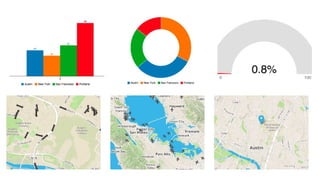
Realtime Mapping with EON.js
Alternative to just subscribing the data, you
can plot the geo data easily with EON.
This framework lets you create:
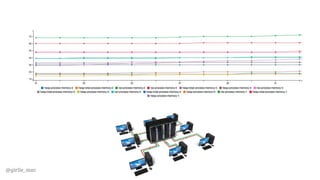
1. Realtime charts and graphs
2. Realtime maps
pubnub.com/developers/eon
@girlie_mac
@girlie_mac
@girlie_mac
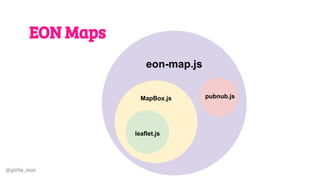
EON Maps
eon-map.js
pubnub.jsMapBox.js
leaflet.js
@girlie_mac
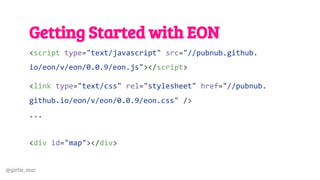
Getting Started with EON
<script type="text/javascript" src="//pubnub.github.
io/eon/v/eon/0.0.9/eon.js"></script>
<link type="text/css" rel="stylesheet" href="//pubnub.
github.io/eon/v/eon/0.0.9/eon.css" />
...
<div id="map"></div>
@girlie_mac
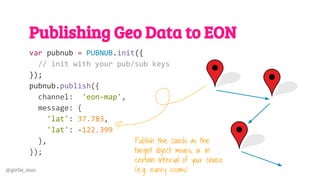
Publishing Geo Data to EON
var pubnub = PUBNUB.init({
// init with your pub/sub keys
});
pubnub.publish({
channel: 'eon-map',
message: {
'lat': 37.783,
'lat': -122.399
},
});
Publish the coords as the
target object moves, or in
certain interval of your choice
(e.g. every 1000ms)
@girlie_mac
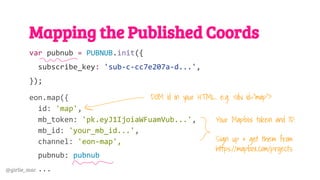
Mapping the Published Coords
var pubnub = PUBNUB.init({
subscribe_key: 'sub-c-cc7e207a-d...',
});
eon.map({
id: 'map',
mb_token: 'pk.eyJ1IjoiaWFuamVub...',
mb_id: 'your_mb_id...',
channel: 'eon-map',
pubnub: pubnub
...
Your Mapbox token and ID.
Sign up & get them from
https://mapbox.com/projects
DOM id in your HTML. e.g. <div id=”map”>
@girlie_mac
Mapping the Published Coords
eon.map({
id: 'map',
mb_token: 'pk.eyJ1IjoiaWFuamVub...', mb_id: 'your_mb_id...',
channel: 'eon-map',
pubnub: pubnub,
transform: function(m) {
return {
eon { latlng: [m.lat, m.lon] }
}
}
});
Transform your raw data
into the schema that EON
understands
@girlie_mac
@girlie_mac
Learn More About EON
Docs and Examples:
https://www.pubnub.com/developers/eon
Visualizing Arduino sensor data with EON
(Tutorial on Tuts+):
http://goo.gl/DYiwUH
@girlie_mac
BLOCKS (Preview)
Microservices that tap into the PubNub Data
Stream Network
● Build your own or
● Use pre-built BLOCKS
@girlie_mac
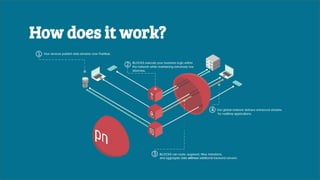
BLOCKSHow does it work?
@girlie_mac
@girlie_mac
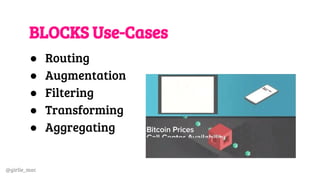
BLOCKS Use-Cases
● Routing
● Augmentation
● Filtering
● Transforming
● Aggregating
@girlie_mac
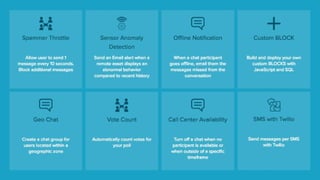
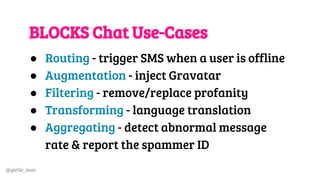
BLOCKS Chat Use-Cases
● Routing - trigger SMS when a user is offline
● Augmentation - inject Gravatar
● Filtering - remove/replace profanity
● Transforming - language translation
● Aggregating - detect abnormal message
rate & report the spammer ID
@girlie_mac
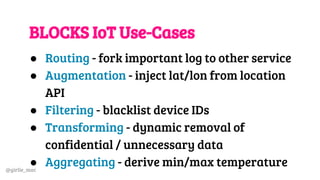
BLOCKS IoT Use-Cases
● Routing - fork important log to other service
● Augmentation - inject lat/lon from location
API
● Filtering - blacklist device IDs
● Transforming - dynamic removal of
confidential / unnecessary data
● Aggregating - derive min/max temperature
@girlie_mac
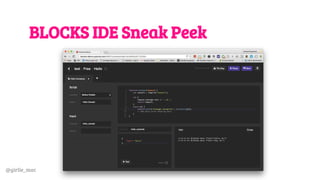
BLOCKS IDE Sneak Peek
@girlie_mac
Resources
● JavaScript API Docs & Demos
pubnub.com/docs/web-javascript/pubnub-
javascript-sdk
● EON Docs
pubnub.com/developers/eon
@girlie_mac
More Resources
● BLOCKS
pubnub.com/products/blocks
● Knowledge Base
pubnub.com/knowledge-base
● Blog & Tutorials (incl. Push Notif w/ Cordova)
pubnub.com/blog
@girlie_mac
Video Resources
● PubNub on Vimeo
vimeo.com/pubnub
● PubNub JavaScript SDK Training
vimeo.com/133694375
● EON Webinar
vimeo.com/146177694
@girlie_mac
Tack så mycket!
Tomomi Imura
Email: tomomi@pubnub.com
Twitter: @girlie_mac
@girlie_mac
Hey, I will be in Stockholm in September!

Building Realtime Javascript Apps with PubNub