We’re going to pretend we want to search all social media platforms for Orange, as in the
telecommunications and phone company. Searching for Orange alone returns over 800k
mentions for the past week, as it obviously includes all mentions of the colour, the fruit and
anything else associated with the word.
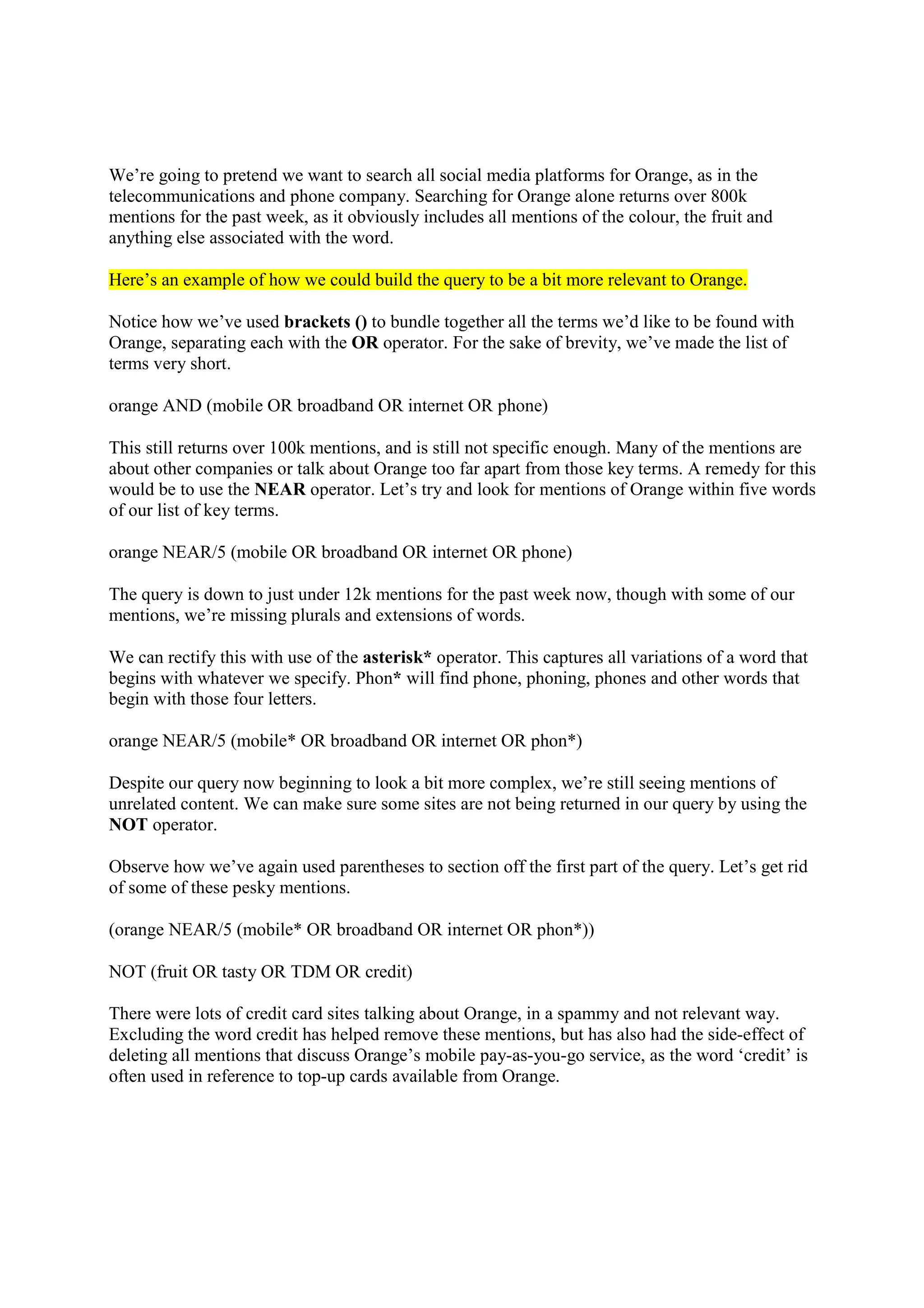
Here’s an example of how we could build the query to be a bit more relevant to Orange.
Notice how we’ve used brackets () to bundle together all the terms we’d like to be found with
Orange, separating each with the OR operator. For the sake of brevity, we’ve made the list of
terms very short.
orange AND (mobile OR broadband OR internet OR phone)
This still returns over 100k mentions, and is still not specific enough. Many of the mentions are
about other companies or talk about Orange too far apart from those key terms. A remedy for this
would be to use the NEAR operator. Let’s try and look for mentions of Orange within five words
of our list of key terms.
orange NEAR/5 (mobile OR broadband OR internet OR phone)
The query is down to just under 12k mentions for the past week now, though with some of our
mentions, we’re missing plurals and extensions of words.
We can rectify this with use of the asterisk* operator. This captures all variations of a word that
begins with whatever we specify. Phon* will find phone, phoning, phones and other words that
begin with those four letters.
orange NEAR/5 (mobile* OR broadband OR internet OR phon*)
Despite our query now beginning to look a bit more complex, we’re still seeing mentions of
unrelated content. We can make sure some sites are not being returned in our query by using the
NOT operator.
Observe how we’ve again used parentheses to section off the first part of the query. Let’s get rid
of some of these pesky mentions.
(orange NEAR/5 (mobile* OR broadband OR internet OR phon*))
NOT (fruit OR tasty OR TDM OR credit)
There were lots of credit card sites talking about Orange, in a spammy and not relevant way.
Excluding the word credit has helped remove these mentions, but has also had the side-effect of
deleting all mentions that discuss Orange’s mobile pay-as-you-go service, as the word ‘credit’ is
often used in reference to top-up cards available from Orange.
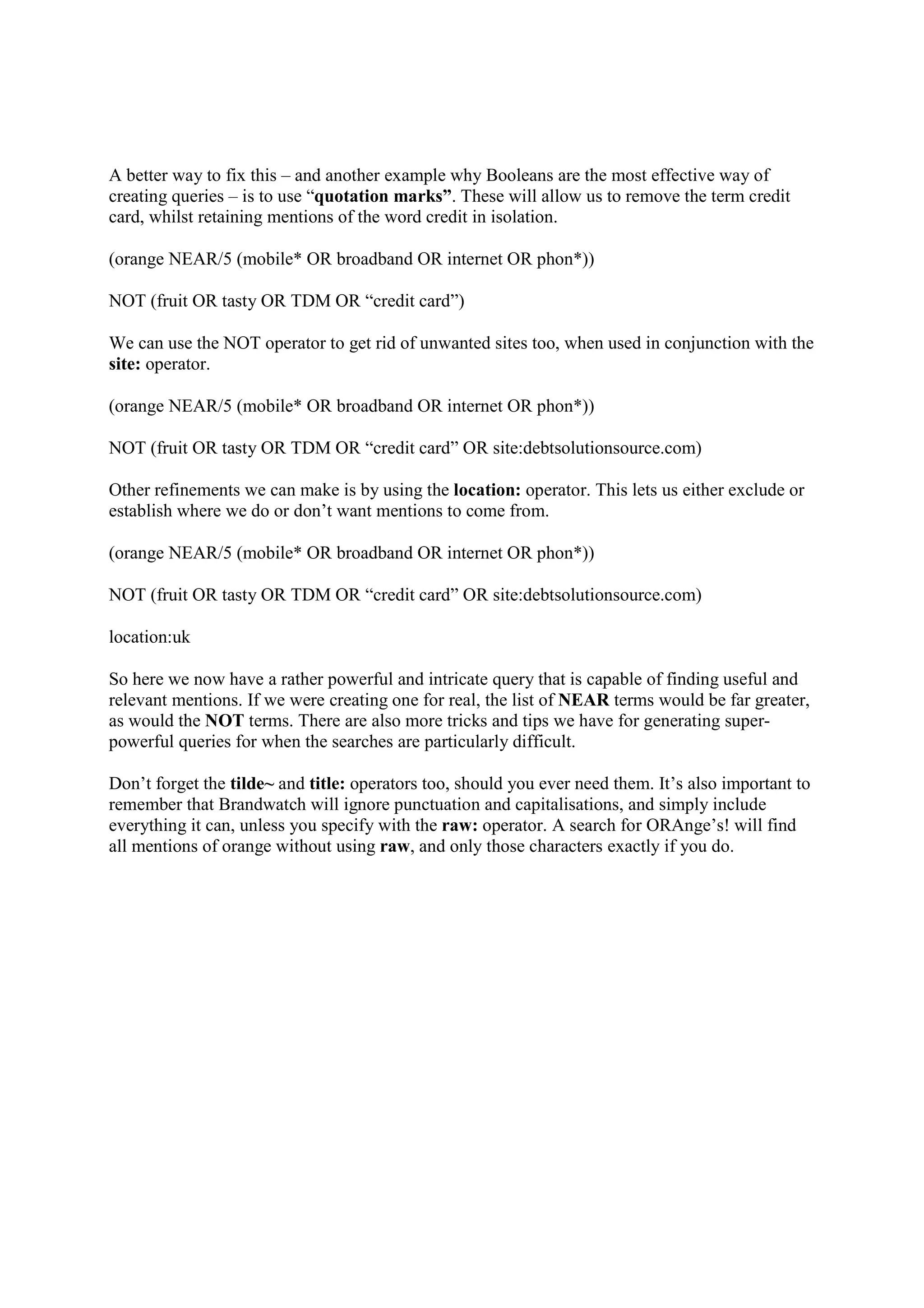
A better way to fix this – and another example why Booleans are the most effective way of
creating queries – is to use “quotation marks”. These will allow us to remove the term credit
card, whilst retaining mentions of the word credit in isolation.
(orange NEAR/5 (mobile* OR broadband OR internet OR phon*))
NOT (fruit OR tasty OR TDM OR “credit card”)
We can use the NOT operator to get rid of unwanted sites too, when used in conjunction with the
site: operator.
(orange NEAR/5 (mobile* OR broadband OR internet OR phon*))
NOT (fruit OR tasty OR TDM OR “credit card” OR site:debtsolutionsource.com)
Other refinements we can make is by using the location: operator. This lets us either exclude or
establish where we do or don’t want mentions to come from.
(orange NEAR/5 (mobile* OR broadband OR internet OR phon*))
NOT (fruit OR tasty OR TDM OR “credit card” OR site:debtsolutionsource.com)
location:uk
So here we now have a rather powerful and intricate query that is capable of finding useful and
relevant mentions. If we were creating one for real, the list of NEAR terms would be far greater,
as would the NOT terms. There are also more tricks and tips we have for generating super-
powerful queries for when the searches are particularly difficult.
Don’t forget the tilde~ and title: operators too, should you ever need them. It’s also important to
remember that Brandwatch will ignore punctuation and capitalisations, and simply include
everything it can, unless you specify with the raw: operator. A search for ORAnge’s! will find
all mentions of orange without using raw, and only those characters exactly if you do.

Boolean Search Example

  • 1.
    We’re going topretend we want to search all social media platforms for Orange, as in the telecommunications and phone company. Searching for Orange alone returns over 800k mentions for the past week, as it obviously includes all mentions of the colour, the fruit and anything else associated with the word. Here’s an example of how we could build the query to be a bit more relevant to Orange. Notice how we’ve used brackets () to bundle together all the terms we’d like to be found with Orange, separating each with the OR operator. For the sake of brevity, we’ve made the list of terms very short. orange AND (mobile OR broadband OR internet OR phone) This still returns over 100k mentions, and is still not specific enough. Many of the mentions are about other companies or talk about Orange too far apart from those key terms. A remedy for this would be to use the NEAR operator. Let’s try and look for mentions of Orange within five words of our list of key terms. orange NEAR/5 (mobile OR broadband OR internet OR phone) The query is down to just under 12k mentions for the past week now, though with some of our mentions, we’re missing plurals and extensions of words. We can rectify this with use of the asterisk* operator. This captures all variations of a word that begins with whatever we specify. Phon* will find phone, phoning, phones and other words that begin with those four letters. orange NEAR/5 (mobile* OR broadband OR internet OR phon*) Despite our query now beginning to look a bit more complex, we’re still seeing mentions of unrelated content. We can make sure some sites are not being returned in our query by using the NOT operator. Observe how we’ve again used parentheses to section off the first part of the query. Let’s get rid of some of these pesky mentions. (orange NEAR/5 (mobile* OR broadband OR internet OR phon*)) NOT (fruit OR tasty OR TDM OR credit) There were lots of credit card sites talking about Orange, in a spammy and not relevant way. Excluding the word credit has helped remove these mentions, but has also had the side-effect of deleting all mentions that discuss Orange’s mobile pay-as-you-go service, as the word ‘credit’ is often used in reference to top-up cards available from Orange.
  • 2.
    A better wayto fix this – and another example why Booleans are the most effective way of creating queries – is to use “quotation marks”. These will allow us to remove the term credit card, whilst retaining mentions of the word credit in isolation. (orange NEAR/5 (mobile* OR broadband OR internet OR phon*)) NOT (fruit OR tasty OR TDM OR “credit card”) We can use the NOT operator to get rid of unwanted sites too, when used in conjunction with the site: operator. (orange NEAR/5 (mobile* OR broadband OR internet OR phon*)) NOT (fruit OR tasty OR TDM OR “credit card” OR site:debtsolutionsource.com) Other refinements we can make is by using the location: operator. This lets us either exclude or establish where we do or don’t want mentions to come from. (orange NEAR/5 (mobile* OR broadband OR internet OR phon*)) NOT (fruit OR tasty OR TDM OR “credit card” OR site:debtsolutionsource.com) location:uk So here we now have a rather powerful and intricate query that is capable of finding useful and relevant mentions. If we were creating one for real, the list of NEAR terms would be far greater, as would the NOT terms. There are also more tricks and tips we have for generating super- powerful queries for when the searches are particularly difficult. Don’t forget the tilde~ and title: operators too, should you ever need them. It’s also important to remember that Brandwatch will ignore punctuation and capitalisations, and simply include everything it can, unless you specify with the raw: operator. A search for ORAnge’s! will find all mentions of orange without using raw, and only those characters exactly if you do.