HONEYBEE IT SERVICES PVT LTDCourse Plan
1/5
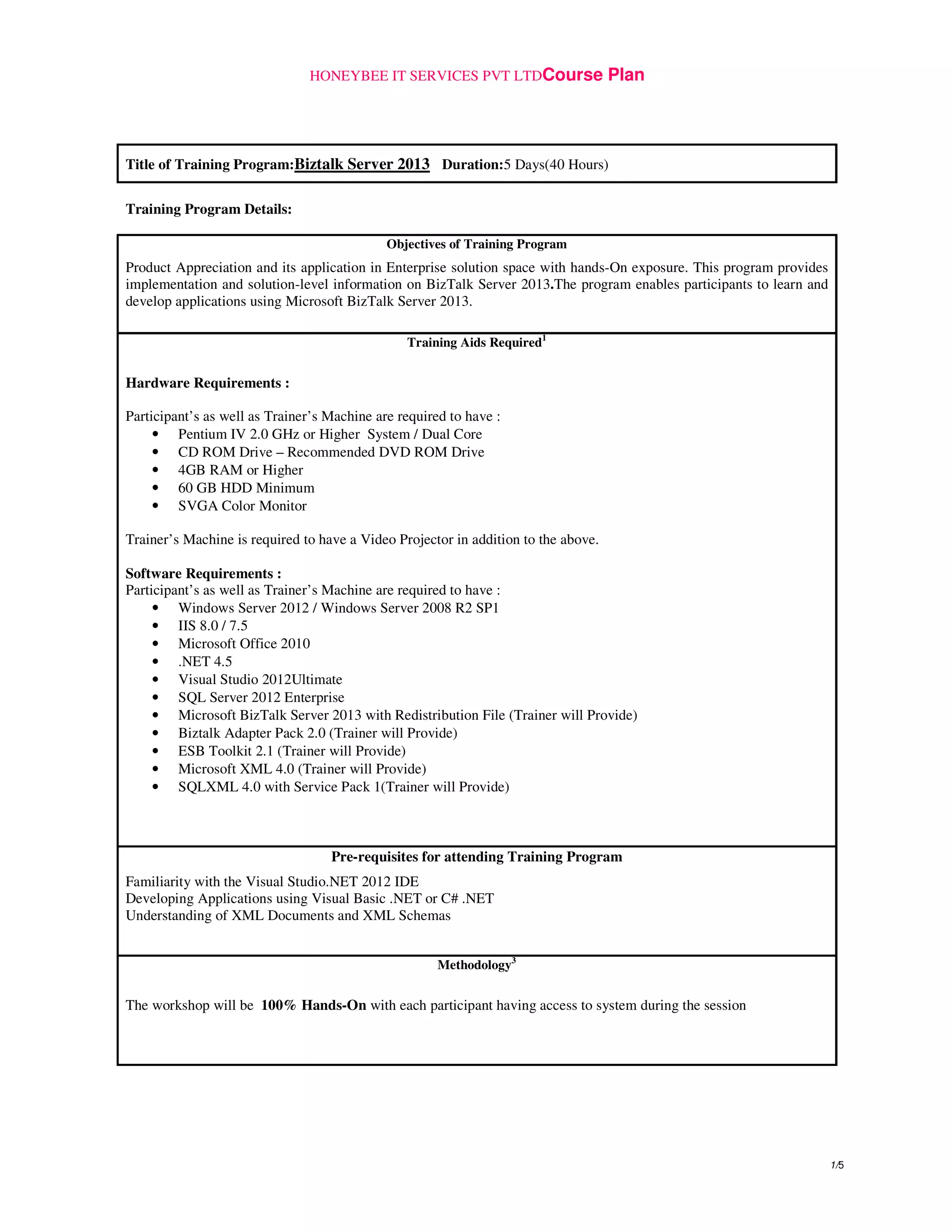
Title of Training Program:Biztalk Server 2013 Duration:5 Days(40 Hours)
Training Program Details:
Objectives of Training Program
Product Appreciation and its application in Enterprise solution space with hands-On exposure. This program provides
implementation and solution-level information on BizTalk Server 2013.The program enables participants to learn and
develop applications using Microsoft BizTalk Server 2013.
Training Aids Required1
Hardware Requirements :
Participant’s as well as Trainer’s Machine are required to have :
• Pentium IV 2.0 GHz or Higher System / Dual Core
• CD ROM Drive – Recommended DVD ROM Drive
• 4GB RAM or Higher
• 60 GB HDD Minimum
• SVGA Color Monitor
Trainer’s Machine is required to have a Video Projector in addition to the above.
Software Requirements :
Participant’s as well as Trainer’s Machine are required to have :
• Windows Server 2012 / Windows Server 2008 R2 SP1
• IIS 8.0 / 7.5
• Microsoft Office 2010
• .NET 4.5
• Visual Studio 2012Ultimate
• SQL Server 2012 Enterprise
• Microsoft BizTalk Server 2013 with Redistribution File (Trainer will Provide)
• Biztalk Adapter Pack 2.0 (Trainer will Provide)
• ESB Toolkit 2.1 (Trainer will Provide)
• Microsoft XML 4.0 (Trainer will Provide)
• SQLXML 4.0 with Service Pack 1(Trainer will Provide)
Pre-requisites for attending Training Program
Familiarity with the Visual Studio.NET 2012 IDE
Developing Applications using Visual Basic .NET or C# .NET
Understanding of XML Documents and XML Schemas
Methodology3
The workshop will be 100% Hands-On with each participant having access to system during the session
HONEYBEE IT SERVICES PVT LTDCourse Plan
2/5
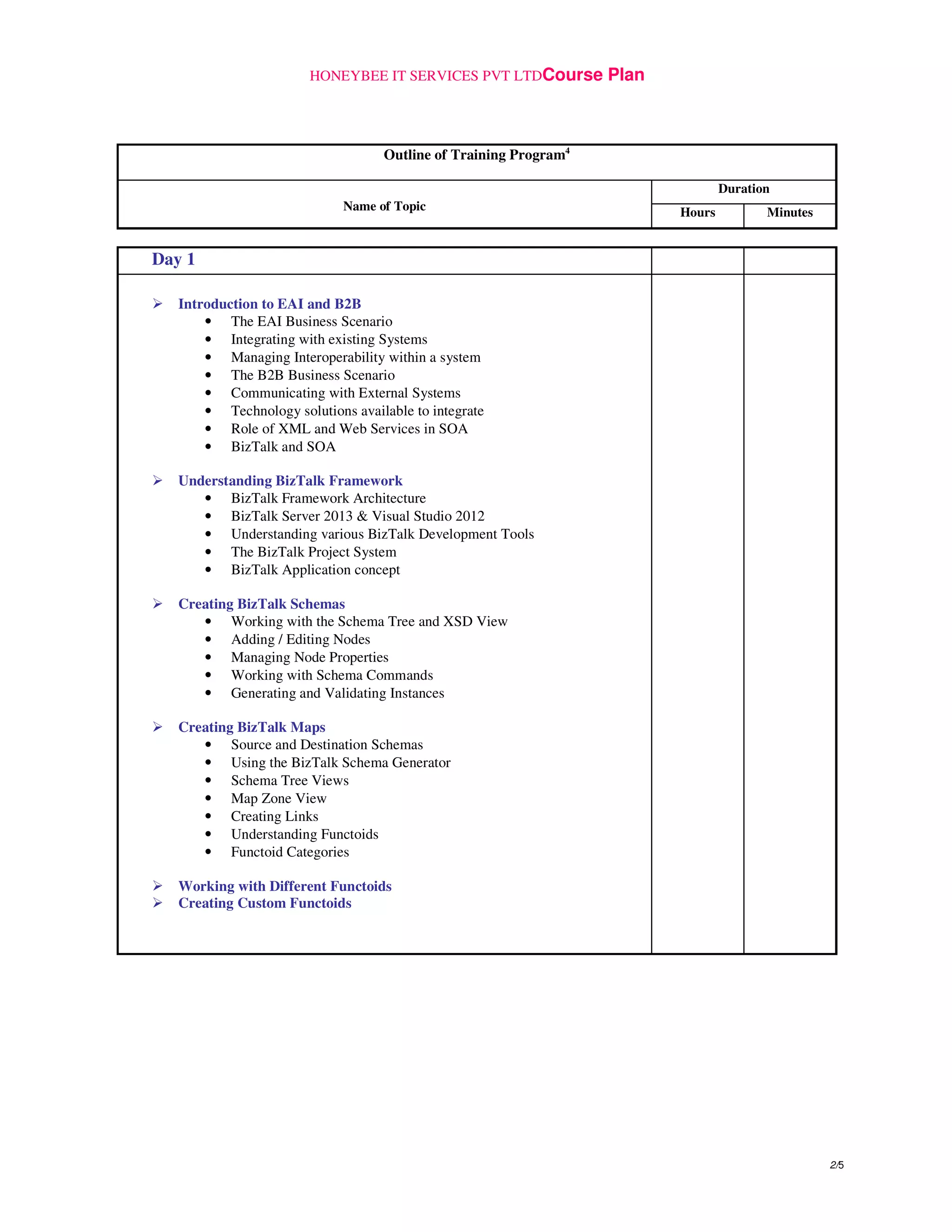
Outline of Training Program4
Duration
Name of Topic Hours Minutes
Day 1
Introduction to EAI and B2B
• The EAI Business Scenario
• Integrating with existing Systems
• Managing Interoperability within a system
• The B2B Business Scenario
• Communicating with External Systems
• Technology solutions available to integrate
• Role of XML and Web Services in SOA
• BizTalk and SOA
Understanding BizTalk Framework
• BizTalk Framework Architecture
• BizTalk Server 2013 & Visual Studio 2012
• Understanding various BizTalk Development Tools
• The BizTalk Project System
• BizTalk Application concept
Creating BizTalk Schemas
• Working with the Schema Tree and XSD View
• Adding / Editing Nodes
• Managing Node Properties
• Working with Schema Commands
• Generating and Validating Instances
Creating BizTalk Maps
• Source and Destination Schemas
• Using the BizTalk Schema Generator
• Schema Tree Views
• Map Zone View
• Creating Links
• Understanding Functoids
• Functoid Categories
Working with Different Functoids
Creating Custom Functoids
HONEYBEE IT SERVICES PVT LTDCourse Plan
3/5
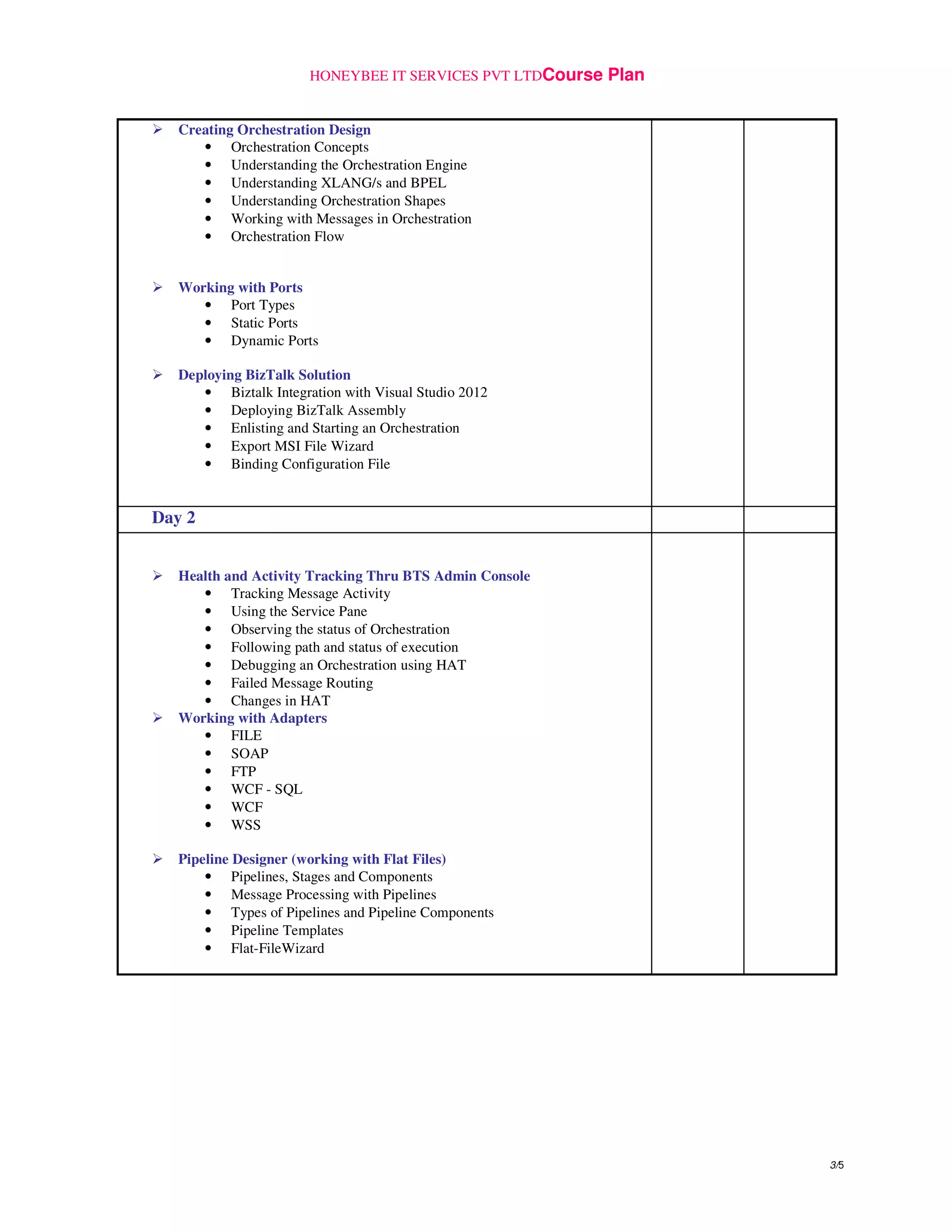
Creating Orchestration Design
• Orchestration Concepts
• Understanding the Orchestration Engine
• Understanding XLANG/s and BPEL
• Understanding Orchestration Shapes
• Working with Messages in Orchestration
• Orchestration Flow
Working with Ports
• Port Types
• Static Ports
• Dynamic Ports
Deploying BizTalk Solution
• Biztalk Integration with Visual Studio 2012
• Deploying BizTalk Assembly
• Enlisting and Starting an Orchestration
• Export MSI File Wizard
• Binding Configuration File
Day 2
Health and Activity Tracking Thru BTS Admin Console
• Tracking Message Activity
• Using the Service Pane
• Observing the status of Orchestration
• Following path and status of execution
• Debugging an Orchestration using HAT
• Failed Message Routing
• Changes in HAT
Working with Adapters
• FILE
• SOAP
• FTP
• WCF - SQL
• WCF
• WSS
Pipeline Designer (working with Flat Files)
• Pipelines, Stages and Components
• Message Processing with Pipelines
• Types of Pipelines and Pipeline Components
• Pipeline Templates
• Flat-FileWizard
HONEYBEE IT SERVICES PVT LTDCourse Plan
4/5
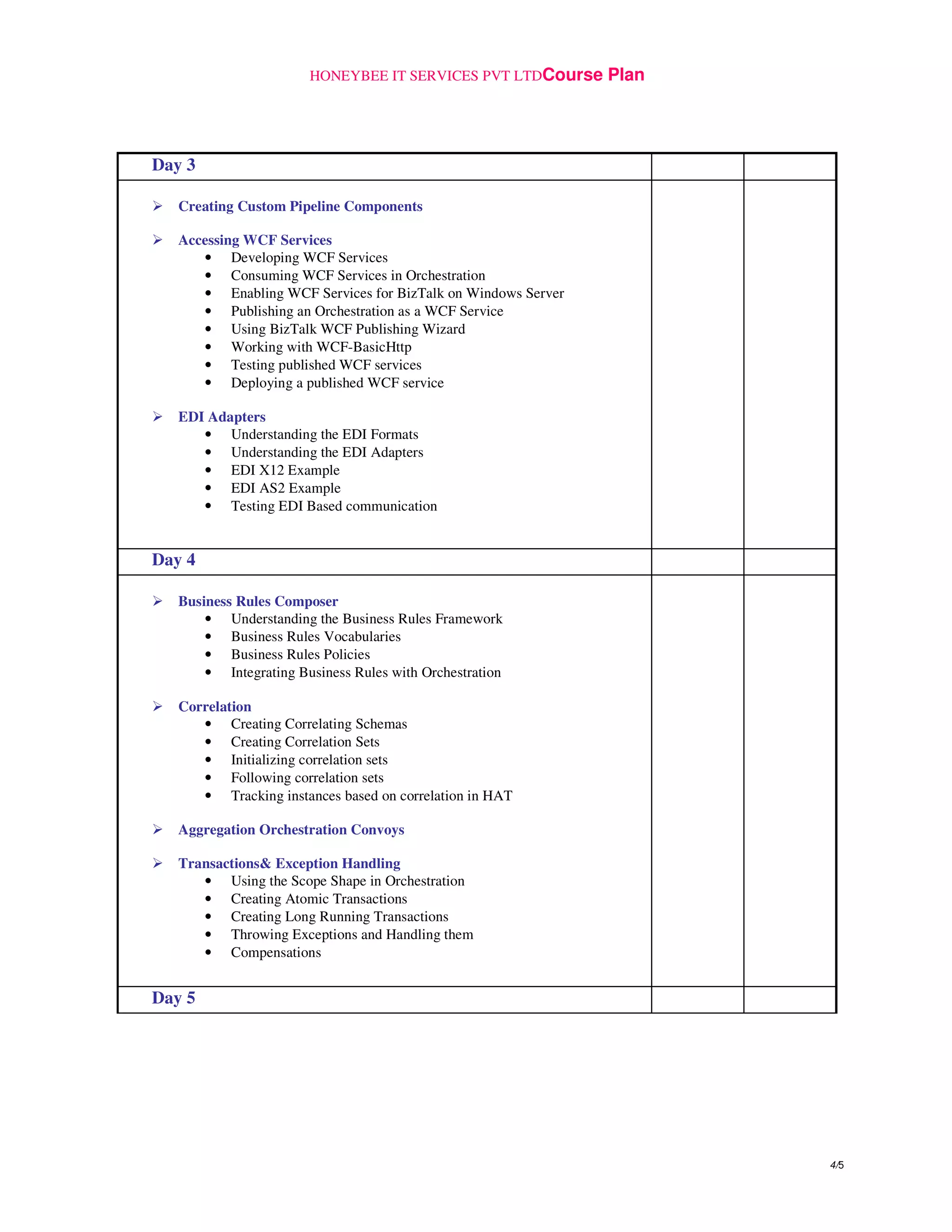
Day 3
Creating Custom Pipeline Components
Accessing WCF Services
• Developing WCF Services
• Consuming WCF Services in Orchestration
• Enabling WCF Services for BizTalk on Windows Server
• Publishing an Orchestration as a WCF Service
• Using BizTalk WCF Publishing Wizard
• Working with WCF-BasicHttp
• Testing published WCF services
• Deploying a published WCF service
EDI Adapters
• Understanding the EDI Formats
• Understanding the EDI Adapters
• EDI X12 Example
• EDI AS2 Example
• Testing EDI Based communication
Day 4
Business Rules Composer
• Understanding the Business Rules Framework
• Business Rules Vocabularies
• Business Rules Policies
• Integrating Business Rules with Orchestration
Correlation
• Creating Correlating Schemas
• Creating Correlation Sets
• Initializing correlation sets
• Following correlation sets
• Tracking instances based on correlation in HAT
Aggregation Orchestration Convoys
Transactions& Exception Handling
• Using the Scope Shape in Orchestration
• Creating Atomic Transactions
• Creating Long Running Transactions
• Throwing Exceptions and Handling them
• Compensations
Day 5
HONEYBEE IT SERVICES PVT LTDCourse Plan
5/5
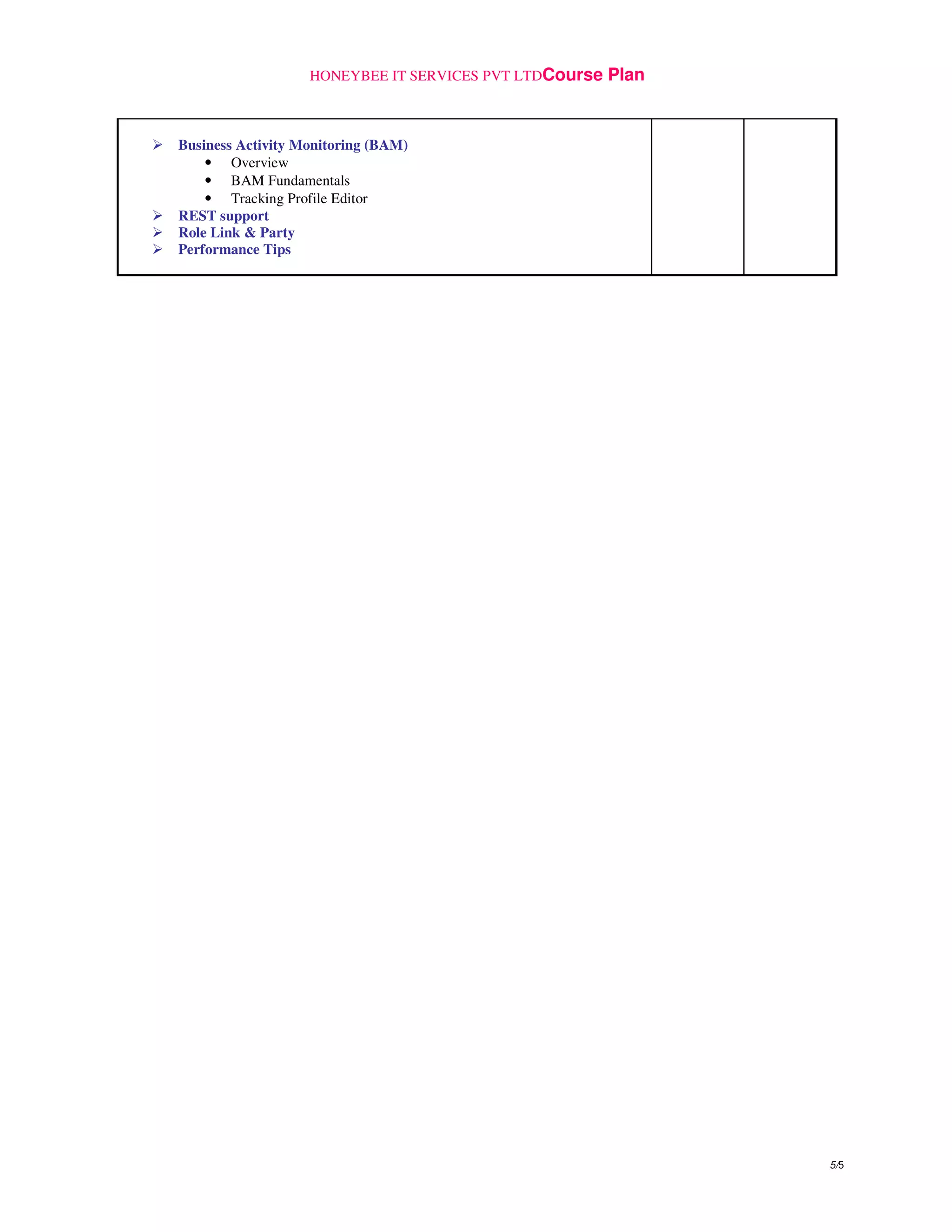
Business Activity Monitoring (BAM)
• Overview
• BAM Fundamentals
• Tracking Profile Editor
REST support
Role Link & Party
Performance Tips

Biztalk server 2013 1 (1)

  • 1.
    HONEYBEE IT SERVICESPVT LTDCourse Plan 1/5 Title of Training Program:Biztalk Server 2013 Duration:5 Days(40 Hours) Training Program Details: Objectives of Training Program Product Appreciation and its application in Enterprise solution space with hands-On exposure. This program provides implementation and solution-level information on BizTalk Server 2013.The program enables participants to learn and develop applications using Microsoft BizTalk Server 2013. Training Aids Required1 Hardware Requirements : Participant’s as well as Trainer’s Machine are required to have : • Pentium IV 2.0 GHz or Higher System / Dual Core • CD ROM Drive – Recommended DVD ROM Drive • 4GB RAM or Higher • 60 GB HDD Minimum • SVGA Color Monitor Trainer’s Machine is required to have a Video Projector in addition to the above. Software Requirements : Participant’s as well as Trainer’s Machine are required to have : • Windows Server 2012 / Windows Server 2008 R2 SP1 • IIS 8.0 / 7.5 • Microsoft Office 2010 • .NET 4.5 • Visual Studio 2012Ultimate • SQL Server 2012 Enterprise • Microsoft BizTalk Server 2013 with Redistribution File (Trainer will Provide) • Biztalk Adapter Pack 2.0 (Trainer will Provide) • ESB Toolkit 2.1 (Trainer will Provide) • Microsoft XML 4.0 (Trainer will Provide) • SQLXML 4.0 with Service Pack 1(Trainer will Provide) Pre-requisites for attending Training Program Familiarity with the Visual Studio.NET 2012 IDE Developing Applications using Visual Basic .NET or C# .NET Understanding of XML Documents and XML Schemas Methodology3 The workshop will be 100% Hands-On with each participant having access to system during the session
  • 2.
    HONEYBEE IT SERVICESPVT LTDCourse Plan 2/5 Outline of Training Program4 Duration Name of Topic Hours Minutes Day 1 Introduction to EAI and B2B • The EAI Business Scenario • Integrating with existing Systems • Managing Interoperability within a system • The B2B Business Scenario • Communicating with External Systems • Technology solutions available to integrate • Role of XML and Web Services in SOA • BizTalk and SOA Understanding BizTalk Framework • BizTalk Framework Architecture • BizTalk Server 2013 & Visual Studio 2012 • Understanding various BizTalk Development Tools • The BizTalk Project System • BizTalk Application concept Creating BizTalk Schemas • Working with the Schema Tree and XSD View • Adding / Editing Nodes • Managing Node Properties • Working with Schema Commands • Generating and Validating Instances Creating BizTalk Maps • Source and Destination Schemas • Using the BizTalk Schema Generator • Schema Tree Views • Map Zone View • Creating Links • Understanding Functoids • Functoid Categories Working with Different Functoids Creating Custom Functoids
  • 3.
    HONEYBEE IT SERVICESPVT LTDCourse Plan 3/5 Creating Orchestration Design • Orchestration Concepts • Understanding the Orchestration Engine • Understanding XLANG/s and BPEL • Understanding Orchestration Shapes • Working with Messages in Orchestration • Orchestration Flow Working with Ports • Port Types • Static Ports • Dynamic Ports Deploying BizTalk Solution • Biztalk Integration with Visual Studio 2012 • Deploying BizTalk Assembly • Enlisting and Starting an Orchestration • Export MSI File Wizard • Binding Configuration File Day 2 Health and Activity Tracking Thru BTS Admin Console • Tracking Message Activity • Using the Service Pane • Observing the status of Orchestration • Following path and status of execution • Debugging an Orchestration using HAT • Failed Message Routing • Changes in HAT Working with Adapters • FILE • SOAP • FTP • WCF - SQL • WCF • WSS Pipeline Designer (working with Flat Files) • Pipelines, Stages and Components • Message Processing with Pipelines • Types of Pipelines and Pipeline Components • Pipeline Templates • Flat-FileWizard
  • 4.
    HONEYBEE IT SERVICESPVT LTDCourse Plan 4/5 Day 3 Creating Custom Pipeline Components Accessing WCF Services • Developing WCF Services • Consuming WCF Services in Orchestration • Enabling WCF Services for BizTalk on Windows Server • Publishing an Orchestration as a WCF Service • Using BizTalk WCF Publishing Wizard • Working with WCF-BasicHttp • Testing published WCF services • Deploying a published WCF service EDI Adapters • Understanding the EDI Formats • Understanding the EDI Adapters • EDI X12 Example • EDI AS2 Example • Testing EDI Based communication Day 4 Business Rules Composer • Understanding the Business Rules Framework • Business Rules Vocabularies • Business Rules Policies • Integrating Business Rules with Orchestration Correlation • Creating Correlating Schemas • Creating Correlation Sets • Initializing correlation sets • Following correlation sets • Tracking instances based on correlation in HAT Aggregation Orchestration Convoys Transactions& Exception Handling • Using the Scope Shape in Orchestration • Creating Atomic Transactions • Creating Long Running Transactions • Throwing Exceptions and Handling them • Compensations Day 5
  • 5.
    HONEYBEE IT SERVICESPVT LTDCourse Plan 5/5 Business Activity Monitoring (BAM) • Overview • BAM Fundamentals • Tracking Profile Editor REST support Role Link & Party Performance Tips