Binary Search Trees
CS 302 – Data Structures
Chapter 8
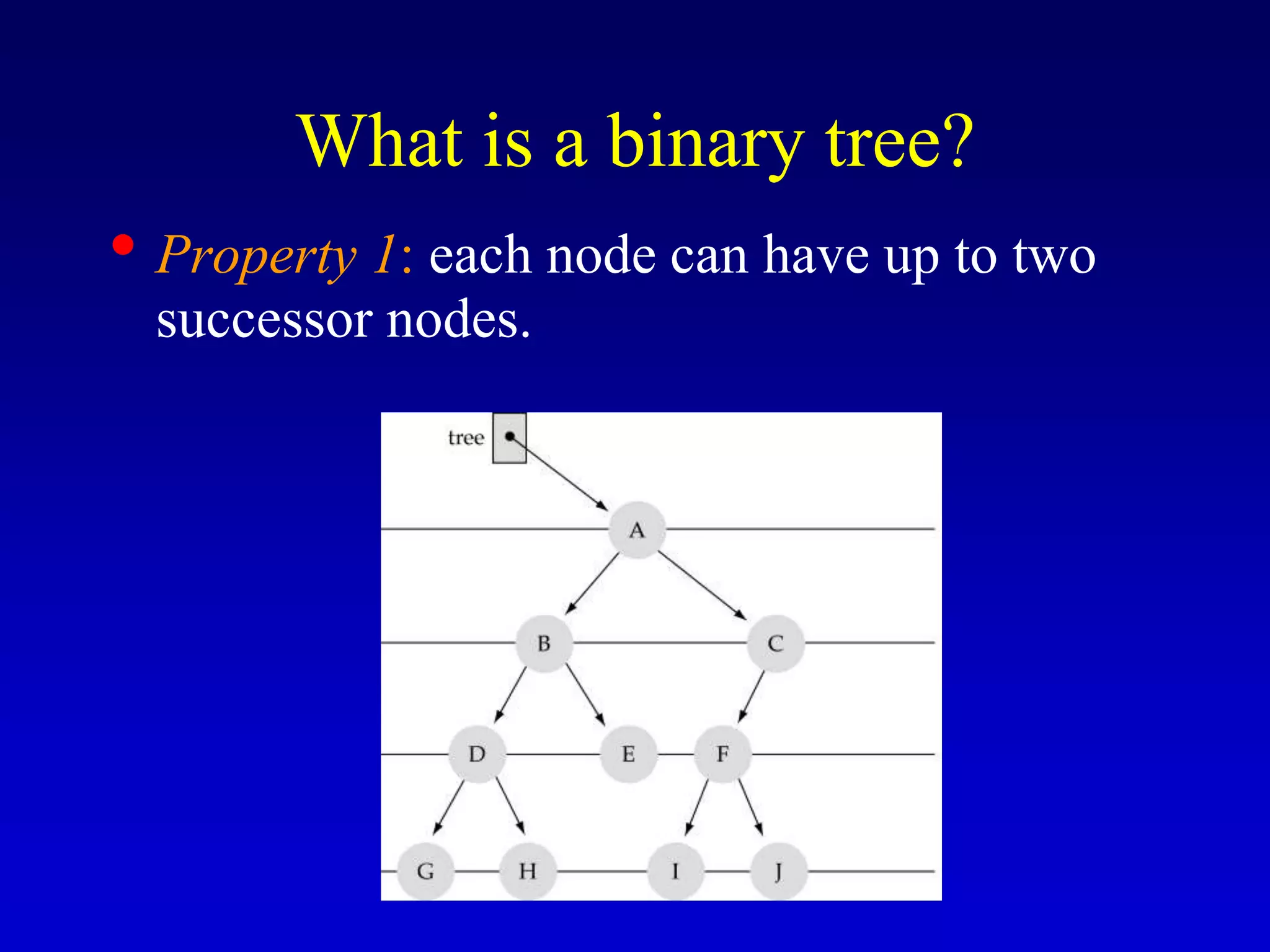
What is a binary tree?
• Property 1: each node can have up to two
successor nodes.
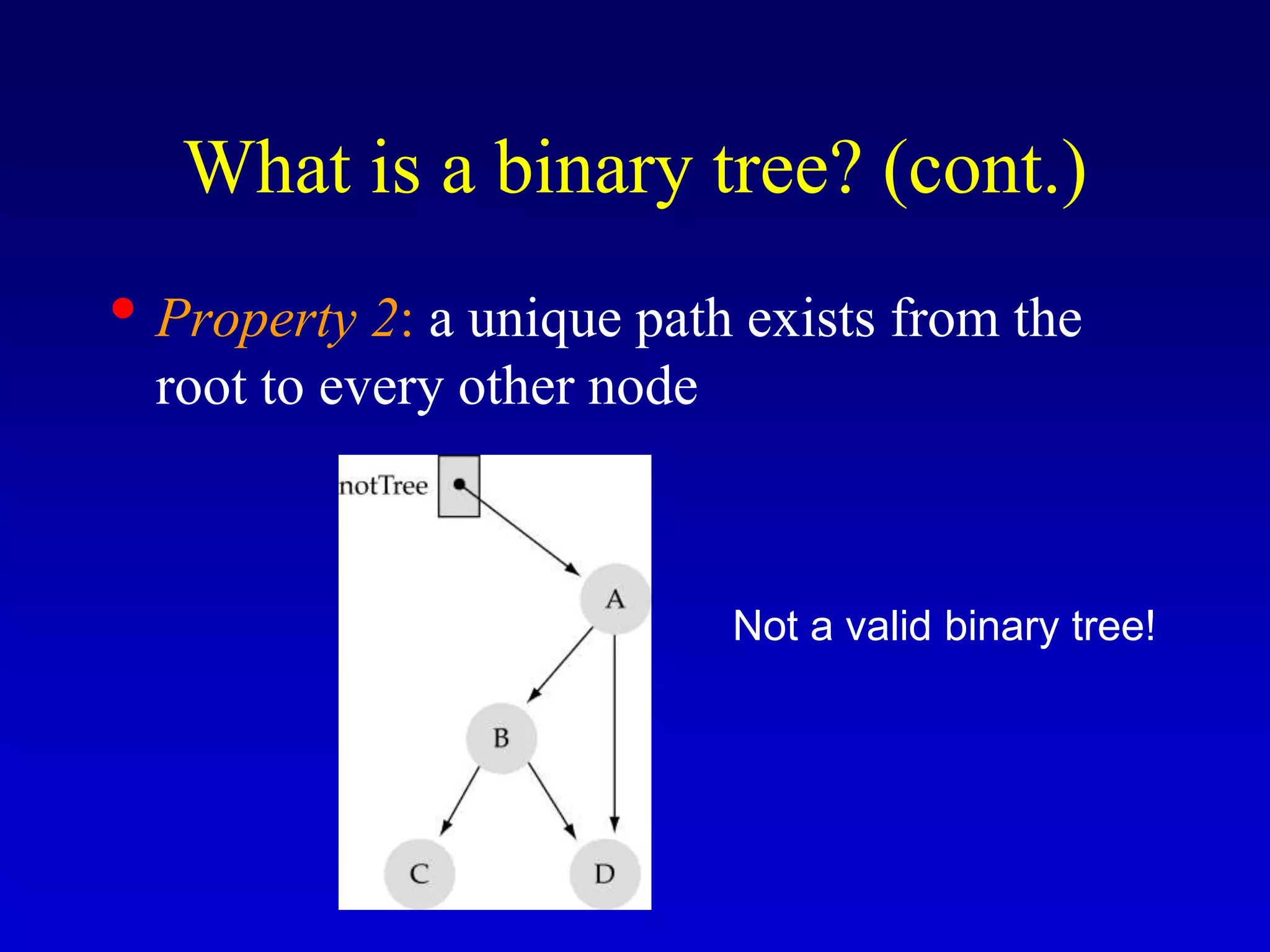
• Property 2: a unique path exists from the
root to every other node
What is a binary tree? (cont.)
Not a valid binary tree!
Some terminology
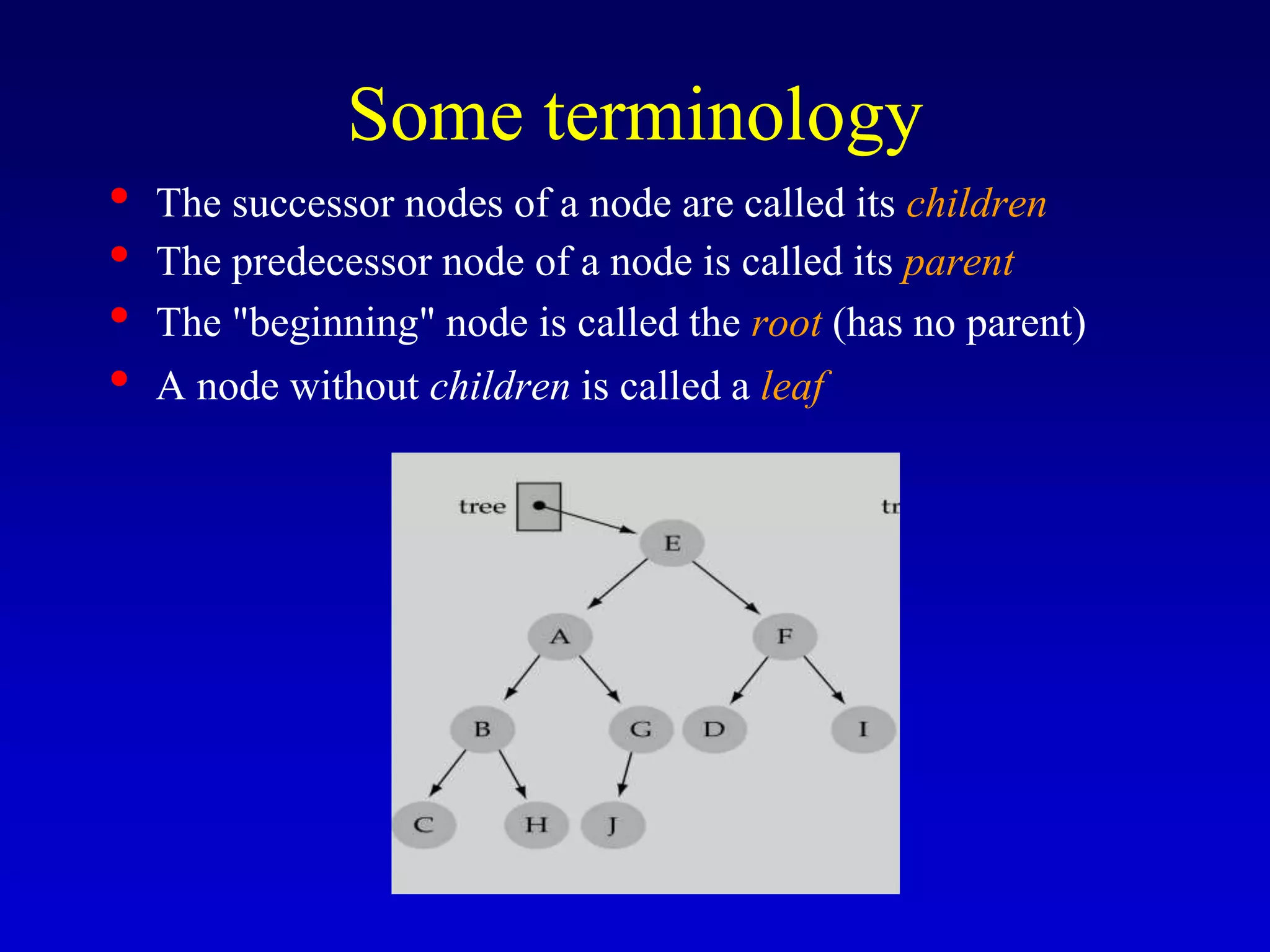
• The successor nodes of a node are called its children
• The predecessor node of a node is called its parent
• The "beginning" node is called the root (has no parent)
• A node without children is called a leaf
Some terminology (cont’d)
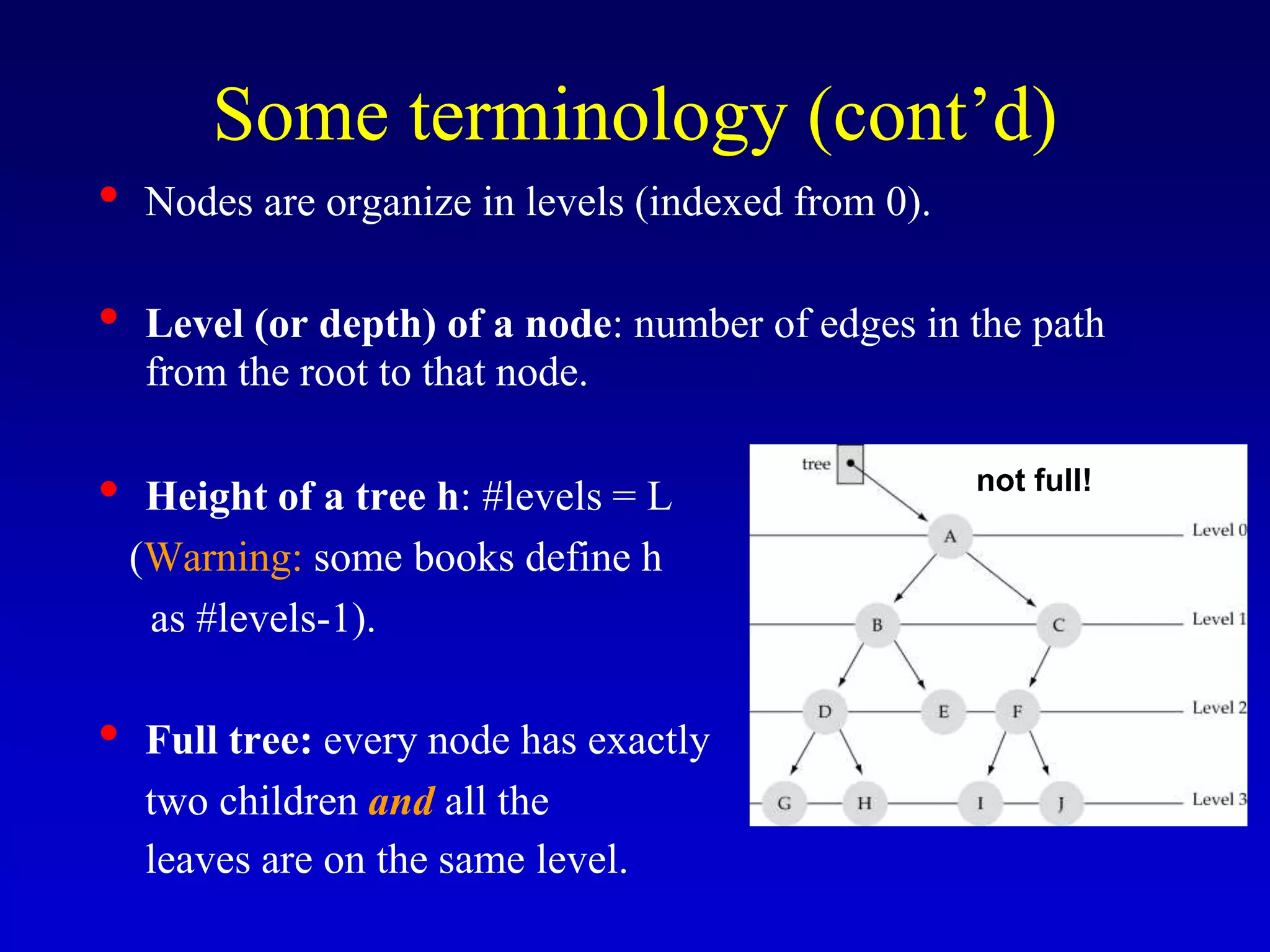
• Nodes are organize in levels (indexed from 0).
• Level (or depth) of a node: number of edges in the path
from the root to that node.
• Height of a tree h: #levels = L
(Warning: some books define h
as #levels-1).
• Full tree: every node has exactly
two children and all the
leaves are on the same level.
not full!
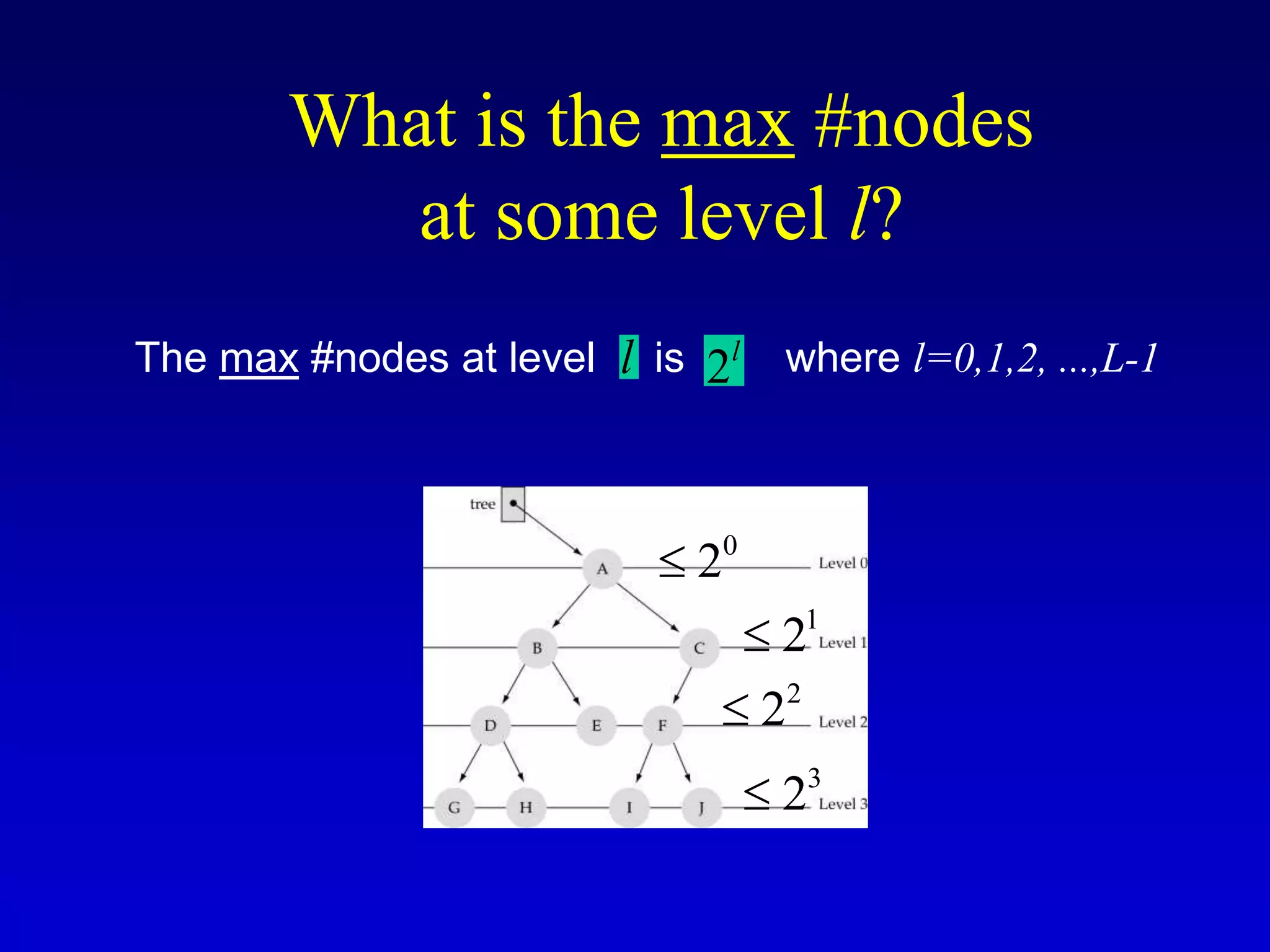
What is the max #nodes
at some level l?
The max #nodes at level is
l 2l
0
2

1
2

2
2

3
2

where l=0,1,2, ...,L-1
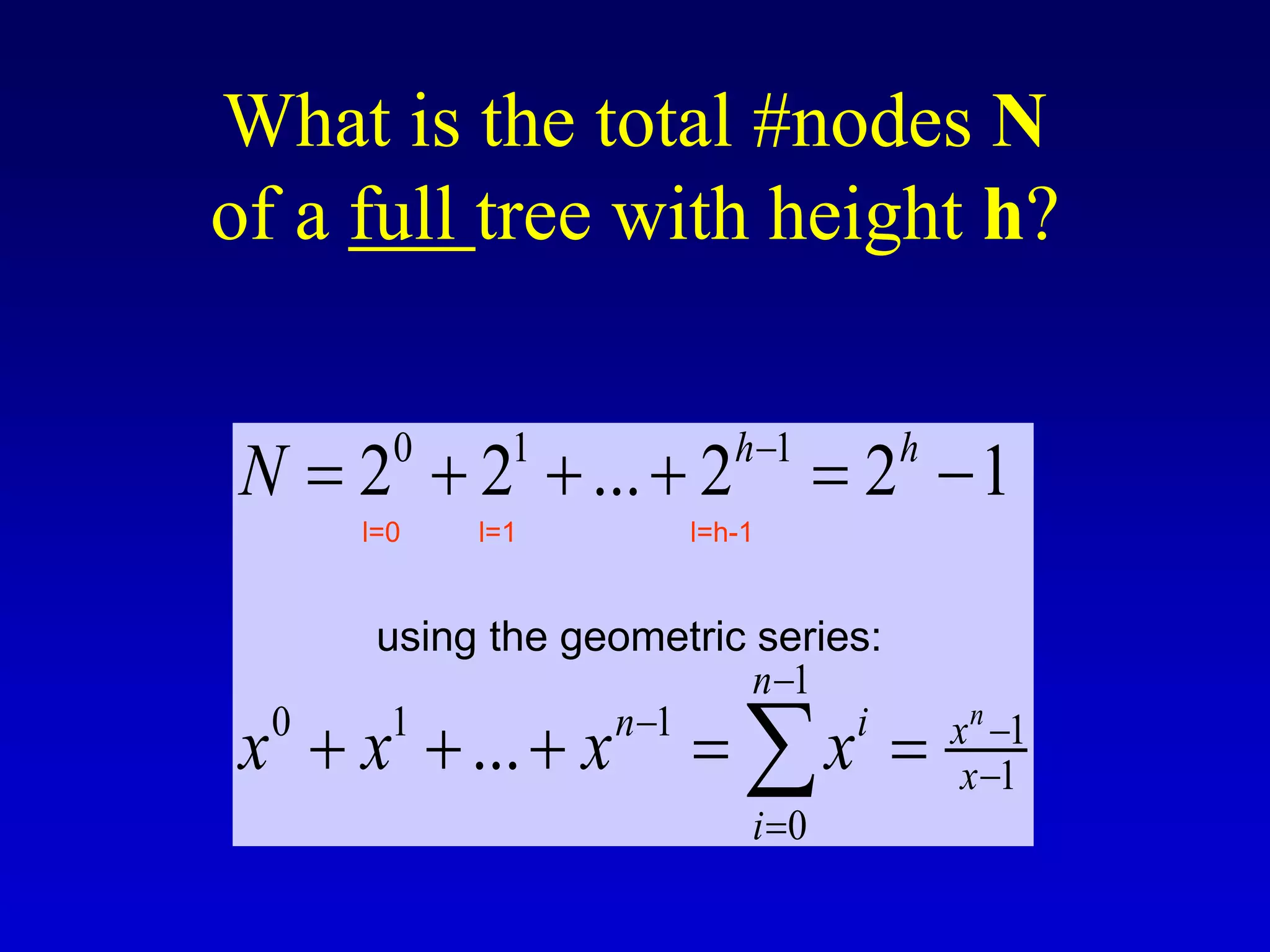
What is the total #nodes N
of a full tree with height h?
0 1 1
1
0 1 1 1
1
0
2 2 ... 2 2 1
...
n
h h
n
n i x
x
i
N
x x x x


 


     
    

using the geometric series:
l=0 l=1 l=h-1
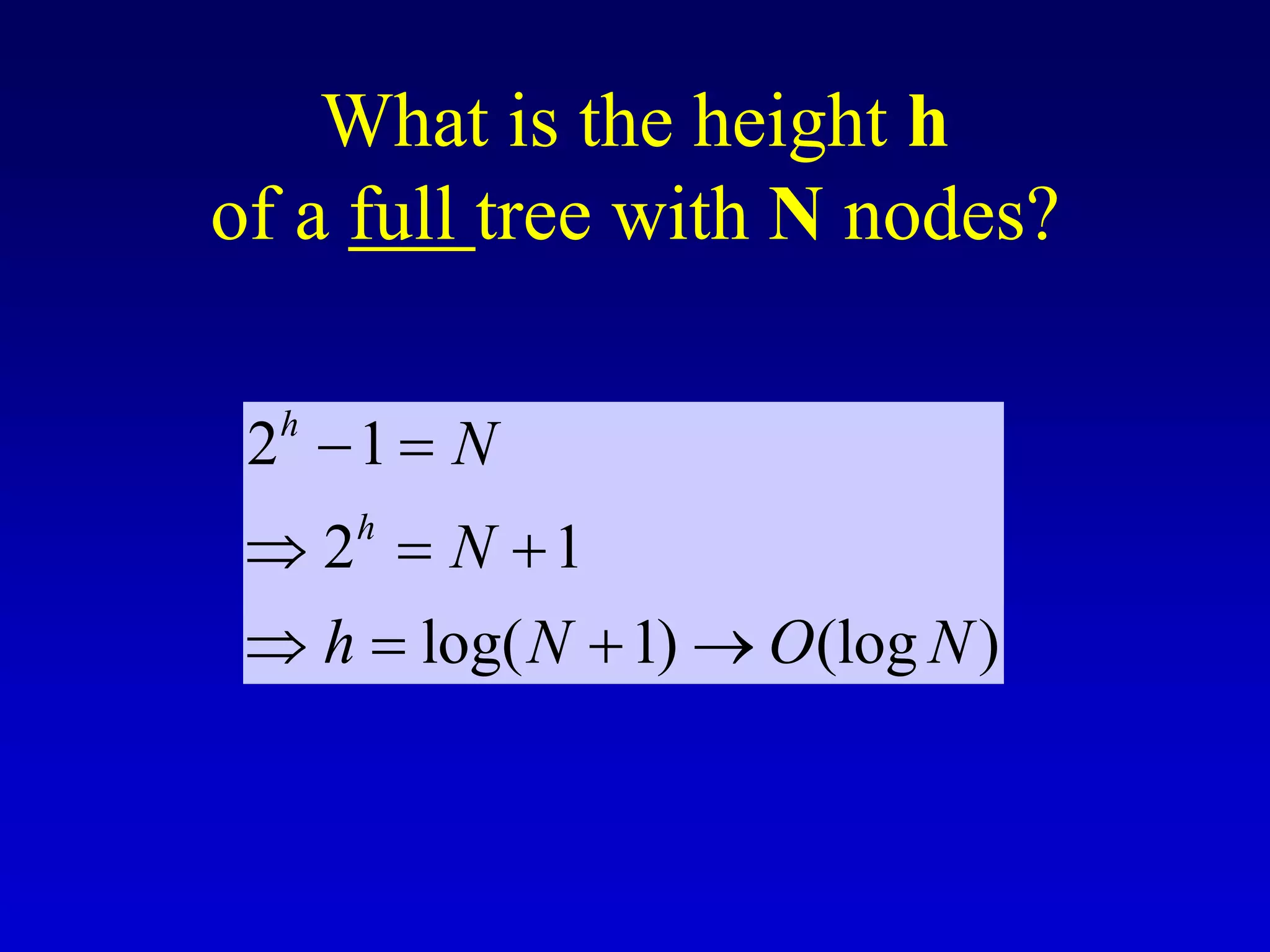
What is the height h
of a full tree with N nodes?
2 1
2 1
log( 1) (log )
h
h
N
N
h N O N
 
  
   
Why is h important?
• Tree operations (e.g., insert, delete, retrieve
etc.) are typically expressed in terms of h.
• So, h determines running time!
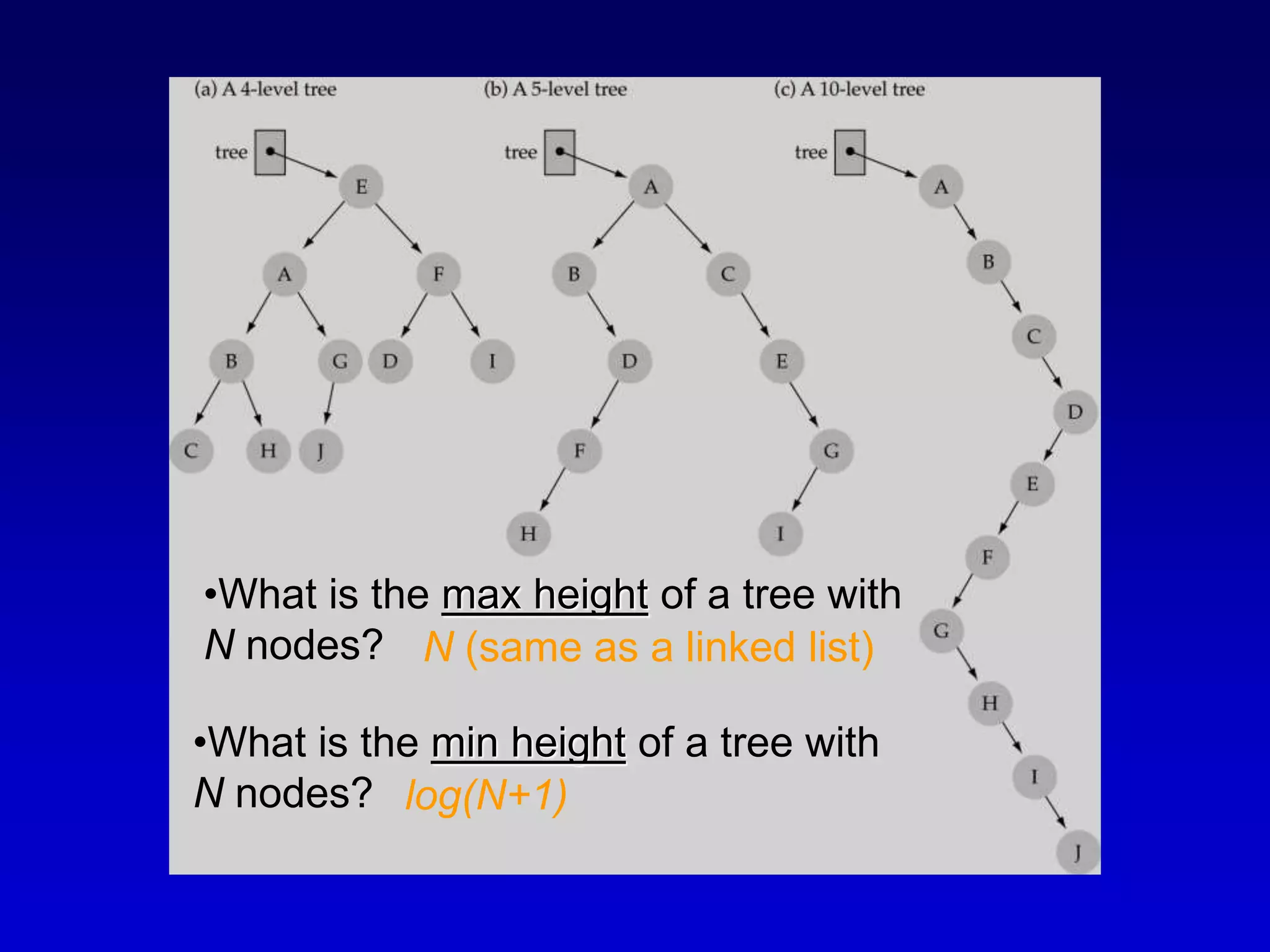
•What is the max height of a tree with
N nodes?
•What is the min height of a tree with
N nodes?
N (same as a linked list)
log(N+1)
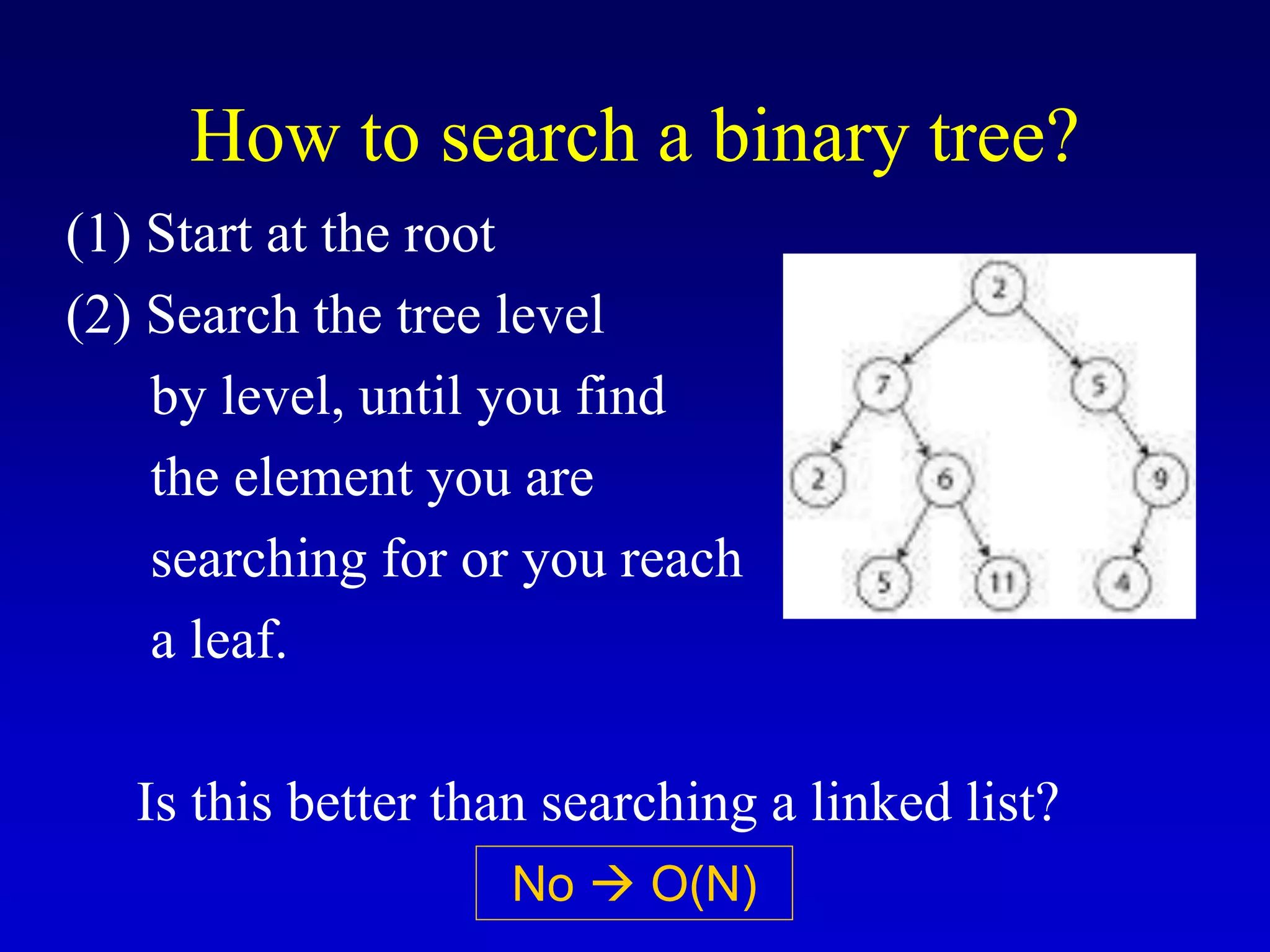
How to search a binary tree?
(1) Start at the root
(2) Search the tree level
by level, until you find
the element you are
searching for or you reach
a leaf.
Is this better than searching a linked list?
No  O(N)
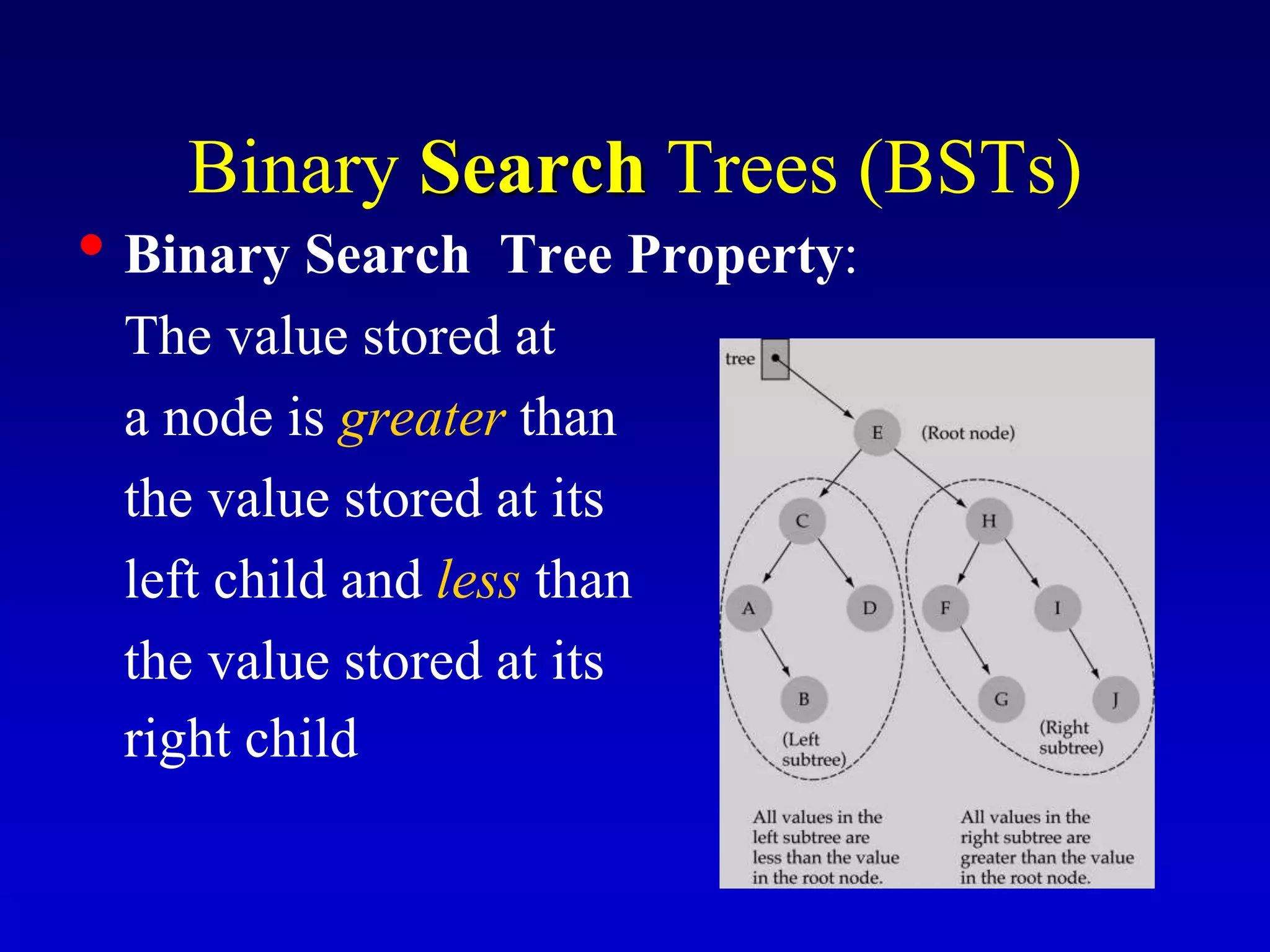
Binary Search Trees (BSTs)
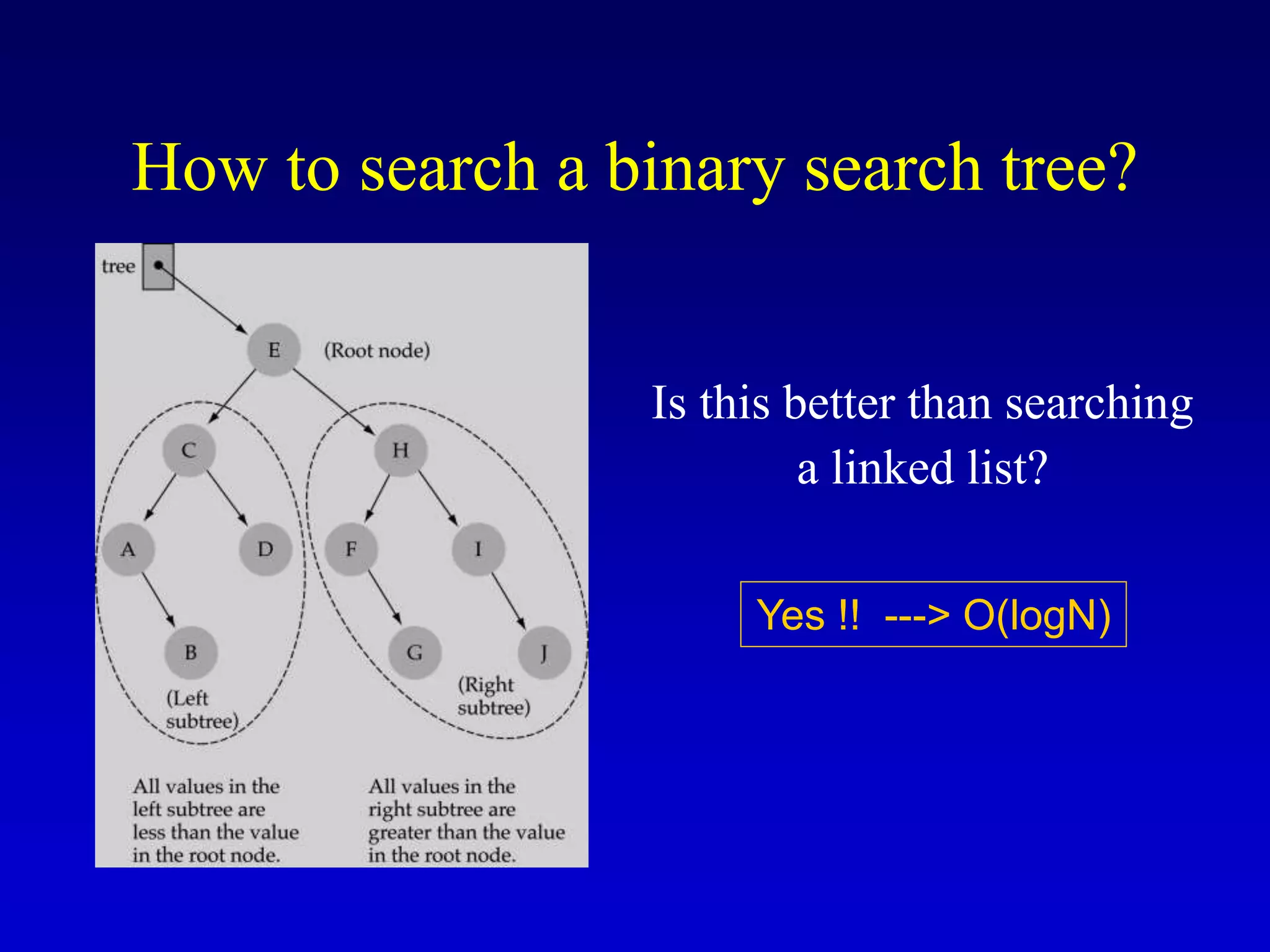
• Binary Search Tree Property:
The value stored at
a node is greater than
the value stored at its
left child and less than
the value stored at its
right child
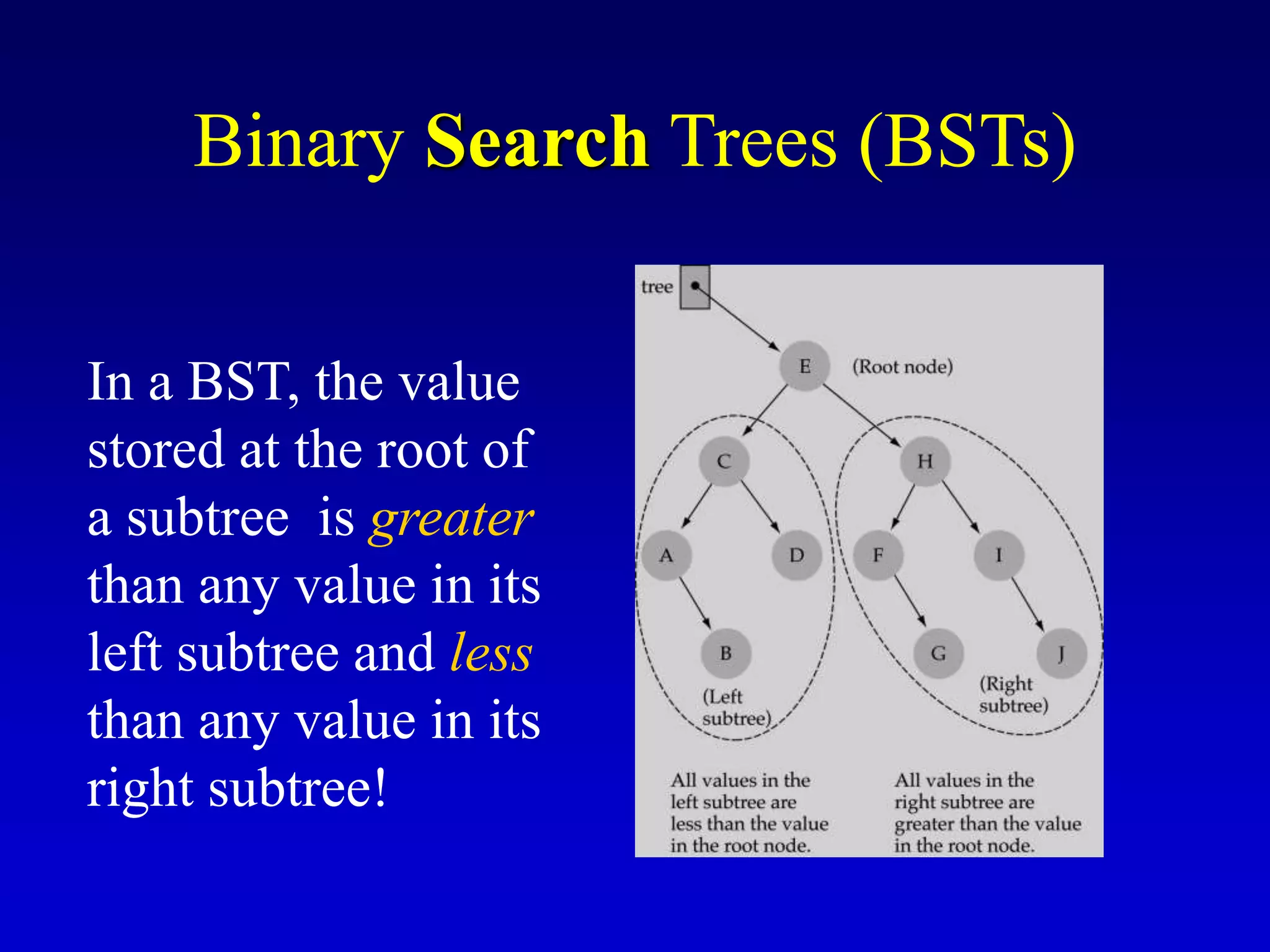
In a BST, the value
stored at the root of
a subtree is greater
than any value in its
left subtree and less
than any value in its
right subtree!
Binary Search Trees (BSTs)
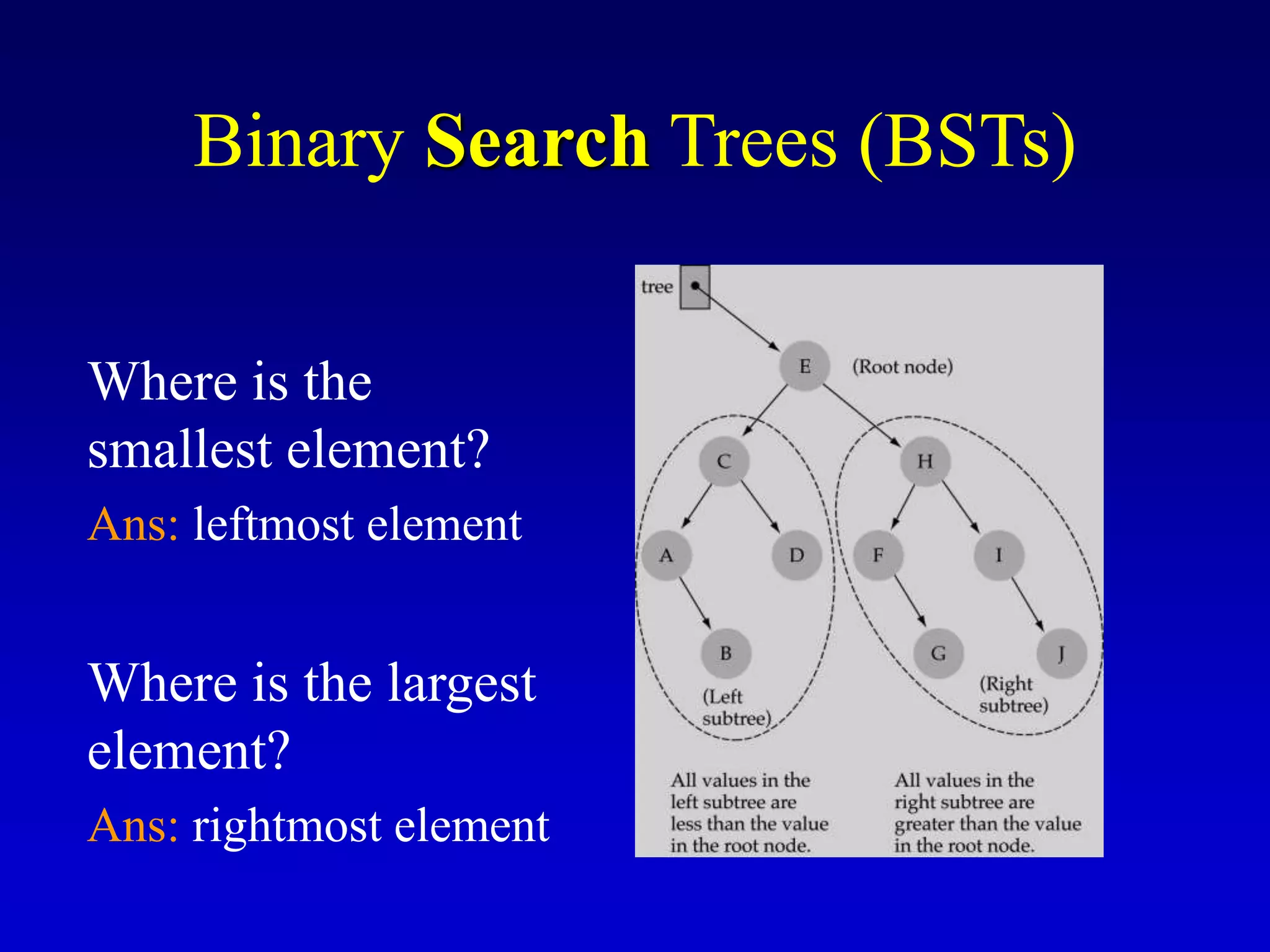
Where is the
smallest element?
Ans: leftmost element
Where is the largest
element?
Ans: rightmost element
Binary Search Trees (BSTs)
How to search a binary search tree?
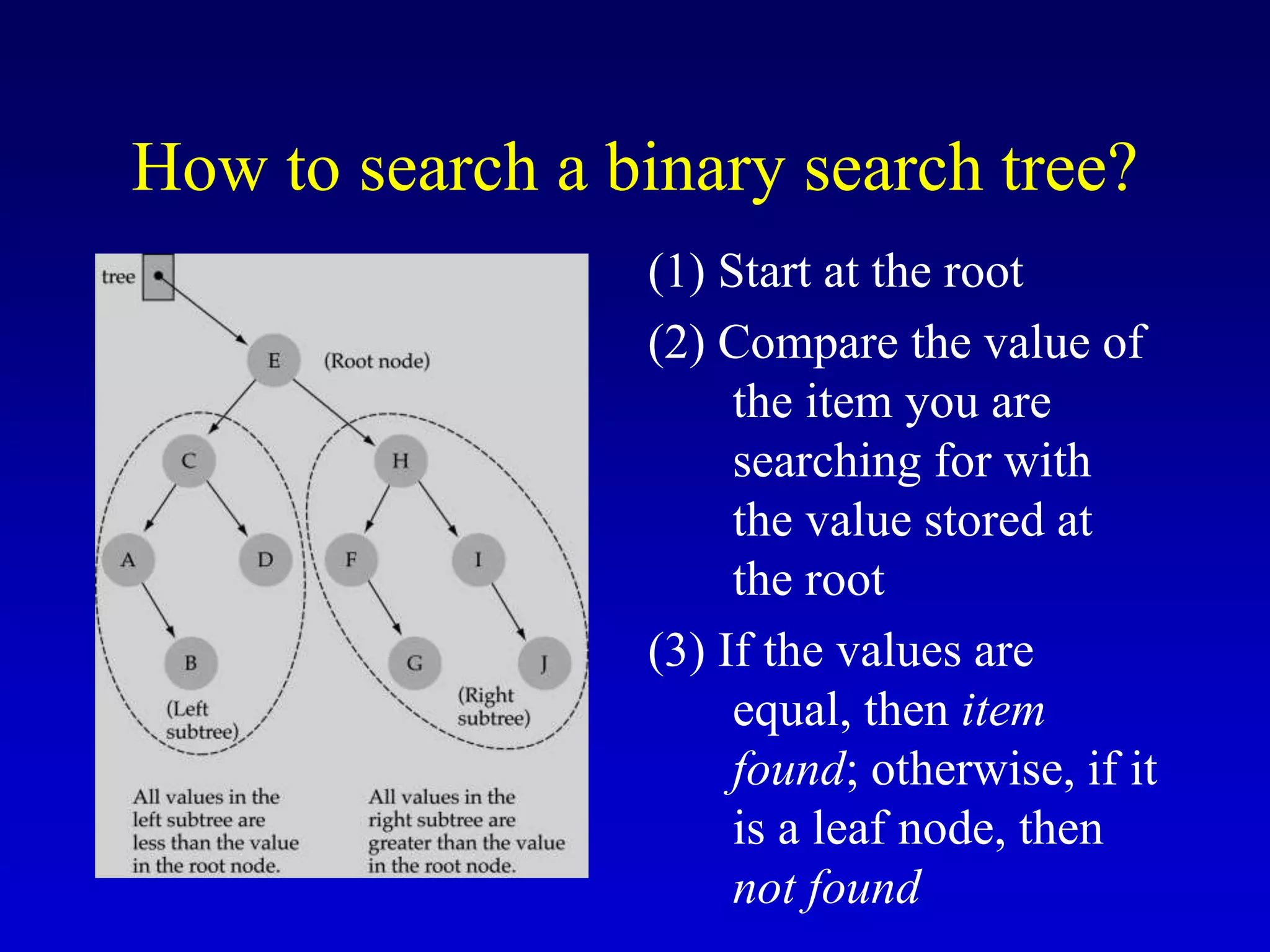
(1) Start at the root
(2) Compare the value of
the item you are
searching for with
the value stored at
the root
(3) If the values are
equal, then item
found; otherwise, if it
is a leaf node, then
not found
How to search a binary search tree?
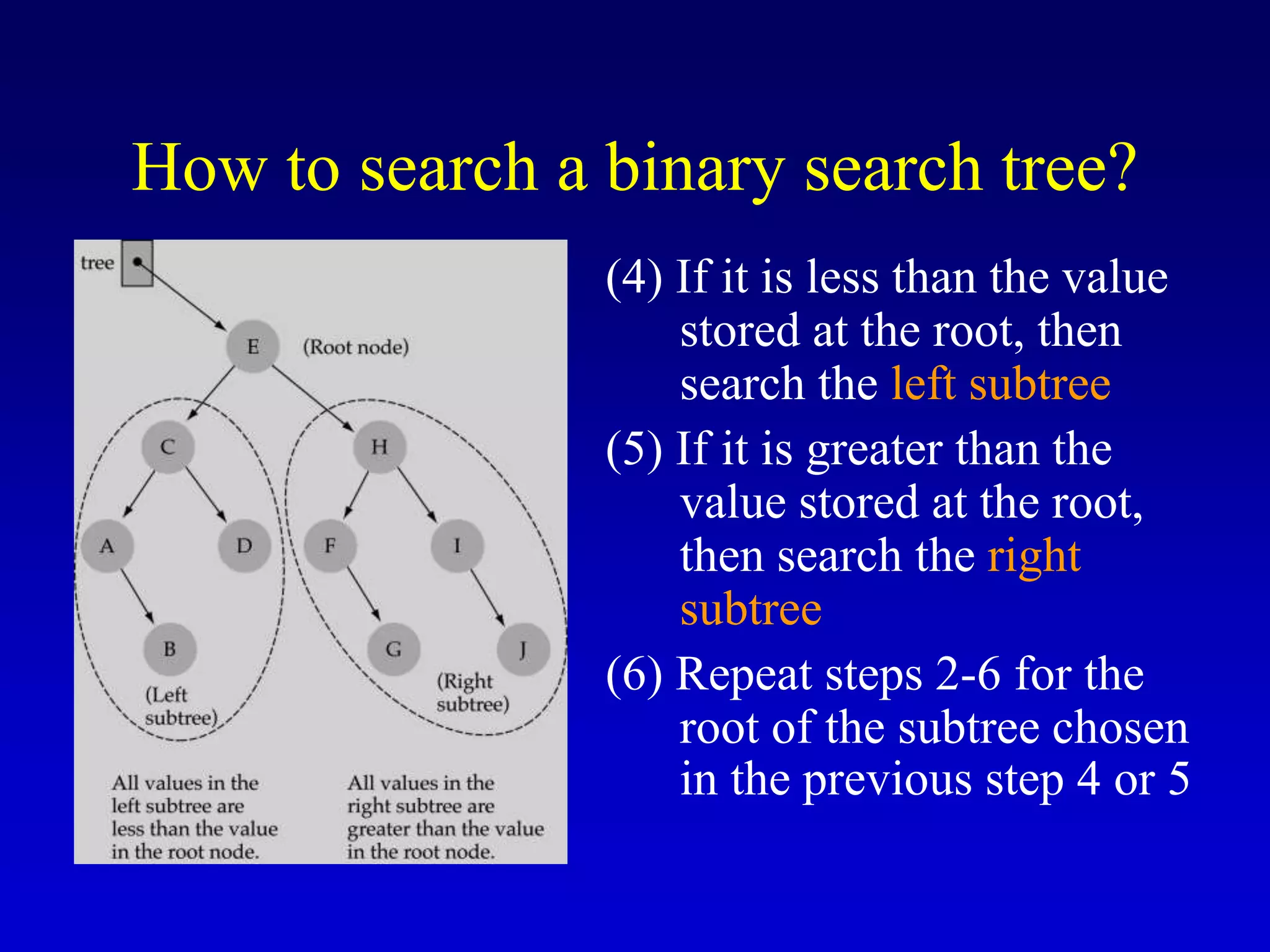
(4) If it is less than the value
stored at the root, then
search the left subtree
(5) If it is greater than the
value stored at the root,
then search the right
subtree
(6) Repeat steps 2-6 for the
root of the subtree chosen
in the previous step 4 or 5
How to search a binary search tree?
Is this better than searching
a linked list?
Yes !! ---> O(logN)
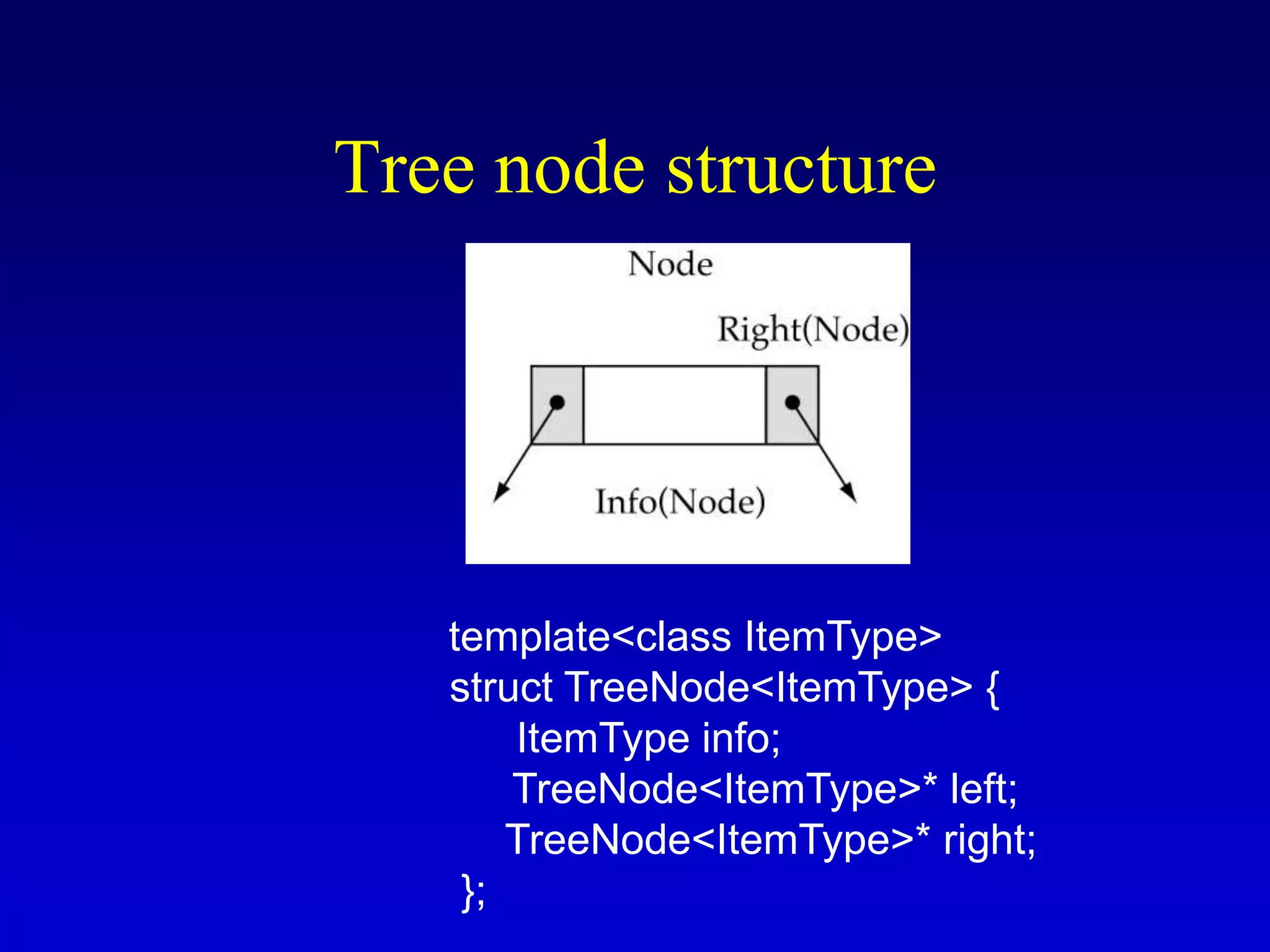
Tree node structure
template<class ItemType>
struct TreeNode<ItemType> {
ItemType info;
TreeNode<ItemType>* left;
TreeNode<ItemType>* right;
};
Binary Search Tree Specification
#include <fstream.h>
struct TreeNode<ItemType>;
enum OrderType {PRE_ORDER, IN_ORDER, POST_ORDER};
template<class ItemType>
class TreeType {
public:
TreeType();
~TreeType();
TreeType(const TreeType<ItemType>&);
void operator=(const TreeType<ItemType>&);
void MakeEmpty();
bool IsEmpty() const;
bool IsFull() const;
int NumberOfNodes() const;
void RetrieveItem(ItemType&, bool& found);
void InsertItem(ItemType);
void DeleteItem(ItemType);
void ResetTree(OrderType);
void GetNextItem(ItemType&, OrderType, bool&);
void PrintTree(ofstream&) const;
private:
TreeNode<ItemType>* root;
};
Binary Search Tree Specification
(cont.)
Function NumberOfNodes
• Recursive implementation
#nodes in a tree =
#nodes in left subtree + #nodes in right subtree + 1
• What is the size factor?
Number of nodes in the tree we are examining
• What is the base case?
The tree is empty
• What is the general case?
CountNodes(Left(tree)) + CountNodes(Right(tree)) + 1
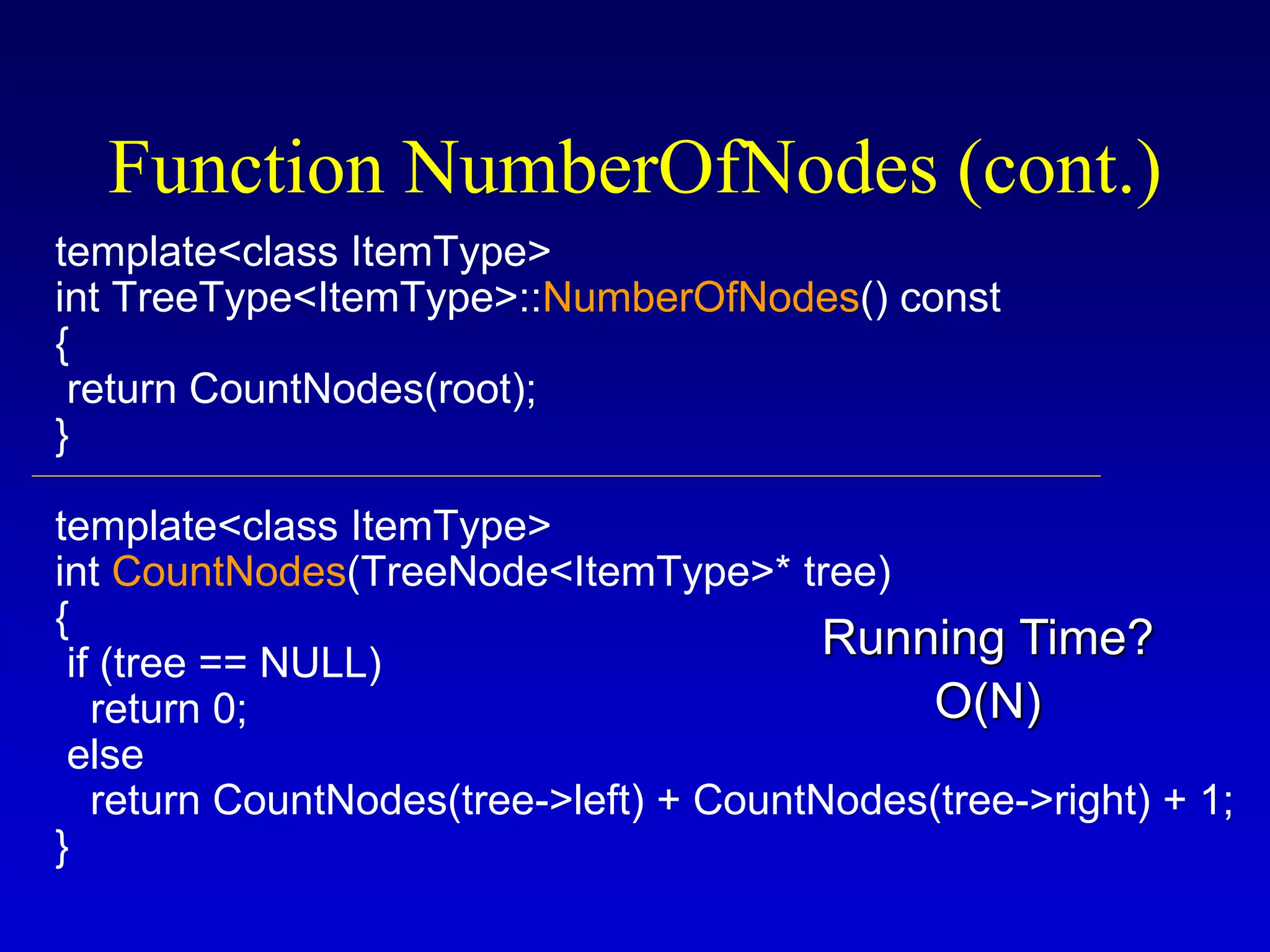
template<class ItemType>
int TreeType<ItemType>::NumberOfNodes() const
{
return CountNodes(root);
}
template<class ItemType>
int CountNodes(TreeNode<ItemType>* tree)
{
if (tree == NULL)
return 0;
else
return CountNodes(tree->left) + CountNodes(tree->right) + 1;
}
Function NumberOfNodes (cont.)
O(N)
Running Time?
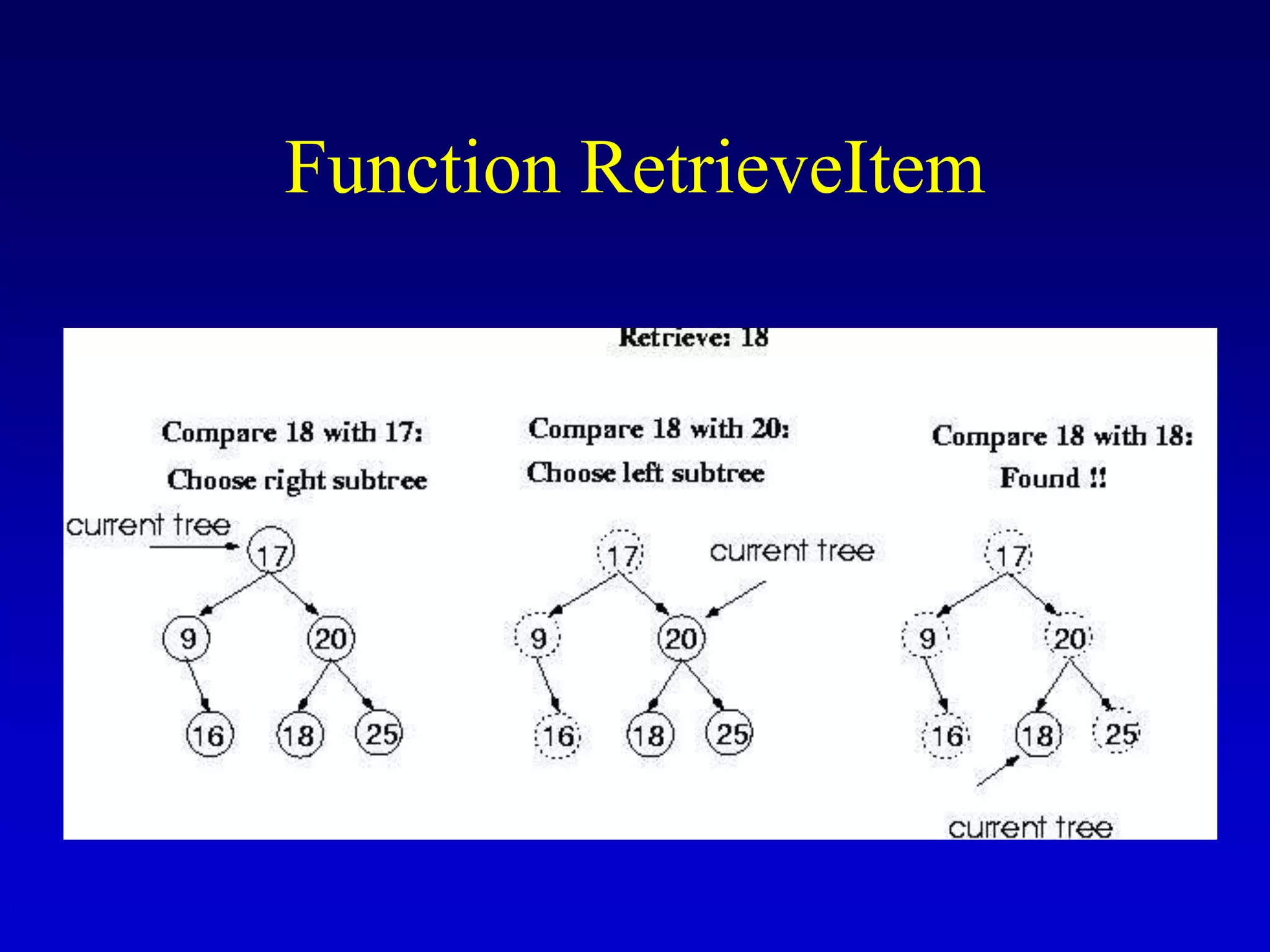
Function RetrieveItem
• What is the size of the problem?
Number of nodes in the tree we are examining
• What is the base case(s)?
1) When the key is found
2) The tree is empty (key was not found)
• What is the general case?
Search in the left or right subtrees
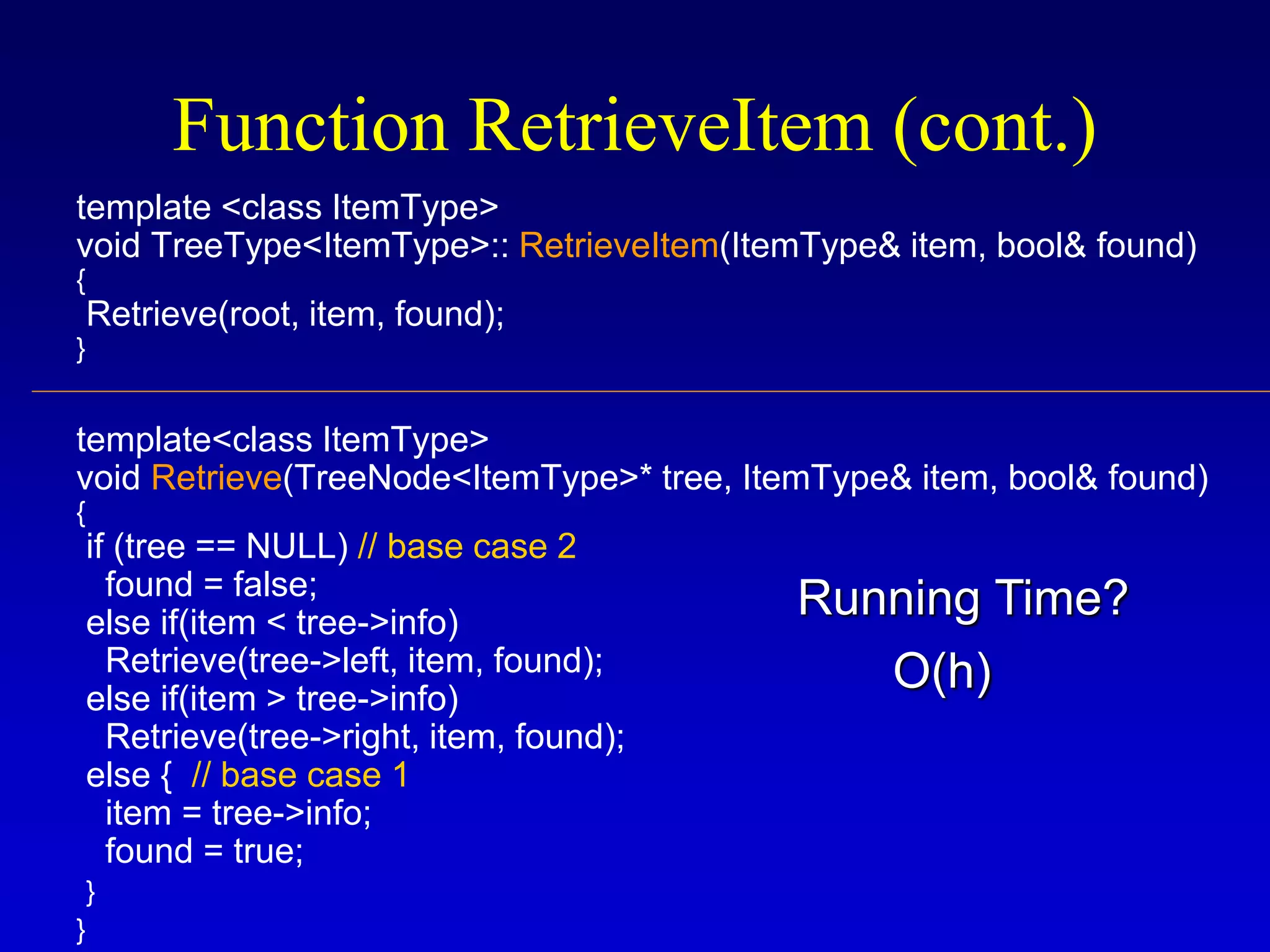
template <class ItemType>
void TreeType<ItemType>:: RetrieveItem(ItemType& item, bool& found)
{
Retrieve(root, item, found);
}
template<class ItemType>
void Retrieve(TreeNode<ItemType>* tree, ItemType& item, bool& found)
{
if (tree == NULL) // base case 2
found = false;
else if(item < tree->info)
Retrieve(tree->left, item, found);
else if(item > tree->info)
Retrieve(tree->right, item, found);
else { // base case 1
item = tree->info;
found = true;
}
}
Function RetrieveItem (cont.)
O(h)
Running Time?
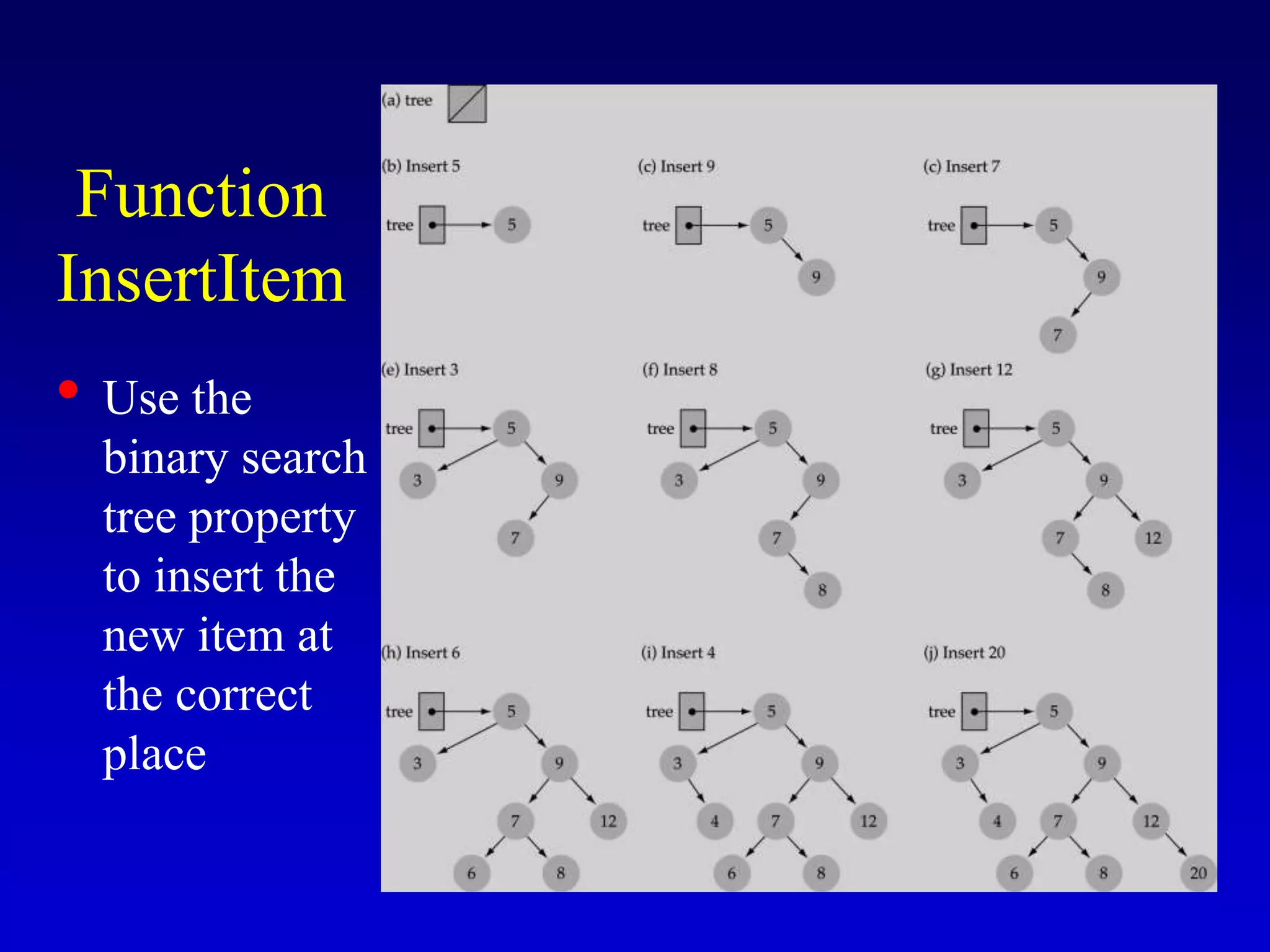
Function
InsertItem
• Use the
binary search
tree property
to insert the
new item at
the correct
place
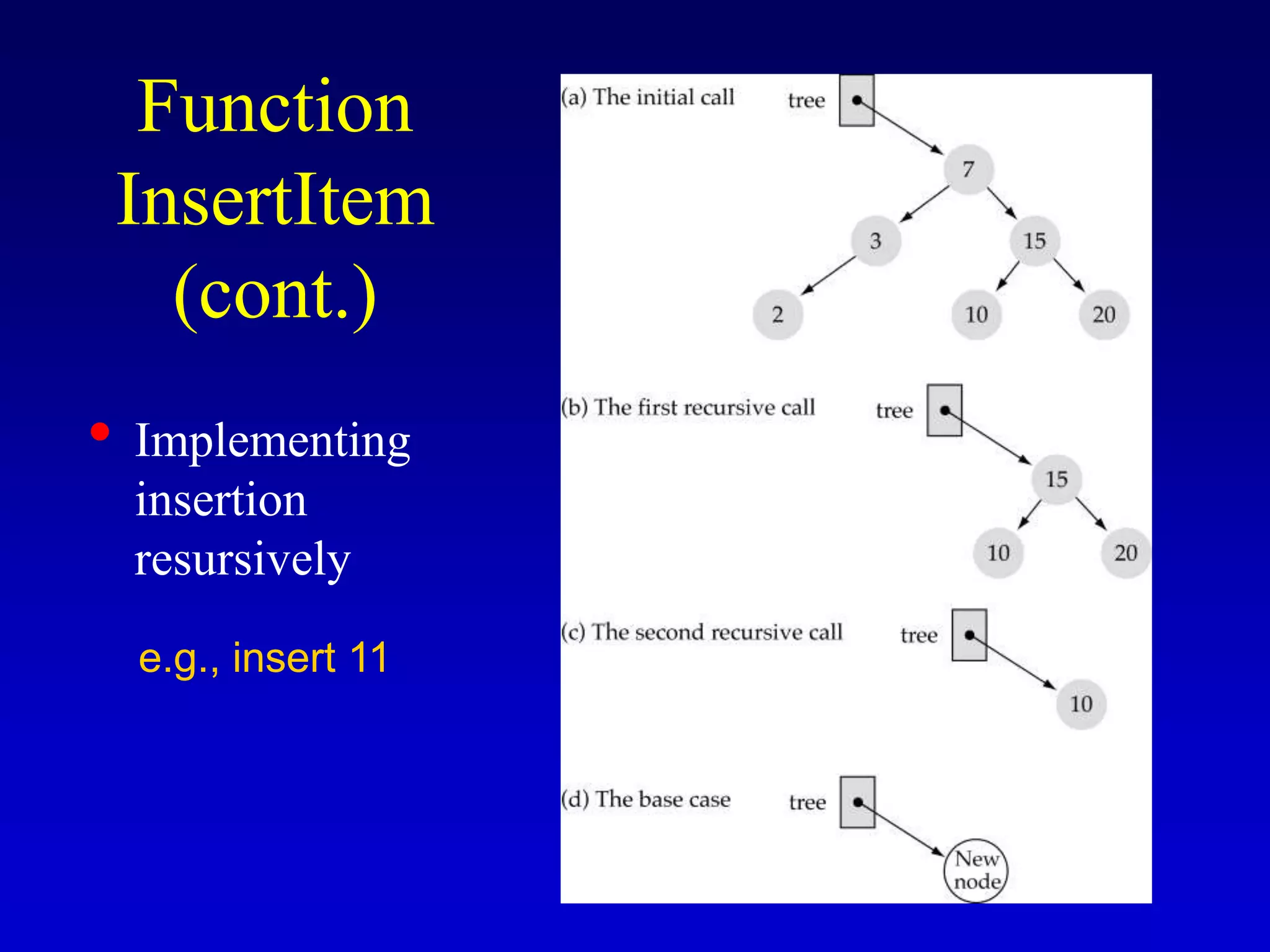
Function
InsertItem
(cont.)
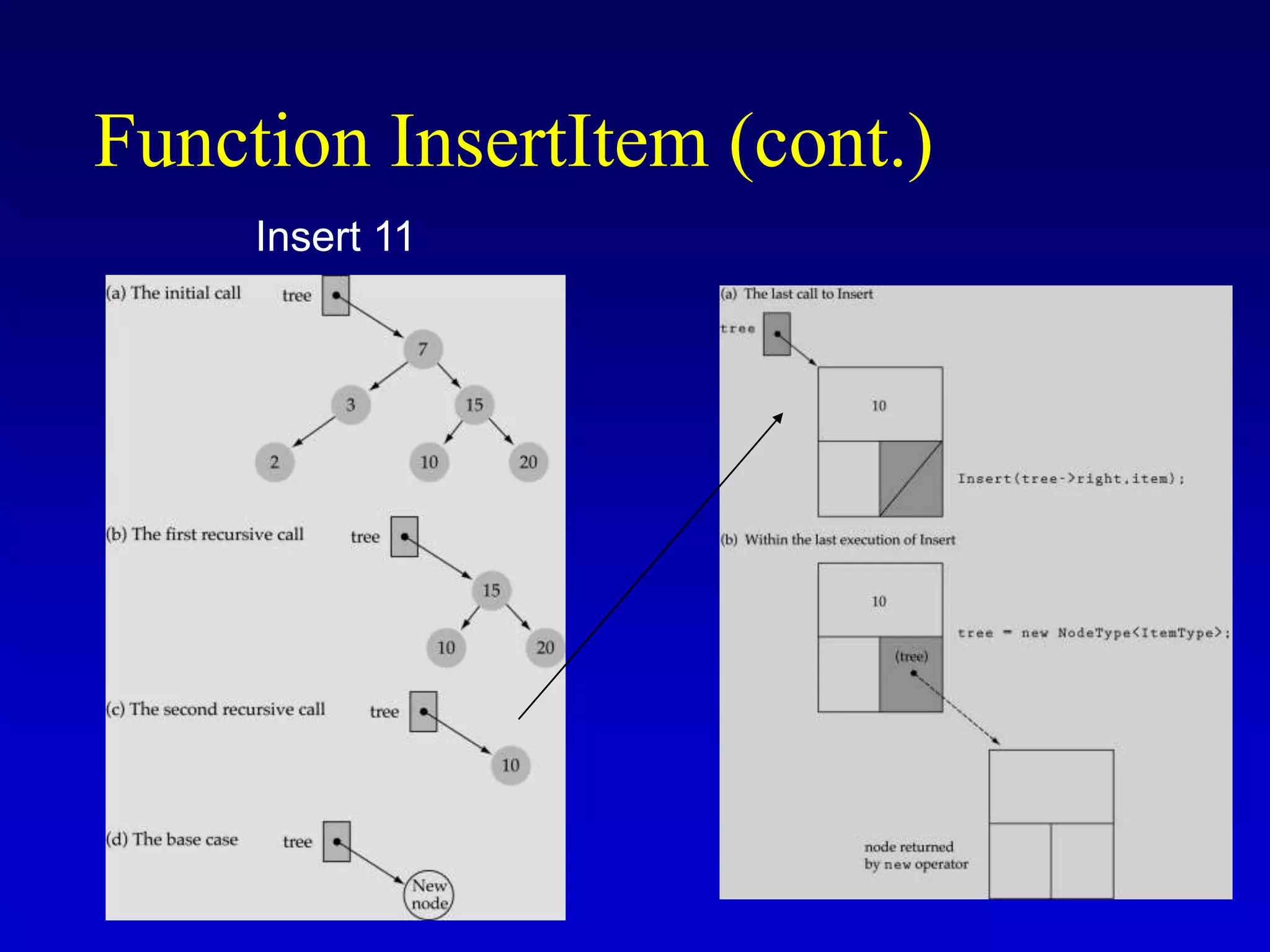
• Implementing
insertion
resursively
e.g., insert 11
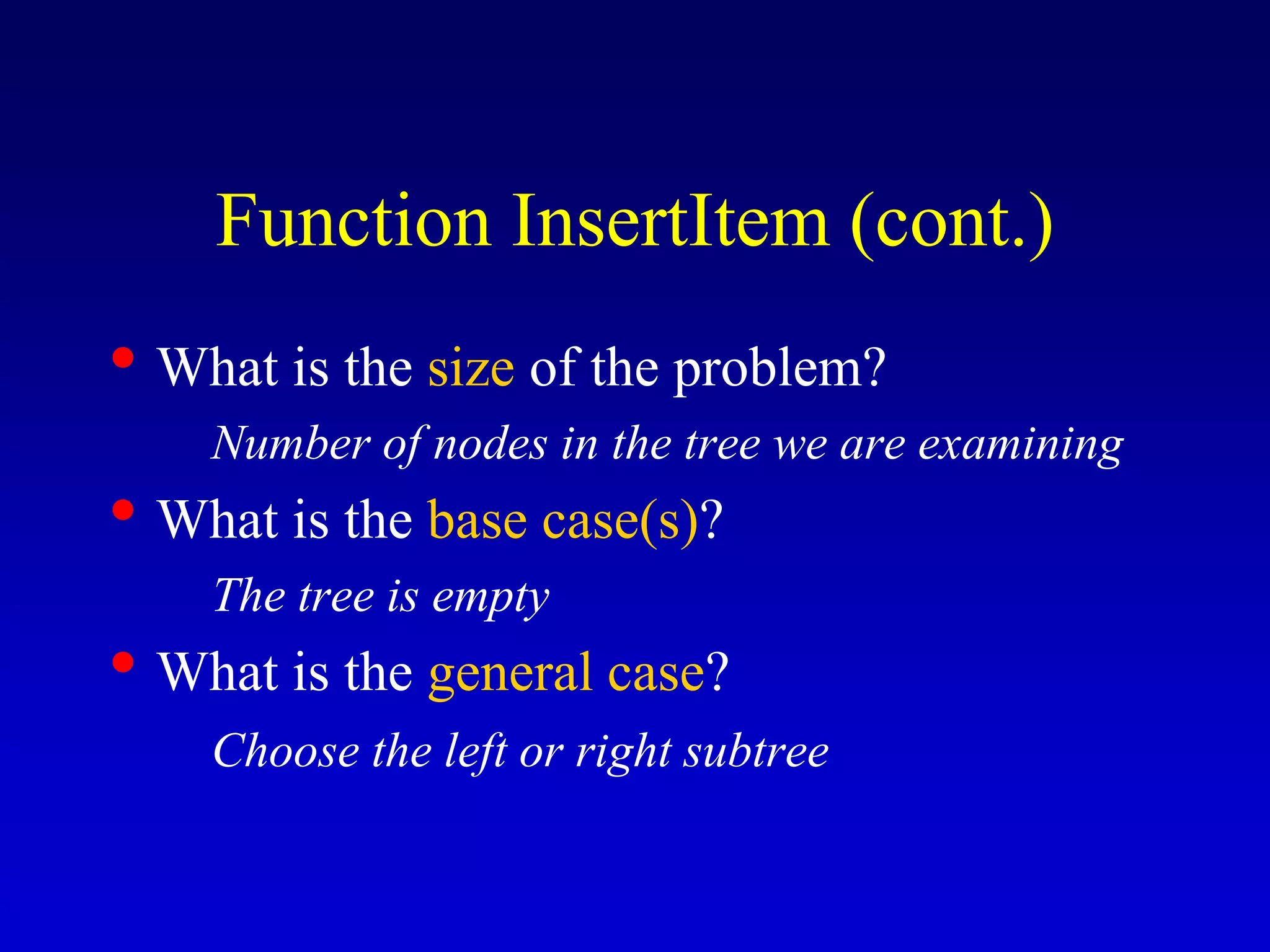
• What is the size of the problem?
Number of nodes in the tree we are examining
• What is the base case(s)?
The tree is empty
• What is the general case?
Choose the left or right subtree
Function InsertItem (cont.)
template<class ItemType>
void TreeType<ItemType>::InsertItem(ItemType item)
{
Insert(root, item);
}
template<class ItemType>
void Insert(TreeNode<ItemType>*& tree, ItemType item)
{
if(tree == NULL) { // base case
tree = new TreeNode<ItemType>;
tree->right = NULL;
tree->left = NULL;
tree->info = item;
}
else if(item < tree->info)
Insert(tree->left, item);
else
Insert(tree->right, item);
}
Function InsertItem (cont.)
O(h)
Running Time?
Function InsertItem (cont.)
Insert 11
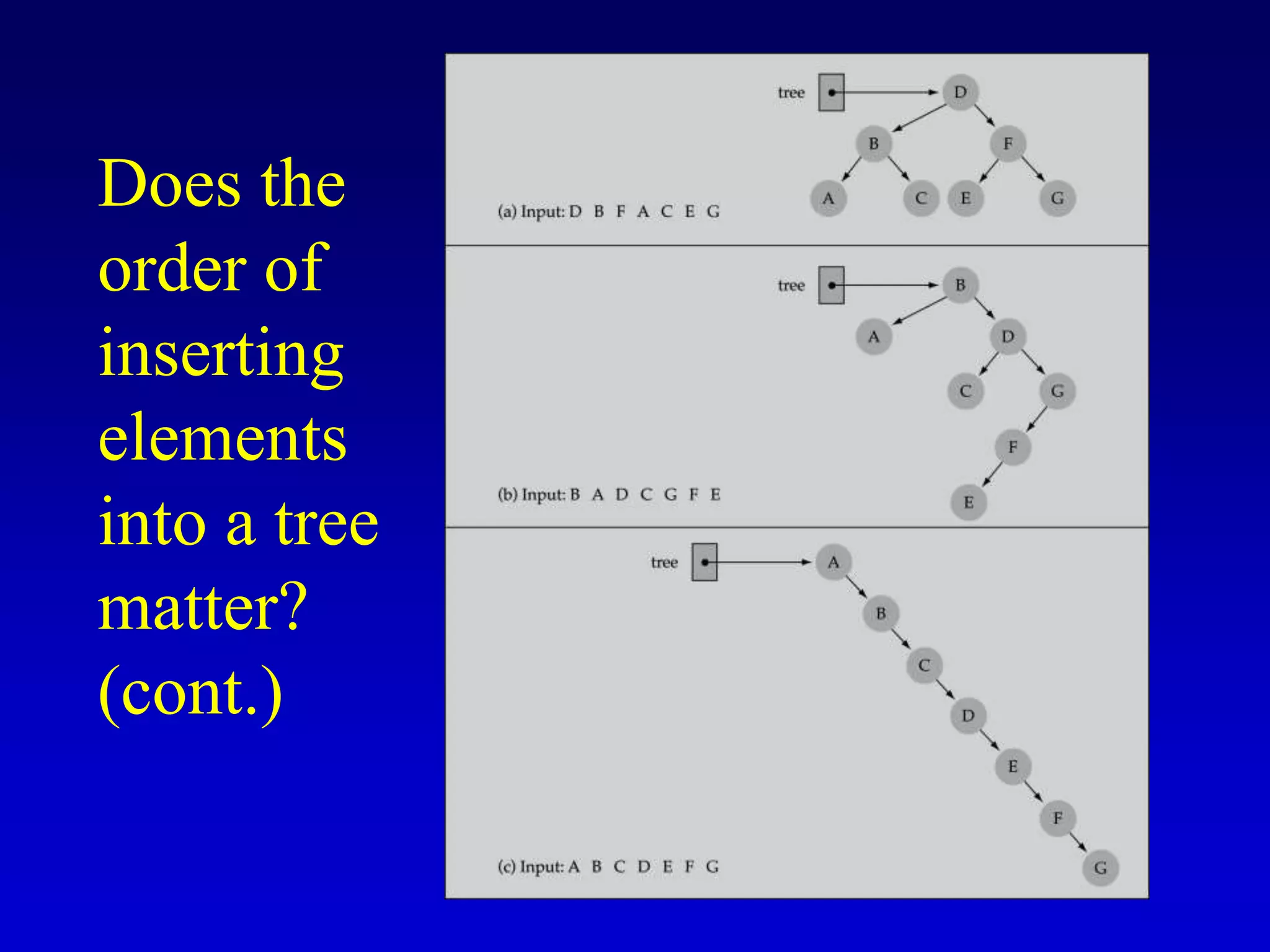
• Yes, certain orders might produce very
unbalanced trees!
Does the order of inserting
elements into a tree matter?
Does the
order of
inserting
elements
into a tree
matter?
(cont.)
• Unbalanced trees are not desirable because
search time increases!
• Advanced tree structures, such as red-black
trees, guarantee balanced trees.
Does the order of inserting elements
into a tree matter? (cont’d)
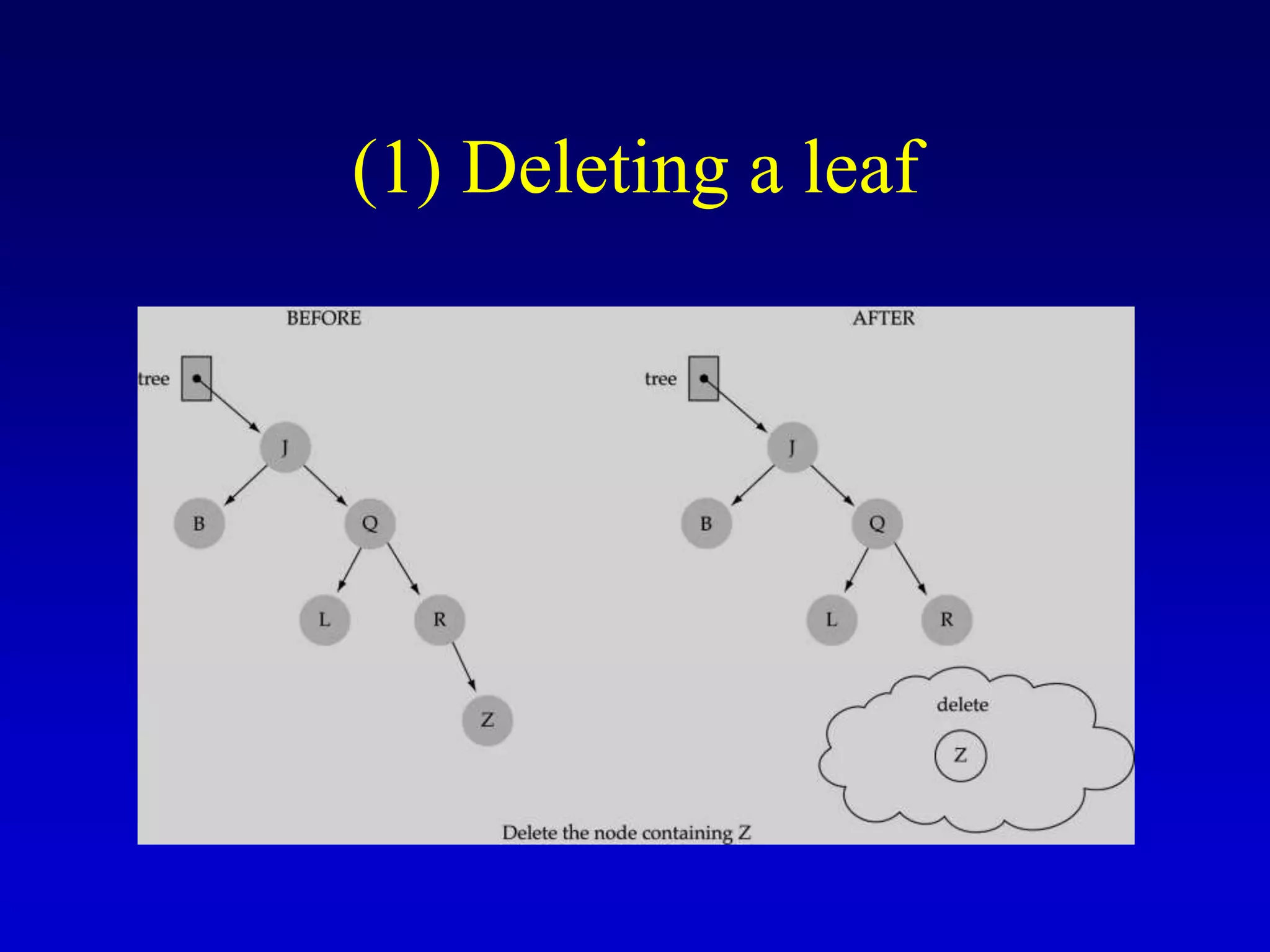
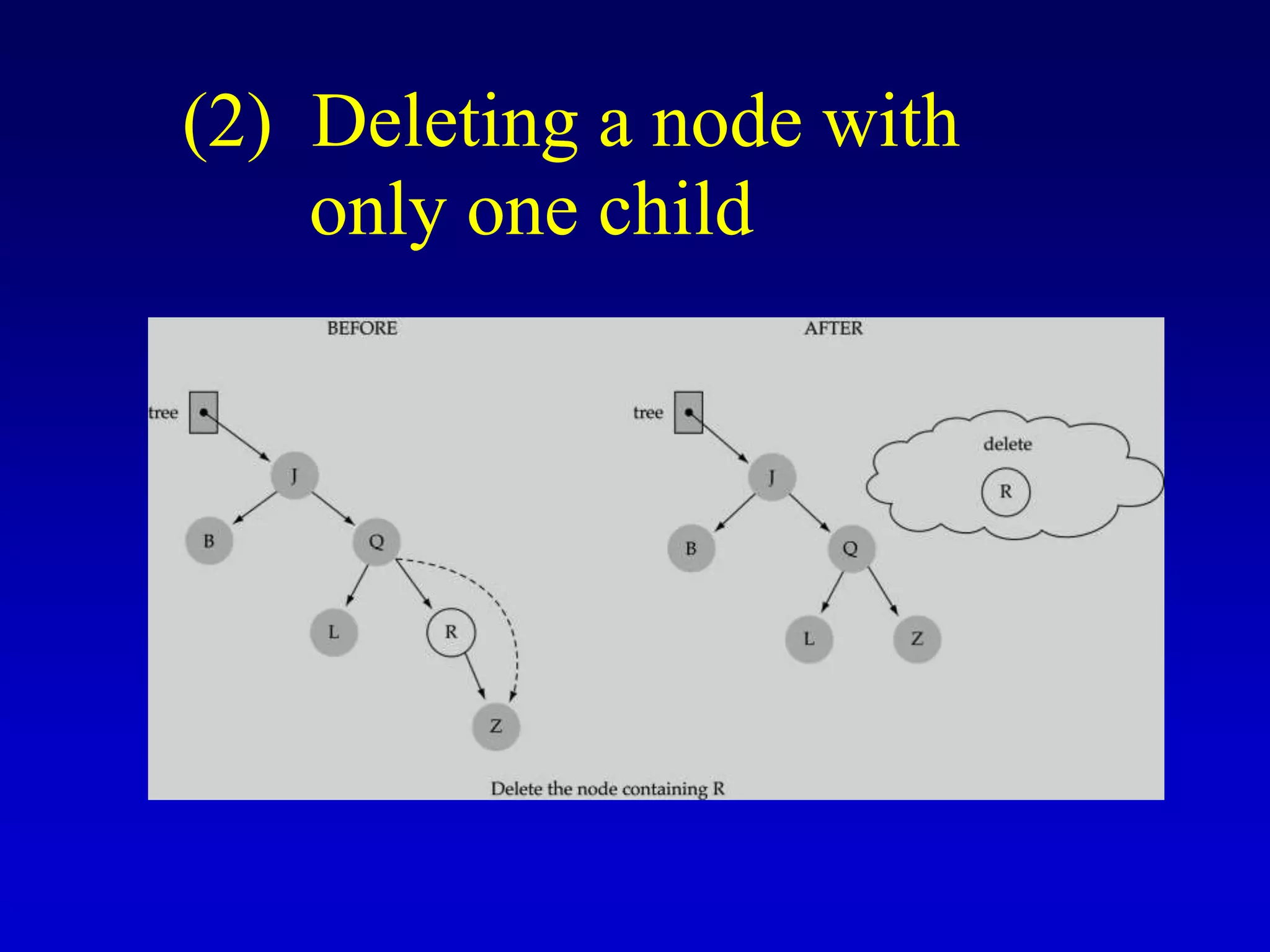
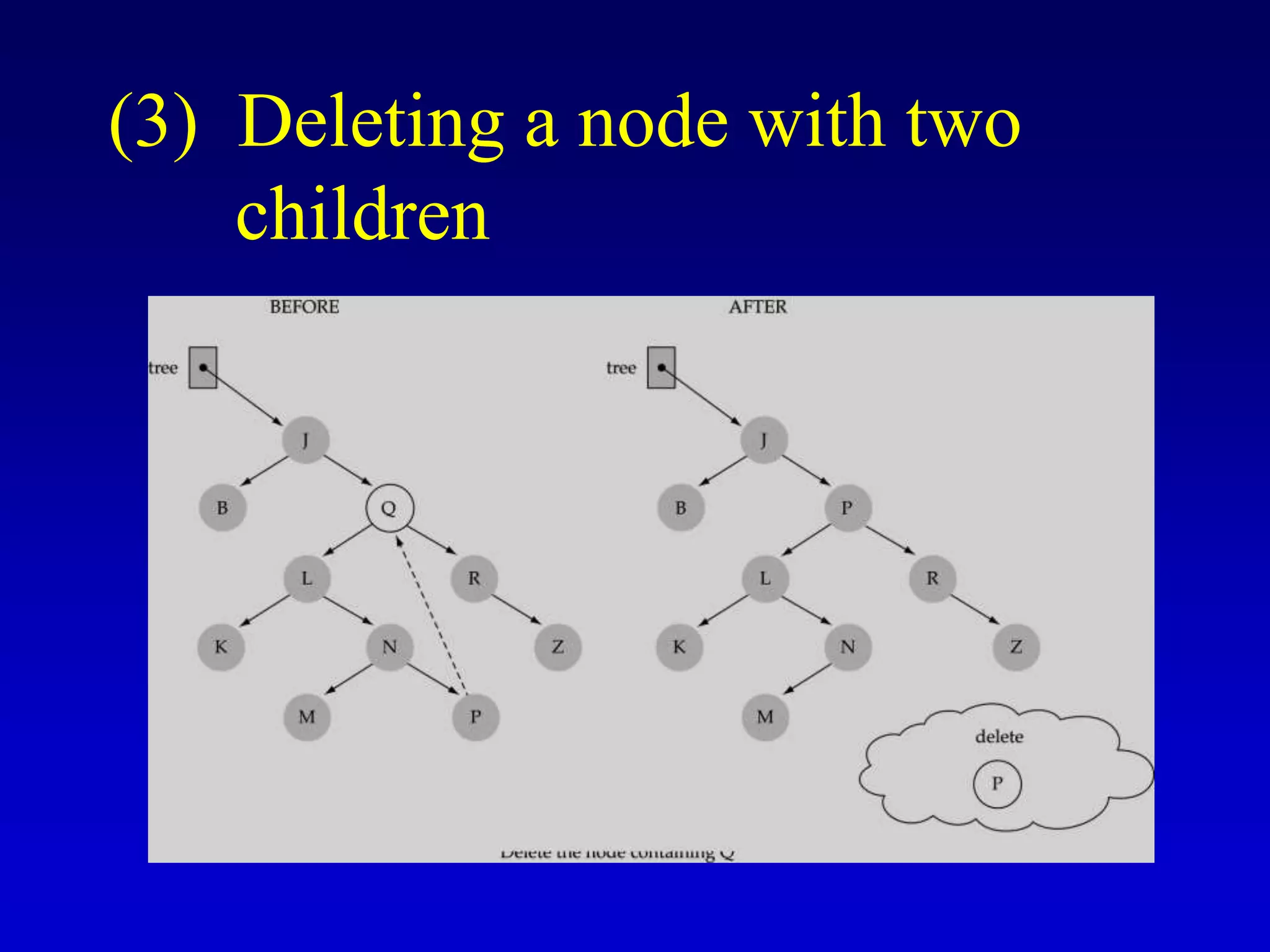
Function DeleteItem
• First, find the item; then, delete it
• Binary search tree property must be
preserved!!
• We need to consider three different cases:
(1) Deleting a leaf
(2) Deleting a node with only one child
(3) Deleting a node with two children
(1) Deleting a leaf
(2) Deleting a node with
only one child
(3) Deleting a node with two
children
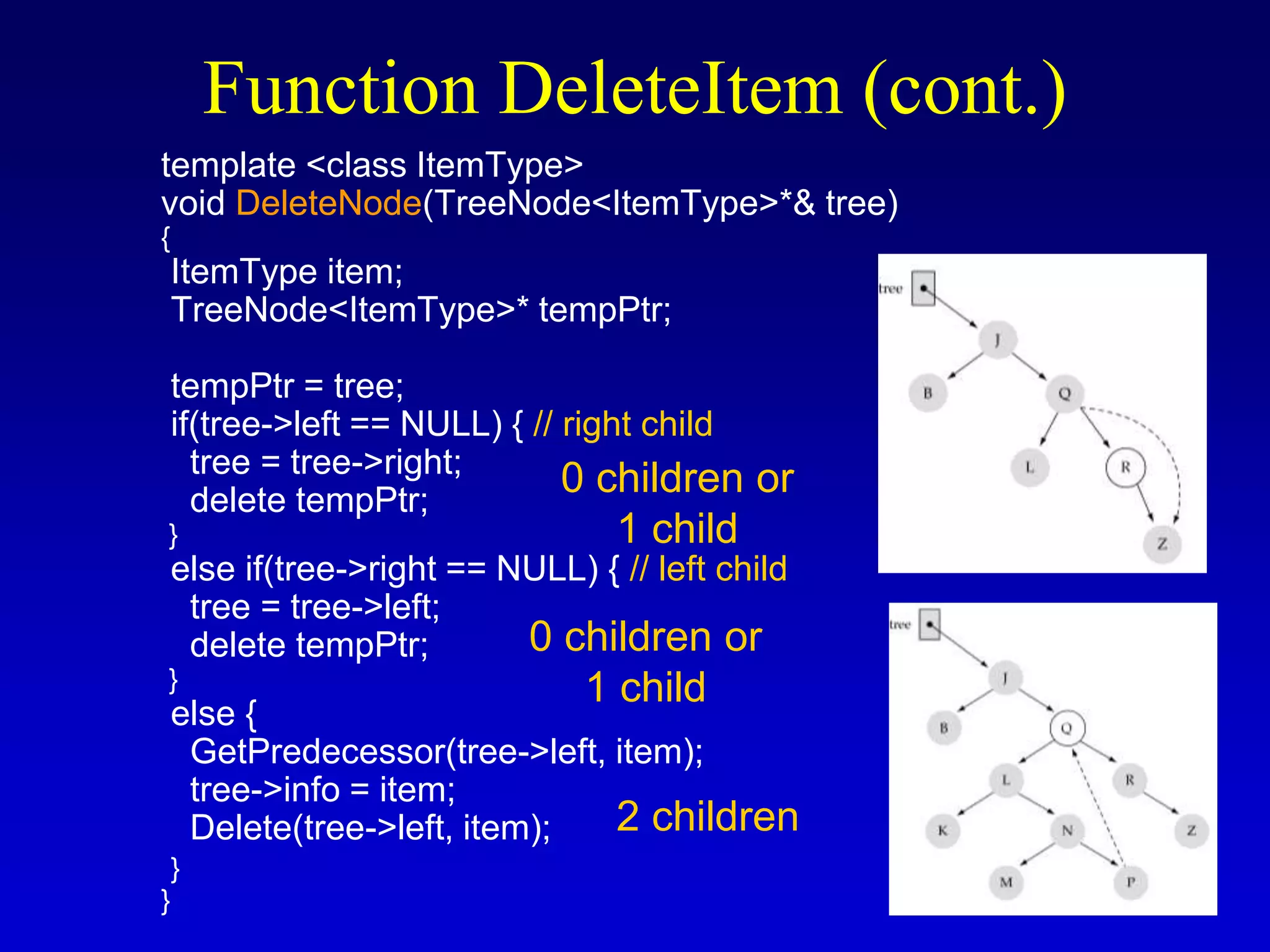
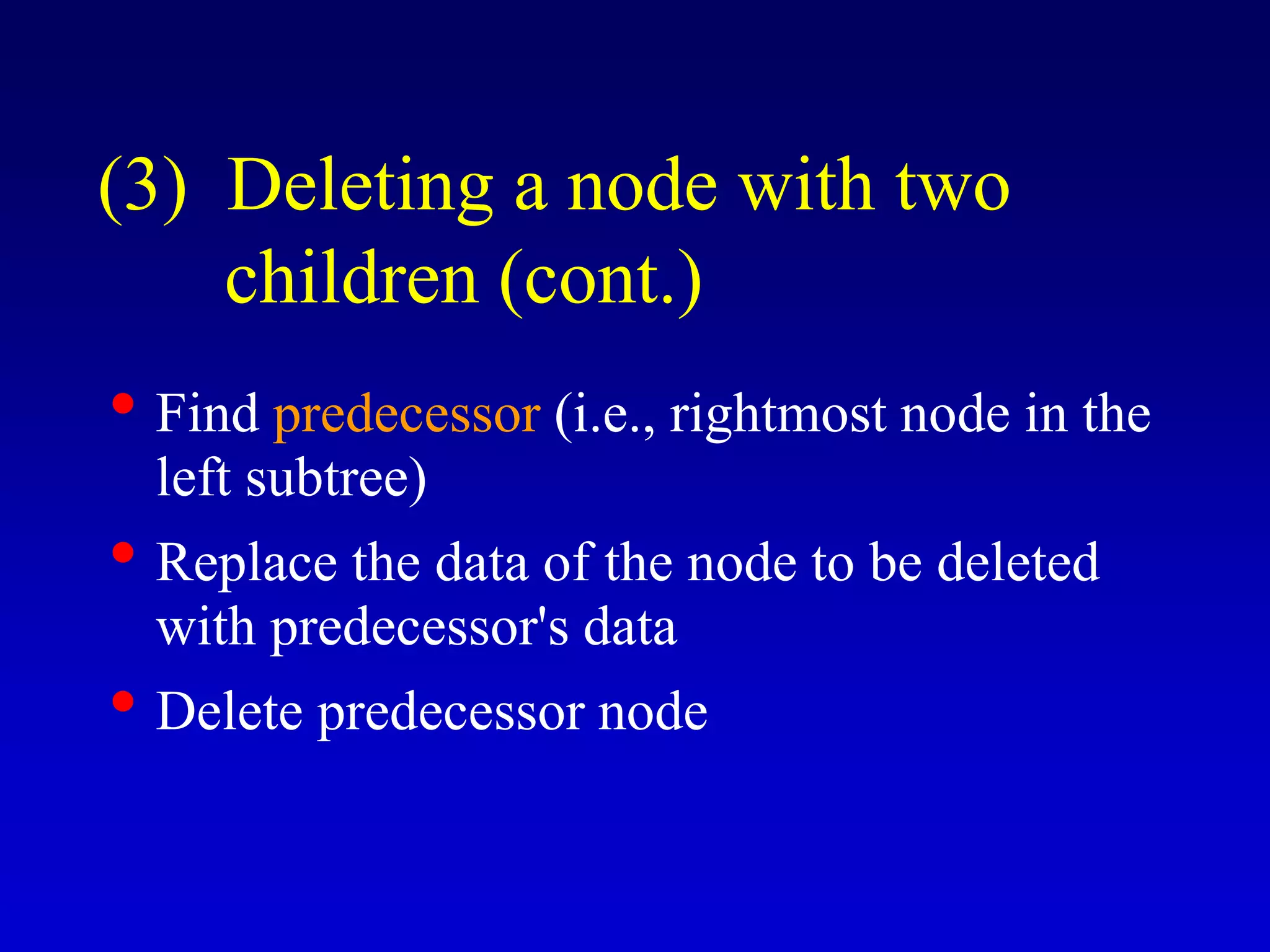
• Find predecessor (i.e., rightmost node in the
left subtree)
• Replace the data of the node to be deleted
with predecessor's data
• Delete predecessor node
(3) Deleting a node with two
children (cont.)
• What is the size of the problem?
Number of nodes in the tree we are examining
• What is the base case(s)?
Key to be deleted was found
• What is the general case?
Choose the left or right subtree
Function DeleteItem (cont.)
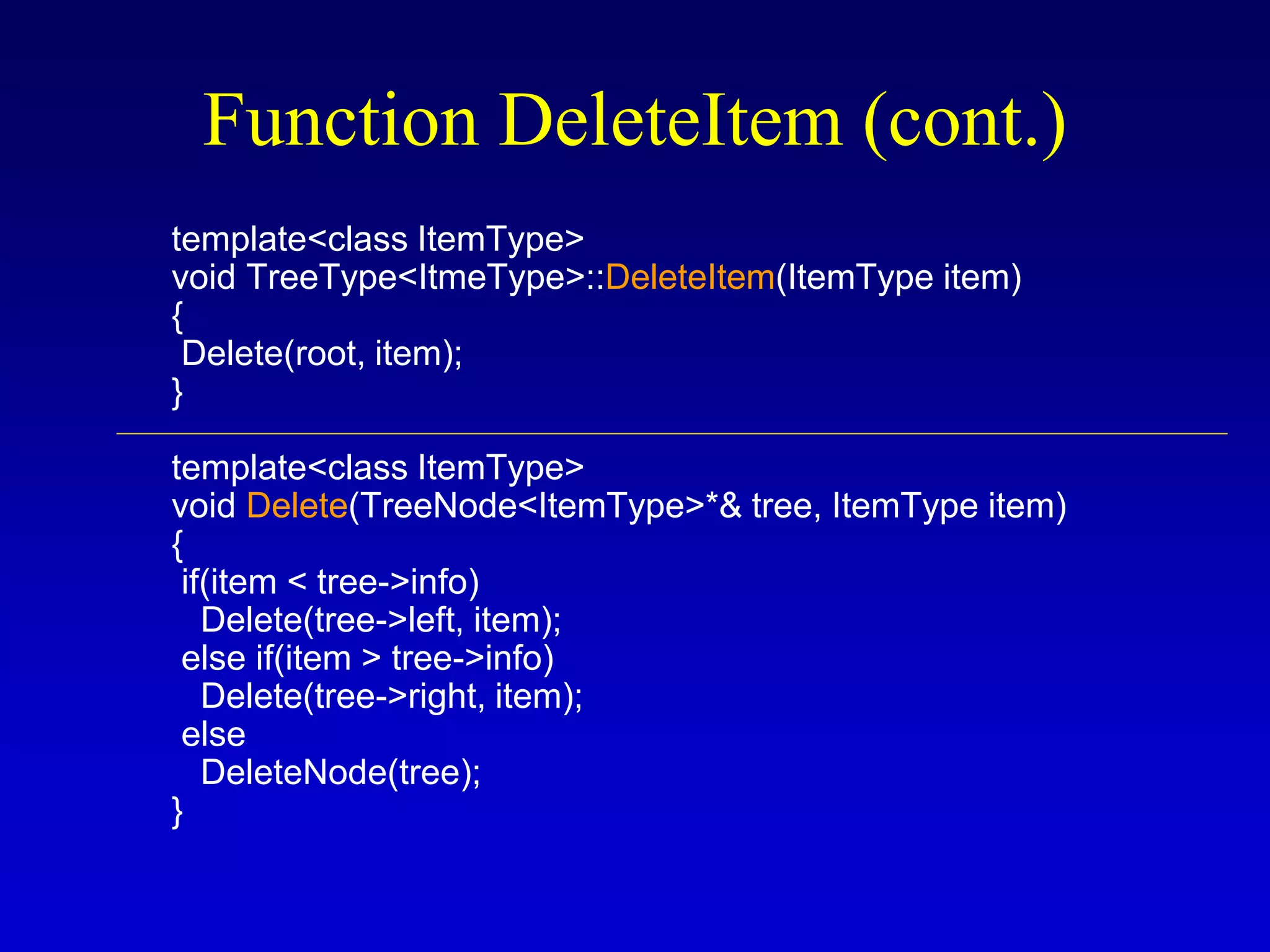
template<class ItemType>
void TreeType<ItmeType>::DeleteItem(ItemType item)
{
Delete(root, item);
}
template<class ItemType>
void Delete(TreeNode<ItemType>*& tree, ItemType item)
{
if(item < tree->info)
Delete(tree->left, item);
else if(item > tree->info)
Delete(tree->right, item);
else
DeleteNode(tree);
}
Function DeleteItem (cont.)
template <class ItemType>
void DeleteNode(TreeNode<ItemType>*& tree)
{
ItemType item;
TreeNode<ItemType>* tempPtr;
tempPtr = tree;
if(tree->left == NULL) { // right child
tree = tree->right;
delete tempPtr;
}
else if(tree->right == NULL) { // left child
tree = tree->left;
delete tempPtr;
}
else {
GetPredecessor(tree->left, item);
tree->info = item;
Delete(tree->left, item);
}
}
Function DeleteItem (cont.)
2 children
0 children or
1 child
0 children or
1 child
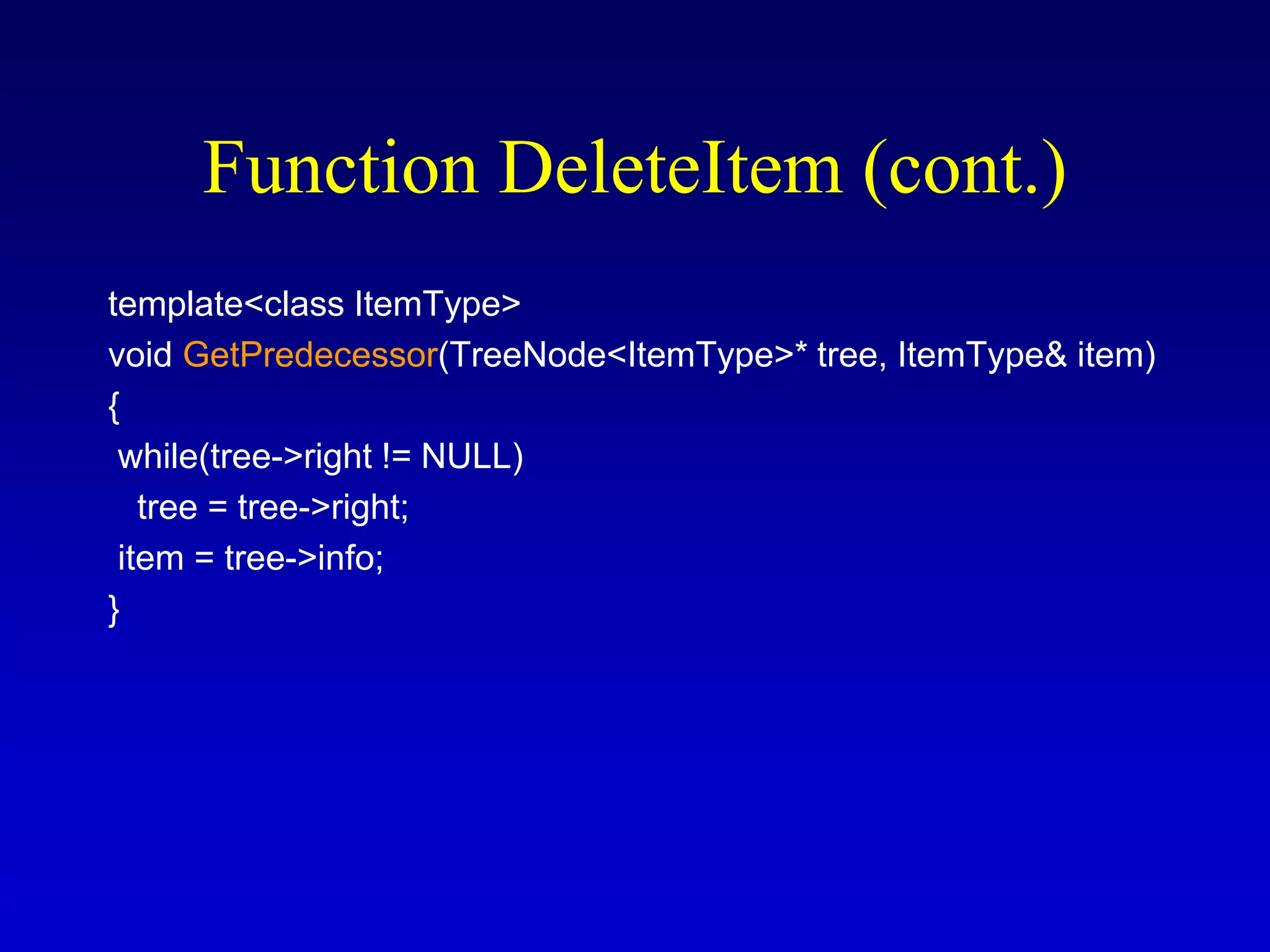
template<class ItemType>
void GetPredecessor(TreeNode<ItemType>* tree, ItemType& item)
{
while(tree->right != NULL)
tree = tree->right;
item = tree->info;
}
Function DeleteItem (cont.)
template<class ItemType>
void TreeType<ItmeType>::DeleteItem(ItemType item)
{
Delete(root, item);
}
template<class ItemType>
void Delete(TreeNode<ItemType>*& tree, ItemType item)
{
if(item < tree->info)
Delete(tree->left, item);
else if(item > tree->info)
Delete(tree->right, item);
else
DeleteNode(tree);
}
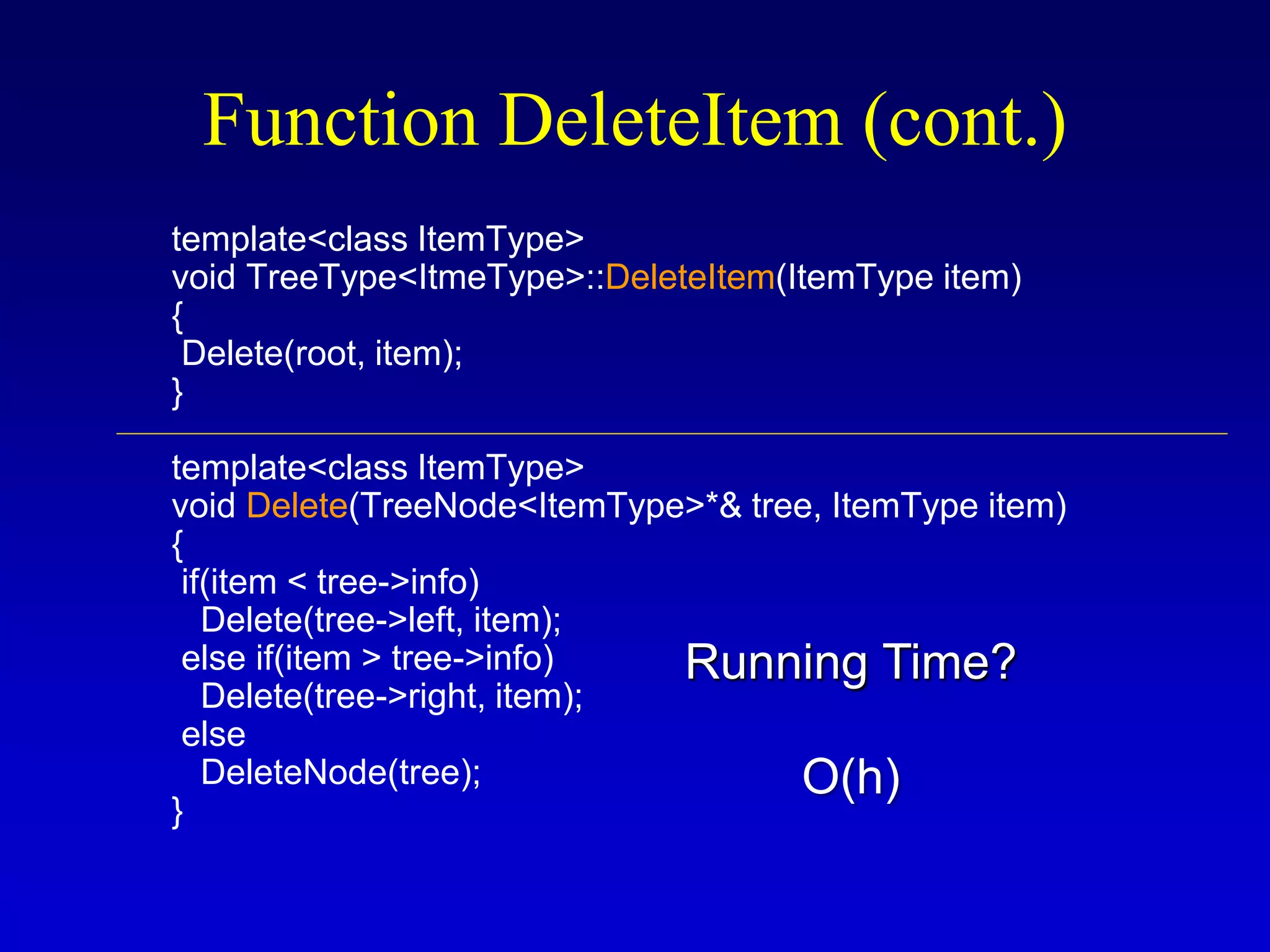
Function DeleteItem (cont.)
Running Time?
O(h)
Function DeleteItem (cont.)
Tree Traversals
There are mainly three ways to traverse a tree:
1) Inorder Traversal
2) Postorder Traversal
3) Preorder Traversal
46
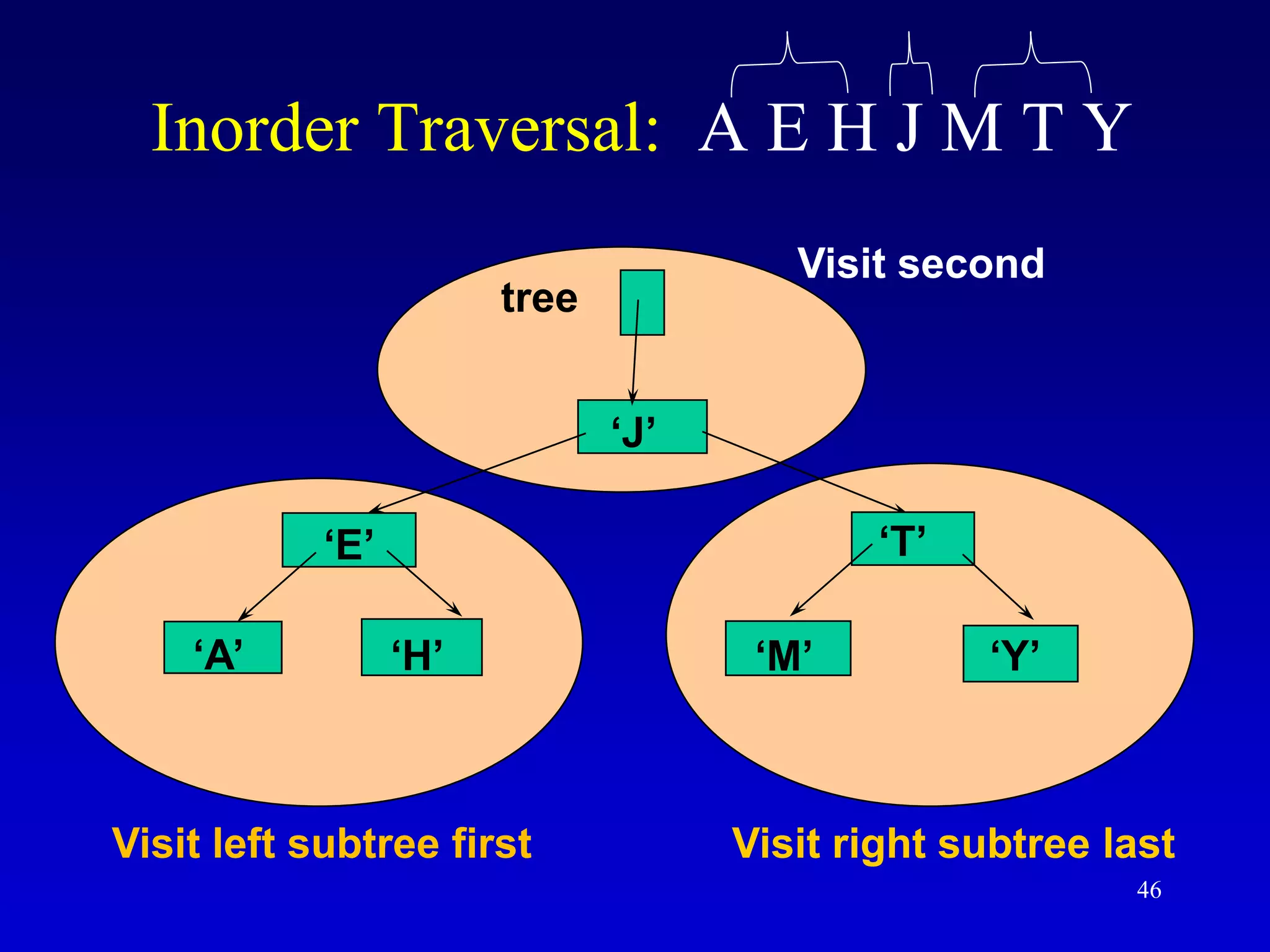
Inorder Traversal: A E H J M T Y
‘J’
‘E’
‘A’ ‘H’
‘T’
‘M’ ‘Y’
tree
Visit left subtree first Visit right subtree last
Visit second
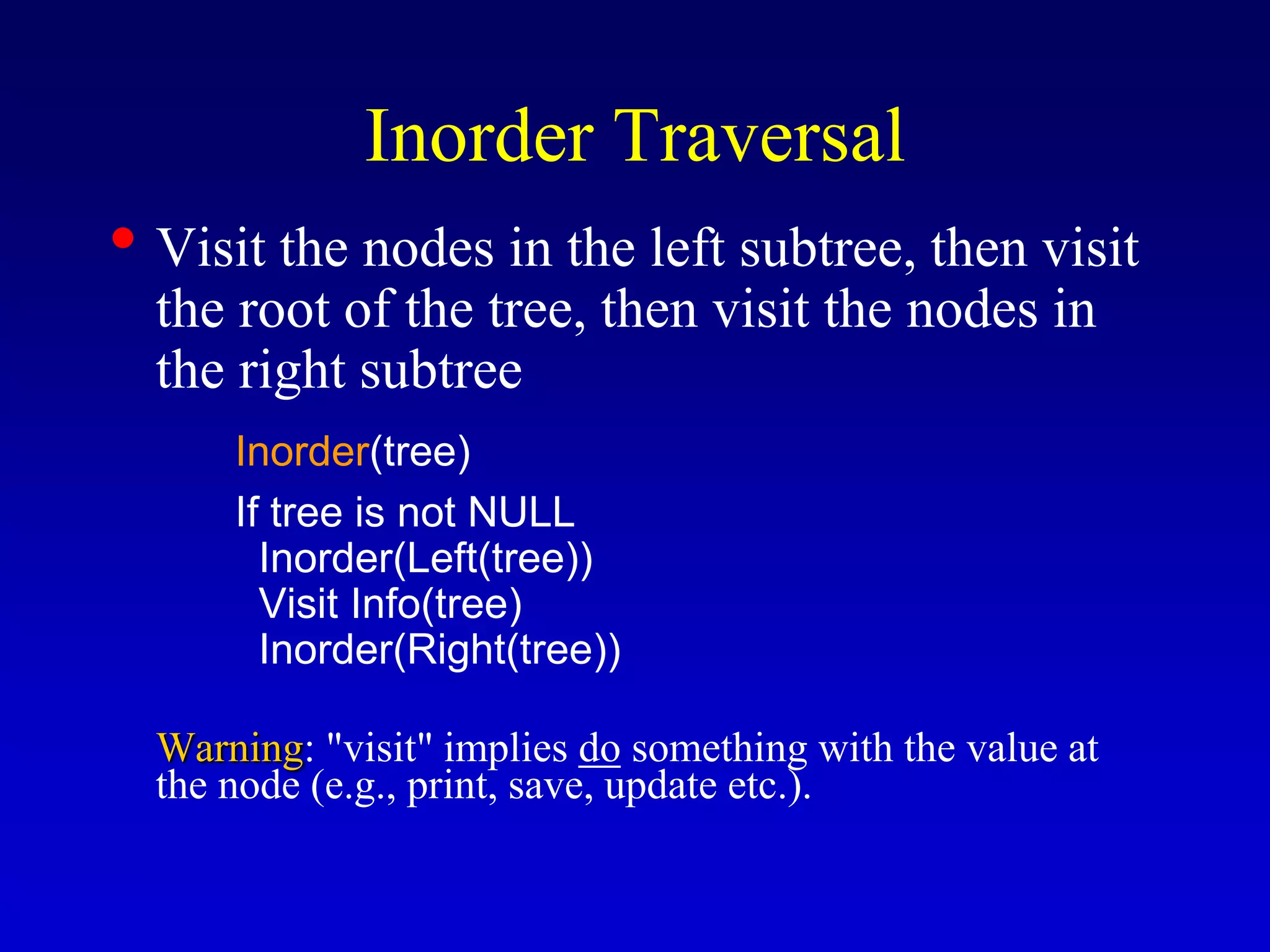
Inorder Traversal
• Visit the nodes in the left subtree, then visit
the root of the tree, then visit the nodes in
the right subtree
Inorder(tree)
If tree is not NULL
Inorder(Left(tree))
Visit Info(tree)
Inorder(Right(tree))
Warning: "visit" implies do something with the value at
the node (e.g., print, save, update etc.).
48
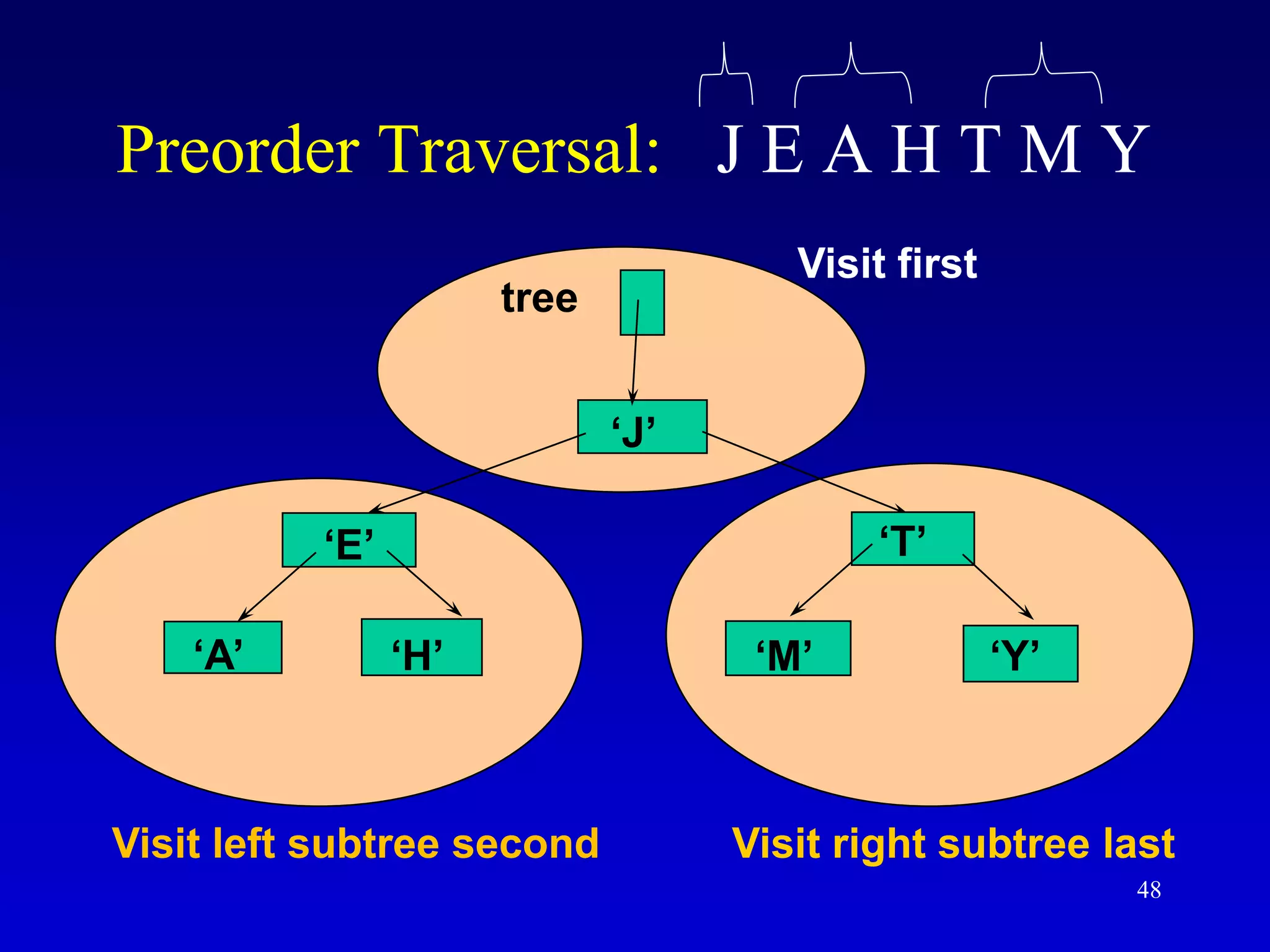
Preorder Traversal: J E A H T M Y
‘J’
‘E’
‘A’ ‘H’
‘T’
‘M’ ‘Y’
tree
Visit left subtree second Visit right subtree last
Visit first
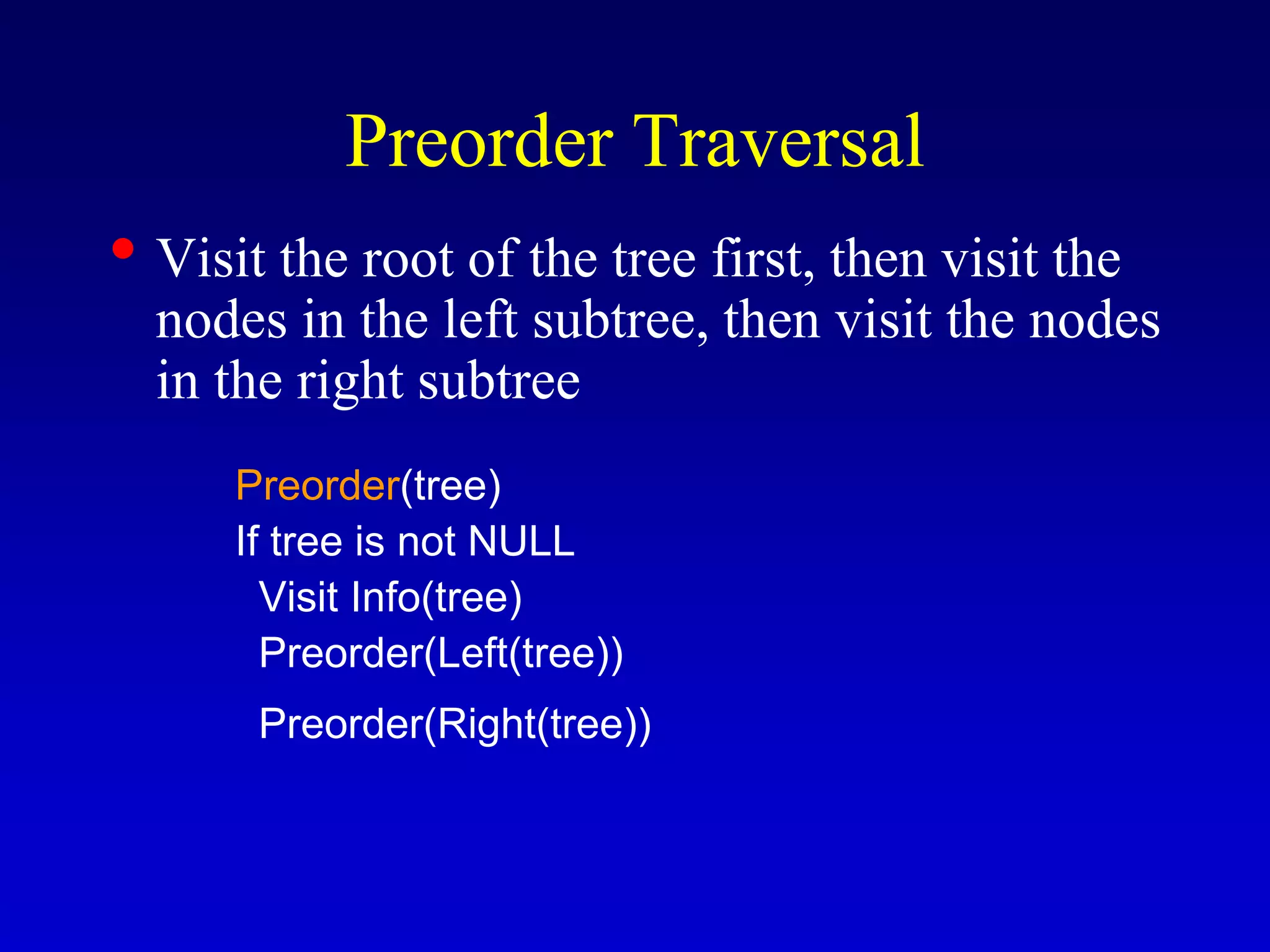
Preorder Traversal
• Visit the root of the tree first, then visit the
nodes in the left subtree, then visit the nodes
in the right subtree
Preorder(tree)
If tree is not NULL
Visit Info(tree)
Preorder(Left(tree))
Preorder(Right(tree))
50
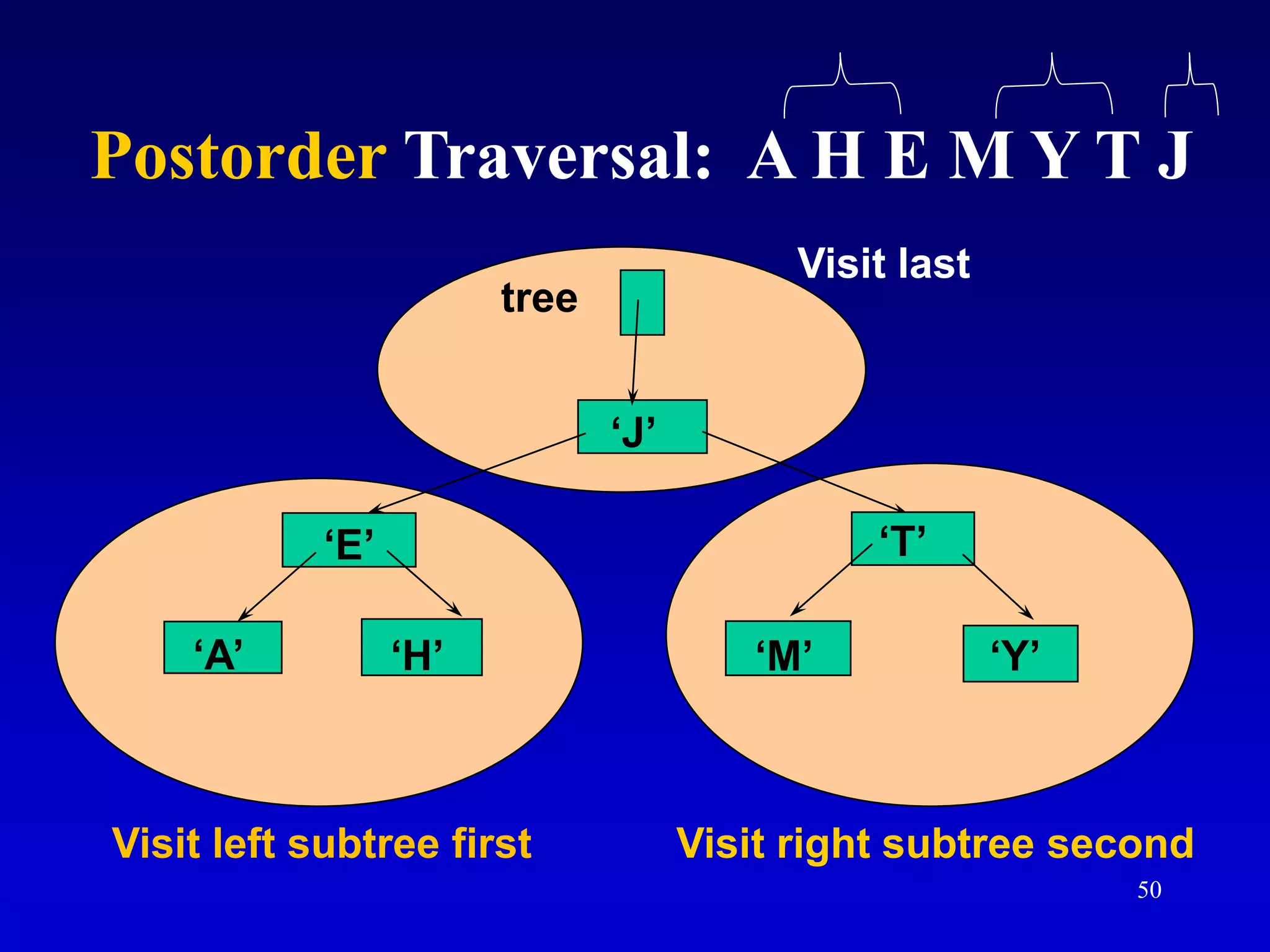
‘J’
‘E’
‘A’ ‘H’
‘T’
‘M’ ‘Y’
tree
Visit left subtree first Visit right subtree second
Visit last
Postorder Traversal: A H E M Y T J
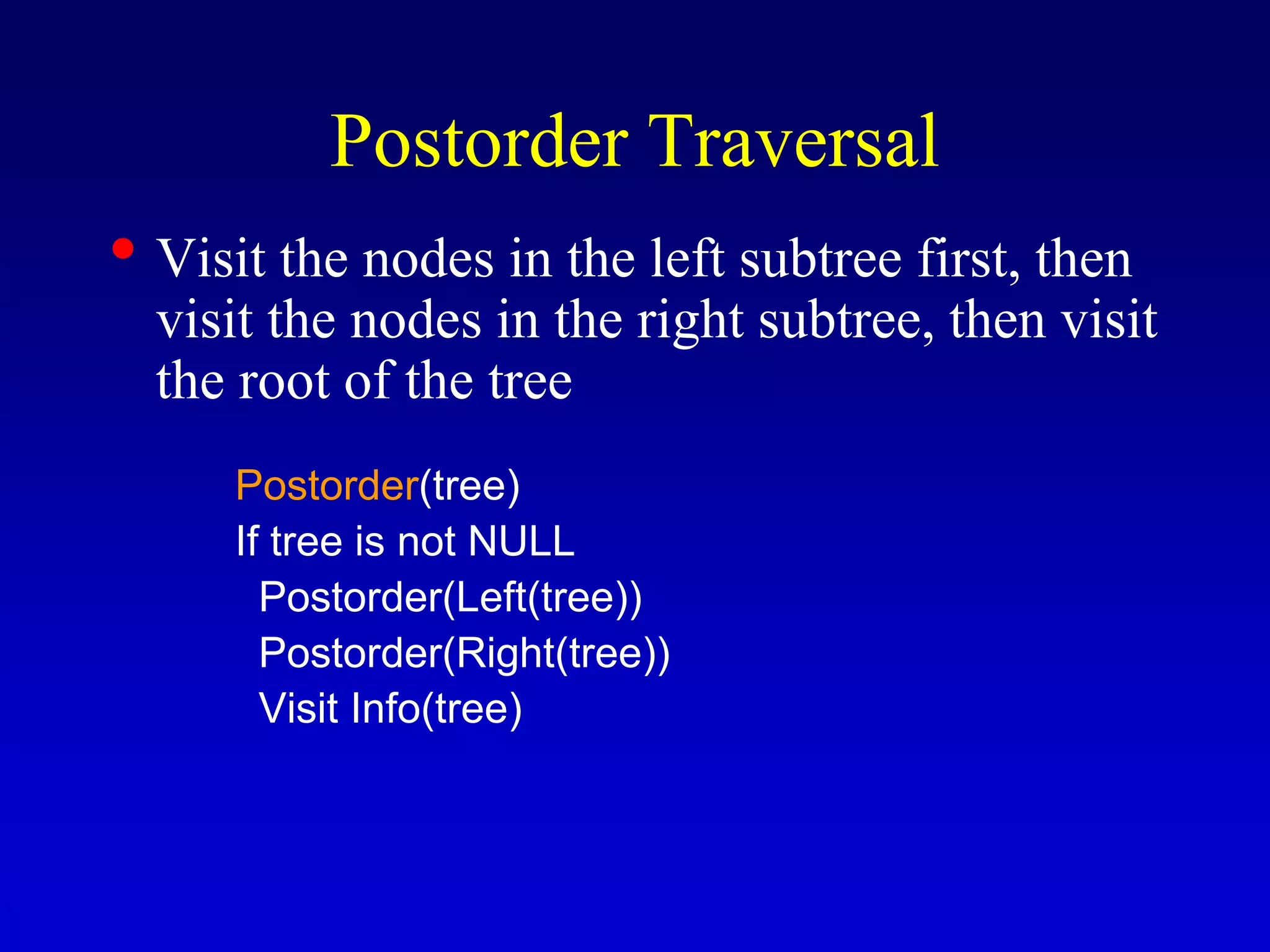
Postorder Traversal
• Visit the nodes in the left subtree first, then
visit the nodes in the right subtree, then visit
the root of the tree
Postorder(tree)
If tree is not NULL
Postorder(Left(tree))
Postorder(Right(tree))
Visit Info(tree)
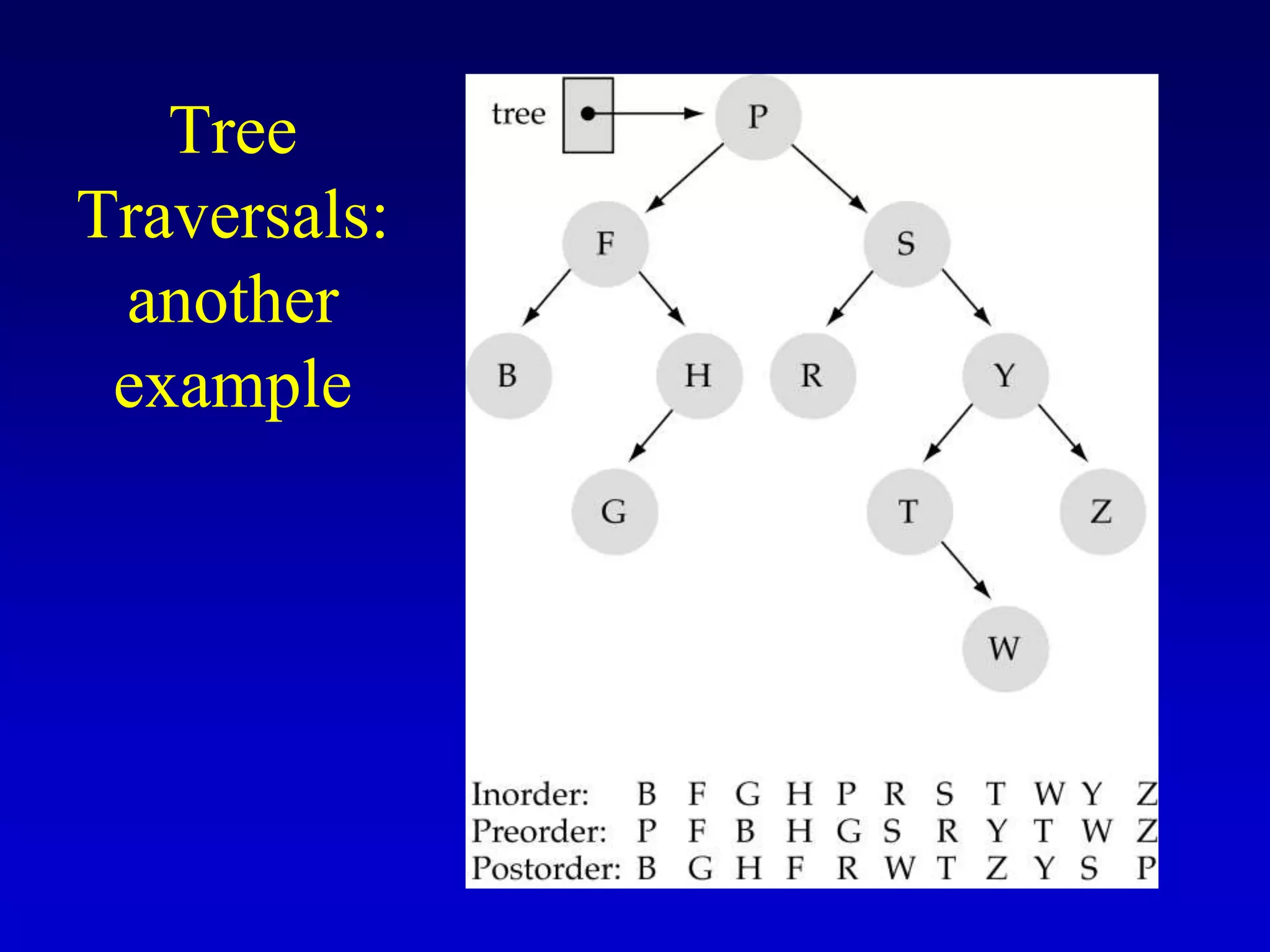
Tree
Traversals:
another
example
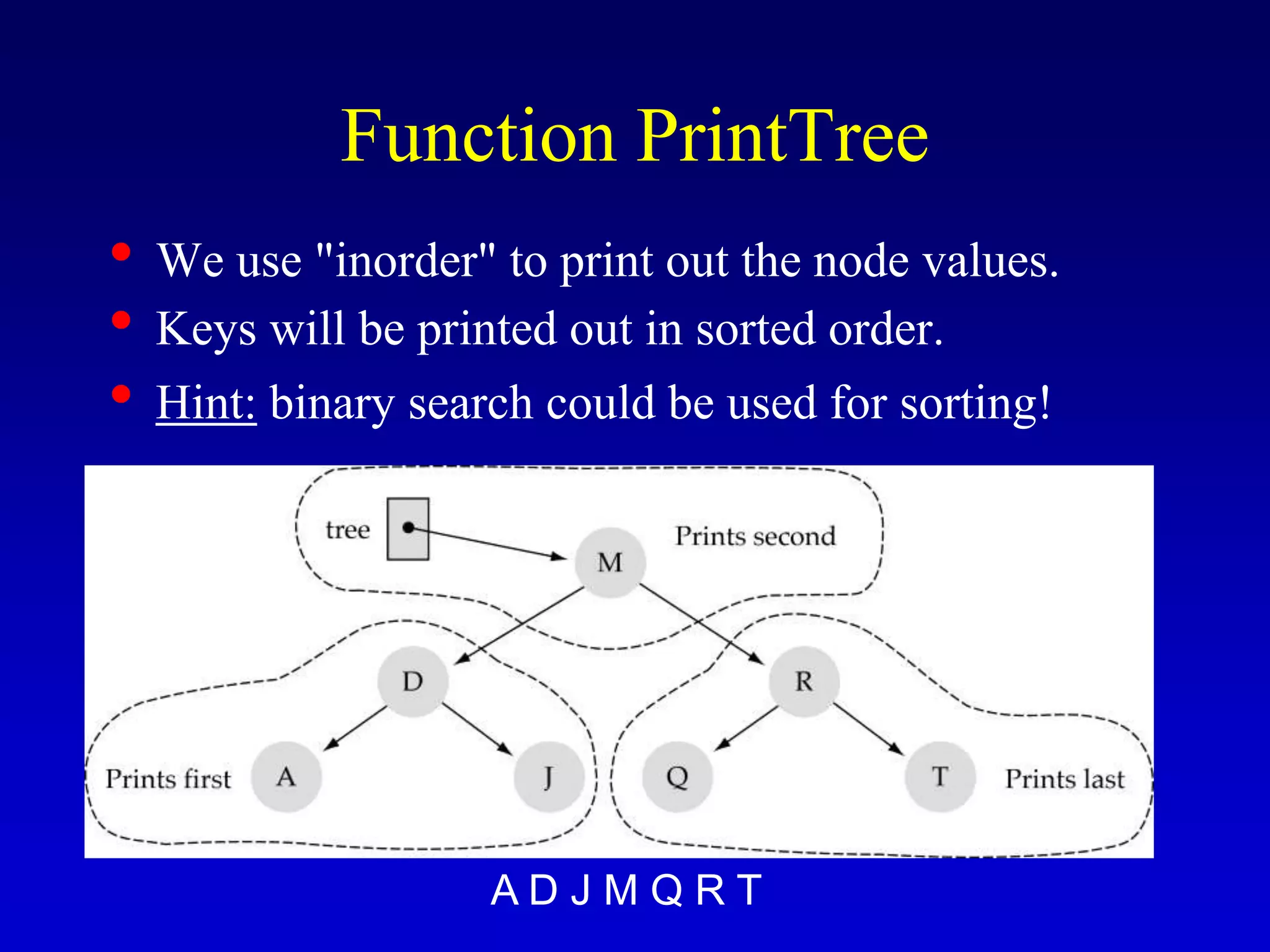
Function PrintTree
• We use "inorder" to print out the node values.
• Keys will be printed out in sorted order.
• Hint: binary search could be used for sorting!
A D J M Q R T
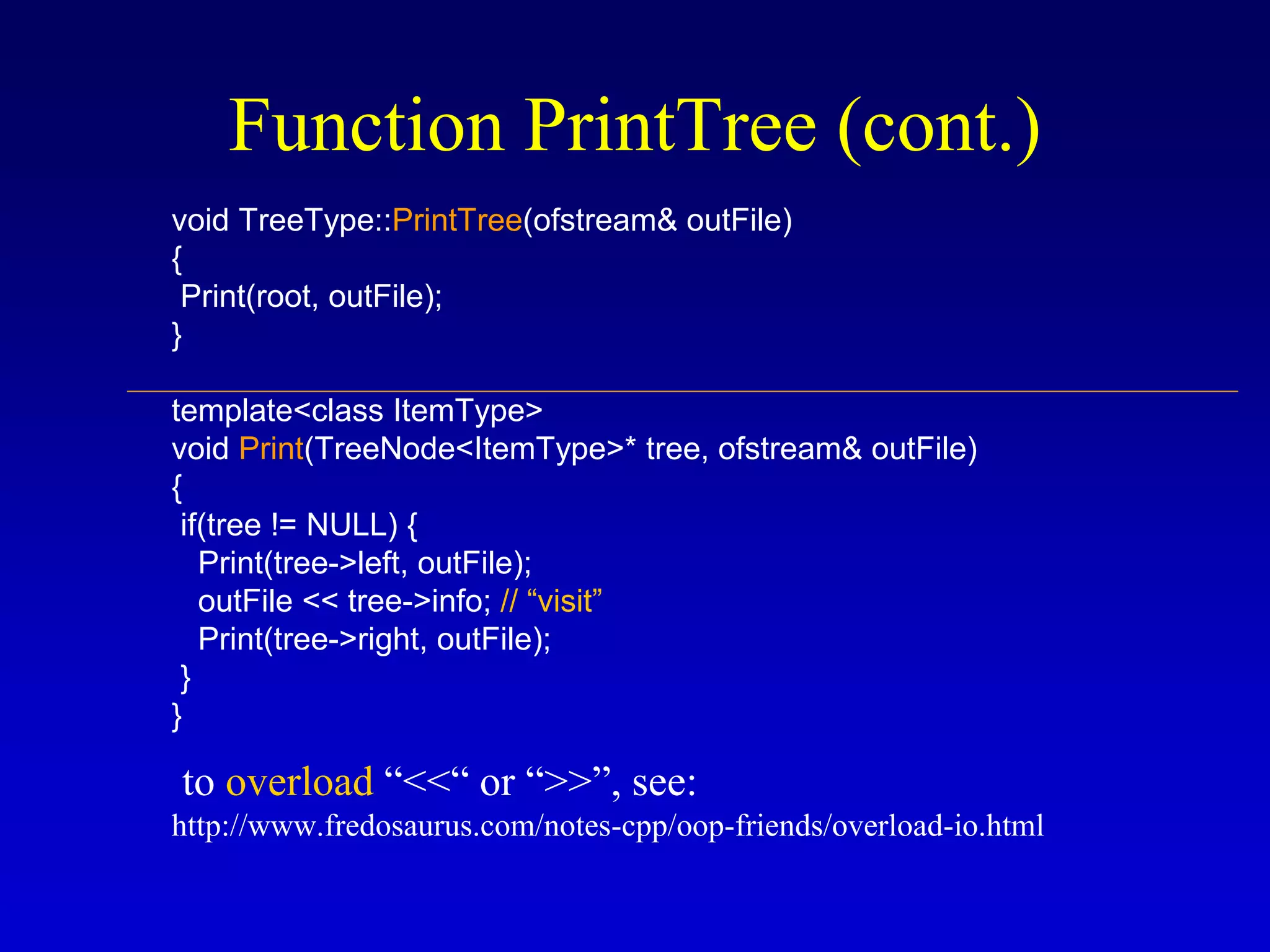
Function PrintTree (cont.)
void TreeType::PrintTree(ofstream& outFile)
{
Print(root, outFile);
}
template<class ItemType>
void Print(TreeNode<ItemType>* tree, ofstream& outFile)
{
if(tree != NULL) {
Print(tree->left, outFile);
outFile << tree->info; // “visit”
Print(tree->right, outFile);
}
}
to overload “<<“ or “>>”, see:
http://www.fredosaurus.com/notes-cpp/oop-friends/overload-io.html
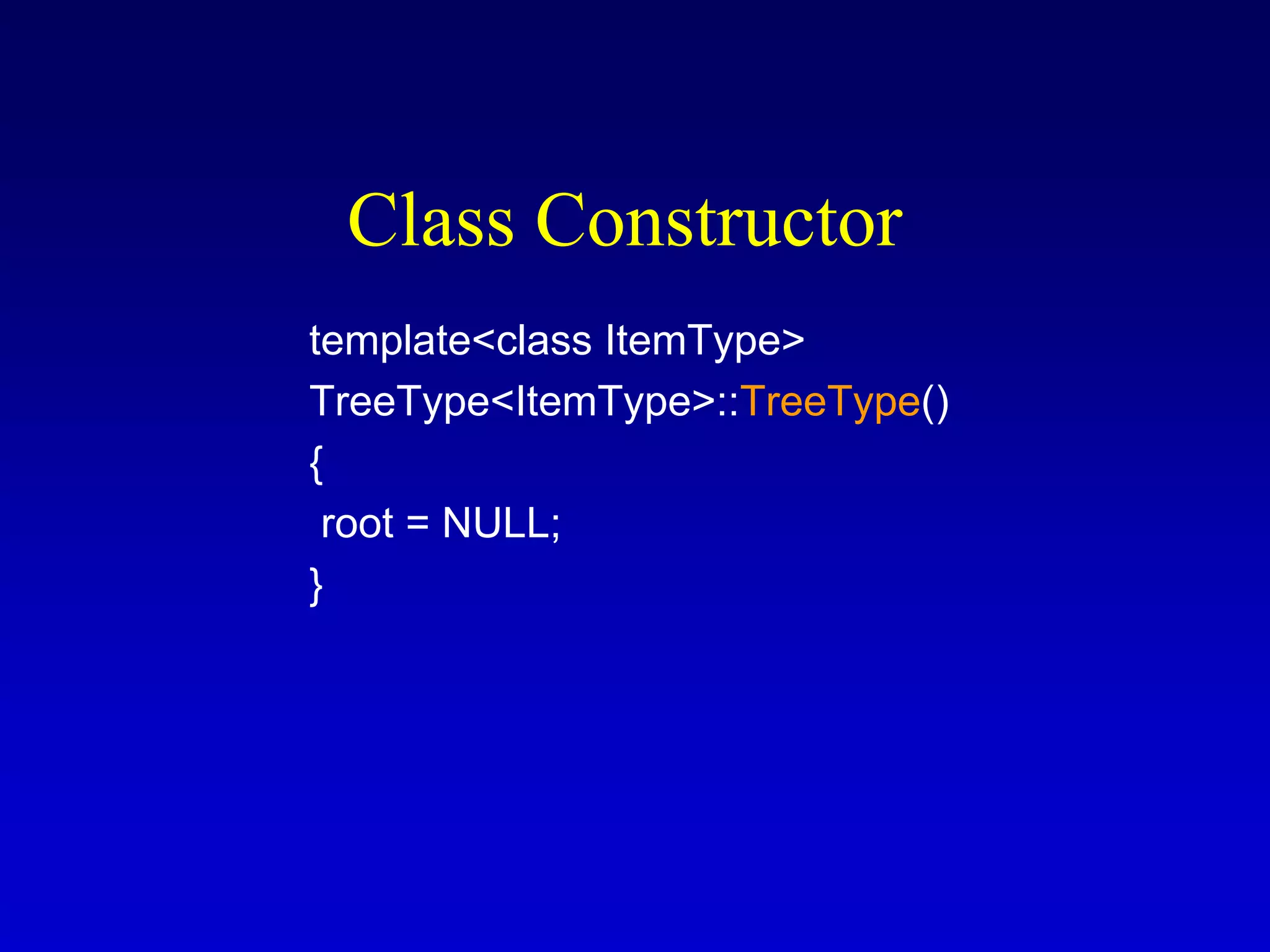
Class Constructor
template<class ItemType>
TreeType<ItemType>::TreeType()
{
root = NULL;
}
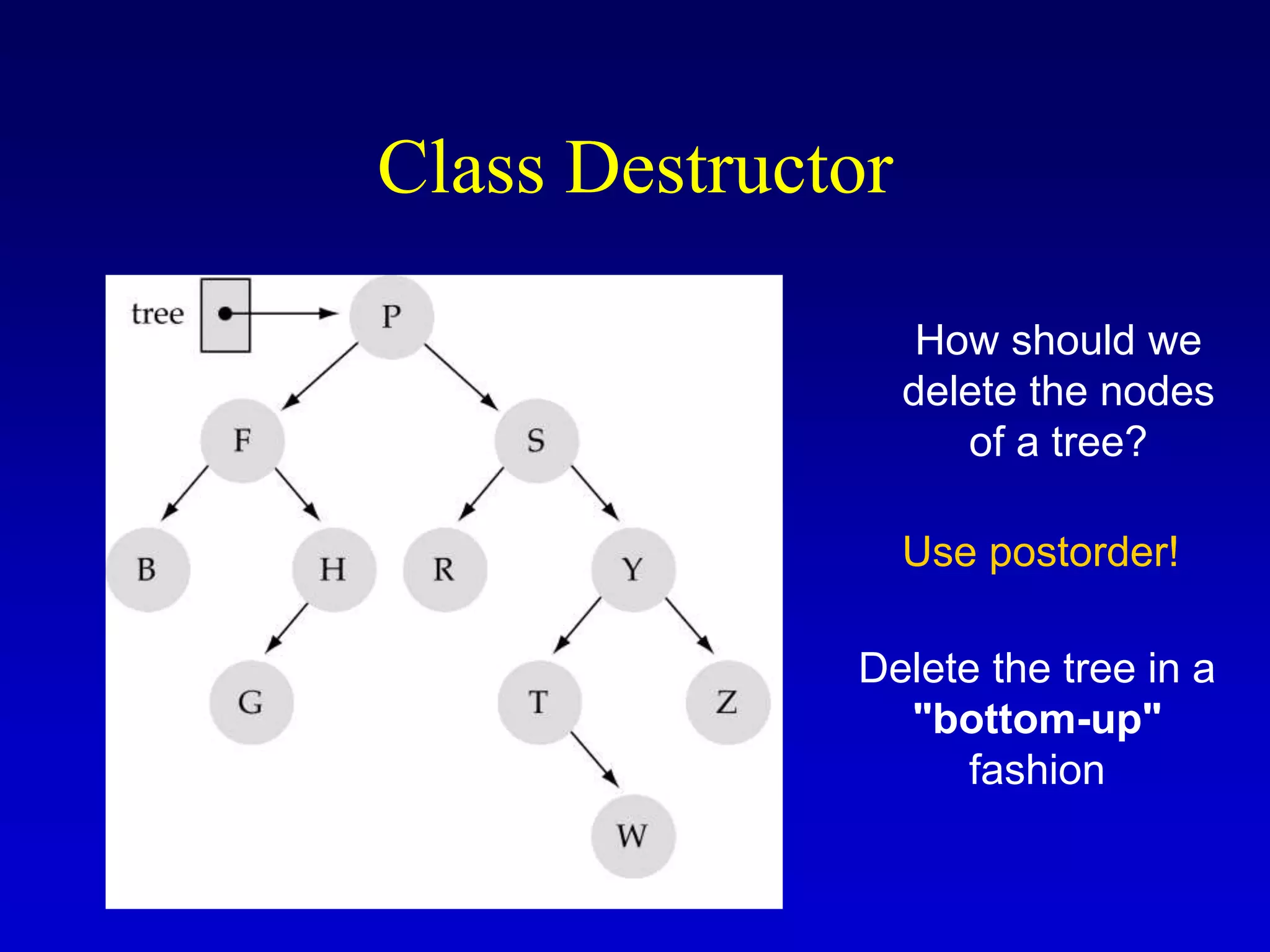
Class Destructor
How should we
delete the nodes
of a tree?
Use postorder!
Delete the tree in a
"bottom-up"
fashion
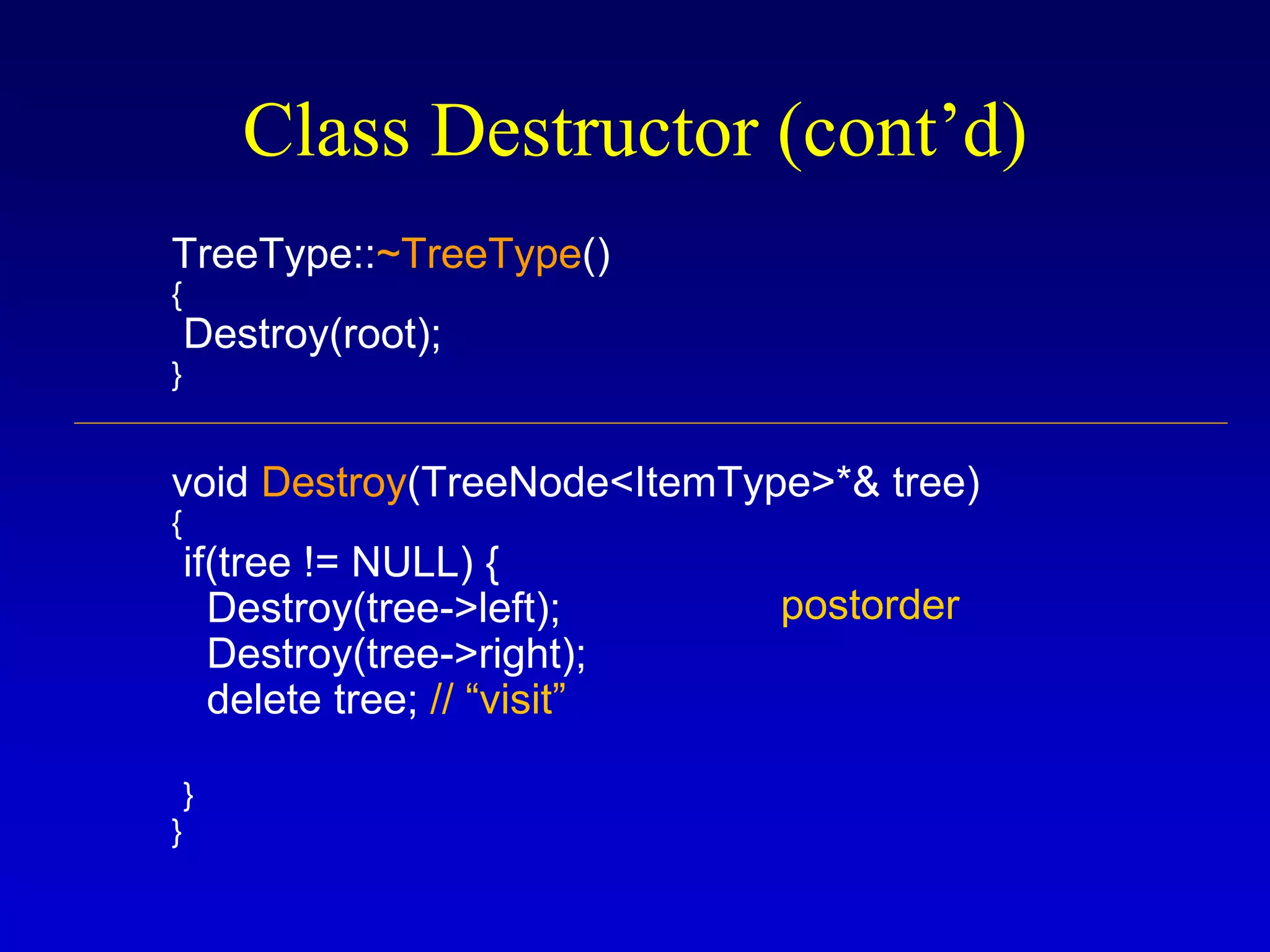
Class Destructor (cont’d)
TreeType::~TreeType()
{
Destroy(root);
}
void Destroy(TreeNode<ItemType>*& tree)
{
if(tree != NULL) {
Destroy(tree->left);
Destroy(tree->right);
delete tree; // “visit”
}
}
postorder
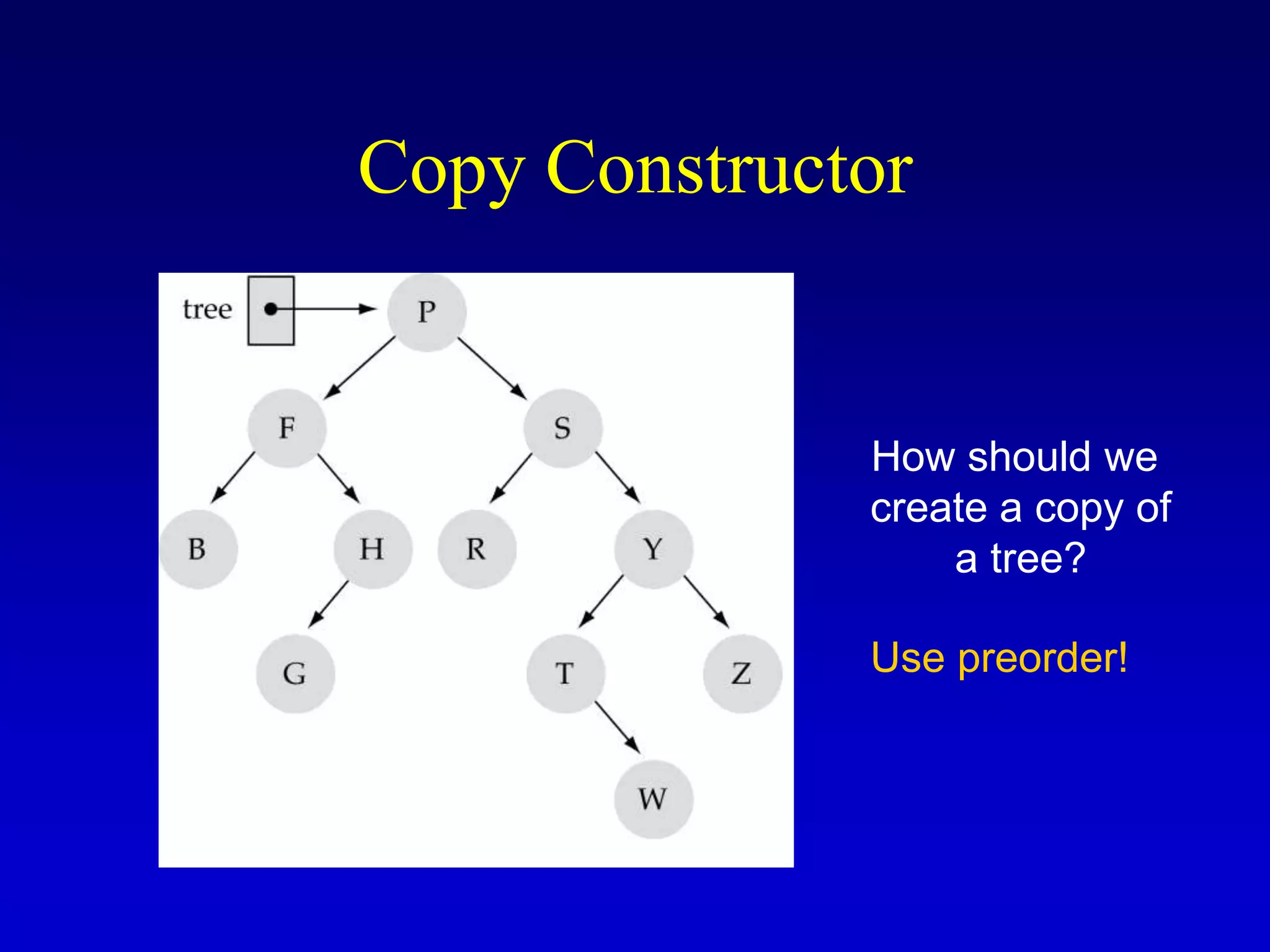
Copy Constructor
How should we
create a copy of
a tree?
Use preorder!
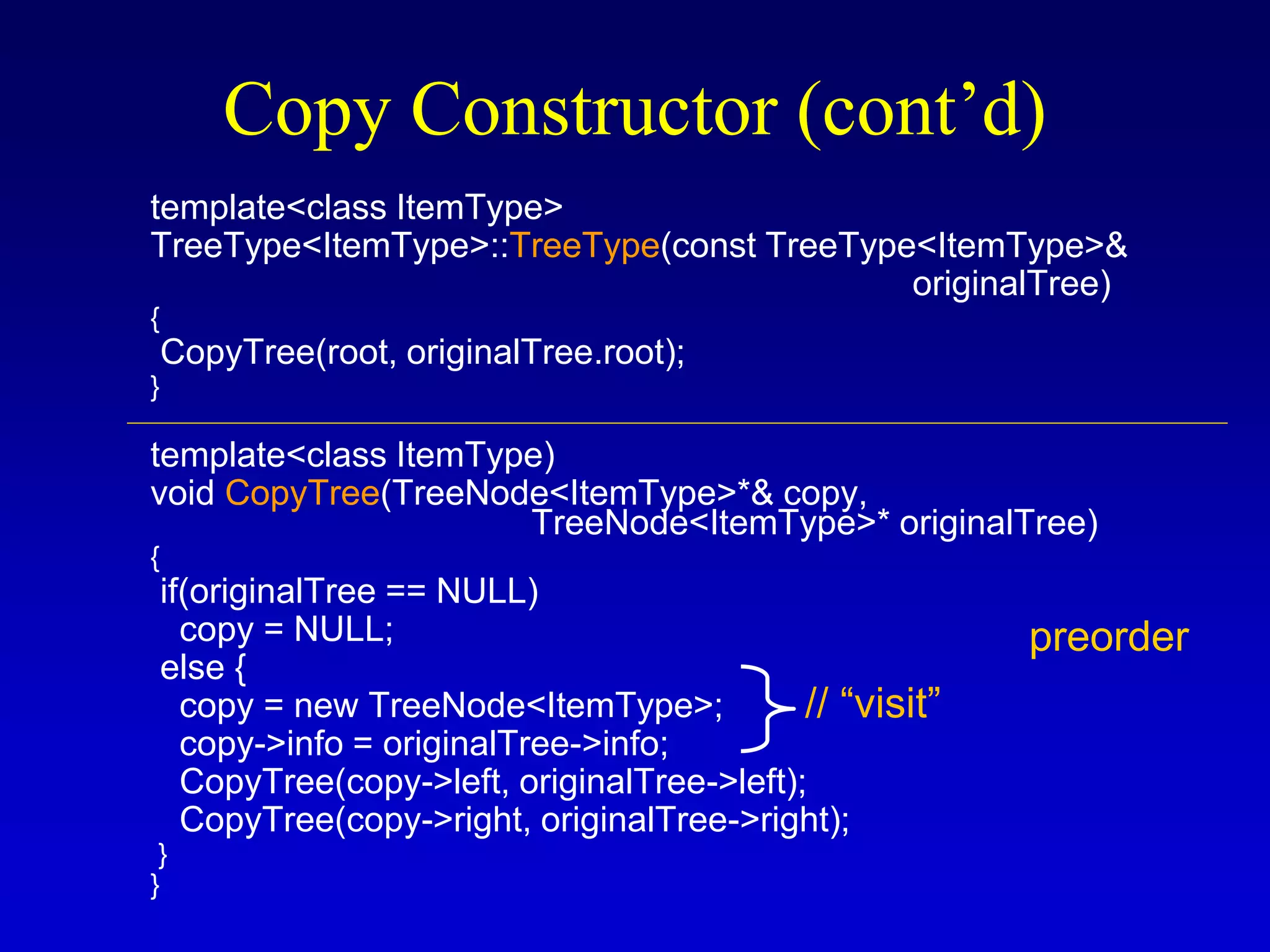
Copy Constructor (cont’d)
template<class ItemType>
TreeType<ItemType>::TreeType(const TreeType<ItemType>&
originalTree)
{
CopyTree(root, originalTree.root);
}
template<class ItemType)
void CopyTree(TreeNode<ItemType>*& copy,
TreeNode<ItemType>* originalTree)
{
if(originalTree == NULL)
copy = NULL;
else {
copy = new TreeNode<ItemType>;
copy->info = originalTree->info;
CopyTree(copy->left, originalTree->left);
CopyTree(copy->right, originalTree->right);
}
}
preorder
// “visit”
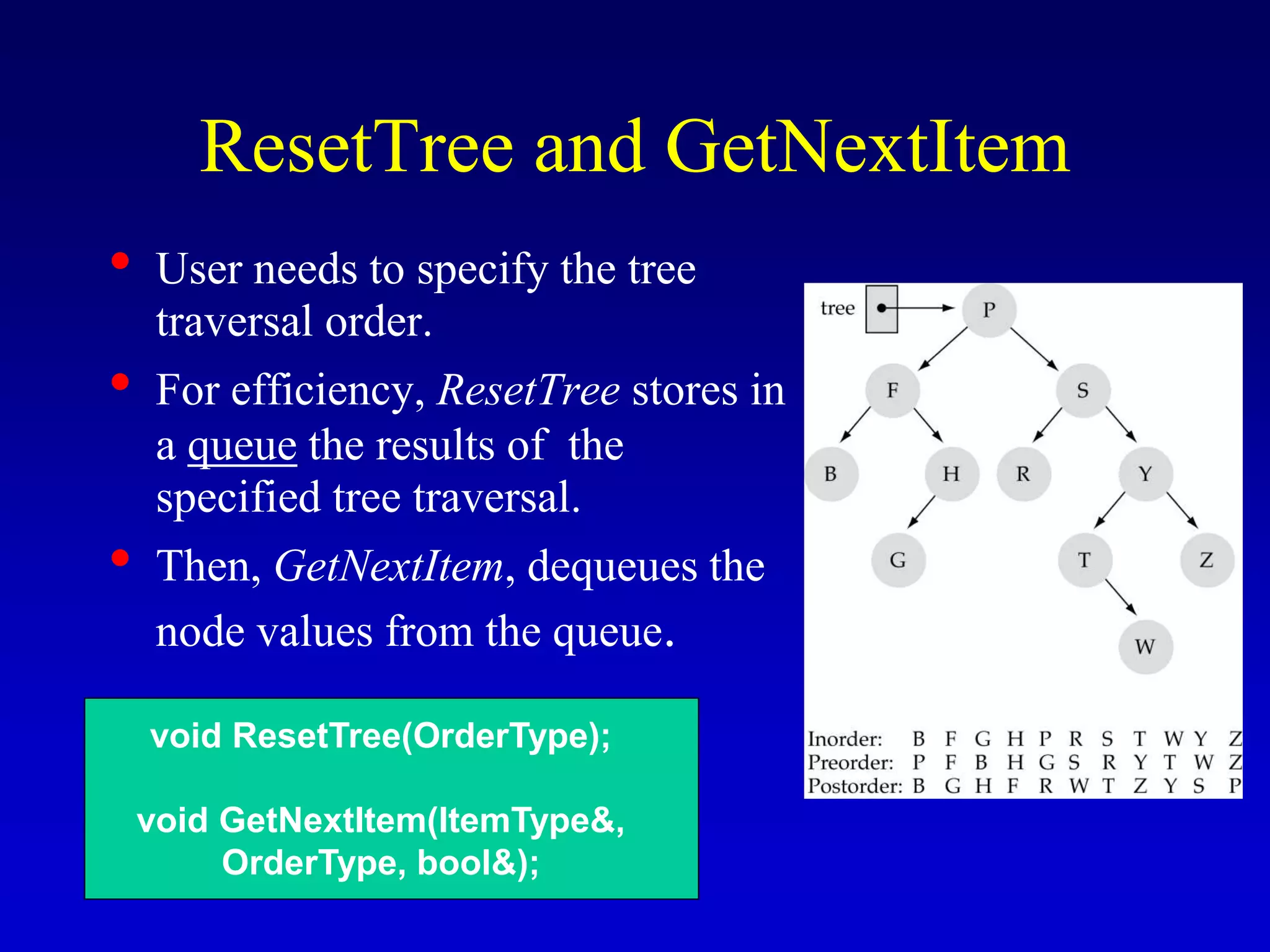
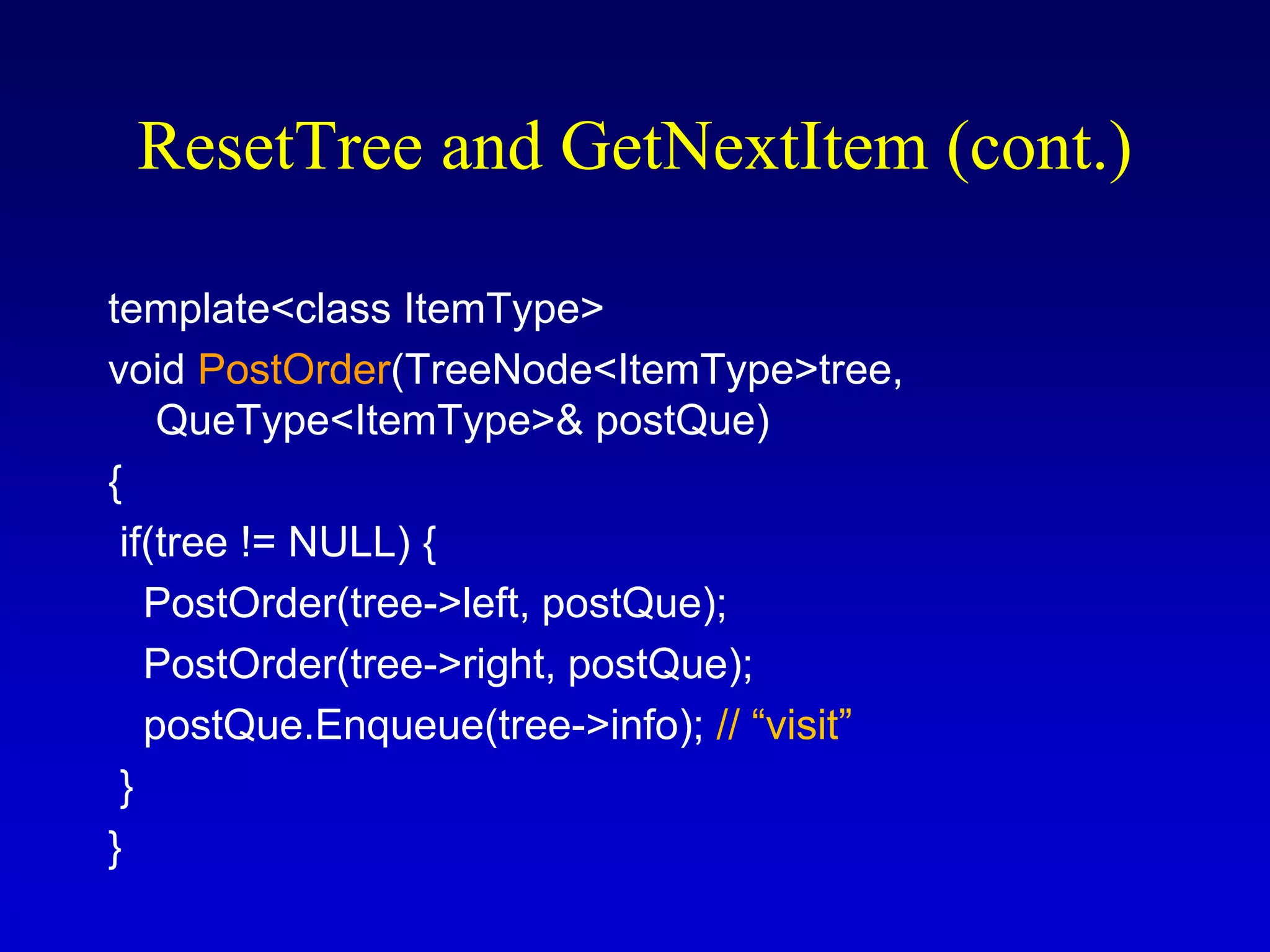
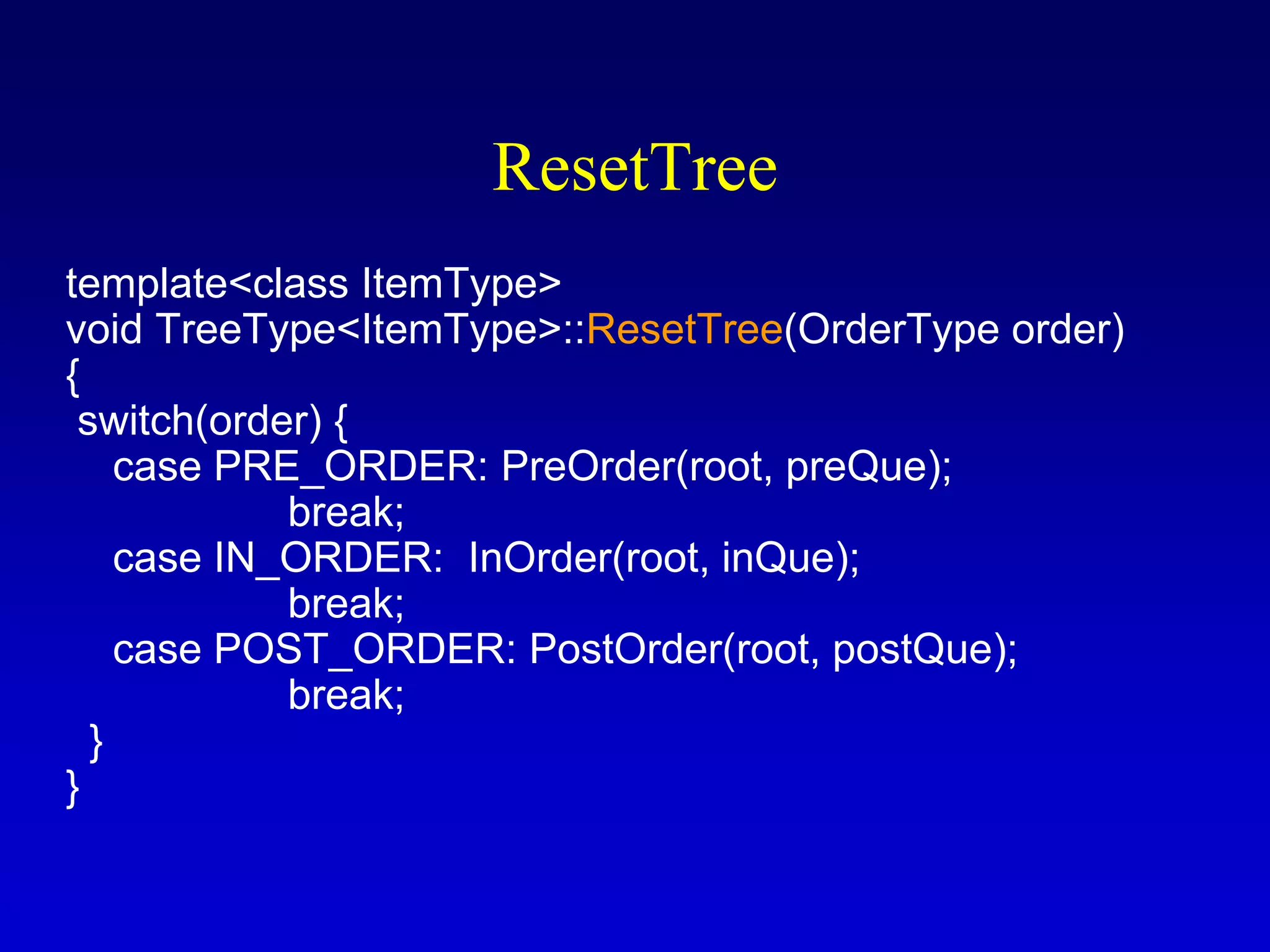
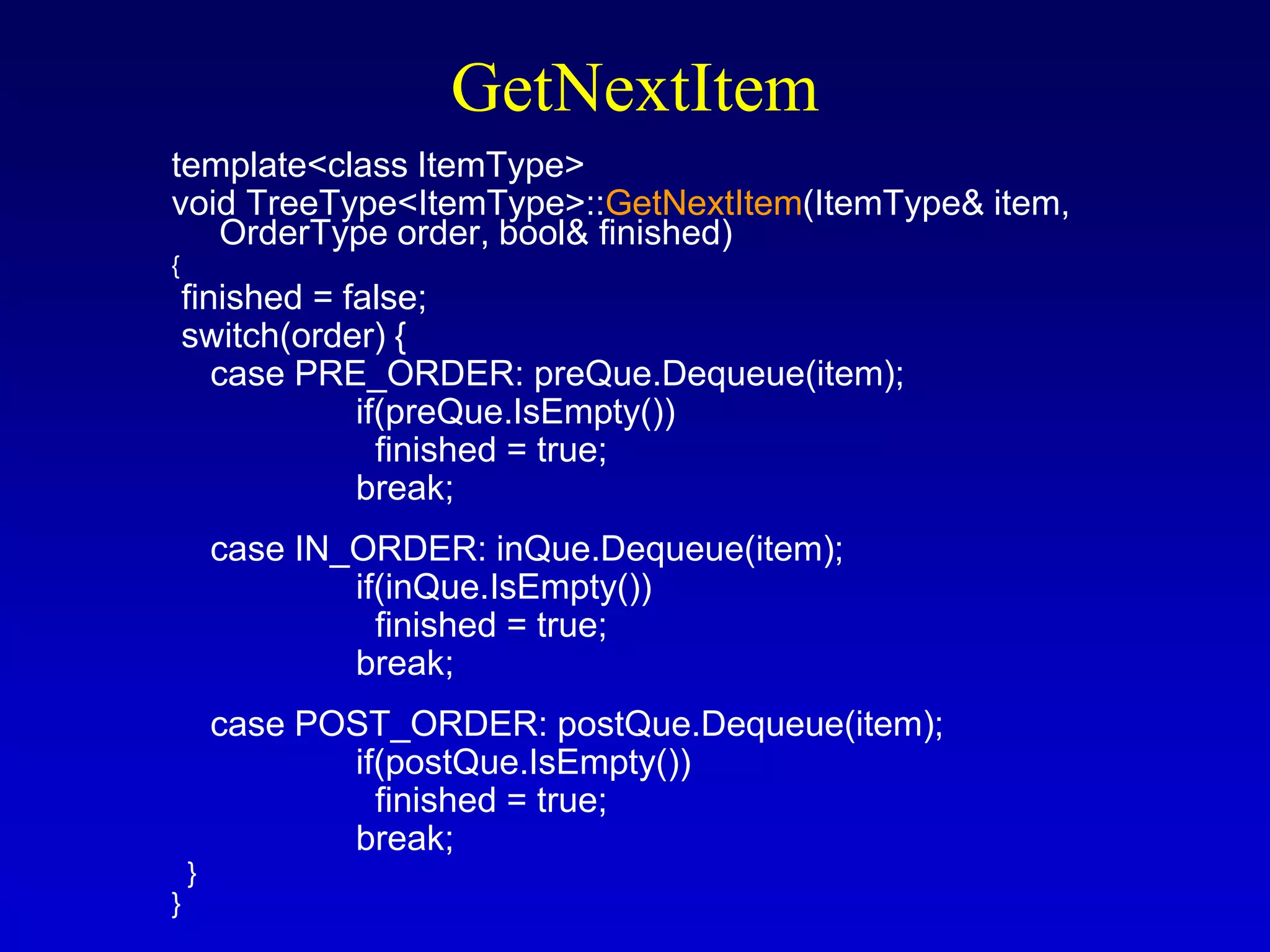
ResetTree and GetNextItem
• User needs to specify the tree
traversal order.
• For efficiency, ResetTree stores in
a queue the results of the
specified tree traversal.
• Then, GetNextItem, dequeues the
node values from the queue.
void ResetTree(OrderType);
void GetNextItem(ItemType&,
OrderType, bool&);
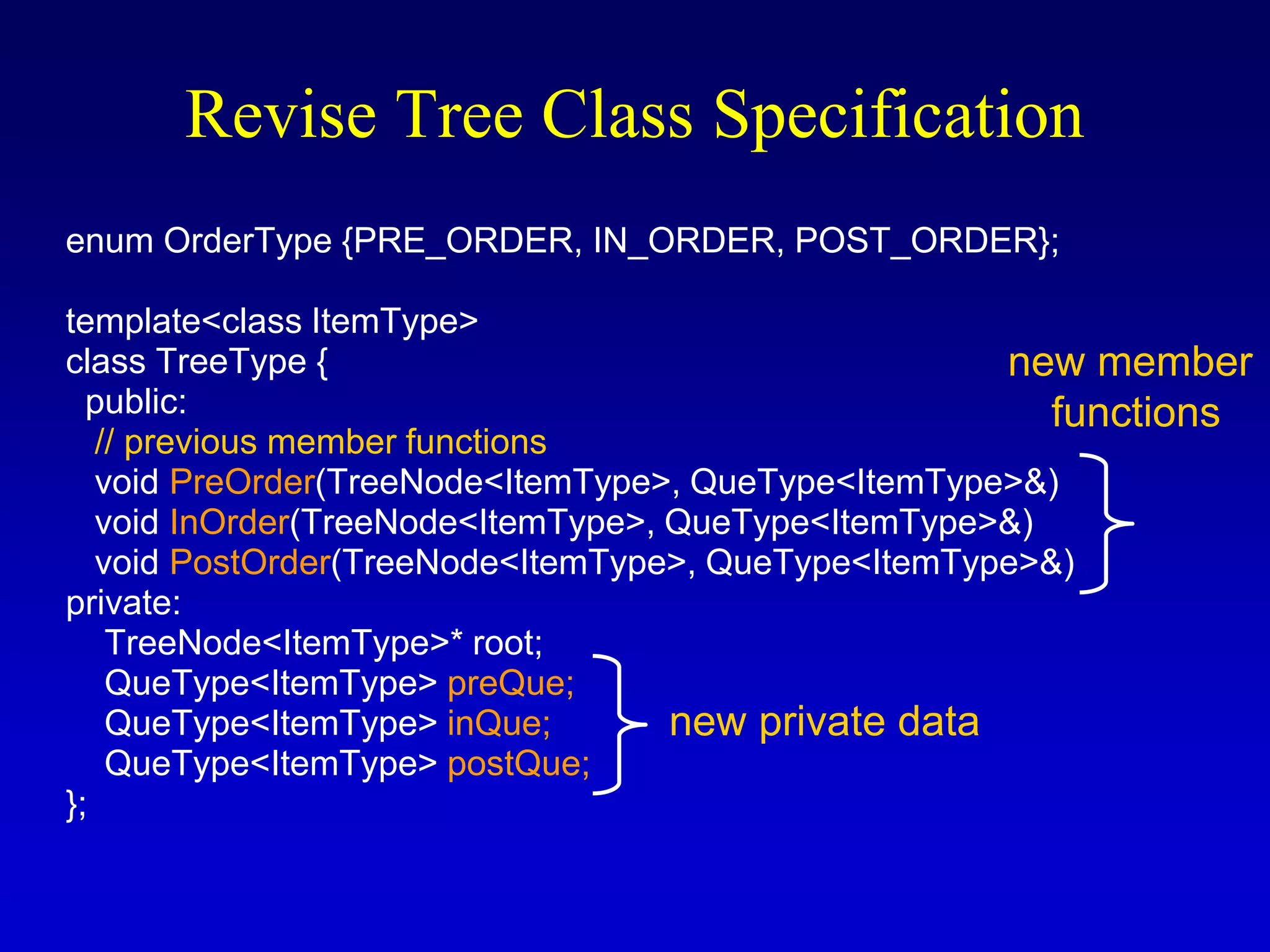
Revise Tree Class Specification
enum OrderType {PRE_ORDER, IN_ORDER, POST_ORDER};
template<class ItemType>
class TreeType {
public:
// previous member functions
void PreOrder(TreeNode<ItemType>, QueType<ItemType>&)
void InOrder(TreeNode<ItemType>, QueType<ItemType>&)
void PostOrder(TreeNode<ItemType>, QueType<ItemType>&)
private:
TreeNode<ItemType>* root;
QueType<ItemType> preQue;
QueType<ItemType> inQue;
QueType<ItemType> postQue;
};
new private data
new member
functions
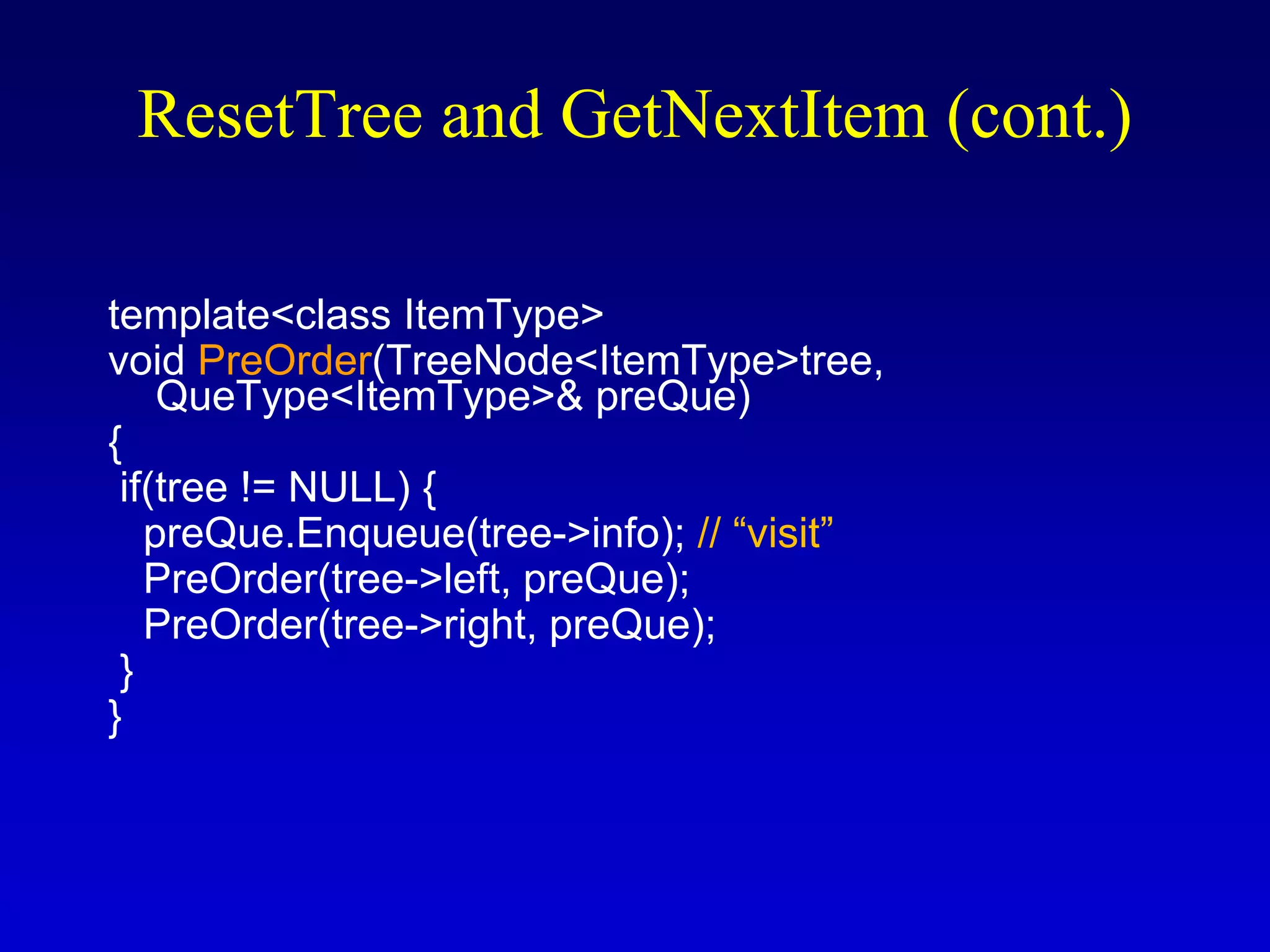
template<class ItemType>
void PreOrder(TreeNode<ItemType>tree,
QueType<ItemType>& preQue)
{
if(tree != NULL) {
preQue.Enqueue(tree->info); // “visit”
PreOrder(tree->left, preQue);
PreOrder(tree->right, preQue);
}
}
ResetTree and GetNextItem (cont.)
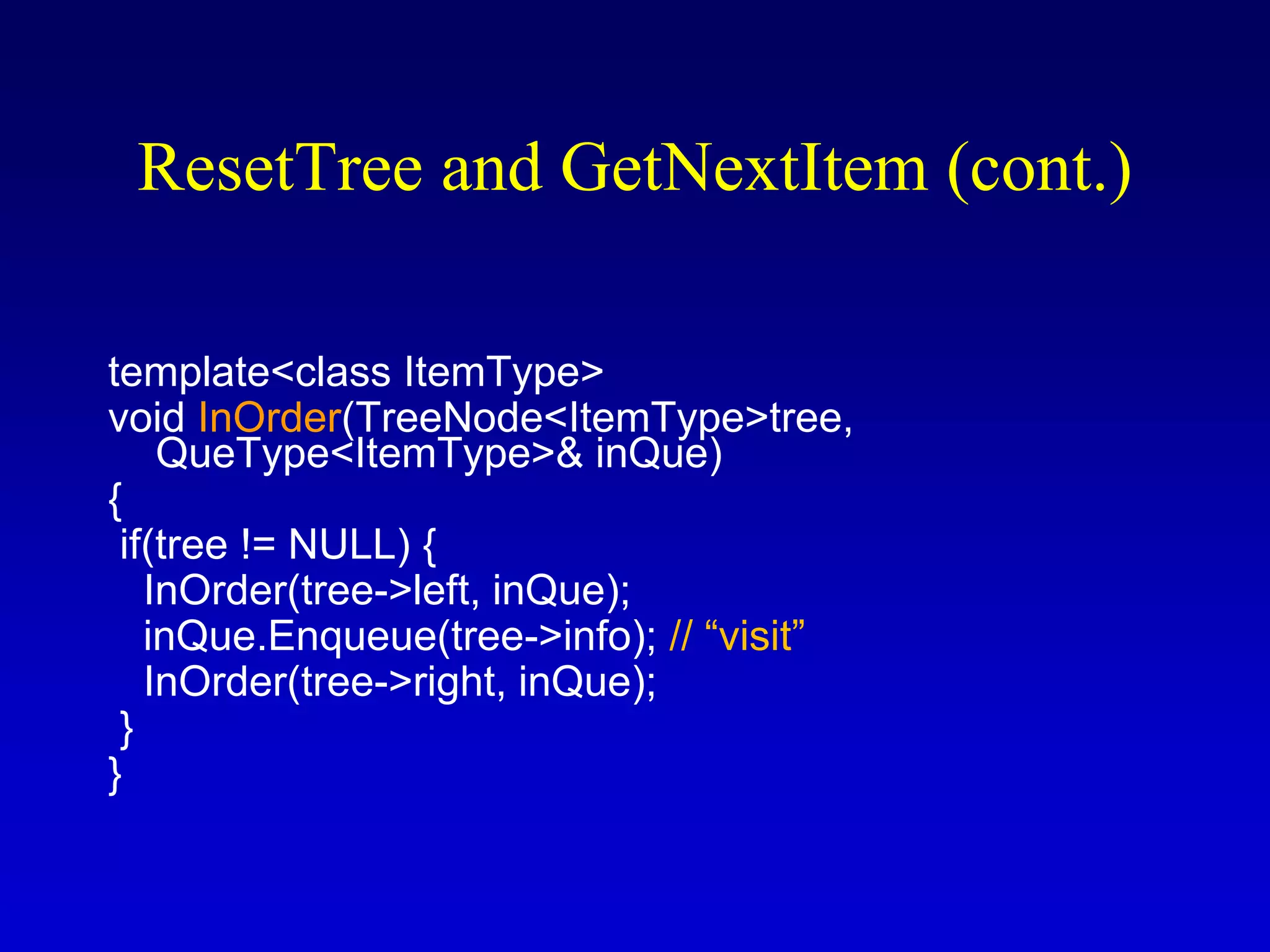
template<class ItemType>
void InOrder(TreeNode<ItemType>tree,
QueType<ItemType>& inQue)
{
if(tree != NULL) {
InOrder(tree->left, inQue);
inQue.Enqueue(tree->info); // “visit”
InOrder(tree->right, inQue);
}
}
template<class ItemType>
void PostOrder(TreeNode<ItemType>tree,
QueType<ItemType>& postQue)
{
if(tree != NULL) {
PostOrder(tree->left, postQue);
PostOrder(tree->right, postQue);
postQue.Enqueue(tree->info); // “visit”
}
}
ResetTree and GetNextItem (cont.)
ResetTree
template<class ItemType>
void TreeType<ItemType>::ResetTree(OrderType order)
{
switch(order) {
case PRE_ORDER: PreOrder(root, preQue);
break;
case IN_ORDER: InOrder(root, inQue);
break;
case POST_ORDER: PostOrder(root, postQue);
break;
}
}
GetNextItem
template<class ItemType>
void TreeType<ItemType>::GetNextItem(ItemType& item,
OrderType order, bool& finished)
{
finished = false;
switch(order) {
case PRE_ORDER: preQue.Dequeue(item);
if(preQue.IsEmpty())
finished = true;
break;
case IN_ORDER: inQue.Dequeue(item);
if(inQue.IsEmpty())
finished = true;
break;
case POST_ORDER: postQue.Dequeue(item);
if(postQue.IsEmpty())
finished = true;
break;
}
}
Iterative Insertion and Deletion
• Reading Assignment (see textbook)
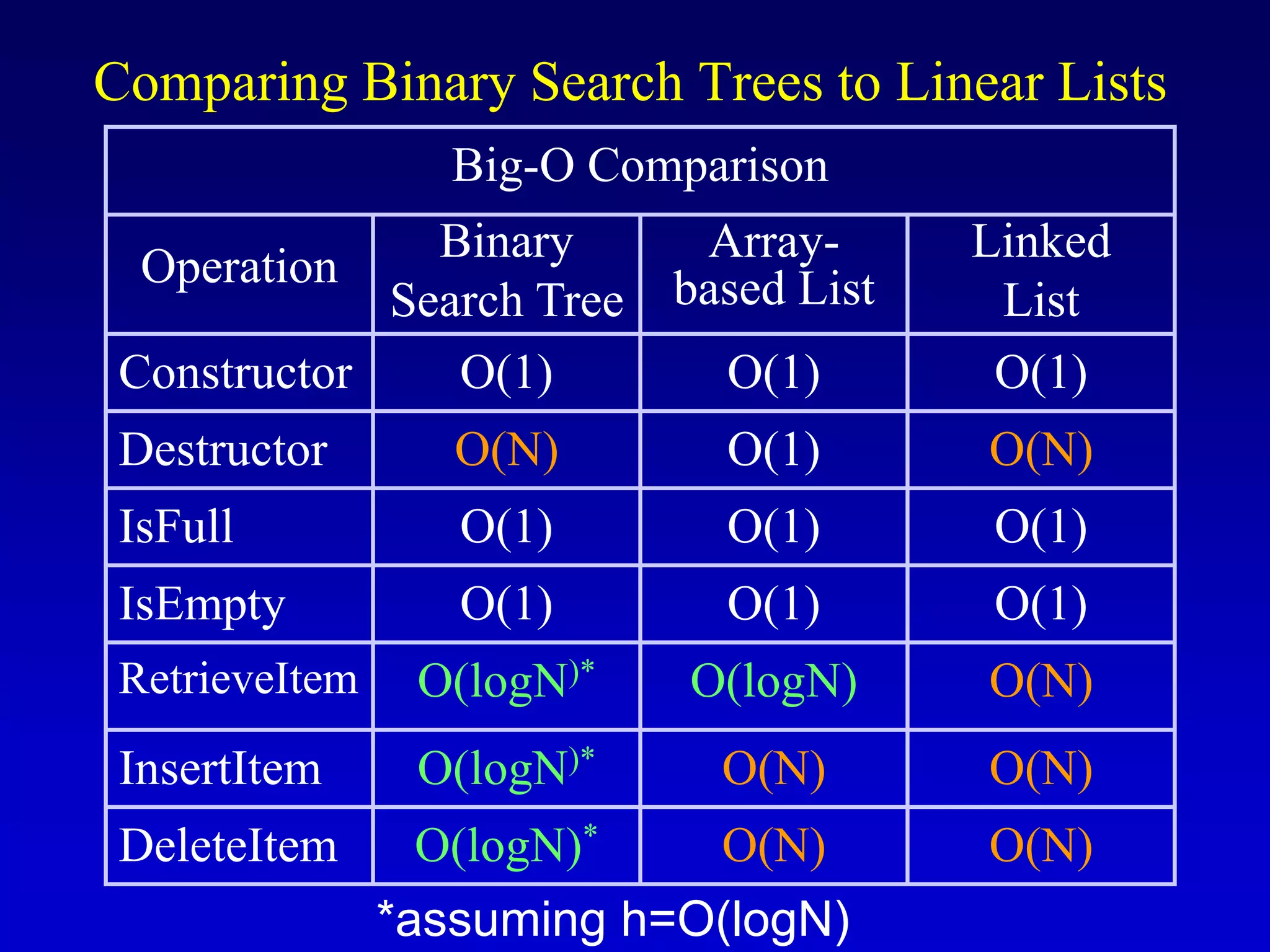
Comparing Binary Search Trees to Linear Lists
Big-O Comparison
Operation
Binary
Search Tree
Array-
based List
Linked
List
Constructor O(1) O(1) O(1)
Destructor O(N) O(1) O(N)
IsFull O(1) O(1) O(1)
IsEmpty O(1) O(1) O(1)
RetrieveItem O(logN)* O(logN) O(N)
InsertItem O(logN)* O(N) O(N)
DeleteItem O(logN)* O(N) O(N)
*assuming h=O(logN)
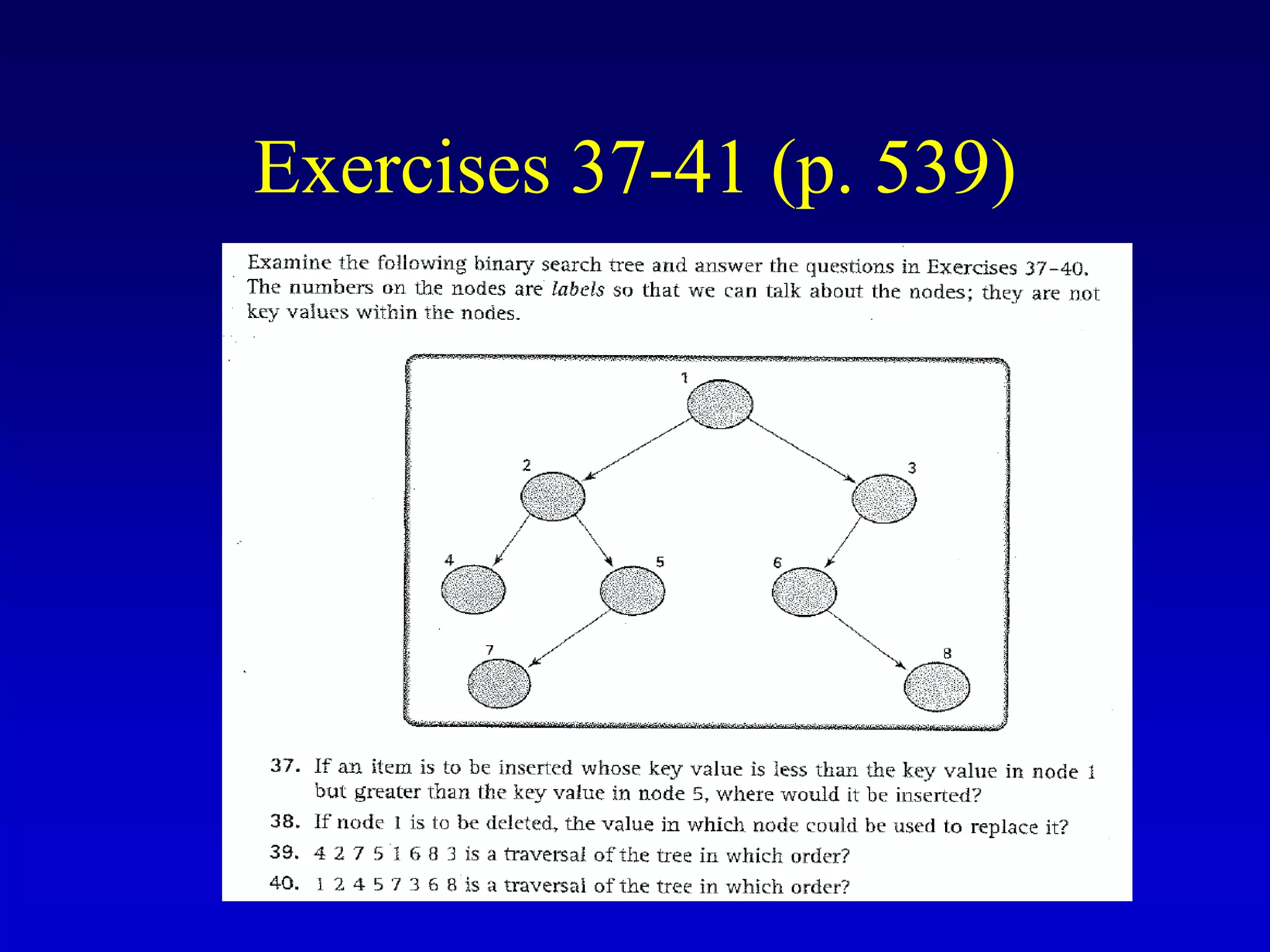
Exercises 37-41 (p. 539)
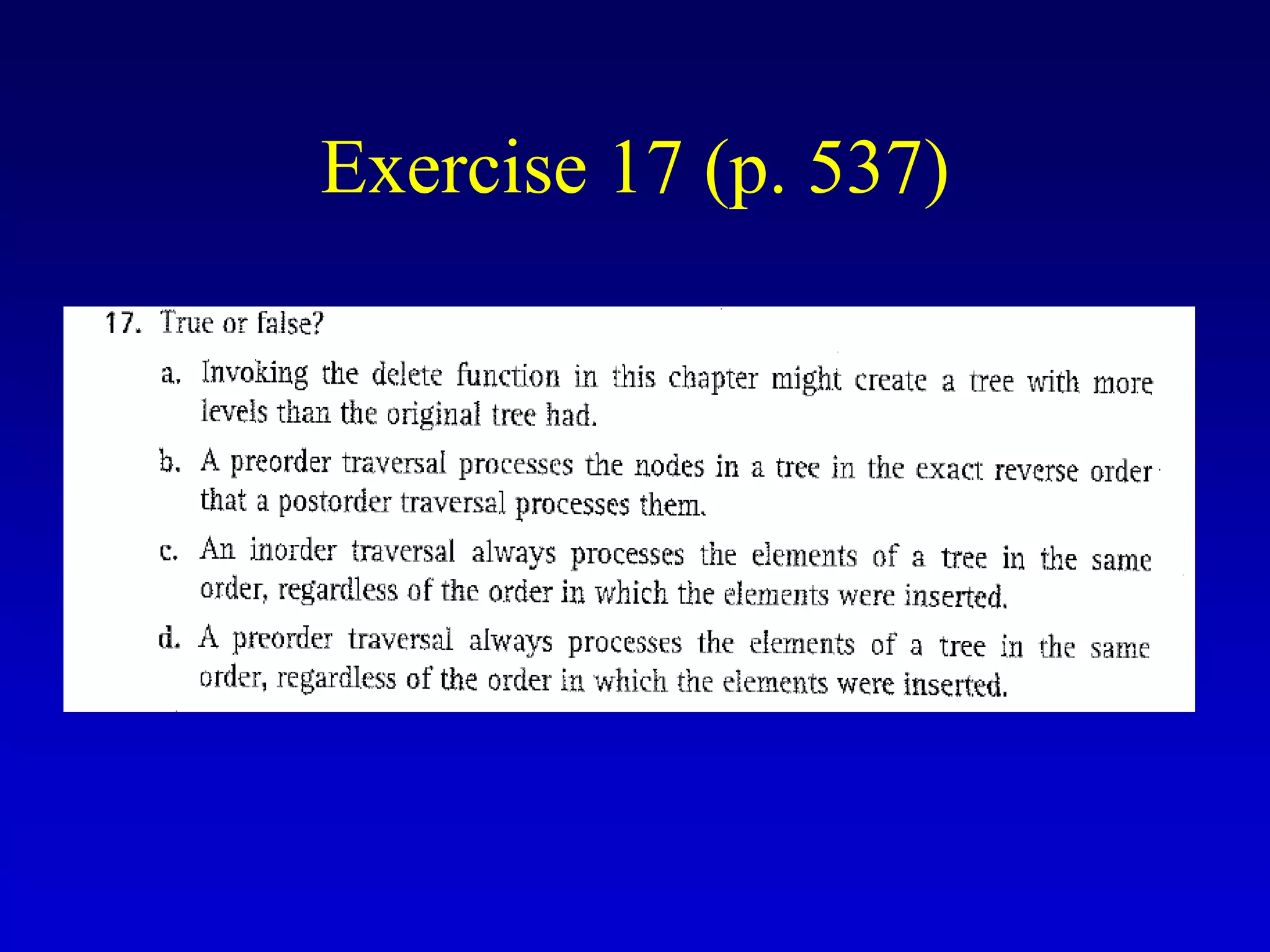
Exercise 17 (p. 537)
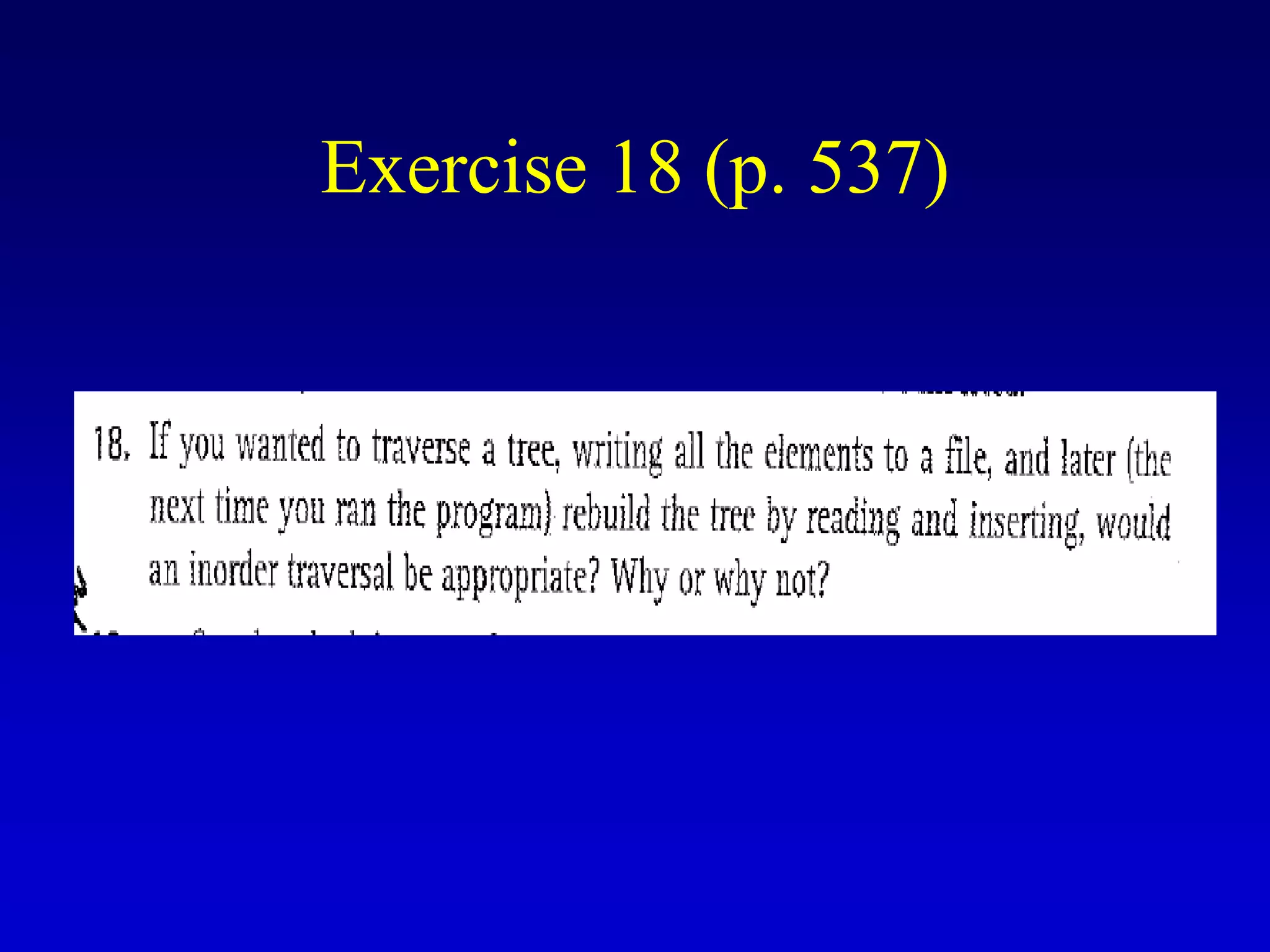
Exercise 18 (p. 537)

BinarySearchTrees.ppt

  • 1.
    Binary Search Trees CS302 – Data Structures Chapter 8
  • 2.
    What is abinary tree? • Property 1: each node can have up to two successor nodes.
  • 3.
    • Property 2:a unique path exists from the root to every other node What is a binary tree? (cont.) Not a valid binary tree!
  • 4.
    Some terminology • Thesuccessor nodes of a node are called its children • The predecessor node of a node is called its parent • The "beginning" node is called the root (has no parent) • A node without children is called a leaf
  • 5.
    Some terminology (cont’d) •Nodes are organize in levels (indexed from 0). • Level (or depth) of a node: number of edges in the path from the root to that node. • Height of a tree h: #levels = L (Warning: some books define h as #levels-1). • Full tree: every node has exactly two children and all the leaves are on the same level. not full!
  • 6.
    What is themax #nodes at some level l? The max #nodes at level is l 2l 0 2  1 2  2 2  3 2  where l=0,1,2, ...,L-1
  • 7.
    What is thetotal #nodes N of a full tree with height h? 0 1 1 1 0 1 1 1 1 0 2 2 ... 2 2 1 ... n h h n n i x x i N x x x x                   using the geometric series: l=0 l=1 l=h-1
  • 8.
    What is theheight h of a full tree with N nodes? 2 1 2 1 log( 1) (log ) h h N N h N O N         
  • 9.
    Why is himportant? • Tree operations (e.g., insert, delete, retrieve etc.) are typically expressed in terms of h. • So, h determines running time!
  • 10.
    •What is themax height of a tree with N nodes? •What is the min height of a tree with N nodes? N (same as a linked list) log(N+1)
  • 11.
    How to searcha binary tree? (1) Start at the root (2) Search the tree level by level, until you find the element you are searching for or you reach a leaf. Is this better than searching a linked list? No  O(N)
  • 12.
    Binary Search Trees(BSTs) • Binary Search Tree Property: The value stored at a node is greater than the value stored at its left child and less than the value stored at its right child
  • 13.
    In a BST,the value stored at the root of a subtree is greater than any value in its left subtree and less than any value in its right subtree! Binary Search Trees (BSTs)
  • 14.
    Where is the smallestelement? Ans: leftmost element Where is the largest element? Ans: rightmost element Binary Search Trees (BSTs)
  • 15.
    How to searcha binary search tree? (1) Start at the root (2) Compare the value of the item you are searching for with the value stored at the root (3) If the values are equal, then item found; otherwise, if it is a leaf node, then not found
  • 16.
    How to searcha binary search tree? (4) If it is less than the value stored at the root, then search the left subtree (5) If it is greater than the value stored at the root, then search the right subtree (6) Repeat steps 2-6 for the root of the subtree chosen in the previous step 4 or 5
  • 17.
    How to searcha binary search tree? Is this better than searching a linked list? Yes !! ---> O(logN)
  • 18.
    Tree node structure template<classItemType> struct TreeNode<ItemType> { ItemType info; TreeNode<ItemType>* left; TreeNode<ItemType>* right; };
  • 19.
    Binary Search TreeSpecification #include <fstream.h> struct TreeNode<ItemType>; enum OrderType {PRE_ORDER, IN_ORDER, POST_ORDER}; template<class ItemType> class TreeType { public: TreeType(); ~TreeType(); TreeType(const TreeType<ItemType>&); void operator=(const TreeType<ItemType>&); void MakeEmpty(); bool IsEmpty() const; bool IsFull() const; int NumberOfNodes() const;
  • 20.
    void RetrieveItem(ItemType&, bool&found); void InsertItem(ItemType); void DeleteItem(ItemType); void ResetTree(OrderType); void GetNextItem(ItemType&, OrderType, bool&); void PrintTree(ofstream&) const; private: TreeNode<ItemType>* root; }; Binary Search Tree Specification (cont.)
  • 21.
    Function NumberOfNodes • Recursiveimplementation #nodes in a tree = #nodes in left subtree + #nodes in right subtree + 1 • What is the size factor? Number of nodes in the tree we are examining • What is the base case? The tree is empty • What is the general case? CountNodes(Left(tree)) + CountNodes(Right(tree)) + 1
  • 22.
    template<class ItemType> int TreeType<ItemType>::NumberOfNodes()const { return CountNodes(root); } template<class ItemType> int CountNodes(TreeNode<ItemType>* tree) { if (tree == NULL) return 0; else return CountNodes(tree->left) + CountNodes(tree->right) + 1; } Function NumberOfNodes (cont.) O(N) Running Time?
  • 23.
  • 24.
    Function RetrieveItem • Whatis the size of the problem? Number of nodes in the tree we are examining • What is the base case(s)? 1) When the key is found 2) The tree is empty (key was not found) • What is the general case? Search in the left or right subtrees
  • 25.
    template <class ItemType> voidTreeType<ItemType>:: RetrieveItem(ItemType& item, bool& found) { Retrieve(root, item, found); } template<class ItemType> void Retrieve(TreeNode<ItemType>* tree, ItemType& item, bool& found) { if (tree == NULL) // base case 2 found = false; else if(item < tree->info) Retrieve(tree->left, item, found); else if(item > tree->info) Retrieve(tree->right, item, found); else { // base case 1 item = tree->info; found = true; } } Function RetrieveItem (cont.) O(h) Running Time?
  • 26.
    Function InsertItem • Use the binarysearch tree property to insert the new item at the correct place
  • 27.
  • 28.
    • What isthe size of the problem? Number of nodes in the tree we are examining • What is the base case(s)? The tree is empty • What is the general case? Choose the left or right subtree Function InsertItem (cont.)
  • 29.
    template<class ItemType> void TreeType<ItemType>::InsertItem(ItemTypeitem) { Insert(root, item); } template<class ItemType> void Insert(TreeNode<ItemType>*& tree, ItemType item) { if(tree == NULL) { // base case tree = new TreeNode<ItemType>; tree->right = NULL; tree->left = NULL; tree->info = item; } else if(item < tree->info) Insert(tree->left, item); else Insert(tree->right, item); } Function InsertItem (cont.) O(h) Running Time?
  • 30.
  • 31.
    • Yes, certainorders might produce very unbalanced trees! Does the order of inserting elements into a tree matter?
  • 32.
  • 33.
    • Unbalanced treesare not desirable because search time increases! • Advanced tree structures, such as red-black trees, guarantee balanced trees. Does the order of inserting elements into a tree matter? (cont’d)
  • 34.
    Function DeleteItem • First,find the item; then, delete it • Binary search tree property must be preserved!! • We need to consider three different cases: (1) Deleting a leaf (2) Deleting a node with only one child (3) Deleting a node with two children
  • 35.
  • 36.
    (2) Deleting anode with only one child
  • 37.
    (3) Deleting anode with two children
  • 38.
    • Find predecessor(i.e., rightmost node in the left subtree) • Replace the data of the node to be deleted with predecessor's data • Delete predecessor node (3) Deleting a node with two children (cont.)
  • 39.
    • What isthe size of the problem? Number of nodes in the tree we are examining • What is the base case(s)? Key to be deleted was found • What is the general case? Choose the left or right subtree Function DeleteItem (cont.)
  • 40.
    template<class ItemType> void TreeType<ItmeType>::DeleteItem(ItemTypeitem) { Delete(root, item); } template<class ItemType> void Delete(TreeNode<ItemType>*& tree, ItemType item) { if(item < tree->info) Delete(tree->left, item); else if(item > tree->info) Delete(tree->right, item); else DeleteNode(tree); } Function DeleteItem (cont.)
  • 41.
    template <class ItemType> voidDeleteNode(TreeNode<ItemType>*& tree) { ItemType item; TreeNode<ItemType>* tempPtr; tempPtr = tree; if(tree->left == NULL) { // right child tree = tree->right; delete tempPtr; } else if(tree->right == NULL) { // left child tree = tree->left; delete tempPtr; } else { GetPredecessor(tree->left, item); tree->info = item; Delete(tree->left, item); } } Function DeleteItem (cont.) 2 children 0 children or 1 child 0 children or 1 child
  • 42.
    template<class ItemType> void GetPredecessor(TreeNode<ItemType>*tree, ItemType& item) { while(tree->right != NULL) tree = tree->right; item = tree->info; } Function DeleteItem (cont.)
  • 43.
    template<class ItemType> void TreeType<ItmeType>::DeleteItem(ItemTypeitem) { Delete(root, item); } template<class ItemType> void Delete(TreeNode<ItemType>*& tree, ItemType item) { if(item < tree->info) Delete(tree->left, item); else if(item > tree->info) Delete(tree->right, item); else DeleteNode(tree); } Function DeleteItem (cont.) Running Time? O(h)
  • 44.
  • 45.
    Tree Traversals There aremainly three ways to traverse a tree: 1) Inorder Traversal 2) Postorder Traversal 3) Preorder Traversal
  • 46.
    46 Inorder Traversal: AE H J M T Y ‘J’ ‘E’ ‘A’ ‘H’ ‘T’ ‘M’ ‘Y’ tree Visit left subtree first Visit right subtree last Visit second
  • 47.
    Inorder Traversal • Visitthe nodes in the left subtree, then visit the root of the tree, then visit the nodes in the right subtree Inorder(tree) If tree is not NULL Inorder(Left(tree)) Visit Info(tree) Inorder(Right(tree)) Warning: "visit" implies do something with the value at the node (e.g., print, save, update etc.).
  • 48.
    48 Preorder Traversal: JE A H T M Y ‘J’ ‘E’ ‘A’ ‘H’ ‘T’ ‘M’ ‘Y’ tree Visit left subtree second Visit right subtree last Visit first
  • 49.
    Preorder Traversal • Visitthe root of the tree first, then visit the nodes in the left subtree, then visit the nodes in the right subtree Preorder(tree) If tree is not NULL Visit Info(tree) Preorder(Left(tree)) Preorder(Right(tree))
  • 50.
    50 ‘J’ ‘E’ ‘A’ ‘H’ ‘T’ ‘M’ ‘Y’ tree Visitleft subtree first Visit right subtree second Visit last Postorder Traversal: A H E M Y T J
  • 51.
    Postorder Traversal • Visitthe nodes in the left subtree first, then visit the nodes in the right subtree, then visit the root of the tree Postorder(tree) If tree is not NULL Postorder(Left(tree)) Postorder(Right(tree)) Visit Info(tree)
  • 52.
  • 53.
    Function PrintTree • Weuse "inorder" to print out the node values. • Keys will be printed out in sorted order. • Hint: binary search could be used for sorting! A D J M Q R T
  • 54.
    Function PrintTree (cont.) voidTreeType::PrintTree(ofstream& outFile) { Print(root, outFile); } template<class ItemType> void Print(TreeNode<ItemType>* tree, ofstream& outFile) { if(tree != NULL) { Print(tree->left, outFile); outFile << tree->info; // “visit” Print(tree->right, outFile); } } to overload “<<“ or “>>”, see: http://www.fredosaurus.com/notes-cpp/oop-friends/overload-io.html
  • 55.
  • 56.
    Class Destructor How shouldwe delete the nodes of a tree? Use postorder! Delete the tree in a "bottom-up" fashion
  • 57.
    Class Destructor (cont’d) TreeType::~TreeType() { Destroy(root); } voidDestroy(TreeNode<ItemType>*& tree) { if(tree != NULL) { Destroy(tree->left); Destroy(tree->right); delete tree; // “visit” } } postorder
  • 58.
    Copy Constructor How shouldwe create a copy of a tree? Use preorder!
  • 59.
    Copy Constructor (cont’d) template<classItemType> TreeType<ItemType>::TreeType(const TreeType<ItemType>& originalTree) { CopyTree(root, originalTree.root); } template<class ItemType) void CopyTree(TreeNode<ItemType>*& copy, TreeNode<ItemType>* originalTree) { if(originalTree == NULL) copy = NULL; else { copy = new TreeNode<ItemType>; copy->info = originalTree->info; CopyTree(copy->left, originalTree->left); CopyTree(copy->right, originalTree->right); } } preorder // “visit”
  • 60.
    ResetTree and GetNextItem •User needs to specify the tree traversal order. • For efficiency, ResetTree stores in a queue the results of the specified tree traversal. • Then, GetNextItem, dequeues the node values from the queue. void ResetTree(OrderType); void GetNextItem(ItemType&, OrderType, bool&);
  • 61.
    Revise Tree ClassSpecification enum OrderType {PRE_ORDER, IN_ORDER, POST_ORDER}; template<class ItemType> class TreeType { public: // previous member functions void PreOrder(TreeNode<ItemType>, QueType<ItemType>&) void InOrder(TreeNode<ItemType>, QueType<ItemType>&) void PostOrder(TreeNode<ItemType>, QueType<ItemType>&) private: TreeNode<ItemType>* root; QueType<ItemType> preQue; QueType<ItemType> inQue; QueType<ItemType> postQue; }; new private data new member functions
  • 62.
    template<class ItemType> void PreOrder(TreeNode<ItemType>tree, QueType<ItemType>&preQue) { if(tree != NULL) { preQue.Enqueue(tree->info); // “visit” PreOrder(tree->left, preQue); PreOrder(tree->right, preQue); } } ResetTree and GetNextItem (cont.)
  • 63.
    ResetTree and GetNextItem(cont.) template<class ItemType> void InOrder(TreeNode<ItemType>tree, QueType<ItemType>& inQue) { if(tree != NULL) { InOrder(tree->left, inQue); inQue.Enqueue(tree->info); // “visit” InOrder(tree->right, inQue); } }
  • 64.
    template<class ItemType> void PostOrder(TreeNode<ItemType>tree, QueType<ItemType>&postQue) { if(tree != NULL) { PostOrder(tree->left, postQue); PostOrder(tree->right, postQue); postQue.Enqueue(tree->info); // “visit” } } ResetTree and GetNextItem (cont.)
  • 65.
    ResetTree template<class ItemType> void TreeType<ItemType>::ResetTree(OrderTypeorder) { switch(order) { case PRE_ORDER: PreOrder(root, preQue); break; case IN_ORDER: InOrder(root, inQue); break; case POST_ORDER: PostOrder(root, postQue); break; } }
  • 66.
    GetNextItem template<class ItemType> void TreeType<ItemType>::GetNextItem(ItemType&item, OrderType order, bool& finished) { finished = false; switch(order) { case PRE_ORDER: preQue.Dequeue(item); if(preQue.IsEmpty()) finished = true; break; case IN_ORDER: inQue.Dequeue(item); if(inQue.IsEmpty()) finished = true; break; case POST_ORDER: postQue.Dequeue(item); if(postQue.IsEmpty()) finished = true; break; } }
  • 67.
    Iterative Insertion andDeletion • Reading Assignment (see textbook)
  • 68.
    Comparing Binary SearchTrees to Linear Lists Big-O Comparison Operation Binary Search Tree Array- based List Linked List Constructor O(1) O(1) O(1) Destructor O(N) O(1) O(N) IsFull O(1) O(1) O(1) IsEmpty O(1) O(1) O(1) RetrieveItem O(logN)* O(logN) O(N) InsertItem O(logN)* O(N) O(N) DeleteItem O(logN)* O(N) O(N) *assuming h=O(logN)
  • 69.
  • 70.
  • 71.