Beyond “Favorites” – social bookmarking web 2.0, tagging, & del.icio.us Ms. Sellors, library media specialist MLWGS, September 2007
Photo by  kozyndan  (Flickr)
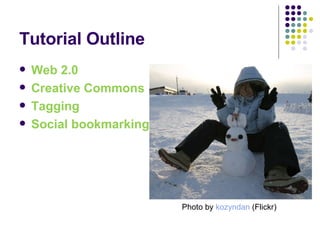
Tutorial Outline Web 2.0 Creative Commons Tagging Social bookmarking Photo by  kozyndan  (Flickr)
What’s with the 2.0? Web 2.0 Collaborative culture Sharing content User-centered (vs. creator-centered) Web-based software (vs. computer-based software) More than new technologies – a change in attitude – more open, trusting, interactive, engaging From “go get it” to “bring it to me”
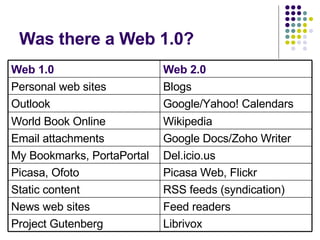
Was there a Web 1.0? Web 1.0 Web 2.0 Personal web sites Blogs Outlook Google/Yahoo! Calendars World Book Online Wikipedia Email attachments Google Docs/Zoho Writer My Bookmarks, PortaPortal Del.icio.us Picasa, Ofoto Picasa Web, Flickr Static content RSS feeds (syndication) News web sites Feed readers Project Gutenberg Librivox
 
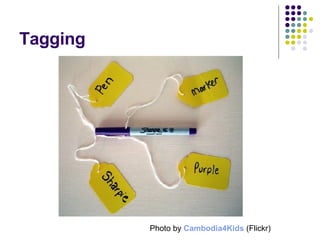
Tagging Photo by   Cambodia4Kids  (Flickr)
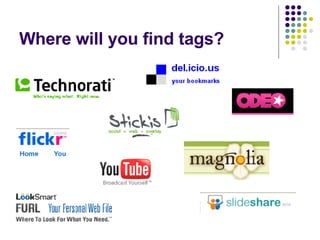
Where will you find tags?
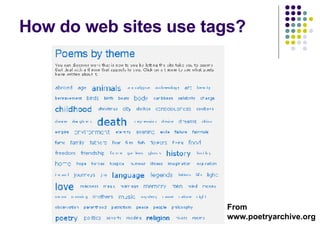
How do web sites use tags? From www.poetryarchive.org
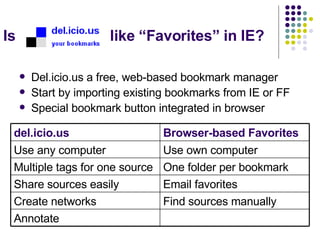
Is  like “Favorites” in IE? Del.icio.us a free, web-based bookmark manager Start by importing existing bookmarks from IE or FF Special bookmark button integrated in browser del.icio.us Browser-based Favorites Use any computer Use own computer Multiple tags for one source One folder per bookmark Share sources easily Email favorites Create networks Find sources manually Annotate
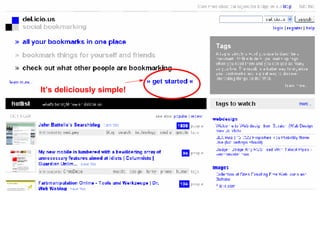
de.licio.us-ly simple It’s deliciously simple!
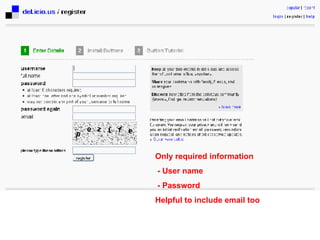
Only required information - User name - Password Helpful to include email too
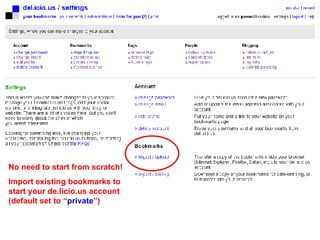
No need to start from scratch!  Import existing bookmarks to start your de.licio.us account (default set to “ private ”)
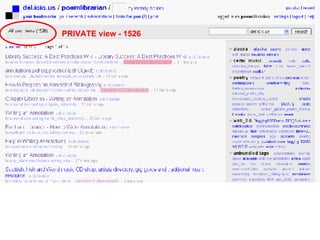
PRIVATE view - 1526
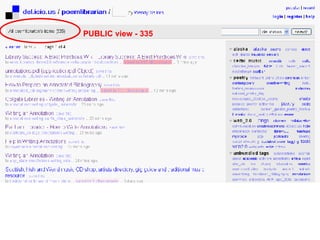
PUBLIC view - 335
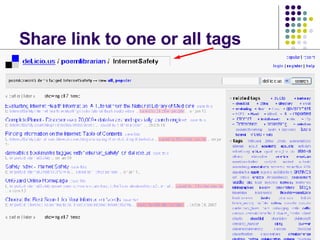
Share link to one or all tags
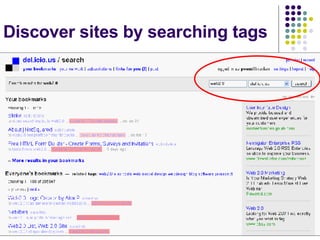
Discover sites by searching tags
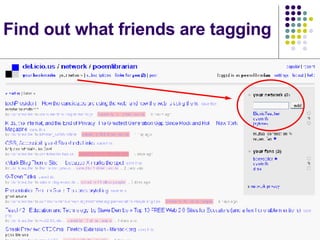
Find out what friends are tagging
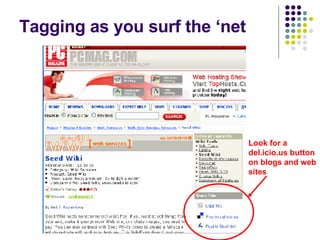
Tagging as you surf the ‘net Look for a del.icio.us button on blogs and web sites
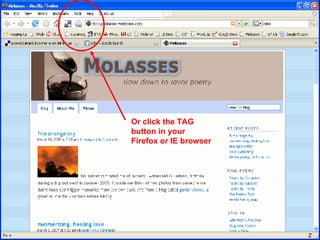
Or click the TAG button in your Firefox or IE browser
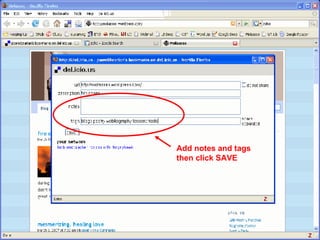
Add notes and tags then click SAVE
Cool, but how can I use it? Photo by  Questa Durron  (Flickr)
del.icio.us in your i-life Create working bibliographies for projects by ensuring they share a common tag. Build lists of resources with fellow students/ teachers(decide on common tags first). Create a network with friends or fellow club members with whom you share an interest. Subscribe to tags of favorite topics. Add del.icio.us to your Facebook profile Add a linkroll or tag cloud to your personal blog or one you’ve made for a club.

Planning & managing Decide whether you’ll create one account or two – a personal one and one for school. Spend a few minutes planning how you’ll tag so that your tags are consistent ( remember – no spaces within tags!) Plural vs singular Teacher’s names / course names Clean up your tags periodically using the delete and rename tag functions
What questions do you have?

Beyond "favorites" - social bookmarking

  • 1.
    Beyond “Favorites” –social bookmarking web 2.0, tagging, & del.icio.us Ms. Sellors, library media specialist MLWGS, September 2007
  • 2.
    Photo by kozyndan (Flickr)
  • 3.
    Tutorial Outline Web2.0 Creative Commons Tagging Social bookmarking Photo by kozyndan (Flickr)
  • 4.
    What’s with the2.0? Web 2.0 Collaborative culture Sharing content User-centered (vs. creator-centered) Web-based software (vs. computer-based software) More than new technologies – a change in attitude – more open, trusting, interactive, engaging From “go get it” to “bring it to me”
  • 5.
    Was there aWeb 1.0? Web 1.0 Web 2.0 Personal web sites Blogs Outlook Google/Yahoo! Calendars World Book Online Wikipedia Email attachments Google Docs/Zoho Writer My Bookmarks, PortaPortal Del.icio.us Picasa, Ofoto Picasa Web, Flickr Static content RSS feeds (syndication) News web sites Feed readers Project Gutenberg Librivox
  • 6.
  • 7.
    Tagging Photo by Cambodia4Kids (Flickr)
  • 8.
    Where will youfind tags?
  • 9.
    How do websites use tags? From www.poetryarchive.org
  • 10.
    Is like“Favorites” in IE? Del.icio.us a free, web-based bookmark manager Start by importing existing bookmarks from IE or FF Special bookmark button integrated in browser del.icio.us Browser-based Favorites Use any computer Use own computer Multiple tags for one source One folder per bookmark Share sources easily Email favorites Create networks Find sources manually Annotate
  • 11.
    de.licio.us-ly simple It’sdeliciously simple!
  • 12.
    Only required information- User name - Password Helpful to include email too
  • 13.
    No need tostart from scratch! Import existing bookmarks to start your de.licio.us account (default set to “ private ”)
  • 14.
  • 15.
  • 16.
    Share link toone or all tags
  • 17.
    Discover sites bysearching tags
  • 18.
    Find out whatfriends are tagging
  • 19.
    Tagging as yousurf the ‘net Look for a del.icio.us button on blogs and web sites
  • 20.
    Or click theTAG button in your Firefox or IE browser
  • 21.
    Add notes andtags then click SAVE
  • 22.
    Cool, but howcan I use it? Photo by Questa Durron (Flickr)
  • 23.
    del.icio.us in youri-life Create working bibliographies for projects by ensuring they share a common tag. Build lists of resources with fellow students/ teachers(decide on common tags first). Create a network with friends or fellow club members with whom you share an interest. Subscribe to tags of favorite topics. Add del.icio.us to your Facebook profile Add a linkroll or tag cloud to your personal blog or one you’ve made for a club.
  • 24.
    Planning & managingDecide whether you’ll create one account or two – a personal one and one for school. Spend a few minutes planning how you’ll tag so that your tags are consistent ( remember – no spaces within tags!) Plural vs singular Teacher’s names / course names Clean up your tags periodically using the delete and rename tag functions
  • 25.

Editor's Notes

  • #2 This is the first of three brief tutorials about web-based tools that can facilitate collaboration with your librarian, fellow teachers, and among your students.