1
omputer Science & Engineering 2111
Introduction to Database Systems
CSE 2111-Introduction to Database Systems
2
Database Terms
– Data
• A collection of numbers and text
– 273459368
– Information
• Meaning derived from the data
– SSN: 273-45-9368
CSE 2111-Introduction to Database Systems
3
What is a database?
• A large collection of data stored in a well-defined structure
– You can think of a database as
• An electronic filing system
• A repository for large amounts of information
– Example of a paper database
• Telephone book
• Examples of computer databases
– Ohio State stores student information in a database
– Insurance companies store policy holder information in a
database
– Your employer stores your information in a database
CSE 2111-Introduction to Database Systems
4
Database Software
• How do I create a database?
– Purchase the software
• We will use MS Access, but there are many database
software products
– Oracle
– Sybase
– SQL Server
• How do I access information in the database?
– Purchase a Database Management System (DBMS)
• A DBMS is a collection of programs that enable you to
enter, organize, and select data in a database.
– We will use MS Access, but there are many database
management software products
CSE 2111-Introduction to Database Systems
 Tables - a list of data organized into fields and records
 Queries - question structures to sort, filter and select
specific information
 Forms - structures for screen views of data
 Reports - structures for written output of data
 Program Modules & Macros - program code to perform
specific actions
DBMS “objects”:
CSE 2111- Introduction to Database
Management Systems
5
6
Tables
• A table is an entity used to organize
information by categories of like information
• A database is made up of one or more tables
CSE 2111 Introduction to Database
Management Systems
7
Queries
• Used to extract information from a database
CSE 2111 Introduction to Database
Management Systems
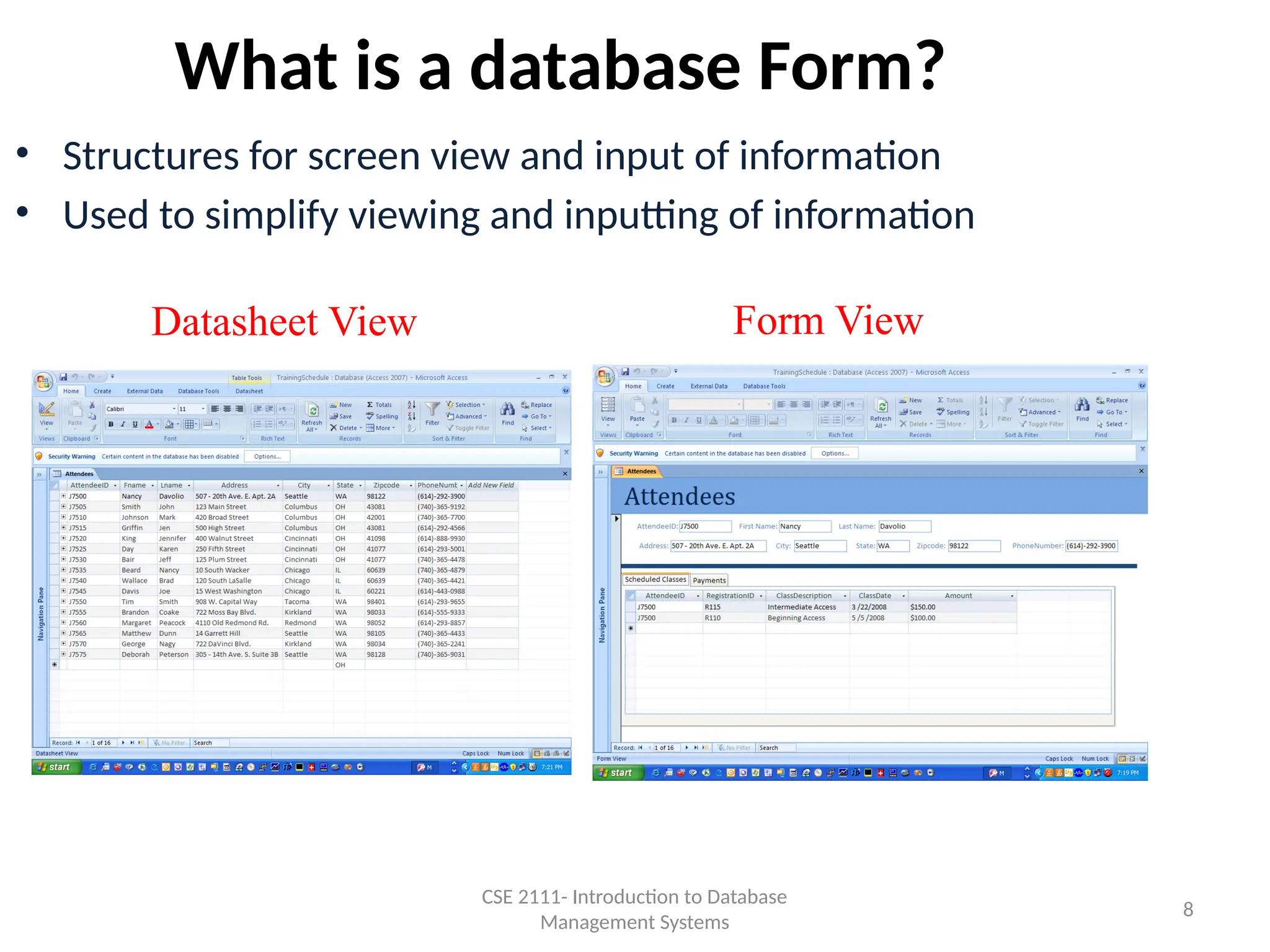
What is a database Form?
• Structures for screen view and input of information
• Used to simplify viewing and inputting of information
Datasheet View Form View
CSE 2111- Introduction to Database
Management Systems
8
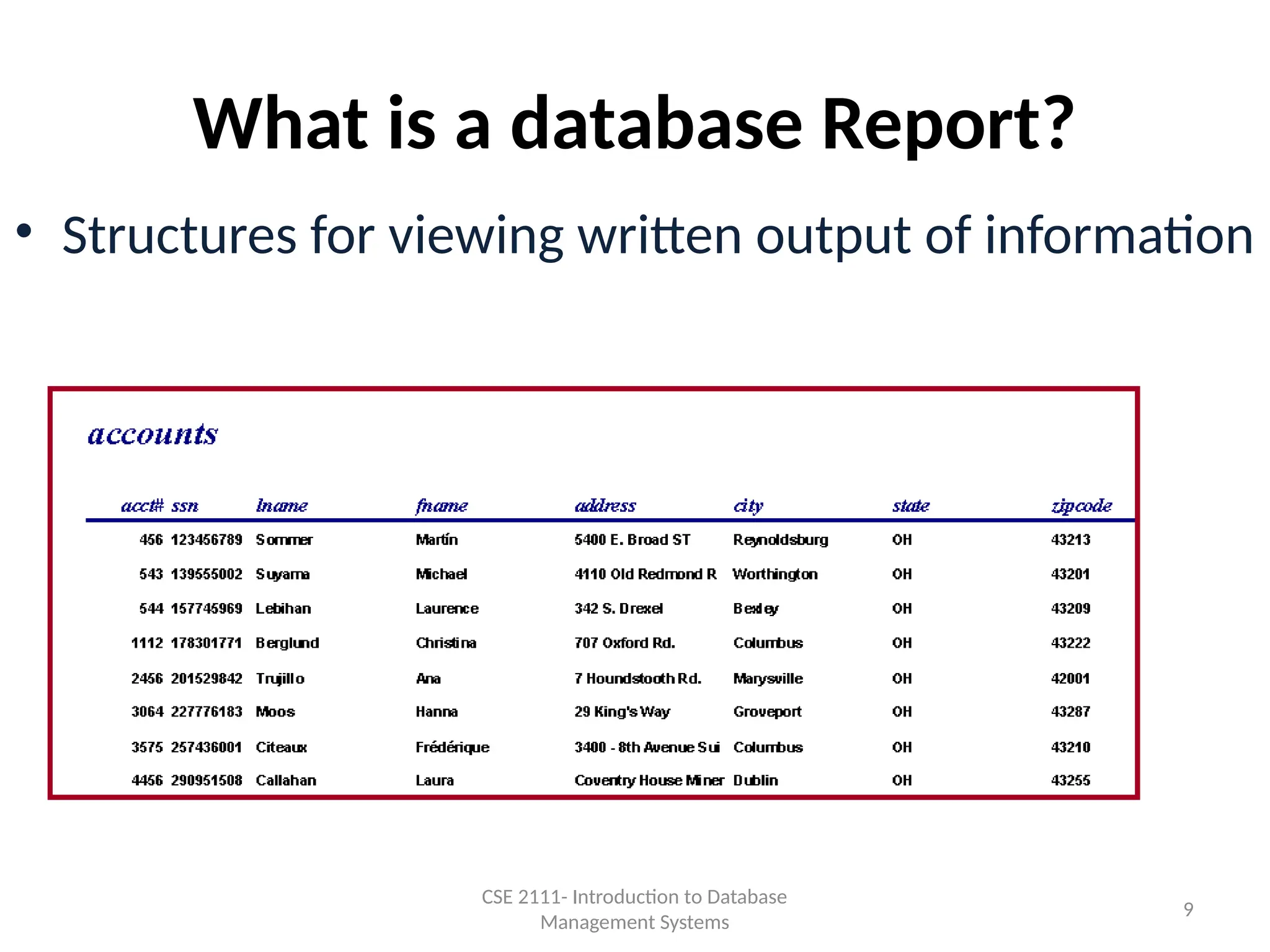
• Structures for viewing written output of information
What is a database Report?
CSE 2111- Introduction to Database
Management Systems
9
10
• The design should be initially created schematically, and
then the database should be created using the chosen
database software
Steps when setting up a Database
CSE 2111-Introduction to Database Systems
11
1. Decide what information you will store in the database
Research Papers database
First Name Charge Amount
Last Name Charge Date
Address Payment Amount
City Payment Type
State Payment Date
Zip Code
Home Phone
This database is a very simplistic one. Most databases you create will be much more
complex.
CSE 2111-Introduction to Database Systems
12
2. Create the layout of the database
• What tables do you need in your database?
• What is a table?
– An entity used to organize information by categories of like
information
CSE 2111-Introduction to Database Systems
13
Research Papers Database Tables
CSE 2111-Introduction to Database Systems
• Client
Stores client information
• Charges
Stores client charges information
• Payments
Stores client payment information
• PaymentMethod
Stores the payment method
Credit Card
Cash
Check
14
2. Create the layout of the database
• What fields do you need in your database?
• What is a field?
– An attribute (piece of information) of the table/entity.
• How will you set them up?
– Divide Tables into Inseparable Fields
•Address as 1 field –
• 17 Main St. New York, New York 10002
•Address as 4 fields
• Street Address - 17 Main St.
• City - New York
• State - New York
• Zip code – 10002
CSE 2111-Introduction to Database Systems
15
Research Papers Database
Table Name: Client
Fields: Client ID
First Name
Last Name
Address
City
State
Zip Code
Home Phone
Table Name: Charges
Fields: Client ID
Charge Amount
Charge Date
Table Name: Payments
Fields: Client ID
Payment Amount
Payment Type
Payment Date
Table Name: PaymentMethod
Fields: MethodID
MethodType
CSE 2111-Introduction to Database Systems
16
2. Create the layout of the database
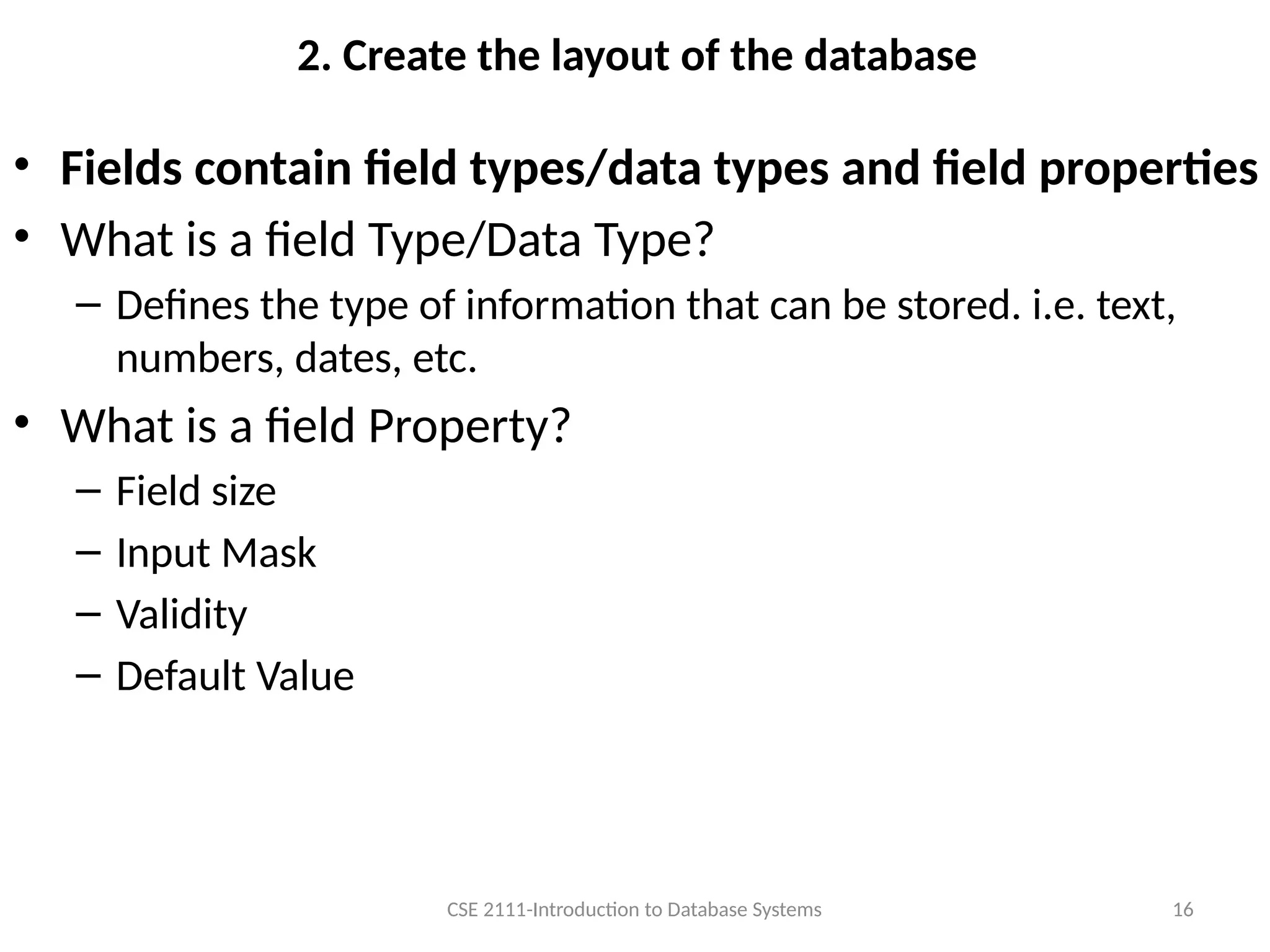
• Fields contain field types/data types and field properties
• What is a field Type/Data Type?
– Defines the type of information that can be stored. i.e. text,
numbers, dates, etc.
• What is a field Property?
– Field size
– Input Mask
– Validity
– Default Value
CSE 2111-Introduction to Database Systems
17
Research Papers Database
Table Name: Client Field Type/
Data Type
Properties
Fields: Client ID Text 5 Characters long Primary Key
First Name Text 25 Characters long
Last Name Text 50 Characters long
Address Text 60 Characters long
City Text 25 Characters long
State Text 2 Characters long Default Value
Zip Code Text 5 Characters long
Home Phone Text 10 Characters long Input Mask
Table Name: Charges Field Type Properties
Fields: Client ID Text 5 Characters long
Charge Amount Currency None
Charge Date Date Input Mast
Table Name: Payments Field Type Properties
Fields: Client ID Text 5 Characters long
Payment Amount Currency None
Payment Type Text 2 Characters long
Payment Date Date Input Mask
Table Name: PaymentMethod Field Type Properties
Fields: MethodID Text 2 Characters long
MethodType Text 20 Characters long
CSE 2111-Introduction to Database Systems
18
2. Create the layout of the database
• What will be the primary key for each table?
• A field, or a collection of fields, whose values uniquely
identify each record in a table
• A primary key is a table column that can be used to uniquely
identify every row of the table. Any column that has this
property will do -- these columns are called candidate keys.
A table can have many candidate keys but only one primary
key. ... A composite primary key is a primary key consisting
of more than one column.
CSE 2111-Introduction to Database Systems
19
Research Papers Database
Table Name: Client Field Type/
Data Type
Properties
Fields: Client ID Text 5 Characters long Primary Key
First Name Text 25 Characters long
Last Name Text 50 Characters long
Address Text 60 Characters long
City Text 25 Characters long
State Text 2 Characters long Default Value
Zip Code Text 5 Characters long
Home Phone Text 10 Characters long Input Mask
Table Name: Charges Field Type Properties
Fields: Client ID Text 5 Characters long
Charge Amount Currency None
Charge Date Date Input Mast
Table Name: Payments Field Type Properties
Fields: Client ID Text 5 Characters long
Payment Amount Currency None
Payment Type Text 2 Characters long
Payment Date Date Input Mask
Table Name: PaymentMethod Field Type Properties
Fields: MethodID Text 2 Characters long
MethodType Text 20 Characters long
CSE 2111-Introduction to Database Systems
File
Table
Primary
Key
Each Record is made
up of 8 Fields Data Type/Field Type
Field Properties
A field, or combination of fields,
which uniquely identifies a record
in a database
Primary
Key
CSE 2111-Introduction to Database Systems 20
How is a database Organized?
(Hierarchy of Data in a database)
Table
Each Record is made up of 8 Fields
File
16 Records CSE 2111-Introduction to Database Systems 21
Steps when setting up a Database
1. Decide what information you will store in
the database
2. Create the layout of the database
CSE 2111-Introduction to Database
Management Systems
22
3. Create a relationship diagram to identify the table
relationships, primary keys and foreign keys
• We know the information we want to store, but how do we match a
customer’s name to their charges and payments?
• We need a way to relate these two tables to extract useful
information.
• We can relate these two tables by matching the Client ID
• Foreign key
• A field that defines the relationship between 2 tables
• Relationship Rules
• Must be a primary key (unique) in at least one of the tables
• The field names on each table do not have to match as long as
the information is the same.
• The related fields must be the same data type
– number, text etc.
CSE 2111-Introduction to Database
Management Systems
23
Table Name:
Client
Primary Key:
ClientID
Table Name:
Charges
Primary Key:
None
Foreign Key:
ClientID
On Charges table
Foreign Key:
ClientID On Payments table
Table Name:
MethodTypes
Primary Key:
MethodID
Foreign Key:
PaymentType On Payments table
RELATIONSHIP DIAGRAM FOR
RESEARCH PAPERS DATABASE
1 1
1
∞
∞
∞
CSE 2111-Introduction to Database
Management Systems
24
Table Name:
Payments
Primary Key:
None
4. Create the database using the database software
• Create tables
– Fields
– Primary keys
– Field Types
– Field Properties
• Create Relationships
– “Join” tables
– Enforce Referential Data Integrity
• A set of rules that specifies what records may exist in each table
– A record input with a foreign key must always have a matching record in the primary
key table in the relationship
• Cascade Delete Related Records
– Removing any entry in a primary key field will automatically remove all entries in
foreign key fields of related tables.
• Cascade Update Related Records
– Updating any entry in a primary key field will automatically update all entries in foreign
key fields of related tables.
• Input the information
CSE 2111-Introduction to Database
Management Systems
25
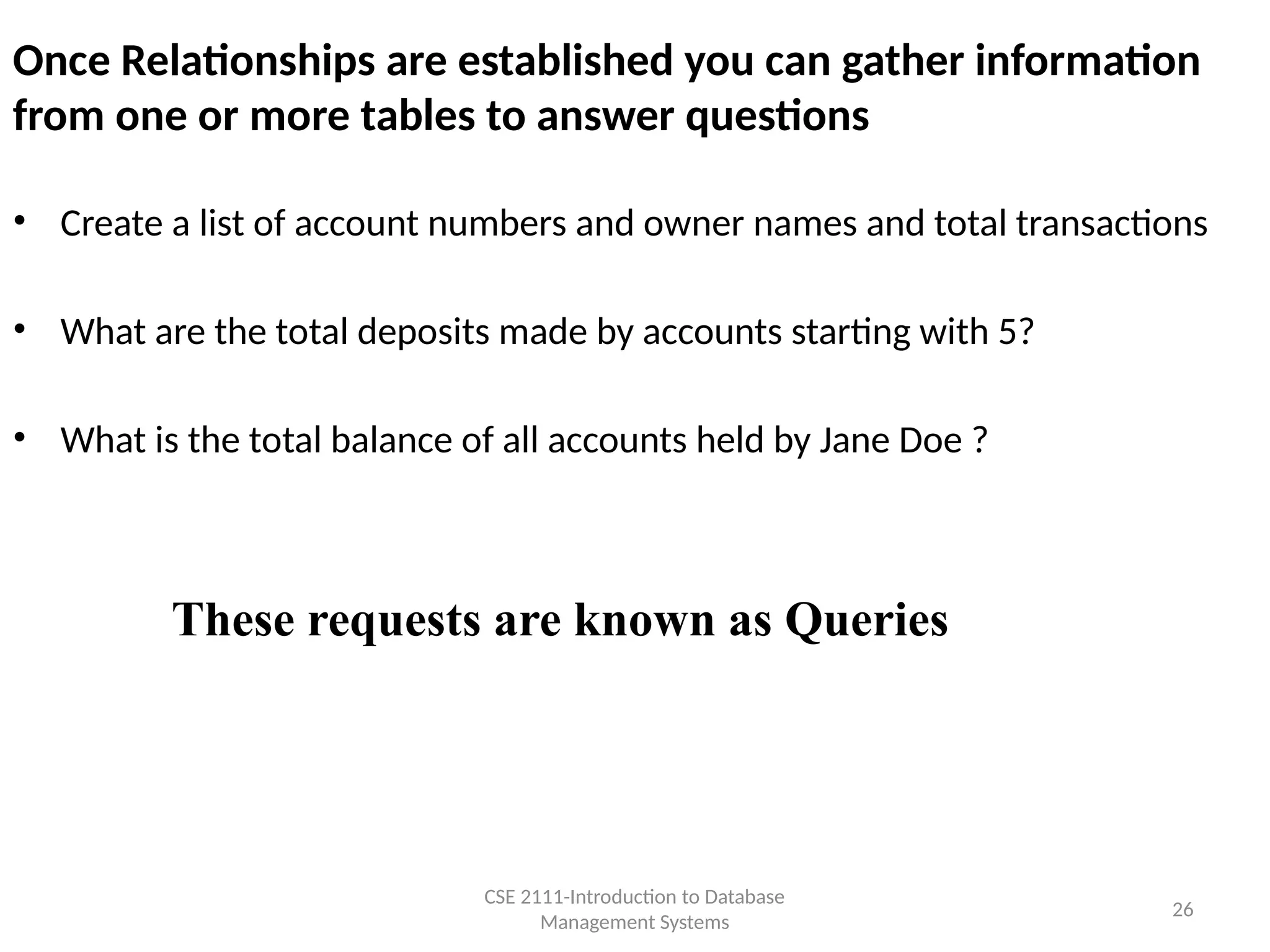
Once Relationships are established you can gather information
from one or more tables to answer questions
• Create a list of account numbers and owner names and total transactions
• What are the total deposits made by accounts starting with 5?
• What is the total balance of all accounts held by Jane Doe ?
These requests are known as Queries
CSE 2111-Introduction to Database
Management Systems
26
Defining Properties for each Field in a Table
For a person’s social security number use:
• What field type?
– Text, Number - Short Integer, Number- Long
Integer etc.
• Should it be optional or required?
• Does the value need to be within certain
limits or from a predefined list?
• Is there a default value?
• Would an input mask be appropriate
CSE 2111- Introduction to Database
Management Systems
27
How should you decide what information goes on which table?
• If a fact appears in more than one record of a table, then this
fact should probably be defined in another table.
– Example: Account number
• Each fact should change in only one place
– Example: Address
• Calculations shouldn’t be part of the database
– Example: Current Balance
• Select a Primary Key where applicable so you can relate your
tables
– Example: Account number
CSE 2111- Introduction to Database
Management Systems
28

Best Data Base Management [introduction].pptx

  • 1.
    1 omputer Science &Engineering 2111 Introduction to Database Systems CSE 2111-Introduction to Database Systems
  • 2.
    2 Database Terms – Data •A collection of numbers and text – 273459368 – Information • Meaning derived from the data – SSN: 273-45-9368 CSE 2111-Introduction to Database Systems
  • 3.
    3 What is adatabase? • A large collection of data stored in a well-defined structure – You can think of a database as • An electronic filing system • A repository for large amounts of information – Example of a paper database • Telephone book • Examples of computer databases – Ohio State stores student information in a database – Insurance companies store policy holder information in a database – Your employer stores your information in a database CSE 2111-Introduction to Database Systems
  • 4.
    4 Database Software • Howdo I create a database? – Purchase the software • We will use MS Access, but there are many database software products – Oracle – Sybase – SQL Server • How do I access information in the database? – Purchase a Database Management System (DBMS) • A DBMS is a collection of programs that enable you to enter, organize, and select data in a database. – We will use MS Access, but there are many database management software products CSE 2111-Introduction to Database Systems
  • 5.
     Tables -a list of data organized into fields and records  Queries - question structures to sort, filter and select specific information  Forms - structures for screen views of data  Reports - structures for written output of data  Program Modules & Macros - program code to perform specific actions DBMS “objects”: CSE 2111- Introduction to Database Management Systems 5
  • 6.
    6 Tables • A tableis an entity used to organize information by categories of like information • A database is made up of one or more tables CSE 2111 Introduction to Database Management Systems
  • 7.
    7 Queries • Used toextract information from a database CSE 2111 Introduction to Database Management Systems
  • 8.
    What is adatabase Form? • Structures for screen view and input of information • Used to simplify viewing and inputting of information Datasheet View Form View CSE 2111- Introduction to Database Management Systems 8
  • 9.
    • Structures forviewing written output of information What is a database Report? CSE 2111- Introduction to Database Management Systems 9
  • 10.
    10 • The designshould be initially created schematically, and then the database should be created using the chosen database software Steps when setting up a Database CSE 2111-Introduction to Database Systems
  • 11.
    11 1. Decide whatinformation you will store in the database Research Papers database First Name Charge Amount Last Name Charge Date Address Payment Amount City Payment Type State Payment Date Zip Code Home Phone This database is a very simplistic one. Most databases you create will be much more complex. CSE 2111-Introduction to Database Systems
  • 12.
    12 2. Create thelayout of the database • What tables do you need in your database? • What is a table? – An entity used to organize information by categories of like information CSE 2111-Introduction to Database Systems
  • 13.
    13 Research Papers DatabaseTables CSE 2111-Introduction to Database Systems • Client Stores client information • Charges Stores client charges information • Payments Stores client payment information • PaymentMethod Stores the payment method Credit Card Cash Check
  • 14.
    14 2. Create thelayout of the database • What fields do you need in your database? • What is a field? – An attribute (piece of information) of the table/entity. • How will you set them up? – Divide Tables into Inseparable Fields •Address as 1 field – • 17 Main St. New York, New York 10002 •Address as 4 fields • Street Address - 17 Main St. • City - New York • State - New York • Zip code – 10002 CSE 2111-Introduction to Database Systems
  • 15.
    15 Research Papers Database TableName: Client Fields: Client ID First Name Last Name Address City State Zip Code Home Phone Table Name: Charges Fields: Client ID Charge Amount Charge Date Table Name: Payments Fields: Client ID Payment Amount Payment Type Payment Date Table Name: PaymentMethod Fields: MethodID MethodType CSE 2111-Introduction to Database Systems
  • 16.
    16 2. Create thelayout of the database • Fields contain field types/data types and field properties • What is a field Type/Data Type? – Defines the type of information that can be stored. i.e. text, numbers, dates, etc. • What is a field Property? – Field size – Input Mask – Validity – Default Value CSE 2111-Introduction to Database Systems
  • 17.
    17 Research Papers Database TableName: Client Field Type/ Data Type Properties Fields: Client ID Text 5 Characters long Primary Key First Name Text 25 Characters long Last Name Text 50 Characters long Address Text 60 Characters long City Text 25 Characters long State Text 2 Characters long Default Value Zip Code Text 5 Characters long Home Phone Text 10 Characters long Input Mask Table Name: Charges Field Type Properties Fields: Client ID Text 5 Characters long Charge Amount Currency None Charge Date Date Input Mast Table Name: Payments Field Type Properties Fields: Client ID Text 5 Characters long Payment Amount Currency None Payment Type Text 2 Characters long Payment Date Date Input Mask Table Name: PaymentMethod Field Type Properties Fields: MethodID Text 2 Characters long MethodType Text 20 Characters long CSE 2111-Introduction to Database Systems
  • 18.
    18 2. Create thelayout of the database • What will be the primary key for each table? • A field, or a collection of fields, whose values uniquely identify each record in a table • A primary key is a table column that can be used to uniquely identify every row of the table. Any column that has this property will do -- these columns are called candidate keys. A table can have many candidate keys but only one primary key. ... A composite primary key is a primary key consisting of more than one column. CSE 2111-Introduction to Database Systems
  • 19.
    19 Research Papers Database TableName: Client Field Type/ Data Type Properties Fields: Client ID Text 5 Characters long Primary Key First Name Text 25 Characters long Last Name Text 50 Characters long Address Text 60 Characters long City Text 25 Characters long State Text 2 Characters long Default Value Zip Code Text 5 Characters long Home Phone Text 10 Characters long Input Mask Table Name: Charges Field Type Properties Fields: Client ID Text 5 Characters long Charge Amount Currency None Charge Date Date Input Mast Table Name: Payments Field Type Properties Fields: Client ID Text 5 Characters long Payment Amount Currency None Payment Type Text 2 Characters long Payment Date Date Input Mask Table Name: PaymentMethod Field Type Properties Fields: MethodID Text 2 Characters long MethodType Text 20 Characters long CSE 2111-Introduction to Database Systems
  • 20.
    File Table Primary Key Each Record ismade up of 8 Fields Data Type/Field Type Field Properties A field, or combination of fields, which uniquely identifies a record in a database Primary Key CSE 2111-Introduction to Database Systems 20
  • 21.
    How is adatabase Organized? (Hierarchy of Data in a database) Table Each Record is made up of 8 Fields File 16 Records CSE 2111-Introduction to Database Systems 21
  • 22.
    Steps when settingup a Database 1. Decide what information you will store in the database 2. Create the layout of the database CSE 2111-Introduction to Database Management Systems 22
  • 23.
    3. Create arelationship diagram to identify the table relationships, primary keys and foreign keys • We know the information we want to store, but how do we match a customer’s name to their charges and payments? • We need a way to relate these two tables to extract useful information. • We can relate these two tables by matching the Client ID • Foreign key • A field that defines the relationship between 2 tables • Relationship Rules • Must be a primary key (unique) in at least one of the tables • The field names on each table do not have to match as long as the information is the same. • The related fields must be the same data type – number, text etc. CSE 2111-Introduction to Database Management Systems 23
  • 24.
    Table Name: Client Primary Key: ClientID TableName: Charges Primary Key: None Foreign Key: ClientID On Charges table Foreign Key: ClientID On Payments table Table Name: MethodTypes Primary Key: MethodID Foreign Key: PaymentType On Payments table RELATIONSHIP DIAGRAM FOR RESEARCH PAPERS DATABASE 1 1 1 ∞ ∞ ∞ CSE 2111-Introduction to Database Management Systems 24 Table Name: Payments Primary Key: None
  • 25.
    4. Create thedatabase using the database software • Create tables – Fields – Primary keys – Field Types – Field Properties • Create Relationships – “Join” tables – Enforce Referential Data Integrity • A set of rules that specifies what records may exist in each table – A record input with a foreign key must always have a matching record in the primary key table in the relationship • Cascade Delete Related Records – Removing any entry in a primary key field will automatically remove all entries in foreign key fields of related tables. • Cascade Update Related Records – Updating any entry in a primary key field will automatically update all entries in foreign key fields of related tables. • Input the information CSE 2111-Introduction to Database Management Systems 25
  • 26.
    Once Relationships areestablished you can gather information from one or more tables to answer questions • Create a list of account numbers and owner names and total transactions • What are the total deposits made by accounts starting with 5? • What is the total balance of all accounts held by Jane Doe ? These requests are known as Queries CSE 2111-Introduction to Database Management Systems 26
  • 27.
    Defining Properties foreach Field in a Table For a person’s social security number use: • What field type? – Text, Number - Short Integer, Number- Long Integer etc. • Should it be optional or required? • Does the value need to be within certain limits or from a predefined list? • Is there a default value? • Would an input mask be appropriate CSE 2111- Introduction to Database Management Systems 27
  • 28.
    How should youdecide what information goes on which table? • If a fact appears in more than one record of a table, then this fact should probably be defined in another table. – Example: Account number • Each fact should change in only one place – Example: Address • Calculations shouldn’t be part of the database – Example: Current Balance • Select a Primary Key where applicable so you can relate your tables – Example: Account number CSE 2111- Introduction to Database Management Systems 28