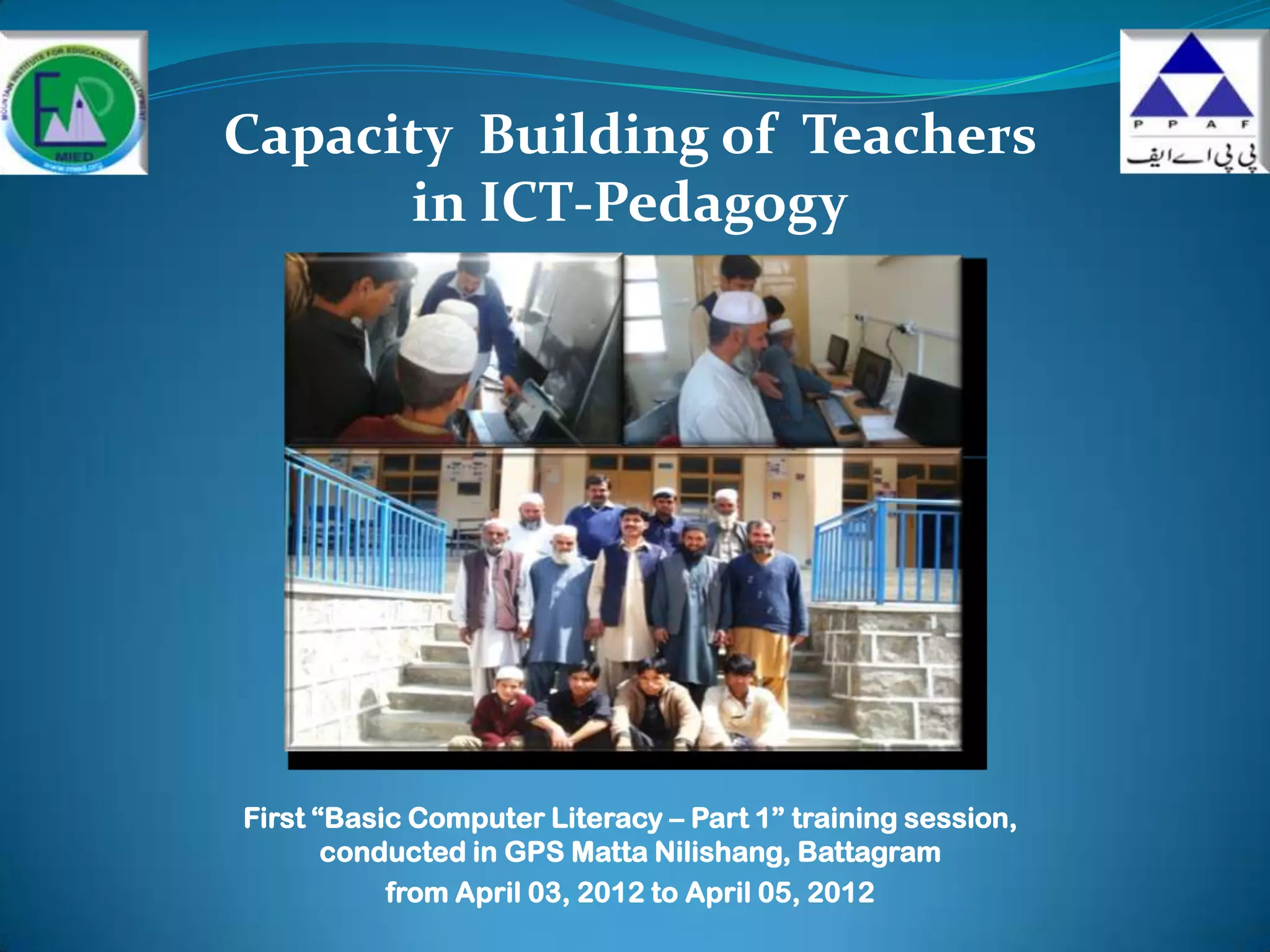
Capacity Building of Teachers
      in ICT-Pedagogy


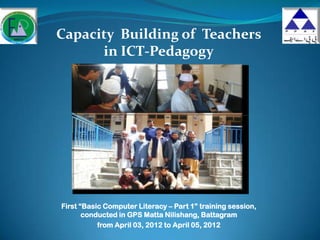
First “Basic Computer Literacy – Part 1” training session,
       conducted in GPS Matta Nilishang, Battagram
           from April 03, 2012 to April 05, 2012
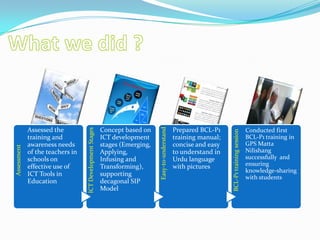
Easy-to-understand
             Assessed the                                  Concept based on                         Prepared BCL-P1
                                  ICT Development Stages


                                                                                                                                                 Conducted first


                                                                                                                       BCL-P1 training session
             training and                                  ICT development                          training manual;                             BCL-P1 training in
             awareness needs                               stages (Emerging,                        concise and easy                             GPS Matta
Assessment


             of the teachers in                            Applying,                                to understand in                             Nilishang
             schools on                                    Infusing and                             Urdu language                                successfully and
             effective use of                              Transforming),                           with pictures                                ensuring
                                                                                                                                                 knowledge-sharing
             ICT Tools in                                  supporting
                                                                                                                                                 with students
             Education                                     decagonal SIP
                                                           Model
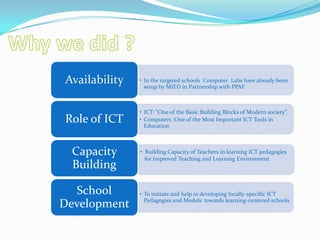
Availability   • In the targeted schools Computer Labs have already been
                 setup by MIED in Partnership with PPAF


               • ICT: “One of the Basic Building Blocks of Modern society”.
Role of ICT    • Computers :One of the Most Important ICT Tools in
                 Education


 Capacity      • Building Capacity of Teachers in learning ICT pedagogies
                 for Improved Teaching and Learning Environment
 Building

  School       • To initiate and help in developing locally-specific ICT
                 Pedagogies and Models towards learning-centered schools
Development
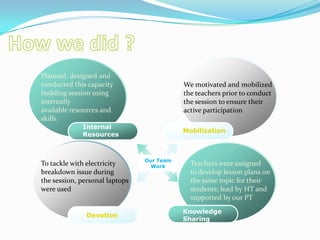
Planned, designed and
conducted this capacity                    We motivated and mobilized
building session using                     the teachers prior to conduct
internally                                 the session to ensure their
available resources and                    active participation
skills
             Internal
                                           Mobilization
             Resources


                                Our Team
To tackle with electricity        Work       Teachers were assigned
breakdown issue during                       to develop lesson plans on
the session, personal laptops                the same topic for their
were used                                    students; lead by HT and
                                             supported by our PT
                                           Knowledge
               Devotion
                                           Sharing
Lessons learned…
 Novices in novice-only sessions.
 Avoid technical jargons.
 Emphasis should be placed on building positive initial
    experience with computer.
   Emphasize not what the computer can do, but what the
    user can do with the computer.
   Encourage teachers to continue practicing hands-on even
    after the training sessions.
   Strategy of proper supervision and facilitation; necessary to
    ensure effective utilization of such tools.
   Teamwork with innovative ideas can lead us to achieve our
    goals.
Looking forward…
 On-the-job support to teachers in GPS Matta
    Nilishang to develop lesson plans for their students.
   BCL-P1 in GPS Batta Mori from April 09, 2012 to April
    10, 2012
   How to conduct these sessions in girls schools?
   How to ensure proper supervision and facilitation in
    these computer labs?
   How to tackle with frequent and unscheduled
    electricity breakdowns?
Thank you very much!

Basic Computer Literacy - P1

  • 1.
    Capacity Building ofTeachers in ICT-Pedagogy First “Basic Computer Literacy – Part 1” training session, conducted in GPS Matta Nilishang, Battagram from April 03, 2012 to April 05, 2012
  • 2.
    Easy-to-understand Assessed the Concept based on Prepared BCL-P1 ICT Development Stages Conducted first BCL-P1 training session training and ICT development training manual; BCL-P1 training in awareness needs stages (Emerging, concise and easy GPS Matta Assessment of the teachers in Applying, to understand in Nilishang schools on Infusing and Urdu language successfully and effective use of Transforming), with pictures ensuring knowledge-sharing ICT Tools in supporting with students Education decagonal SIP Model
  • 3.
    Availability • In the targeted schools Computer Labs have already been setup by MIED in Partnership with PPAF • ICT: “One of the Basic Building Blocks of Modern society”. Role of ICT • Computers :One of the Most Important ICT Tools in Education Capacity • Building Capacity of Teachers in learning ICT pedagogies for Improved Teaching and Learning Environment Building School • To initiate and help in developing locally-specific ICT Pedagogies and Models towards learning-centered schools Development
  • 4.
    Planned, designed and conductedthis capacity We motivated and mobilized building session using the teachers prior to conduct internally the session to ensure their available resources and active participation skills Internal Mobilization Resources Our Team To tackle with electricity Work Teachers were assigned breakdown issue during to develop lesson plans on the session, personal laptops the same topic for their were used students; lead by HT and supported by our PT Knowledge Devotion Sharing
  • 5.
    Lessons learned…  Novicesin novice-only sessions.  Avoid technical jargons.  Emphasis should be placed on building positive initial experience with computer.  Emphasize not what the computer can do, but what the user can do with the computer.  Encourage teachers to continue practicing hands-on even after the training sessions.  Strategy of proper supervision and facilitation; necessary to ensure effective utilization of such tools.  Teamwork with innovative ideas can lead us to achieve our goals.
  • 6.
    Looking forward…  On-the-jobsupport to teachers in GPS Matta Nilishang to develop lesson plans for their students.  BCL-P1 in GPS Batta Mori from April 09, 2012 to April 10, 2012  How to conduct these sessions in girls schools?  How to ensure proper supervision and facilitation in these computer labs?  How to tackle with frequent and unscheduled electricity breakdowns?
  • 7.

Editor's Notes

  • #2 Custom animation effects: fly by letter(Basic)To reproduce the text effects on this slide, do the following:On the Home tab, in theSlides group, click Layout, and then click Blank.On the Insert tab, in the Text group, click Text Box, and then on the slide, drag to draw the text box. Enter text in the text box, select the text, and then on the Home tab, in the Font group, select Corbel from the Font list, enter 50 in the Font Size list, and click Bold.On the Home tab, in the Paragraph group, click Center to center the text.Select the text box. Under Drawing Tools, on the Format tab, in the WordArt Styles, click the Format Text Effects: Text Box dialog box launcher. In the Format Text Effects dialog box, in the left pane, click Text Fill. In the Text Fill pane, select Solid Fill, and in the Color list, select Olive Green, Accent 3 (first row, seventh option from the left).Also in the Format Text Effects dialog box, in the left pane, click 3-D Format. In the 3-D Format pane, do the following:Under Bevel, click the button next to Top, and then under Bevel click Angle (second row, first option from the left). Next to Top, in the Width box, enter 1.5pt, and in the Height box, enter 1.5 pt.Under Depth, click the button next to Color, and then click Automatic. In the Depth box, enter 2.5pt.Under Contour, click the button next to Color, and then under Theme Colors click Olive Green, Accent 3 (first row, seventh option from the left).Under Surface, click the button next to Material, and then under Translucent click Powder (first option from the left). Click the button next to Lighting, and then under Special click Flat (first option from the left). In the Angle box, enter 315°.On the slide, select the text box. On the Home tab, in the Drawing group, click Arrange, point to Align, and then do the following:Click Align to Slide.Click Align Middle.Click Align Center.To reproduce the animation effects on this slide, do the following:On the Animations tab, in the Animations group, click CustomAnimation. On the slide, select the text box. In the CustomAnimation task pane, do the following:Click AddEffect, point to Entrance, and then click MoreEffects. In the AddEntranceEffect dialog box, under Basic, click FlyIn. Select the animation effect (fly-in effect for the text box). Click the arrow to the right of the selected effect, and then click Effect Options. In the FlyIn dialog box, do the following:On the Effect tab, do the following:In the Direction list, select FromLeft.In the AnimateText list, select ByLetters.In the % delay between letters box, enter 6.On the Timing tab, do the following:In the Start list, select WithPrevious.In the Speed list, select 1 seconds (Fast). On the slide, select the text box. In the CustomAnimation task pane, do the following:Click AddEffect, point to Exit, and then click MoreEffects. In the AddExitEffect dialog box, under Basic, click FlyOut. Select the second animation effect (fly-out effect for the text box). Click the arrow to the right of the selected effect, and then click Effect Options. In the FlyOut dialog box, do the following:On the Effect tab, do the following:In the Direction list, select To Right.In the AnimateText list, select ByLetters.In the % delay between letters box, enter 6.On the Timing tab, do the following:In the Start list, select AfterPrevious.In the Delay box, enter 1.5.In the Speed list, select 1 seconds (Fast). To reproduce the background on this slide, do the following: Right-click the slide background area, and then click Format Background. In the Format Background dialog box, click Fill in the left pane, select Gradient fill in the Fill pane, and then do the following:In the Type list, select Radial.Click the button next to Direction, and then click From Center (third option from the left).Under Gradient stops, click Add or Remove until two stops appear in the drop-down list.Also under Gradient stops, customize the gradient stops that you added as follows:Select Stop 1 from the list, and then do the following:In the Stop position box, enter 0%.Click the button next to Color, and then under Theme Colors click Black, Text 1, Lighter 50% (second row, second option from the left).Select Stop 2 from the list, and then do the following: In the Stop position box, enter 100%.Click the button next to Color, and then under Theme Colors click Black, Text 1 (first row, second option from the left).