
EUROPE
Developer Session
CREATE SCANNING APP
Across Multiple Android Devices
Pietro F. Maggi
EMEA SW Consultant Sales Engineer
Part 1: Basics and Getting Started
• Barcode Scanning on Zebra Devices
• Disabling EMDK code when running on a non Zebra device
Part 2: Guideline on going forward
• Scanning across Multiple Android devices
• Design Considerations
Create Scanning Application Across Multiple Android Devices
Outline
Part 1: Basics and Getting Started
• Barcode Scanning on Zebra Devices
• Disabling EMDK code when running on a non Zebra device
Part 2: Guideline on going forward
• Scanning across Multiple Android devices
• Design Considerations
Create Scanning Application Across Multiple Android Devices
Outline
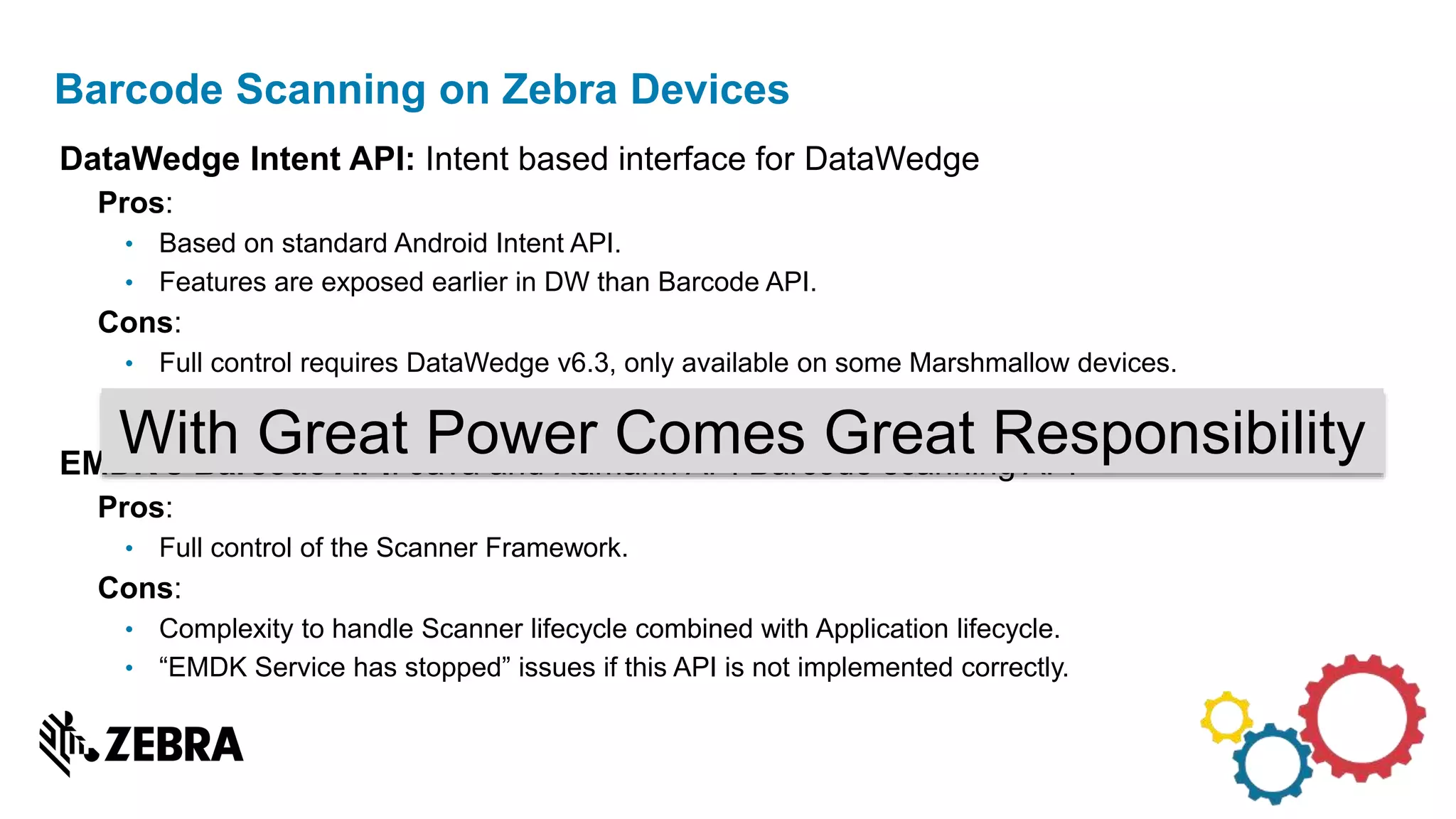
DataWedge Intent API: Intent based interface for DataWedge
Pros:
• Based on standard Android Intent API.
• Features are exposed earlier in DW than Barcode API.
Cons:
• Full control requires DataWedge v6.3, only available on some Marshmallow devices.
• Not possible to backport newer DataWedge version on older BSP.
EMDK’s Barcode API: Java and Xamarin API Barcode scanning API
Pros:
• Full control of the Scanner Framework.
Cons:
• Complexity to handle Scanner lifecycle combined with Application lifecycle.
• “EMDK Service has stopped” issues if this API is not implemented correctly.
Barcode Scanning on Zebra Devices
With Great Power Comes Great Responsibility
Design Considerations : Barcode Integration
Do you really need a Barcode API?
Complexity
Control
DataWedge
Keyboard emulation
legacy DataWedge
Intents
DataWedge 6.3
Intents*
Barcode API
*Not yet released
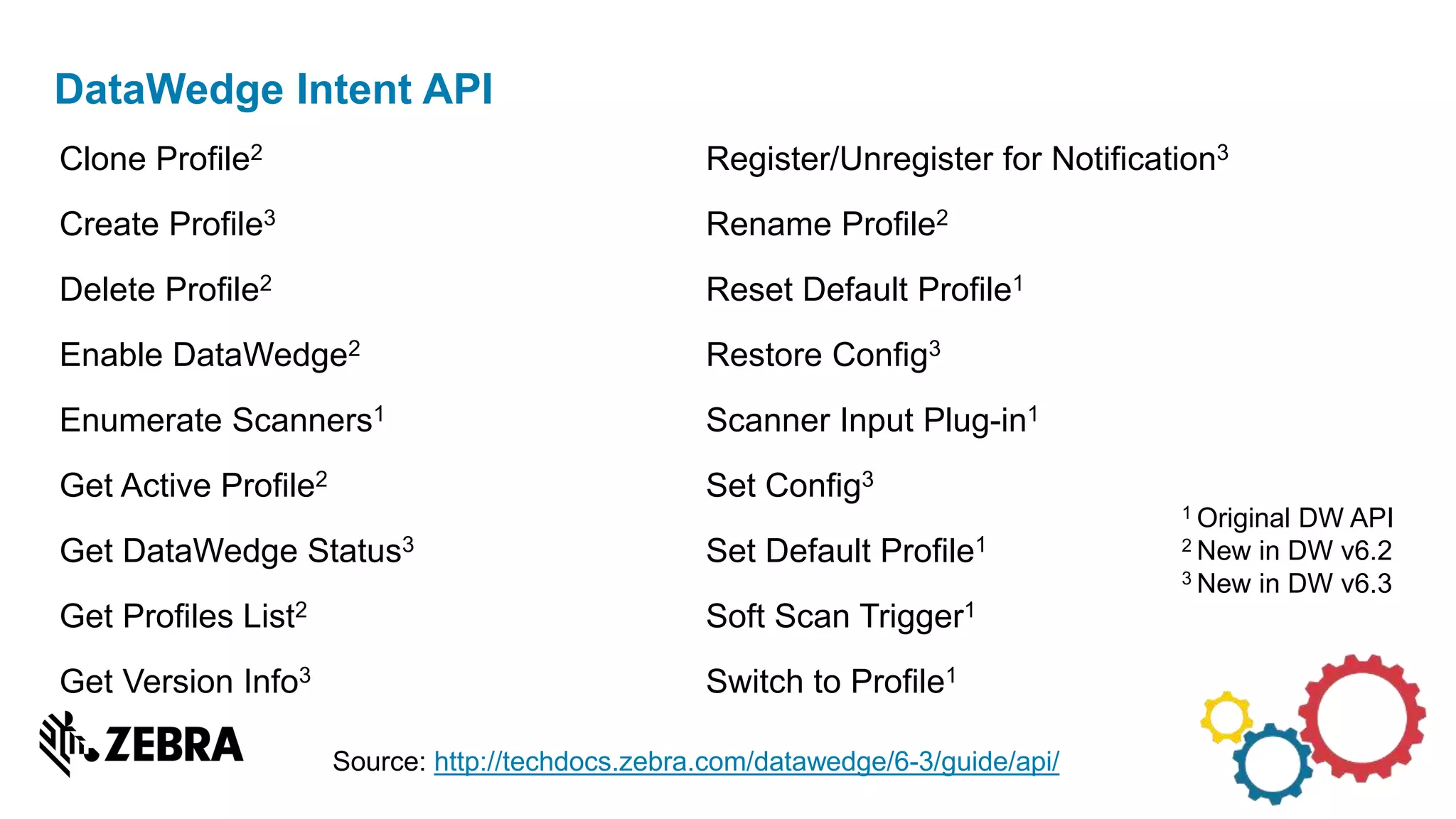
Clone Profile2
Create Profile3
Delete Profile2
Enable DataWedge2
Enumerate Scanners1
Get Active Profile2
Get DataWedge Status3
Get Profiles List2
Get Version Info3
Register/Unregister for Notification3
Rename Profile2
Reset Default Profile1
Restore Config3
Scanner Input Plug-in1
Set Config3
Set Default Profile1
Soft Scan Trigger1
Switch to Profile1
DataWedge Intent API
Source: http://techdocs.zebra.com/datawedge/6-3/guide/api/
1 Original DW API
2 New in DW v6.2
3 New in DW v6.3
Part 1: Basics and Getting Started
• Barcode Scanning on Zebra Devices
• Disabling EMDK code when running on a non Zebra device
Part 2: Guideline on going forward
• Scanning across Multiple Android devices
• Design Considerations
Create Scanning Application Across Multiple Android Devices
Outline
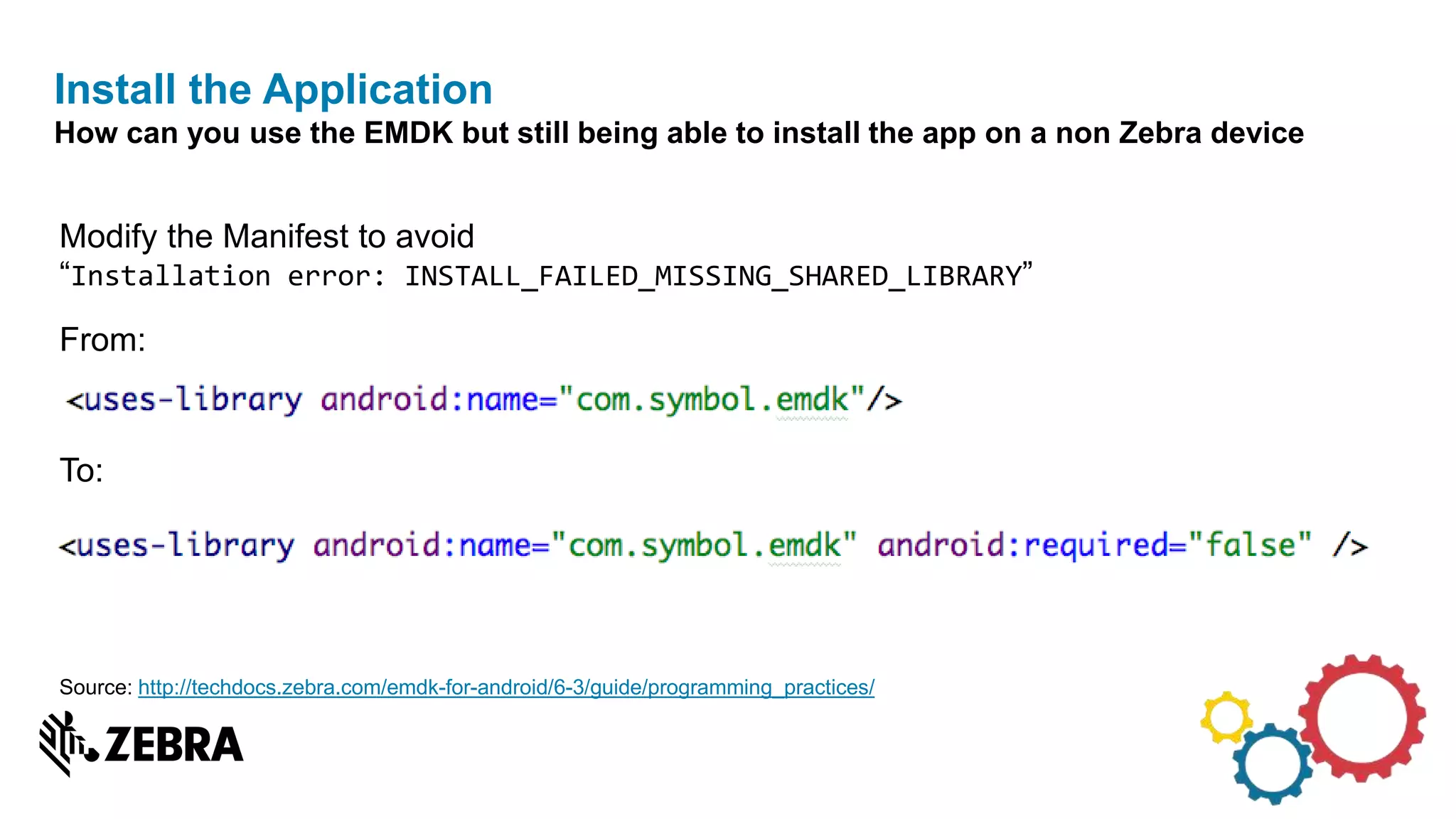
Modify the Manifest to avoid
“Installation error: INSTALL_FAILED_MISSING_SHARED_LIBRARY”
From:
To:
Install the Application
How can you use the EMDK but still being able to install the app on a non Zebra device
Source: http://techdocs.zebra.com/emdk-for-android/6-3/guide/programming_practices/
• Modify the main activity to avoid "ClassNotFoundException" exception
Install the Application (cont.)
How can you use the EMDK but still being able to install the app on a non Zebra device
Source: http://techdocs.zebra.com/emdk-for-android/6-3/guide/programming_practices/
Look for the package:
Directly checking for EMDK
Checking for EMDK package allows to get info about installed version
Source: http://techdocs.zebra.com/emdk-for-android/6-3/guide/programming_practices/
Use the package manager to get the information you need:
Directly checking for EMDK (Cont.)
Checking for EMDK package allows to get info about installed version
Source: https://github.com/pfmaggi/GetDeviceInfo_EMDK
Part 1: Basics and Getting Started
• Barcode Scanning on Zebra Devices
• Disabling EMDK code when running on a non Zebra device
Part 2: Guideline on going forward
• Scanning across Multiple Android devices
• Design Considerations
Create Scanning Application Across Multiple Android Devices
Outline
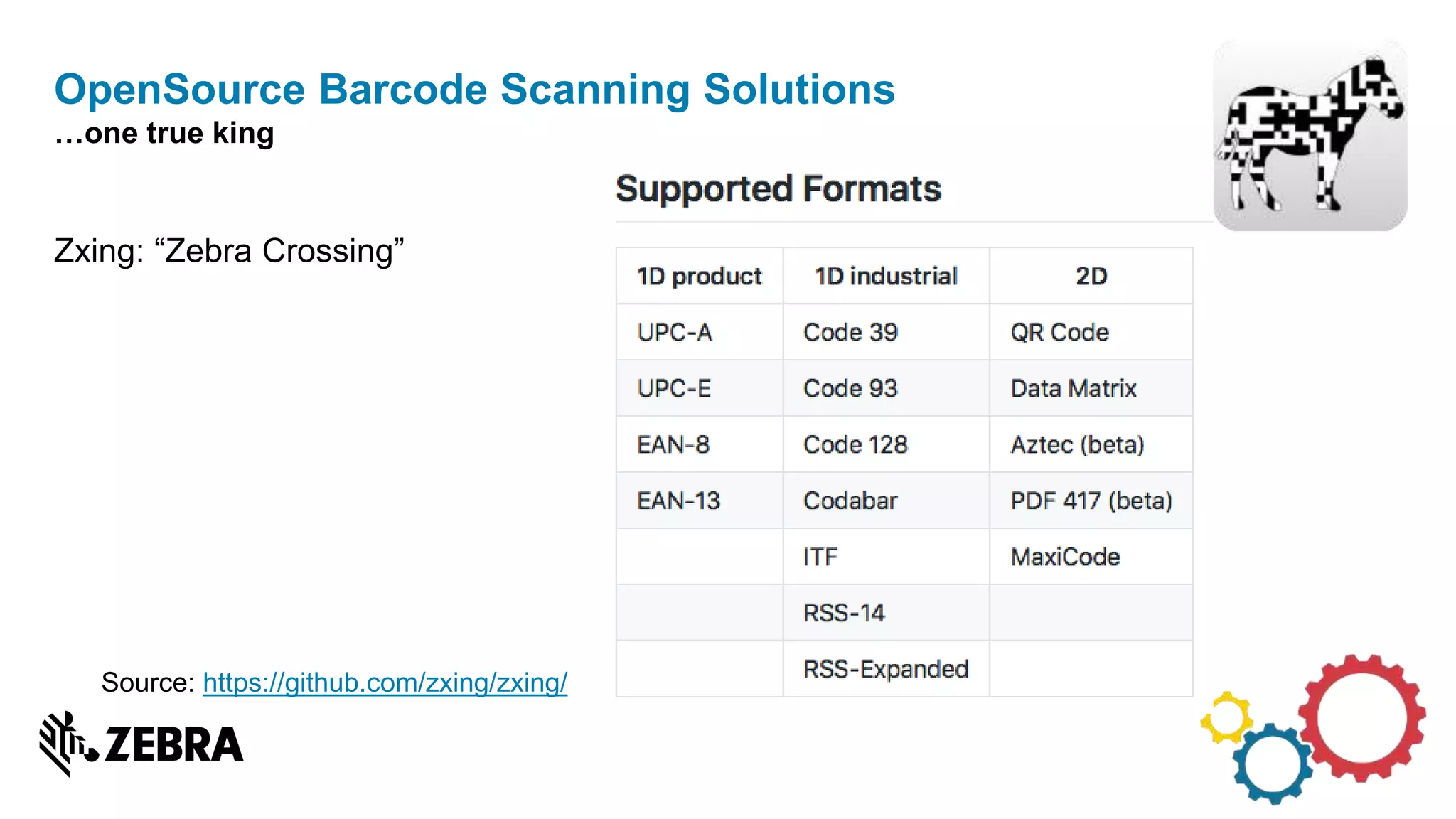
Zxing: “Zebra Crossing”
OpenSource Barcode Scanning Solutions
…one true king
Source: https://github.com/zxing/zxing/
• Zebra Technology Software Decode for Cameras
• Scandit library
Commercial Barcode Scanning Solutions
Some very good (and sometime expensive) options
Source:
https://www.zebra.com/us/en/products/oem/oem-engines/oem-software-decode/software-decode-for-cameras.html
https://www.scandit.com
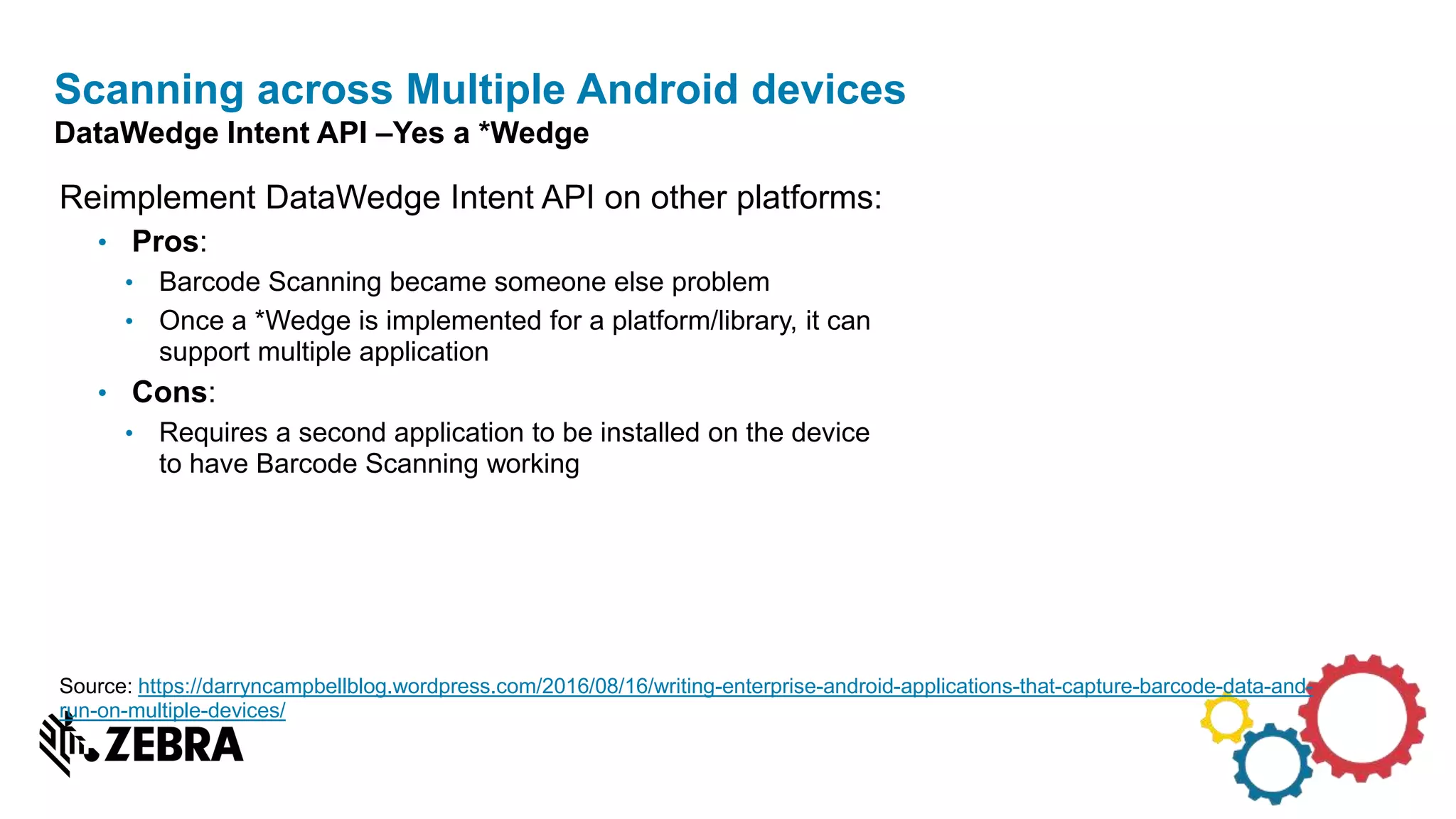
Reimplement DataWedge Intent API on other platforms:
• Pros:
• Barcode Scanning became someone else problem
• Once a *Wedge is implemented for a platform/library, it can
support multiple application
• Cons:
• Requires a second application to be installed on the device
to have Barcode Scanning working
Scanning across Multiple Android devices
DataWedge Intent API –Yes a *Wedge
Source: https://darryncampbellblog.wordpress.com/2016/08/16/writing-enterprise-android-applications-that-capture-barcode-data-and-
run-on-multiple-devices/
Scanning across Multiple Android devices
DataWedge Intent API –Yes a *Wedge
Generic Interface:
• IScanner
• Handle Configuration
• Enable / Disable Scanner
• Start / Stop Barcode decoding
• IScannerListener
• Scan succeeds callback with data
• Scan failure callback with error condition (timeout, missing permission, etc.)
Multiple implementation with Enterprise SDK or Consumer Barcode decoding libraries
Scanning across Multiple Android devices
Barcode API implementation of a generic interface
Scanning across Multiple Android devices
Implementation of a generic interface
User Application Activities
Scanner
implementation
with Zebra
Barcode API
Zebra
Scanner
Zebra Device
Scanner
implementation
with Other
OEM API
Other OEM
Scanner
Enterprise Device,
non-Zebra
Scanner
implementation
with Zxing or
Google
BarcodeAPI
IScanner Interfaces
Device Camera
Consumer Device
IScannerListener Interfaces
Part 1: Basics and Getting Started
• Barcode Scanning on Zebra Devices
• Disabling EMDK code when running on a non Zebra device
Part 2: Guideline on going forward
• Scanning across Multiple Android devices
• Design Considerations
Create Scanning Application Across Multiple Android Devices
Outline
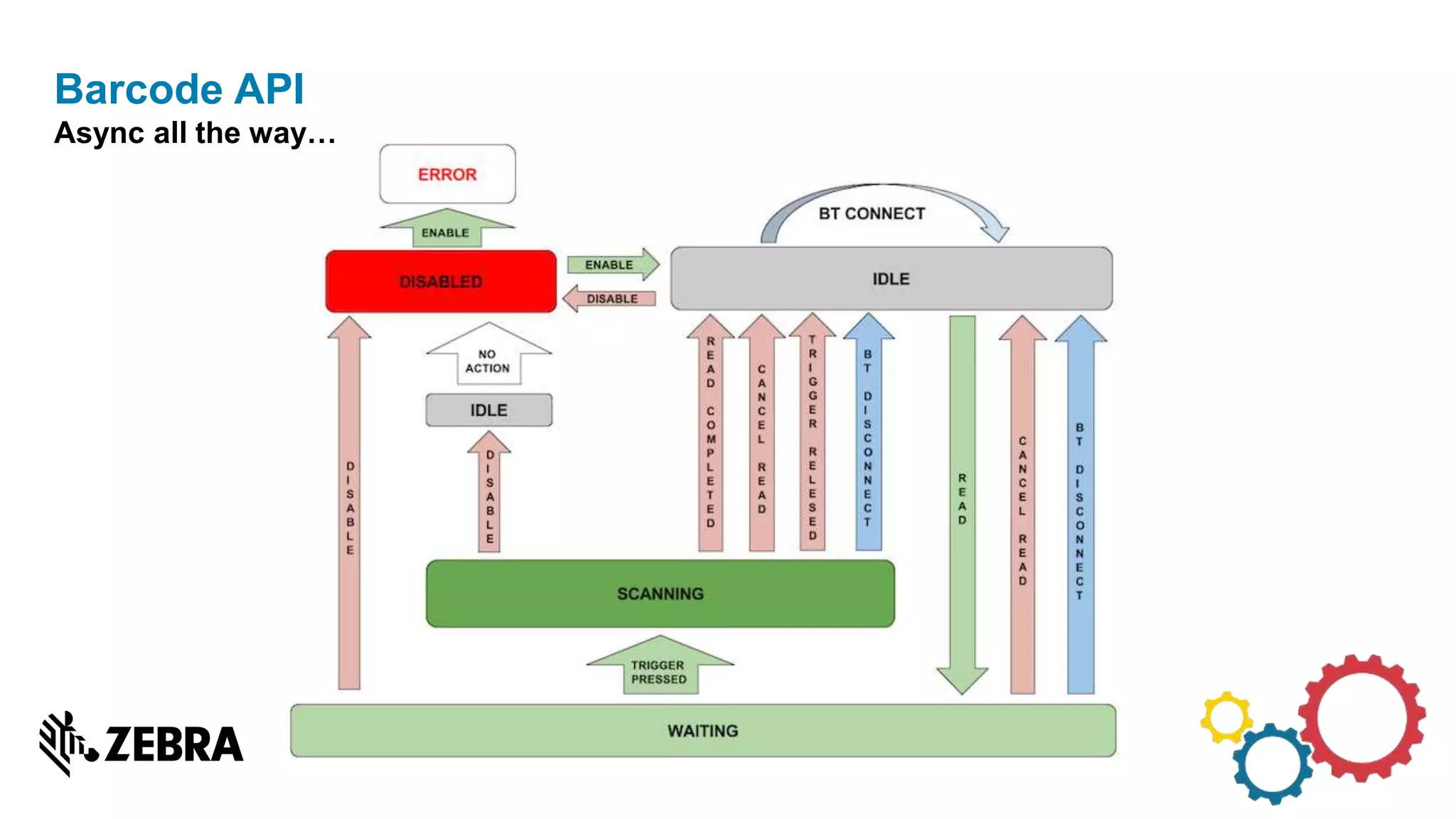
Barcode API
Async all the way…
• The scanner.enable() is an async call and app must wait for the IDLE status before
setting the configuration
• The scanner.cancelRead() is an async call and app must wait for the IDLE status
and check for isReadPending() before setting the configuration or issuing the next
read.
• The EMDKListener.onClosed() is called notify the application when the EMDK
service is stopped unexpectedly either due to low memory or any other crash at the
EMDK or Scanner Framework work.
Barcode API
Know before you start
Building multiple applications to install on a single device?
• Implement what you need in a ScanWedge
Design Considerations
Closing thoughts
Building a single application to install on an Android device?
• A Scanning interface with the implementation for your devices
• https://developer.zebra.com/community/android: Zebra developer Portal
• http://techdocs.zebra.com: Zebra Technical Documentation Portal
• http://techdocs.zebra.com/emdk-for-android/6-
3/guide/programming_practices/#creatingacommonapplicationtorunonzebraandnonz
ebradevices: EMDK for Android Guide
• https://github.com/darryncampbell/GenericScanWedge: ZXing based ScanWedge
implementation by @darryncampbell
Scanning Across Multiple Android Devices
Some key References
QUESTIONS?
Please take a moment to rate this session
using the APPFORUM mobile app.
THANK YOU

Barcode scanning on Android

  • 1.
  • 2.
    Developer Session CREATE SCANNINGAPP Across Multiple Android Devices Pietro F. Maggi EMEA SW Consultant Sales Engineer
  • 3.
    Part 1: Basicsand Getting Started • Barcode Scanning on Zebra Devices • Disabling EMDK code when running on a non Zebra device Part 2: Guideline on going forward • Scanning across Multiple Android devices • Design Considerations Create Scanning Application Across Multiple Android Devices Outline
  • 4.
    Part 1: Basicsand Getting Started • Barcode Scanning on Zebra Devices • Disabling EMDK code when running on a non Zebra device Part 2: Guideline on going forward • Scanning across Multiple Android devices • Design Considerations Create Scanning Application Across Multiple Android Devices Outline
  • 5.
    DataWedge Intent API:Intent based interface for DataWedge Pros: • Based on standard Android Intent API. • Features are exposed earlier in DW than Barcode API. Cons: • Full control requires DataWedge v6.3, only available on some Marshmallow devices. • Not possible to backport newer DataWedge version on older BSP. EMDK’s Barcode API: Java and Xamarin API Barcode scanning API Pros: • Full control of the Scanner Framework. Cons: • Complexity to handle Scanner lifecycle combined with Application lifecycle. • “EMDK Service has stopped” issues if this API is not implemented correctly. Barcode Scanning on Zebra Devices With Great Power Comes Great Responsibility
  • 6.
    Design Considerations :Barcode Integration Do you really need a Barcode API? Complexity Control DataWedge Keyboard emulation legacy DataWedge Intents DataWedge 6.3 Intents* Barcode API *Not yet released
  • 7.
    Clone Profile2 Create Profile3 DeleteProfile2 Enable DataWedge2 Enumerate Scanners1 Get Active Profile2 Get DataWedge Status3 Get Profiles List2 Get Version Info3 Register/Unregister for Notification3 Rename Profile2 Reset Default Profile1 Restore Config3 Scanner Input Plug-in1 Set Config3 Set Default Profile1 Soft Scan Trigger1 Switch to Profile1 DataWedge Intent API Source: http://techdocs.zebra.com/datawedge/6-3/guide/api/ 1 Original DW API 2 New in DW v6.2 3 New in DW v6.3
  • 8.
    Part 1: Basicsand Getting Started • Barcode Scanning on Zebra Devices • Disabling EMDK code when running on a non Zebra device Part 2: Guideline on going forward • Scanning across Multiple Android devices • Design Considerations Create Scanning Application Across Multiple Android Devices Outline
  • 9.
    Modify the Manifestto avoid “Installation error: INSTALL_FAILED_MISSING_SHARED_LIBRARY” From: To: Install the Application How can you use the EMDK but still being able to install the app on a non Zebra device Source: http://techdocs.zebra.com/emdk-for-android/6-3/guide/programming_practices/
  • 10.
    • Modify themain activity to avoid "ClassNotFoundException" exception Install the Application (cont.) How can you use the EMDK but still being able to install the app on a non Zebra device Source: http://techdocs.zebra.com/emdk-for-android/6-3/guide/programming_practices/
  • 11.
    Look for thepackage: Directly checking for EMDK Checking for EMDK package allows to get info about installed version Source: http://techdocs.zebra.com/emdk-for-android/6-3/guide/programming_practices/
  • 12.
    Use the packagemanager to get the information you need: Directly checking for EMDK (Cont.) Checking for EMDK package allows to get info about installed version Source: https://github.com/pfmaggi/GetDeviceInfo_EMDK
  • 13.
    Part 1: Basicsand Getting Started • Barcode Scanning on Zebra Devices • Disabling EMDK code when running on a non Zebra device Part 2: Guideline on going forward • Scanning across Multiple Android devices • Design Considerations Create Scanning Application Across Multiple Android Devices Outline
  • 14.
    Zxing: “Zebra Crossing” OpenSourceBarcode Scanning Solutions …one true king Source: https://github.com/zxing/zxing/
  • 15.
    • Zebra TechnologySoftware Decode for Cameras • Scandit library Commercial Barcode Scanning Solutions Some very good (and sometime expensive) options Source: https://www.zebra.com/us/en/products/oem/oem-engines/oem-software-decode/software-decode-for-cameras.html https://www.scandit.com
  • 16.
    Reimplement DataWedge IntentAPI on other platforms: • Pros: • Barcode Scanning became someone else problem • Once a *Wedge is implemented for a platform/library, it can support multiple application • Cons: • Requires a second application to be installed on the device to have Barcode Scanning working Scanning across Multiple Android devices DataWedge Intent API –Yes a *Wedge Source: https://darryncampbellblog.wordpress.com/2016/08/16/writing-enterprise-android-applications-that-capture-barcode-data-and- run-on-multiple-devices/
  • 17.
    Scanning across MultipleAndroid devices DataWedge Intent API –Yes a *Wedge
  • 18.
    Generic Interface: • IScanner •Handle Configuration • Enable / Disable Scanner • Start / Stop Barcode decoding • IScannerListener • Scan succeeds callback with data • Scan failure callback with error condition (timeout, missing permission, etc.) Multiple implementation with Enterprise SDK or Consumer Barcode decoding libraries Scanning across Multiple Android devices Barcode API implementation of a generic interface
  • 19.
    Scanning across MultipleAndroid devices Implementation of a generic interface User Application Activities Scanner implementation with Zebra Barcode API Zebra Scanner Zebra Device Scanner implementation with Other OEM API Other OEM Scanner Enterprise Device, non-Zebra Scanner implementation with Zxing or Google BarcodeAPI IScanner Interfaces Device Camera Consumer Device IScannerListener Interfaces
  • 20.
    Part 1: Basicsand Getting Started • Barcode Scanning on Zebra Devices • Disabling EMDK code when running on a non Zebra device Part 2: Guideline on going forward • Scanning across Multiple Android devices • Design Considerations Create Scanning Application Across Multiple Android Devices Outline
  • 21.
  • 22.
    • The scanner.enable()is an async call and app must wait for the IDLE status before setting the configuration • The scanner.cancelRead() is an async call and app must wait for the IDLE status and check for isReadPending() before setting the configuration or issuing the next read. • The EMDKListener.onClosed() is called notify the application when the EMDK service is stopped unexpectedly either due to low memory or any other crash at the EMDK or Scanner Framework work. Barcode API Know before you start
  • 23.
    Building multiple applicationsto install on a single device? • Implement what you need in a ScanWedge Design Considerations Closing thoughts Building a single application to install on an Android device? • A Scanning interface with the implementation for your devices
  • 24.
    • https://developer.zebra.com/community/android: Zebradeveloper Portal • http://techdocs.zebra.com: Zebra Technical Documentation Portal • http://techdocs.zebra.com/emdk-for-android/6- 3/guide/programming_practices/#creatingacommonapplicationtorunonzebraandnonz ebradevices: EMDK for Android Guide • https://github.com/darryncampbell/GenericScanWedge: ZXing based ScanWedge implementation by @darryncampbell Scanning Across Multiple Android Devices Some key References
  • 25.
  • 26.
    Please take amoment to rate this session using the APPFORUM mobile app. THANK YOU