DEKSTOP PUBLISHING 2.0  THE GRID BASICS:  STRUCTURAL LAYOUT DESIGN
BASIC PART OF PAGE a. Clarity  b. Efficiency  c. Economy  d. Continuity
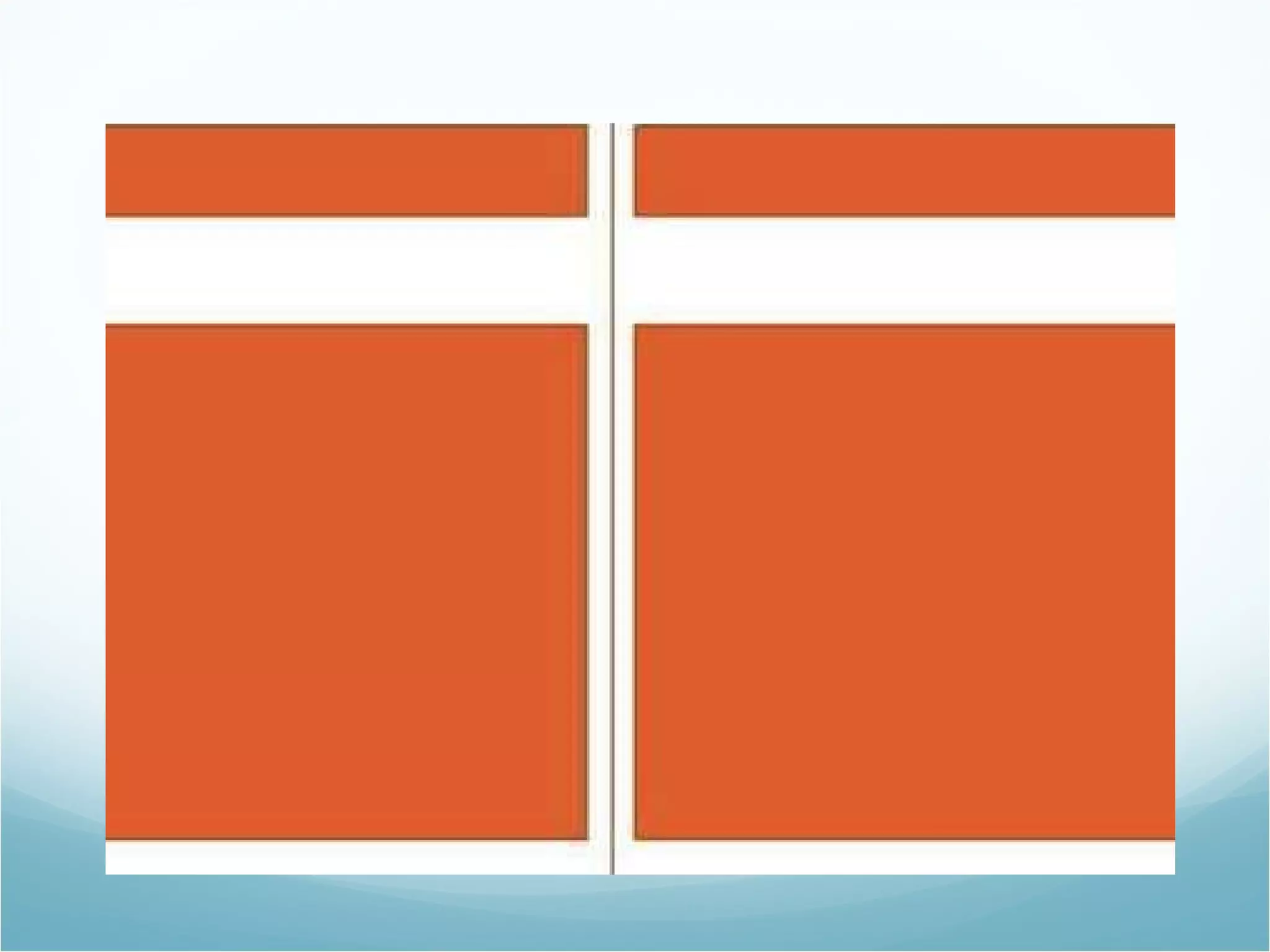
TYPE OF GRIDS 1. Manuscript Grid Mainly used for publication such as books and essays which have smaller format sizes. Best suited to continuous blocks of text and large images that full out all of the live area or while page bleed Also called Single Column Grids or Block Grids  GRIDS: an imaginary pattern of crossed lines which serves as a guide for placing items in relation to one another
 
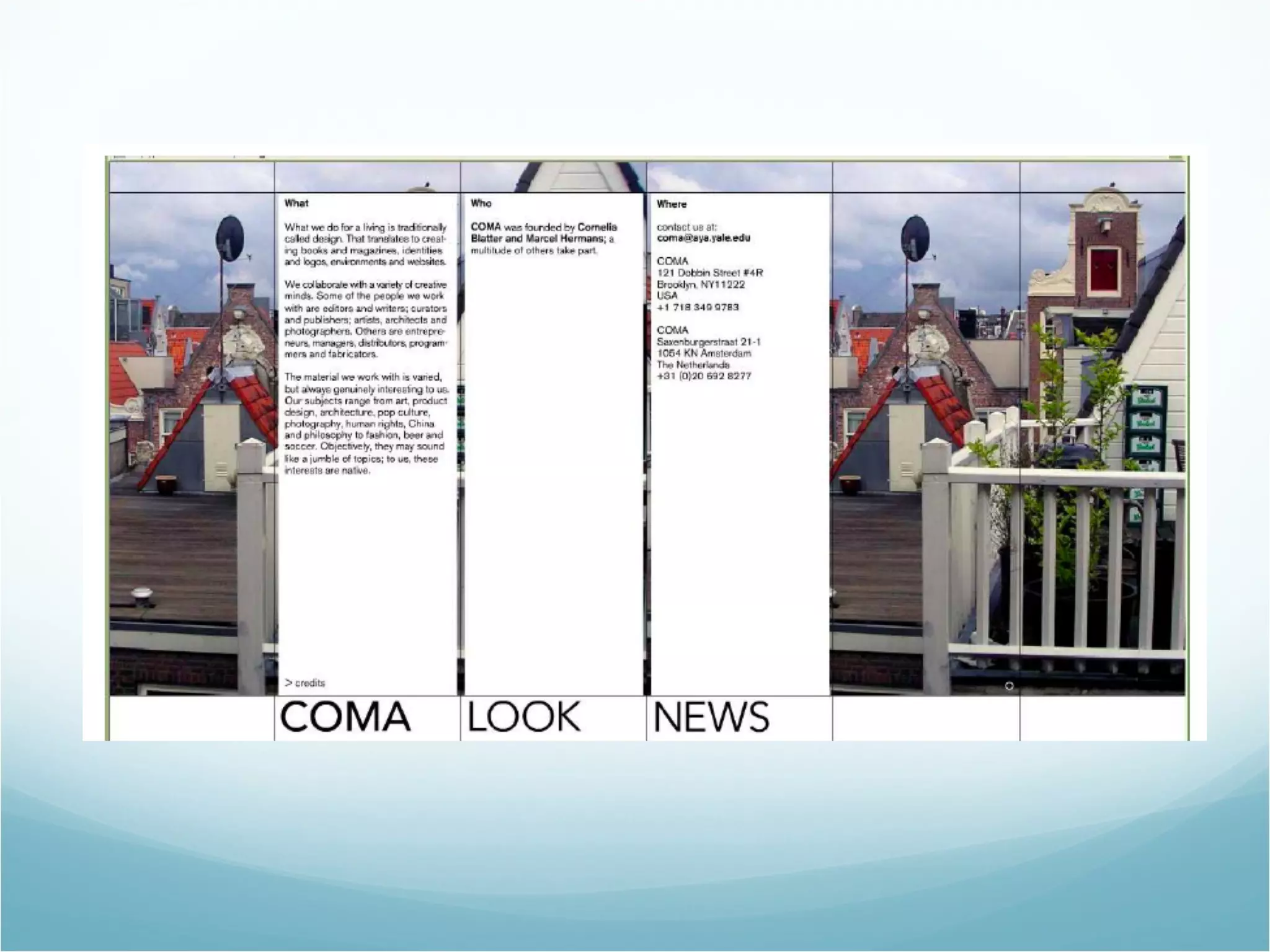
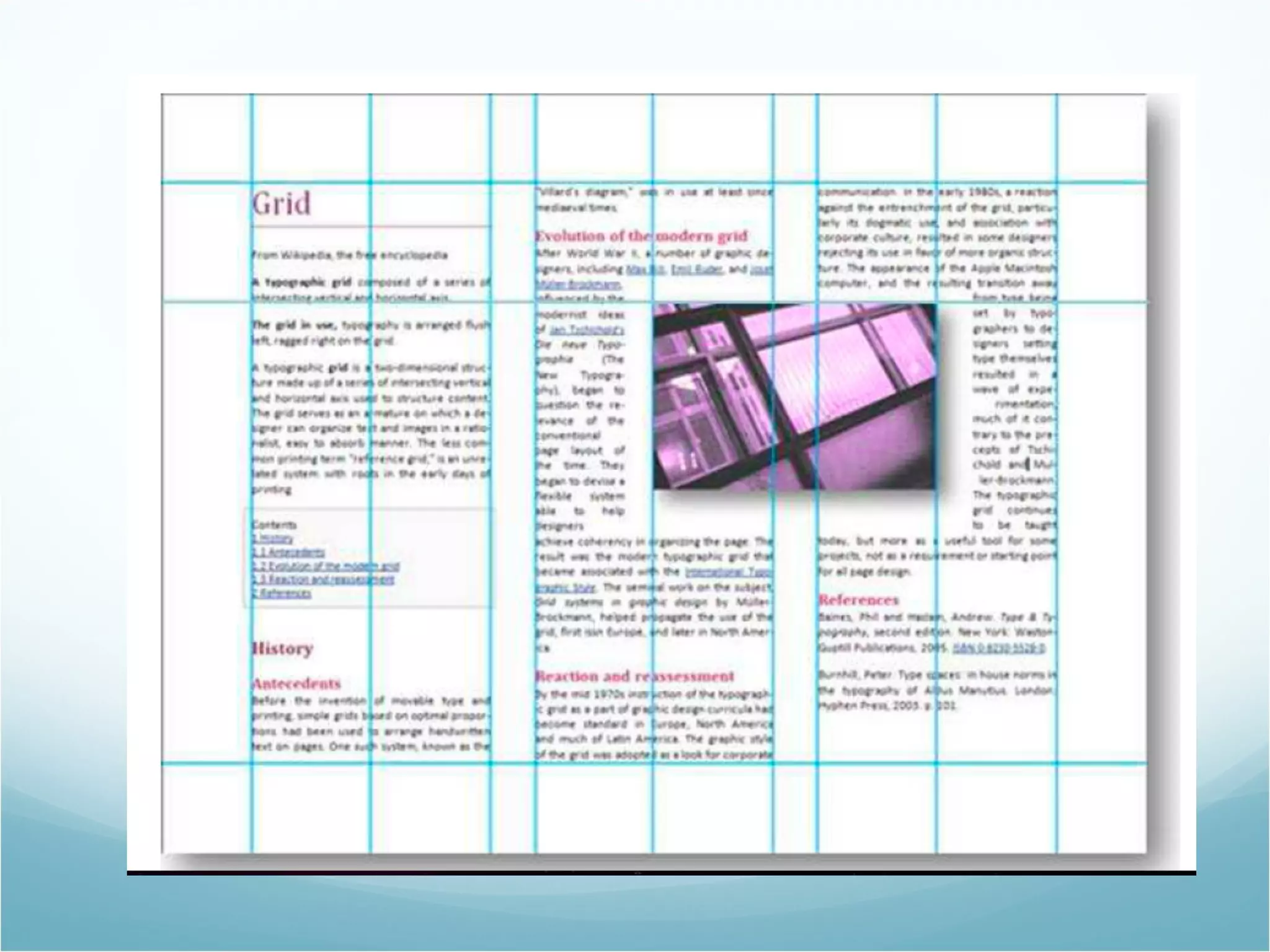
TYPE OF GRIDS  2. Column Grid Series of columns Used in magazines, newspapers, book or any publication where the text isn’t continuous or in situations where you have a number of different elements working together at once.  They are particularly useful for layout that need to be flexible, as the more columns you have the more flexible the structure becomes.


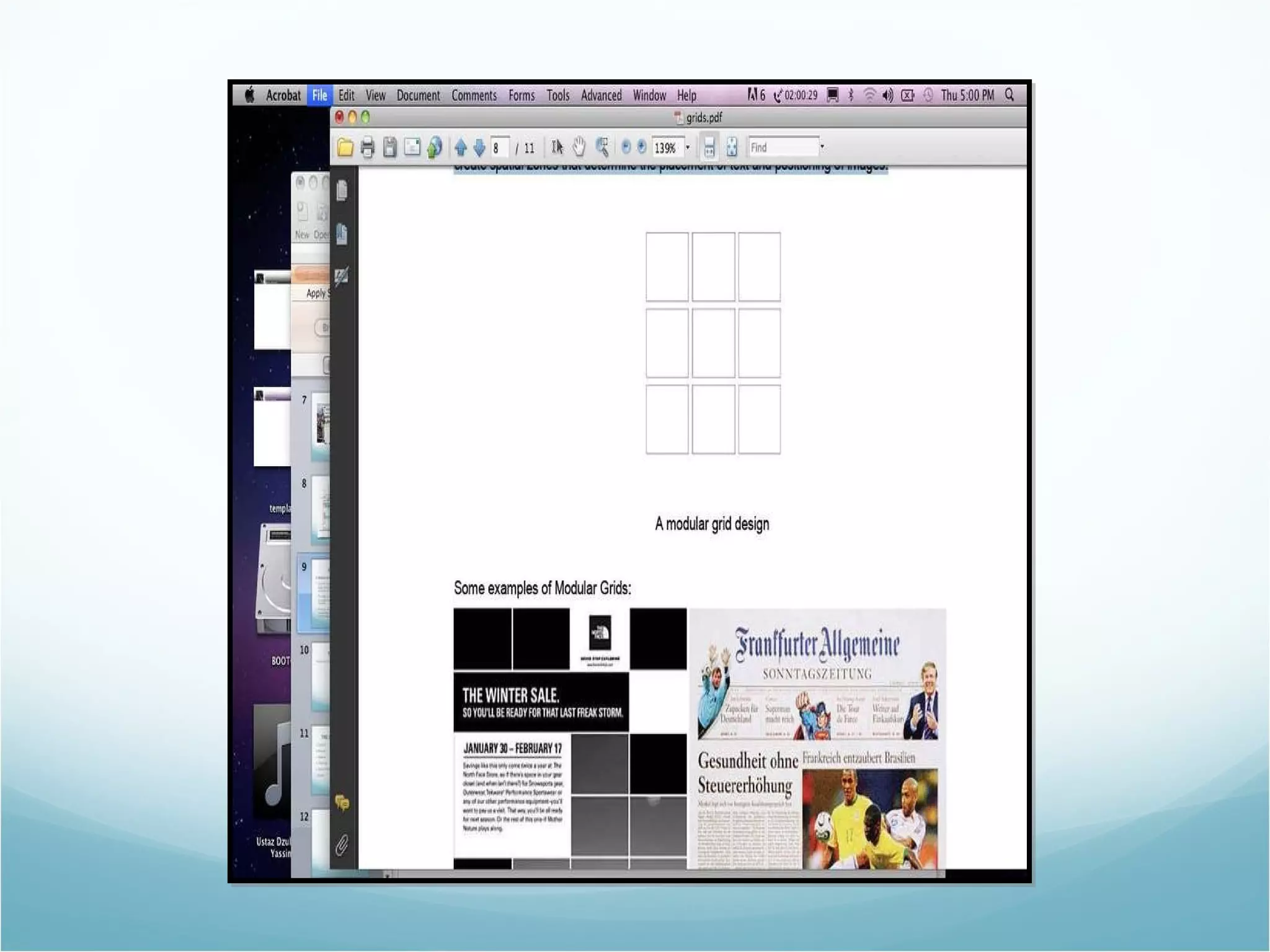
TYPE OF GRIDS  3. Modular Grid Used for more complex layout to contend with, for larger formats or when you need to fit in large amounts of information. The page is divided both vertically and horizontally to create rows and columns, which in turn create modules.  Group of modules together create spatial zones that determine the placement of text and positioning of images
 
 
TYPE OF GRIDS  4. Hierarchical Grid  Mostly used for Web design or electronic media which have an active navigation. The page is arranged based on the importance of the information, and the information can be emphasized through sizes and placement or arrangement. Colors also allow the reader to identify the importance of each section
 
 
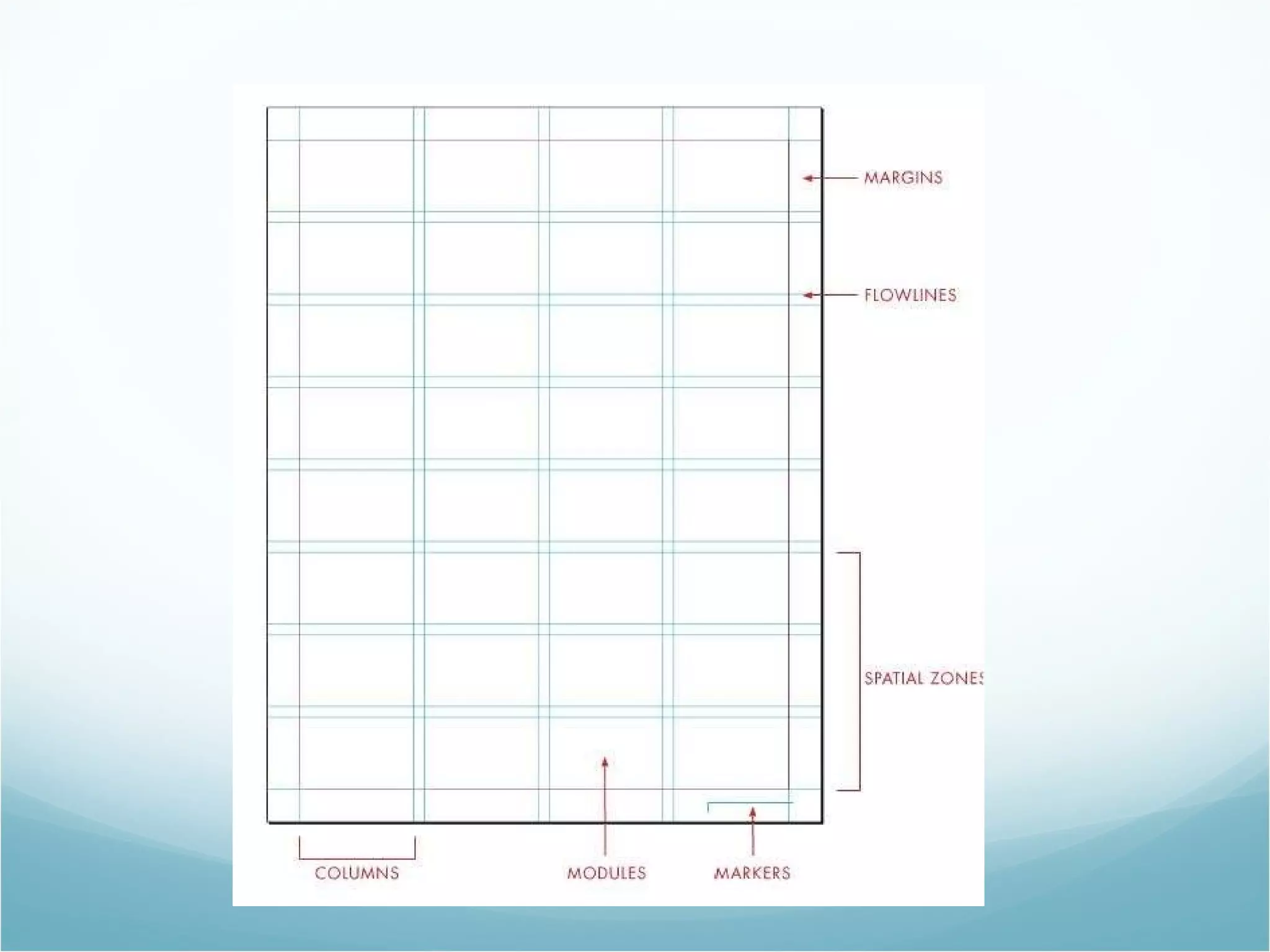
THE ANATOMY OF GRID  a. Columns  b. Modules  c. Margins  d. Flow lines  e. Spatial Zones  f. Markers
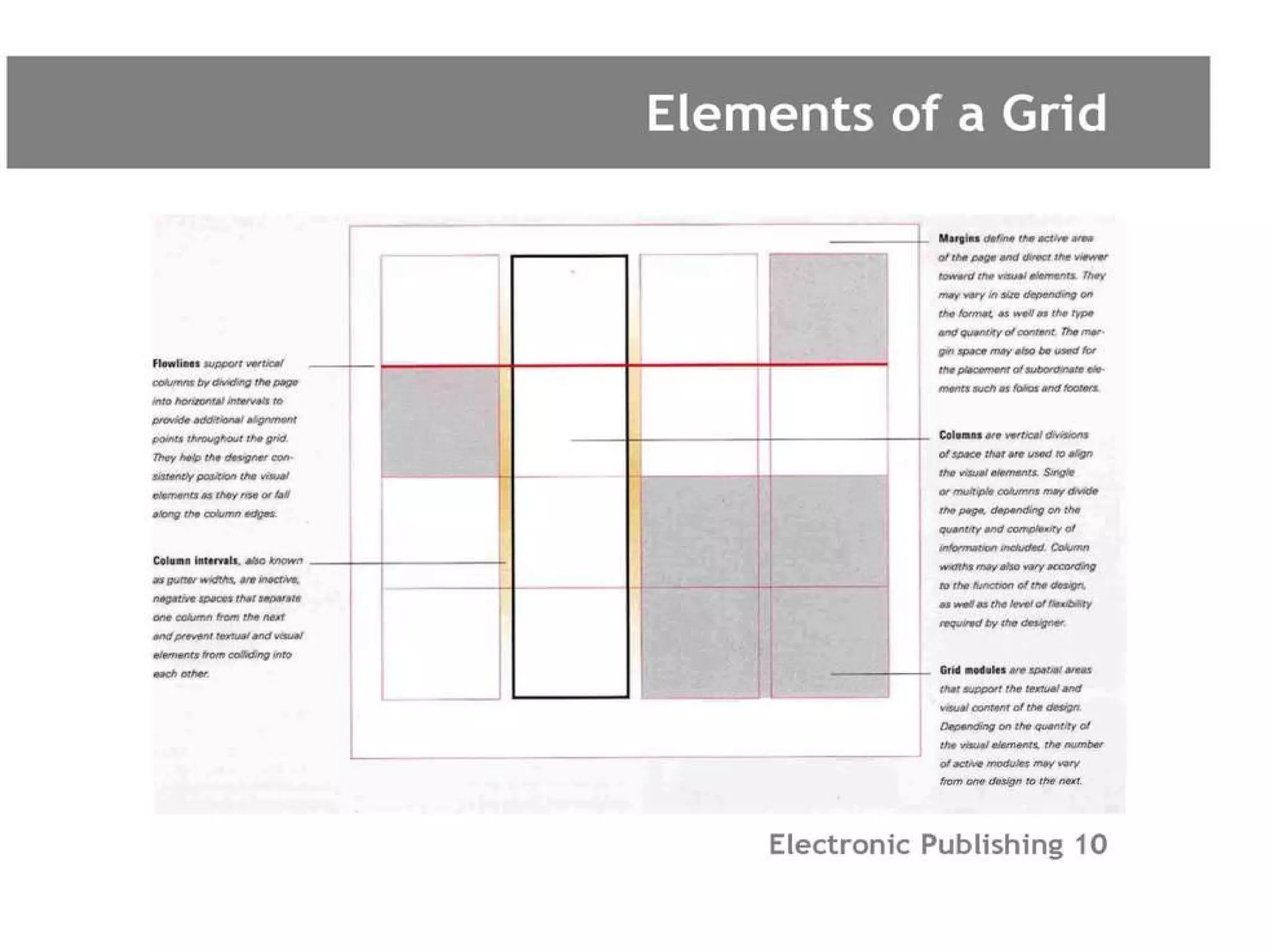
Columns Vertical divisions of space used to align visual elements Single, multiple columns can be used or interchanged The quantity and complexity of information determines columns Gutter Width:  Column Intervals, negative spacesthat separate one column from the next and prevent text and images from clashing
Modules
Margins Define the active area of a page and direct the viewer toward the visual elements Margins may vary in size depending on format as well as content Folios and footers may be placed in the margins Margins are not intended to trap content, theyare instead used to activate the positive spacesin a layout For layouts with large amounts of text (books),large margins are ideal as they provide breathing space
Flow lines  Support for vertical columns by dividing the page into horizontal intervals to provide additional alignment points across a grid.  Wonderful tools to achieve consistency in a layout – Dictate the horizontal positions of a visual elements and how they rise or fall along columns
 
Spatial Zones
Markers
 

Bab 2.0 grid basic

  • 1.
    DEKSTOP PUBLISHING 2.0 THE GRID BASICS: STRUCTURAL LAYOUT DESIGN
  • 2.
    BASIC PART OFPAGE a. Clarity b. Efficiency c. Economy d. Continuity
  • 3.
    TYPE OF GRIDS1. Manuscript Grid Mainly used for publication such as books and essays which have smaller format sizes. Best suited to continuous blocks of text and large images that full out all of the live area or while page bleed Also called Single Column Grids or Block Grids GRIDS: an imaginary pattern of crossed lines which serves as a guide for placing items in relation to one another
  • 4.
  • 5.
    TYPE OF GRIDS 2. Column Grid Series of columns Used in magazines, newspapers, book or any publication where the text isn’t continuous or in situations where you have a number of different elements working together at once. They are particularly useful for layout that need to be flexible, as the more columns you have the more flexible the structure becomes.
  • 6.
  • 7.
  • 8.
  • 9.
    TYPE OF GRIDS 3. Modular Grid Used for more complex layout to contend with, for larger formats or when you need to fit in large amounts of information. The page is divided both vertically and horizontally to create rows and columns, which in turn create modules. Group of modules together create spatial zones that determine the placement of text and positioning of images
  • 10.
  • 11.
  • 12.
    TYPE OF GRIDS 4. Hierarchical Grid Mostly used for Web design or electronic media which have an active navigation. The page is arranged based on the importance of the information, and the information can be emphasized through sizes and placement or arrangement. Colors also allow the reader to identify the importance of each section
  • 13.
  • 14.
  • 15.
    THE ANATOMY OFGRID a. Columns b. Modules c. Margins d. Flow lines e. Spatial Zones f. Markers
  • 16.
    Columns Vertical divisionsof space used to align visual elements Single, multiple columns can be used or interchanged The quantity and complexity of information determines columns Gutter Width: Column Intervals, negative spacesthat separate one column from the next and prevent text and images from clashing
  • 17.
  • 18.
    Margins Define theactive area of a page and direct the viewer toward the visual elements Margins may vary in size depending on format as well as content Folios and footers may be placed in the margins Margins are not intended to trap content, theyare instead used to activate the positive spacesin a layout For layouts with large amounts of text (books),large margins are ideal as they provide breathing space
  • 19.
    Flow lines Support for vertical columns by dividing the page into horizontal intervals to provide additional alignment points across a grid. Wonderful tools to achieve consistency in a layout – Dictate the horizontal positions of a visual elements and how they rise or fall along columns
  • 20.
  • 21.
  • 22.
  • 23.