belepich@Microsoft.com
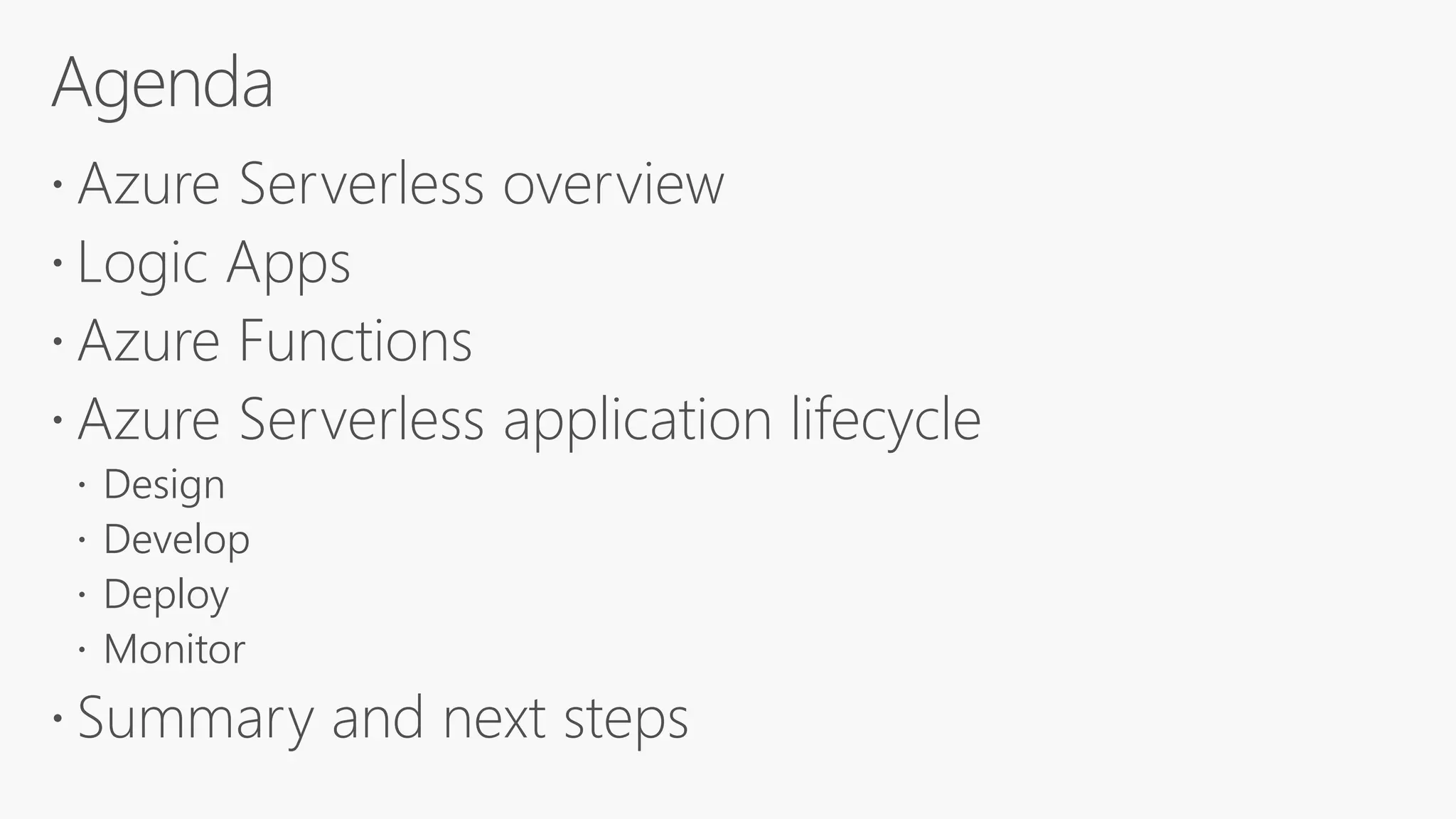
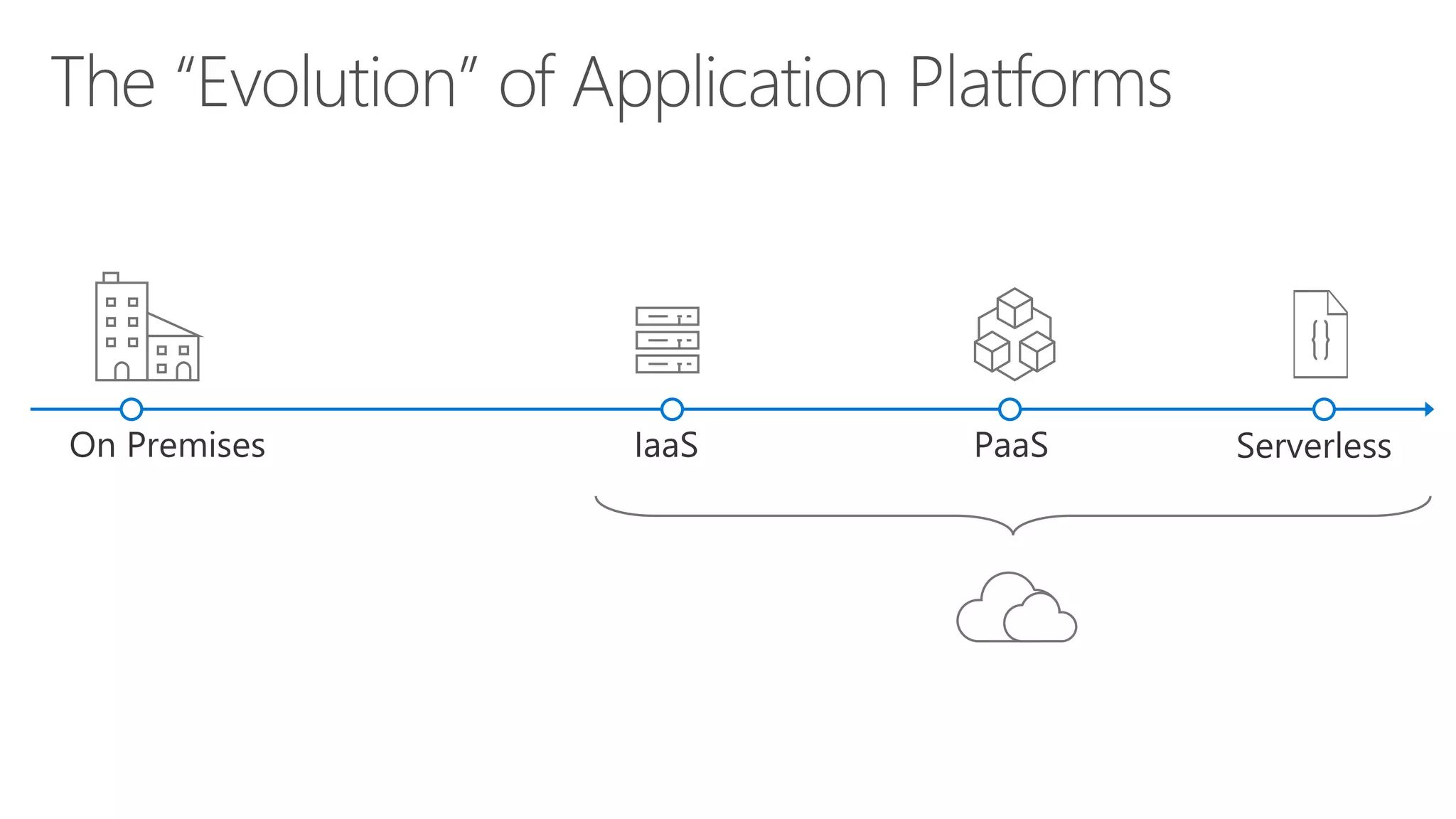
 Azure Serverless overview
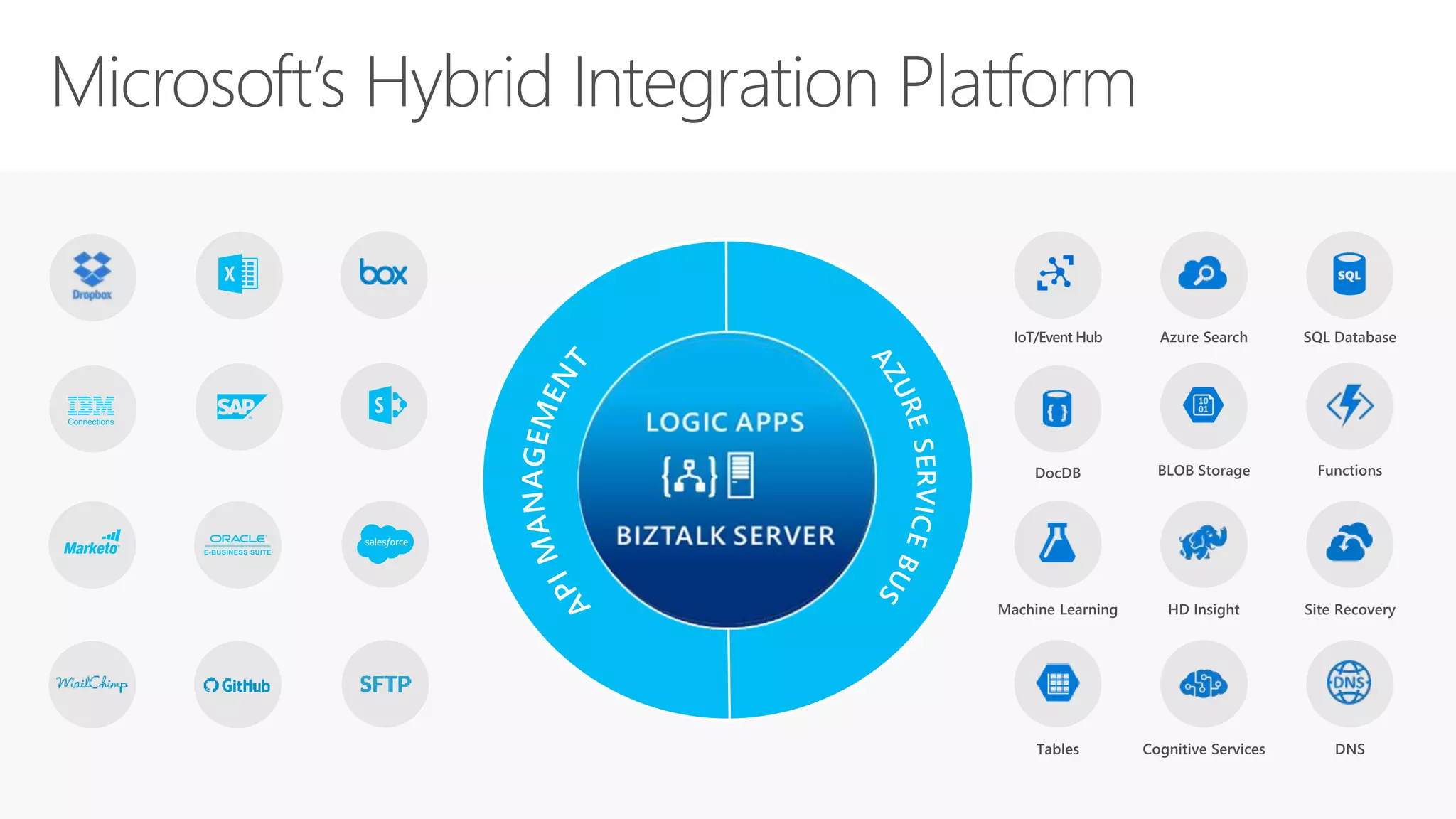
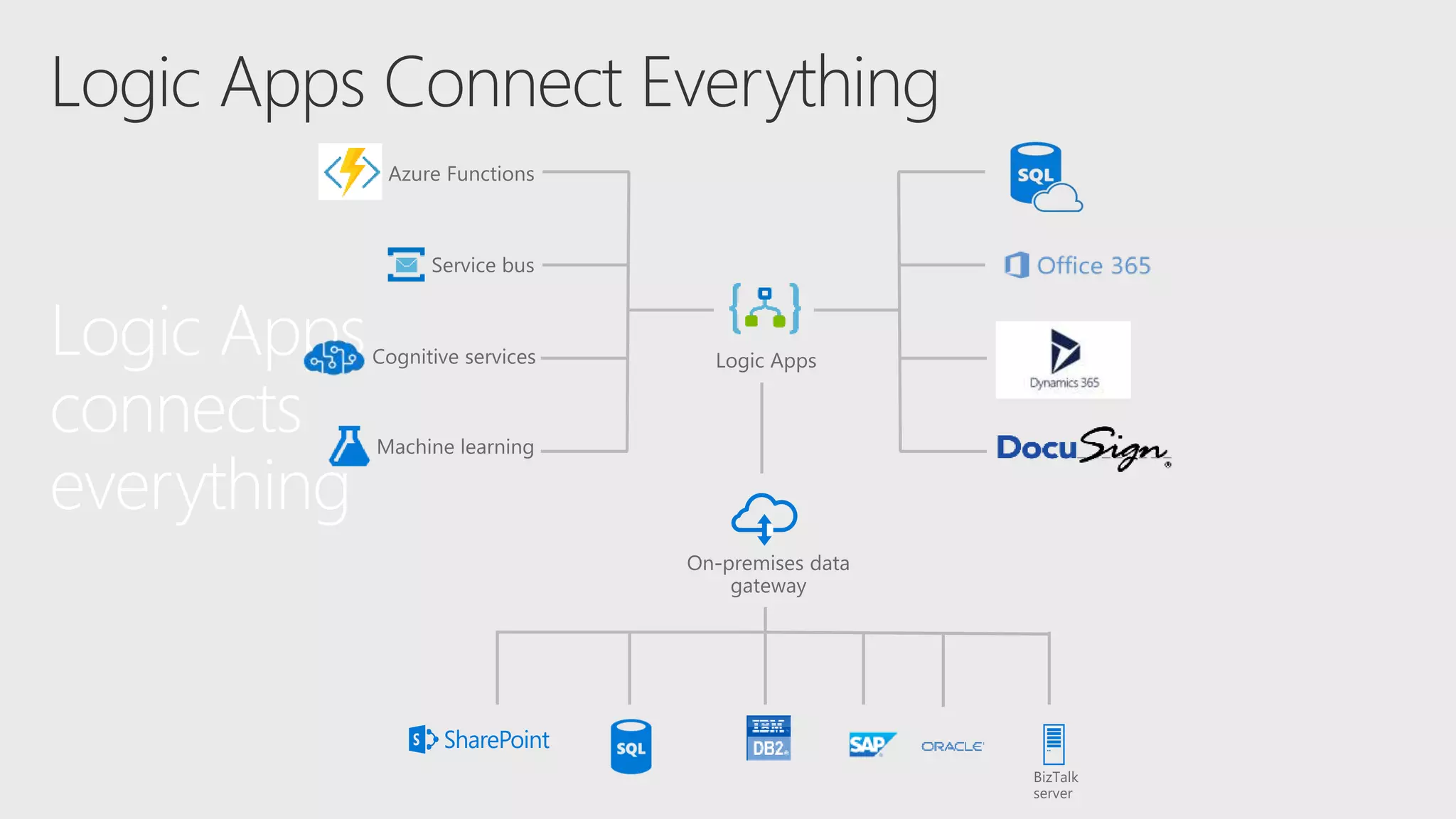
 Logic Apps
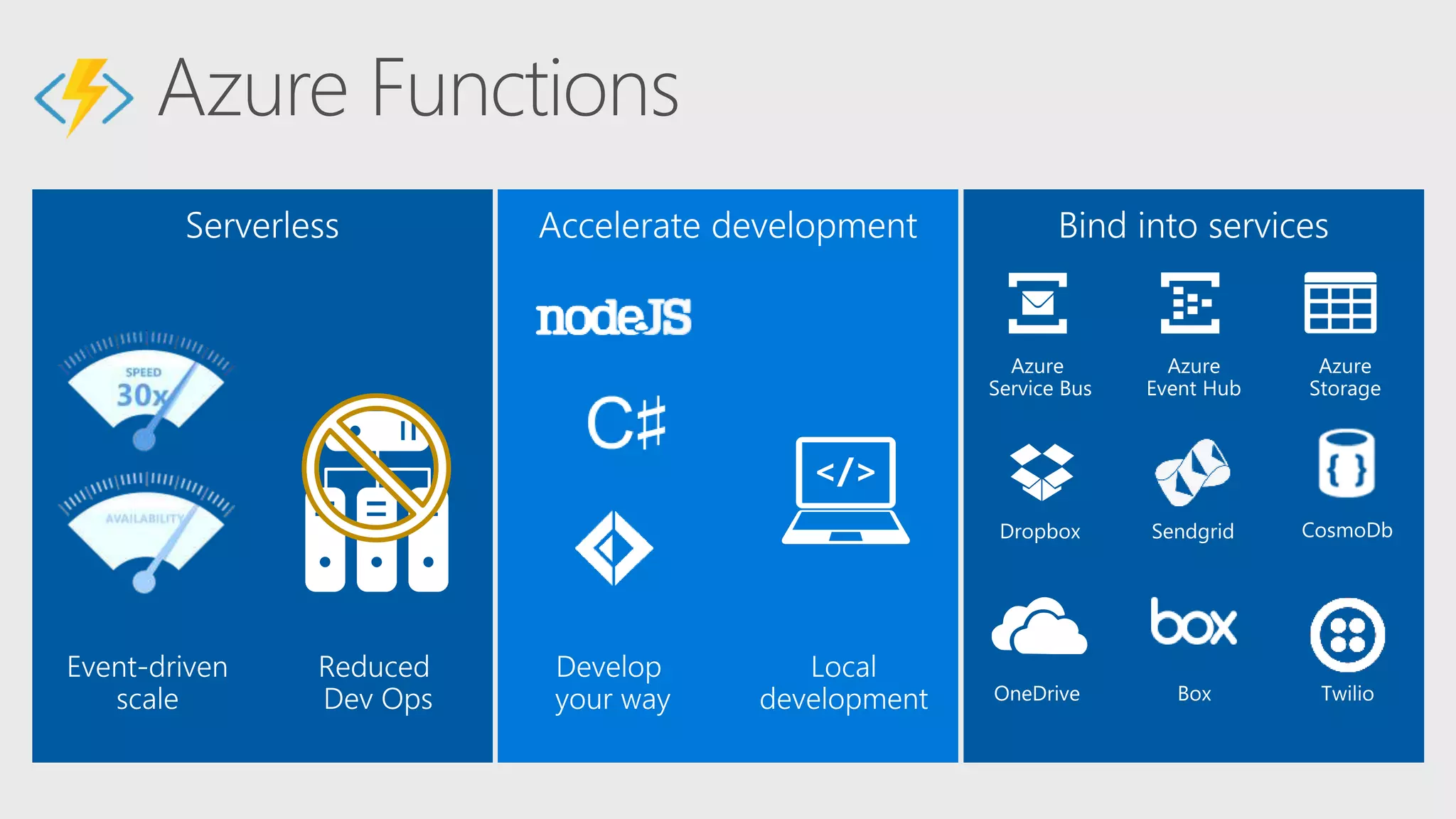
 Azure Functions
 Azure Serverless application lifecycle
 Design
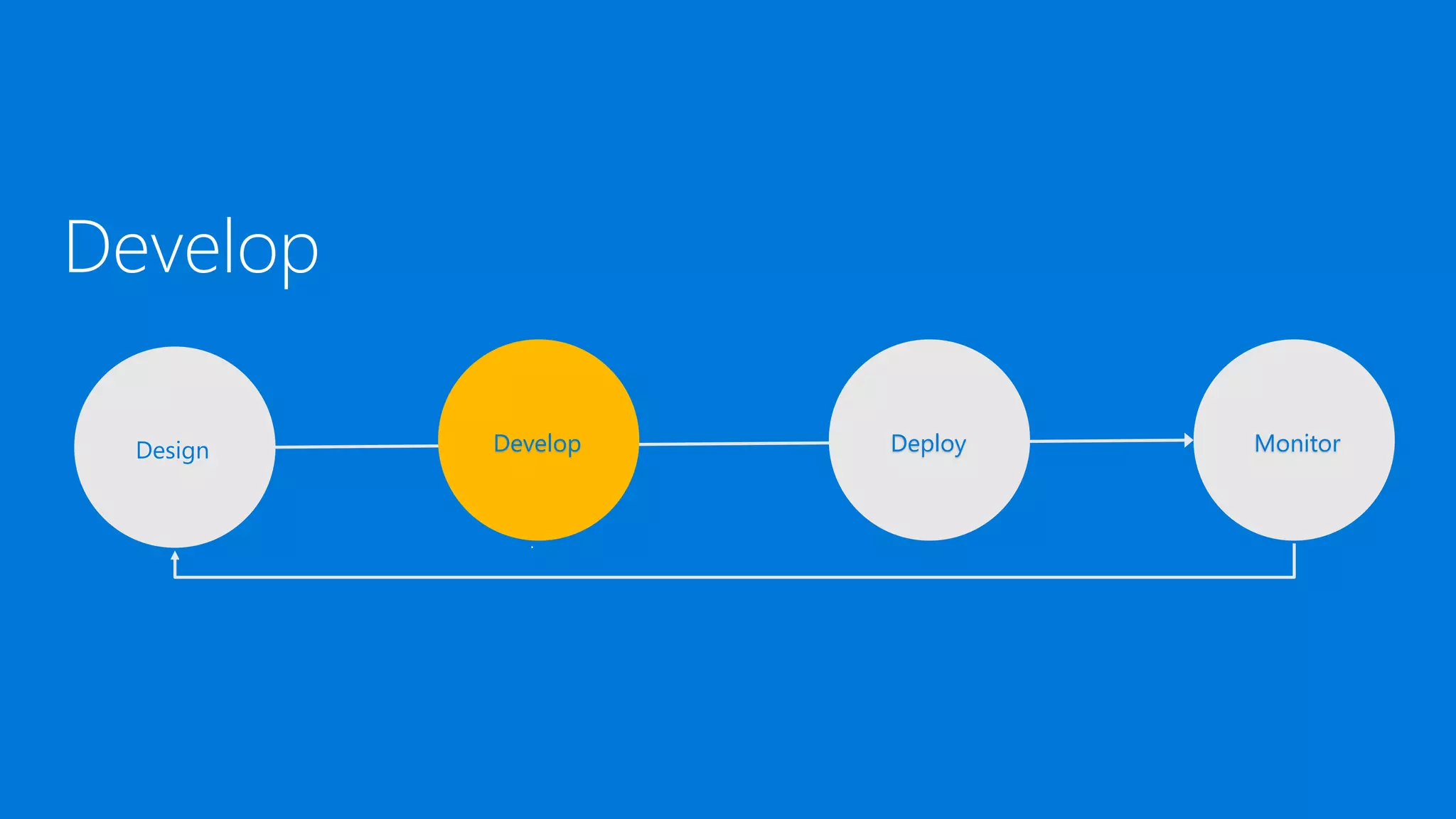
 Develop
 Deploy
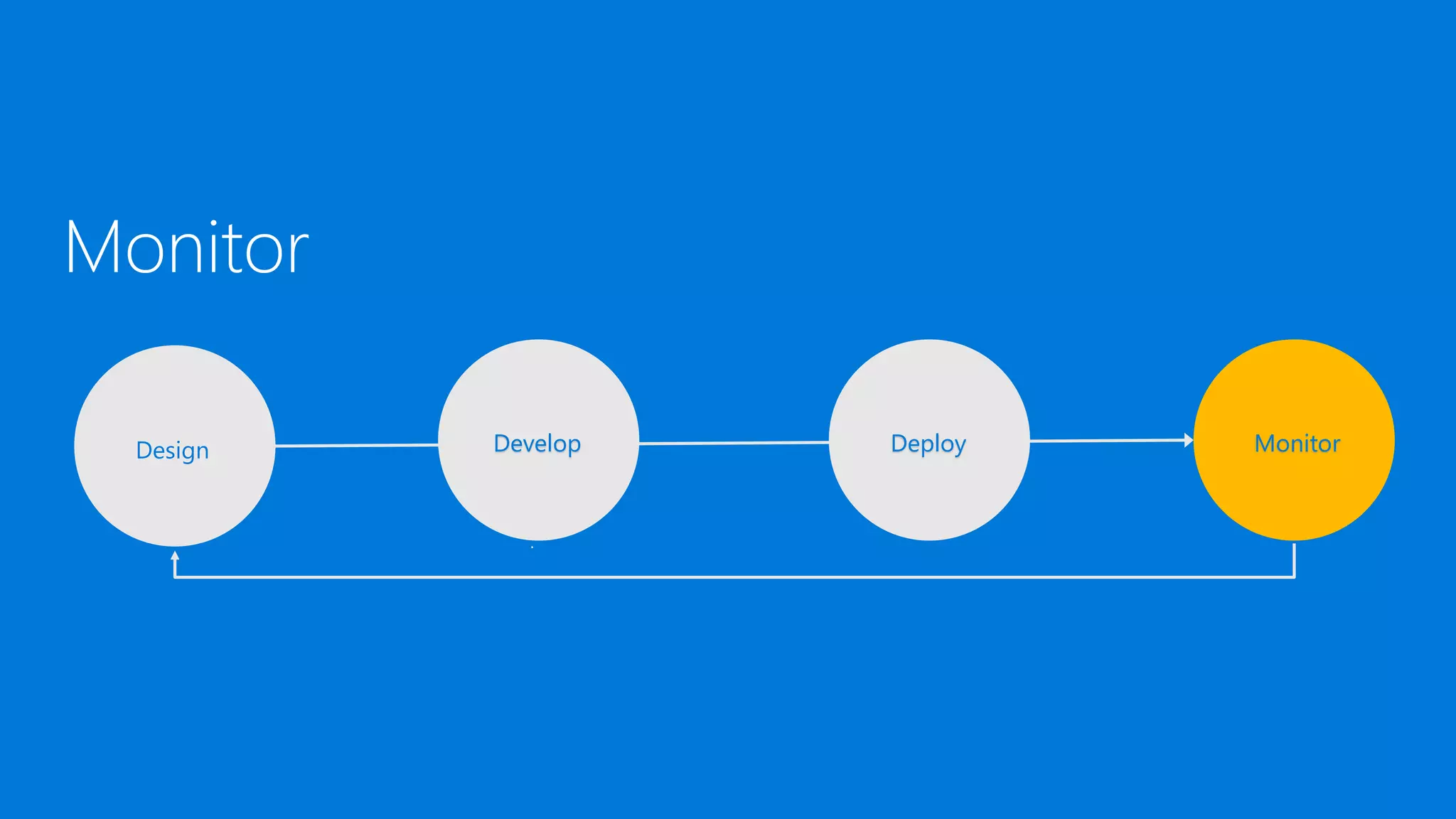
 Monitor
 Summary and next steps
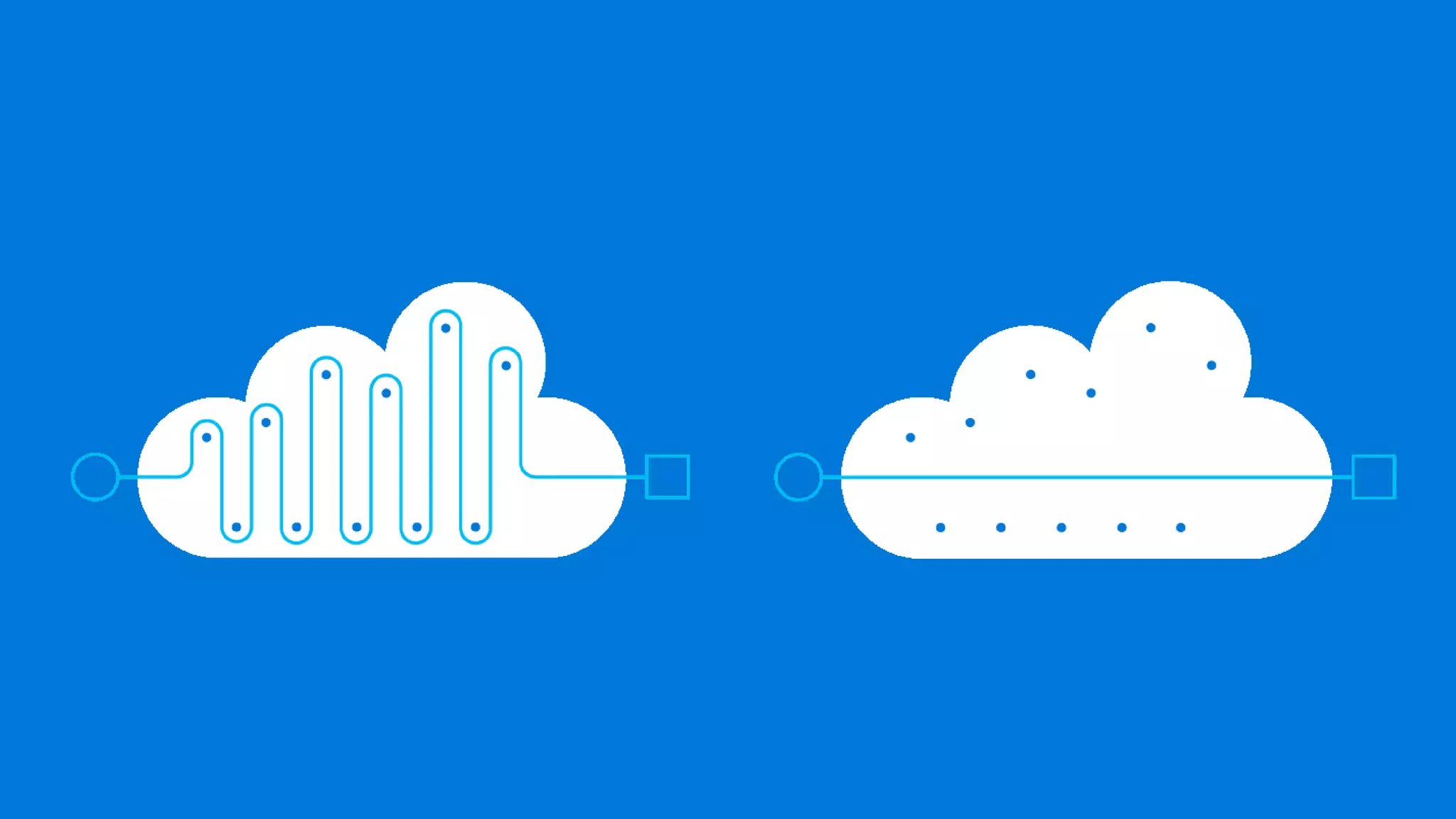
Serverless is to servers as wireless is to wired.
Wireless internet required wires, yes, but
customers don't need to interact with them.
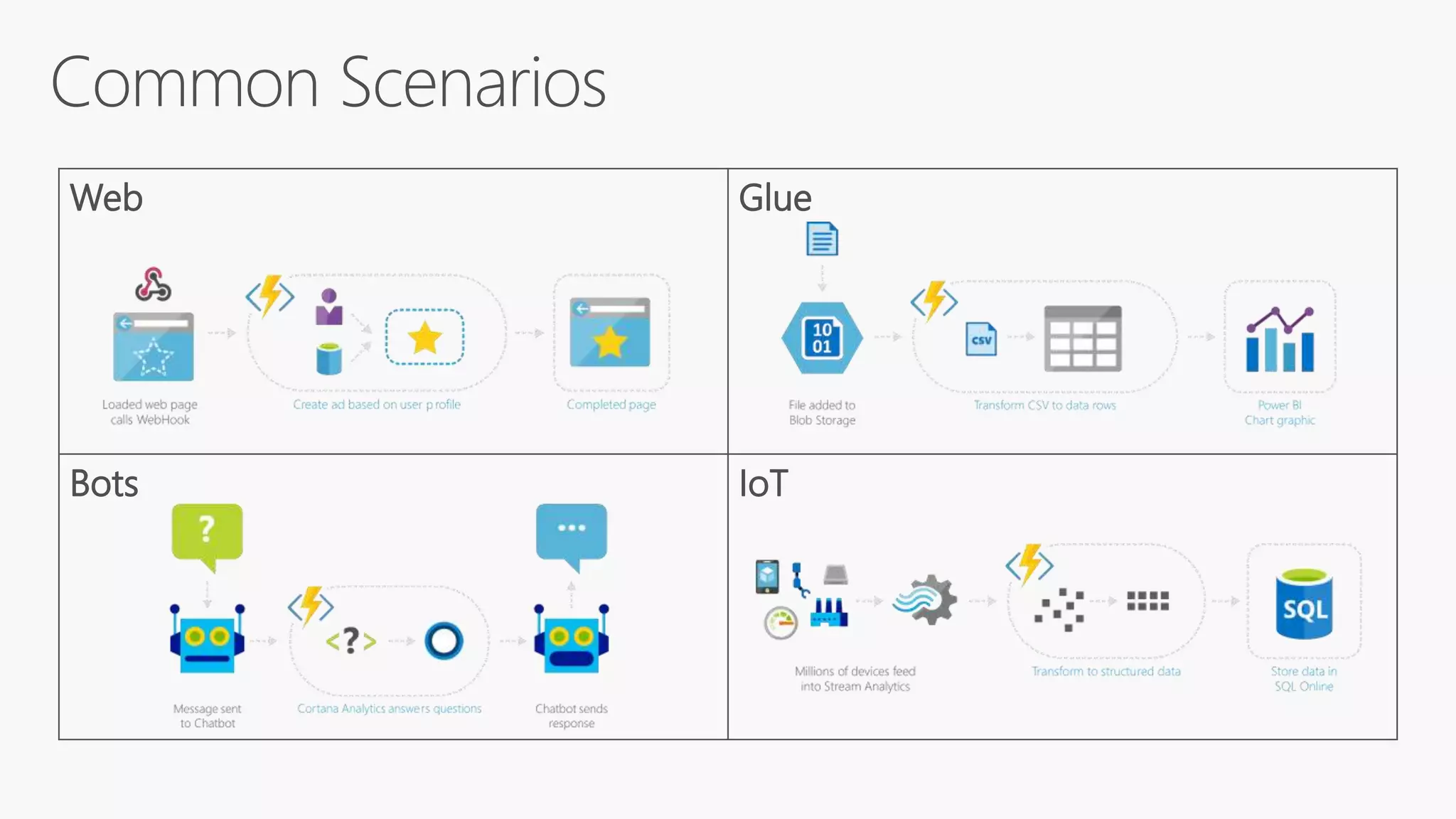
Web Glue
Bots IoT
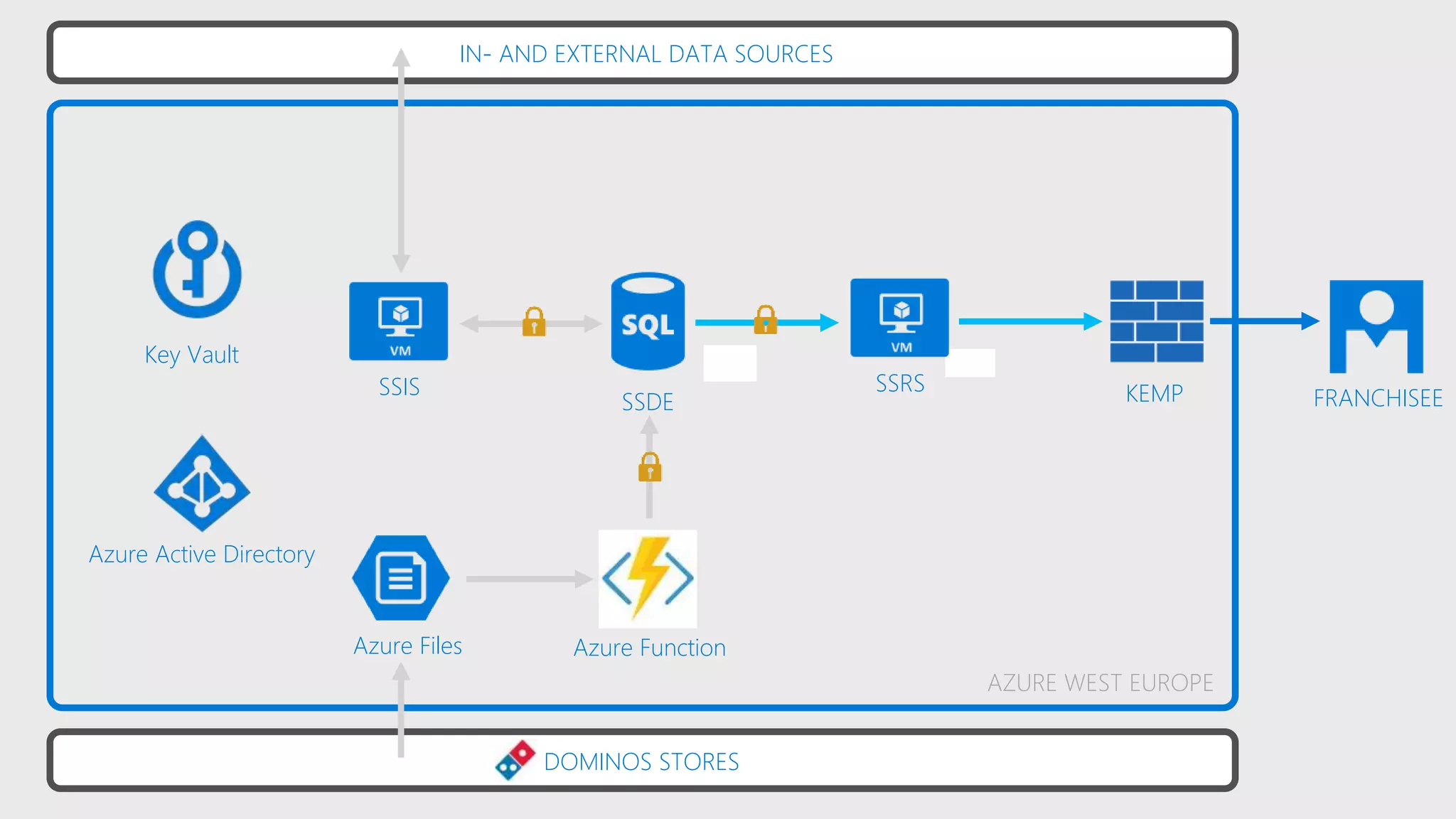
DOMINOS STORES
Key Vault
Azure Active Directory
Azure Files
SSIS FRANCHISEE
AZURE WEST EUROPE
Azure Function
KEMPSSDE
SSRS
IN- AND EXTERNAL DATA SOURCES
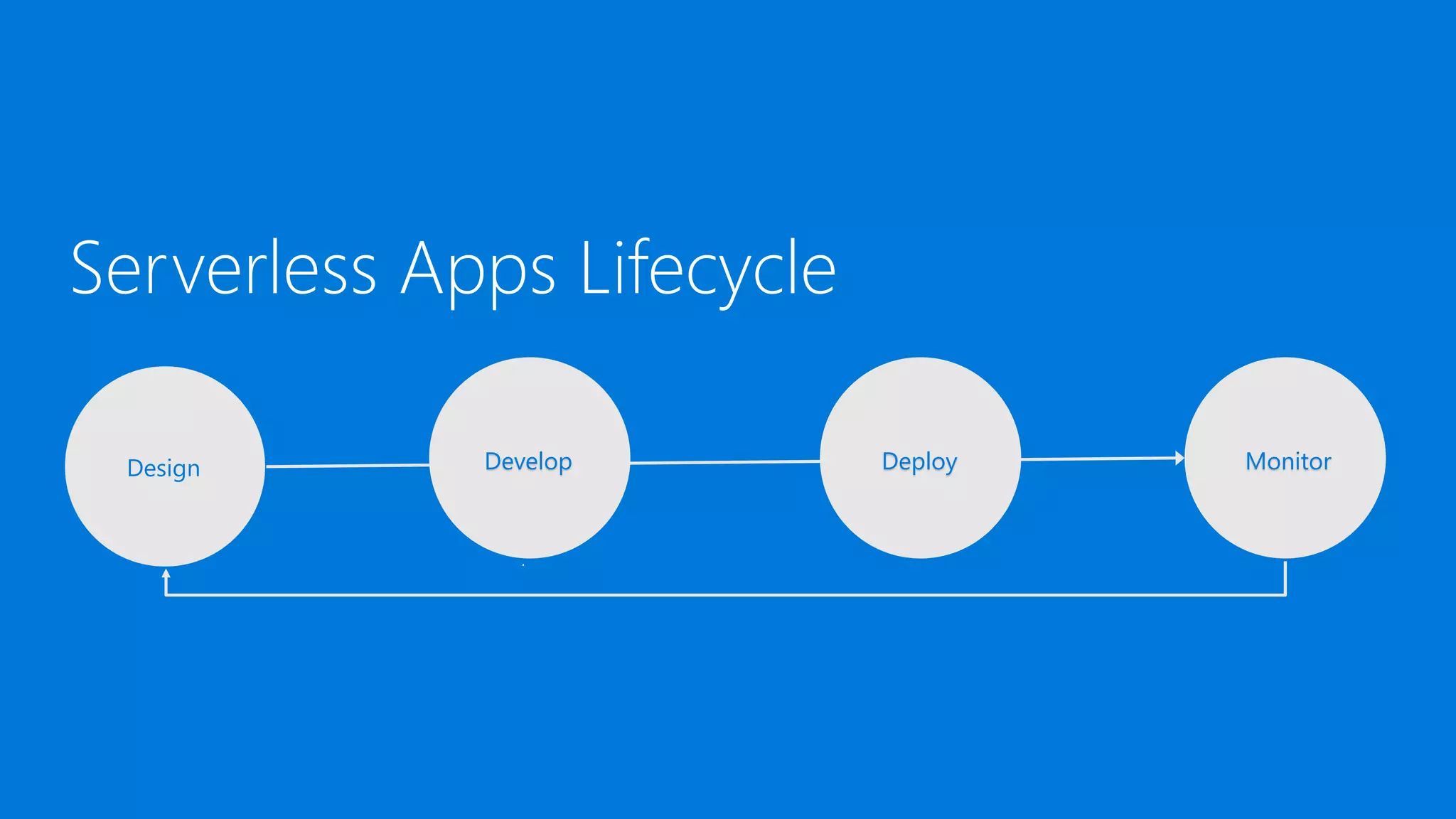
Serverless Apps Lifecycle
Design Develop Deploy Monitor
Design
Design Develop Deploy Monitor
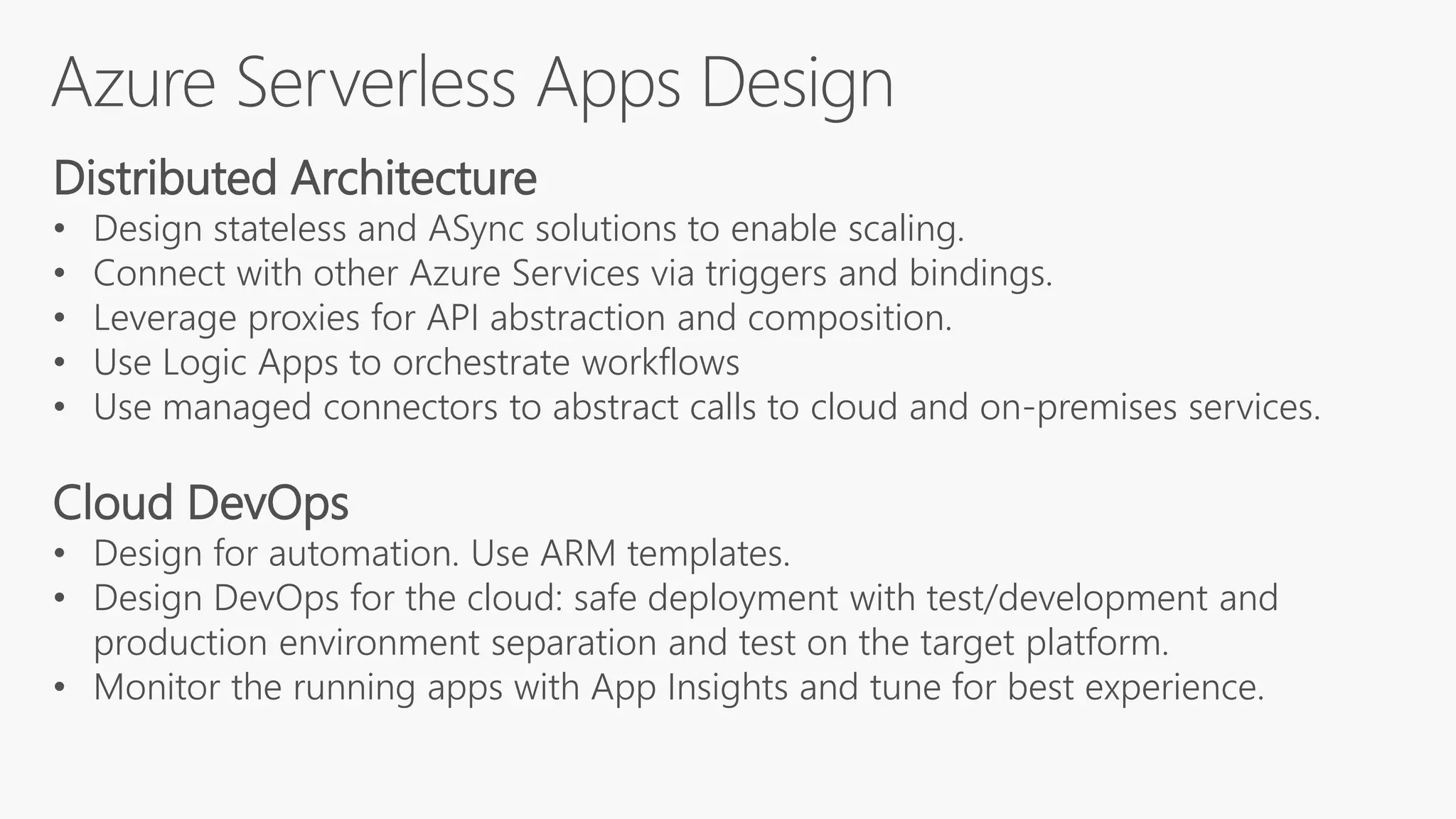
Distributed Architecture
• Design stateless and ASync solutions to enable scaling.
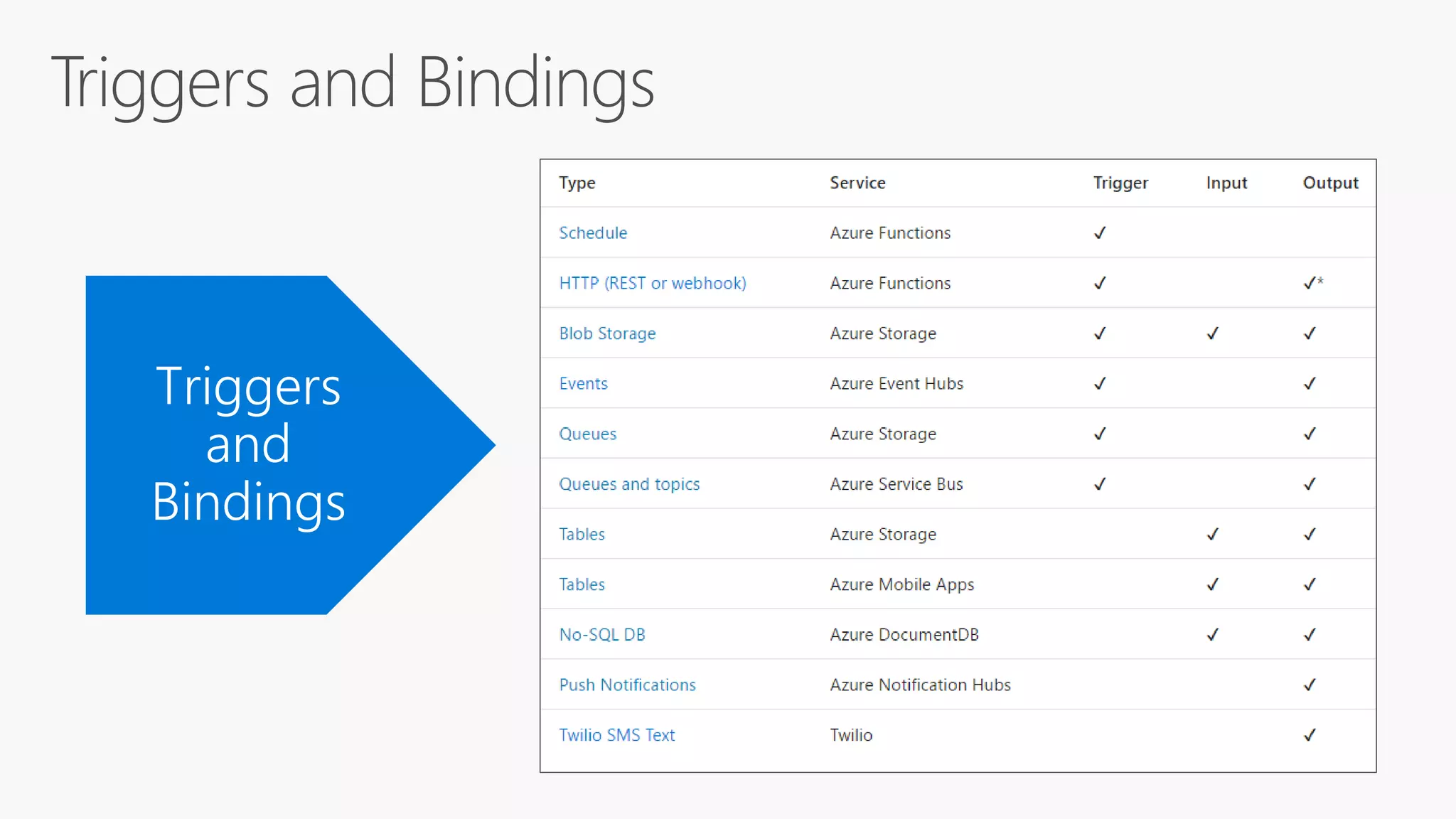
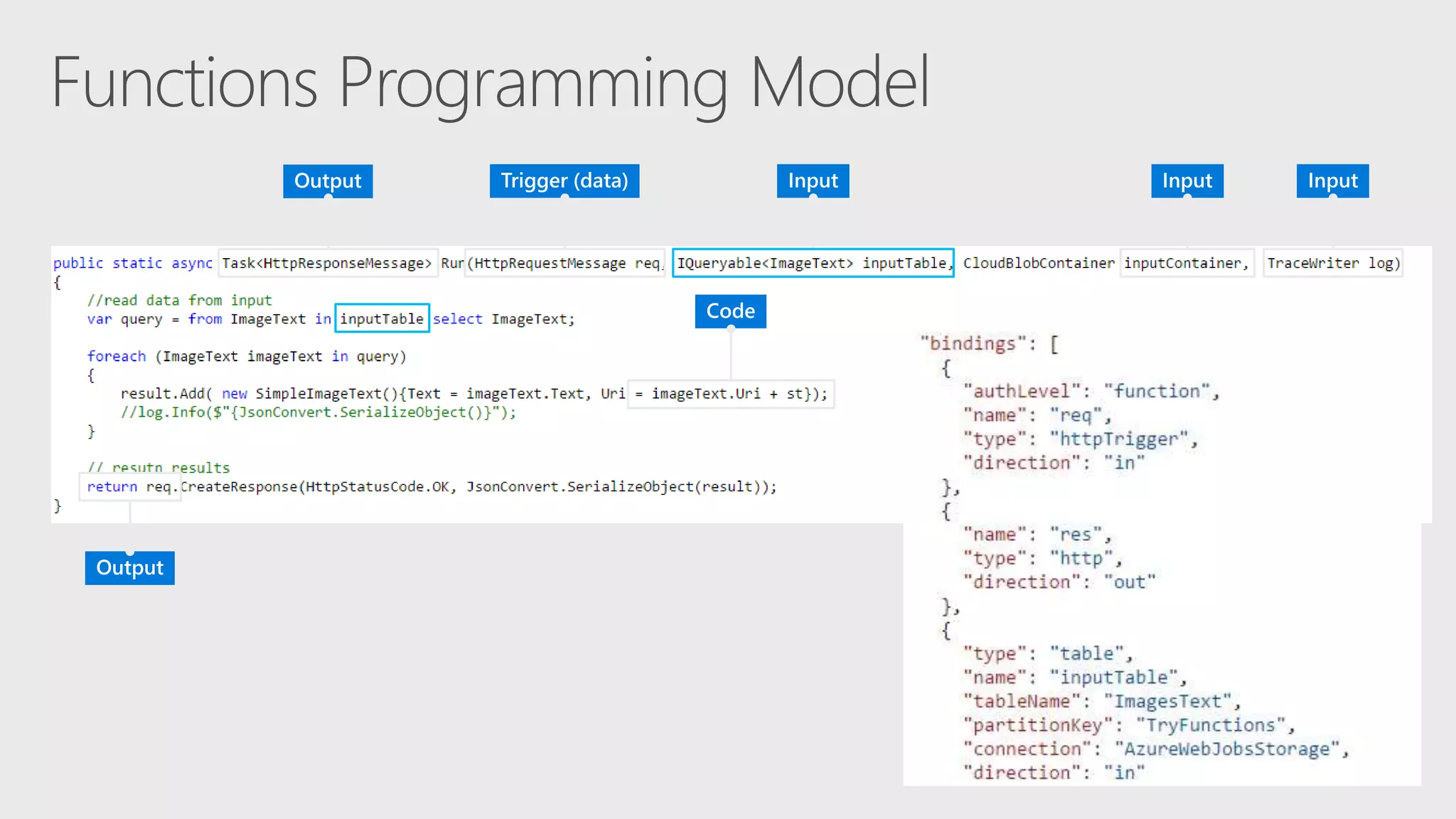
• Connect with other Azure Services via triggers and bindings.
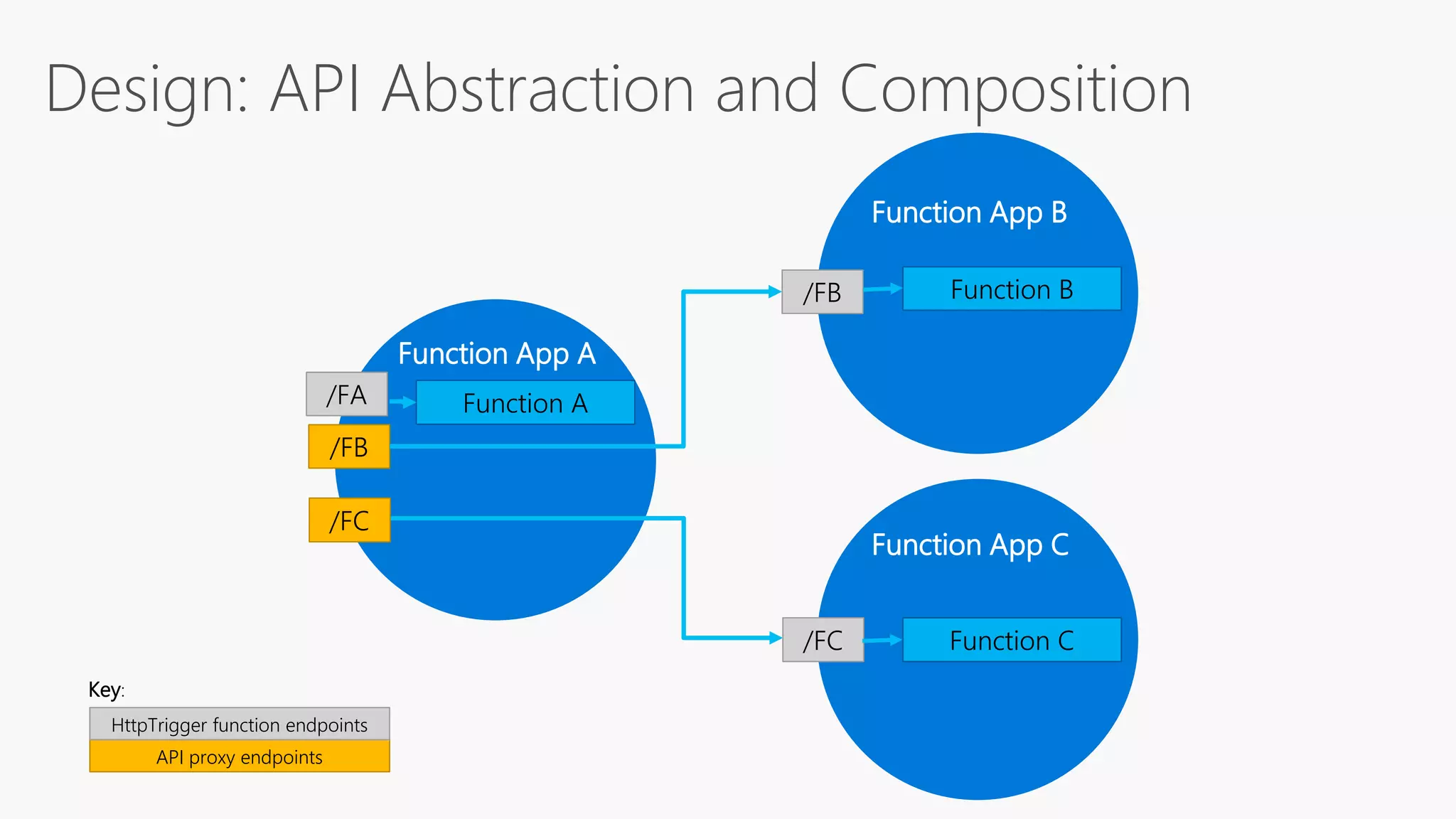
• Leverage proxies for API abstraction and composition.
• Use Logic Apps to orchestrate workflows
• Use managed connectors to abstract calls to cloud and on-premises services.
Cloud DevOps
• Design for automation. Use ARM templates.
• Design DevOps for the cloud: safe deployment with test/development and
production environment separation and test on the target platform.
• Monitor the running apps with App Insights and tune for best experience.
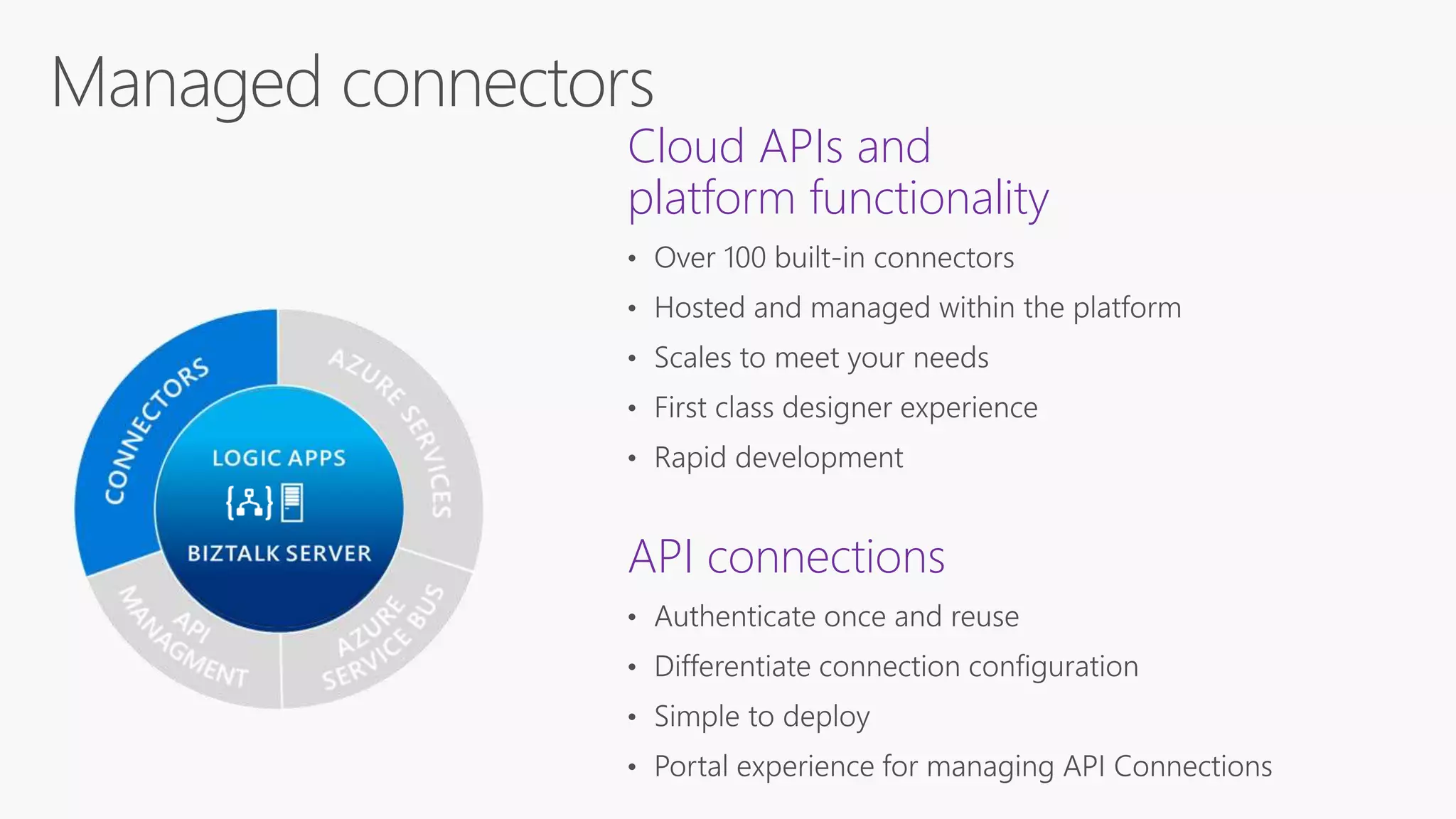
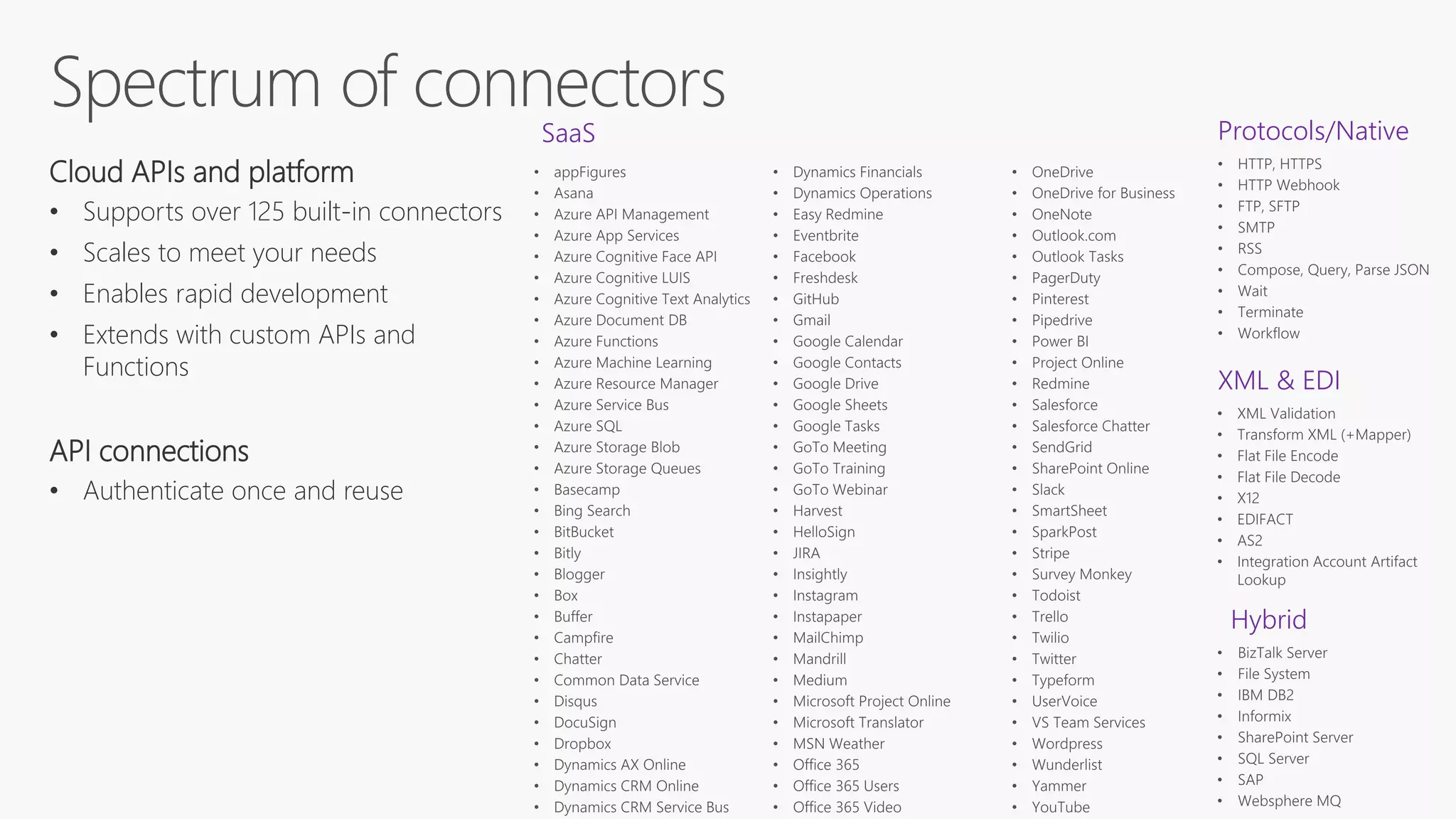
Cloud APIs and
platform functionality
API connections
Protocols/Native
XML & EDI
Hybrid
Cloud APIs and platform
• Supports over 125 built-in connectors
• Scales to meet your needs
• Enables rapid development
• Extends with custom APIs and
Functions
API connections
• Authenticate once and reuse
SaaS
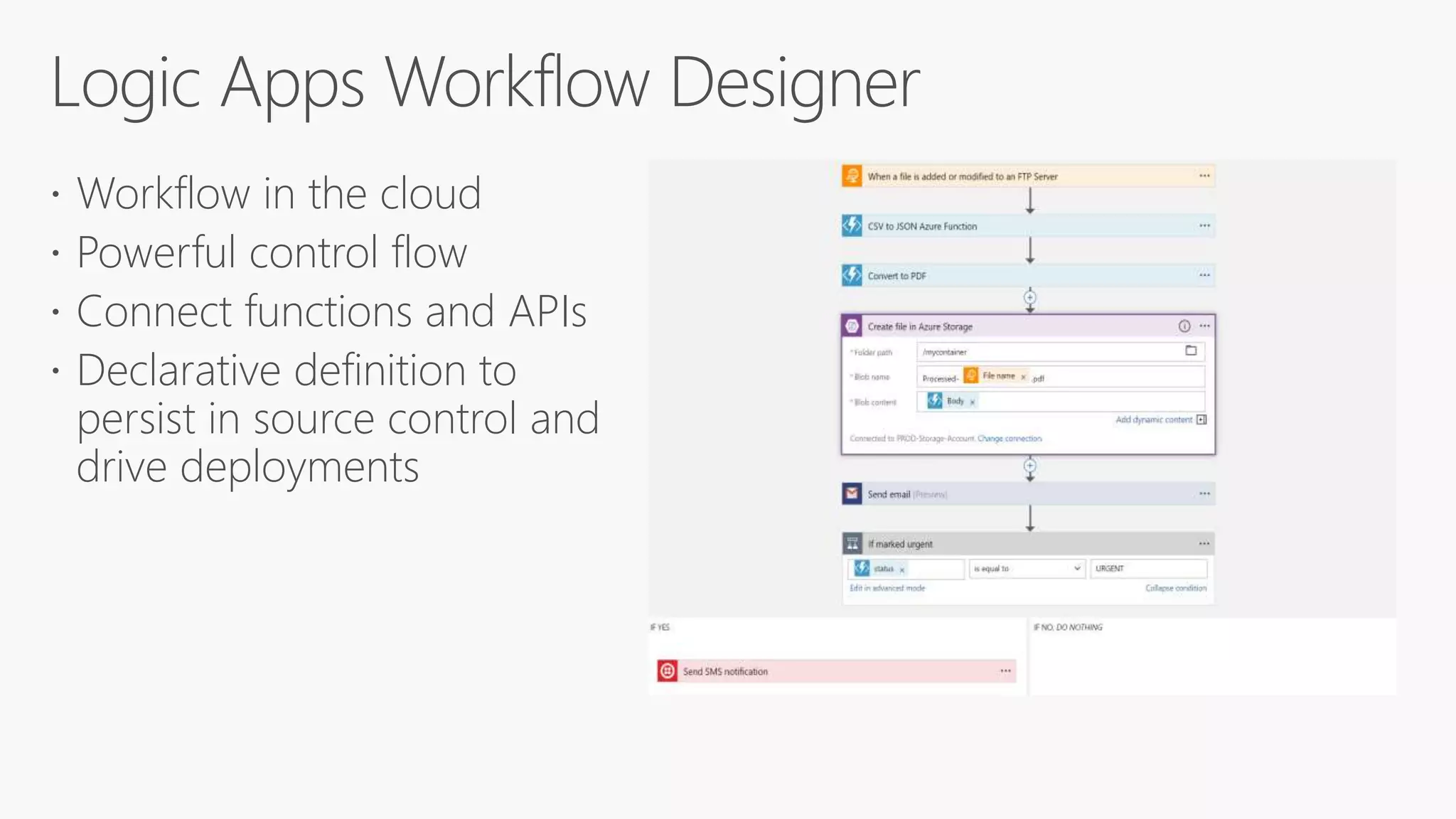
 Workflow in the cloud
 Powerful control flow
 Connect functions and APIs
 Declarative definition to
persist in source control and
drive deployments
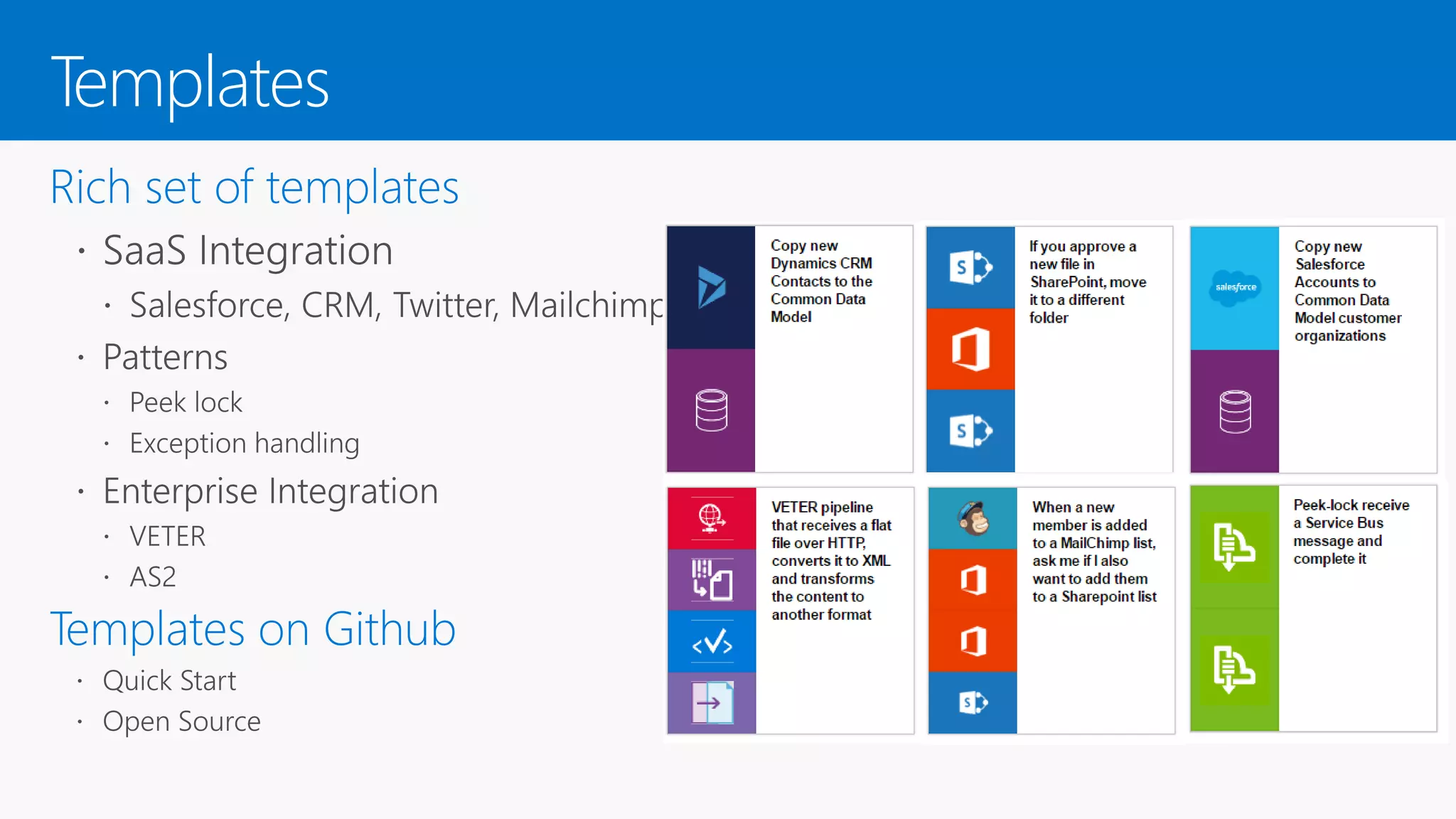
Templates
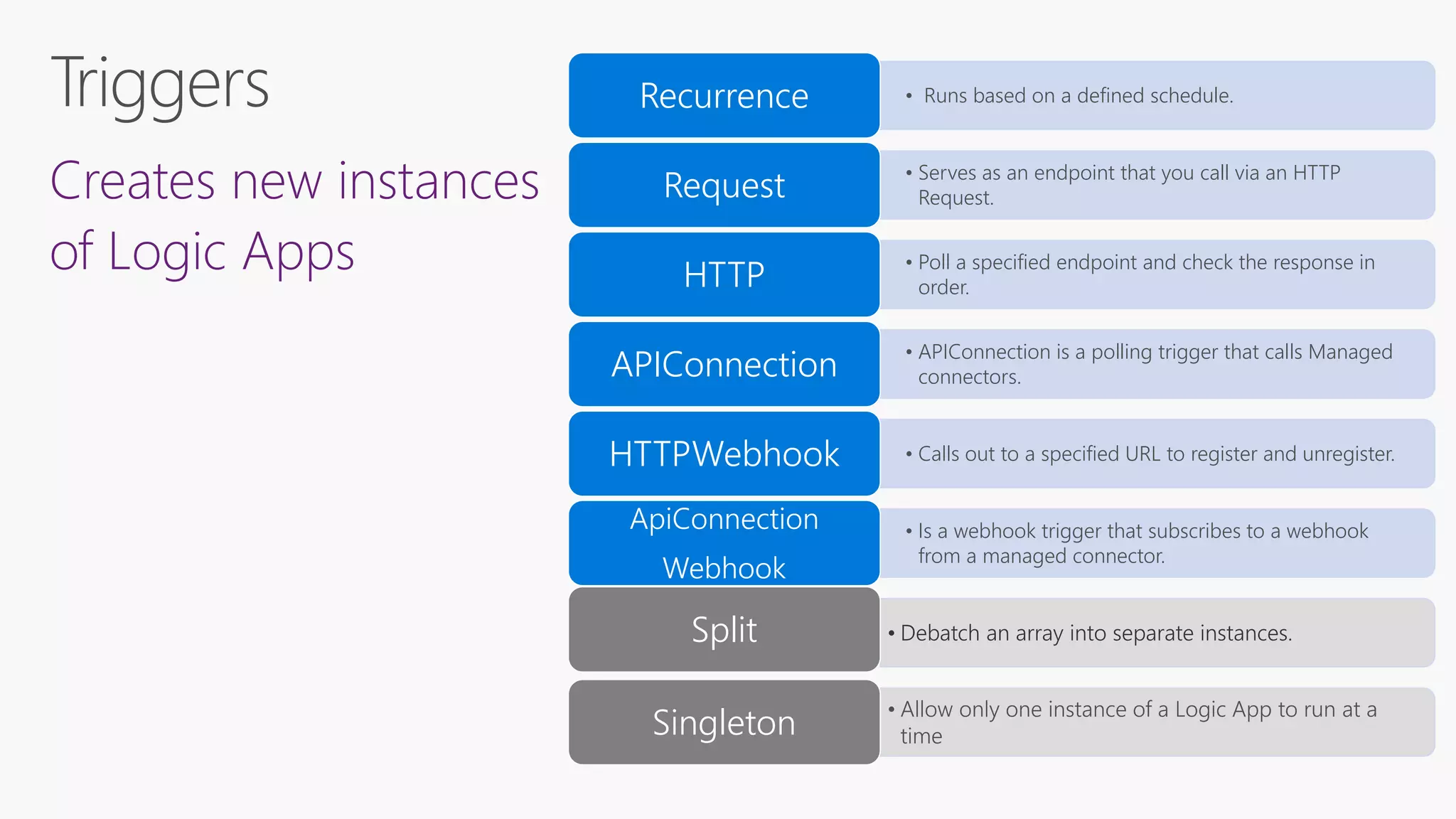
Creates new instances
of Logic Apps
• Runs based on a defined schedule.Recurrence
• Serves as an endpoint that you call via an HTTP
Request.Request
• Poll a specified endpoint and check the response in
order.HTTP
• APIConnection is a polling trigger that calls Managed
connectors.APIConnection
• Calls out to a specified URL to register and unregister.HTTPWebhook
• Is a webhook trigger that subscribes to a webhook
from a managed connector.
ApiConnection
Webhook
• Debatch an array into separate instances.Split
• Allow only one instance of a Logic App to run at a
timeSingleton
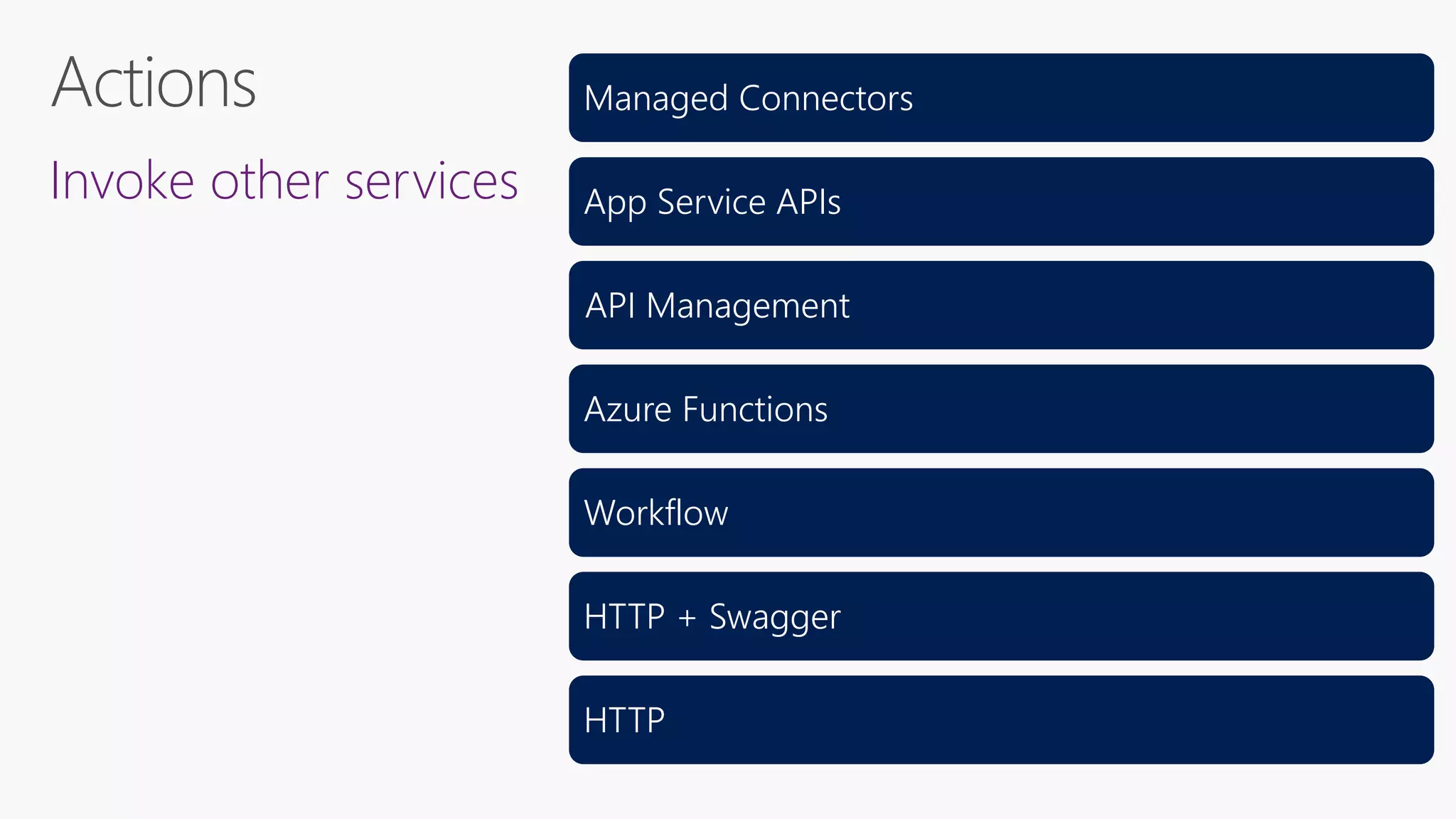
Invoke other services
Managed Connectors
App Service APIs
API Management
Azure Functions
Workflow
HTTP + Swagger
HTTP
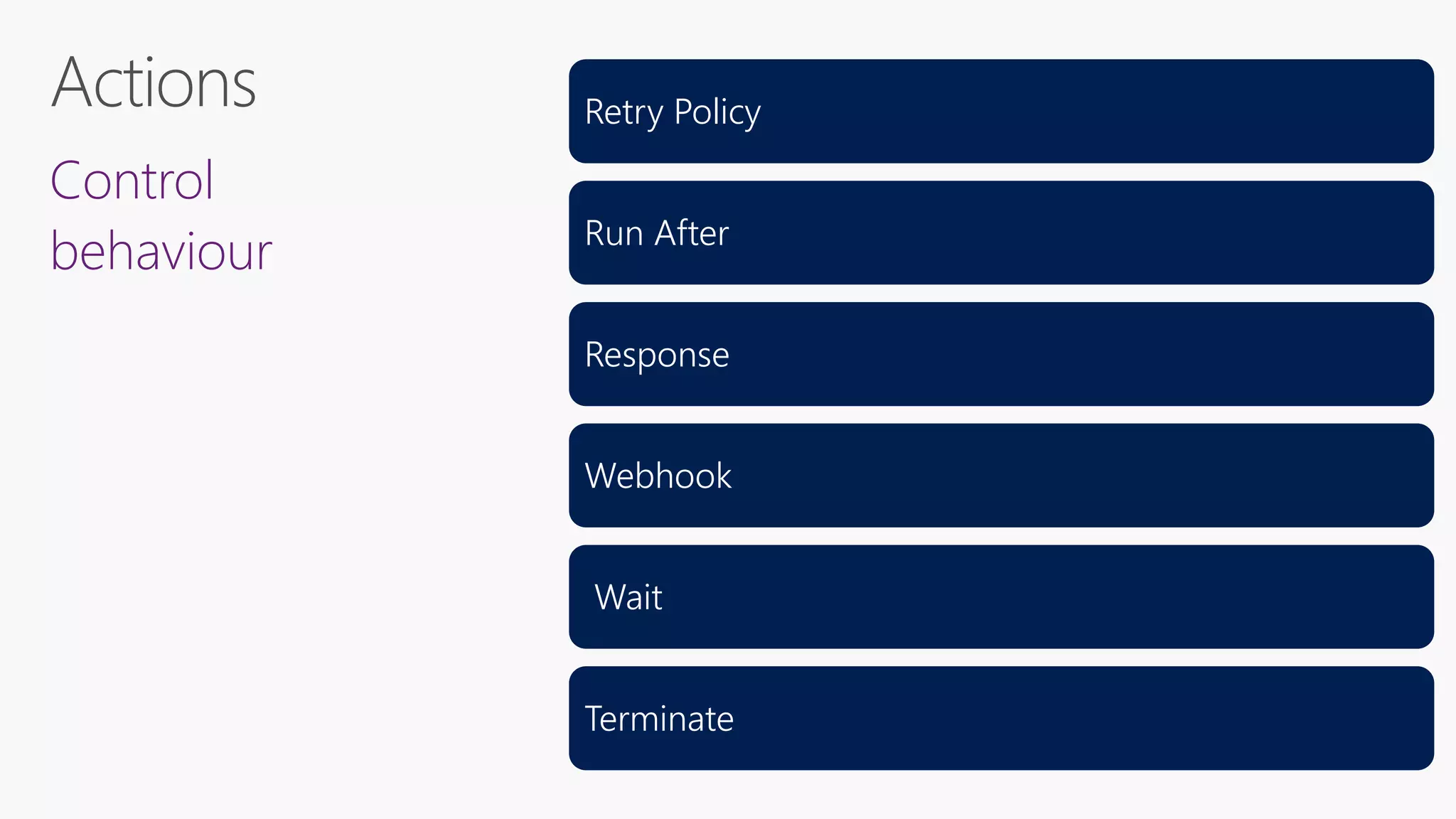
Control
behaviour
Retry Policy
Run After
Response
Webhook
Wait
Terminate
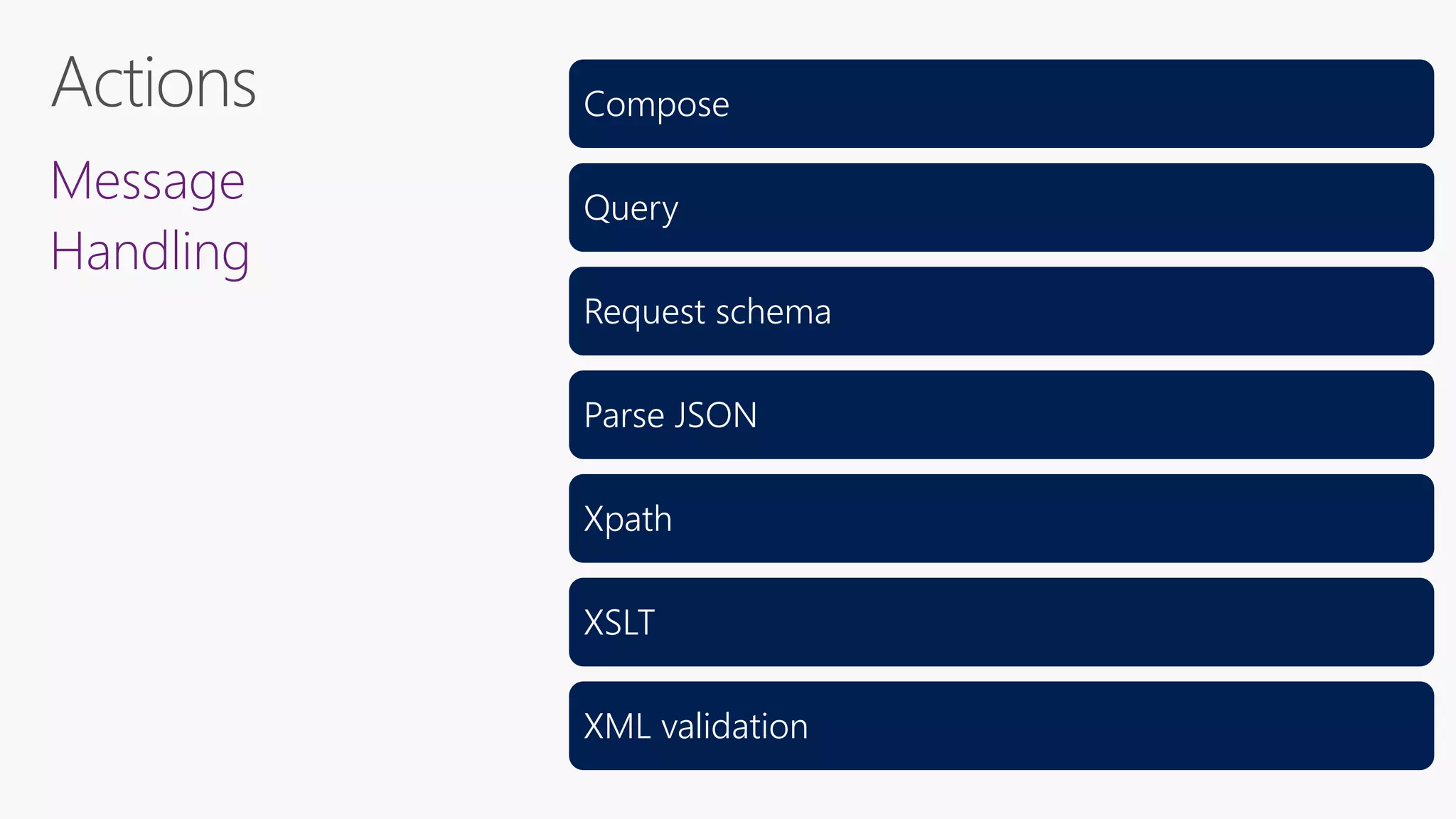
Message
Handling
Compose
Query
Request schema
Parse JSON
Xpath
XSLT
XML validation
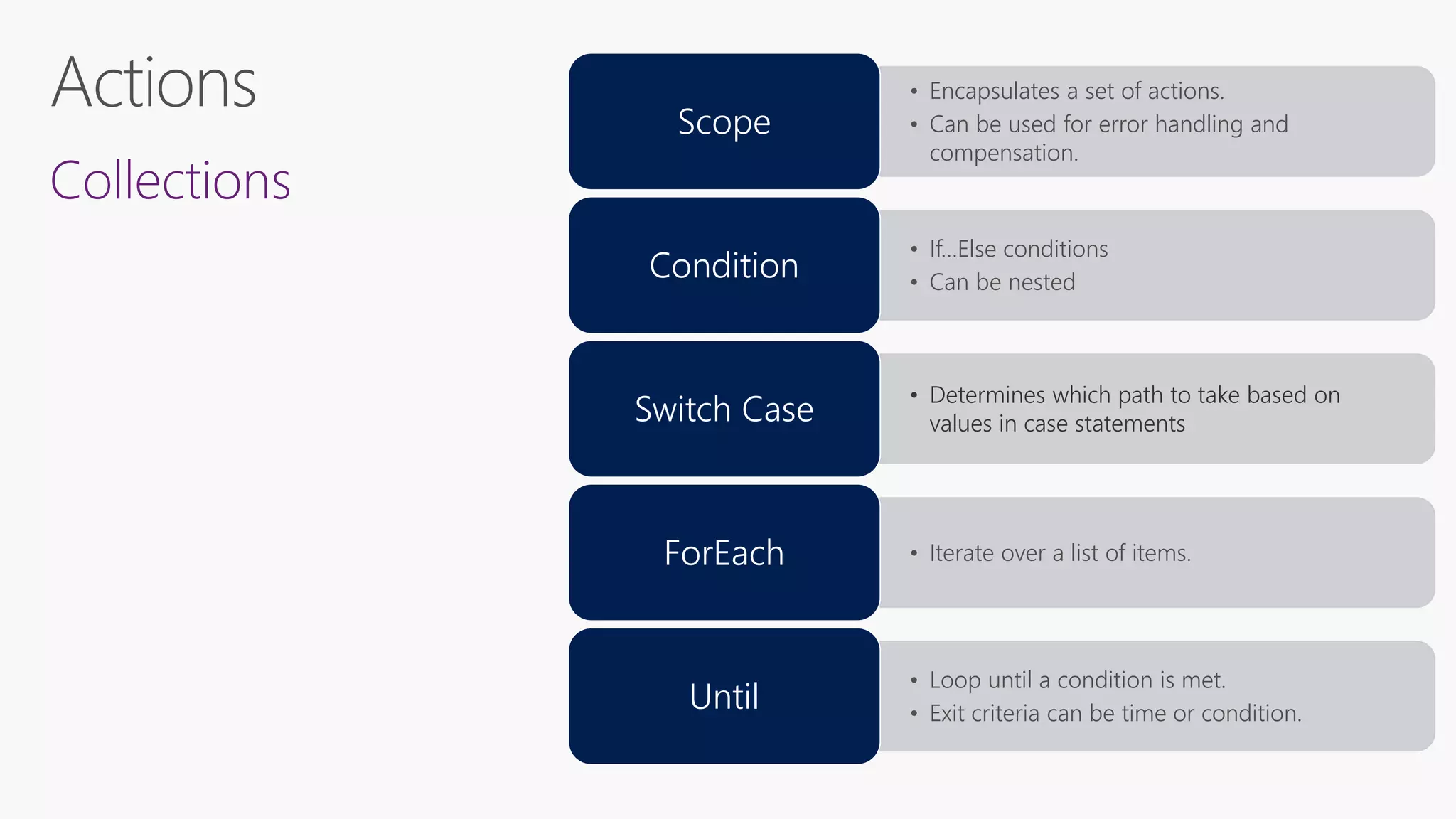
Collections
• Encapsulates a set of actions.
• Can be used for error handling and
compensation.
Scope
• If…Else conditions
• Can be nested
Condition
• Determines which path to take based on
values in case statementsSwitch Case
• Iterate over a list of items.ForEach
• Loop until a condition is met.
• Exit criteria can be time or condition.
Until
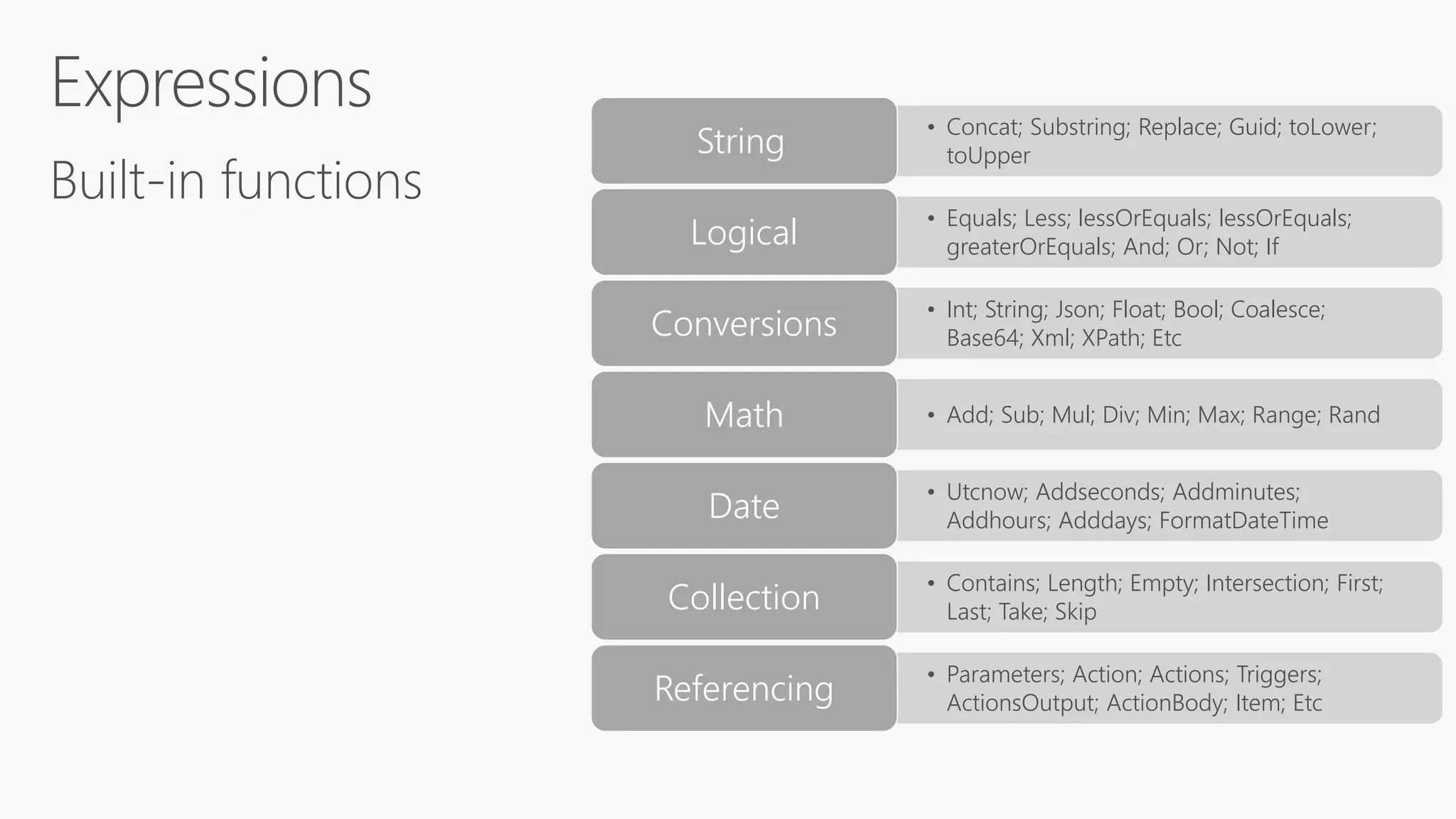
Built-in functions
• Concat; Substring; Replace; Guid; toLower;
toUpperString
• Equals; Less; lessOrEquals; lessOrEquals;
greaterOrEquals; And; Or; Not; IfLogical
• Int; String; Json; Float; Bool; Coalesce;
Base64; Xml; XPath; EtcConversions
• Add; Sub; Mul; Div; Min; Max; Range; RandMath
• Utcnow; Addseconds; Addminutes;
Addhours; Adddays; FormatDateTimeDate
• Contains; Length; Empty; Intersection; First;
Last; Take; SkipCollection
• Parameters; Action; Actions; Triggers;
ActionsOutput; ActionBody; Item; EtcReferencing
• Invoke an expression function@
• Parameters for an expression()
• Array reference
• Property reference
[]
• String interpolation{}
• Property reference.
• Null safe dereference?
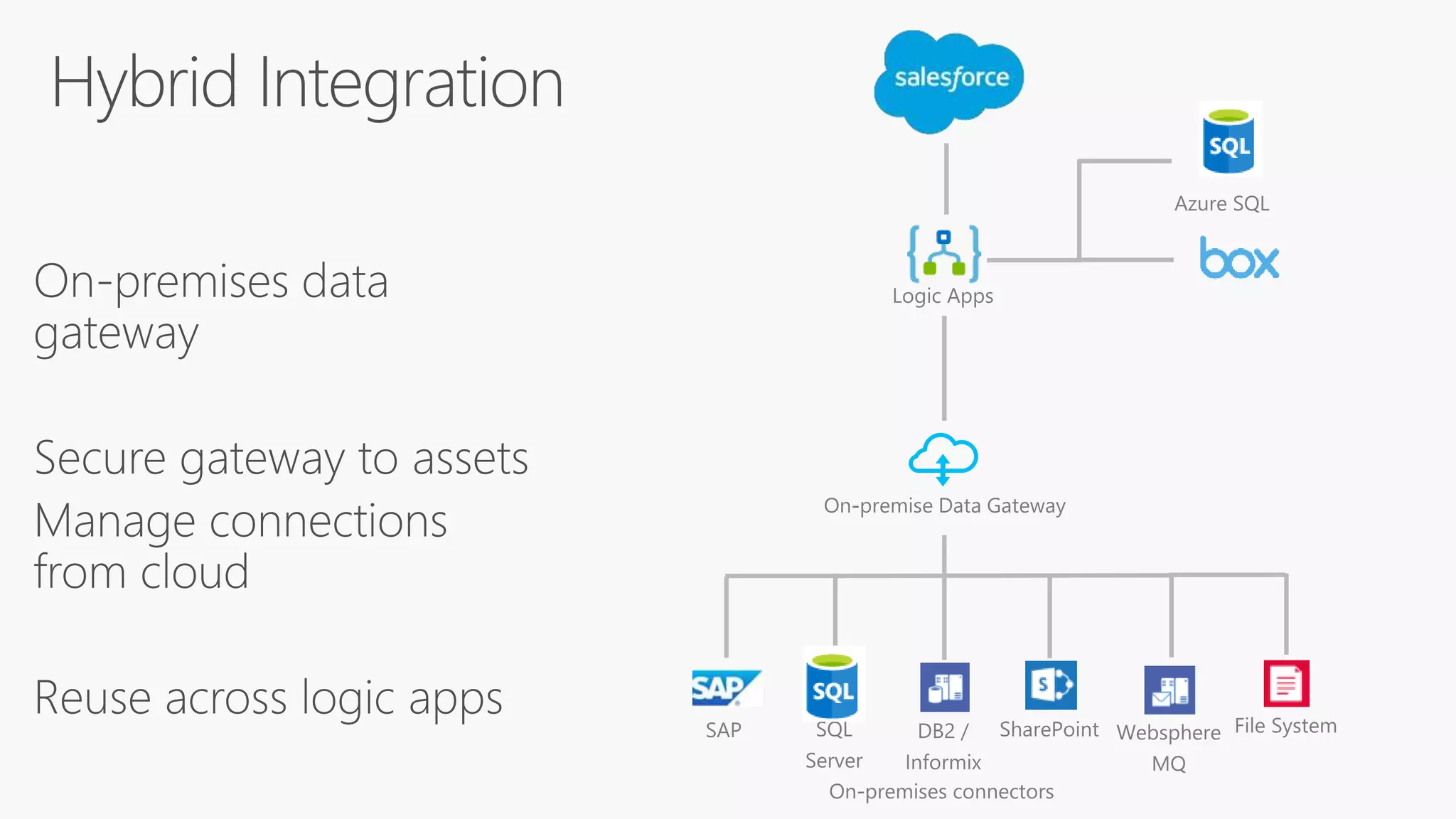
On-premises data
gateway
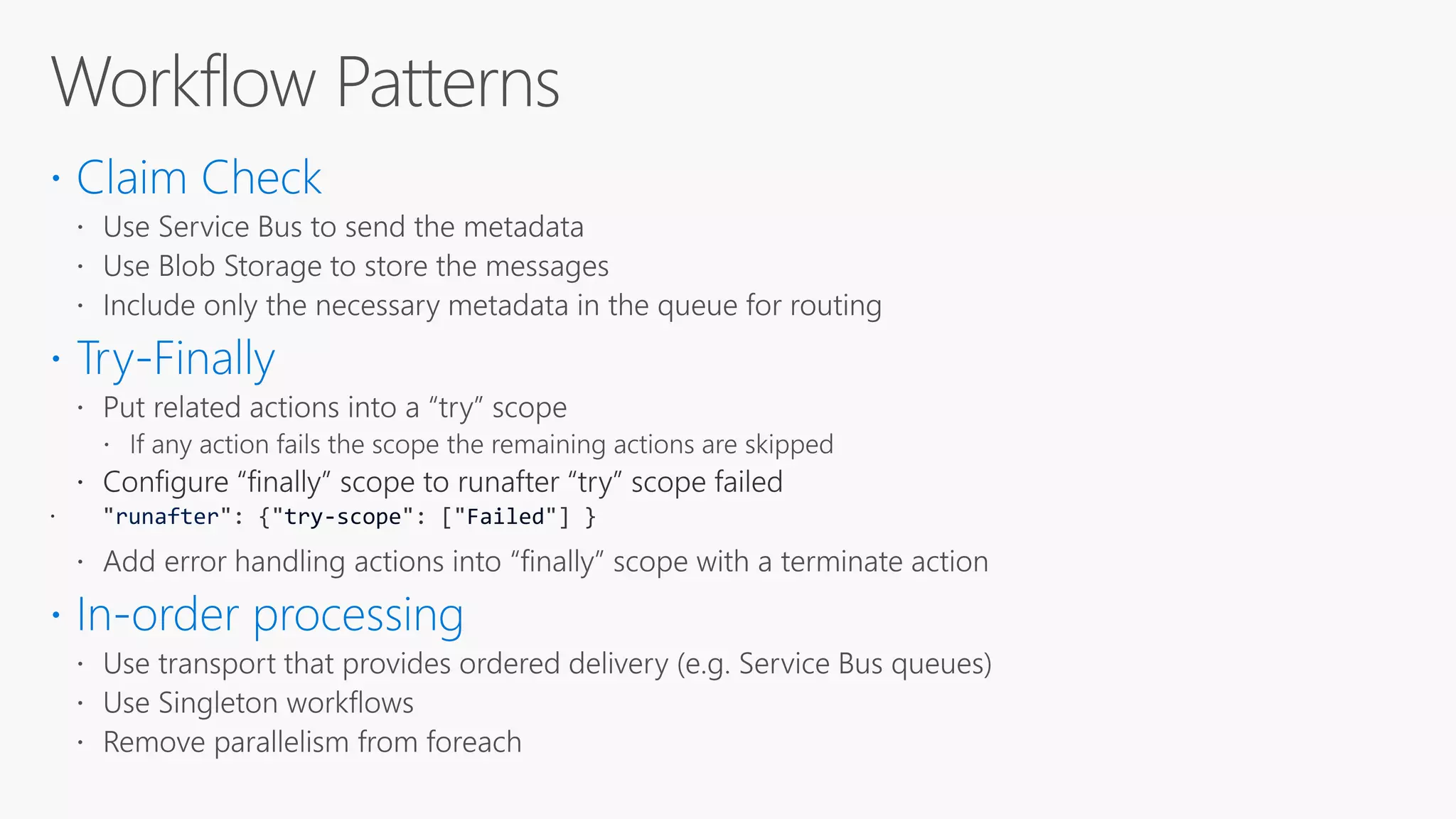
runafter try-scope Failed

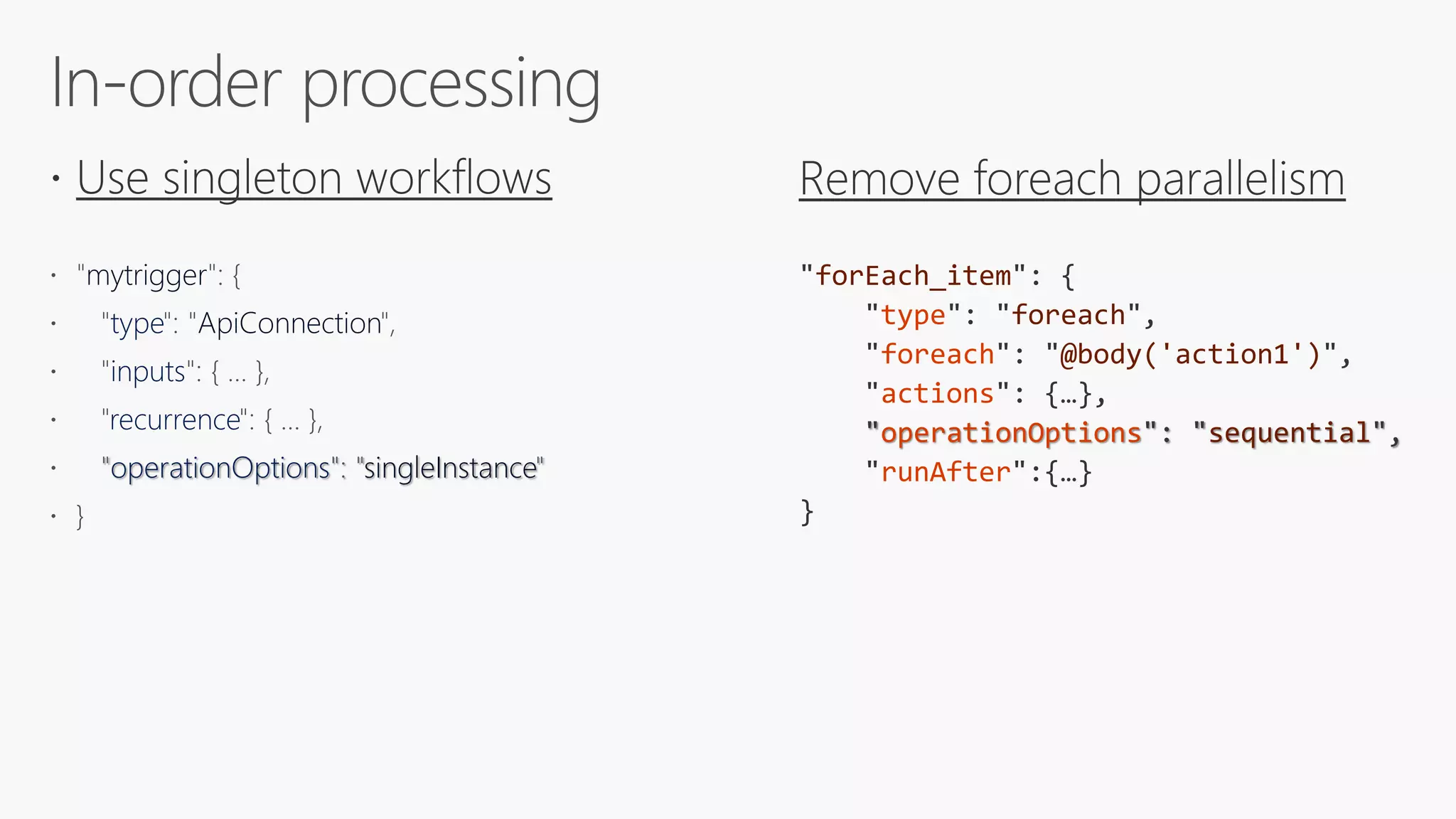
mytrigger
type ApiConnection
inputs
recurrence
operationOptions singleInstance
forEach_item
type foreach
foreach @body('action1')
actions
operationOptions sequential
runAfter
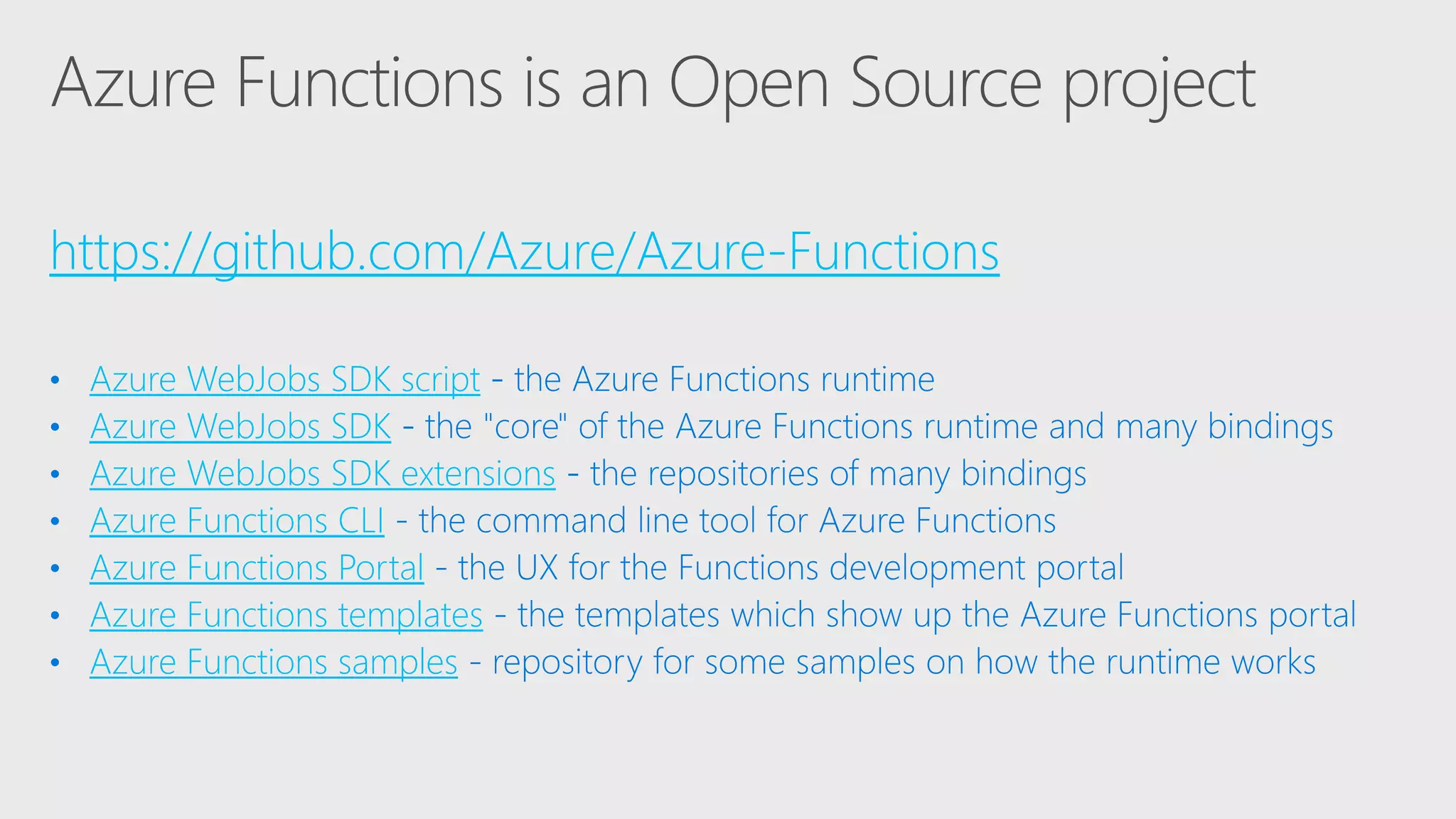
https://github.com/Azure/Azure-Functions
Azure WebJobs SDK script
Azure WebJobs SDK
Azure WebJobs SDK extensions
Azure Functions CLI
Azure Functions Portal
Azure Functions templates
Azure Functions samples
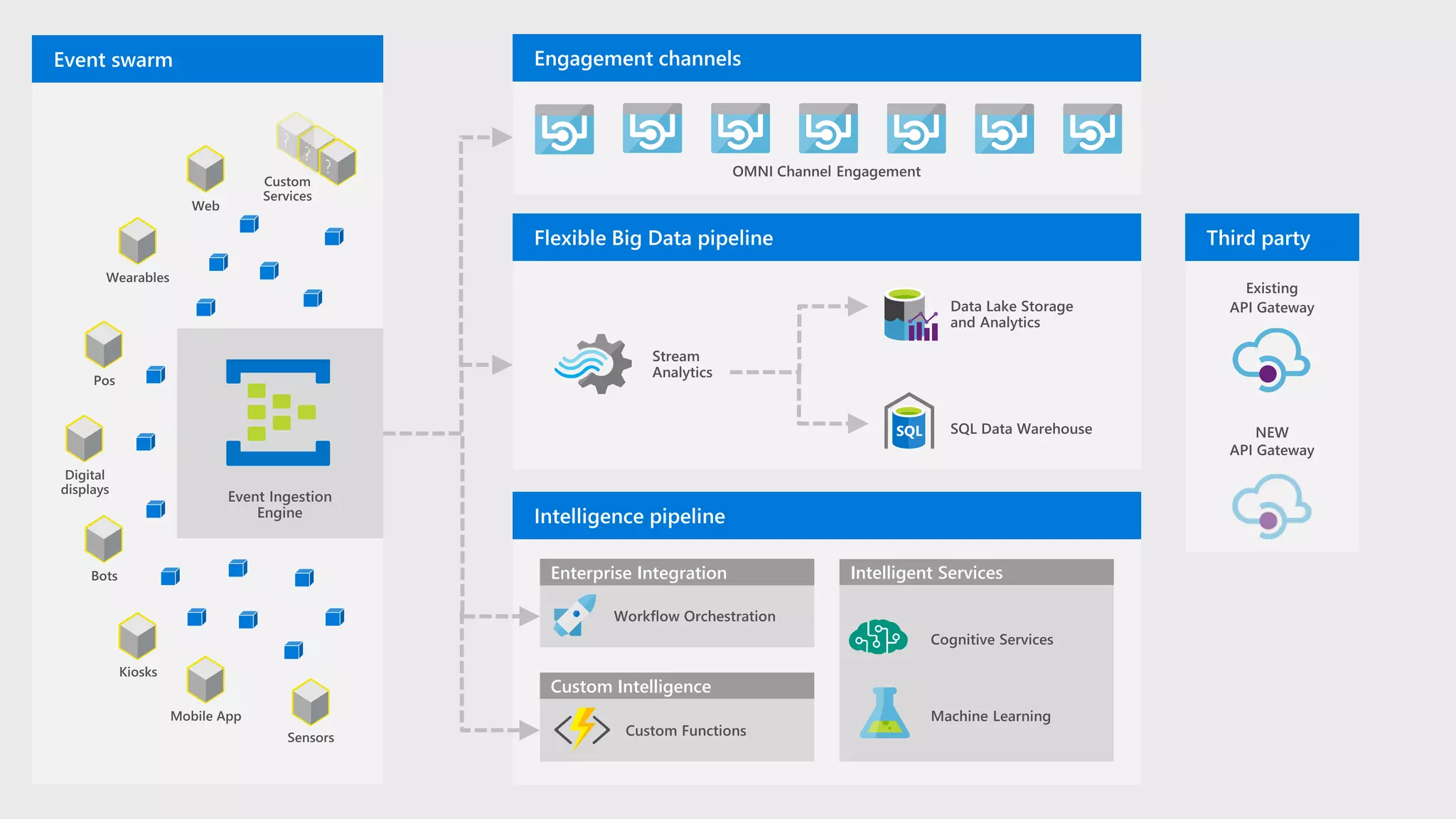
Enterprise Integration
Custom Intelligence
Intelligent Services
/FB
/FA Function A
/FC
API proxy endpoints
HttpTrigger function endpoints
Key:
Design: API Abstraction and Composition
Function App A
Function C/FC
Function App C
Function B/FB
Function App B
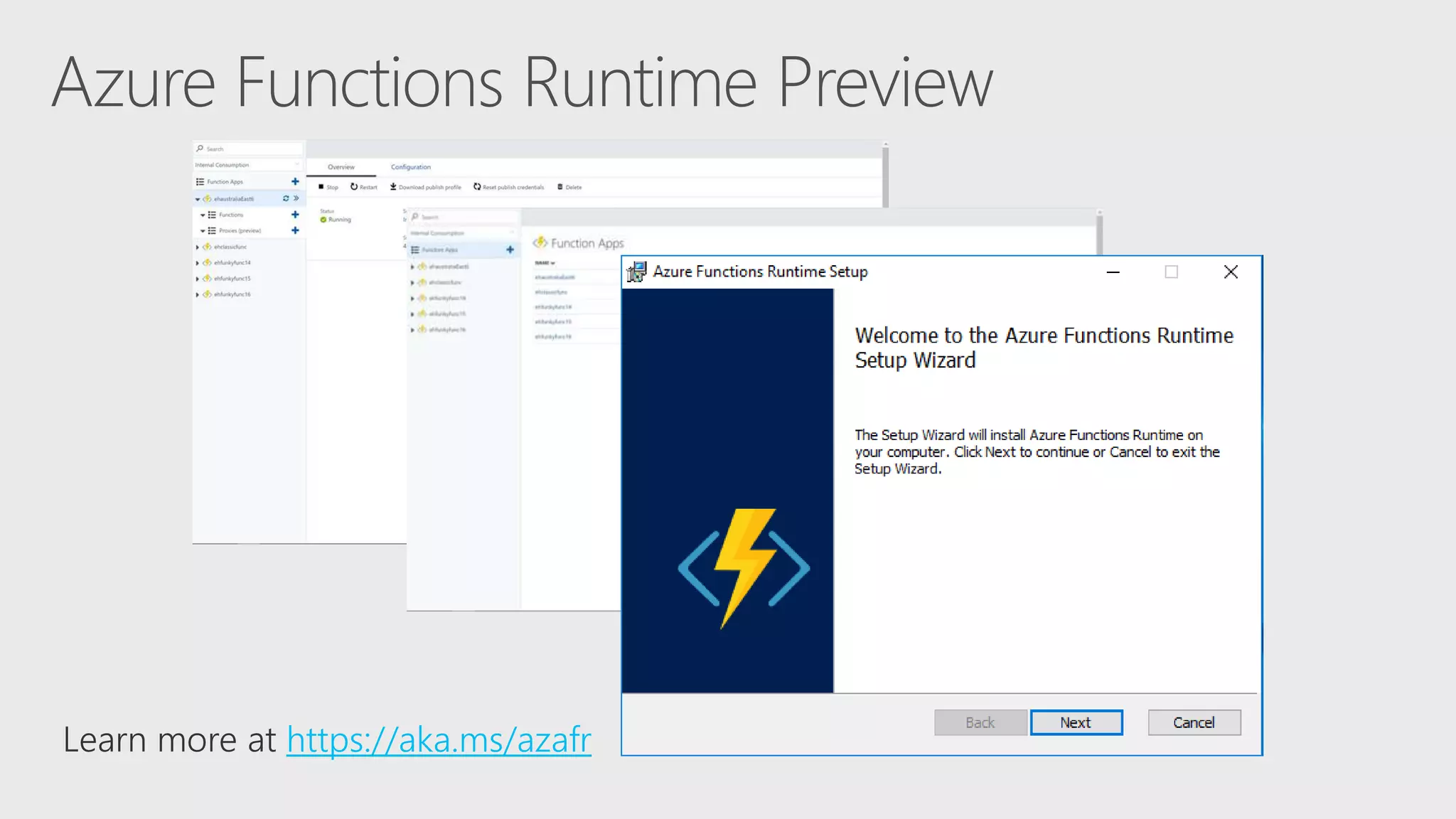
https://aka.ms/azafr
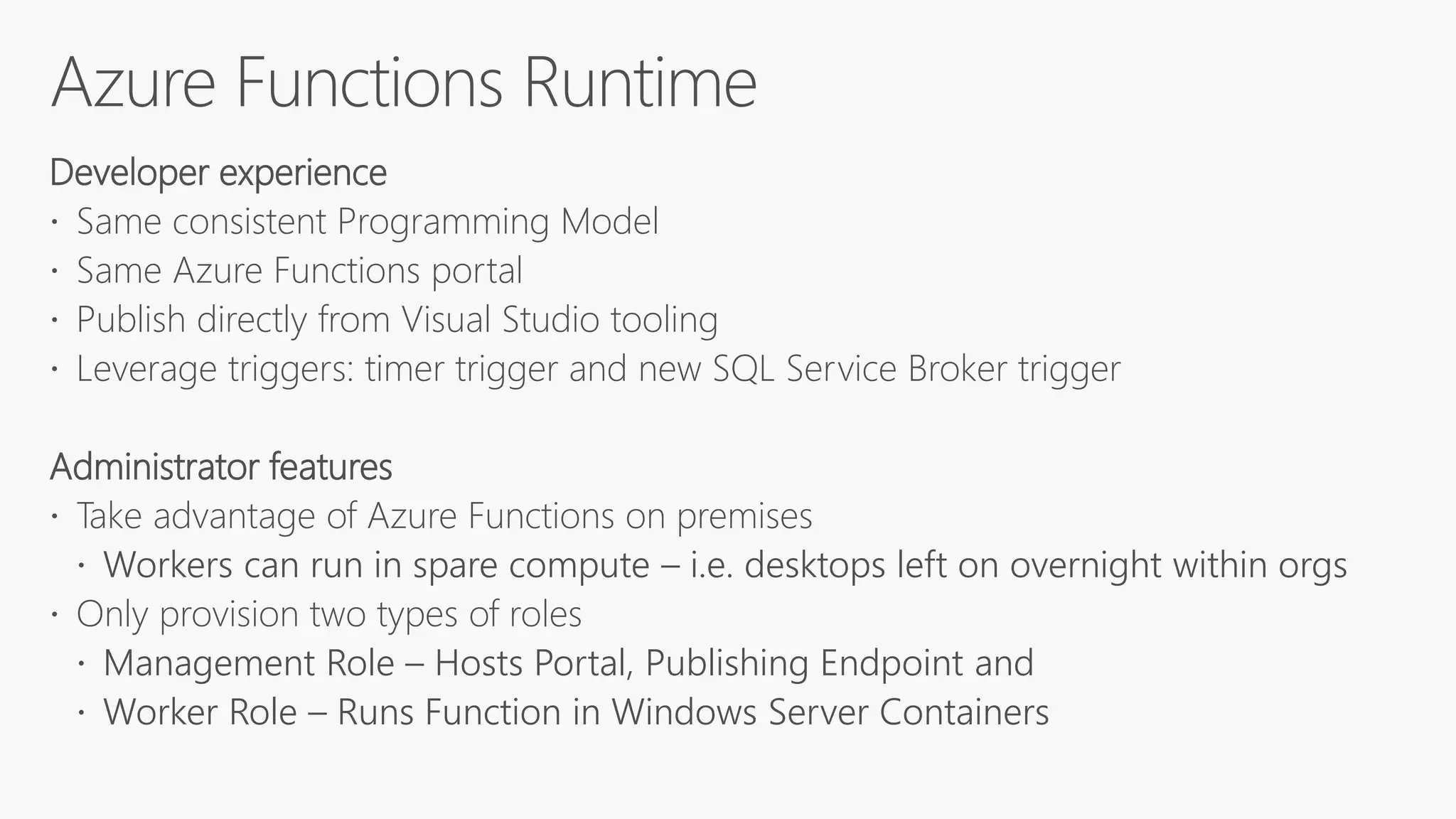
Developer experience
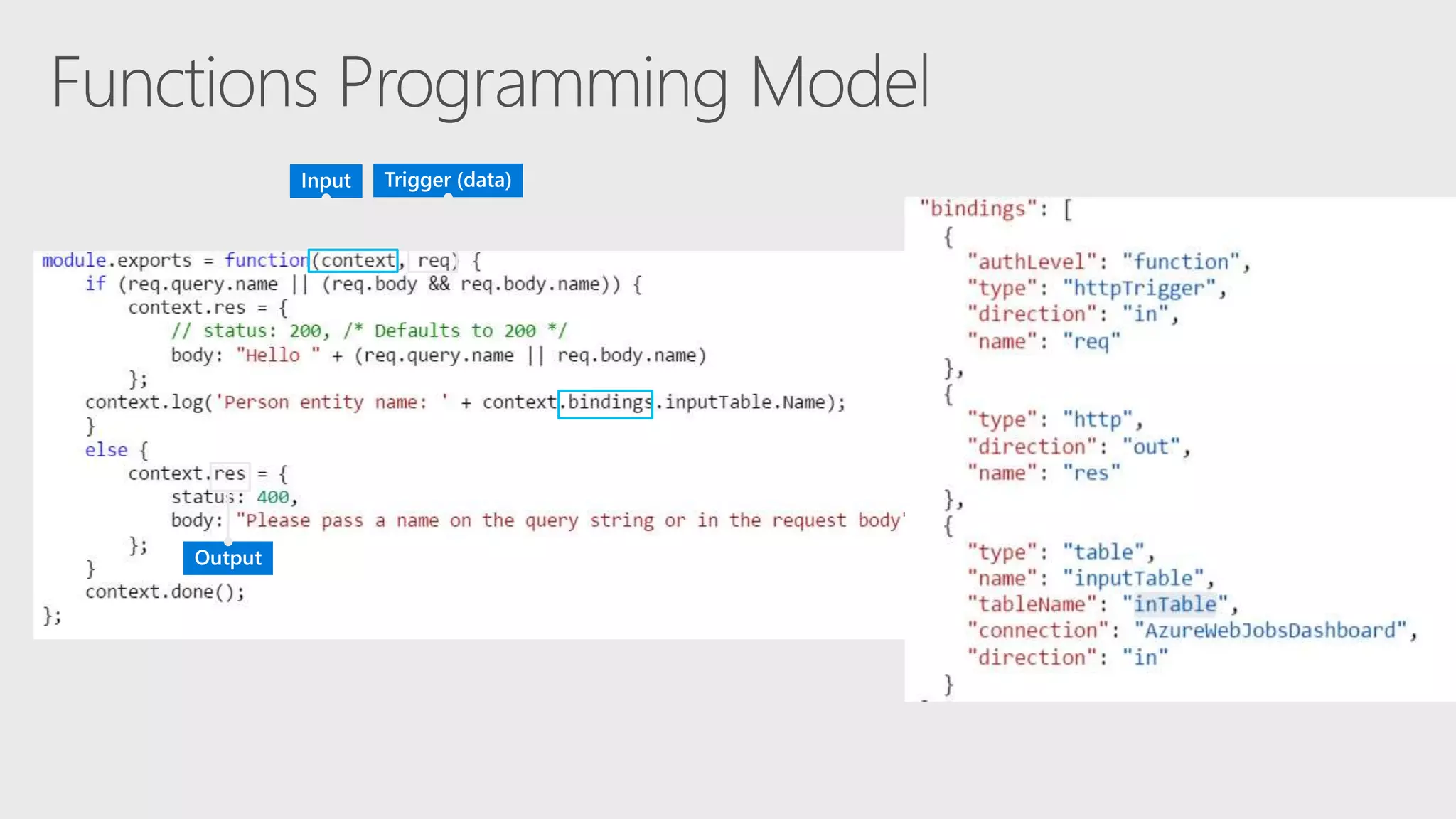
 Same consistent Programming Model
 Same Azure Functions portal
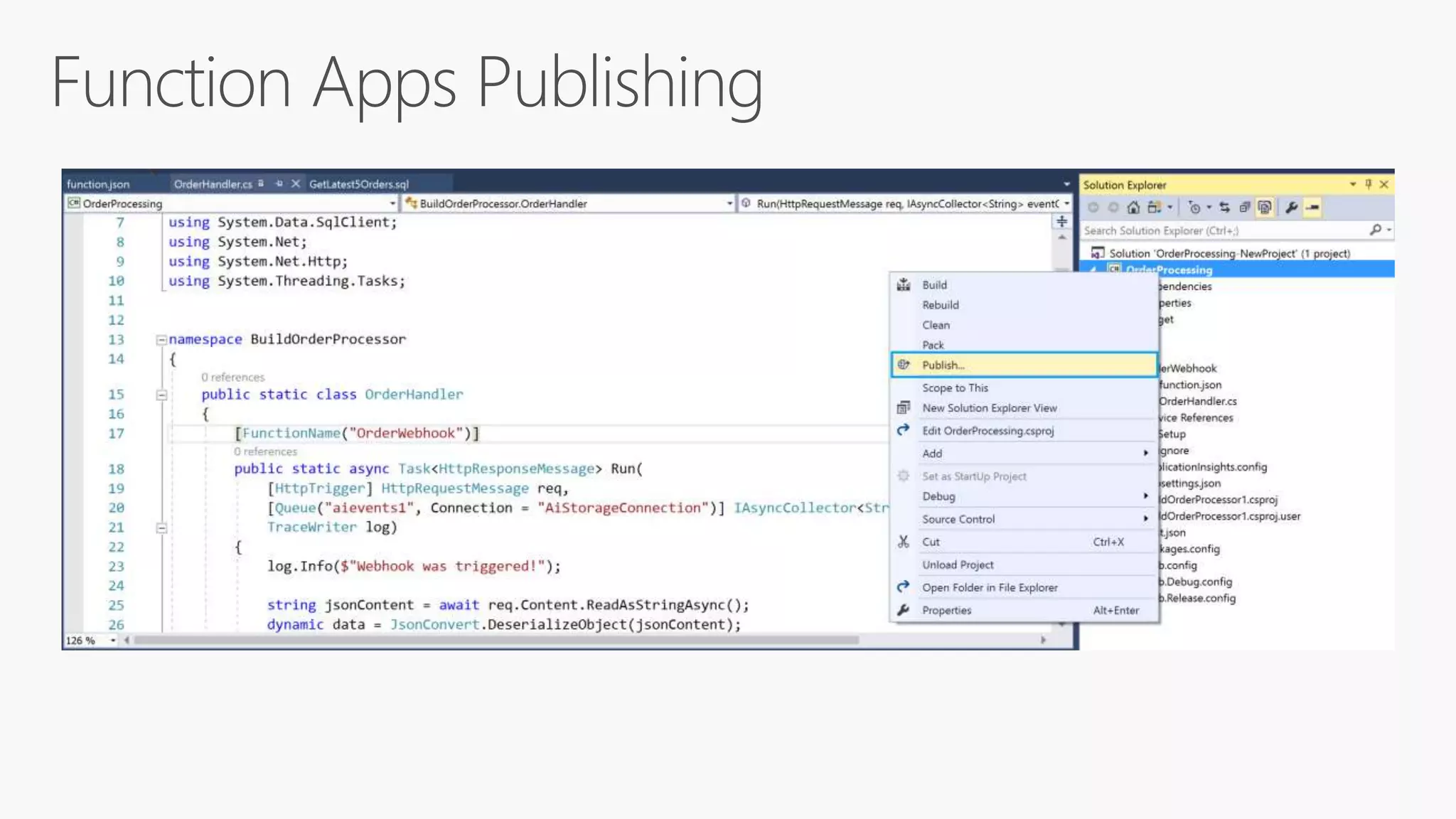
 Publish directly from Visual Studio tooling
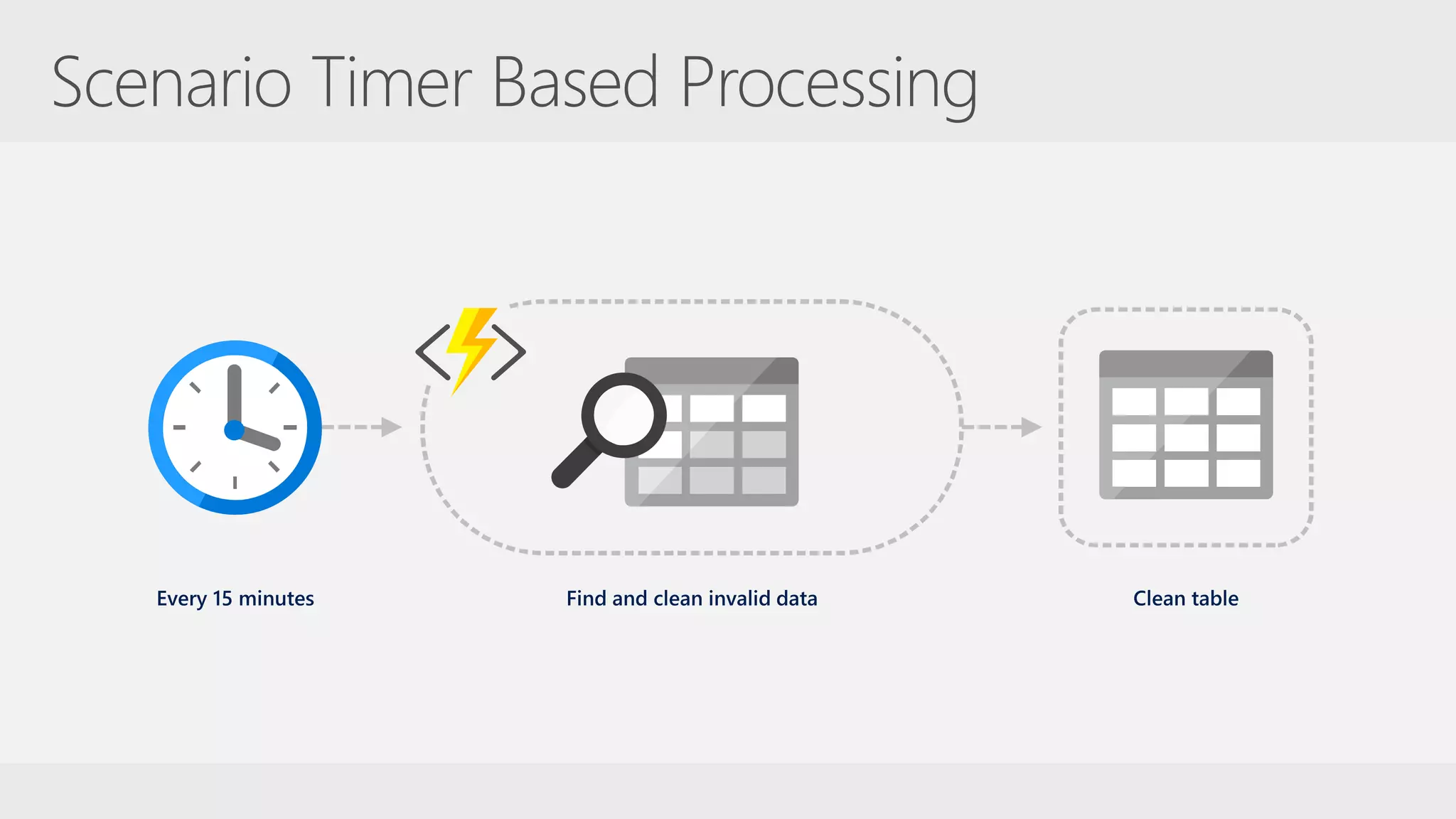
 Leverage triggers: timer trigger and new SQL Service Broker trigger
Administrator features
 Take advantage of Azure Functions on premises
 Workers can run in spare compute – i.e. desktops left on overnight within orgs
 Only provision two types of roles
 Management Role – Hosts Portal, Publishing Endpoint and
 Worker Role – Runs Function in Windows Server Containers
Develop
Design Develop Deploy Monitor
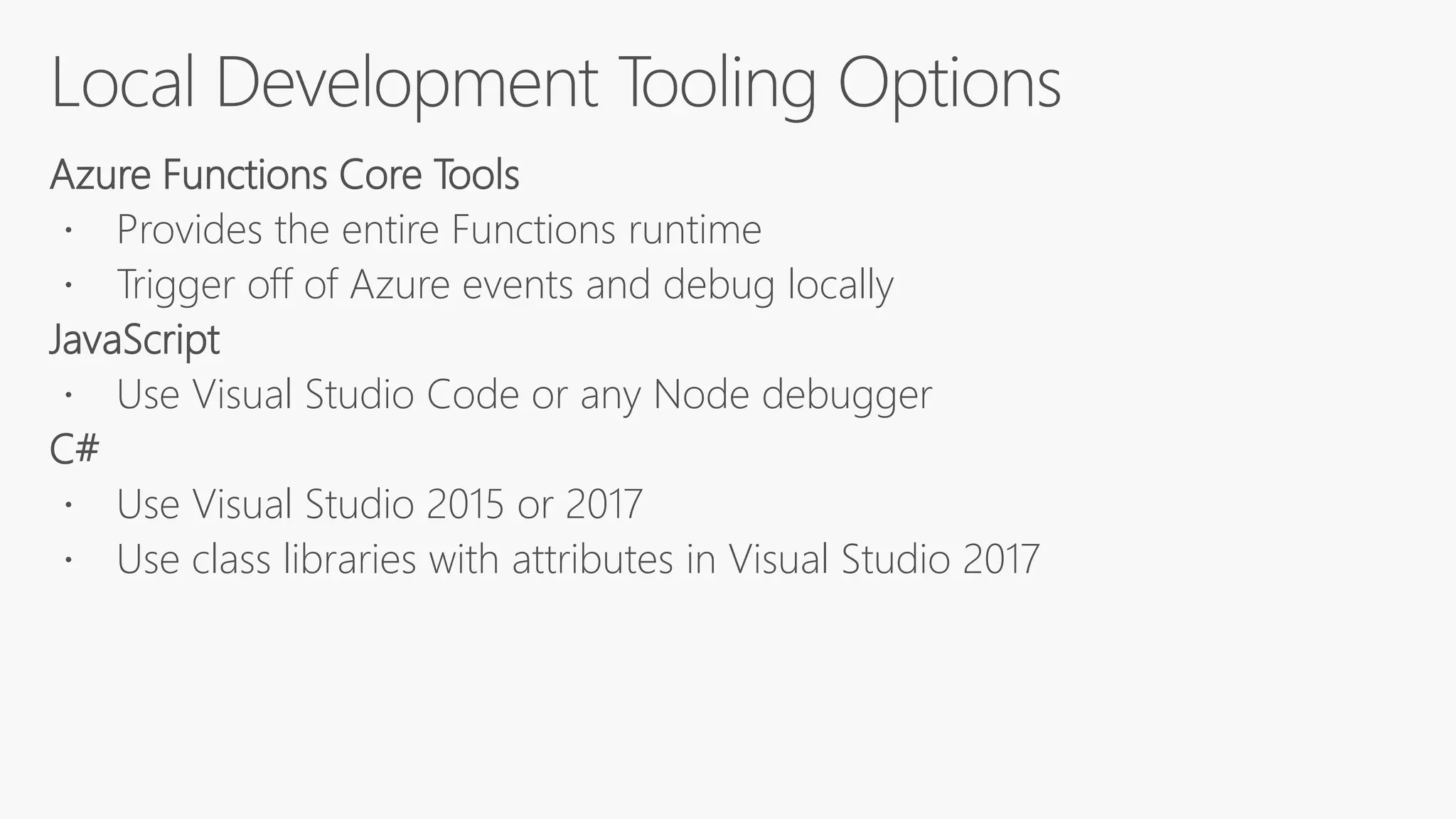
Azure Functions Core Tools
 Provides the entire Functions runtime
 Trigger off of Azure events and debug locally
JavaScript
 Use Visual Studio Code or any Node debugger
C#
 Use Visual Studio 2015 or 2017
 Use class libraries with attributes in Visual Studio 2017
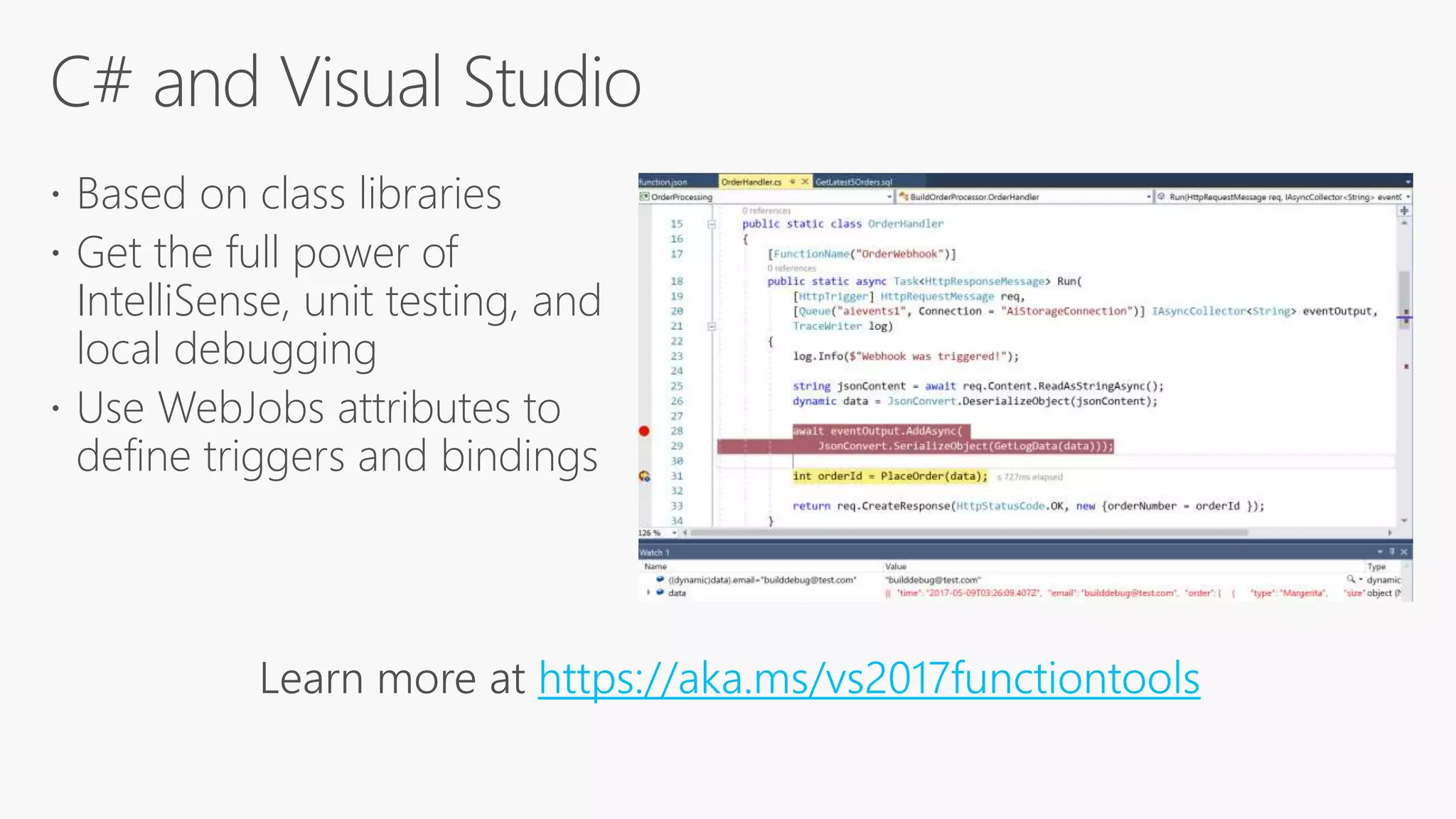
 Based on class libraries
 Get the full power of
IntelliSense, unit testing, and
local debugging
 Use WebJobs attributes to
define triggers and bindings
Learn more at https://aka.ms/vs2017functiontools
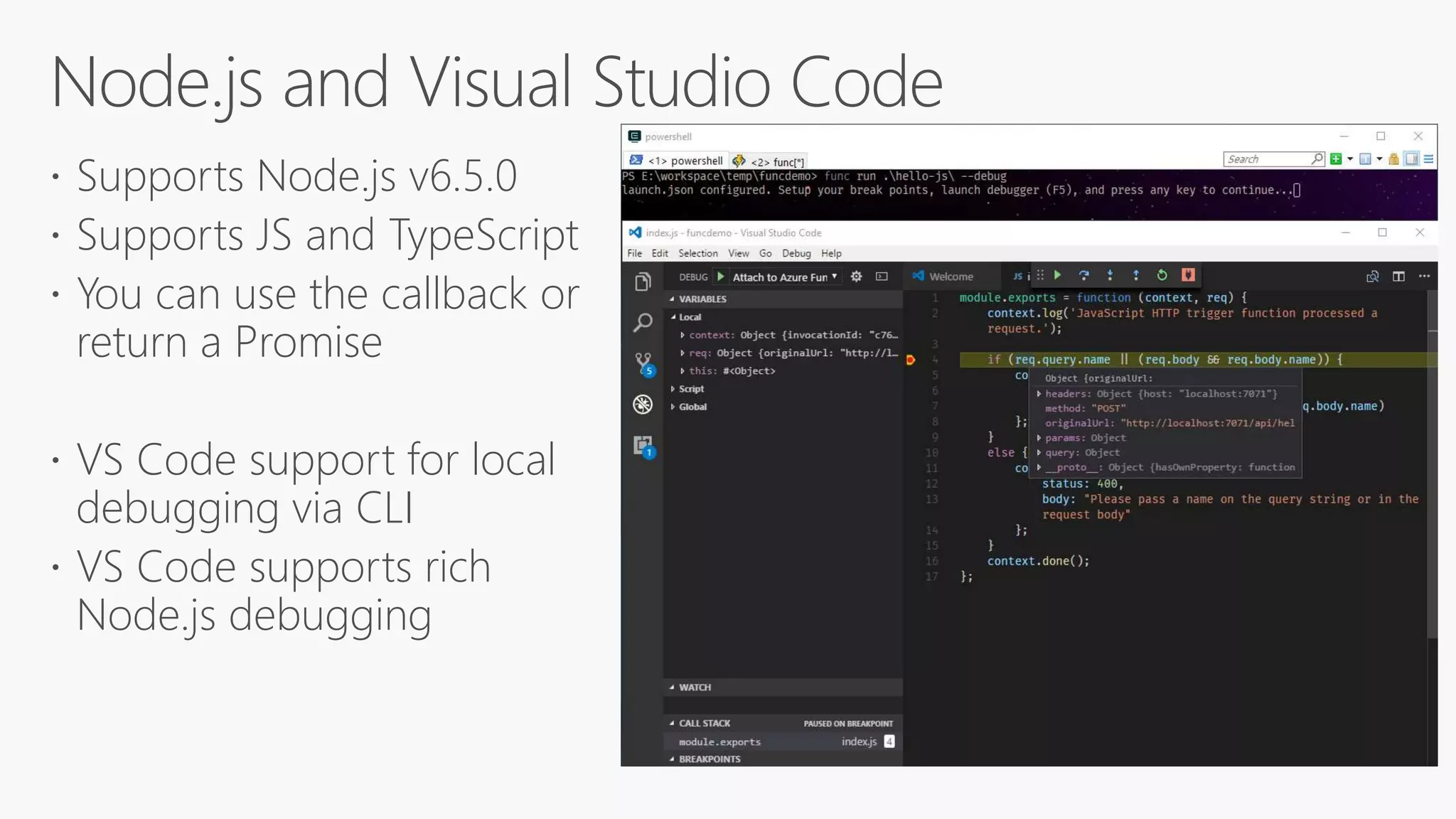
 Supports Node.js v6.5.0
 Supports JS and TypeScript
 You can use the callback or
return a Promise
 VS Code support for local
debugging via CLI
 VS Code supports rich
Node.js debugging
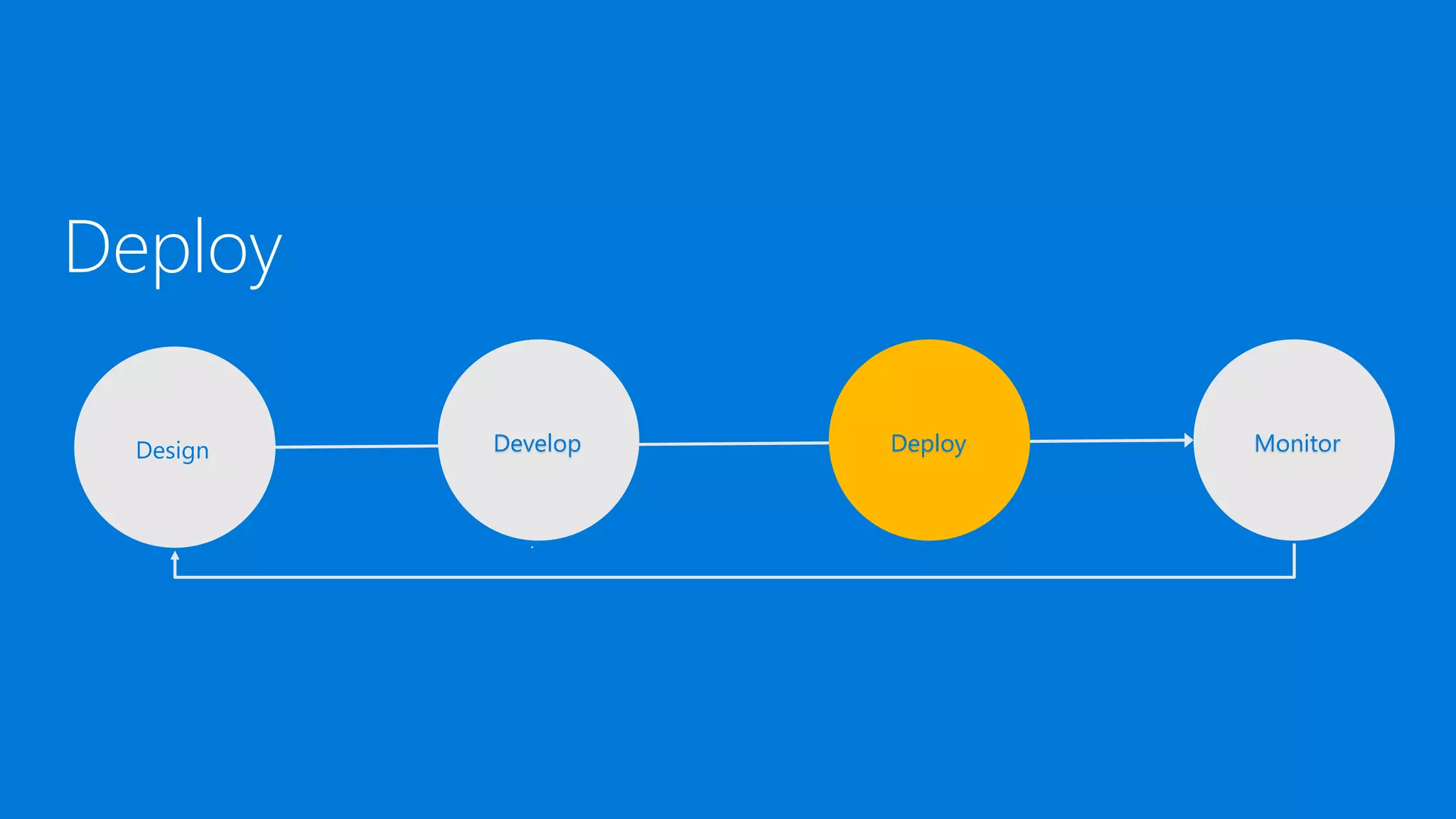
Deploy
Design Develop Deploy Monitor
Resource deployment
• Azure Resource Manager (i.e. ARM)
Content deployment
• Visual Studio
• Azure CLI (Logic App)
• Azure Functions Core Tools (Function App)
• CI/CD
Safe deployment practices
• Use Azure Functions deployment slots for environment separation and swap
deployments
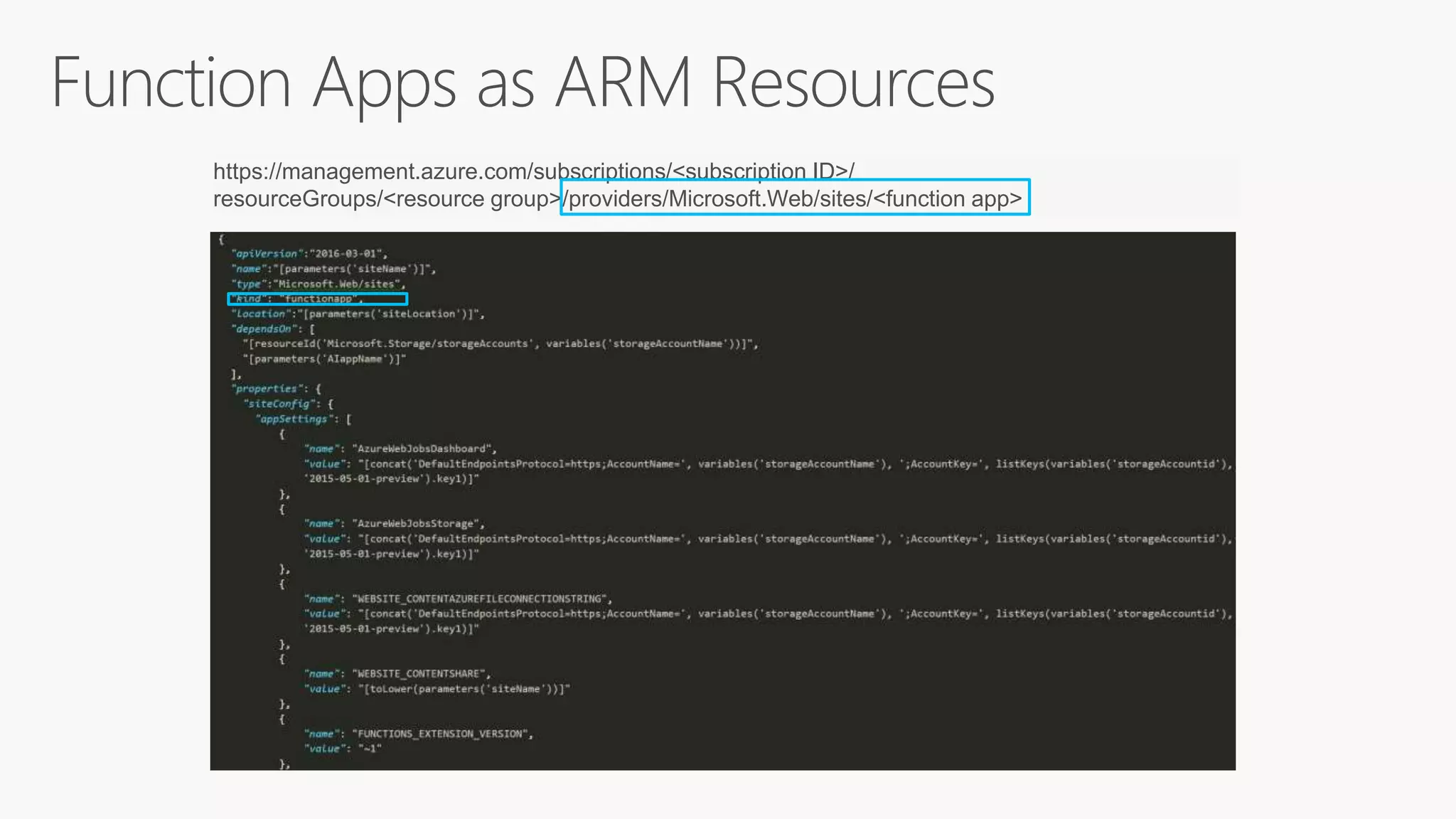
https://management.azure.com/subscriptions/<subscription ID>/
resourceGroups/<resource group>/providers/Microsoft.Web/sites/<function app>
Monitor
Design Develop Deploy Monitor
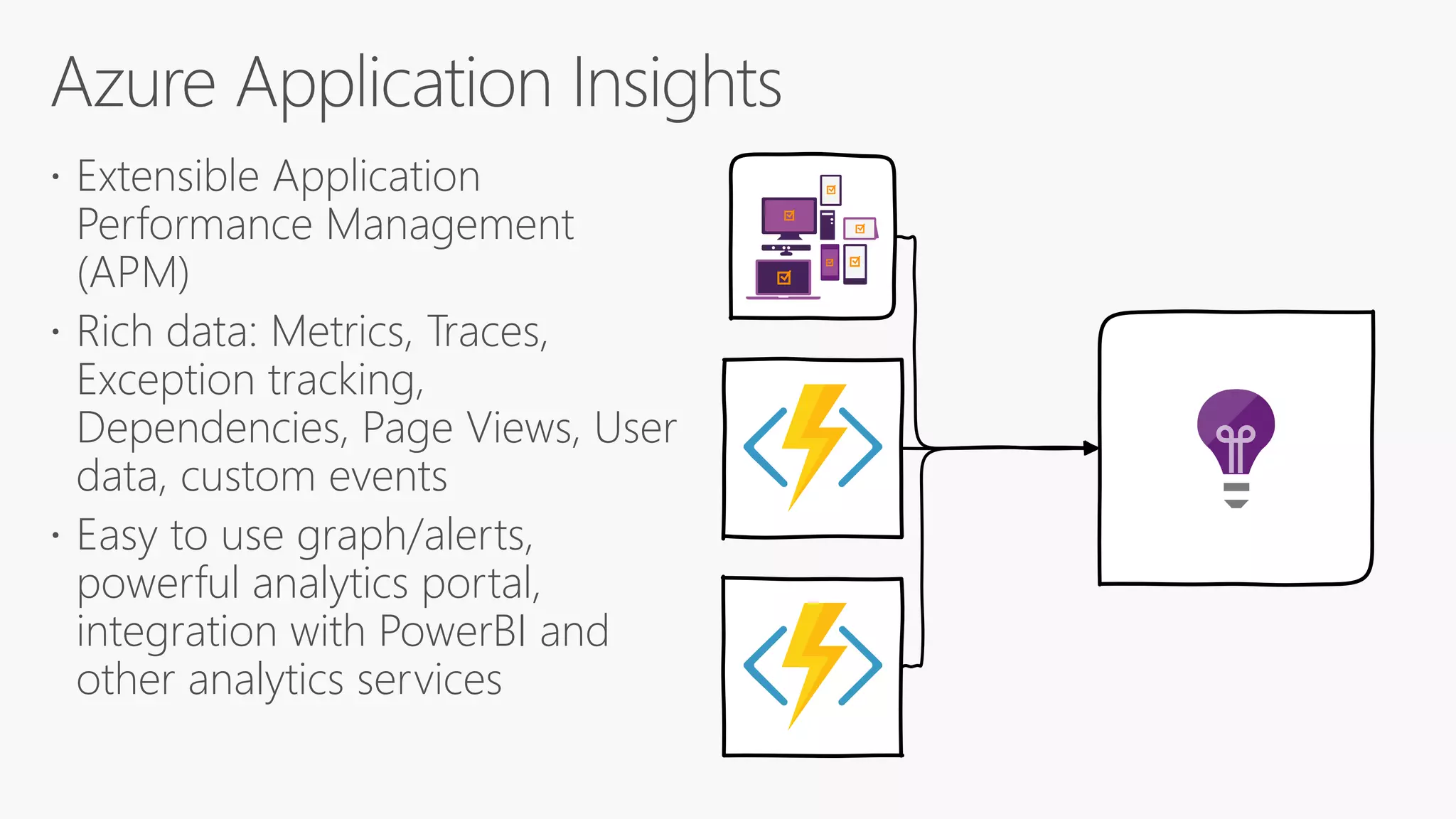
 Extensible Application
Performance Management
(APM)
 Rich data: Metrics, Traces,
Exception tracking,
Dependencies, Page Views, User
data, custom events
 Easy to use graph/alerts,
powerful analytics portal,
integration with PowerBI and
other analytics services
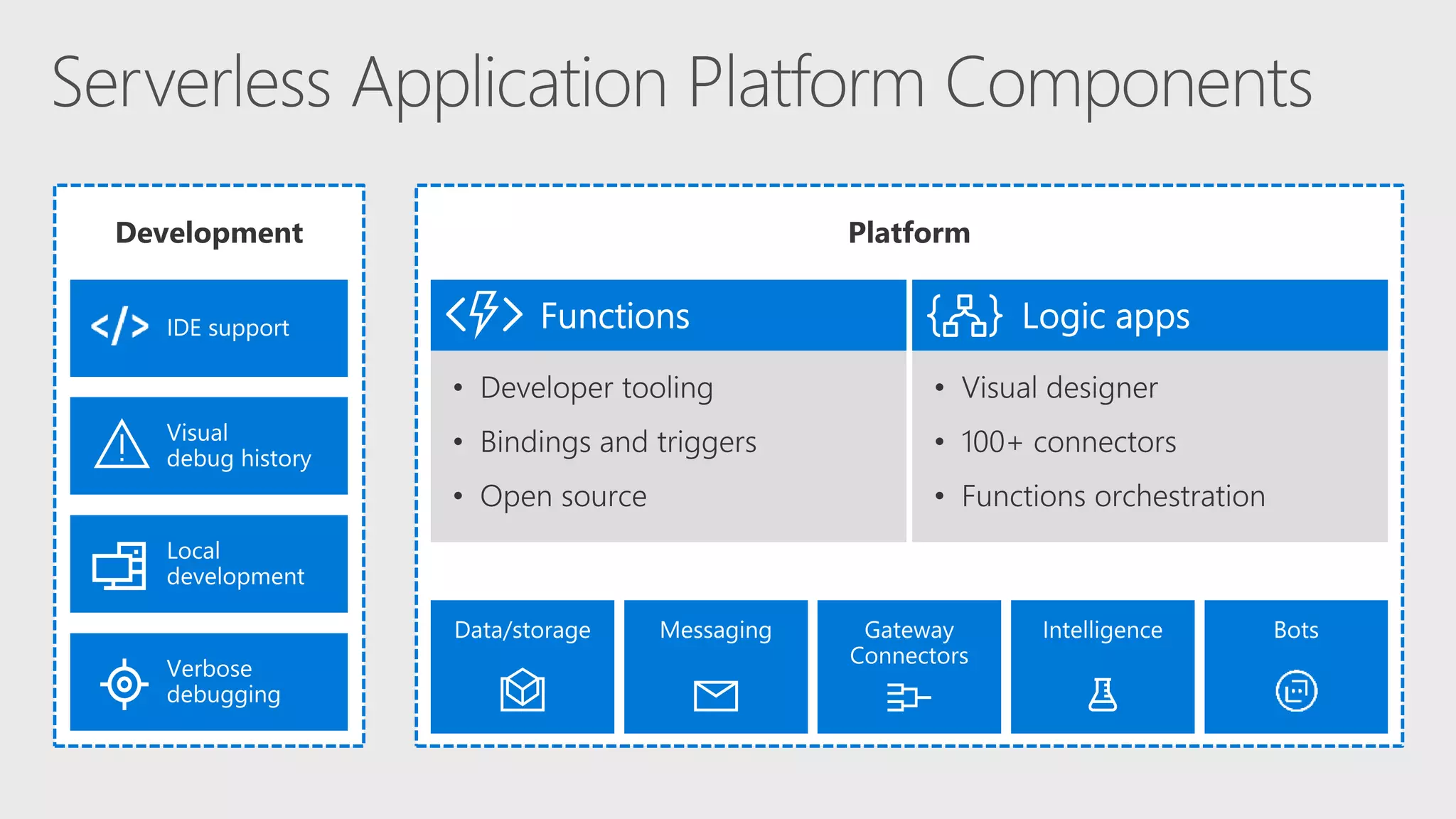
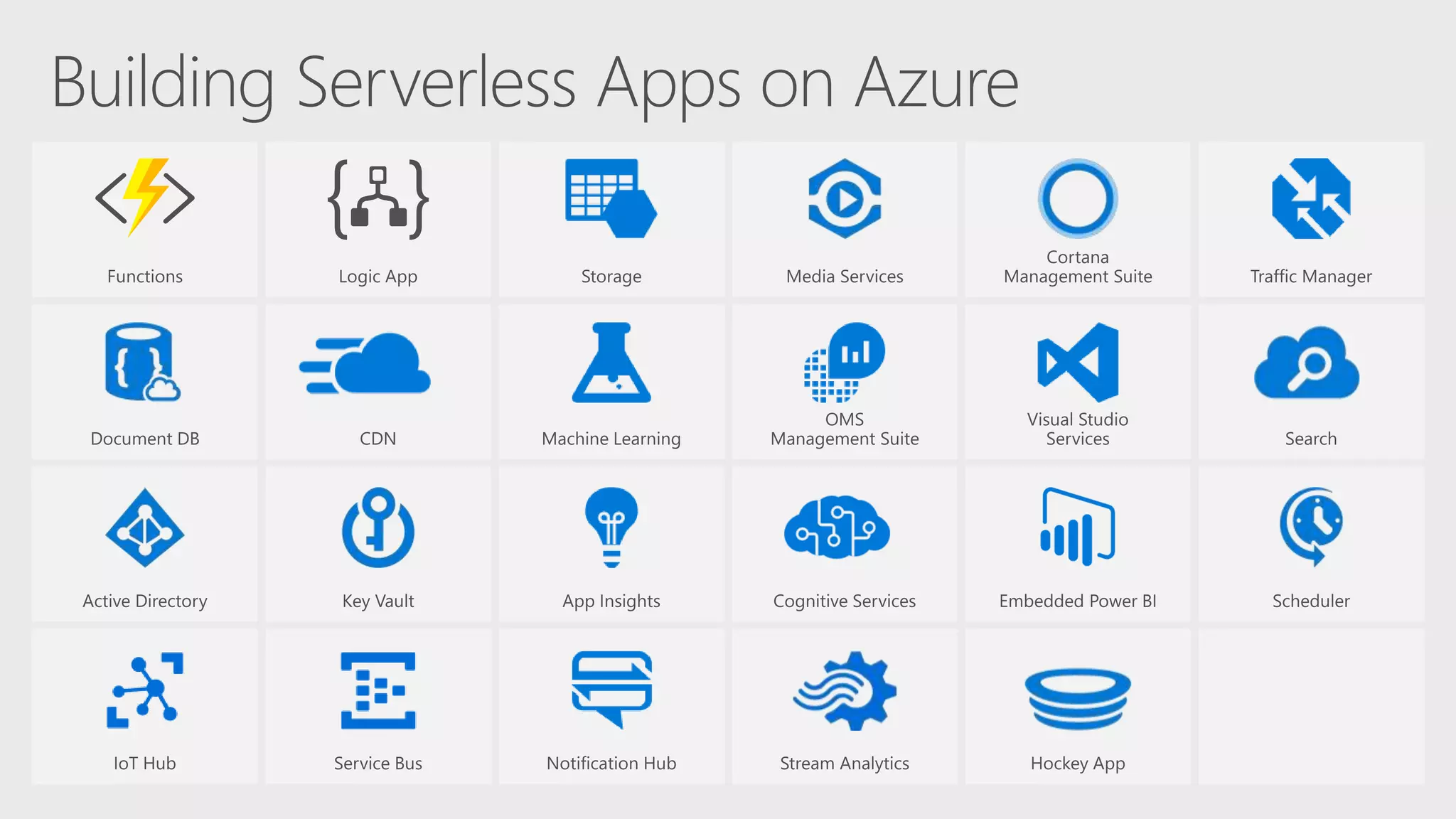
 Azure offers a comprehensive Serverless Application Platform
 Azure Functions bindings and local DevEx optimize time to market
 Azure Logic Apps provide orchestration and integration with 125+
connectors
Try Azure Functions and Logic Apps: http://aka.ms/TryFunctions
Join the Azure Functions Community https://aka.ms/func-github
Azure serverless architectures

Azure serverless architectures

  • 1.
  • 4.
     Azure Serverlessoverview  Logic Apps  Azure Functions  Azure Serverless application lifecycle  Design  Develop  Deploy  Monitor  Summary and next steps
  • 7.
    Serverless is toservers as wireless is to wired. Wireless internet required wires, yes, but customers don't need to interact with them.
  • 11.
  • 13.
    DOMINOS STORES Key Vault AzureActive Directory Azure Files SSIS FRANCHISEE AZURE WEST EUROPE Azure Function KEMPSSDE SSRS IN- AND EXTERNAL DATA SOURCES
  • 14.
    Serverless Apps Lifecycle DesignDevelop Deploy Monitor
  • 15.
  • 16.
    Distributed Architecture • Designstateless and ASync solutions to enable scaling. • Connect with other Azure Services via triggers and bindings. • Leverage proxies for API abstraction and composition. • Use Logic Apps to orchestrate workflows • Use managed connectors to abstract calls to cloud and on-premises services. Cloud DevOps • Design for automation. Use ARM templates. • Design DevOps for the cloud: safe deployment with test/development and production environment separation and test on the target platform. • Monitor the running apps with App Insights and tune for best experience.
  • 21.
    Cloud APIs and platformfunctionality API connections
  • 22.
    Protocols/Native XML & EDI Hybrid CloudAPIs and platform • Supports over 125 built-in connectors • Scales to meet your needs • Enables rapid development • Extends with custom APIs and Functions API connections • Authenticate once and reuse SaaS
  • 23.
     Workflow inthe cloud  Powerful control flow  Connect functions and APIs  Declarative definition to persist in source control and drive deployments
  • 24.
  • 27.
    Creates new instances ofLogic Apps • Runs based on a defined schedule.Recurrence • Serves as an endpoint that you call via an HTTP Request.Request • Poll a specified endpoint and check the response in order.HTTP • APIConnection is a polling trigger that calls Managed connectors.APIConnection • Calls out to a specified URL to register and unregister.HTTPWebhook • Is a webhook trigger that subscribes to a webhook from a managed connector. ApiConnection Webhook • Debatch an array into separate instances.Split • Allow only one instance of a Logic App to run at a timeSingleton
  • 28.
    Invoke other services ManagedConnectors App Service APIs API Management Azure Functions Workflow HTTP + Swagger HTTP
  • 29.
  • 30.
  • 31.
    Collections • Encapsulates aset of actions. • Can be used for error handling and compensation. Scope • If…Else conditions • Can be nested Condition • Determines which path to take based on values in case statementsSwitch Case • Iterate over a list of items.ForEach • Loop until a condition is met. • Exit criteria can be time or condition. Until
  • 32.
    Built-in functions • Concat;Substring; Replace; Guid; toLower; toUpperString • Equals; Less; lessOrEquals; lessOrEquals; greaterOrEquals; And; Or; Not; IfLogical • Int; String; Json; Float; Bool; Coalesce; Base64; Xml; XPath; EtcConversions • Add; Sub; Mul; Div; Min; Max; Range; RandMath • Utcnow; Addseconds; Addminutes; Addhours; Adddays; FormatDateTimeDate • Contains; Length; Empty; Intersection; First; Last; Take; SkipCollection • Parameters; Action; Actions; Triggers; ActionsOutput; ActionBody; Item; EtcReferencing
  • 33.
    • Invoke anexpression function@ • Parameters for an expression() • Array reference • Property reference [] • String interpolation{} • Property reference. • Null safe dereference?
  • 35.
  • 36.
  • 37.
     mytrigger type ApiConnection inputs recurrence operationOptions singleInstance forEach_item typeforeach foreach @body('action1') actions operationOptions sequential runAfter
  • 45.
    https://github.com/Azure/Azure-Functions Azure WebJobs SDKscript Azure WebJobs SDK Azure WebJobs SDK extensions Azure Functions CLI Azure Functions Portal Azure Functions templates Azure Functions samples
  • 58.
  • 60.
    /FB /FA Function A /FC APIproxy endpoints HttpTrigger function endpoints Key: Design: API Abstraction and Composition Function App A Function C/FC Function App C Function B/FB Function App B
  • 62.
  • 63.
    Developer experience  Sameconsistent Programming Model  Same Azure Functions portal  Publish directly from Visual Studio tooling  Leverage triggers: timer trigger and new SQL Service Broker trigger Administrator features  Take advantage of Azure Functions on premises  Workers can run in spare compute – i.e. desktops left on overnight within orgs  Only provision two types of roles  Management Role – Hosts Portal, Publishing Endpoint and  Worker Role – Runs Function in Windows Server Containers
  • 65.
  • 66.
    Azure Functions CoreTools  Provides the entire Functions runtime  Trigger off of Azure events and debug locally JavaScript  Use Visual Studio Code or any Node debugger C#  Use Visual Studio 2015 or 2017  Use class libraries with attributes in Visual Studio 2017
  • 67.
     Based onclass libraries  Get the full power of IntelliSense, unit testing, and local debugging  Use WebJobs attributes to define triggers and bindings Learn more at https://aka.ms/vs2017functiontools
  • 69.
     Supports Node.jsv6.5.0  Supports JS and TypeScript  You can use the callback or return a Promise  VS Code support for local debugging via CLI  VS Code supports rich Node.js debugging
  • 70.
  • 71.
    Resource deployment • AzureResource Manager (i.e. ARM) Content deployment • Visual Studio • Azure CLI (Logic App) • Azure Functions Core Tools (Function App) • CI/CD Safe deployment practices • Use Azure Functions deployment slots for environment separation and swap deployments
  • 72.
  • 76.
  • 78.
     Extensible Application PerformanceManagement (APM)  Rich data: Metrics, Traces, Exception tracking, Dependencies, Page Views, User data, custom events  Easy to use graph/alerts, powerful analytics portal, integration with PowerBI and other analytics services
  • 80.
     Azure offersa comprehensive Serverless Application Platform  Azure Functions bindings and local DevEx optimize time to market  Azure Logic Apps provide orchestration and integration with 125+ connectors Try Azure Functions and Logic Apps: http://aka.ms/TryFunctions Join the Azure Functions Community https://aka.ms/func-github