More Details
Azure Migration Guide:
Virtual Machines and
Applications
www.damcogroup.com
info@damcogroup.com
Click one of the links below
Introduction
Migrating virtual machines and applications to Microsoft Azure enables
organizations to modernize their IT infrastructure, optimize operational costs,
and increase business agility. Whether moving from on-premises environments
or other cloud platforms, a structured migration approach ensures minimal
disruption, operational continuity, and compliance with organizational
objectives. This guide outlines the essential steps to successfully plan, prepare,
and execute a migration to Azure, focusing on best practices and leveraging
Azure-native tools and services.
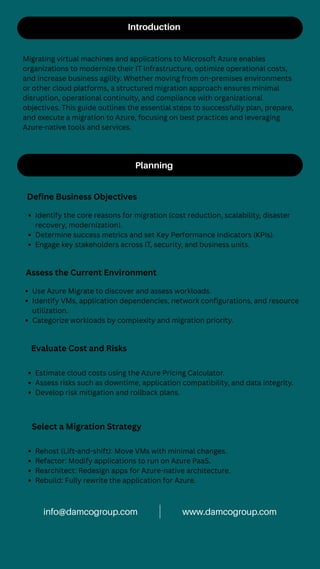
Planning
Define Business Objectives
Identify the core reasons for migration (cost reduction, scalability, disaster
recovery, modernization).
Determine success metrics and set Key Performance Indicators (KPIs).
Engage key stakeholders across IT, security, and business units.
Assess the Current Environment
Use Azure Migrate to discover and assess workloads.
Identify VMs, application dependencies, network configurations, and resource
utilization.
Categorize workloads by complexity and migration priority.
Evaluate Cost and Risks
Estimate cloud costs using the Azure Pricing Calculator.
Assess risks such as downtime, application compatibility, and data integrity.
Develop risk mitigation and rollback plans.
Select a Migration Strategy
Rehost (Lift-and-shift): Move VMs with minimal changes.
Refactor: Modify applications to run on Azure PaaS.
Rearchitect: Redesign apps for Azure-native architecture.
Rebuild: Fully rewrite the application for Azure.
www.damcogroup.com
info@damcogroup.com
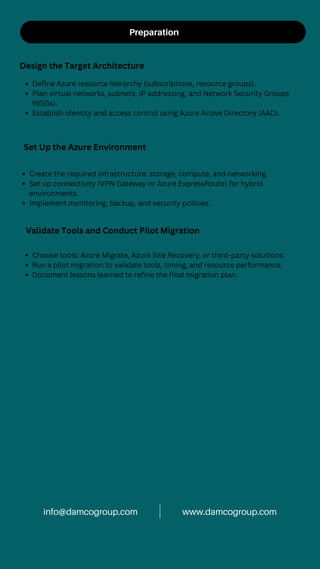
Preparation
Design the Target Architecture
Define Azure resource hierarchy (subscriptions, resource groups).
Plan virtual networks, subnets, IP addressing, and Network Security Groups
(NSGs).
Establish identity and access control using Azure Active Directory (AAD).
Set Up the Azure Environment
Create the required infrastructure: storage, compute, and networking.
Set up connectivity (VPN Gateway or Azure ExpressRoute) for hybrid
environments.
Implement monitoring, backup, and security policies.
Validate Tools and Conduct Pilot Migration
Choose tools: Azure Migrate, Azure Site Recovery, or third-party solutions.
Run a pilot migration to validate tools, timing, and resource performance.
Document lessons learned to refine the final migration plan.
www.damcogroup.com
info@damcogroup.com
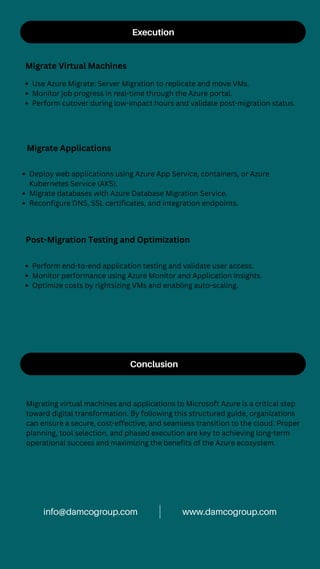
Execution
Migrate Virtual Machines
Use Azure Migrate: Server Migration to replicate and move VMs.
Monitor job progress in real-time through the Azure portal.
Perform cutover during low-impact hours and validate post-migration status.
Migrate Applications
Deploy web applications using Azure App Service, containers, or Azure
Kubernetes Service (AKS).
Migrate databases with Azure Database Migration Service.
Reconfigure DNS, SSL certificates, and integration endpoints.
Post-Migration Testing and Optimization
Perform end-to-end application testing and validate user access.
Monitor performance using Azure Monitor and Application Insights.
Optimize costs by rightsizing VMs and enabling auto-scaling.
Conclusion
Migrating virtual machines and applications to Microsoft Azure is a critical step
toward digital transformation. By following this structured guide, organizations
can ensure a secure, cost-effective, and seamless transition to the cloud. Proper
planning, tool selection, and phased execution are key to achieving long-term
operational success and maximizing the benefits of the Azure ecosystem.
www.damcogroup.com
info@damcogroup.com
Contact us
www.damcogroup.com
info@damcogroup.com
+1 (609) 632-0350

Azure Migration Guide Virtual Machines and Applications

  • 1.
    More Details Azure MigrationGuide: Virtual Machines and Applications www.damcogroup.com info@damcogroup.com Click one of the links below
  • 2.
    Introduction Migrating virtual machinesand applications to Microsoft Azure enables organizations to modernize their IT infrastructure, optimize operational costs, and increase business agility. Whether moving from on-premises environments or other cloud platforms, a structured migration approach ensures minimal disruption, operational continuity, and compliance with organizational objectives. This guide outlines the essential steps to successfully plan, prepare, and execute a migration to Azure, focusing on best practices and leveraging Azure-native tools and services. Planning Define Business Objectives Identify the core reasons for migration (cost reduction, scalability, disaster recovery, modernization). Determine success metrics and set Key Performance Indicators (KPIs). Engage key stakeholders across IT, security, and business units. Assess the Current Environment Use Azure Migrate to discover and assess workloads. Identify VMs, application dependencies, network configurations, and resource utilization. Categorize workloads by complexity and migration priority. Evaluate Cost and Risks Estimate cloud costs using the Azure Pricing Calculator. Assess risks such as downtime, application compatibility, and data integrity. Develop risk mitigation and rollback plans. Select a Migration Strategy Rehost (Lift-and-shift): Move VMs with minimal changes. Refactor: Modify applications to run on Azure PaaS. Rearchitect: Redesign apps for Azure-native architecture. Rebuild: Fully rewrite the application for Azure. www.damcogroup.com info@damcogroup.com
  • 3.
    Preparation Design the TargetArchitecture Define Azure resource hierarchy (subscriptions, resource groups). Plan virtual networks, subnets, IP addressing, and Network Security Groups (NSGs). Establish identity and access control using Azure Active Directory (AAD). Set Up the Azure Environment Create the required infrastructure: storage, compute, and networking. Set up connectivity (VPN Gateway or Azure ExpressRoute) for hybrid environments. Implement monitoring, backup, and security policies. Validate Tools and Conduct Pilot Migration Choose tools: Azure Migrate, Azure Site Recovery, or third-party solutions. Run a pilot migration to validate tools, timing, and resource performance. Document lessons learned to refine the final migration plan. www.damcogroup.com info@damcogroup.com
  • 4.
    Execution Migrate Virtual Machines UseAzure Migrate: Server Migration to replicate and move VMs. Monitor job progress in real-time through the Azure portal. Perform cutover during low-impact hours and validate post-migration status. Migrate Applications Deploy web applications using Azure App Service, containers, or Azure Kubernetes Service (AKS). Migrate databases with Azure Database Migration Service. Reconfigure DNS, SSL certificates, and integration endpoints. Post-Migration Testing and Optimization Perform end-to-end application testing and validate user access. Monitor performance using Azure Monitor and Application Insights. Optimize costs by rightsizing VMs and enabling auto-scaling. Conclusion Migrating virtual machines and applications to Microsoft Azure is a critical step toward digital transformation. By following this structured guide, organizations can ensure a secure, cost-effective, and seamless transition to the cloud. Proper planning, tool selection, and phased execution are key to achieving long-term operational success and maximizing the benefits of the Azure ecosystem. www.damcogroup.com info@damcogroup.com
  • 5.