AWS S3
Contents
• What is Cloud Storage
• Type of Storage
• Before Amazon S3
• What is S3
• Benefits of S3
• Objects and Buckets
• Features of S3
Cloud Storage
Cloud Storage Provides a Web Service where
- Your data can be stored
- Your data can be accessed easily
- Your data can be Backup up by the Users over the Internet easily
- Only Pay for what you use
- Best Part is you pay on Monthly Basis
Cloud Storage
This Cloud Storage Data is
- Reliable - data not going to be lost
- Scalable - stores 100/1000’s of data
- Secure - aws provides version control/security/permissions etc
than traditional On-Premises
Types of Cloud Storage
• AWS S3
• EBS - Elastic Block Storage (ssd HDD gets attached to your system)
• EFS – Elastic File System (Sharable file system)
• Glacier – Archiving Solution in Cloud
• Storage Gateways – Data to be stored from OP to Cloud and vice versa
• Snowball – Data Import and Export System
-- Actually an Hardware that is provided OP
Before AWS S3
• Challenge :
- Finding / Storing / Maintaining/Managing Data on Premises
ex :
- Running Applications
- Delivering Contents to Customers
- Hosting high Traffic Websites
- Backing up Emails
- Storing Req. high / Lot of Storages
Before AWS S3
• Maintaining Own Repository is Expensive and Time Consuming
What are the Factors :
1. Purchase Hardware and Software Required
2. Hiring a Team of Experts for Maintenance
3. Lack of Scalability based on your Requirements
4. Data Security Concerns / Very Expensive
Solve using – AWS Storage (S3)
AWS S3
• Simple Storage Service
• Provides an Object Storage Service
• Store Objects in Drive
• Cannot Install anything in Drive
• Can be accessed directly from Internet
AWS S3
• So
Amazon S3 provides Object Storage which is built for
- Storing Data over internet
- Recovering any amount of Data/ Information from Internet(S3)
- From Anywhere over the Internet
AWS S3
• Provides Storage through Web Services Interface
• Basically designed for developers
• Provides almost 99.9999999% of Durability and 99.9% of availability
• Can Store Upto 5 TB of file size
Benefits
• Durablity
• Low Cost
• Scalability
• Availibility
• Security
- Bucket Policy
- Encryption
- MFA Authentication etc
• Flexibility
• Simple Data Transfer
Basic Building Blocks of S3
Objects and Buckets in Amazon S3
- Object is the Actual Data
- Bucket is the Folder (stores data)
- demo
• When Files are uploaded to the bucket,
user should specify type of S3 storage class to be use for those objects
 Users can define
- Bucket Policy – accessing Policies
- Lifecycle Policies
- Versioning control etc
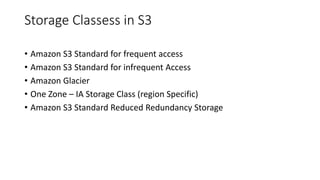
Storage Classess in S3
• Amazon S3 Standard for frequent access
• Amazon S3 Standard for infrequent Access
• Amazon Glacier
• One Zone – IA Storage Class (region Specific)
• Amazon S3 Standard Reduced Redundancy Storage
Features of S3
• Life Cycle Management
- Helps to migrate our data from One Storage Class to Low Cost
Storage Class
- Expiration Options Available
• Bucket Policy
- Is an IAM policy where you can allow or deny permissions to
AWS Users
- You can also define security Rules that apply to more than one
file within a bucket
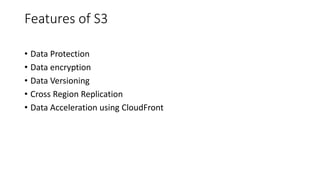
Features of S3
• Data Protection
• Data encryption
• Data Versioning
• Cross Region Replication
• Data Acceleration using CloudFront

AWS-S3.pptx

  • 1.
  • 2.
    Contents • What isCloud Storage • Type of Storage • Before Amazon S3 • What is S3 • Benefits of S3 • Objects and Buckets • Features of S3
  • 3.
    Cloud Storage Cloud StorageProvides a Web Service where - Your data can be stored - Your data can be accessed easily - Your data can be Backup up by the Users over the Internet easily - Only Pay for what you use - Best Part is you pay on Monthly Basis
  • 4.
    Cloud Storage This CloudStorage Data is - Reliable - data not going to be lost - Scalable - stores 100/1000’s of data - Secure - aws provides version control/security/permissions etc than traditional On-Premises
  • 5.
    Types of CloudStorage • AWS S3 • EBS - Elastic Block Storage (ssd HDD gets attached to your system) • EFS – Elastic File System (Sharable file system) • Glacier – Archiving Solution in Cloud • Storage Gateways – Data to be stored from OP to Cloud and vice versa • Snowball – Data Import and Export System -- Actually an Hardware that is provided OP
  • 6.
    Before AWS S3 •Challenge : - Finding / Storing / Maintaining/Managing Data on Premises ex : - Running Applications - Delivering Contents to Customers - Hosting high Traffic Websites - Backing up Emails - Storing Req. high / Lot of Storages
  • 7.
    Before AWS S3 •Maintaining Own Repository is Expensive and Time Consuming What are the Factors : 1. Purchase Hardware and Software Required 2. Hiring a Team of Experts for Maintenance 3. Lack of Scalability based on your Requirements 4. Data Security Concerns / Very Expensive Solve using – AWS Storage (S3)
  • 8.
    AWS S3 • SimpleStorage Service • Provides an Object Storage Service • Store Objects in Drive • Cannot Install anything in Drive • Can be accessed directly from Internet
  • 9.
    AWS S3 • So AmazonS3 provides Object Storage which is built for - Storing Data over internet - Recovering any amount of Data/ Information from Internet(S3) - From Anywhere over the Internet
  • 10.
    AWS S3 • ProvidesStorage through Web Services Interface • Basically designed for developers • Provides almost 99.9999999% of Durability and 99.9% of availability • Can Store Upto 5 TB of file size
  • 11.
    Benefits • Durablity • LowCost • Scalability • Availibility • Security - Bucket Policy - Encryption - MFA Authentication etc • Flexibility • Simple Data Transfer
  • 12.
    Basic Building Blocksof S3 Objects and Buckets in Amazon S3 - Object is the Actual Data - Bucket is the Folder (stores data) - demo
  • 13.
    • When Filesare uploaded to the bucket, user should specify type of S3 storage class to be use for those objects  Users can define - Bucket Policy – accessing Policies - Lifecycle Policies - Versioning control etc
  • 14.
    Storage Classess inS3 • Amazon S3 Standard for frequent access • Amazon S3 Standard for infrequent Access • Amazon Glacier • One Zone – IA Storage Class (region Specific) • Amazon S3 Standard Reduced Redundancy Storage
  • 15.
    Features of S3 •Life Cycle Management - Helps to migrate our data from One Storage Class to Low Cost Storage Class - Expiration Options Available • Bucket Policy - Is an IAM policy where you can allow or deny permissions to AWS Users - You can also define security Rules that apply to more than one file within a bucket
  • 16.
    Features of S3 •Data Protection • Data encryption • Data Versioning • Cross Region Replication • Data Acceleration using CloudFront