
AWS Cost Optimization Strategy 
2014 
Rob Sell
True Story 
Cab driver asks me why I am in Vegas. I say, “Amazon 
conference. You know… the cloud?” 
He sighs and says, “I hate the cloud! I don’t know what 
the cloud is but I know all my music has gone 
somewhere else and I don’t know where. Even the name 
is bad. Why did they call it the cloud? It sounds so 
mysterious. Is it going to evaporate? Those Amazon guys 
made a big mistake calling it the Cloud.” 
“If they were smart they would have called it The Safe! 
Now that would make me feel better! The cloud… ha!”
Top 10 Recommendations 
1. Measure 
2. Tag 
3. Turn off unused instances 
4. Use Auto Scaling 
5. Use Reserved Instances 
6. Use Spot Instances 
7. Leverage Amazon S3 Storage Classes 
8. Optimize Amazon DynamoDB Capacity Units 
9. Offload your Architecture 
10. Review / Further Optimize
Measure 
• First step of improving is to measure. 
• Ensure “Receive Billing Reports” is checked. 
• Predict with AWS Calculators: 
– AWS TCO Calculator (compare on-prem or colo to AWS) 
• Analyze: Cost Explorer / Usage Report 
• Netflix Ice – Free (Open Source) Cost Monitoring Tool 
• Article on Netflix Ice on Netflix blog 
• Netflix Ice on GitHub 
• Cloudability – Commercial Cost Monitoring Tool
Tag 
• Tag everything to categorize and track costs. 
• Common tags include type of environment, platform and 
name. I suggest including requestor and project for 
billing. 
• Automate tagging in templates. 
• Ensure your tags provide meaningful reporting 
• Show back at minimum 
• Charge back could be ideal to ensure efficiency 
• Tagging can also be used for other cool stuff like Auto- 
Scaling
Turn off Unused Instances 
• Likely your most effective cost reduction technique. 
• Turn off unused or underused capacity. 
• Reduce instance usage during off peak times 
• Turn off test/dev environments when not in use 
• Turn off dormant data when not in use 
• EC2 Scheduling
Use Auto Scaling 
• Scale up or down as needed: 
• By schedule 
• By policy 
• Automate 
• From min to max instances 
• Triggers to scale up / down 
• Load balancing 
• Health checks
Use Reserved Instances 
• Reserved Instances 
• Upfront fee then lower hourly cost 
• 1 or 3 year term (42 to 71% cost reduction over on-demand 
instances) 
• Flexible with instance family
Use Spot Instances 
• Spot Instances 
• Cheap (10% of demand price) 
• Not always appropriate. 
• Price depends on instance type and the AZ 
• Add Autoscaling + Route53 (+ health checks) for failover
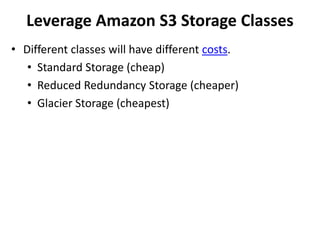
Leverage Amazon S3 Storage Classes 
• Different classes will have different costs. 
• Standard Storage (cheap) 
• Reduced Redundancy Storage (cheaper) 
• Glacier Storage (cheapest)
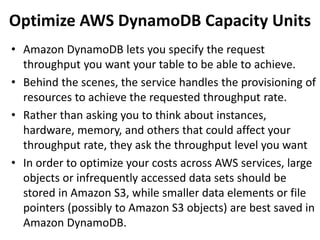
Optimize AWS DynamoDB Capacity Units 
• Amazon DynamoDB lets you specify the request 
throughput you want your table to be able to achieve. 
• Behind the scenes, the service handles the provisioning of 
resources to achieve the requested throughput rate. 
• Rather than asking you to think about instances, 
hardware, memory, and others that could affect your 
throughput rate, they ask the throughput level you want 
• In order to optimize your costs across AWS services, large 
objects or infrequently accessed data sets should be 
stored in Amazon S3, while smaller data elements or file 
pointers (possibly to Amazon S3 objects) are best saved in 
Amazon DynamoDB.
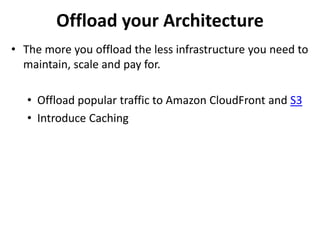
Offload your Architecture 
• The more you offload the less infrastructure you need to 
maintain, scale and pay for. 
• Offload popular traffic to Amazon CloudFront and S3 
• Introduce Caching
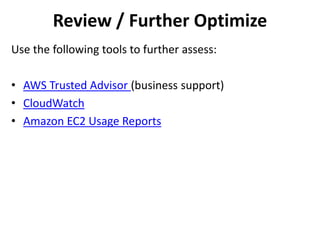
Review / Further Optimize 
Use the following tools to further assess: 
• AWS Trusted Advisor (business support) 
• CloudWatch 
• Amazon EC2 Usage Reports

AWS Cost Optimization Strategy

  • 1.
    AWS Cost OptimizationStrategy 2014 Rob Sell
  • 2.
    True Story Cabdriver asks me why I am in Vegas. I say, “Amazon conference. You know… the cloud?” He sighs and says, “I hate the cloud! I don’t know what the cloud is but I know all my music has gone somewhere else and I don’t know where. Even the name is bad. Why did they call it the cloud? It sounds so mysterious. Is it going to evaporate? Those Amazon guys made a big mistake calling it the Cloud.” “If they were smart they would have called it The Safe! Now that would make me feel better! The cloud… ha!”
  • 3.
    Top 10 Recommendations 1. Measure 2. Tag 3. Turn off unused instances 4. Use Auto Scaling 5. Use Reserved Instances 6. Use Spot Instances 7. Leverage Amazon S3 Storage Classes 8. Optimize Amazon DynamoDB Capacity Units 9. Offload your Architecture 10. Review / Further Optimize
  • 4.
    Measure • Firststep of improving is to measure. • Ensure “Receive Billing Reports” is checked. • Predict with AWS Calculators: – AWS TCO Calculator (compare on-prem or colo to AWS) • Analyze: Cost Explorer / Usage Report • Netflix Ice – Free (Open Source) Cost Monitoring Tool • Article on Netflix Ice on Netflix blog • Netflix Ice on GitHub • Cloudability – Commercial Cost Monitoring Tool
  • 5.
    Tag • Tageverything to categorize and track costs. • Common tags include type of environment, platform and name. I suggest including requestor and project for billing. • Automate tagging in templates. • Ensure your tags provide meaningful reporting • Show back at minimum • Charge back could be ideal to ensure efficiency • Tagging can also be used for other cool stuff like Auto- Scaling
  • 6.
    Turn off UnusedInstances • Likely your most effective cost reduction technique. • Turn off unused or underused capacity. • Reduce instance usage during off peak times • Turn off test/dev environments when not in use • Turn off dormant data when not in use • EC2 Scheduling
  • 7.
    Use Auto Scaling • Scale up or down as needed: • By schedule • By policy • Automate • From min to max instances • Triggers to scale up / down • Load balancing • Health checks
  • 8.
    Use Reserved Instances • Reserved Instances • Upfront fee then lower hourly cost • 1 or 3 year term (42 to 71% cost reduction over on-demand instances) • Flexible with instance family
  • 9.
    Use Spot Instances • Spot Instances • Cheap (10% of demand price) • Not always appropriate. • Price depends on instance type and the AZ • Add Autoscaling + Route53 (+ health checks) for failover
  • 10.
    Leverage Amazon S3Storage Classes • Different classes will have different costs. • Standard Storage (cheap) • Reduced Redundancy Storage (cheaper) • Glacier Storage (cheapest)
  • 11.
    Optimize AWS DynamoDBCapacity Units • Amazon DynamoDB lets you specify the request throughput you want your table to be able to achieve. • Behind the scenes, the service handles the provisioning of resources to achieve the requested throughput rate. • Rather than asking you to think about instances, hardware, memory, and others that could affect your throughput rate, they ask the throughput level you want • In order to optimize your costs across AWS services, large objects or infrequently accessed data sets should be stored in Amazon S3, while smaller data elements or file pointers (possibly to Amazon S3 objects) are best saved in Amazon DynamoDB.
  • 12.
    Offload your Architecture • The more you offload the less infrastructure you need to maintain, scale and pay for. • Offload popular traffic to Amazon CloudFront and S3 • Introduce Caching
  • 13.
    Review / FurtherOptimize Use the following tools to further assess: • AWS Trusted Advisor (business support) • CloudWatch • Amazon EC2 Usage Reports