AVB201 Visual Basic For Applications MS Access, Beginning Course P.O. Box 6142 Laguna Niguel, CA 92607 949-489-1472 http://www.dhdursoassociates.com [email_address]
OUTLINE SESSION 1: Event driven Programming in Access (3 hours). SESSION 2: VBA Language Constructs and Programming Techniques (3 hours). AVB202: Working Programmatically with Data (3 hours).
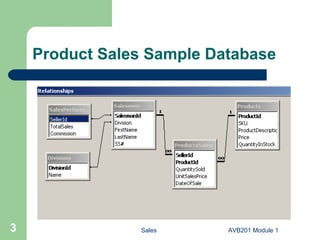
Product Sales Sample Database
Session 1: Event Driven Programming in Access Why VBA ? Using events and event procedures. Using VBA Editor. Event types in Access. Differentiating between functions and sub procedures. Organizing VBA code into modules. Using Variables, Scope, and Data types. Exploring and using built-in functions.
1.1 Why VBA ? Greatly extends the functionality of Macros. Allows customized interactions with users. Enables complex operations on records. Enables complete control over the Access Object Model Capable of making reports and forms that can make decisions based on user choices, database data, and user supplied values. Offers improved error handling capabilities. Programming is FUN !!
1.2 Events and Event Procedures Event is when something happens to any object in your application. Ex: User clicks a button (object) on a form (also an object). Event Procedure is a piece of VBA code that is associated with this object and this event. Since event code is programmed the event can trigger any number of actions. Ex: deleting a record and closing the form. In such event driven programming model, the user is in control of when and what should happen next in the application.
1.3 Using VBA Editor VBA editor is the place where you write your VBA code. Enter via code builder, CTRL G, etc. VBA editor keeps your code organized into modules, functions, procedures, and/or classes (more on module types later). You can write, document, test, compile, and debug your code with supplied tools >>  explore  VBA menus. We will use the VBA editor for the rest of this course.
1.3 Using VBA Editor Demonstration:  Make “Add New” command button on a Products form.
..cont Exercise: Add “Delete” button to Products form and check the procedure. Explore changing the code and see how VBA automatically notifies you of certain errors. Run procedure by clicking the “Delete” command button.
1.4 Types of Events in Access Events in Access can be categorized into several groups: Windows (Form, Report): opening, closing, resizing. Data: making current, deleting, updating. Focus: activating, entering, exiting. Keyboard: pressing or releasing a key. Mouse: clicking a mouse button. Print: formatting, printing. Error and timing: when error occurs in code or some time passes.
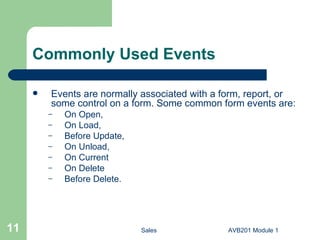
Commonly Used Events Events are normally associated with a form, report, or some control on a form. Some common form events are: On Open, On Load, Before Update, On Unload, On Current On Delete Before Delete.
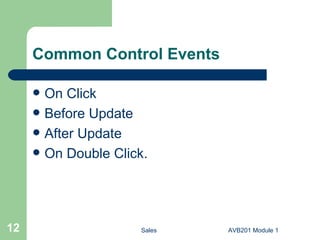
Common Control Events On Click Before Update After Update On Double Click.
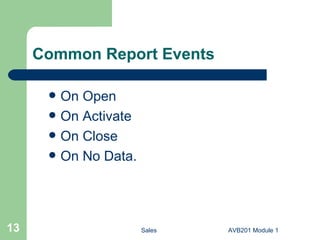
Common Report Events On Open On Activate On Close On No Data.
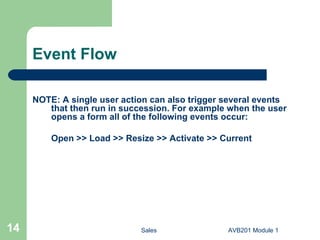
Event Flow NOTE: A single user action can also trigger several events that then run in succession. For example when the user opens a form all of the following events occur: Open >> Load >> Resize >> Activate >> Current
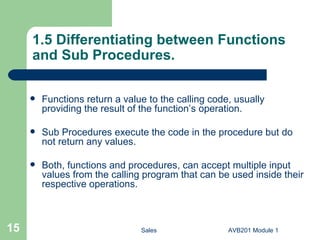
1.5 Differentiating between Functions and Sub Procedures. Functions return a value to the calling code, usually providing the result of the function’s operation. Sub Procedures execute the code in the procedure but do not return any values. Both, functions and procedures, can accept multiple input values from the calling program that can be used inside their respective operations.
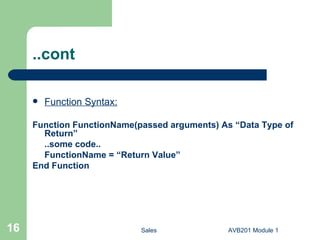
..cont Function Syntax: Function FunctionName(passed arguments) As “Data Type of Return” ..some code.. FunctionName = “Return Value” End Function
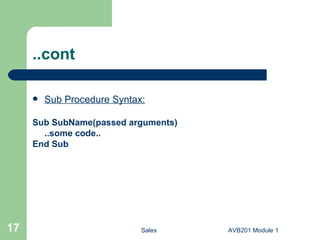
..cont Sub Procedure Syntax: Sub SubName(passed arguments) ..some code.. End Sub
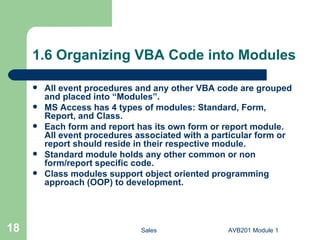
1.6 Organizing VBA Code into Modules All event procedures and any other VBA code are grouped and placed into “Modules”. MS Access has 4 types of modules: Standard, Form, Report, and Class. Each form and report has its own form or report module. All event procedures associated with a particular form or report should reside in their respective module. Standard module holds any other common or non form/report specific code. Class modules support object oriented programming approach (OOP) to development.
..cont Exercise:  Access any of the module types. In all cases you work with the same VBA editor.
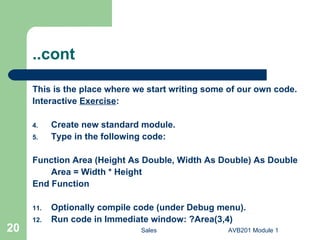
..cont This is the place where we start writing some of our own code. Interactive  Exercise : Create new standard module. Type in the following code: Function Area (Height As Double, Width As Double) As Double Area = Width * Height End Function Optionally compile code (under Debug menu). Run code in Immediate window: ?Area(3,4)
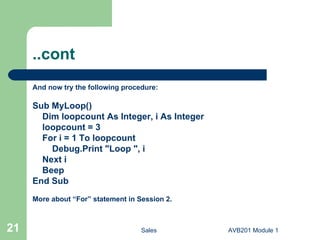
..cont And now try the following procedure: Sub MyLoop() Dim loopcount As Integer, i As Integer loopcount = 3 For i = 1 To loopcount Debug.Print "Loop ", i Next i Beep End Sub More about “For” statement in Session 2.
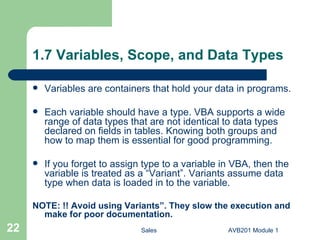
1.7 Variables, Scope, and Data Types Variables are containers that hold your data in programs. Each variable should have a type. VBA supports a wide range of data types that are not identical to data types declared on fields in tables. Knowing both groups and how to map them is essential for good programming. If you forget to assign type to a variable in VBA, then the variable is treated as a “Variant”. Variants assume data type when data is loaded in to the variable. NOTE:   !! Avoid using Variants”. They slow the execution and make for poor documentation.
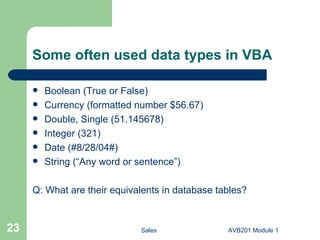
Some often used data types in VBA Boolean (True or False) Currency (formatted number $56.67) Double, Single (51.145678) Integer (321) Date (#8/28/04#) String (“Any word or sentence”) Q: What are their equivalents in database tables?
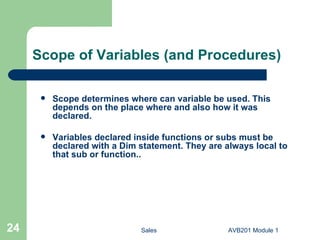
Scope of Variables (and Procedures) Scope determines where can variable be used. This depends on the place where and also how it was declared. Variables declared inside functions or subs must be declared with a Dim statement. They are always local to that sub or function..
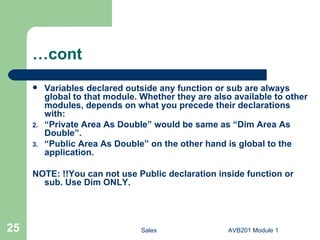
…cont Variables declared outside any function or sub are always global to that module. Whether they are also available to other modules, depends on what you precede their declarations with: “ Private Area As Double” would be same as “Dim Area As Double”. “ Public Area As Double” on the other hand is global to the application. NOTE: !!You can not use Public declaration inside function or sub. Use Dim ONLY.
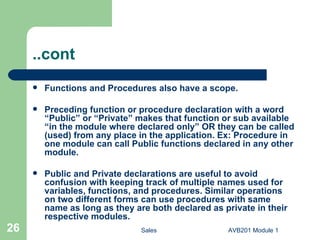
..cont Functions and Procedures also have a scope. Preceding function or procedure declaration with a word “Public” or “Private” makes that function or sub available “in the module where declared only” OR they can be called (used) from any place in the application. Ex: Procedure in one module can call Public functions declared in any other module.  Public and Private declarations are useful to avoid confusion with keeping track of multiple names used for variables, functions, and procedures. Similar operations on two different forms can use procedures with same name as long as they are both declared as private in their respective modules.
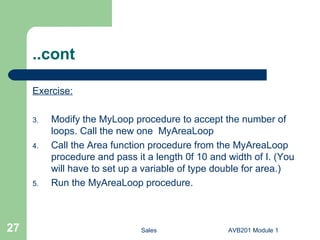
..cont Exercise: Modify the MyLoop procedure to accept the number of loops. Call the new one  MyAreaLoop Call the Area function procedure from the MyAreaLoop procedure and pass it a length 0f 10 and width of I. (You will have to set up a variable of type double for area.) Run the MyAreaLoop procedure.
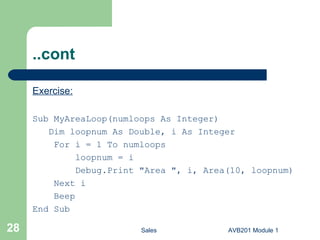
..cont Exercise: Sub MyAreaLoop(numloops As Integer) Dim loopnum As Double, i As Integer For i = 1 To numloops loopnum = i Debug.Print "Area ", i, Area(10, loopnum) Next i Beep End Sub
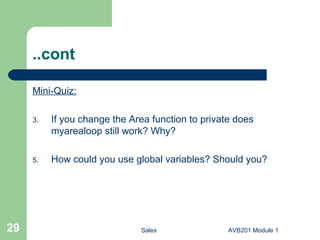
..cont Mini-Quiz: If you change the Area function to private does myarealoop still work? Why? How could you use global variables? Should you?
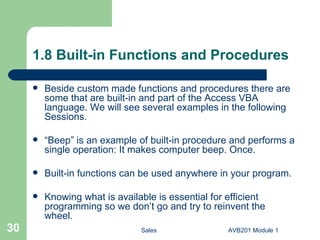
1.8 Built-in Functions and Procedures Beside custom made functions and procedures there are some that are built-in and part of the Access VBA language. We will see several examples in the following Sessions. “ Beep” is an example of built-in procedure and performs a single operation: It makes computer beep. Once. Built-in functions can be used anywhere in your program. Knowing what is available is essential for efficient programming so we don’t go and try to reinvent the wheel.
Some Common built-in Functions Today = Date() returns today’s date. UCase(String) converts all letters in string to upper case. Round(3.89) rounds a value in parenthesis to nearest integer (4 here). Len(String) returns number of characters in a string. NOTE:  There are close to 100 built in functions available for almost any area of data manipulation. Check some reference book for complete list or consult an Online Help in Access. We will introduce and use several in the hours ahead.
..cont Built-in functions are grouped into several categories: Conversion (converts one data type to another. UCase, LCase, etc..) Date/Time Financial Mathematical String Manipulation (extract parts of string, truncate, etc..) Programming (check for missing values, determine data types etc..) Domain (work on several values at once and perform statistical operations such as average, finding maximum / minimum value etc..)
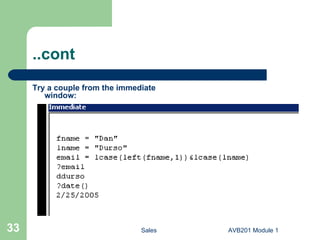
..cont Try a couple from the immediate window:
AVB201 – Introduction to VBA Session 1 END

AVB201.1 MS Access VBA Module 1

  • 1.
    AVB201 Visual BasicFor Applications MS Access, Beginning Course P.O. Box 6142 Laguna Niguel, CA 92607 949-489-1472 http://www.dhdursoassociates.com [email_address]
  • 2.
    OUTLINE SESSION 1:Event driven Programming in Access (3 hours). SESSION 2: VBA Language Constructs and Programming Techniques (3 hours). AVB202: Working Programmatically with Data (3 hours).
  • 3.
  • 4.
    Session 1: EventDriven Programming in Access Why VBA ? Using events and event procedures. Using VBA Editor. Event types in Access. Differentiating between functions and sub procedures. Organizing VBA code into modules. Using Variables, Scope, and Data types. Exploring and using built-in functions.
  • 5.
    1.1 Why VBA? Greatly extends the functionality of Macros. Allows customized interactions with users. Enables complex operations on records. Enables complete control over the Access Object Model Capable of making reports and forms that can make decisions based on user choices, database data, and user supplied values. Offers improved error handling capabilities. Programming is FUN !!
  • 6.
    1.2 Events andEvent Procedures Event is when something happens to any object in your application. Ex: User clicks a button (object) on a form (also an object). Event Procedure is a piece of VBA code that is associated with this object and this event. Since event code is programmed the event can trigger any number of actions. Ex: deleting a record and closing the form. In such event driven programming model, the user is in control of when and what should happen next in the application.
  • 7.
    1.3 Using VBAEditor VBA editor is the place where you write your VBA code. Enter via code builder, CTRL G, etc. VBA editor keeps your code organized into modules, functions, procedures, and/or classes (more on module types later). You can write, document, test, compile, and debug your code with supplied tools >> explore VBA menus. We will use the VBA editor for the rest of this course.
  • 8.
    1.3 Using VBAEditor Demonstration: Make “Add New” command button on a Products form.
  • 9.
    ..cont Exercise: Add“Delete” button to Products form and check the procedure. Explore changing the code and see how VBA automatically notifies you of certain errors. Run procedure by clicking the “Delete” command button.
  • 10.
    1.4 Types ofEvents in Access Events in Access can be categorized into several groups: Windows (Form, Report): opening, closing, resizing. Data: making current, deleting, updating. Focus: activating, entering, exiting. Keyboard: pressing or releasing a key. Mouse: clicking a mouse button. Print: formatting, printing. Error and timing: when error occurs in code or some time passes.
  • 11.
    Commonly Used EventsEvents are normally associated with a form, report, or some control on a form. Some common form events are: On Open, On Load, Before Update, On Unload, On Current On Delete Before Delete.
  • 12.
    Common Control EventsOn Click Before Update After Update On Double Click.
  • 13.
    Common Report EventsOn Open On Activate On Close On No Data.
  • 14.
    Event Flow NOTE:A single user action can also trigger several events that then run in succession. For example when the user opens a form all of the following events occur: Open >> Load >> Resize >> Activate >> Current
  • 15.
    1.5 Differentiating betweenFunctions and Sub Procedures. Functions return a value to the calling code, usually providing the result of the function’s operation. Sub Procedures execute the code in the procedure but do not return any values. Both, functions and procedures, can accept multiple input values from the calling program that can be used inside their respective operations.
  • 16.
    ..cont Function Syntax:Function FunctionName(passed arguments) As “Data Type of Return” ..some code.. FunctionName = “Return Value” End Function
  • 17.
    ..cont Sub ProcedureSyntax: Sub SubName(passed arguments) ..some code.. End Sub
  • 18.
    1.6 Organizing VBACode into Modules All event procedures and any other VBA code are grouped and placed into “Modules”. MS Access has 4 types of modules: Standard, Form, Report, and Class. Each form and report has its own form or report module. All event procedures associated with a particular form or report should reside in their respective module. Standard module holds any other common or non form/report specific code. Class modules support object oriented programming approach (OOP) to development.
  • 19.
    ..cont Exercise: Access any of the module types. In all cases you work with the same VBA editor.
  • 20.
    ..cont This isthe place where we start writing some of our own code. Interactive Exercise : Create new standard module. Type in the following code: Function Area (Height As Double, Width As Double) As Double Area = Width * Height End Function Optionally compile code (under Debug menu). Run code in Immediate window: ?Area(3,4)
  • 21.
    ..cont And nowtry the following procedure: Sub MyLoop() Dim loopcount As Integer, i As Integer loopcount = 3 For i = 1 To loopcount Debug.Print "Loop ", i Next i Beep End Sub More about “For” statement in Session 2.
  • 22.
    1.7 Variables, Scope,and Data Types Variables are containers that hold your data in programs. Each variable should have a type. VBA supports a wide range of data types that are not identical to data types declared on fields in tables. Knowing both groups and how to map them is essential for good programming. If you forget to assign type to a variable in VBA, then the variable is treated as a “Variant”. Variants assume data type when data is loaded in to the variable. NOTE: !! Avoid using Variants”. They slow the execution and make for poor documentation.
  • 23.
    Some often useddata types in VBA Boolean (True or False) Currency (formatted number $56.67) Double, Single (51.145678) Integer (321) Date (#8/28/04#) String (“Any word or sentence”) Q: What are their equivalents in database tables?
  • 24.
    Scope of Variables(and Procedures) Scope determines where can variable be used. This depends on the place where and also how it was declared. Variables declared inside functions or subs must be declared with a Dim statement. They are always local to that sub or function..
  • 25.
    …cont Variables declaredoutside any function or sub are always global to that module. Whether they are also available to other modules, depends on what you precede their declarations with: “ Private Area As Double” would be same as “Dim Area As Double”. “ Public Area As Double” on the other hand is global to the application. NOTE: !!You can not use Public declaration inside function or sub. Use Dim ONLY.
  • 26.
    ..cont Functions andProcedures also have a scope. Preceding function or procedure declaration with a word “Public” or “Private” makes that function or sub available “in the module where declared only” OR they can be called (used) from any place in the application. Ex: Procedure in one module can call Public functions declared in any other module. Public and Private declarations are useful to avoid confusion with keeping track of multiple names used for variables, functions, and procedures. Similar operations on two different forms can use procedures with same name as long as they are both declared as private in their respective modules.
  • 27.
    ..cont Exercise: Modifythe MyLoop procedure to accept the number of loops. Call the new one MyAreaLoop Call the Area function procedure from the MyAreaLoop procedure and pass it a length 0f 10 and width of I. (You will have to set up a variable of type double for area.) Run the MyAreaLoop procedure.
  • 28.
    ..cont Exercise: SubMyAreaLoop(numloops As Integer) Dim loopnum As Double, i As Integer For i = 1 To numloops loopnum = i Debug.Print "Area ", i, Area(10, loopnum) Next i Beep End Sub
  • 29.
    ..cont Mini-Quiz: Ifyou change the Area function to private does myarealoop still work? Why? How could you use global variables? Should you?
  • 30.
    1.8 Built-in Functionsand Procedures Beside custom made functions and procedures there are some that are built-in and part of the Access VBA language. We will see several examples in the following Sessions. “ Beep” is an example of built-in procedure and performs a single operation: It makes computer beep. Once. Built-in functions can be used anywhere in your program. Knowing what is available is essential for efficient programming so we don’t go and try to reinvent the wheel.
  • 31.
    Some Common built-inFunctions Today = Date() returns today’s date. UCase(String) converts all letters in string to upper case. Round(3.89) rounds a value in parenthesis to nearest integer (4 here). Len(String) returns number of characters in a string. NOTE: There are close to 100 built in functions available for almost any area of data manipulation. Check some reference book for complete list or consult an Online Help in Access. We will introduce and use several in the hours ahead.
  • 32.
    ..cont Built-in functionsare grouped into several categories: Conversion (converts one data type to another. UCase, LCase, etc..) Date/Time Financial Mathematical String Manipulation (extract parts of string, truncate, etc..) Programming (check for missing values, determine data types etc..) Domain (work on several values at once and perform statistical operations such as average, finding maximum / minimum value etc..)
  • 33.
    ..cont Try acouple from the immediate window:
  • 34.
    AVB201 – Introductionto VBA Session 1 END