

















Autopsy of
a Widget
The Internals of a
qooxdoo Widget
by Fabian Jakobs
@fjakobs
Web Application
Browser as Render Engine
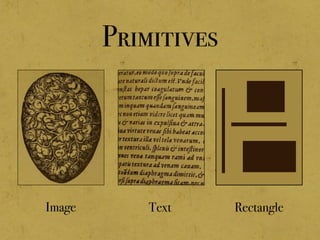
Primitives
Image Rectangle
Text
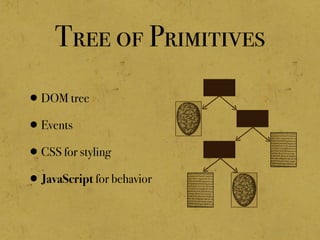
Tree of Primitives
•DOM tree
•Events
•CSS for styling
•JavaScript for behavior
The Body Widget
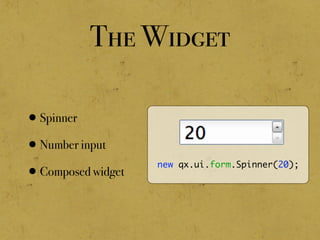
The Widget
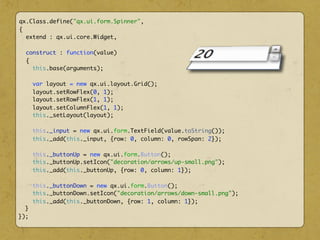
•Spinner
•Number input
•Composed widget
new qx.ui.form.Spinner(20);
Static Structure:
Composed Widgets
Goal
•Create complex Widgets by
composing Widgets
•Use known GUI Concepts
•Abstraction over the
Browser
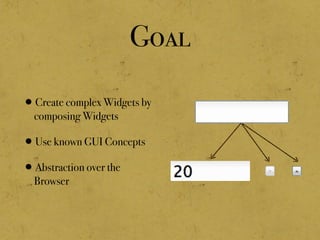
Goal
•Create complex Widgets by
composing Widgets
•Use known GUI Concepts
•Abstraction over the
Browser
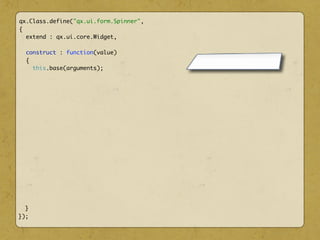
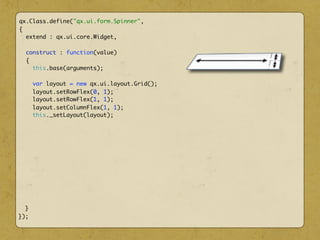
qx.Class.define("qx.ui.form.Spinner",
{
extend : qx.ui.core.Widget,
construct : function(value)
{
this.base(arguments);
}
});
qx.Class.define("qx.ui.form.Spinner",
{
extend : qx.ui.core.Widget,
construct : function(value)
{
this.base(arguments);
var layout = new qx.ui.layout.Grid();
layout.setRowFlex(0, 1);
layout.setRowFlex(1, 1);
layout.setColumnFlex(1, 1);
this._setLayout(layout);
}
});
qx.Class.define("qx.ui.form.Spinner",
{
extend : qx.ui.core.Widget,
construct : function(value)
{
this.base(arguments);
var layout = new qx.ui.layout.Grid();
layout.setRowFlex(0, 1);
layout.setRowFlex(1, 1);
layout.setColumnFlex(1, 1);
this._setLayout(layout);
this._input = new qx.ui.form.TextField(value.toString());
this._add(this._input, {row: 0, column: 0, rowSpan: 2});
this._buttonUp = new qx.ui.form.Button();
this._buttonUp.setIcon("decoration/arrows/up-small.png");
this._add(this._buttonUp, {row: 0, column: 1});
this._buttonDown = new qx.ui.form.Button();
this._buttonDown.setIcon("decoration/arrows/down-small.png");
this._add(this._buttonDown, {row: 1, column: 1});
}
});
Demo
http://demo.qooxdoo.org/current/playground
DOM Structure
DOM Structure
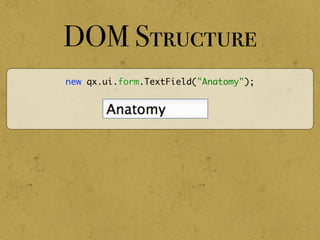
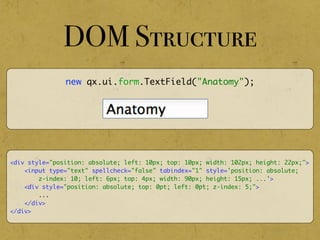
new qx.ui.form.TextField("Anatomy");
DOM Structure
new qx.ui.form.TextField("Anatomy");
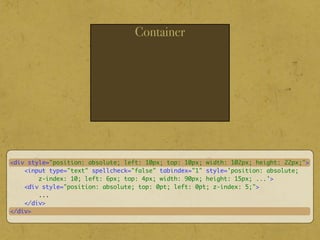
<div style="position: absolute; left: 10px; top: 10px; width: 102px; height: 22px;">
<input type="text" spellcheck="false" tabindex="1" style='position: absolute;
z-index: 10; left: 6px; top: 4px; width: 90px; height: 15px; ...'>
<div style="position: absolute; top: 0pt; left: 0pt; z-index: 5;">
...
</div>
</div>
Container
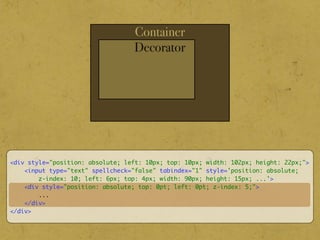
<div style="position: absolute; left: 10px; top: 10px; width: 102px; height: 22px;">
<input type="text" spellcheck="false" tabindex="1" style='position: absolute;
z-index: 10; left: 6px; top: 4px; width: 90px; height: 15px; ...'>
<div style="position: absolute; top: 0pt; left: 0pt; z-index: 5;">
...
</div>
</div>
Container
Decorator
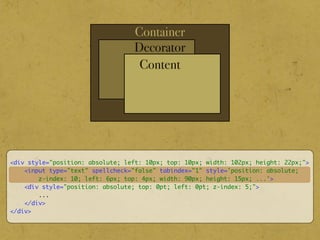
<div style="position: absolute; left: 10px; top: 10px; width: 102px; height: 22px;">
<input type="text" spellcheck="false" tabindex="1" style='position: absolute;
z-index: 10; left: 6px; top: 4px; width: 90px; height: 15px; ...'>
<div style="position: absolute; top: 0pt; left: 0pt; z-index: 5;">
...
</div>
</div>
Container
Decorator
Content
<div style="position: absolute; left: 10px; top: 10px; width: 102px; height: 22px;">
<input type="text" spellcheck="false" tabindex="1" style='position: absolute;
z-index: 10; left: 6px; top: 4px; width: 90px; height: 15px; ...'>
<div style="position: absolute; top: 0pt; left: 0pt; z-index: 5;">
...
</div>
</div>
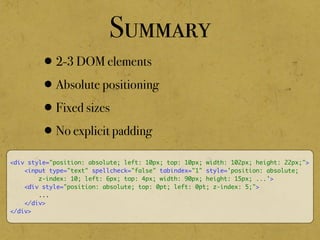
Summary
•2-3 DOM elements
•Absolute positioning
•Fixed sizes
•No explicit padding
<div style="position: absolute; left: 10px; top: 10px; width: 102px; height: 22px;">
<input type="text" spellcheck="false" tabindex="1" style='position: absolute;
z-index: 10; left: 6px; top: 4px; width: 90px; height: 15px; ...'>
<div style="position: absolute; top: 0pt; left: 0pt; z-index: 5;">
...
</div>
</div>
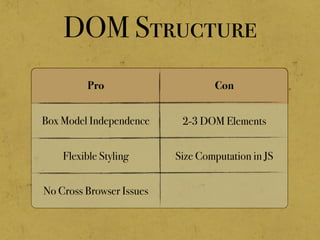
DOM Structure
Pro Con
No Cross Browser Issues
Flexible Styling
Box Model Independence 2-3 DOM Elements
Size Computation in JS
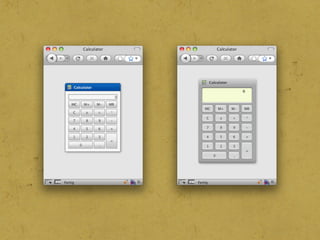
Theming
The Guts:
Working With The DOM
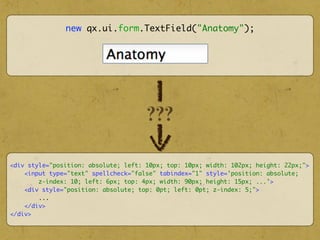
new qx.ui.form.TextField("Anatomy");
<div style="position: absolute; left: 10px; top: 10px; width: 102px; height: 22px;">
<input type="text" spellcheck="false" tabindex="1" style='position: absolute;
z-index: 10; left: 6px; top: 4px; width: 90px; height: 15px; ...'>
<div style="position: absolute; top: 0pt; left: 0pt; z-index: 5;">
...
</div>
</div>
???
The DOM is a Mess
IE
element.style.filter =
"alpha(opacity=" +
(opacity * 100) +
");";
others
element.style.opacity = opacity;
•Many cross browser issues
The DOM is a Mess
•Many cross browser issues
•Small mistakes can degrade
performance
var el = document.createElement("div");
document.body.appendChild(el);
el.style.position = absolute;
// more style changes
The DOM is a Mess
•Many cross browser issues
•Small mistakes can degrade
performance
var el = document.createElement("div");
document.body.appendChild(el);
el.style.position = absolute;
// more style changes
var el = document.createElement("div");
el.style.position = absolute;
// more style changes
document.body.appendChild(el);
The DOM is a Mess
•Many cross browser issues
•Small mistakes can degrade
performance
•Reading styles/attributes is
slow
var width = parseInt(el.style.width);
var height = parseInt(el.style.height);
The DOM is a Mess
•Many cross browser issues
•Small mistakes can degrade
performance
•Reading styles/attributes is
slow
var width = parseInt(el.style.width);
var height = parseInt(el.style.height);
DOM Wrapper
•Wrap DOM elements
•Lazy DOM element creation
•Batch DOM manipulations
•Cache styles/attributes
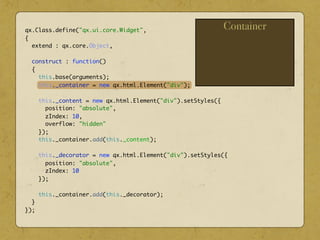
Container
qx.Class.define("qx.ui.core.Widget",
{
extend : qx.core.Object,
construct : function()
{
this.base(arguments);
this._container = new qx.html.Element("div");
this._content = new qx.html.Element("div").setStyles({
position: "absolute",
zIndex: 10,
overflow: "hidden"
});
this._container.add(this._content);
this._decorator = new qx.html.Element("div").setStyles({
position: "absolute",
zIndex: 10
});
this._container.add(this._decorator);
}
});
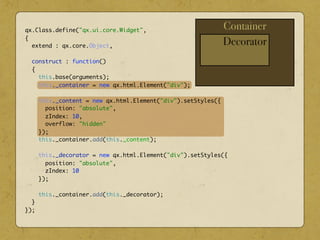
Container
Decorator
qx.Class.define("qx.ui.core.Widget",
{
extend : qx.core.Object,
construct : function()
{
this.base(arguments);
this._container = new qx.html.Element("div");
this._content = new qx.html.Element("div").setStyles({
position: "absolute",
zIndex: 10,
overflow: "hidden"
});
this._container.add(this._content);
this._decorator = new qx.html.Element("div").setStyles({
position: "absolute",
zIndex: 10
});
this._container.add(this._decorator);
}
});
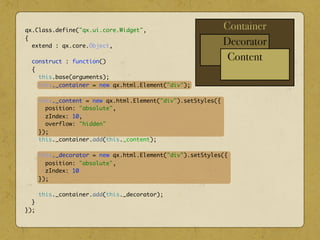
Container
Decorator
Content
qx.Class.define("qx.ui.core.Widget",
{
extend : qx.core.Object,
construct : function()
{
this.base(arguments);
this._container = new qx.html.Element("div");
this._content = new qx.html.Element("div").setStyles({
position: "absolute",
zIndex: 10,
overflow: "hidden"
});
this._container.add(this._content);
this._decorator = new qx.html.Element("div").setStyles({
position: "absolute",
zIndex: 10
});
this._container.add(this._decorator);
}
});
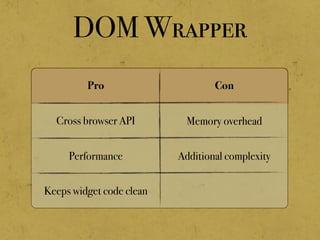
DOM Wrapper
Pro Con
Keeps widget code clean
Performance
Cross browser API Memory overhead
Additional complexity
Dynamic Structure:
Layouts
Initial Sizes
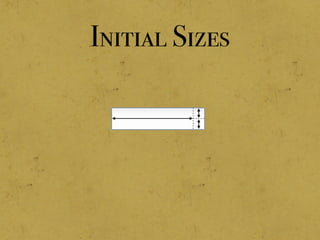
Initial Sizes
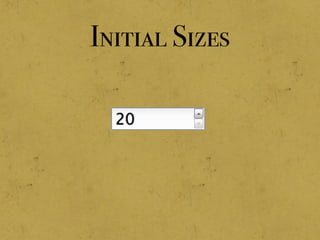
Initial Sizes
Dynamic Update
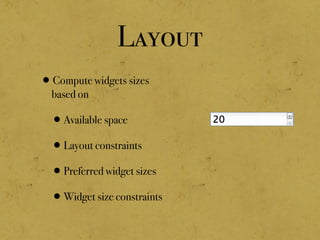
Layout
•Compute widgets sizes
based on
•Available space
•Layout constraints
•Preferred widget sizes
•Widget size constraints
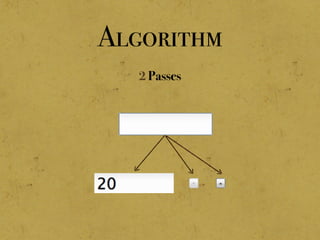
Algorithm
2 Passes
Algorithm
2 Passes
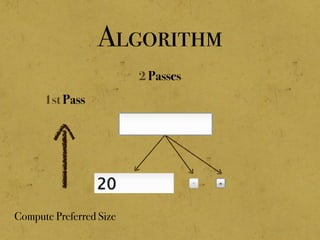
Compute Preferred Size
1st Pass
Algorithm
2 Passes
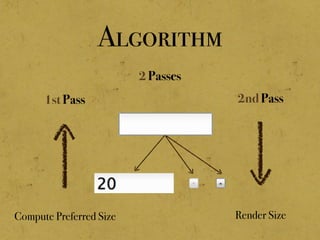
Compute Preferred Size
1st Pass
Render Size
2nd Pass
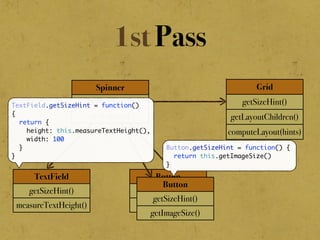
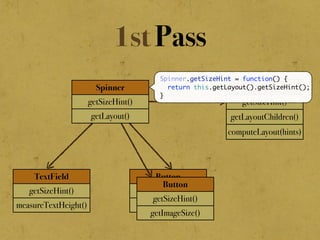
1st Pass
Grid
getSizeHint()
getLayoutChildren()
computeLayout(hints)
TextField
getSizeHint()
measureTextHeight()
Button
getSizeHint()
getImageSize()
Button
getSizeHint()
getImageSize()
Spinner
getSizeHint()
getLayout()
1st Pass
Grid
getSizeHint()
getLayoutChildren()
computeLayout(hints)
TextField
getSizeHint()
measureTextHeight()
Button
getSizeHint()
getImageSize()
Button
getSizeHint()
getImageSize()
Spinner
getSizeHint()
getLayout()
Spinner.getSizeHint = function() {
return this.getLayout().getSizeHint();
}
1st Pass
Grid
getSizeHint()
getLayoutChildren()
computeLayout(hints)
TextField
getSizeHint()
measureTextHeight()
Button
getSizeHint()
getImageSize()
Button
getSizeHint()
getImageSize()
Spinner
getSizeHint()
getLayout()
Grid.getSizeHint = function()
{
var childrenHints = [];
var children = this.getLayoutChildren();
for (var i=0; i<children.length; i++) {
childrenHints.push(children[i].getSizeHint());
}
return this.computeLayout(childrenHints);
}
1st Pass
Grid
getSizeHint()
getLayoutChildren()
computeLayout(hints)
TextField
getSizeHint()
measureTextHeight()
Button
getSizeHint()
getImageSize()
Button
getSizeHint()
getImageSize()
Spinner
getSizeHint()
getLayout()
TextField.getSizeHint = function()
{
return {
height: this.measureTextHeight(),
width: 100
}
}
Button.getSizeHint = function() {
return this.getImageSize()
}
Button
renderLayout()
updateWidgetSize(bounds)
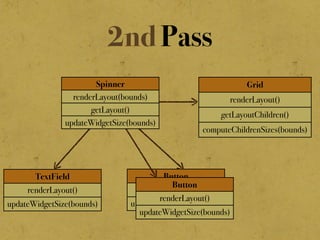
2nd Pass
Grid
renderLayout()
getLayoutChildren()
computeChildrenSizes(bounds)
TextField
renderLayout()
updateWidgetSize(bounds)
Spinner
renderLayout(bounds)
getLayout()
updateWidgetSize(bounds)
Button
renderLayout()
updateWidgetSize(bounds)
Button
renderLayout()
updateWidgetSize(bounds)
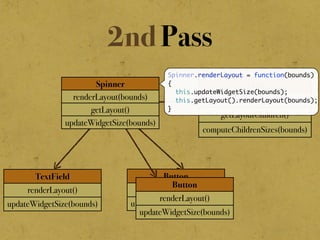
2nd Pass
Grid
renderLayout()
getLayoutChildren()
computeChildrenSizes(bounds)
TextField
renderLayout()
updateWidgetSize(bounds)
Spinner
renderLayout(bounds)
getLayout()
updateWidgetSize(bounds)
Button
renderLayout()
updateWidgetSize(bounds)
Spinner.renderLayout = function(bounds)
{
this.updateWidgetSize(bounds);
this.getLayout().renderLayout(bounds);
}
Button
renderLayout()
updateWidgetSize(bounds)
Grid
renderLayout()
getLayoutChildren()
computeChildrenSizes(bounds)
TextField
renderLayout()
updateWidgetSize(bounds)
Spinner
renderLayout(bounds)
getLayout()
updateWidgetSize(bounds)
Button
renderLayout()
updateWidgetSize(bounds)
Grid.renderLayout = function(bounds)
{
var sizes = this.computeChildrenSizes(bounds);
var children = this.getLayoutChildren();
for (var i=0; i<children.length; i++) {
children[i].renderLayout(childrenSizes[i]);
}
}
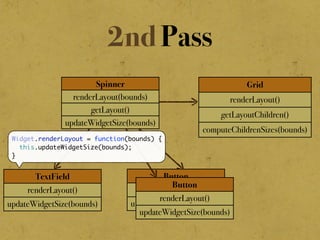
2nd Pass
Button
renderLayout()
updateWidgetSize(bounds)
Grid
renderLayout()
getLayoutChildren()
computeChildrenSizes(bounds)
TextField
renderLayout()
updateWidgetSize(bounds)
Spinner
renderLayout(bounds)
getLayout()
updateWidgetSize(bounds)
Button
renderLayout()
updateWidgetSize(bounds)
Widget.renderLayout = function(bounds) {
this.updateWidgetSize(bounds);
}
2nd Pass
Layout Summary
•Reflow computation in JavaScript
•Large collection of layout managers
•Highly optimized
Layout Summary
•Reflow computation in JavaScript
•Large collection of layout managers
•Highly optimized
„If a feature is missing
we can easily add it!“
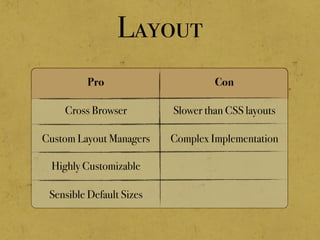
Layout
Pro Con
Slower than CSS layouts
Complex Implementation
Cross Browser
Custom Layout Managers
Highly Customizable
Sensible Default Sizes
Events
„DOM events are a
huge stinking pile
of mess!“
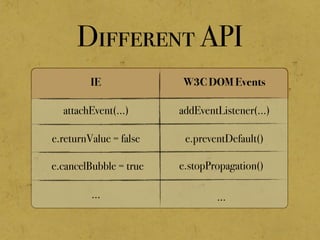
Different API
IE W3C DOM Events
addEventListener(...)
e.preventDefault()
attachEvent(...)
e.returnValue = false
e.cancelBubble = true
...
e.stopPropagation()
...
„It‘s getting
worse“
Different Features
•Event capturing phase
•Mouse capturing (only IE)
•Both features are highly desirable
„Worst ...“
Different Behavior
•Different mouse event sequences
•keyCode and charCode depend on
•browser
•operating system
•locale
•...
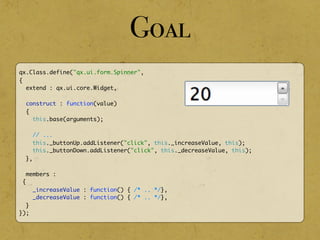
qx.Class.define("qx.ui.form.Spinner",
{
extend : qx.ui.core.Widget,
construct : function(value)
{
this.base(arguments);
// ...
this._buttonUp.addListener("click", this._increaseValue, this);
this._buttonDown.addListener("click", this._decreaseValue, this);
},
members :
{
_increaseValue : function() { /* .. */},
_decreaseValue : function() { /* .. */},
}
});
Goal
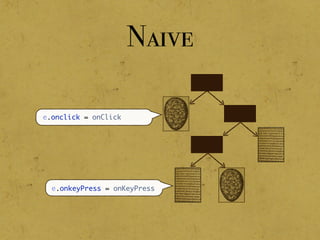
e.onclick = onClick
e.onkeyPress = onKeyPress
Naive
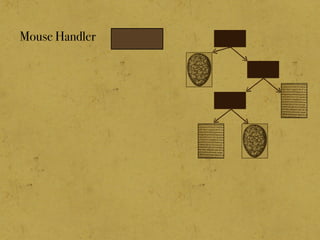
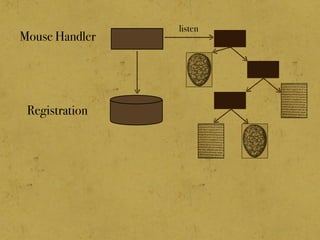
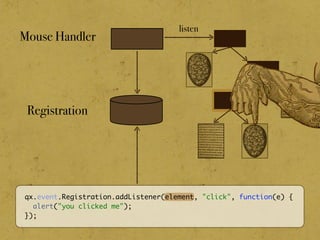
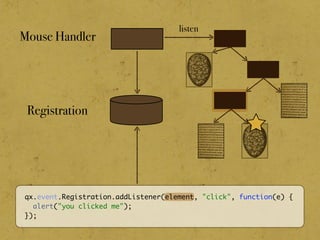
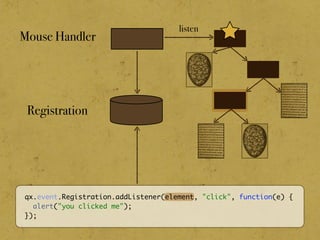
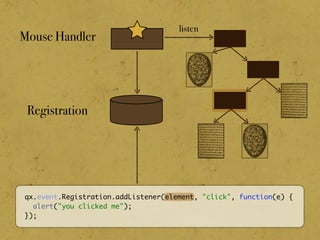
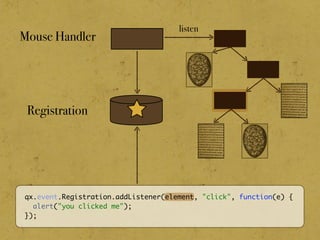
Mouse Handler
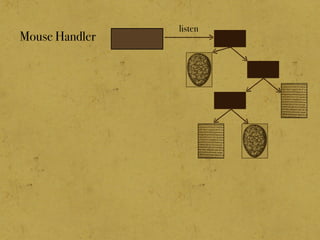
Mouse Handler
listen
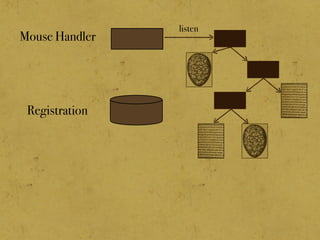
Registration
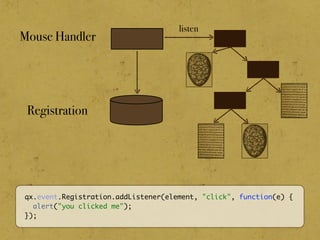
Mouse Handler
listen
Registration
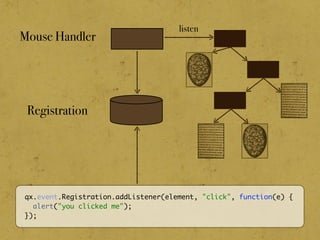
Mouse Handler
listen
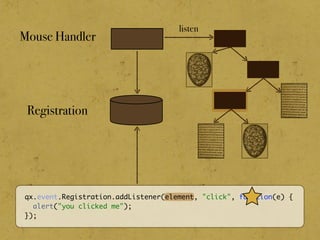
qx.event.Registration.addListener(element, "click", function(e) {
alert("you clicked me");
});
Registration
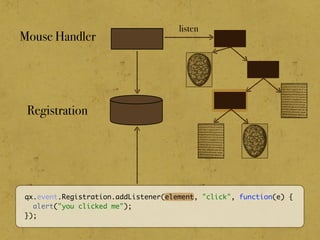
Mouse Handler
listen
qx.event.Registration.addListener(element, "click", function(e) {
alert("you clicked me");
});
Registration
Mouse Handler
listen
qx.event.Registration.addListener(element, "click", function(e) {
alert("you clicked me");
});
Registration
Mouse Handler
listen
qx.event.Registration.addListener(element, "click", function(e) {
alert("you clicked me");
});
Registration
Mouse Handler
listen
qx.event.Registration.addListener(element, "click", function(e) {
alert("you clicked me");
});
Registration
Mouse Handler
listen
qx.event.Registration.addListener(element, "click", function(e) {
alert("you clicked me");
});
Registration
Mouse Handler
listen
qx.event.Registration.addListener(element, "click", function(e) {
alert("you clicked me");
});
Registration
Mouse Handler
listen
qx.event.Registration.addListener(element, "click", function(e) {
alert("you clicked me");
});
Registration
Mouse Handler
listen
qx.event.Registration.addListener(element, "click", function(e) {
alert("you clicked me");
});
Registration
Mouse Handler
listen
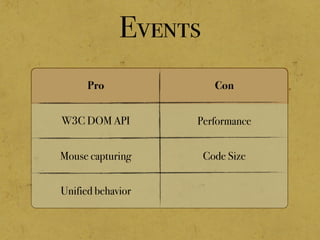
Events
Pro Con
Unified behavior
Mouse capturing
W3C DOM API Performance
Code Size
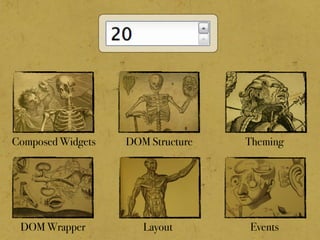
Summary
Composed Widgets DOM Structure Theming
DOM Wrapper Layout Events
Image Reference
•Anatomy exhibit
•University of Michigan Health Sciences
Libraries Rare Book Room
•http://www.flickr.com/photos/
rosefirerising/sets/
72157606558666166
Demo
•http://bit.ly/39RDkP
•http://bit.ly/2sllO4
•http://bit.ly/1fAevz
•http://bit.ly/38ZUYR
•http://bit.ly/1Rrb9O

Autopsy Of A Widget