TROJAN
HORSE
PRESENTATION BY:-
ATUL DEWARKAR ( 18-311)
INTRODUCTIO
N
What is TROJAN? How it works?
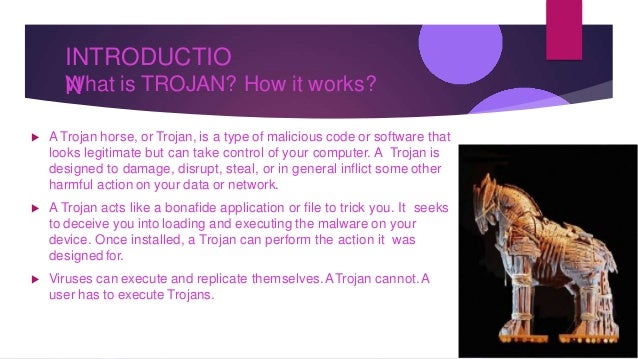
 A Trojan horse, or Trojan, is a type of malicious code or software that
looks legitimate but can take control of your computer. A Trojan is
designed to damage, disrupt, steal, or in general inflict some other
harmful action on your data or network.
 A Trojan acts like a bonafide application or file to trick you. It seeks
to deceive you into loading and executing the malware on your
device. Once installed, a Trojan can perform the action it was
designed for.
 Viruses can execute and replicate themselves.ATrojan cannot.A
user has to execute Trojans.
Different Types of Trojan Horse
 types of Trojan horses are:
 Remote Access Trojans : Abbreviated as RATs, a Remote Access Trojan is
designed to providethe attacker with complete control of the victim’s system.
 Data Sending Trojans : This type of Trojan horses is designed to provide
the attackerwith sensitive data such as passwords, credit card information,
log files, e-mail address or IM contact lists.
 Destructive Trojans : This Trojan horse is designed to destroy and
delete files, and it’s more like a virus than any other Trojan. It can often go
undetectedby anti virus software.
Common Types of Trojan Malware
 Downloader Trojan : This Trojan targets your already-infected
computer. It downloads and installs new versions of malicious
programs. These can include Trojans and adware.
 Game-thief Trojan : The losers here may be online gamers. This
Trojan seeks to steal their account information.
 Infostealer Trojan : As it sounds, this Trojan is after data on your
infected computer.
 SMS Trojan : This type of Trojan infects your mobile device and
can send and intercept text messages. Texts to premium-rate
numbers can drive up your phone costs.
How will you know if you’ve
been infected?
 A Trojan horse will have multiple extensions because it attaches itself to other
files that might look somethingI like LOVELETTERFORYOU.TXT.vbs
Common lookouts for being Affected by Trojan horse
1. Slow computer.
2. Blue screen of death.
3. Strange pop-ups.(adware)
4. Applications acting strange.
5. Disabled security application such as UAC.
6. Insufficient
How to avoid being Affected
 As with protecting against most common cybersecurity threats, effective cybersecurity
software should be your front line of protection. An effective internet security solution should
run fast, frequent scans and alert you as soon as a Trojan virus is detected.
1. Never download or install software from a source you don’t trust
completely
2. Never open an attachment or run a program sent to you in an email from
someone you don’t know.
3. Keep all software on your computer up to date with the latest patches
4. Make sure a Trojan antivirus is installed on your computer
5. Look out for file Extensions
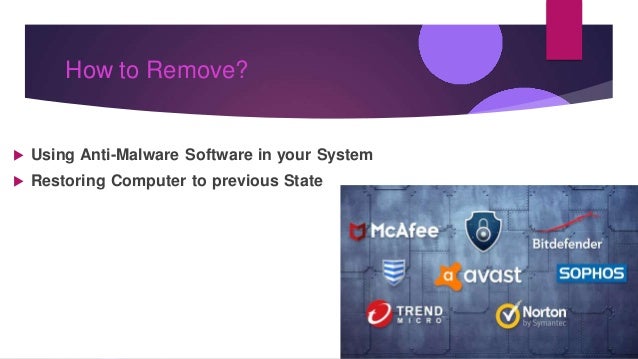
How to Remove?
 Using Anti-Malware Software in your System
 Restoring Computer to previous State
things to take care on
 We need to be careful when download something. We also
need an anti-virus to protect our computer from be infected
by virus.
 We need to be a smart user because this can help us from
be tricked with nice thing but behind the scenes it infects our
computer with a Trojan or Worm.
Thank
You

Atul trojan horse ppt 101

  • 1.
  • 2.
    INTRODUCTIO N What is TROJAN?How it works?  A Trojan horse, or Trojan, is a type of malicious code or software that looks legitimate but can take control of your computer. A Trojan is designed to damage, disrupt, steal, or in general inflict some other harmful action on your data or network.  A Trojan acts like a bonafide application or file to trick you. It seeks to deceive you into loading and executing the malware on your device. Once installed, a Trojan can perform the action it was designed for.  Viruses can execute and replicate themselves.ATrojan cannot.A user has to execute Trojans.
  • 3.
    Different Types ofTrojan Horse  types of Trojan horses are:  Remote Access Trojans : Abbreviated as RATs, a Remote Access Trojan is designed to providethe attacker with complete control of the victim’s system.  Data Sending Trojans : This type of Trojan horses is designed to provide the attackerwith sensitive data such as passwords, credit card information, log files, e-mail address or IM contact lists.  Destructive Trojans : This Trojan horse is designed to destroy and delete files, and it’s more like a virus than any other Trojan. It can often go undetectedby anti virus software.
  • 4.
    Common Types ofTrojan Malware  Downloader Trojan : This Trojan targets your already-infected computer. It downloads and installs new versions of malicious programs. These can include Trojans and adware.  Game-thief Trojan : The losers here may be online gamers. This Trojan seeks to steal their account information.  Infostealer Trojan : As it sounds, this Trojan is after data on your infected computer.  SMS Trojan : This type of Trojan infects your mobile device and can send and intercept text messages. Texts to premium-rate numbers can drive up your phone costs.
  • 5.
    How will youknow if you’ve been infected?  A Trojan horse will have multiple extensions because it attaches itself to other files that might look somethingI like LOVELETTERFORYOU.TXT.vbs Common lookouts for being Affected by Trojan horse 1. Slow computer. 2. Blue screen of death. 3. Strange pop-ups.(adware) 4. Applications acting strange. 5. Disabled security application such as UAC. 6. Insufficient
  • 6.
    How to avoidbeing Affected  As with protecting against most common cybersecurity threats, effective cybersecurity software should be your front line of protection. An effective internet security solution should run fast, frequent scans and alert you as soon as a Trojan virus is detected. 1. Never download or install software from a source you don’t trust completely 2. Never open an attachment or run a program sent to you in an email from someone you don’t know. 3. Keep all software on your computer up to date with the latest patches 4. Make sure a Trojan antivirus is installed on your computer 5. Look out for file Extensions
  • 7.
    How to Remove? Using Anti-Malware Software in your System  Restoring Computer to previous State
  • 8.
    things to takecare on  We need to be careful when download something. We also need an anti-virus to protect our computer from be infected by virus.  We need to be a smart user because this can help us from be tricked with nice thing but behind the scenes it infects our computer with a Trojan or Worm.
  • 9.