ATM Simulator System - Mini
Project
Java Console-Based Application
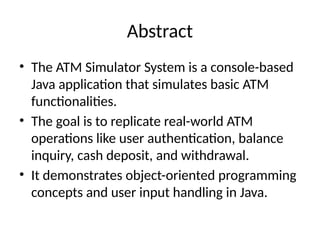
Abstract
• The ATM Simulator System is a console-based
Java application that simulates basic ATM
functionalities.
• The goal is to replicate real-world ATM
operations like user authentication, balance
inquiry, cash deposit, and withdrawal.
• It demonstrates object-oriented programming
concepts and user input handling in Java.
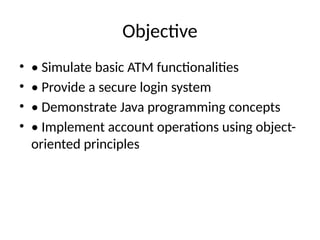
Objective
• • Simulate basic ATM functionalities
• • Provide a secure login system
• • Demonstrate Java programming concepts
• • Implement account operations using object-
oriented principles
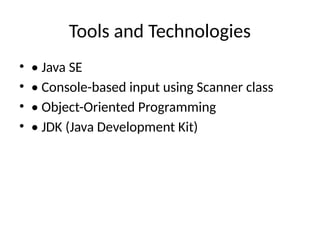
Tools and Technologies
• • Java SE
• • Console-based input using Scanner class
• • Object-Oriented Programming
• • JDK (Java Development Kit)
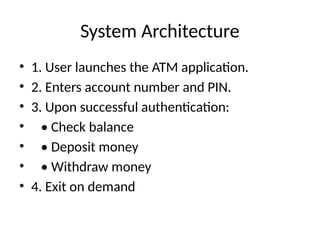
System Architecture
• 1. User launches the ATM application.
• 2. Enters account number and PIN.
• 3. Upon successful authentication:
• • Check balance
• • Deposit money
• • Withdraw money
• 4. Exit on demand
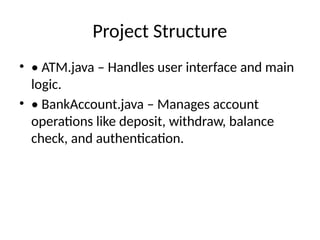
Project Structure
• • ATM.java – Handles user interface and main
logic.
• • BankAccount.java – Manages account
operations like deposit, withdraw, balance
check, and authentication.
ATM.java (Part 1)
• import java.util.Scanner;
• public class ATM {
• public static void main(String[] args) {
• Scanner scanner = new
Scanner(System.in);
• BankAccount account = new
BankAccount("123456", "1234", 1000.00);
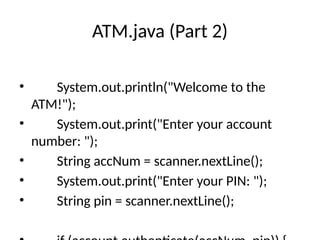
ATM.java (Part 2)
• System.out.println("Welcome to the
ATM!");
• System.out.print("Enter your account
number: ");
• String accNum = scanner.nextLine();
• System.out.print("Enter your PIN: ");
• String pin = scanner.nextLine();
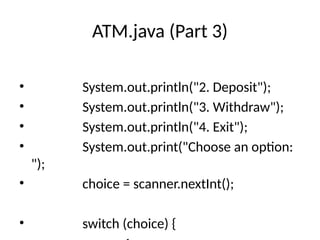
ATM.java (Part 3)
• System.out.println("2. Deposit");
• System.out.println("3. Withdraw");
• System.out.println("4. Exit");
• System.out.print("Choose an option:
");
• choice = scanner.nextInt();
• switch (choice) {
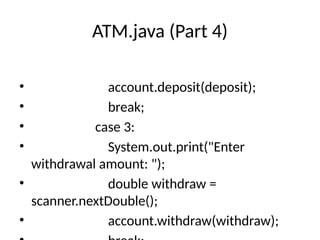
ATM.java (Part 4)
• account.deposit(deposit);
• break;
• case 3:
• System.out.print("Enter
withdrawal amount: ");
• double withdraw =
scanner.nextDouble();
• account.withdraw(withdraw);
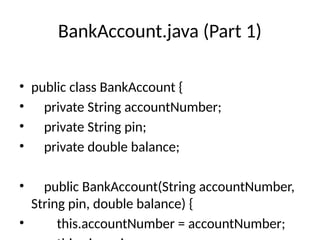
BankAccount.java (Part 1)
• public class BankAccount {
• private String accountNumber;
• private String pin;
• private double balance;
• public BankAccount(String accountNumber,
String pin, double balance) {
• this.accountNumber = accountNumber;
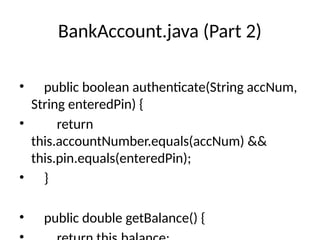
BankAccount.java (Part 2)
• public boolean authenticate(String accNum,
String enteredPin) {
• return
this.accountNumber.equals(accNum) &&
this.pin.equals(enteredPin);
• }
• public double getBalance() {
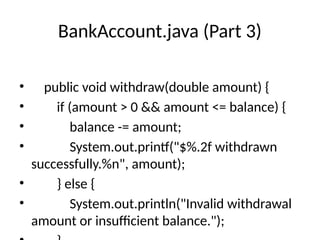
BankAccount.java (Part 3)
• public void withdraw(double amount) {
• if (amount > 0 && amount <= balance) {
• balance -= amount;
• System.out.printf("$%.2f withdrawn
successfully.%n", amount);
• } else {
• System.out.println("Invalid withdrawal
amount or insufficient balance.");
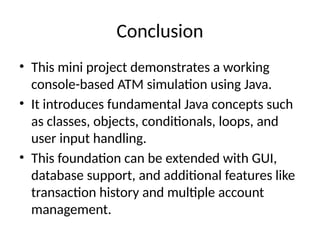
Conclusion
• This mini project demonstrates a working
console-based ATM simulation using Java.
• It introduces fundamental Java concepts such
as classes, objects, conditionals, loops, and
user input handling.
• This foundation can be extended with GUI,
database support, and additional features like
transaction history and multiple account
management.

ATM_Simulator_Complete_Presentation.pptx

  • 1.
    ATM Simulator System- Mini Project Java Console-Based Application
  • 2.
    Abstract • The ATMSimulator System is a console-based Java application that simulates basic ATM functionalities. • The goal is to replicate real-world ATM operations like user authentication, balance inquiry, cash deposit, and withdrawal. • It demonstrates object-oriented programming concepts and user input handling in Java.
  • 3.
    Objective • • Simulatebasic ATM functionalities • • Provide a secure login system • • Demonstrate Java programming concepts • • Implement account operations using object- oriented principles
  • 4.
    Tools and Technologies •• Java SE • • Console-based input using Scanner class • • Object-Oriented Programming • • JDK (Java Development Kit)
  • 5.
    System Architecture • 1.User launches the ATM application. • 2. Enters account number and PIN. • 3. Upon successful authentication: • • Check balance • • Deposit money • • Withdraw money • 4. Exit on demand
  • 6.
    Project Structure • •ATM.java – Handles user interface and main logic. • • BankAccount.java – Manages account operations like deposit, withdraw, balance check, and authentication.
  • 7.
    ATM.java (Part 1) •import java.util.Scanner; • public class ATM { • public static void main(String[] args) { • Scanner scanner = new Scanner(System.in); • BankAccount account = new BankAccount("123456", "1234", 1000.00);
  • 8.
    ATM.java (Part 2) •System.out.println("Welcome to the ATM!"); • System.out.print("Enter your account number: "); • String accNum = scanner.nextLine(); • System.out.print("Enter your PIN: "); • String pin = scanner.nextLine();
  • 9.
    ATM.java (Part 3) •System.out.println("2. Deposit"); • System.out.println("3. Withdraw"); • System.out.println("4. Exit"); • System.out.print("Choose an option: "); • choice = scanner.nextInt(); • switch (choice) {
  • 10.
    ATM.java (Part 4) •account.deposit(deposit); • break; • case 3: • System.out.print("Enter withdrawal amount: "); • double withdraw = scanner.nextDouble(); • account.withdraw(withdraw);
  • 11.
    BankAccount.java (Part 1) •public class BankAccount { • private String accountNumber; • private String pin; • private double balance; • public BankAccount(String accountNumber, String pin, double balance) { • this.accountNumber = accountNumber;
  • 12.
    BankAccount.java (Part 2) •public boolean authenticate(String accNum, String enteredPin) { • return this.accountNumber.equals(accNum) && this.pin.equals(enteredPin); • } • public double getBalance() {
  • 13.
    BankAccount.java (Part 3) •public void withdraw(double amount) { • if (amount > 0 && amount <= balance) { • balance -= amount; • System.out.printf("$%.2f withdrawn successfully.%n", amount); • } else { • System.out.println("Invalid withdrawal amount or insufficient balance.");
  • 14.
    Conclusion • This miniproject demonstrates a working console-based ATM simulation using Java. • It introduces fundamental Java concepts such as classes, objects, conditionals, loops, and user input handling. • This foundation can be extended with GUI, database support, and additional features like transaction history and multiple account management.