INTRODUCTION OF CORE
JAVA
SUBMITTED BY:
SHUBHAM KUMAR
1209013074
IEC College Of Engineering And Technology
What is Java ?
Java is a high level programming language developed
by Sun Microsystems.
It was first developed by James Gosling at Sun
Microsystems, which is now a part of Oracle
Corporation.
Java was originally called OAK, and was designed for
handheld devices.
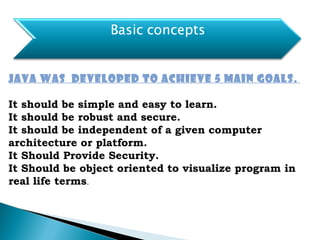
JAVA was developed to achieve 5 main goals. 
It should be simple and easy to learn.
It should be robust and secure.
It should be independent of a given computer
architecture or platform.
It Should Provide Security.
It Should be object oriented to visualize program in
real life terms.
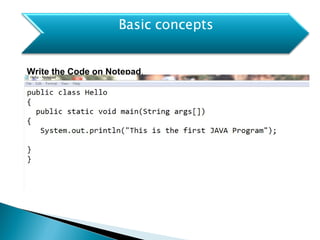
Write the Code on Notepad.
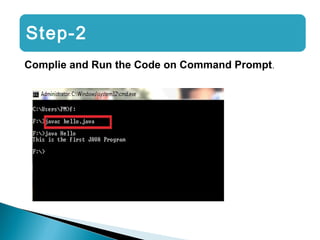
Step-2
Complie and Run the Code on Command Prompt.
Java Packages
Packages in Java is a mechanism to encapsulate a
group of classes, interfaces and sub packages.
Types of package:
1) User defined package: The package we create is
called user-defined package.
2) Built-in package: The already defined package like
java.io.*, java.lang.* etc are known as built-in
packages
How to implement Java
Package
package mypack;
public class Simple{
public static void main(String args[]){
System.out.println("Welcome to package");
}
}
JDK JRE
JVM
JDK (Java Development Kit) - Java Development Kit (JDK)
is a bundle of software components that is used to develop
Java based applications.
JRE (Java Runtime Environment) - JRE is an
implementation of the JVM which actually executes Java
programs. It includes the JVM, core libraries and other
additional components to run applications and applets written
in Java.
BANK MANAGEMENT SYSTEM
To develop a software for
solving financial applications of a
customer in banking environment
in order to nurture the needs of
an end banking user by providing
various ways to perform banking
tasks. Also to enable the user’s
workspace to have additional
functionalities which are not
provided under a conventional
banking software.
:: Problem Description ::
The bank management system is an
application for maintaining a person’s
account in a bank. The system
provides the access to the customer
to create an account,
deposit/withdraw the cash from his
account, also to view reports of all
accounts present. The following
presentation provides the
specification for the system.
:: REQUIREMENTS ::
Functional requirements
Non-Functional requirements
User requirements
System requirements
:: Functional Requirements ::
User basic graphical tools such as
shapes,objects,brushes,colour tools,eraser etc
Should allow free hand drawing, object shapes
such as circle,ellipse,rectangle,polygon.
Should allow the usage of different colors in
the form of brushes,shapes,curves.
Manage the picture with tools such as
pencil,airbrush,clear all.
:: Non-Functional Requirements ::
Must provide the program in vivid colours and
format.
Should have adaptability to allow usage of
single module at a
time
Must enable faster processing of operations when a
module is selected.
:: SYSTEM REQUIREMENTS ::
SOFTWARE REQUIREMANTS
FRONT END : Java
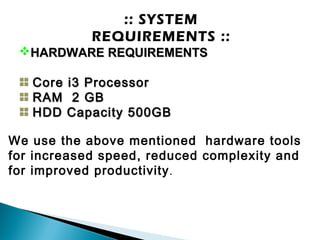
:: SYSTEM
REQUIREMENTS ::
HARDWARE REQUIREMENTSHARDWARE REQUIREMENTS
Core i3 ProcessorCore i3 Processor
RAM 2 GBRAM 2 GB
HDD Capacity 500GBHDD Capacity 500GB
We use the above mentioned hardware tools
for increased speed, reduced complexity and
for improved productivity.
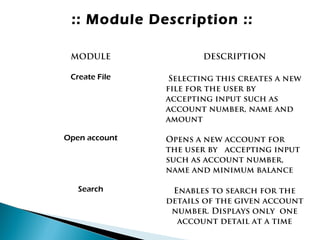
:: Module Description ::
MODULE DESCRIPTION
Create File Selecting this creates a new
file for the user by
accepting input such as
account number, name and
amount
Open account Opens a new account for
the user by accepting input
such as account number,
name and minimum balance
Search Enables to search for the
details of the given account
number. Displays only one
account detail at a time
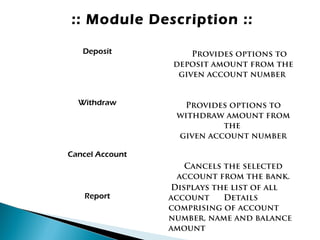
:: Module Description ::
Deposit Provides options to
deposit amount from the
given account number
Withdraw Provides options to
withdraw amount from
the
given account number
Cancel Account
Cancels the selected
account from the bank.
Report
Displays the list of all
account Details
comprising of account
number, name and balance
amount
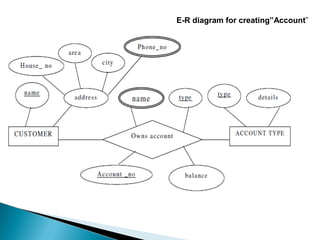
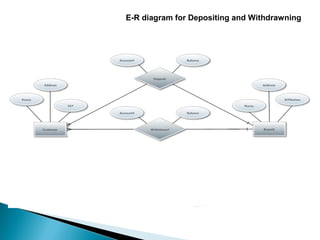
E R DIAGRAM
E-R diagram for creating”Account”
E-R diagram for Depositing and Withdrawning
:: CONCLUSION ::
This project is developed to nurture the needs
of a user in a banking sector by embedding all
the tasks of transactions taking place in a
bank.
Future version of this software will still be
much enhanced than the current version
1.0.Thus the Bank Management System it is
developed and executed successfully.
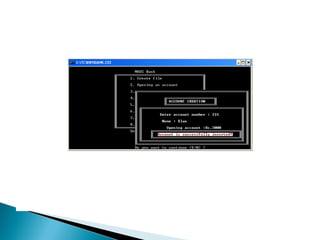
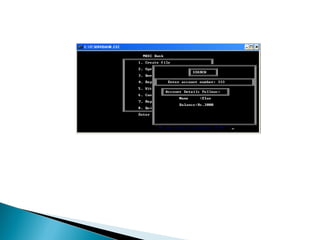
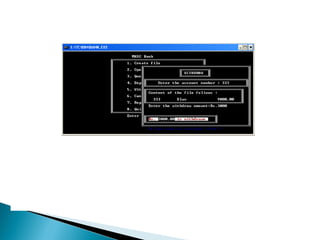
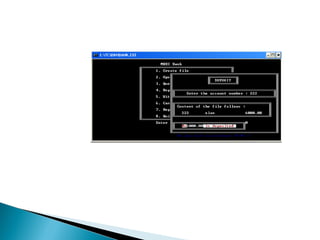
SNAPSHOTS
THANKYOU

Bank management system with java

  • 1.
    INTRODUCTION OF CORE JAVA SUBMITTEDBY: SHUBHAM KUMAR 1209013074 IEC College Of Engineering And Technology
  • 2.
    What is Java? Java is a high level programming language developed by Sun Microsystems. It was first developed by James Gosling at Sun Microsystems, which is now a part of Oracle Corporation. Java was originally called OAK, and was designed for handheld devices.
  • 3.
    JAVA was developedto achieve 5 main goals.  It should be simple and easy to learn. It should be robust and secure. It should be independent of a given computer architecture or platform. It Should Provide Security. It Should be object oriented to visualize program in real life terms.
  • 4.
    Write the Codeon Notepad.
  • 5.
    Step-2 Complie and Runthe Code on Command Prompt.
  • 6.
    Java Packages Packages inJava is a mechanism to encapsulate a group of classes, interfaces and sub packages. Types of package: 1) User defined package: The package we create is called user-defined package. 2) Built-in package: The already defined package like java.io.*, java.lang.* etc are known as built-in packages
  • 7.
    How to implementJava Package package mypack; public class Simple{ public static void main(String args[]){ System.out.println("Welcome to package"); } }
  • 8.
    JDK JRE JVM JDK (JavaDevelopment Kit) - Java Development Kit (JDK) is a bundle of software components that is used to develop Java based applications. JRE (Java Runtime Environment) - JRE is an implementation of the JVM which actually executes Java programs. It includes the JVM, core libraries and other additional components to run applications and applets written in Java.
  • 9.
  • 10.
    To develop asoftware for solving financial applications of a customer in banking environment in order to nurture the needs of an end banking user by providing various ways to perform banking tasks. Also to enable the user’s workspace to have additional functionalities which are not provided under a conventional banking software.
  • 11.
    :: Problem Description:: The bank management system is an application for maintaining a person’s account in a bank. The system provides the access to the customer to create an account, deposit/withdraw the cash from his account, also to view reports of all accounts present. The following presentation provides the specification for the system.
  • 12.
    :: REQUIREMENTS :: Functionalrequirements Non-Functional requirements User requirements System requirements
  • 13.
    :: Functional Requirements:: User basic graphical tools such as shapes,objects,brushes,colour tools,eraser etc Should allow free hand drawing, object shapes such as circle,ellipse,rectangle,polygon. Should allow the usage of different colors in the form of brushes,shapes,curves. Manage the picture with tools such as pencil,airbrush,clear all.
  • 14.
    :: Non-Functional Requirements:: Must provide the program in vivid colours and format. Should have adaptability to allow usage of single module at a time Must enable faster processing of operations when a module is selected.
  • 15.
    :: SYSTEM REQUIREMENTS:: SOFTWARE REQUIREMANTS FRONT END : Java
  • 16.
    :: SYSTEM REQUIREMENTS :: HARDWAREREQUIREMENTSHARDWARE REQUIREMENTS Core i3 ProcessorCore i3 Processor RAM 2 GBRAM 2 GB HDD Capacity 500GBHDD Capacity 500GB We use the above mentioned hardware tools for increased speed, reduced complexity and for improved productivity.
  • 17.
    :: Module Description:: MODULE DESCRIPTION Create File Selecting this creates a new file for the user by accepting input such as account number, name and amount Open account Opens a new account for the user by accepting input such as account number, name and minimum balance Search Enables to search for the details of the given account number. Displays only one account detail at a time
  • 18.
    :: Module Description:: Deposit Provides options to deposit amount from the given account number Withdraw Provides options to withdraw amount from the given account number Cancel Account Cancels the selected account from the bank. Report Displays the list of all account Details comprising of account number, name and balance amount
  • 19.
  • 20.
    E-R diagram forcreating”Account”
  • 21.
    E-R diagram forDepositing and Withdrawning
  • 23.
    :: CONCLUSION :: Thisproject is developed to nurture the needs of a user in a banking sector by embedding all the tasks of transactions taking place in a bank. Future version of this software will still be much enhanced than the current version 1.0.Thus the Bank Management System it is developed and executed successfully.
  • 24.
  • 29.