SVR
Microsoft Asp.net Training Course out line                                   Technologies


                                   SVR
                             Technologies
                               Contact: 091-9885022027
                             Email: info@svrtechnologies.com


                                   Course Name: C#.Net
                                    Trainer: Parikshit Sir
                                   Each Session: 1 Hour
                                   Duration: 22 sessions


      Contact: 091- 988 502 2027                     Email: info@svrtechnologies.com
SVR
Microsoft Asp.net Training Course out line                            Technologies


      Session 1

       a)    Introduction To .Net
       b)    History of .Net
       c)    .Net Definition
       d)    .Net Benefits over Java


      Session 2

       a)    Introduction to .NET Framework
       b)    .Net with different languages
       c)    .Net Features
       d)    Introduction To Assemblies
       e)    CLR
       f)    BCL
       g)    .Net Framework Architecture


      Session 3

       a)    CTS
       b)    MSIL
       c)    JIT Compilers
       d)    COM
       e)    Web Services


      Session 4

        a)   Introduction to HTML
        b)   Introduction To Web Pages
        c)   Static and Dynamic Web Pages
        d)   User Controls
        e)   Meta Data


      Contact: 091- 988 502 2027              Email: info@svrtechnologies.com
SVR
Microsoft Asp.net Training Course out line                                 Technologies


      Session 5

        a)   Scripting Languages
        b)   Introduction to Scripting Languages
        c)   VB Script and Java Script
        d)   Validating User Input


      Session 6

        a)   Server Scripting
        b)   JS File
        c)   Validating User Input
        d)   ASP
        e)   Introduction to ASP
        f)   Request and Response Objects
        g)   Getting Server Time
        h)   Getting Data From Server


      Session 7

        a)   Introduction to ASP.Net
        b)   Features of ASP.Net
        c)   Advantages of ASP.Net
        d)   Configuring IIS 7


      Session 8

        a)   Web Forms
        b)   Web Form
        c)   Components of The Web Forms
        d)   ASP.Net Application Stages


      Session 9

        a) Web Forms
        b) Code Behind Technique


      Contact: 091- 988 502 2027                   Email: info@svrtechnologies.com
SVR
Microsoft Asp.net Training Course out line                               Technologies


        c)   Calculating Simple Interest
        d)   Generating User Name and Password
        e)   Session 9 Web Application State
        f)   Web Form Page Life Cycle
        g)   Round Trips
        h)   Stateless State
        i)   Statefull State


      Session 10

        a)   Saving State At The Client
        b)   Cookies
        c)   HTML Hidden Form Fields
        d)   Query String


      Session 11

        a)   Saving State At The Server
        b)   Application State
        c)   Session State
        d)   PostBack


      Session 12

        a)   Web Controls
        b)   Label
        c)   Text Box
        d)   Button
        e)   Link Button
        f)   Image Button


      Session 13

        a) Web Controls
        b) Hyperlink
        c) Drop Down List


      Contact: 091- 988 502 2027                 Email: info@svrtechnologies.com
SVR
Microsoft Asp.net Training Course out line                                 Technologies


        d)   Check Box
        e)   Check Box List
        f)   Radio Button
        g)   Radio Button List


      Session 14

        a)   Web Controls
        b)   Image
        c)   Panel
        d)   Calendar
        e)   Table


      Session 15

        a) Web Controls
        b) Validation Controls
        c) AD Rotator


      Session 16

        a)   Database
        b)   Introduction To Database
        c)   Object Model
        d)   Types of Databases
        e)   Architecture of Object Model
        f)   Differences Between Connected Architecture and Disconnected
             Architecture


      Session 17

        a)   ADO.Net
        b)    Disconnected Database Connection
        c)   ADO.Net Data Architecture
        d)   DataSet
        e)   Data Provider


      Contact: 091- 988 502 2027                  Email: info@svrtechnologies.com
SVR
Microsoft Asp.net Training Course out line                                 Technologies


        f)   SQL Data Provider
        g)   OLEDB Data Provider
        h)   Connection Object
        i)   Command Object
        j)   DataReader Object
        k)   DataAdapter


      Session 18

        a)   Database
        b)   Connection To SQL Server with wizard
        c)   Connection To SQL Server through code
        d)   Adding data to the database through Front End
        e)   Deleting data in the database through Front End
        f)   Working with DataSets


      Session 19

        a)   XML
        b)   Introduction to XML
        c)   XML Program
        d)   Relation Between XML and HTML


      Session 20

        a)   XML
        b)   XML Parsers
        c)   DTD’s
        d)   Internal DTD
        e)   External DTD


      Session 21

        a) Web Services
        b) WSDL
        c) UDDI


      Contact: 091- 988 502 2027                   Email: info@svrtechnologies.com
SVR
Microsoft Asp.net Training Course out line                           Technologies


         d) SOAP
         e) SOAP Architecture
         f) XML Web Services


      Session 22

         a)   AJAX
         b)   Basic Concepts
         c)   Working of am AJAX
         d)   XMLHttp Object
         e)   Example on AJAX


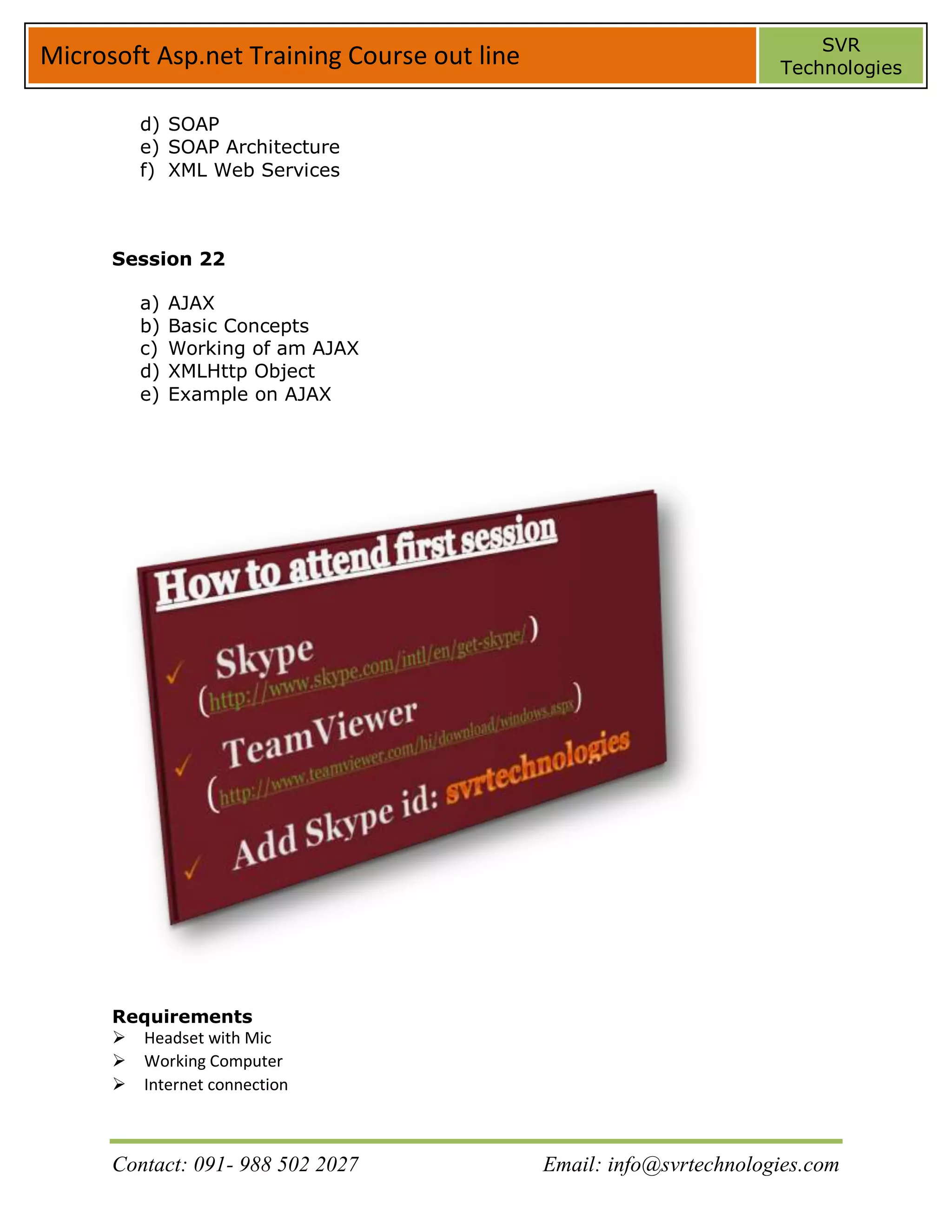
      Requirements
      Headset with Mic
      Working Computer
      Internet connection


      Contact: 091- 988 502 2027             Email: info@svrtechnologies.com

Asp.net training course out line by svr technologies

  • 1.
    SVR Microsoft Asp.net TrainingCourse out line Technologies SVR Technologies Contact: 091-9885022027 Email: info@svrtechnologies.com Course Name: C#.Net Trainer: Parikshit Sir Each Session: 1 Hour Duration: 22 sessions Contact: 091- 988 502 2027 Email: info@svrtechnologies.com
  • 2.
    SVR Microsoft Asp.net TrainingCourse out line Technologies Session 1 a) Introduction To .Net b) History of .Net c) .Net Definition d) .Net Benefits over Java Session 2 a) Introduction to .NET Framework b) .Net with different languages c) .Net Features d) Introduction To Assemblies e) CLR f) BCL g) .Net Framework Architecture Session 3 a) CTS b) MSIL c) JIT Compilers d) COM e) Web Services Session 4 a) Introduction to HTML b) Introduction To Web Pages c) Static and Dynamic Web Pages d) User Controls e) Meta Data Contact: 091- 988 502 2027 Email: info@svrtechnologies.com
  • 3.
    SVR Microsoft Asp.net TrainingCourse out line Technologies Session 5 a) Scripting Languages b) Introduction to Scripting Languages c) VB Script and Java Script d) Validating User Input Session 6 a) Server Scripting b) JS File c) Validating User Input d) ASP e) Introduction to ASP f) Request and Response Objects g) Getting Server Time h) Getting Data From Server Session 7 a) Introduction to ASP.Net b) Features of ASP.Net c) Advantages of ASP.Net d) Configuring IIS 7 Session 8 a) Web Forms b) Web Form c) Components of The Web Forms d) ASP.Net Application Stages Session 9 a) Web Forms b) Code Behind Technique Contact: 091- 988 502 2027 Email: info@svrtechnologies.com
  • 4.
    SVR Microsoft Asp.net TrainingCourse out line Technologies c) Calculating Simple Interest d) Generating User Name and Password e) Session 9 Web Application State f) Web Form Page Life Cycle g) Round Trips h) Stateless State i) Statefull State Session 10 a) Saving State At The Client b) Cookies c) HTML Hidden Form Fields d) Query String Session 11 a) Saving State At The Server b) Application State c) Session State d) PostBack Session 12 a) Web Controls b) Label c) Text Box d) Button e) Link Button f) Image Button Session 13 a) Web Controls b) Hyperlink c) Drop Down List Contact: 091- 988 502 2027 Email: info@svrtechnologies.com
  • 5.
    SVR Microsoft Asp.net TrainingCourse out line Technologies d) Check Box e) Check Box List f) Radio Button g) Radio Button List Session 14 a) Web Controls b) Image c) Panel d) Calendar e) Table Session 15 a) Web Controls b) Validation Controls c) AD Rotator Session 16 a) Database b) Introduction To Database c) Object Model d) Types of Databases e) Architecture of Object Model f) Differences Between Connected Architecture and Disconnected Architecture Session 17 a) ADO.Net b) Disconnected Database Connection c) ADO.Net Data Architecture d) DataSet e) Data Provider Contact: 091- 988 502 2027 Email: info@svrtechnologies.com
  • 6.
    SVR Microsoft Asp.net TrainingCourse out line Technologies f) SQL Data Provider g) OLEDB Data Provider h) Connection Object i) Command Object j) DataReader Object k) DataAdapter Session 18 a) Database b) Connection To SQL Server with wizard c) Connection To SQL Server through code d) Adding data to the database through Front End e) Deleting data in the database through Front End f) Working with DataSets Session 19 a) XML b) Introduction to XML c) XML Program d) Relation Between XML and HTML Session 20 a) XML b) XML Parsers c) DTD’s d) Internal DTD e) External DTD Session 21 a) Web Services b) WSDL c) UDDI Contact: 091- 988 502 2027 Email: info@svrtechnologies.com
  • 7.
    SVR Microsoft Asp.net TrainingCourse out line Technologies d) SOAP e) SOAP Architecture f) XML Web Services Session 22 a) AJAX b) Basic Concepts c) Working of am AJAX d) XMLHttp Object e) Example on AJAX Requirements Headset with Mic Working Computer Internet connection Contact: 091- 988 502 2027 Email: info@svrtechnologies.com