TANZA NATIONAL HIGH SCHOOL
EASY
ROUND
1 POINT
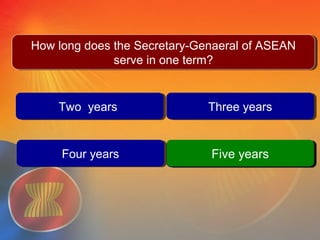
Two yearsTwo years Three yearsThree years
Five yearsFive years
Question # 1
Five yearsFive years
How long does the Secretary-General of ASEAN serve
in one term?
How long does the Secretary-General of ASEAN serve
in one term?
Four yearsFour years
The Secretary-General of ASEAN
is appointed by the ASEAN
Summit for a non-renewable term
of office of five years, selected
from among nationals of the
ASEAN Member States based on
alphabetical rotation. The
Secretary-General of ASEAN 2013
-2017 is H.E. Le Luong Minh from
Viet Nam.
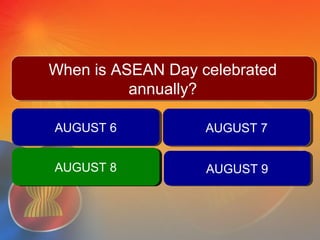
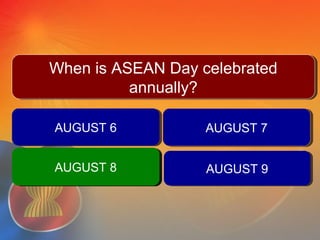
AUGUST 6AUGUST 6 AUGUST 7AUGUST 7
AUGUST 9AUGUST 9
QUESTION #2
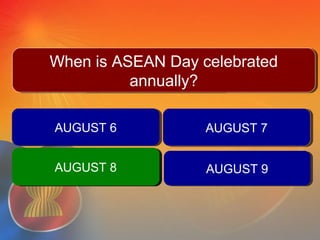
When is ASEAN Day celebrated
annually?
When is ASEAN Day celebrated
annually?
AUGUST 8AUGUST 8AUGUST 8AUGUST 8
8th August is
observed as ASEAN
Day.
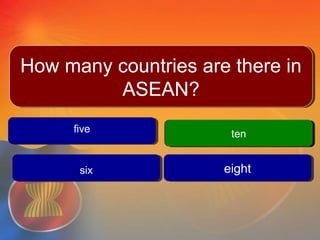
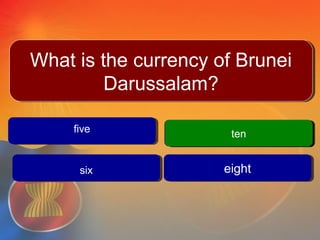
fivefive
tenten
eighteight
Question # 3
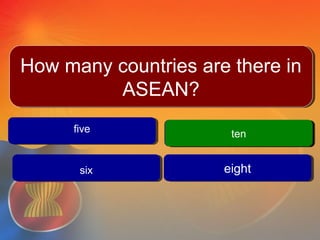
tenten
How many countries are there in
ASEAN?
How many countries are there in
ASEAN?
sixsix
As of 2010, the Association of
Southeast Asian Nations (ASEAN)
has 10 member states, one
candidate member state, and one
observer state. ASEAN was founded
on 8 August 1967 with five
members: Indonesia, Malaysia, the
Philippines, Singapore, and
Thailand.
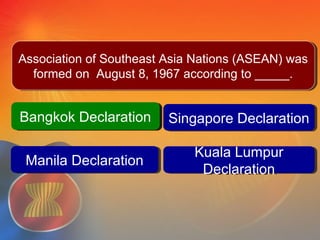
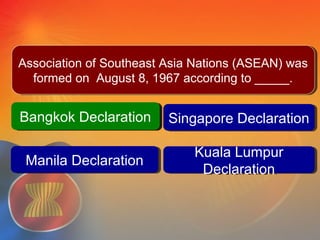
Bangkok DeclarationBangkok Declaration Singapore DeclarationSingapore Declaration
Kuala Lumpur
Declaration
Kuala Lumpur
Declaration
Question #4
Manila DeclarationManila Declaration
Bangkok DeclarationBangkok Declaration
Association of Southeast Asia Nations (ASEAN) was
formed on August 8, 1967 according to _____.
Association of Southeast Asia Nations (ASEAN) was
formed on August 8, 1967 according to _____.
The Association of Southeast Asian
Nations, or ASEAN, was established on
8 August 1967 in Bangkok, Thailand,
with the signing of the ASEAN
Declaration (Bangkok Declaration) by
the Founding Fathers of ASEAN,
namely Indonesia, Malaysia,
Philippines, Singapore and Thailand.
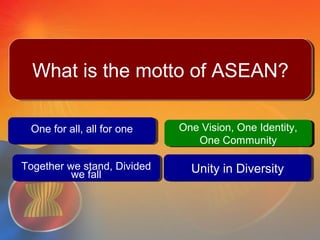
One for all, all for oneOne for all, all for one One Vision, One Identity,
One Community
One Vision, One Identity,
One Community
Unity in DiversityUnity in Diversity
Question # 5
One Vision, One Identity,
One Community
One Vision, One Identity,
One Community
What is the motto of ASEAN?What is the motto of ASEAN?
Together we stand, Divided
we fall
Together we stand, Divided
we fall
The motto of ASEAN is
“One Vision, One Identity,
One Community”.
Average
ROUND
2 POINTs
AUGUST 6AUGUST 6 AUGUST 7AUGUST 7
AUGUST 9AUGUST 9
QUESTION #1When is ASEAN Day celebrated
annually?
When is ASEAN Day celebrated
annually?
AUGUST 8AUGUST 8AUGUST 8AUGUST 8
One for all, all for oneOne for all, all for one One Vision, One Identity,
One Community
One Vision, One Identity,
One Community
Unity in DiversityUnity in Diversity
Question # 2
One Vision, One Identity,
One Community
One Vision, One Identity,
One Community
What is the motto of ASEAN?What is the motto of ASEAN?
Together we stand, Divided
we fall
Together we stand, Divided
we fall
Bangkok DeclarationBangkok Declaration Singapore DeclarationSingapore Declaration
Kuala Lumpur
Declaration
Kuala Lumpur
Declaration
Question #3
Manila DeclarationManila Declaration
Bangkok DeclarationBangkok Declaration
Association of Southeast Asia Nations (ASEAN) was
formed on August 8, 1967 according to _____.
Association of Southeast Asia Nations (ASEAN) was
formed on August 8, 1967 according to _____.
AUGUST 6AUGUST 6 AUGUST 7AUGUST 7
AUGUST 9AUGUST 9
QUESTION #4
When is ASEAN Day celebrated
annually?
When is ASEAN Day celebrated
annually?
AUGUST 8AUGUST 8AUGUST 8AUGUST 8
Two yearsTwo years Three yearsThree years
Five yearsFive years
Question # 5
Five yearsFive years
How long does the Secretary-Genaeral of ASEAN
serve in one term?
How long does the Secretary-Genaeral of ASEAN
serve in one term?
Four yearsFour years
difficult
ROUND
3 POINTs
fivefive
tenten
eighteight
Question #
tenten
What is the currency of Brunei
Darussalam?
What is the currency of Brunei
Darussalam?
sixsix
Two yearsTwo years Three yearsThree years
Five yearsFive years
Question # 2
Five yearsFive years
How long does the Secretary-Genaeral of ASEAN
serve in one term?
How long does the Secretary-Genaeral of ASEAN
serve in one term?
Four yearsFour years
Bangkok DeclarationBangkok Declaration Singapore DeclarationSingapore Declaration
Kuala Lumpur
Declaration
Kuala Lumpur
Declaration
Question #3
Manila DeclarationManila Declaration
Bangkok DeclarationBangkok Declaration
Association of Southeast Asia Nations (ASEAN) was
formed on August 8, 1967 according to _____.
Association of Southeast Asia Nations (ASEAN) was
formed on August 8, 1967 according to _____.
Bangkok DeclarationBangkok Declaration Singapore DeclarationSingapore Declaration
Kuala Lumpur
Declaration
Kuala Lumpur
Declaration
Question #4
Manila DeclarationManila Declaration
Bangkok DeclarationBangkok Declaration
Association of Southeast Asia Nations (ASEAN) was
formed on August 8, 1967 according to _____.
Association of Southeast Asia Nations (ASEAN) was
formed on August 8, 1967 according to _____.
AUGUST 6AUGUST 6 AUGUST 7AUGUST 7
AUGUST 9AUGUST 9
QUESTION #5When is ASEAN Day celebrated
annually?
When is ASEAN Day celebrated
annually?
AUGUST 8AUGUST 8AUGUST 8AUGUST 8
ROUND
1 POINT
Two yearsTwo years Three yearsThree years
Five yearsFive years
Question # 1
Five yearsFive years
How long does the Secretary-General of ASEAN serve
in one term?
How long does the Secretary-General of ASEAN serve
in one term?
Four yearsFour years
AUGUST 6AUGUST 6 AUGUST 7AUGUST 7
AUGUST 9AUGUST 9
QUESTION #2
When is ASEAN Day celebrated
annually?
When is ASEAN Day celebrated
annually?
AUGUST 8AUGUST 8AUGUST 8AUGUST 8
fivefive
tenten
eighteight
Question # 3
tenten
How many countries are there in
ASEAN?
How many countries are there in
ASEAN?
sixsix
1. What is the only country in
South east Asia that does not
used
the metric system?
What is the currency of Brunei Darussalam?
Incorrect Answer 1Incorrect Answer 1
Correct AnswerCorrect Answer
Incorrect Answer 2Incorrect Answer 2
Incorrect Answer 3Incorrect Answer 3
INCORRECT!!!
Try Again
CORRECT
Next Question
Enter the text for the multiple choice
question here
Incorrect Answer 1Incorrect Answer 1
Correct AnswerCorrect Answer
Incorrect Answer 2Incorrect Answer 2
Incorrect Answer 3Incorrect Answer 3
INCORRECT!!!
Try Again
CORRECT
Next Question
Enter the text for the multiple choice
question here
Incorrect Answer 1Incorrect Answer 1
Correct AnswerCorrect Answer
Incorrect Answer 2Incorrect Answer 2
Incorrect Answer 3Incorrect Answer 3
INCORRECT!!!
Try Again
CORRECT
Next Question
Enter the text for the multiple choice
question here
Incorrect Answer 1Incorrect Answer 1
Correct AnswerCorrect Answer
Incorrect Answer 2Incorrect Answer 2
Incorrect Answer 3Incorrect Answer 3
INCORRECT!!!
Try Again
CORRECT
Next Question
Enter the text for the multiple choice
question here
Incorrect Answer 1Incorrect Answer 1
Correct AnswerCorrect Answer
Incorrect Answer 2Incorrect Answer 2
Incorrect Answer 3Incorrect Answer 3
INCORRECT!!!
Try Again
CORRECT
Next Question
Enter the text for the multiple choice
question here
Incorrect Answer 1Incorrect Answer 1
Correct AnswerCorrect Answer
Incorrect Answer 2Incorrect Answer 2
Incorrect Answer 3Incorrect Answer 3
INCORRECT!!!
Try Again
CORRECT
Next Question
Using the Multiple Choice Template• Copy this presentation to your hard
drive.
• Open up slide sorter, copy slides #3,
4, and 5 each time you are going to
construct a question.
• Follow the instruction on the Notes
Page on Slide #3 to construct each
question.
• Delete this slide (slide #1) after you
are done.
• Save this file.
Note: The slide for ‘Wrong Answer’ will
not advance except when clicking –
‘Try Again’

Asean quiz bee

  • 1.
  • 2.
  • 3.
    Two yearsTwo yearsThree yearsThree years Five yearsFive years Question # 1 Five yearsFive years How long does the Secretary-General of ASEAN serve in one term? How long does the Secretary-General of ASEAN serve in one term? Four yearsFour years
  • 4.
    The Secretary-General ofASEAN is appointed by the ASEAN Summit for a non-renewable term of office of five years, selected from among nationals of the ASEAN Member States based on alphabetical rotation. The Secretary-General of ASEAN 2013 -2017 is H.E. Le Luong Minh from Viet Nam.
  • 5.
    AUGUST 6AUGUST 6AUGUST 7AUGUST 7 AUGUST 9AUGUST 9 QUESTION #2 When is ASEAN Day celebrated annually? When is ASEAN Day celebrated annually? AUGUST 8AUGUST 8AUGUST 8AUGUST 8
  • 6.
  • 7.
    fivefive tenten eighteight Question # 3 tenten Howmany countries are there in ASEAN? How many countries are there in ASEAN? sixsix
  • 8.
    As of 2010,the Association of Southeast Asian Nations (ASEAN) has 10 member states, one candidate member state, and one observer state. ASEAN was founded on 8 August 1967 with five members: Indonesia, Malaysia, the Philippines, Singapore, and Thailand.
  • 9.
    Bangkok DeclarationBangkok DeclarationSingapore DeclarationSingapore Declaration Kuala Lumpur Declaration Kuala Lumpur Declaration Question #4 Manila DeclarationManila Declaration Bangkok DeclarationBangkok Declaration Association of Southeast Asia Nations (ASEAN) was formed on August 8, 1967 according to _____. Association of Southeast Asia Nations (ASEAN) was formed on August 8, 1967 according to _____.
  • 10.
    The Association ofSoutheast Asian Nations, or ASEAN, was established on 8 August 1967 in Bangkok, Thailand, with the signing of the ASEAN Declaration (Bangkok Declaration) by the Founding Fathers of ASEAN, namely Indonesia, Malaysia, Philippines, Singapore and Thailand.
  • 11.
    One for all,all for oneOne for all, all for one One Vision, One Identity, One Community One Vision, One Identity, One Community Unity in DiversityUnity in Diversity Question # 5 One Vision, One Identity, One Community One Vision, One Identity, One Community What is the motto of ASEAN?What is the motto of ASEAN? Together we stand, Divided we fall Together we stand, Divided we fall
  • 12.
    The motto ofASEAN is “One Vision, One Identity, One Community”.
  • 13.
  • 14.
    AUGUST 6AUGUST 6AUGUST 7AUGUST 7 AUGUST 9AUGUST 9 QUESTION #1When is ASEAN Day celebrated annually? When is ASEAN Day celebrated annually? AUGUST 8AUGUST 8AUGUST 8AUGUST 8
  • 15.
    One for all,all for oneOne for all, all for one One Vision, One Identity, One Community One Vision, One Identity, One Community Unity in DiversityUnity in Diversity Question # 2 One Vision, One Identity, One Community One Vision, One Identity, One Community What is the motto of ASEAN?What is the motto of ASEAN? Together we stand, Divided we fall Together we stand, Divided we fall
  • 16.
    Bangkok DeclarationBangkok DeclarationSingapore DeclarationSingapore Declaration Kuala Lumpur Declaration Kuala Lumpur Declaration Question #3 Manila DeclarationManila Declaration Bangkok DeclarationBangkok Declaration Association of Southeast Asia Nations (ASEAN) was formed on August 8, 1967 according to _____. Association of Southeast Asia Nations (ASEAN) was formed on August 8, 1967 according to _____.
  • 17.
    AUGUST 6AUGUST 6AUGUST 7AUGUST 7 AUGUST 9AUGUST 9 QUESTION #4 When is ASEAN Day celebrated annually? When is ASEAN Day celebrated annually? AUGUST 8AUGUST 8AUGUST 8AUGUST 8
  • 18.
    Two yearsTwo yearsThree yearsThree years Five yearsFive years Question # 5 Five yearsFive years How long does the Secretary-Genaeral of ASEAN serve in one term? How long does the Secretary-Genaeral of ASEAN serve in one term? Four yearsFour years
  • 19.
  • 20.
    fivefive tenten eighteight Question # tenten What isthe currency of Brunei Darussalam? What is the currency of Brunei Darussalam? sixsix
  • 21.
    Two yearsTwo yearsThree yearsThree years Five yearsFive years Question # 2 Five yearsFive years How long does the Secretary-Genaeral of ASEAN serve in one term? How long does the Secretary-Genaeral of ASEAN serve in one term? Four yearsFour years
  • 22.
    Bangkok DeclarationBangkok DeclarationSingapore DeclarationSingapore Declaration Kuala Lumpur Declaration Kuala Lumpur Declaration Question #3 Manila DeclarationManila Declaration Bangkok DeclarationBangkok Declaration Association of Southeast Asia Nations (ASEAN) was formed on August 8, 1967 according to _____. Association of Southeast Asia Nations (ASEAN) was formed on August 8, 1967 according to _____.
  • 23.
    Bangkok DeclarationBangkok DeclarationSingapore DeclarationSingapore Declaration Kuala Lumpur Declaration Kuala Lumpur Declaration Question #4 Manila DeclarationManila Declaration Bangkok DeclarationBangkok Declaration Association of Southeast Asia Nations (ASEAN) was formed on August 8, 1967 according to _____. Association of Southeast Asia Nations (ASEAN) was formed on August 8, 1967 according to _____.
  • 24.
    AUGUST 6AUGUST 6AUGUST 7AUGUST 7 AUGUST 9AUGUST 9 QUESTION #5When is ASEAN Day celebrated annually? When is ASEAN Day celebrated annually? AUGUST 8AUGUST 8AUGUST 8AUGUST 8
  • 25.
  • 26.
    Two yearsTwo yearsThree yearsThree years Five yearsFive years Question # 1 Five yearsFive years How long does the Secretary-General of ASEAN serve in one term? How long does the Secretary-General of ASEAN serve in one term? Four yearsFour years
  • 27.
    AUGUST 6AUGUST 6AUGUST 7AUGUST 7 AUGUST 9AUGUST 9 QUESTION #2 When is ASEAN Day celebrated annually? When is ASEAN Day celebrated annually? AUGUST 8AUGUST 8AUGUST 8AUGUST 8
  • 28.
    fivefive tenten eighteight Question # 3 tenten Howmany countries are there in ASEAN? How many countries are there in ASEAN? sixsix
  • 29.
    1. What isthe only country in South east Asia that does not used the metric system?
  • 30.
    What is thecurrency of Brunei Darussalam? Incorrect Answer 1Incorrect Answer 1 Correct AnswerCorrect Answer Incorrect Answer 2Incorrect Answer 2 Incorrect Answer 3Incorrect Answer 3
  • 31.
  • 32.
  • 33.
    Enter the textfor the multiple choice question here Incorrect Answer 1Incorrect Answer 1 Correct AnswerCorrect Answer Incorrect Answer 2Incorrect Answer 2 Incorrect Answer 3Incorrect Answer 3
  • 34.
  • 35.
  • 36.
    Enter the textfor the multiple choice question here Incorrect Answer 1Incorrect Answer 1 Correct AnswerCorrect Answer Incorrect Answer 2Incorrect Answer 2 Incorrect Answer 3Incorrect Answer 3
  • 37.
  • 38.
  • 39.
    Enter the textfor the multiple choice question here Incorrect Answer 1Incorrect Answer 1 Correct AnswerCorrect Answer Incorrect Answer 2Incorrect Answer 2 Incorrect Answer 3Incorrect Answer 3
  • 40.
  • 41.
  • 42.
    Enter the textfor the multiple choice question here Incorrect Answer 1Incorrect Answer 1 Correct AnswerCorrect Answer Incorrect Answer 2Incorrect Answer 2 Incorrect Answer 3Incorrect Answer 3
  • 43.
  • 44.
  • 45.
    Enter the textfor the multiple choice question here Incorrect Answer 1Incorrect Answer 1 Correct AnswerCorrect Answer Incorrect Answer 2Incorrect Answer 2 Incorrect Answer 3Incorrect Answer 3
  • 46.
  • 47.
  • 49.
    Using the MultipleChoice Template• Copy this presentation to your hard drive. • Open up slide sorter, copy slides #3, 4, and 5 each time you are going to construct a question. • Follow the instruction on the Notes Page on Slide #3 to construct each question. • Delete this slide (slide #1) after you are done. • Save this file. Note: The slide for ‘Wrong Answer’ will not advance except when clicking – ‘Try Again’

Editor's Notes

  • #31 Enter the text for the question. Put the text for incorrect answers in the boxes that are marked ‘incorrect‘. Put the correct answer in the box that is marked ‘correct’. Then select the correct answer text, right click, and set the ‘Action Setting’ for this object to go to the ‘correct answer’ of each question set. To select the correct slide drop down the menu bar marked hyperlink, click on slide, and then click on the slide you want to link it to. This is important. Otherwise, the exercise will not advance to the next question. You must hyperlink all the answers to the correct and incorrect answer slide. You must also place a hyperlink on slide 4 or the correct answer slide. Hyperlink, like you did above, the text that says ‘Next Question” and link it to the next question in your slide show. If you have more than 4 choices, you may add one or two more choices, or you may want to eliminate one ‘incorrect’ box if you have only three choices. After you enter the text for both question and answers, you may choose to ‘randomize’ your answer choices by moving the answers around to a different order. The answer choices are constructed as ‘button’ objects and can be moved. To move the choices, simply single click on the object, and drag your mouse to relocate the choice objects.
  • #34 Enter the text for the question. Put the text for incorrect answers in the boxes that are marked ‘incorrect‘. Put the correct answer in the box that is marked ‘correct’. Then select the correct answer text, right click, and set the ‘Action Setting’ for this object to go to the ‘correct answer’ of each question set. To select the correct slide drop down the menu bar marked hyperlink, click on slide, and then click on the slide you want to link it to. This is important. Otherwise, the exercise will not advance to the next question. You must hyperlink all the answers to the correct and incorrect answer slide. You must also place a hyperlink on slide 4 or the correct answer slide. Hyperlink, like you did above, the text that says ‘Next Question” and link it to the next question in your slide show. If you have more than 4 choices, you may add one or two more choices, or you may want to eliminate one ‘incorrect’ box if you have only three choices. After you enter the text for both question and answers, you may choose to ‘randomize’ your answer choices by moving the answers around to a different order. The answer choices are constructed as ‘button’ objects and can be moved. To move the choices, simply single click on the object, and drag your mouse to relocate the choice objects.
  • #37 Enter the text for the question. Put the text for incorrect answers in the boxes that are marked ‘incorrect‘. Put the correct answer in the box that is marked ‘correct’. Then select the correct answer text, right click, and set the ‘Action Setting’ for this object to go to the ‘correct answer’ of each question set. To select the correct slide drop down the menu bar marked hyperlink, click on slide, and then click on the slide you want to link it to. This is important. Otherwise, the exercise will not advance to the next question. You must hyperlink all the answers to the correct and incorrect answer slide. You must also place a hyperlink on slide 4 or the correct answer slide. Hyperlink, like you did above, the text that says ‘Next Question” and link it to the next question in your slide show. If you have more than 4 choices, you may add one or two more choices, or you may want to eliminate one ‘incorrect’ box if you have only three choices. After you enter the text for both question and answers, you may choose to ‘randomize’ your answer choices by moving the answers around to a different order. The answer choices are constructed as ‘button’ objects and can be moved. To move the choices, simply single click on the object, and drag your mouse to relocate the choice objects.
  • #40 Enter the text for the question. Put the text for incorrect answers in the boxes that are marked ‘incorrect‘. Put the correct answer in the box that is marked ‘correct’. Then select the correct answer text, right click, and set the ‘Action Setting’ for this object to go to the ‘correct answer’ of each question set. To select the correct slide drop down the menu bar marked hyperlink, click on slide, and then click on the slide you want to link it to. This is important. Otherwise, the exercise will not advance to the next question. You must hyperlink all the answers to the correct and incorrect answer slide. You must also place a hyperlink on slide 4 or the correct answer slide. Hyperlink, like you did above, the text that says ‘Next Question” and link it to the next question in your slide show. If you have more than 4 choices, you may add one or two more choices, or you may want to eliminate one ‘incorrect’ box if you have only three choices. After you enter the text for both question and answers, you may choose to ‘randomize’ your answer choices by moving the answers around to a different order. The answer choices are constructed as ‘button’ objects and can be moved. To move the choices, simply single click on the object, and drag your mouse to relocate the choice objects.
  • #43 Enter the text for the question. Put the text for incorrect answers in the boxes that are marked ‘incorrect‘. Put the correct answer in the box that is marked ‘correct’. Then select the correct answer text, right click, and set the ‘Action Setting’ for this object to go to the ‘correct answer’ of each question set. To select the correct slide drop down the menu bar marked hyperlink, click on slide, and then click on the slide you want to link it to. This is important. Otherwise, the exercise will not advance to the next question. You must hyperlink all the answers to the correct and incorrect answer slide. You must also place a hyperlink on slide 4 or the correct answer slide. Hyperlink, like you did above, the text that says ‘Next Question” and link it to the next question in your slide show. If you have more than 4 choices, you may add one or two more choices, or you may want to eliminate one ‘incorrect’ box if you have only three choices. After you enter the text for both question and answers, you may choose to ‘randomize’ your answer choices by moving the answers around to a different order. The answer choices are constructed as ‘button’ objects and can be moved. To move the choices, simply single click on the object, and drag your mouse to relocate the choice objects.
  • #46 Enter the text for the question. Put the text for incorrect answers in the boxes that are marked ‘incorrect‘. Put the correct answer in the box that is marked ‘correct’. Then select the correct answer text, right click, and set the ‘Action Setting’ for this object to go to the ‘correct answer’ of each question set. To select the correct slide drop down the menu bar marked hyperlink, click on slide, and then click on the slide you want to link it to. This is important. Otherwise, the exercise will not advance to the next question. You must hyperlink all the answers to the correct and incorrect answer slide. You must also place a hyperlink on slide 4 or the correct answer slide. Hyperlink, like you did above, the text that says ‘Next Question” and link it to the next question in your slide show. If you have more than 4 choices, you may add one or two more choices, or you may want to eliminate one ‘incorrect’ box if you have only three choices. After you enter the text for both question and answers, you may choose to ‘randomize’ your answer choices by moving the answers around to a different order. The answer choices are constructed as ‘button’ objects and can be moved. To move the choices, simply single click on the object, and drag your mouse to relocate the choice objects.