All About Arduino Uno Board
&
Its Type
About Arduino
The Arduino board is invented for the electronics students to use this in their
projects. The Arduino boards are provided as open source that helps the user to build
their projects and instruments according to their need.
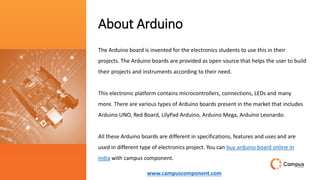
This electronic platform contains microcontrollers, connections, LEDs and many
more. There are various types of Arduino boards present in the market that includes
Arduino UNO, Red Board, LilyPad Arduino, Arduino Mega, Arduino Leonardo.
All these Arduino boards are different in specifications, features and uses and are
used in different type of electronics project. You can buy arduino board online in
india with campus component.
www.campuscomponent.com
Arduino UNO
The development of Arduino UNO board is considered as new compared to other
Arduino boards. This board comes up with numerous features that helps the user to use
this in their project.
The Arduino UNO uses the Atmega16U2 microcontroller that helps to increase the
transfer rate and contain large memory compared to other boards. No extra devices are
needed for the Arduino UNO board like joystick, mouse, keyboard and many more. The
Arduino UNO contain SCL and SDA pins and also have two additional pins fit near to
RESET pin.
The board contains 14 digital input pins and output pins in which 6 pins are used as
PWM, 6 pins as analog inputs, USB connection, reset button and one power jack. The
Arduino UNO board can be attached to computer system buy USB port and also get
power supply to board from computer system.
The Arduino UNO contains flash memory of size 32 KB that is used to the data in it. The
other feature of the Arduino UNO is compatibility with other shield and can be
combined with other Arduino products.
www.campuscomponent.com
Arduino Mega
This boards is considered as the microcontroller that uses the Atmega2560 in it. There are total 54 input pins and
output pins in it in which 14 pins are of PWM output, 4 pins are of hardware port, 16 pins as analog inputs.
The board also contain one USB connection, ICSP header, power jack and one REST pin. There are additional pins
that act as crystal oscillator having frequency of 16 MHz. The board also has flash memory of 256KB size that uses to
store the data in it.
The Arduino Mega board can be attached to computer system via USB connection and power supply can be provided
to board by using battery or AC to DC adapter. As the board has large number of pins fitted in it that make the board
suitable for projects that requires more number of pins in it.
www.campuscomponent.com
Arduino Nano Compatible
Arduino Nano comes with a crystal oscillator of frequency 16
MHz. It is used to produce a clock of precise frequency using
constant voltage. There is one limitation of using Arduino
Nano i.e. it doesn't come with a DC power jack, which means
you can not supply an external power source through a
battery.
The main difference between these two is the size. Because
Arduino Uno size is double to nano board. So Uno boards
use more space on the system. The programming of UNO
can be done with a USB cable whereas Nano uses the mini
USB cable.
www.campuscomponent.com
Conclusion
For the electronic project, there are number of Arduino products available in the market. And the selection of
the Arduino product like best arduino shields, arduino boards or arduino ethernet shield is completely based
on the requirement of project and budget of the project. All the products have different features, uses and
selection of right product is completely dependent on user requirements. For more details visit
https://www.campuscomponent.com/categories/arduino/2208614000002321119
www.campuscomponent.com
Campus Component
Pvt. Ltd
We are Electronic Components Distributor & wholesale electronic
components suppliers. Explore the wide range electronic
component. Find out more about this all-rounded great performer
at Campus Component a online store now!
www.campuscomponent.com

Ardiuno by Campus Component.pptx

  • 1.
    All About ArduinoUno Board & Its Type
  • 2.
    About Arduino The Arduinoboard is invented for the electronics students to use this in their projects. The Arduino boards are provided as open source that helps the user to build their projects and instruments according to their need. This electronic platform contains microcontrollers, connections, LEDs and many more. There are various types of Arduino boards present in the market that includes Arduino UNO, Red Board, LilyPad Arduino, Arduino Mega, Arduino Leonardo. All these Arduino boards are different in specifications, features and uses and are used in different type of electronics project. You can buy arduino board online in india with campus component. www.campuscomponent.com
  • 3.
    Arduino UNO The developmentof Arduino UNO board is considered as new compared to other Arduino boards. This board comes up with numerous features that helps the user to use this in their project. The Arduino UNO uses the Atmega16U2 microcontroller that helps to increase the transfer rate and contain large memory compared to other boards. No extra devices are needed for the Arduino UNO board like joystick, mouse, keyboard and many more. The Arduino UNO contain SCL and SDA pins and also have two additional pins fit near to RESET pin. The board contains 14 digital input pins and output pins in which 6 pins are used as PWM, 6 pins as analog inputs, USB connection, reset button and one power jack. The Arduino UNO board can be attached to computer system buy USB port and also get power supply to board from computer system. The Arduino UNO contains flash memory of size 32 KB that is used to the data in it. The other feature of the Arduino UNO is compatibility with other shield and can be combined with other Arduino products. www.campuscomponent.com
  • 4.
    Arduino Mega This boardsis considered as the microcontroller that uses the Atmega2560 in it. There are total 54 input pins and output pins in it in which 14 pins are of PWM output, 4 pins are of hardware port, 16 pins as analog inputs. The board also contain one USB connection, ICSP header, power jack and one REST pin. There are additional pins that act as crystal oscillator having frequency of 16 MHz. The board also has flash memory of 256KB size that uses to store the data in it. The Arduino Mega board can be attached to computer system via USB connection and power supply can be provided to board by using battery or AC to DC adapter. As the board has large number of pins fitted in it that make the board suitable for projects that requires more number of pins in it. www.campuscomponent.com
  • 5.
    Arduino Nano Compatible ArduinoNano comes with a crystal oscillator of frequency 16 MHz. It is used to produce a clock of precise frequency using constant voltage. There is one limitation of using Arduino Nano i.e. it doesn't come with a DC power jack, which means you can not supply an external power source through a battery. The main difference between these two is the size. Because Arduino Uno size is double to nano board. So Uno boards use more space on the system. The programming of UNO can be done with a USB cable whereas Nano uses the mini USB cable. www.campuscomponent.com
  • 6.
    Conclusion For the electronicproject, there are number of Arduino products available in the market. And the selection of the Arduino product like best arduino shields, arduino boards or arduino ethernet shield is completely based on the requirement of project and budget of the project. All the products have different features, uses and selection of right product is completely dependent on user requirements. For more details visit https://www.campuscomponent.com/categories/arduino/2208614000002321119 www.campuscomponent.com
  • 7.
    Campus Component Pvt. Ltd Weare Electronic Components Distributor & wholesale electronic components suppliers. Explore the wide range electronic component. Find out more about this all-rounded great performer at Campus Component a online store now! www.campuscomponent.com