APPLICATION SOFTWARE
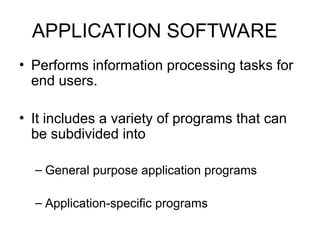
• Performsinformation processing tasks for
end users.
• It includes a variety of programs that can
be subdivided into
– General purpose application programs
– Application-specific programs
2.
APPLICATION SOFTWARE
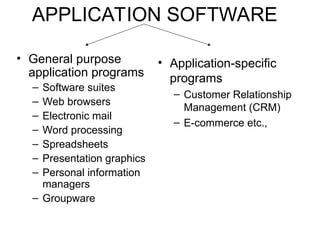
• Generalpurpose
application programs
– Software suites
– Web browsers
– Electronic mail
– Word processing
– Spreadsheets
– Presentation graphics
– Personal information
managers
– Groupware
• Application-specific
programs
– Customer Relationship
Management (CRM)
– E-commerce etc.,
3.
General purpose application
programs
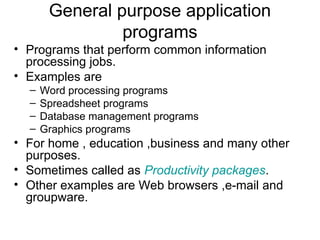
•Programs that perform common information
processing jobs.
• Examples are
– Word processing programs
– Spreadsheet programs
– Database management programs
– Graphics programs
• For home , education ,business and many other
purposes.
• Sometimes called as Productivity packages.
• Other examples are Web browsers ,e-mail and
groupware.
4.
Classification of Software
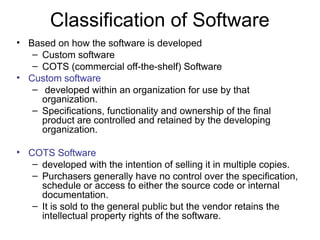
•Based on how the software is developed
– Custom software
– COTS (commercial off-the-shelf) Software
• Custom software
– developed within an organization for use by that
organization.
– Specifications, functionality and ownership of the final
product are controlled and retained by the developing
organization.
• COTS Software
– developed with the intention of selling it in multiple copies.
– Purchasers generally have no control over the specification,
schedule or access to either the source code or internal
documentation.
– It is sold to the general public but the vendor retains the
intellectual property rights of the software.
5.
Software suites andIntegrated
Packages
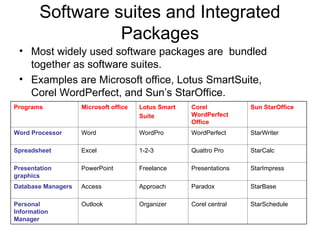
• Most widely used software packages are bundled
together as software suites.
• Examples are Microsoft office, Lotus SmartSuite,
Corel WordPerfect, and Sun’s StarOffice.
Programs Microsoft office Lotus Smart
Suite
Corel
WordPerfect
Office
Sun StarOffice
Word Processor Word WordPro WordPerfect StarWriter
Spreadsheet Excel 1-2-3 Quattro Pro StarCalc
Presentation
graphics
PowerPoint Freelance Presentations StarImpress
Database Managers Access Approach Paradox StarBase
Personal
Information
Manager
Outlook Organizer Corel central StarSchedule
6.
Cont’d
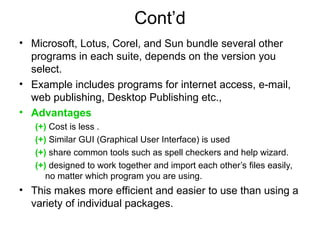
• Microsoft, Lotus,Corel, and Sun bundle several other
programs in each suite, depends on the version you
select.
• Example includes programs for internet access, e-mail,
web publishing, Desktop Publishing etc.,
• Advantages
(+) Cost is less .
(+) Similar GUI (Graphical User Interface) is used
(+) share common tools such as spell checkers and help wizard.
(+) designed to work together and import each other’s files easily,
no matter which program you are using.
• This makes more efficient and easier to use than using a
variety of individual packages.
7.
Cont’d
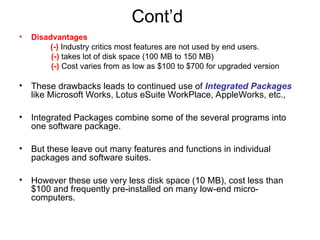
• Disadvantages
(-) Industrycritics most features are not used by end users.
(-) takes lot of disk space (100 MB to 150 MB)
(-) Cost varies from as low as $100 to $700 for upgraded version
• These drawbacks leads to continued use of Integrated Packages
like Microsoft Works, Lotus eSuite WorkPlace, AppleWorks, etc.,
• Integrated Packages combine some of the several programs into
one software package.
• But these leave out many features and functions in individual
packages and software suites.
• However these use very less disk space (10 MB), cost less than
$100 and frequently pre-installed on many low-end micro-
computers.
8.
Web Browsers
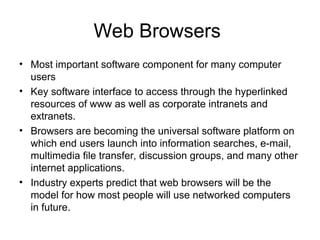
• Mostimportant software component for many computer
users
• Key software interface to access through the hyperlinked
resources of www as well as corporate intranets and
extranets.
• Browsers are becoming the universal software platform on
which end users launch into information searches, e-mail,
multimedia file transfer, discussion groups, and many other
internet applications.
• Industry experts predict that web browsers will be the
model for how most people will use networked computers
in future.
9.
Web Browsers (Cont’d)
•Web browsers will be used to
To watch a video,
Make a phone call,
Download some software,
Hold a videoconference,
Check your e-mail
Work on a spreadsheet of your team’s business plan
• Sometimes called universal client
10.
Electronic Mail andInstant
Messaging
• First thing many people do at work all over the world is
check their e-mail.
• Millions of end users now depend on e-mail software to
communicate with each other.
• E-mail is stored in network servers.
• Whenever you want to, you can read by displaying it on
your workstations.
• So, with only few minutes of efforts, a message to one or
many individuals can be composed, sent and received.
• Now a component of top software suites.
• Free e-mail packages are available.
11.
Electronic Mail andInstant
Messaging
• E-mail software like Microsoft outlook express or Netscape
messenger can route messages to multiple users.
• Provides password security, automatic message forwarding,
and remote user access.
• Also allow you to store messages in folders, add documents
and web file attachments to e-mail messages.
• Allows to edit and send graphics and multimedia files as well
as text
• Automatically filters and sort incoming messages and send to
appropriate mail boxes and folders.
• Instant messaging (IM) is an e-mail or computer conferencing
hybrid technology.
• Grown as standard method of electronic messaging.
• IM software can be downloaded (yahoo messenger, MSN
messenger) .
12.
Word Processing
• Thissoftware has transformed the process of writing.
• It computerize the creation, editing, revision, and printing of
documents (letters, memos, reports) by electronically processing
your text data ( words, phrases, sentence, paragraph) .
• Top packages like Microsoft Word, Lotus WordPro, Corel
WordPerfect provides attractive printed documents with desktop
publishing capabilities.
• It also convert all documents to HTML format for publication as web
pages on corporate intranets, WWW .
• Provides spell check and thesaurus feature.
• Allows to use top packages to design and create web pages.
13.
Desktop Publishing (DTP)
•End users and organization can use DTP software to
produce their own printed materials that look
professionally published.
• They can design and print their own newsletters,
brochures, manuals with several styles, graphics,
photos, and colors on each page.
• Example Adobe PageMaker , QuarkXPress
• Optical scanners is used to input text and graphics from
printed materials.
14.
Electronic Spreadsheets
• ElectronicSpreadsheets packages like Microsoft Excel,
Lotus 1-2-3 are used for business analysis, planning and
modeling.
• It is a worksheet of rows and columns, which can be
stored on PC, converted to HTML format and stored as
web page on the www.
• Developing a spreadsheet involves designing its format
and developing the relationship.
• In response to your input, computer performs necessary
calculations and displays the result in your workstation or
website.
• Result can also be displayed graphically.
15.
Presentation Graphics
• Thispackages help you convert numeric data into
graphics display such as line charts, bar graphs, pie
charts and many other types of graphics.
• Most of top packages help to prepare multimedia
presentations of graphics, photos, animation and video
clips including publishing on the web.
• Presentation graphics is much more effective than
tabular presentation of numeric data for reporting and
communicating in advertising media, management
reports or other business presentations.
16.
Personal Information Managers
•PIM is a popular application for personal digital assistant (PDA)
hand-held devices.
• PIMs such as Microsoft Outlook help to store, organize and retrieve
information about customers, clients and prospects or schedule and
manage appointments, meetings and tasks.
• Information can be retrieved in variety of forms like
– An electronic calendar
– List of appointments, meetings or other things to do
– timetable for a project
– Display of key facts or financial data about clients, customers etc.,
• Most PIMs now include the ability to access the web and provide
e-mail capability.
17.
Groupware
• It isa collaboration software that helps workgroups and teams work
together to accomplish group assignments.
• It combines a variety of software features and functions to facilitate
collaboration.
• Groupware products rely on the internet and corporate intranets to
make collaboration possible by virtual teams located anywhere in
the world.
• Two recent additions to the collaborative software marketplace are
Microsoft Windows SharePoint and IBM’s WebSphere.
• Both products allow teams to quickly create sophisticated Websites
for information sharing and document collaboration.
• Used as a platform for creating efficient web-based business
portals.
• Can integrate a wide variety of individual applications to increase
productivity of individuals and teams.
18.
Application-specific programs
• Thousandsof application-specific software packages are
available to support specific application of users in
business and other fields.
• Examples are
– CRM
– E-commerce etc.,
19.
Customer Relationship
Management (CRM)
•Managing the full range of the customer relationship involves two related
objectives:
– To provide the organization and all of its customer-facing employees with a
single, complete view of every customer across all channels,
– To provide the customer with a single, complete view of the company and its
extended channels.
• Benefits
– CRM allows a business to identify and target their best customers, those
who are more profitable to business,
– It makes real-time customization and personalization of products and
services based on customer needs, wants, buying habits and life styles.
– Keeps track of when a customer contacts the company
– Enable a company to provide consistent customer experience and superior
service.
• Disadvantages
– These benefits are not guaranteed and instead ,have proven elusive at many
companies.
20.
E-Commerce
• E-commerce ischanging the shape of
competition, the speed of action, and the
streamlining of interactions, products and
payments from customers to companies and
from companies to suppliers.
• It is more than buying and selling online.
• It is developing, marketing, selling, delivering,
servicing and paying for products and services.
• Categories of e-commerce
– Business-to-Consumer (B2C) e-commerce
– Business-to-Business (B2B) e-commerce
– Consumer-to-Consumer (C2C) e-commerce